Your xTool Studio download is a free installer from xtool.com, with one build for Windows PCs and two for Macs: Intel and Apple silicon. It designs, prepares and sends jobs to xTool laser cutters, engravers and printers such as the P3, F2, M2 and O1 Omni Printer.
xTool Studio replaces xTool Creative Space (XCS) as xTool’s main app, and a free mobile version runs on iPhone, iPad and Android phones.
Below: which file fits your computer, the install steps for Windows and Mac, the mobile app, which machines it drives, Studio versus XCS, fixes for common problems and a clean uninstall.
Which xTool Studio download do you need?
xTool publishes three desktop installers of the same release. Match your computer to a row, then use that button on the xTool software page.
| Your computer | Button to select | File you get | Where |
|---|---|---|---|
| Windows 11 or Windows 10 PC (64-bit) | Download for Windows | xTool-Studio-x64-1.9.11.exe | xTool software page |
| Mac with an Intel processor | Download for macOS Intel chips | xTool-Studio-x64-1.9.11.dmg | xTool software page |
| Mac with an Apple M-series or A-series chip | Download for macOS Apple Silicon | xTool-Studio-arm64-1.9.11.dmg | xTool software page |
| iPhone or iPad | Get in the App Store | xTool Studio mobile app | App Store listing |
| Android phone or tablet | Install on Google Play | xTool Studio mobile app | Google Play listing |
The software page detects your system and highlights the matching button. On a Mac, confirm the chip first under Apple menu > About This Mac.
Download xTool Studio from the official xTool links
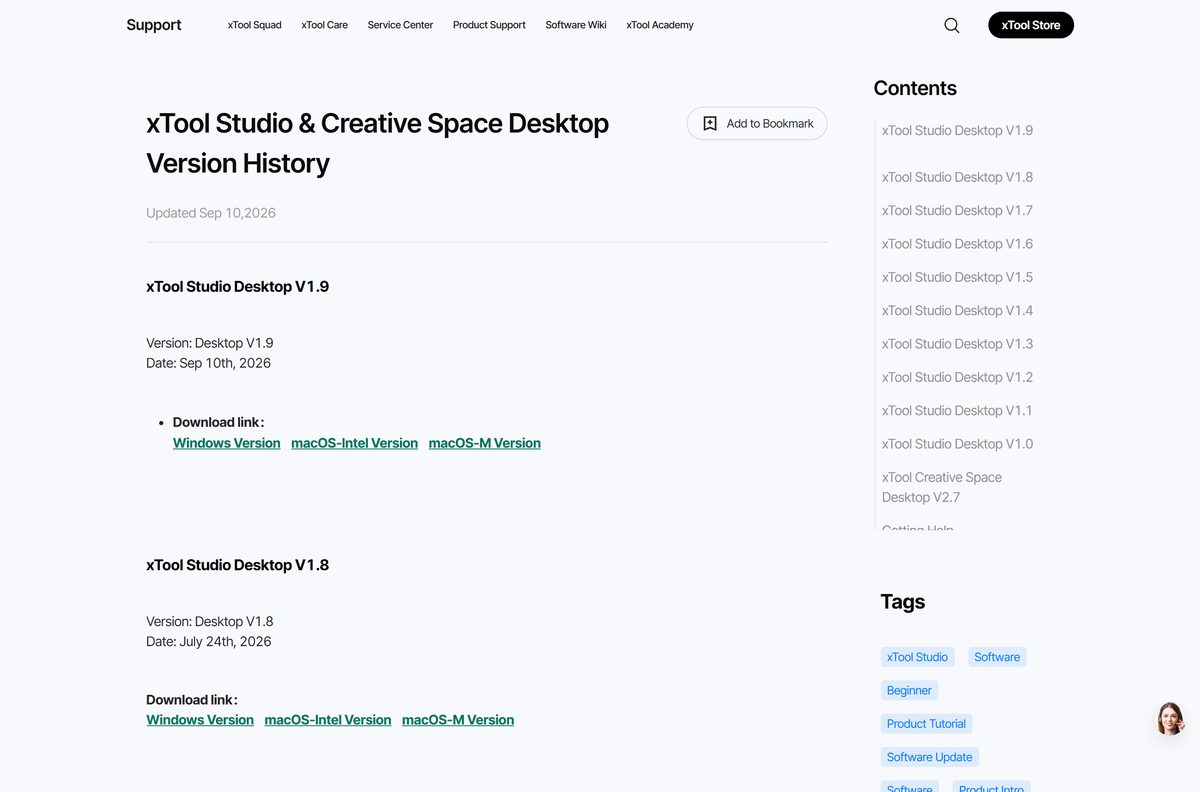
All three desktop files come from the software page on xtool.com. The version history page on xTool Support links the same Windows, macOS-Intel and macOS-M builds for every release since Studio 1.0.
- xTool Studio software page — Windows, macOS Intel and macOS Apple Silicon buttons for the current release
- Desktop version history — Every Studio release from V1.0 plus the final Creative Space V2.7
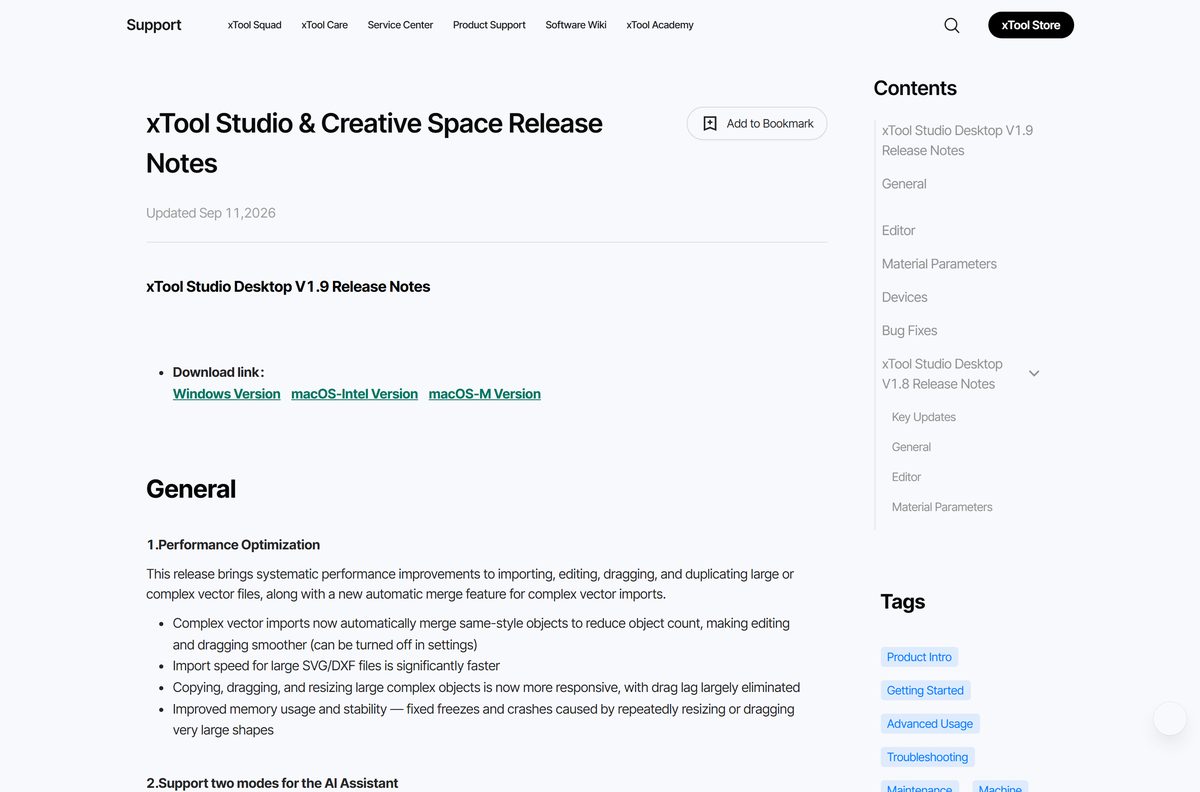
- Release notes — What changed in each version, with the same download links
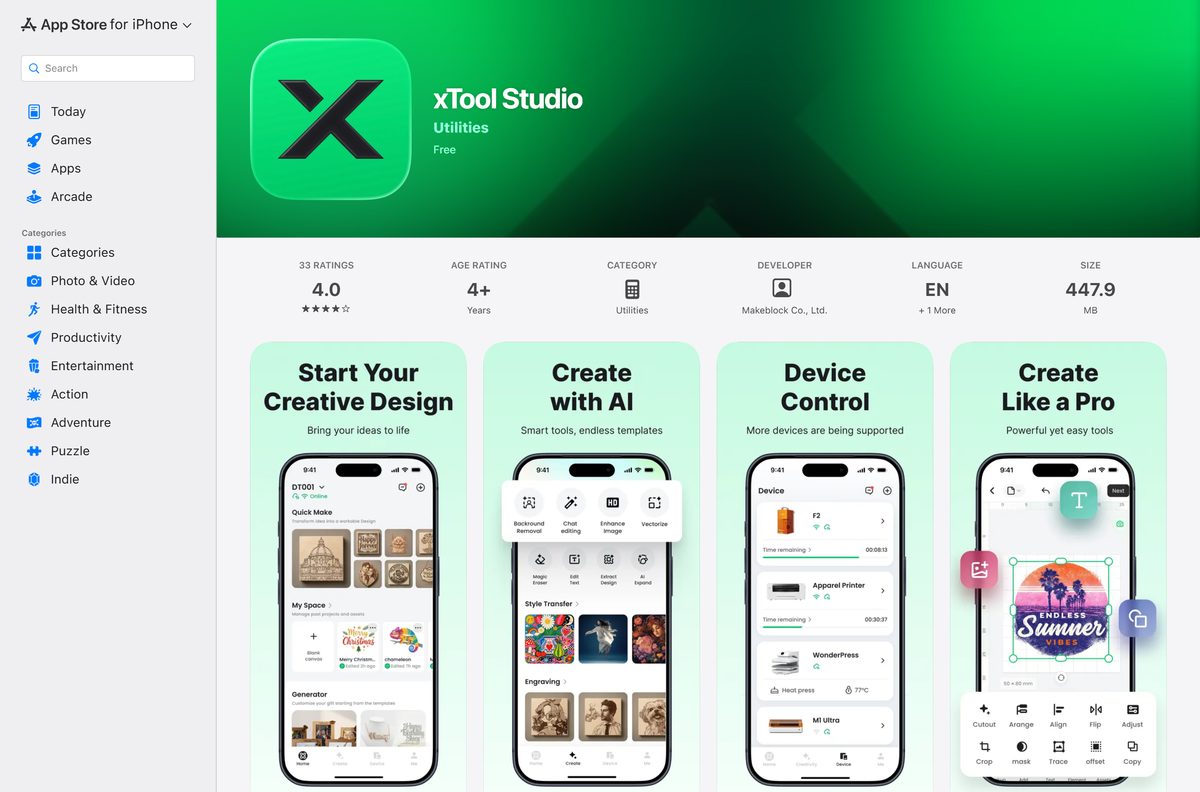
- xTool Studio for iPhone and iPad — Free, 447.9 MB
- xTool Studio for Android — Free on Google Play
Every desktop file is a full installer, not a small web setup. Keep a copy if you run machines on a workshop PC with a weak connection.
How to install xTool Studio on Windows 11 and 10
Close any running copy of Studio before you start. Setup also removes older Studio versions, so you end up with one desktop icon.
- Open the xTool software page at xtool.com/pages/software.
- Select Download for Windows and save xTool-Studio-x64-1.9.11.exe .
- Double-click the downloaded file to start setup.
- Select Yes at the User Account Control prompt.
- If a second prompt asks to run Uninstall xTool Studio.exe, select Yes so setup can replace the older version.
- Follow the setup pages to the end and select Finish.
- Open xTool Studio from the Start menu or the desktop shortcut.
- Complete the safety training, a required step for new users.
- Select Connect Device and pick your machine over USB or Wi-Fi.
Removing an older Studio build during setup does not touch your local or cloud files. xTool Creative Space stays installed, because the two are separate apps.
Which xTool Studio download do you need for your Mac?
xTool builds separate Mac installers for each chip type rather than one Universal file. Pick the one that matches the chip listed in About This Mac.
| About This Mac shows | Download | Link |
|---|---|---|
| Chip: Apple M1, M2, M3, M4 or later, or an A-series chip | xTool-Studio-arm64-1.9.11.dmg (Download for macOS Apple Silicon) | xTool software page |
| Processor: Intel Core i5, i7, i9 or similar | xTool-Studio-x64-1.9.11.dmg (Download for macOS Intel chips) | xTool software page |
Open the downloaded .dmg file, copy xTool Studio into your Applications folder, then launch it from Launchpad or Finder.
Install the xTool Studio app on iPhone, iPad and Android
The mobile app designs artwork, starts jobs and alerts you when a job finishes. It currently drives the F2, WonderPress, M1 Ultra, Apparel Printer, Apparel Printer Plus, M2 and O1 Omni Printer.
- Open the App Store on iPhone or iPad, or Google Play on Android.
- Search for xTool Studio and check that the developer is Makeblock.
- Select Get on iPhone or Install on Android.
- Open xTool Studio once the download finishes.
- Add your machine and follow the connection prompts on screen.
xTool recommends Android 10.0 or iOS 16 or later, with at least 2 GB of RAM. The iPhone app is 447.9 MB.
Is xTool Studio free?
Yes. xTool Studio is free on Windows, Mac, iPhone, iPad and Android. The desktop installers download directly from xtool.com with no purchase step. The App Store lists the mobile app as Free, and Google Play offers it as a free install.
A site that charges for an xTool Studio installer or a key is not xTool. Download from xtool.com, the App Store or Google Play only.
Choose between xTool Studio and xTool Creative Space
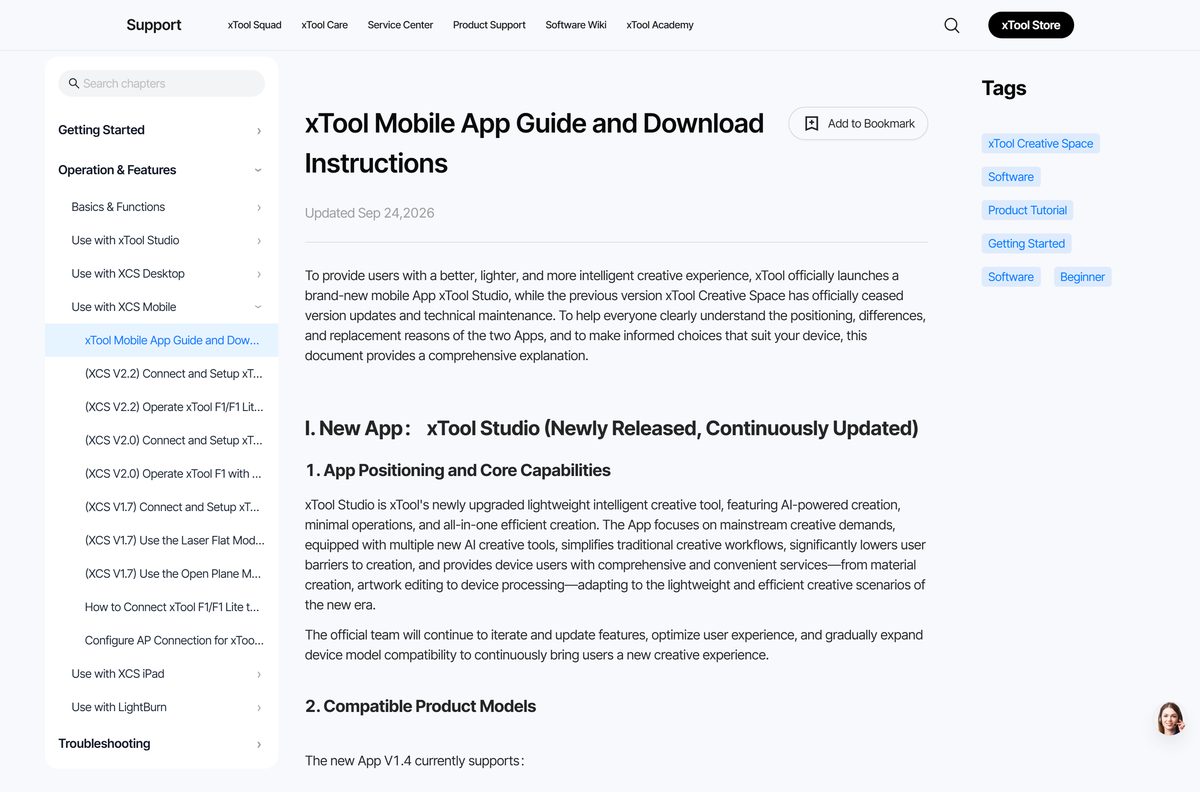
Studio is the upgraded successor to xTool Creative Space (XCS). The last XCS release was V2.7, and xTool no longer updates it on PC or mobile.
Install xTool Studio on Windows and Mac for any xTool machine. Keep XCS only on a phone that drives an older machine the Studio mobile app does not list yet. Every product launched after August 2025, starting with the P3, works only in Studio. The Studio mobile app does not yet support the F1, F1 Lite, F1 Ultra, S1, P2, P2S, D1 Pro 2.0, D1 Pro, D1 or M1, so those owners keep the legacy XCS mobile app.
Both apps install side by side and do not overwrite each other, so you can move projects across at your own pace.
Check xTool Studio system requirements and builds
xTool lists builds per chip rather than a detailed hardware sheet for the desktop app. The table covers what it does publish.
| Field | Value |
|---|---|
| Software | xTool Studio (desktop and mobile) |
| Developer | Makeblock Co., Ltd., maker of xTool machines |
| Latest version | Desktop V1.9 (1.9.11), released 10 September 2026 |
| License | Free |
| Windows | 64-bit Windows, x64 installer (.exe) |
| macOS | Separate .dmg files for Intel and Apple silicon Macs |
| Architecture | Windows x64; macOS x64 and arm64; no Windows ARM64 or 32-bit build |
| Mobile | iOS 16 or later, Android 10.0 or later, 2 GB RAM minimum and 3 GB recommended |
| Linux | No build offered |
| Offline installer | Yes, each desktop file is a full installer |
| Official download source | xtool.com/pages/software |
| Last verified | 2026-09-25 |
Check which xTool machines xTool Studio drives
The desktop app covers far more machines than the mobile app. Release notes for the recent desktop versions add features for these models.
| Machine | Desktop app | Mobile app |
|---|---|---|
| P3, MetalFab | Yes | Not listed |
| F2, F2 Ultra, F2 Ultra UV | Yes | F2 yes |
| M2, O1 Omni Printer, Apparel Printer | Yes | Yes |
| M1 Ultra | Yes | Yes |
| WonderPress | Not listed in the desktop notes | Yes |
| P2, P2S, S1, F1 Ultra | Yes | No, use XCS mobile |
| F1, F1 Lite, D1 Pro, D1, M1 | Check the release notes for your model | No, use XCS mobile |
Studio 1.9 also imports Adobe Illustrator (.ai) files directly, next to SVG and DXF.
Fix xTool Studio not installing or not connecting
Setup asks to run Uninstall xTool Studio.exe
Setup removes older Studio versions on Windows so only one copy stays installed.
- Select Yes at the User Account Control prompt.
- Let setup finish removing the old version.
- Open the new version from the Start menu. Your local and cloud files stay in place.
Studio cannot connect after a firmware update
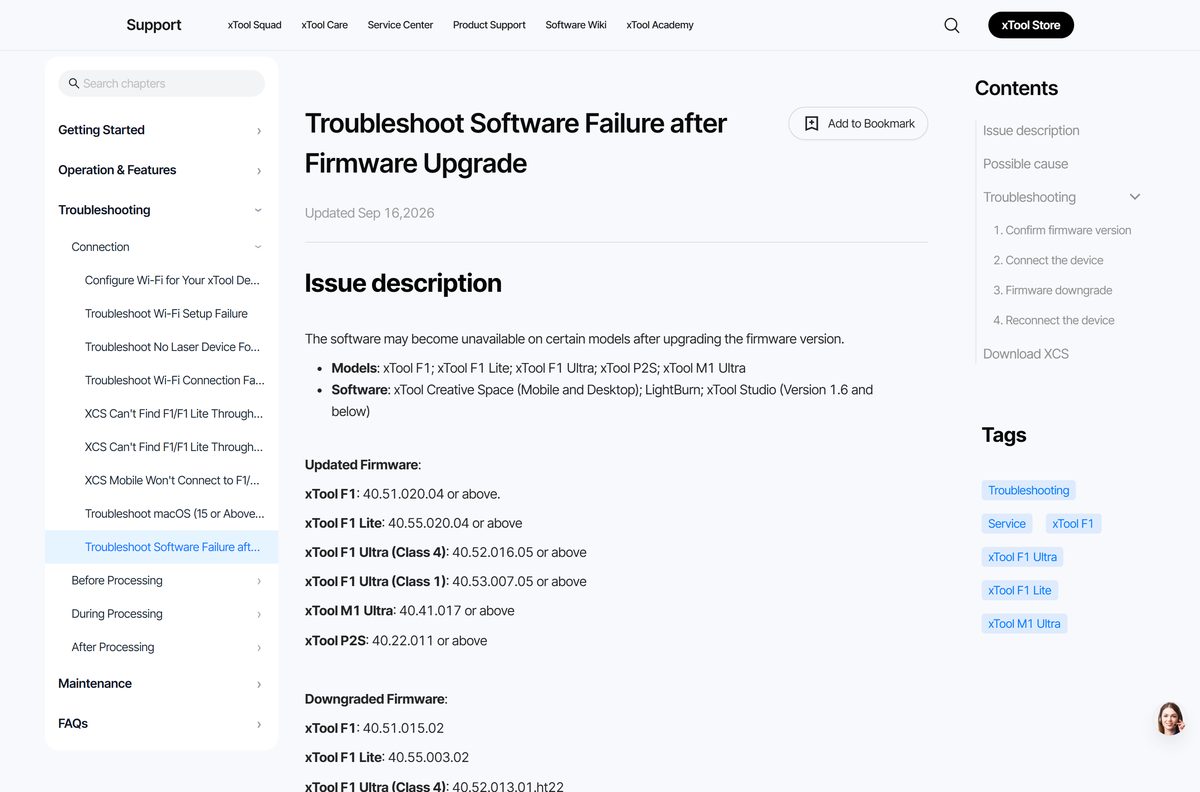
New firmware on the F1, F1 Lite, F1 Ultra, P2S and M1 Ultra uses a protocol that Studio 1.6 and below cannot use.
- Download the current build from the xTool software page.
- Install it over your old copy.
- Restart Studio and select Connect Device again.
- If you must keep an older app such as XCS or LightBurn, downgrade the firmware from Settings > Device > Firmware Management instead.
Firmware downgrade fails
The downgrade only runs over a USB data cable, not Wi-Fi or an IP connection.
- Connect the machine with a USB cable.
- Select Connect Device and double-click the machine in the USB list.
- Select Settings > Device > Firmware Management > Start, then Firmware Downgrade.
- Unplug and replug the cable, then restart Studio.
The Mac app will not open or runs slowly
The installer does not match the Mac’s chip.
- Open Apple menu > About This Mac and read the chip or processor line.
- Drag the installed copy to the Trash.
- Download the matching Apple Silicon or Intel file from the software page and install it.
How to uninstall xTool Studio
Projects saved to the cloud stay in your xTool account after removal. Export any local-only projects first.
- Close xTool Studio.
- On Windows, select Start > Settings > Apps > Installed apps.
- Find xTool Studio, select More > Uninstall, then confirm.
- On a Mac, open Finder > Applications.
- Drag xTool Studio to the Trash, then empty the Trash.
- On a phone, press and hold the app icon and select Remove App or Uninstall.
Choose between xTool Studio, XCS and LightBurn
Use xTool Studio for any current xTool machine. Use the legacy XCS mobile app only for older models the Studio app does not list, and LightBurn only on firmware that still supports it. xTool states that recent firmware on the F1 series, P2S and M1 Ultra no longer works with LightBurn or XCS. Studio is the one app xTool keeps updating.
Owners of older machines can find the legacy app on xTool Support. LightBurn is sold at lightburnsoftware.com.
Frequently asked questions
Is xTool Studio free?
Yes. xTool Studio is free on Windows, Mac, iPhone, iPad and Android. The desktop installers download from xtool.com with no purchase step, and the mobile app is free on the App Store and Google Play.
Where is the official xTool Studio download page?
The official page is xtool.com/pages/software, which offers Download for Windows, Download for macOS Intel chips and Download for macOS Apple Silicon. xTool Support also links every release on its desktop version history page, article 2419.
Does xTool Studio work on Windows 11 and Windows 10?
Yes. xTool ships one 64-bit Windows installer, xTool-Studio-x64-1.9.11.exe, for Windows PCs. Run it, allow the User Account Control prompt and finish setup, then open xTool Studio from the Start menu.
How big is the xTool Studio download?
xTool does not publish a size for the desktop installers on its download page or release notes. The iPhone and iPad app is listed at 447.9 MB on the App Store.
Is there an xTool Studio offline installer?
Yes. Each desktop download is a full installer, an .exe for Windows and a .dmg for Mac, rather than a small web setup. Copy it to a workshop PC and install it there without downloading anything else.
Is xTool Studio available for Mac?
Yes. xTool offers two Mac installers: xTool-Studio-arm64-1.9.11.dmg for Apple silicon Macs and xTool-Studio-x64-1.9.11.dmg for Intel Macs. Check the chip under Apple menu, About This Mac, before you pick one.
Does xTool Studio support ARM64 or 32-bit Windows?
No. The only Windows build is x64, so 32-bit Windows is not covered and xTool lists no native ARM64 build for Windows. On Mac, the arm64 build runs natively on Apple silicon.
Is xTool Studio safe to download?
Yes, when it comes from xtool.com, the App Store or Google Play. The mobile listings name Makeblock as the developer, the company behind xTool. Avoid third-party sites that repackage the installer or sell keys.
What is the latest version of xTool Studio?
The latest desktop release is xTool Studio V1.9, build 1.9.11, released on 10 September 2026. It adds direct Adobe Illustrator import, corner radius, smart nesting modes and AI material recognition.
Why won’t xTool Studio install or connect?
On Windows, setup must remove older Studio versions, so allow the Uninstall xTool Studio.exe prompt. If your machine stops connecting after a firmware update, install the current Studio build, because versions 1.6 and below cannot talk to newer firmware.
Is xTool Studio the same as xTool Creative Space?
No. xTool Studio is the successor to xTool Creative Space (XCS), whose final release was V2.7. The two are separate apps that install side by side, and new machines from the P3 onward work only in Studio.
Is there an xTool Studio app for Linux?
No. xTool offers xTool Studio for Windows, macOS, iOS and Android only. The software page and version history list no Linux build.