The VALORANT download for PC is free on Windows 11 and Windows 10, and you get it from Riot Games at playvalorant.com or from the Epic Games Store. The setup installs the Riot Client, which then installs the game and its Riot Vanguard anti-cheat.
VALORANT is a free-to-play 5v5 tactical shooter from Riot Games. It runs on 64-bit Windows PCs, and the console edition is on PS5 and Xbox Series X|S.
This guide covers which download to pick, the official links, install steps for both PC routes, PC specs, the Mac situation and fixes for failed installs.
Which VALORANT download do you need?
Every device gets the game from one official place. Match your device to a row and use that link.
| Your device | Where to get it | What you install | |
|---|---|---|---|
| Windows 11 or Windows 10 PC, 64-bit | playvalorant.com download page | Install VALORANT setup, then the Riot Client downloads the game | |
| Windows PC that already uses the Epic Games Launcher | Epic Games Store | The same game, installed through the Epic library | |
| PS5 or Xbox Series X | S | Riot’s console guide | The console edition from your console’s store |
| Mac, Windows on ARM, a virtual machine or a cloud gaming service | Riot’s PC specs page | Not supported |
Both PC routes install the same free game on the same Riot account. Your skins, Agents and progress follow the account, not the store.

Download VALORANT from the official sources
Riot Games is the developer and publisher on every link below. A download site that offers its own setup file is not an official source.
- VALORANT download page on playvalorant.com — Riot’s own setup for Windows 11 and Windows 10
- VALORANT on the Epic Games Store — Free, installs through the Epic Games Launcher
- VALORANT patch notes — What each game update changes
- VALORANT console guide — PS5 and Xbox Series X|S requirements and account linking
VALORANT has no Steam listing. A Steam page or a file host offering the game is not Riot’s.
Should you install VALORANT from playvalorant.com or the Epic Games Store?
Both routes end with the same Riot Client, the same game and the same Riot Vanguard driver. The difference is which launcher sits in front.
Install from playvalorant.com on most PCs. Riot’s own setup installs the Riot Client directly, with no second launcher to keep updated. Pick the Epic Games Store only if you already keep your library in the Epic Games Launcher.
How to install VALORANT on Windows 11 and 10
You need a free Riot account and an administrator account on Windows. The setup installs three programs: the Riot Client, VALORANT and Riot Vanguard.
- Open the VALORANT download page and select Download.
- Open the downloaded Install VALORANT file.
- Select Yes when Windows asks whether the app can make changes to your device.
- Select Install and let the Riot Client set itself up.
- Sign in with your Riot account, or create one in the Riot Client.
- Let the Riot Client download VALORANT and Riot Vanguard.
- Restart your PC when prompted, so Riot Vanguard can start with Windows.
- Open the Riot Client, select VALORANT and select Play.
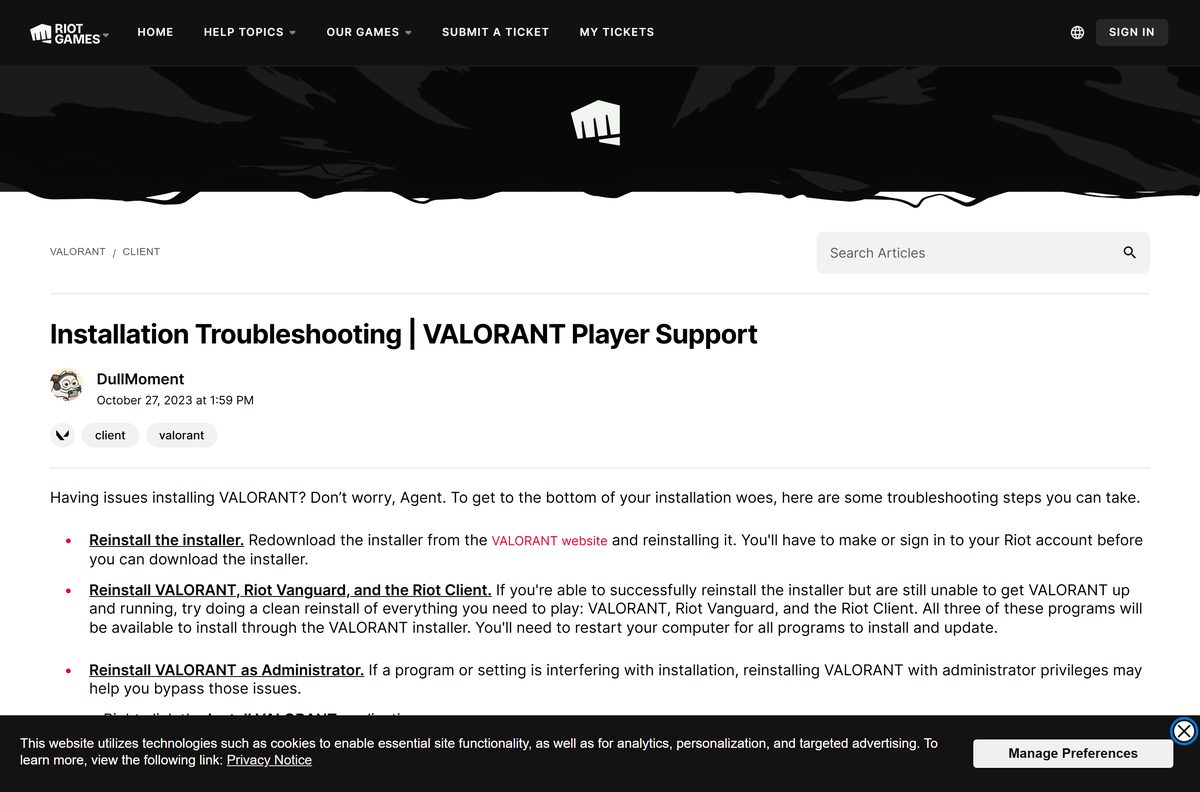
If the setup fails to start, right-click Install VALORANT and select Run as administrator. Riot recommends this when another program or setting blocks the install.
Install VALORANT through the Epic Games Store
The Epic listing names Riot Games as developer and publisher, and the game costs nothing there.
- Open the VALORANT page on the Epic Games Store.
- Select Get, then sign in with your Epic Games account.
- Select Place Order to add the free game to your library.
- Open the Epic Games Launcher and select Library.
- Select the VALORANT tile and select Install.
- Sign in with your Riot account when the Riot Client opens.
- Restart your PC when Riot Vanguard asks, then launch the game.
The Epic route still uses a Riot account. Sign in with the account that holds your existing progress.
Check the VALORANT system requirements before you download
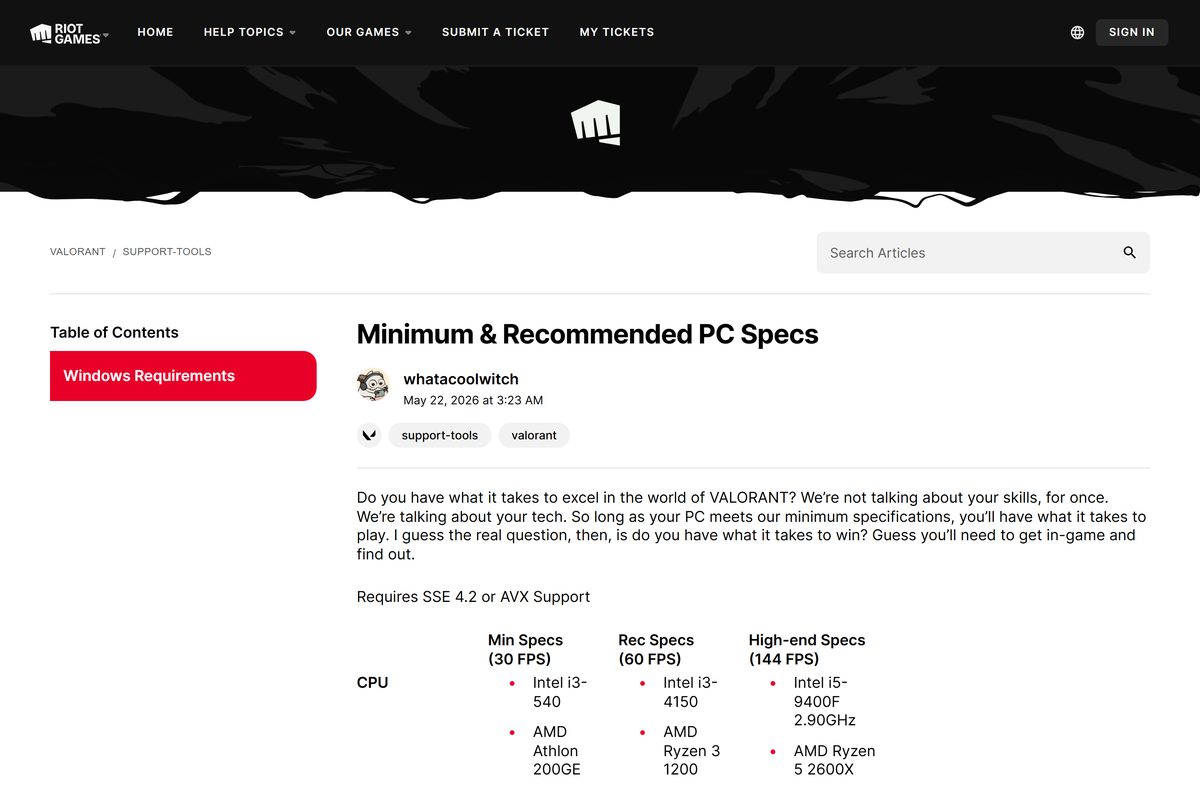
Riot publishes three tiers: minimum for 30 FPS, recommended for 60 FPS and high-end for 144 FPS. Your processor must support SSE 4.2 or AVX.
| Field | Value |
|---|---|
| Game | VALORANT |
| Developer | Riot Games, Inc. |
| Latest version | Patch 13.05 (September 1, 2026) |
| Price | Free-to-play, optional in-game currency |
| Supported OS | Windows 10 (Build 19041 or later) 64-bit, Windows 11 64-bit |
| Windows 11 extras | TPM 2.0 and UEFI Secure Boot turned on |
| Architecture | 64-bit x64 only; ARM processors are not supported |
| Processor, 30 FPS | Intel i3-540 or AMD Athlon 200GE |
| Processor, 60 FPS | Intel i3-4150 or AMD Ryzen 3 1200 |
| Processor, 144 FPS | Intel i5-9400F or AMD Ryzen 5 2600X |
| Graphics, 30 FPS | Intel HD 4000 or AMD Radeon R5 220 |
| Graphics, 60 FPS | NVIDIA GeForce GT 730 or AMD Radeon R7 240 |
| Graphics, 144 FPS | NVIDIA GTX 1050 Ti, AMD Radeon R7 370 or Intel Arc A310 |
| Memory | 4 GB RAM, plus 1 GB VRAM on a dedicated graphics card |
| DirectX | 11 |
| Offline installer | No, the Riot Client downloads the game |
| Official sources | playvalorant.com and the Epic Games Store |
| Last verified | 2026-09-19 |
To check your own PC, open Settings, select System, then About. System type shows whether Windows is 64-bit, and Installed RAM shows your memory.
Can you play VALORANT on a Mac?
There is no macOS edition. Riot supports 64-bit Windows 10 and Windows 11 only, and its specs page rules out the usual workarounds.
| Your setup | Does it work? | Why | |
|---|---|---|---|
| Mac with Apple silicon (M-series chip) | No | ARM processors are not supported | |
| Windows in Parallels or another virtual machine | No | VALORANT does not support virtual machines | |
| Cloud gaming service in a Mac browser | No | VALORANT does not support cloud gaming | |
| You also own a PS5 or Xbox Series X | S | Yes, on the console | Riot’s console guide |
| You have a 64-bit Windows PC | Yes | playvalorant.com download page |
Console play needs a Riot account in good standing and a home region of NA, EU, JP or BR. Console players do not face PC players, and rank is separate on each.
Is VALORANT free to download and play?
The game, every map and every mode cost nothing. Riot sells VALORANT Points in the client for skins and other cosmetics.
Yes. VALORANT is free-to-play on PC, and the download costs nothing on playvalorant.com and on the Epic Games Store. Purchases are optional cosmetics bought with in-game currency. Any site selling a VALORANT copy, a key or free VALORANT Points is not Riot.
Your account content, including currencies and skins, is shared between PC and console. Buy on one platform and it shows on the other.
Fix VALORANT not installing on Windows 11 or 10
Find the symptom that matches your screen and follow the fix under it.
The installer does nothing or stops partway
Another program or a Windows permission blocks the setup.
- Delete the old setup file and download a fresh one from playvalorant.com.
- Right-click Install VALORANT and select Run as administrator.
- Select Yes on the User Account Control prompt.
- Add VALORANT as an exception in your firewall if the Riot Client cannot connect.
The update is stuck at 0%
Riot names antivirus software, Avast and AVG in particular, as the cause.
- Open your antivirus and turn on Passive Mode.
- Open the Riot Client and let VALORANT finish updating.
- Turn Passive Mode off again in your antivirus.
Windows 11 says Vanguard needs TPM 2.0 or Secure Boot
On Windows 11, Riot requires TPM 2.0 and UEFI Secure Boot. Vanguard can also ask for Memory Integrity or IOMMU.
- Press Windows + R, type tpm.msc and press Enter to confirm a TPM with Specification Version 2.0.
- Press Windows + R, type msinfo32 and press Enter.
- Check that Secure Boot State reads On.
- If either is off, turn on TPM and Secure Boot in your PC’s UEFI settings.
- Right-click the Riot Vanguard tray icon to see which requirement still needs attention.
The game still will not install or launch
A damaged Riot Client, VALORANT or Vanguard install.
- Install every pending update in Settings > Windows Update.
- Update your graphics card driver from NVIDIA, AMD or Intel.
- Uninstall VALORANT, Riot Vanguard and the Riot Client, using the steps below.
- Run a fresh Install VALORANT setup and restart your PC when it asks.
How to uninstall VALORANT and Riot Vanguard
Close the Riot Client first, because Windows cannot remove Riot games while it runs. Right-click its tray icon and select Exit.
- Press the Windows key, type Installed apps and open it.
- Find VALORANT, select the three-dot menu and select Uninstall.
- Right-click the red Riot Vanguard tray icon and select Exit Vanguard, then Yes.
- Find Riot Vanguard in Installed apps and select Uninstall.
- Restart your PC, then confirm the Vanguard icon is gone from the tray.
- If Vanguard stays, open Command Prompt as administrator and run sc delete vgc , then sc delete vgk .
- Restart again and delete the Riot Vanguard folder in C:\Program Files .
To reinstall, run the setup from playvalorant.com again. The Riot Client reinstalls Vanguard the next time you launch the game.
Which VALORANT alternatives can you download instead?
All three are free-to-play shooters on Steam for Windows. None of them has a Mac build on Steam either.
| Game | Developer | Where to get it | Platforms on Steam |
|---|---|---|---|
| Counter-Strike 2 | Valve | Steam | Windows, Linux |
| Overwatch | Blizzard Entertainment | Steam | Windows |
| Apex Legends | Respawn (Electronic Arts) | Steam | Windows |
Counter-Strike 2 is the closest match: a 5v5 round-based tactical shooter with no hero abilities.
Frequently asked questions
Is VALORANT free to download on PC?
Yes. VALORANT is free-to-play, and the download costs nothing on playvalorant.com and on the Epic Games Store. Riot sells optional VALORANT Points for cosmetics, but every map, mode and Agent can be played without paying.
Where is the official VALORANT download?
The official download is on playvalorant.com, Riot Games’ own site for the game. The Epic Games Store also lists VALORANT with Riot Games as developer and publisher. Any other download site is not an official source.
Does VALORANT work on Windows 11?
Yes. Riot supports 64-bit Windows 11, provided TPM 2.0 and UEFI Secure Boot are turned on. Riot Vanguard checks these settings and names any missing one in its tray icon.
How big is the VALORANT download?
Riot publishes no download or storage size for VALORANT. The setup from playvalorant.com installs the Riot Client, which then downloads the full game and Riot Vanguard over the internet, so keep the PC online until it finishes.
Is there a VALORANT offline installer?
No. Riot’s setup installs the Riot Client, and the client downloads the game and every patch online. A full offline setup file offered by a third-party site is not from Riot and is not safe to run.
Can you download VALORANT on a Mac?
No. Riot supports only 64-bit Windows 10 and Windows 11. ARM processors, virtual machines and cloud gaming services are all unsupported, so Apple silicon Macs and Parallels setups cannot run it.
Is VALORANT 64-bit only?
Yes. Riot lists 64-bit Windows 10 and Windows 11 as the only supported systems, and ARM processors are not supported. Your processor also needs SSE 4.2 or AVX support.
Is it safe to download VALORANT?
Yes, from playvalorant.com or the Epic Games Store. Both install the Riot Client and Riot Vanguard, Riot’s own anti-cheat. Avoid sites offering setup files, account boosts or free VALORANT Points.
What is the latest version of VALORANT?
Patch 13.05, released on September 1, 2026, is the current VALORANT patch. Riot posts each patch’s changes on the patch notes page at playvalorant.com, and the Riot Client installs the update before you play.
Why won’t VALORANT install on my PC?
The usual causes are a blocked setup, antivirus holding an update at 0%, or TPM 2.0 and Secure Boot turned off on Windows 11. Run the setup as administrator, set antivirus to passive mode, and check both settings.
Is VALORANT on Steam?
No. Steam has no VALORANT listing. On PC, the official routes are Riot’s own setup at playvalorant.com and the Epic Games Store, and both are free.
Can VALORANT console players play against PC players?
No. VALORANT supports crossplay between PS5 and Xbox Series X|S, but console players never face PC players. Your skins, currencies and Battle Pass progress are shared across platforms, while rank is kept separate.
How do you uninstall VALORANT and Vanguard?
Close the Riot Client, open Installed apps, and uninstall VALORANT and then Riot Vanguard. Restart the PC. If Vanguard remains, run sc delete vgc and sc delete vgk in an administrator Command Prompt.







Download Riot Vanguard for PC, Windows 11 and Windows 10 (Free) - Techdows
[…] people take the VALORANT route. The VALORANT download guide covers the game, its PC specs and its install […]