Riot Vanguard is free, and you get it by installing a Riot game rather than by downloading it on its own. Run the VALORANT setup from playvalorant.com, or start League of Legends, and the Riot Client installs Vanguard for you on Windows 11 or Windows 10.
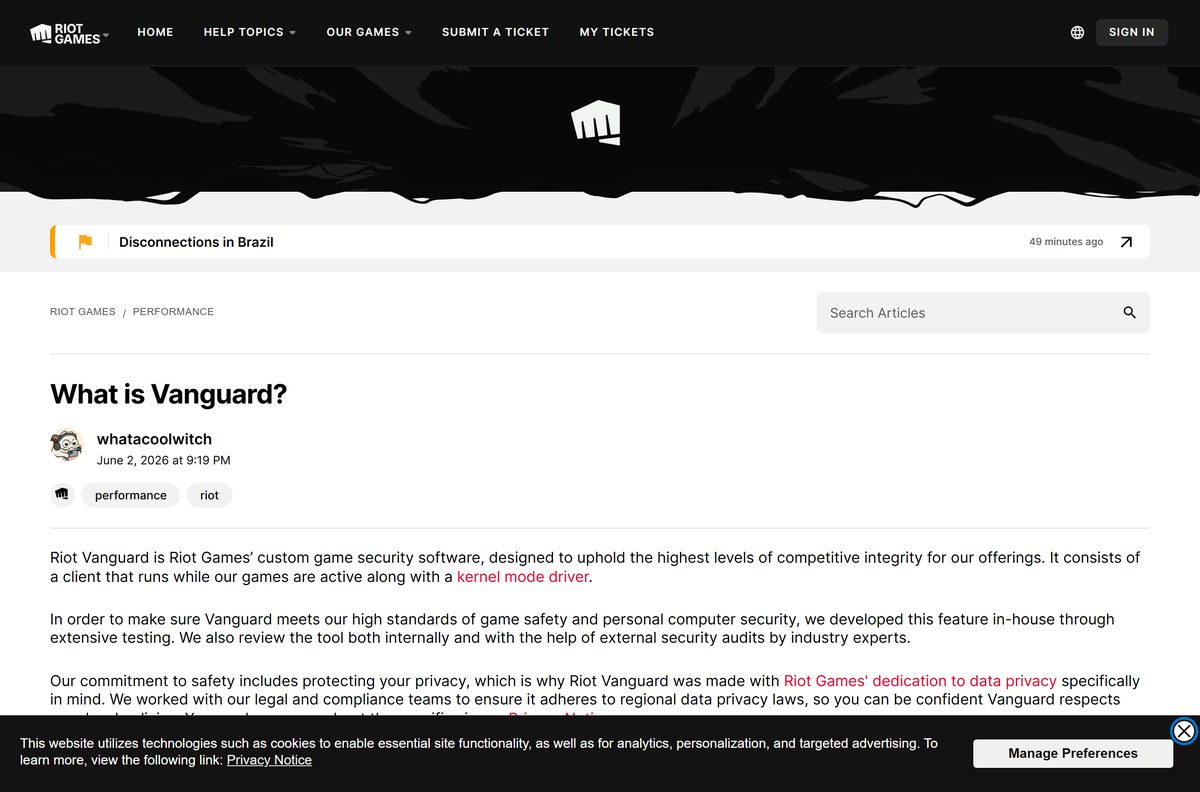
Vanguard is Riot Games’ own game security software. Riot describes it as a client that runs while its games are active, together with a kernel mode driver, and requires it to stay active while you play most Riot titles.
This guide covers where Vanguard actually comes from, the install steps, the Windows security features it checks, the VAN: RESTRICTION errors and how to remove it.
Which Riot Vanguard download do you need?
There is no separate setup file for the anti-cheat. Match your situation to a row and use the link in it.
| Your situation | Where to go | What happens |
|---|---|---|
| You want to play VALORANT on Windows 11 or Windows 10 | playvalorant.com download page | The setup installs the Riot Client, the game and Vanguard |
| You already play League of Legends | Riot’s Vanguard page | Launching the game installs Vanguard automatically |
| You removed it and want it back | Riot’s removal guide | Start any game that needs it and it reinstalls |
| You want a standalone installer | Riot’s Vanguard page | Riot publishes none; any site offering one is not Riot |
Most people take the VALORANT route. The VALORANT download guide covers the game, its PC specs and its install fixes.

Download Riot Vanguard from Riot’s official pages
Every link below belongs to Riot Games. A download portal that offers a Vanguard setup file is offering something Riot does not publish.
- VALORANT download page on playvalorant.com — Riot’s own setup, the route that installs the anti-cheat
- What is Vanguard, on Riot’s support site — Riot on the client, the kernel mode driver and the tray icon
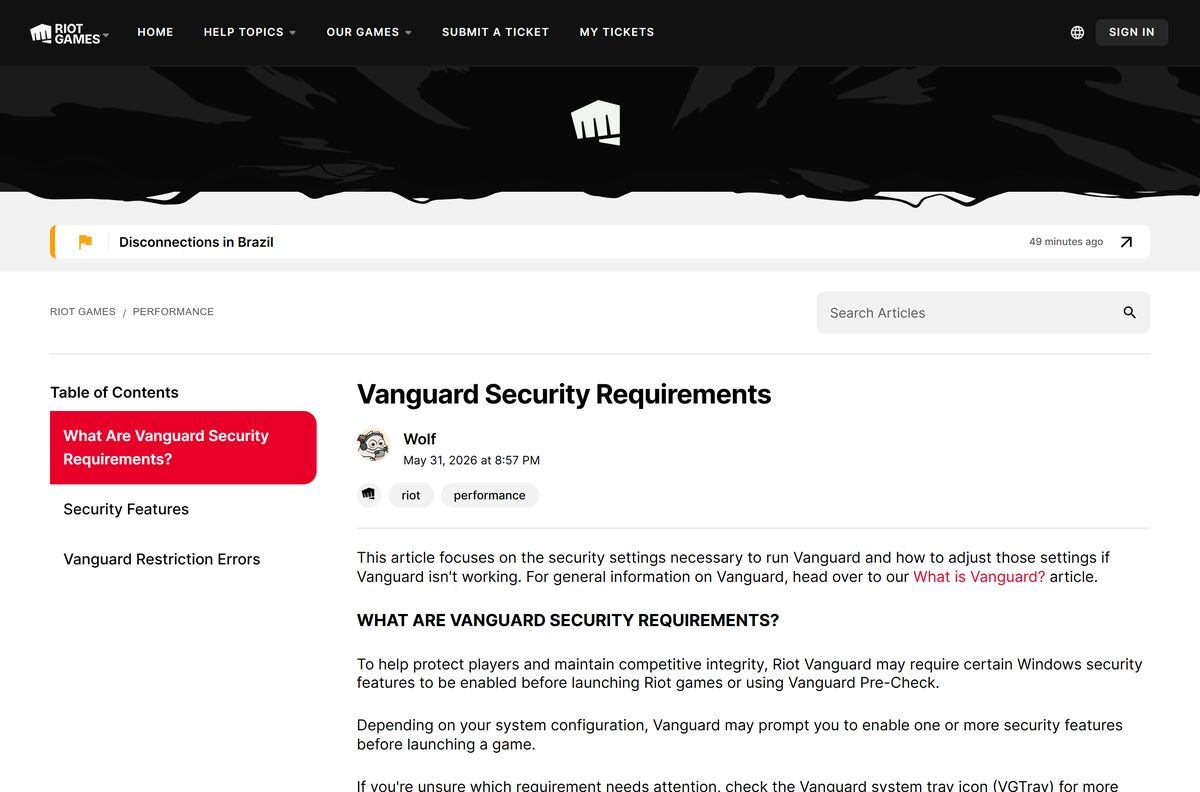
- Vanguard security requirements — The Windows features checked before a game launches
- Vanguard Pre-Check — Optional on-demand mode instead of starting with Windows
- Uninstalling or disabling Vanguard — Riot’s disable, uninstall and manual cleanup steps
Riot’s privacy terms for the software sit in the Riot Games privacy notice.
How to install Riot Vanguard on Windows 11 and 10
You need a free Riot account, an administrator account on Windows and a working internet connection. The Riot Client pulls the anti-cheat down as part of the game install.
- Open the VALORANT download page and select Download.
- Open the downloaded Install VALORANT file.
- Select Yes on the User Account Control prompt.
- Select Install and wait for the Riot Client to set itself up.
- Sign in with your Riot account, or create one in the client.
- Let the client download the game and Riot Vanguard together.
- Restart your PC when the installer asks, so the anti-cheat loads with Windows.
- Sign back in and check for the red shield icon in the Windows system tray.
League of Legends installs the same component on first launch. One copy serves every Riot game on the PC.
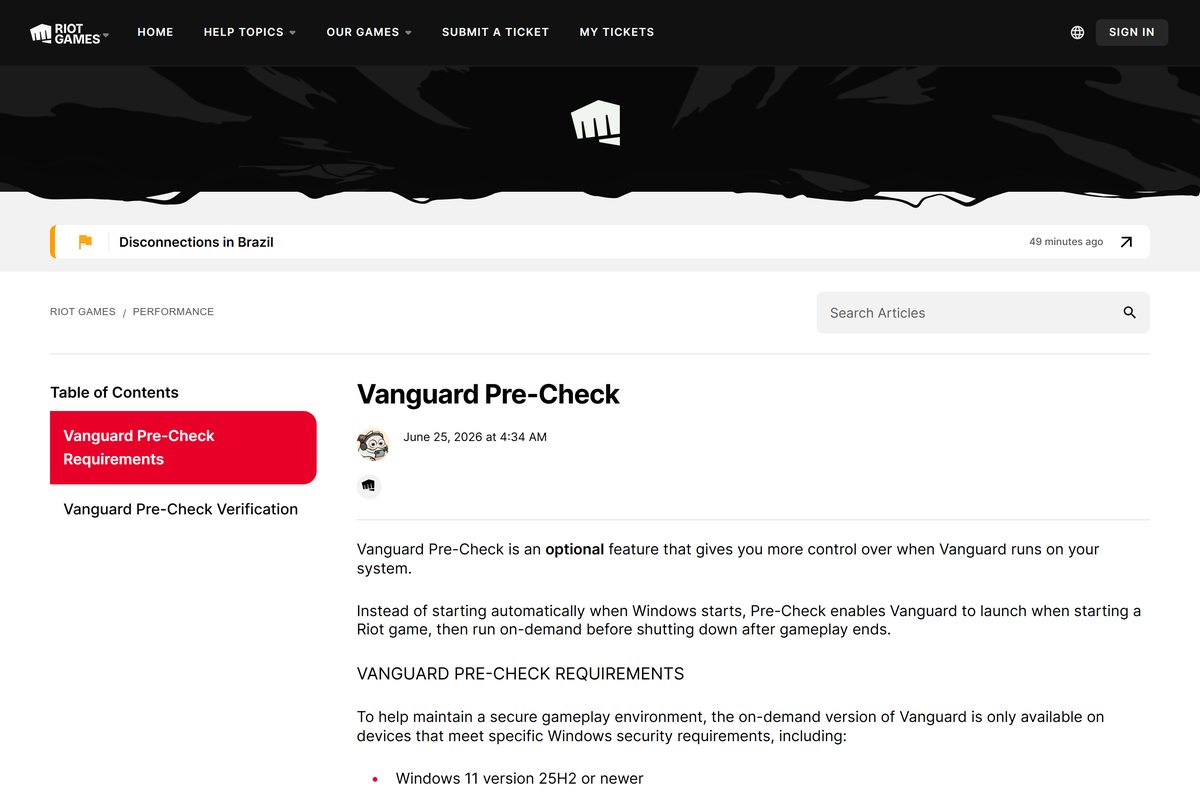
Should Vanguard start with Windows, or run only during games?
Riot ships two behaviours. The default starts the anti-cheat with the operating system; Vanguard Pre-Check is an optional feature that gives you control over when it runs.
Leave the default on-boot behaviour unless your PC qualifies for Vanguard Pre-Check. Riot states that Vanguard is usually an on-boot application, so a PC that had it disabled needs a restart before VALORANT will launch. Pre-Check removes that restart by starting and stopping the anti-cheat on demand, but it needs Windows 11 version 25H2 or newer plus Secure Boot, TPM 2.0, IOMMU, Virtualization-Based Security and Hypervisor-Protected Code Integrity.
Riot’s Vanguard Pre-Check page lists the full requirement set.
How to check whether Vanguard is installed and running
The software has no version panel of its own. The system tray icon, known as VGTray, is where Riot exposes its status and its security checks.
- Select the ^ arrow at the right of the Windows taskbar to expand the system tray.
- Look for the red Riot Vanguard shield icon and hover over it to read its status.
- Right-click the icon to see which security requirements your PC meets.
- Press the Windows key, type Add or Remove programs and press Enter to confirm the entry is listed.
- Start a Riot game if the icon is missing; the client reinstalls and updates the component.
Updates arrive through the Riot Client with game patches, so there is nothing to fetch by hand.
Check the Riot Vanguard system requirements before you install
The operating system rows below are the systems Riot supports for VALORANT, which is the game that brings the anti-cheat to most PCs.
| Field | Value |
|---|---|
| Software | Riot Vanguard |
| Developer | Riot Games, Inc. |
| Latest version | Installed and updated by the Riot Client; no standalone version is published |
| Price | Free, with no separate licence |
| Supported OS | Windows 10 (Build 19041 or later) 64-bit, Windows 11 64-bit |
| Architecture | 64-bit x64 only; ARM processors are not supported |
| Windows 11 extras | TPM 2.0 and UEFI Secure Boot turned on |
| May also require | Memory Integrity (HVCI/VBS) and IOMMU |
| Not supported | macOS, virtual machines and cloud gaming services |
| Standalone installer | None; it ships with Riot’s games |
| Download size | Not published by Riot |
| Official sources | playvalorant.com and support.riotgames.com |
| Last verified | 2026-09-22 |
Open Settings, select System, then About to read your own machine. System type confirms 64-bit Windows.
Which parts of Riot Vanguard run on your PC?
Riot describes the software as a client that runs while its games are active, together with a kernel mode driver. Riot says it was built in house and is reviewed internally and through external security audits by industry experts.
| Part | What it is | When it runs |
|---|---|---|
| vgc | The Vanguard client service | While a Riot game is active |
| vgk | The kernel mode driver | From boot by default, or on demand with Pre-Check |
| VGTray | The system tray icon showing status and security features | While the anti-cheat is on |
| Windows notifications | Riot’s alerts naming the vulnerable vectors being affected | When a driver or setting conflicts |
Riot also states that security standards similar to Windows Secure Boot switch on automatically while the anti-cheat runs.
Can you download Riot Vanguard for Mac?
No. Riot documents the anti-cheat only for Windows: its requirements are Windows security features, and its removal steps are Windows steps.
| Your machine | Riot’s position |
|---|---|
| A Mac running macOS | No macOS build of VALORANT exists, so nothing installs the anti-cheat |
| A Windows PC with an ARM processor | Not supported |
| A virtual machine, such as Parallels on a Mac | Not supported |
| A cloud gaming service | Not supported |
An Intel Mac running 64-bit Windows through Boot Camp is a Windows PC, and the Windows requirements apply to it.
Is Riot Vanguard free?
It is not sold, subscribed to or licensed separately.
Yes, the anti-cheat is free. It arrives with Riot’s games, and playvalorant.com offers VALORANT as a free download. No Riot page sells the component, asks for a key or offers a paid edition. A site charging for a Vanguard installer, a licence or a “bypass” is selling something Riot does not publish.
Fix Riot Vanguard errors that stop a game from launching
Riot names these errors on screen. Find the code you see and follow the steps under it.
VAN: RESTRICTION
Riot states the anti-cheat needs a Windows update or a security setting change before the game can launch.
- Open Settings, select Windows Update and install everything offered.
- Restart your PC and try the game again.
- Read the on-screen message for the named feature: TPM 2.0, Secure Boot, Memory Integrity or IOMMU.
- Turn that feature on using Riot’s security requirements page.
- Restart once more before launching.
VAN: RESTRICTION 1
Secure Boot could not be verified on your PC.
- Press Windows + R, type msinfo32 and press Enter.
- Confirm BIOS Mode reads UEFI and Secure Boot State reads On.
- If either is wrong, open Settings > System > Recovery > Advanced startup and select Restart now.
- Select Troubleshoot, then Advanced options, then UEFI Firmware Settings.
- Set Secure Boot to Enabled on the Boot tab, then press F10 to save.
- Update your motherboard BIOS from its maker if Secure Boot is already on and the error persists, as Riot advises.
VAN: RESTRICTION 3
The game could not be verified from the drive it sits on. An external USB drive or a second internal drive causes this.
- Open File Explorer and select This PC.
- Note which drive holds Windows, usually C:.
- Uninstall the game from Installed apps.
- Reinstall it on the same internal drive as Windows.
- Restart and launch the game again.
VAN: RESTRICTION 5
Memory Integrity, also called HVCI or VBS, could not be verified.
- Press the Windows key, type Core isolation and open it.
- Turn Memory integrity on.
- Turn on virtualization in your UEFI settings if Windows refuses the switch.
- Restart your PC and launch the game again.
- Work through Riot’s Memory Integrity guide if the error stays.
A TPM 2.0 message on Windows 11
Riot requires TPM 2.0 and UEFI Secure Boot for VALORANT on Windows 11.
- Press Windows + R, type tpm.msc and press Enter.
- Confirm the status reports the TPM is ready for use with Specification Version 2.0.
- Enter your UEFI settings if it is missing.
- Set Intel Platform Trust Technology (PTT) to Enabled on an Intel board, under Advanced > PCH-FW Configuration.
- Set the AMD fTPM switch to AMD CPU fTPM on an AMD board, under Advanced > AMD fTPM Configuration.
- Press F10 to save and exit, then re-run tpm.msc to confirm.
How to uninstall Riot Vanguard
Riot separates turning it off from removing it. Right-click the red shield icon and select Exit Vanguard, then Yes, to disable it until the next restart.
Removing it stops most Riot games from starting.
- Right-click the Riot Vanguard icon in the Windows system tray.
- Select Advanced, then Uninstall Vanguard, and follow the prompts.
- Press the Windows key, type Add or Remove programs and press Enter if the tray icon is not there.
- Find the Riot Vanguard entry in the list and uninstall it.
- Open Command Prompt as administrator if the entry will not go, then run sc delete vgc .
- Run sc delete vgk in the same window.
- Restart your PC, open C:\Program Files and delete the leftover Riot Vanguard folder.
Launching the Riot Client, or any game that needs the anti-cheat, reinstalls it automatically.
What are your options if you will not run Riot Vanguard?
Riot requires the anti-cheat to stay active while you play most of its games, so there is no substitute component to install in its place.
Use Vanguard Pre-Check if your PC qualifies, and uninstall Riot’s games if you will not run the anti-cheat at all. Pre-Check is the only supported way to keep the driver from loading at every boot, and it needs Windows 11 version 25H2 or newer with Secure Boot, TPM 2.0, IOMMU, VBS and HVCI. Without it, disabling the component blocks most Riot games from starting. Tools that claim to strip or bypass the anti-cheat are not Riot’s and put your account at risk.
Frequently asked questions
Is the Riot Vanguard download free?
Yes. Riot charges nothing for the anti-cheat and sells no licence for it. It installs with Riot’s games, and playvalorant.com offers VALORANT as a free download, so the whole route costs nothing.
Where is the official Riot Vanguard download?
There is no standalone download. Riot installs the anti-cheat through the Riot Client when you install a game that needs it, such as VALORANT from playvalorant.com. Riot describes the software on support.riotgames.com.
Does Riot Vanguard work on Windows 11?
Yes. Riot supports 64-bit Windows 11, and requires TPM 2.0 and UEFI Secure Boot there for VALORANT. Memory Integrity and IOMMU may also be checked before a game launches.
How big is the Riot Vanguard download?
Riot publishes no download or install size, because the anti-cheat is not distributed as its own file. It arrives as part of the game install that the Riot Client manages.
Is there a Riot Vanguard offline installer?
No. Riot ships no offline setup file for it. Any site offering one is not Riot, and running it risks your PC and your account. Keep the PC online while the Riot Client installs a game.
Can you download Riot Vanguard for Mac?
No. Riot documents the anti-cheat only for Windows, and VALORANT supports 64-bit Windows 10 and Windows 11 alone. ARM processors, virtual machines and cloud gaming services are all unsupported.
Is Riot Vanguard 64-bit only?
Yes. Riot lists 64-bit Windows 10 and Windows 11 as the supported systems, and ARM processors are not supported. There is no 32-bit build of the game or of the anti-cheat.
Is Riot Vanguard safe to install?
Riot states the software was built in house and is reviewed internally and through external security audits by industry experts. It includes a kernel mode driver, which Riot documents openly on its support site.
What is the latest version of Riot Vanguard?
Riot publishes no version number for it. The Riot Client installs and updates the anti-cheat alongside game patches, and the system tray icon shows its current status on your PC.
Why won’t Riot Vanguard let my game start?
The usual cause is a VAN: RESTRICTION error, which means Windows needs updating or a security feature turning on. Read the code on screen, enable the named feature, then restart your PC.
How do you remove Riot Vanguard completely?
Right-click the tray icon, select Advanced, then Uninstall Vanguard, or remove the entry from Add or Remove programs. If it stays, run sc delete vgc and sc delete vgk as administrator and restart.






