The Unreal Engine download for Windows 11, Windows 10 and Mac is free, and it comes from Epic Games through the Epic Games Launcher. Install the launcher, sign in with an Epic account, and add the engine from the Library tab.
This guide covers which download to pick, the full install, Mac support, the royalty and seat terms, system requirements, fixes for a failed install and a clean uninstall.
Check the Unreal Engine specs and system requirements
Match your PC or Mac against this table before you start. The engine is a large download, and the launcher shows the exact space needed once you pick components.
| Field | Value |
|---|---|
| Software | Unreal Engine |
| Developer | Epic Games, Inc. |
| Latest version | Unreal Engine 5.8 |
| License | Free under $1 million USD revenue; royalty or seat license above it |
| Minimum Windows | Windows 10 version 22H2 (64-bit) or Windows 10 Enterprise 21H2 (64-bit) |
| Recommended Windows | Windows 11 |
| Architecture | 64-bit only on Windows; universal binaries on macOS |
| Minimum macOS | Sonoma 14.5 |
| Processor | Quad-core Intel or AMD, 2.5 GHz or faster |
| Memory | 8 GB minimum on the download page; 32 GB recommended |
| Graphics | DirectX 12 card with 8 GB or more graphics RAM recommended |
| Download size | Depends on the components you select; shown in the launcher before install |
| Official download source | unrealengine.com download page |
| Offline installer | Only for seat licensees through the Epic Developer Portal |
| Last verified | 2026-09-19 |
Epic dropped 32-bit support in Unreal Engine 5, so a 32-bit Windows install cannot run it.

Which Unreal Engine download do you need?
There is one download for most people: the Epic Games Launcher. It installs the engine, its prerequisites and later HotFix updates.
| You are | Get this | What you end up with |
|---|---|---|
| Anyone on Windows 11, Windows 10 or macOS | Epic Games Launcher | The launcher, which downloads the prebuilt engine |
| A programmer who needs to modify or rebuild the engine | Source code on GitHub (setup guide) | The full C++ source to compile yourself |
| An IT admin at a studio with paid Unreal seats | Offline installer guide | A standalone MSI or PKG from the Developer Portal |
| A creator who only wants to build Fortnite islands | Unreal Editor for Fortnite | A separate editor that publishes into Fortnite |
Console development needs a source build. The launcher version cannot package for consoles.
Download Unreal Engine from the official links
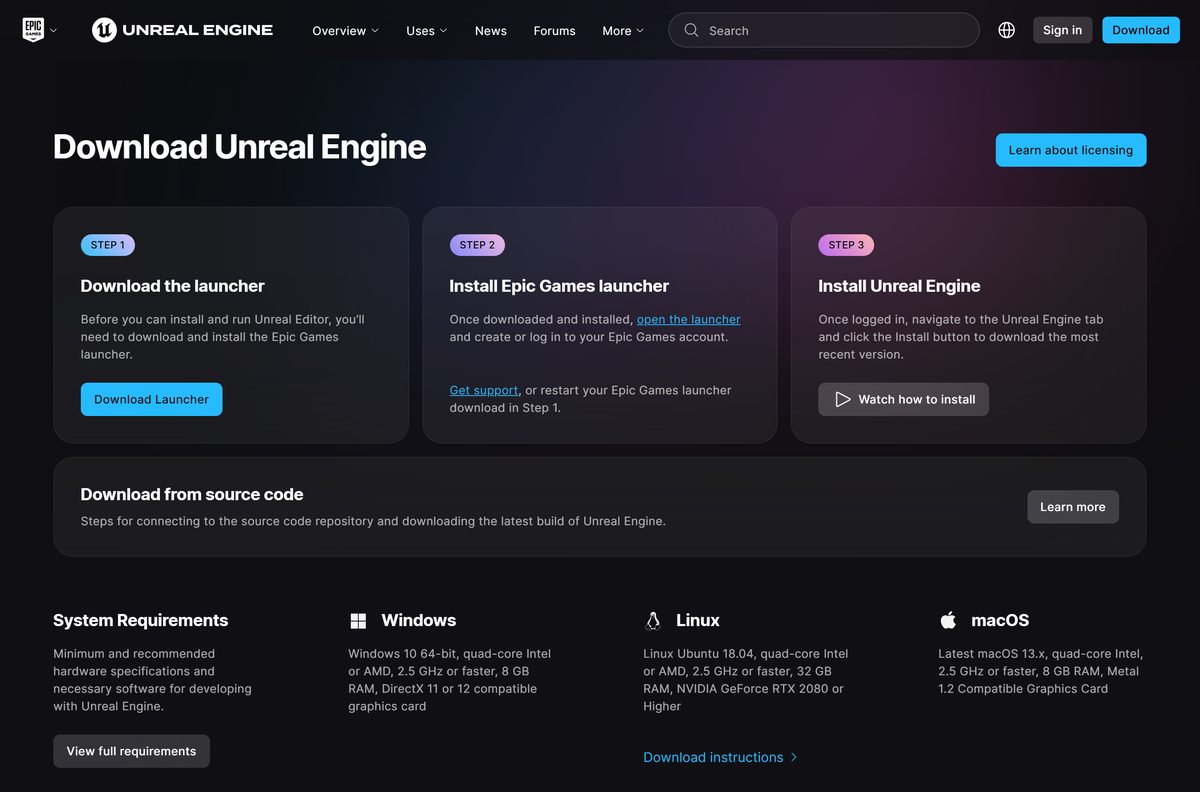
Epic Games is the only official source. A site offering an Unreal Engine .exe or a repacked installer is not Epic.
- Download Unreal Engine page on unrealengine.com — Download Launcher button for Windows and Mac
- Unreal Engine licensing page — royalty and seat terms
- Install Unreal Engine guide — Epic’s own install documentation
- Unreal Engine 5.8 release notes — what changed in the current release
How to install Unreal Engine on Windows 11 and 10
You must sign in to the launcher before the engine will download. Choosing to sign in later blocks the install.
- Open the Download Unreal Engine page and select Download Launcher.
- Run the installer from your Downloads folder and approve the security prompt to start the Setup Wizard.
- Open the Epic Games Launcher and select Sign In, or Create account if you are new to Epic.
- Select Unreal Engine in the left panel, then open the Library tab.
- Select the + button next to ENGINE VERSIONS to add an engine tile with the newest version.
- Select Install on the tile, select Accept on the pricing terms, tick the EULA box and select Accept again.
- Select Browse to change the install folder, or keep the default.
- Select Options, tick the components you want and select Apply.
- Select Install and wait for the download to finish.
- Select Launch on the engine tile to open Unreal Editor.
On a fresh PC, the Install Engine button in the top-right corner does steps 5 and 6 in one click.

Choose which Unreal Engine components to install
The Options dialog sets the download size and shows the storage each choice needs. Skip what you do not need and add it later without redownloading the engine.
| Component | What it adds | Install it if |
|---|---|---|
| Core Components | Required engine files | Always; Epic marks it required |
| Starter Content | Default maps, meshes and textures | You are learning or prototyping |
| Templates and Feature Packs | Project templates and feature packs | You start projects from a template |
| Engine Source | Read-only engine source code | You want to read engine code while debugging |
| Editor symbols for debugging | Detailed crash information | You write C++ and debug editor crashes |
| Target Platform | Android, iOS, Linux and tvOS support | You ship to those platforms; each needs its own SDK |
Download the Unreal Engine offline installer for deployment
Epic offers a standalone installer only to organizations on the Epic Developer Portal that bought Unreal seats or were approved. It does not include the Epic Games Launcher.
An admin downloads it from the Developer Portal under Unreal Engine > Downloads, with the Type set to Unreal Engine Offline Installer. The silent Windows install starts with msiexec /i path/to/your/UnrealEngineInstaller.msi /qn /l+ “PathToYour/Logname.log” /norestart .
| Platform | File | Silent install | Guide |
|---|---|---|---|
| Windows | UnrealEngineInstaller.msi, inside a .zip | msiexec with /qn, plus options such as INSTALLLOCATION | Offline installer guide |
| macOS | FullInstall_OnMac.pkg | sudo installer -pkg ~/Downloads/FullInstall_OnMac.pkg -target / | Offline installer guide |
Test the command on one machine first, because every platform option defaults to on.
Which Unreal Engine download do you need for your Mac?
Mac uses the same Epic Games Launcher as Windows. Unreal Editor ships as a universal binary, so one download covers Apple Silicon and Intel Macs.
| Your Mac runs | Engine version you can use | Link |
|---|---|---|
| macOS Sonoma 14.5 or later on Apple Silicon | The current release; M3 and 32 GB RAM recommended | Download Launcher |
| macOS Sonoma 14.0 to 14.4 | Unreal Engine 5.6 or 5.7, picked from the tile’s version dropdown | macOS requirements by version |
| macOS Ventura 13.5 | Unreal Engine 5.5 | macOS requirements by version |
| You write C++ on the Mac | Xcode 26.0 or later for the current release; Xcode 26.4 is not compatible | macOS requirements by version |
Epic lists 16 GB of RAM and an M1 or M2 chip as the Mac minimum. Nanite and hardware ray-traced Lumen need an M2 or newer.

Is Unreal Engine free?
The download and the full engine cost nothing to start. The terms change only once revenue passes $1 million USD.
Yes. Unreal Engine is free for individuals and businesses under $1 million USD in annual gross revenue, for schools and educators with no limit, and for games until they earn $1 million USD. Past that point, a game or app that ships engine code to end users pays a 5% royalty on lifetime gross revenue above $1 million, and sales through the Epic Games Store are royalty-free. Companies over $1 million that use the engine for other commercial work, such as film or visualization, pay $1,850 per seat per year instead, with a 30-day trial. The free license includes the source code and all platforms and features.
Once a royalty-bearing product ships, Epic asks you to submit the Release Notification Form and report royalties each quarter.
Should you install the launcher build or compile Unreal Engine from source?
Both are free and both come from Epic. The source repository at github.com/EpicGames/UnrealEngine opens only after you link a GitHub account to your Epic Games account.
Install the launcher build unless you need to change the engine itself or develop for consoles. The launcher build installs its prerequisites automatically, updates with one click and runs Blueprint and C++ projects. A source build is the only way to modify or rebuild engine code and to package for consoles, but you compile it yourself with Visual Studio 2026 on Windows.
How to update Unreal Engine and repair the installation
Epic numbers HotFix releases with a third digit, such as 5.5.1 after 5.5.0. They fix bugs and crashes and add no new features.
- Open the Epic Games Launcher and select Unreal Engine, then Library.
- Look for the notification badge on an engine tile, which marks an available HotFix.
- Select Update on that tile, which replaces the Launch button when a HotFix is waiting.
- To move to a new major version, select + next to ENGINE VERSIONS, pick the version and select Install.
- To repair missing or corrupt files, open the tile’s dropdown and select Verify.
- Select Downloads in the left panel to watch the update or verification progress.
Each engine version installs side by side, back to Unreal Engine 4.0, so older projects keep their version.
Fix Unreal Engine not installing on Windows 11 or 10
Match the symptom, then work through its fix in order.
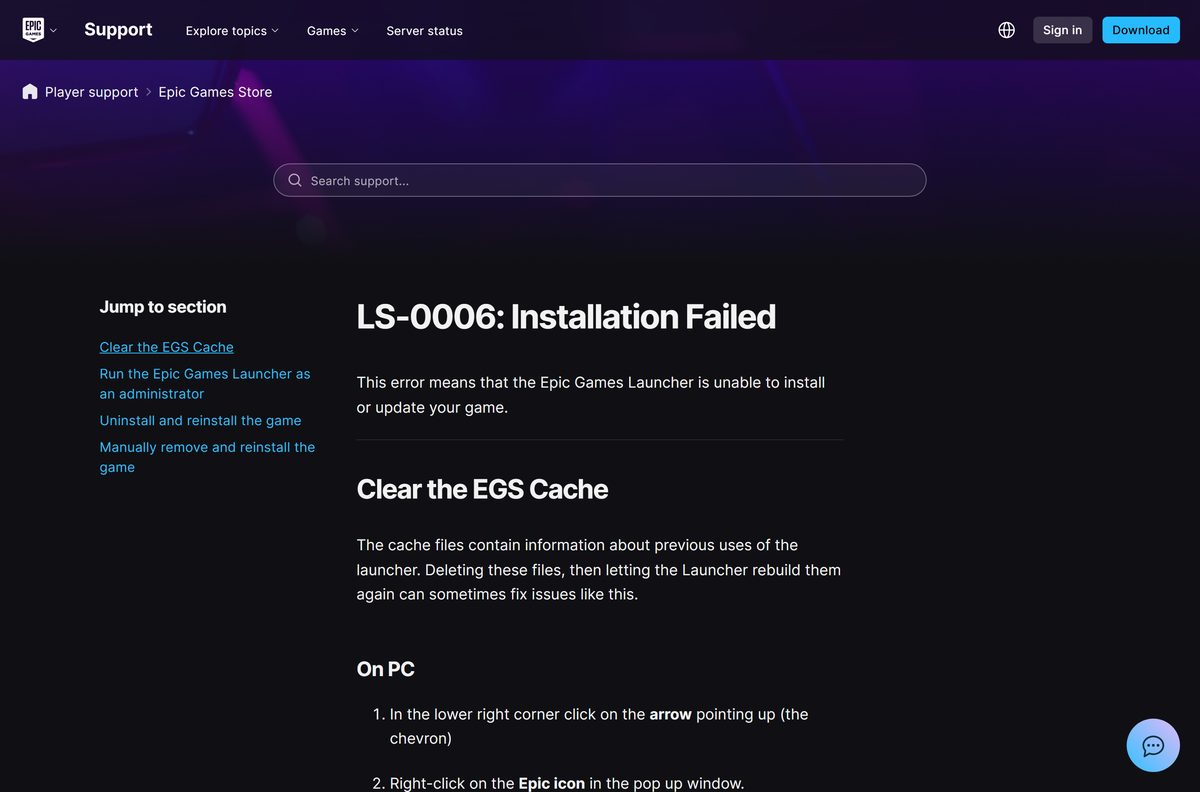
The install fails with error LS-0006
Old launcher cache files block the install or update.
- Select the up arrow in the lower-right corner of the taskbar, right-click the Epic icon and select Exit.
- Press Windows + R, type %localappdata% and press Enter.
- Open EpicGamesLauncher, then Saved.
- Delete the webcache , webcache_4147 and webcache_4430 folders that are present.
- Right-click the Epic Games Launcher and select Run as administrator, then retry the install.
The Install button does nothing or the engine will not download
The launcher is not signed in, or the license terms were dismissed.
- Sign in to the Epic Games Launcher with your Epic account.
- Select Install on the engine tile again.
- Select Accept on the pricing terms and on the EULA; selecting Dismiss cancels the download.
The editor crashes or files are missing after install
Some engine files did not download completely.
- Open Unreal Engine > Library in the launcher.
- Install any pending HotFix with Update first, because Verify is hidden while one is waiting.
- Open the tile’s dropdown and select Verify to re-download only the damaged files.
How to uninstall Unreal Engine
Epic removes each engine version from inside the launcher, one tile at a time.
- Open the Epic Games Launcher and select Unreal Engine, then Library.
- Open the dropdown on the engine tile you want to remove.
- Select Remove.
- Select Uninstall in the dialog.
- Repeat for any other engine versions you no longer use.
- For an offline install on a Mac, drag the old version from /Users/Shared/Epic Games to the Trash.
Which Epic tool should you install instead of Unreal Engine?
The full engine is more than a Fortnite creator needs. Epic offers a lighter editor for that job through the same account.
| Tool | Where you get it | Pick it if you want |
|---|---|---|
| Unreal Editor for Fortnite | Unreal Engine download page | To build Fortnite islands and earn engagement payouts |
| Unreal Engine, launcher build | Epic Games Launcher | Games, film, animation, architecture or simulation work on every platform |
| Unreal Engine, source build | GitHub, after linking your Epic account | To modify the engine or package for consoles |
Other developer tools for Windows include Cygwin and LabVIEW.
Frequently asked questions
Is the Unreal Engine download free?
Yes. Downloading and using Unreal Engine is free for individuals and companies under $1 million USD in annual revenue and for schools. Games pay a 5% royalty only on lifetime revenue above $1 million, and some larger companies pay $1,850 per seat per year.
Where is the official Unreal Engine download page?
Epic Games hosts it at unrealengine.com/en-US/download. The Download Launcher button there fetches the Epic Games Launcher for Windows or Mac, and the launcher then downloads the engine from its Unreal Engine Library tab.
Does Unreal Engine work on Windows 11?
Yes. Epic recommends Windows 11 for Unreal Engine 5. The minimum is Windows 10 version 22H2 (64-bit) or Windows 10 Enterprise 21H2 (64-bit), with a quad-core 2.5 GHz processor and a DirectX 11 or 12 graphics card.
How big is the Unreal Engine download?
It depends on the components you pick. Starter Content, templates, engine source, debug symbols and extra target platforms all add size. The launcher’s installation options dialog shows the exact storage needed before the download starts, so check it against your free drive space.
Is there an Unreal Engine offline installer?
Only for organizations on the Epic Developer Portal that bought Unreal seats or were approved for access. They get UnrealEngineInstaller.msi for Windows and FullInstall_OnMac.pkg for macOS. Everyone else installs through the Epic Games Launcher, which needs an internet connection.
Can I install Unreal Engine on a Mac?
Yes. The Epic Games Launcher runs on macOS and installs a universal build of Unreal Editor. The current release needs macOS Sonoma 14.5 or later, an Apple Silicon M1 or M2 chip at minimum and 16 GB of RAM.
Does Unreal Engine support 32-bit or ARM64 Windows?
No 32-bit version exists, because Epic removed 32-bit platform support in Unreal Engine 5. Windows installs are 64-bit. On the Mac side, the editor ships as a universal binary with native Apple Silicon support.
Is Unreal Engine safe to download?
Yes, when it comes from unrealengine.com through the Epic Games Launcher, or from Epic’s GitHub repository after you link your accounts. Avoid third-party sites that offer an Unreal Engine .exe or a repacked installer, because Epic does not distribute the engine that way.
What is the latest version of Unreal Engine?
Unreal Engine 5.8 is the current release, and Epic’s documentation now targets it. HotFix builds are numbered 5.8.1 and up, and the launcher shows an Update button on the engine tile when one is available.
Why won’t Unreal Engine install?
The most common causes are not being signed in to the launcher, dismissing the license terms, and a corrupt launcher cache that triggers error LS-0006. Sign in, accept both agreements, clear the webcache folders and run the launcher as administrator.
How do I uninstall Unreal Engine 5?
Open the Epic Games Launcher, select Unreal Engine and then Library, open the dropdown on the engine tile and select Remove, then Uninstall. Repeat the steps for each installed version you no longer need.






