You can install Trello on Windows 11, Windows 10 and Mac in about two minutes. The Trello download is free from the Microsoft Store on PC and the Mac App Store on a Mac.
Both desktop apps carry version 2.16.7 and come from Trello, Inc. They add native notifications and global shortcuts on top of the boards you already use in the browser.
Below are the official store links with sizes, the install steps for each system, what the Free plan covers, the paid prices, and fixes for an app that will not start.
Which Trello download do you need?
Match your device to a row. Every desktop route goes through an official app store.
| Your device | Where to get it | Size |
|---|---|---|
| Windows 11 or 10, 64-bit | Trello in the Microsoft Store | 151.8 MB (x64 package) |
| Mac on macOS 12 or later | Trello in the Mac App Store | 148.5 MB |
| iPhone or iPad on iOS 18.6 or higher | Trello in the App Store | 226.1 MB |
| Android 10 or higher with Google Play | Trello on Google Play | Varies by device |
| Linux, ChromeOS or a locked-down work PC | Sign in at trello.com | No download |
Press Windows + Pause and read System type to confirm the PC runs a 64-bit Windows.
Download Trello from the official links for Windows 11 and 10
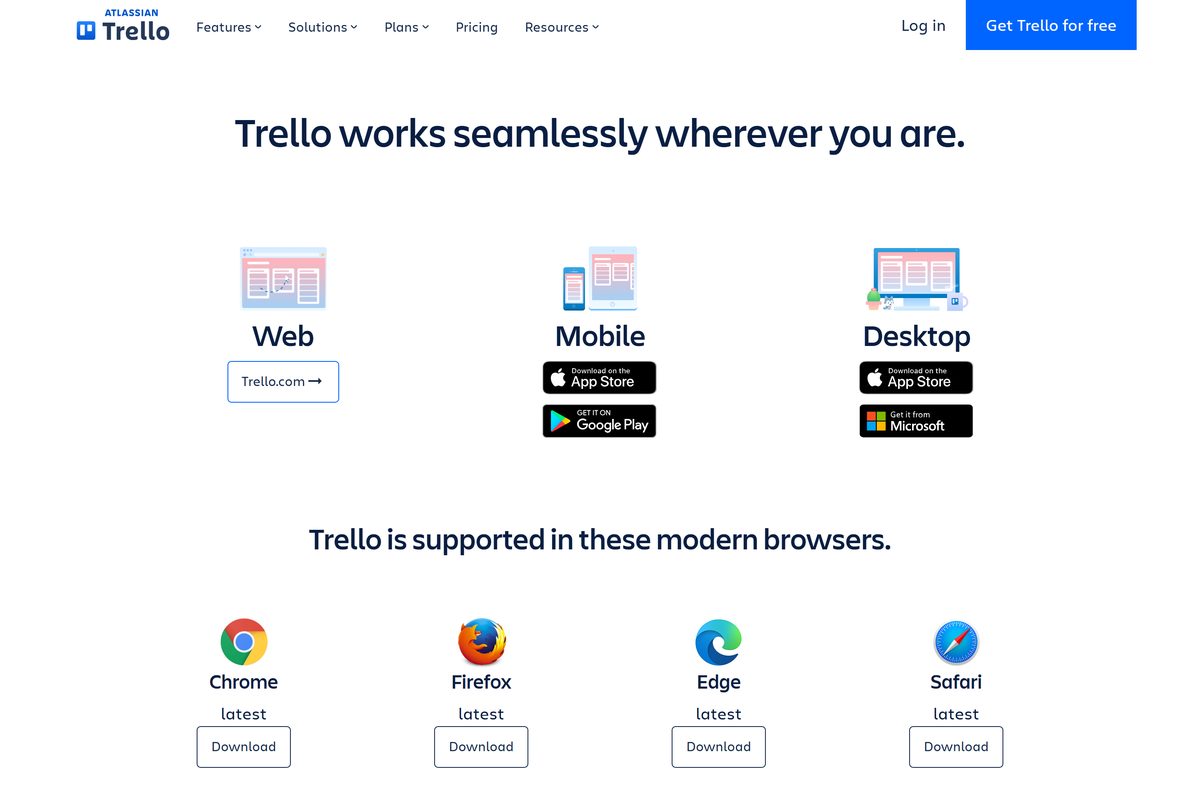
Trello lists these links on its own platforms page. The Store builds are the only desktop packages it publishes.
- Trello for Windows (Microsoft Store) — 151.8 MB · x64 package; an x86 package is 130.1 MB
- Trello for Mac (Mac App Store) — 148.5 MB · macOS 12 or later
- Trello platforms page — Official list of every Trello app
- Trello for iPhone and iPad — 226.1 MB · Free, iOS 18.6 or higher
- Trello for Android — Free, Android 10 or higher
The Windows sizes are the largest package the Store serves, so your own download can be a little smaller.
How to install Trello on Windows 11 and 10
The Microsoft Store handles the download, the install and every later update.
- Open trello.com/platforms and select Get it from Microsoft under Desktop.
- Let the browser open the listing in the Microsoft Store app.
- Check that the publisher reads Trello, Inc. on the listing.
- Select Get and wait for the Store to finish the install.
- Select Open, or search for Trello in the Start menu.
- Sign in with your Atlassian account or select Sign up to create one.
- Press Ctrl + Alt + T from any app to bring the Trello window forward.
Keep the PC online after sign-in, because the desktop app loads every board from the server.
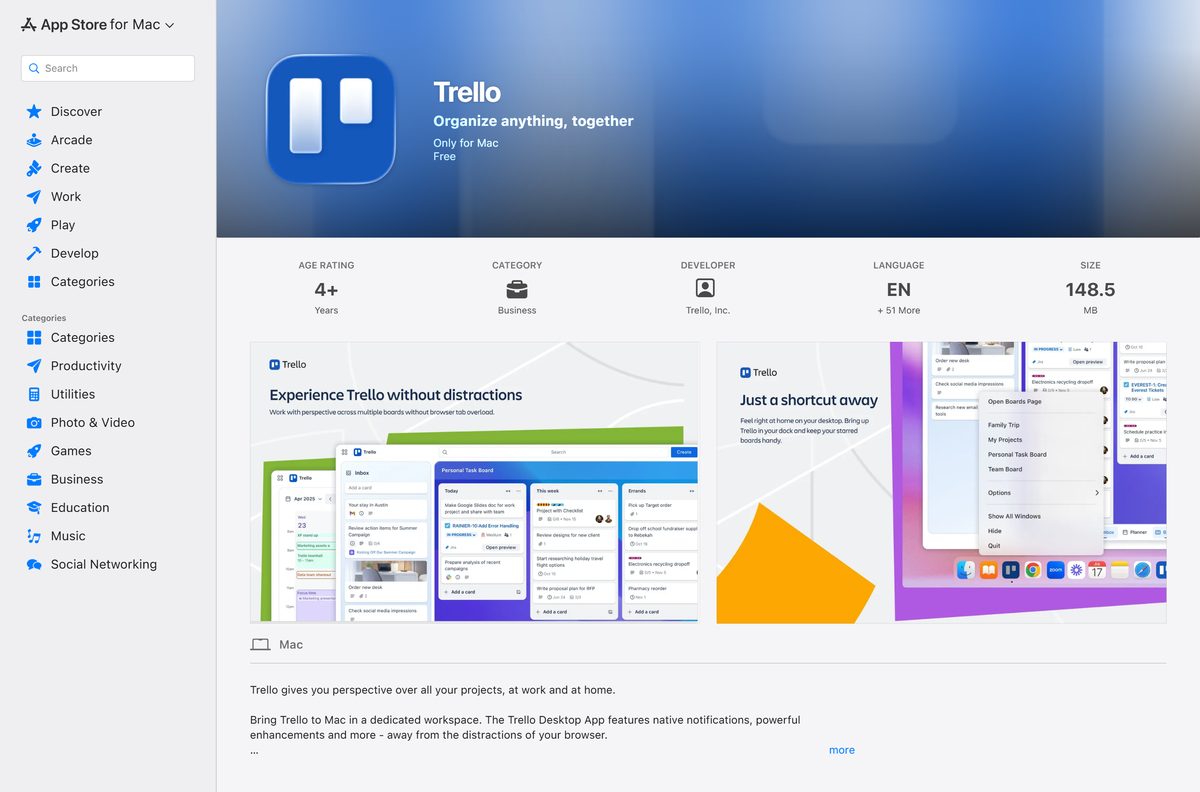
Which Trello download do you need for your Mac?
One Mac App Store listing covers every supported Mac. Open the Apple menu and select About This Mac to read your macOS version.
| Your Mac | What to get | Size |
|---|---|---|
| macOS 12 Monterey or later | Trello in the Mac App Store | 148.5 MB |
| macOS 11 or older | Sign in at trello.com in Safari | No download |
| iPhone or iPad alongside the Mac | Trello in the App Store | 226.1 MB |
Select Get, then Install, in the Mac App Store. The app lands in Applications and adds a dock badge for unread activity.
Is Trello free?
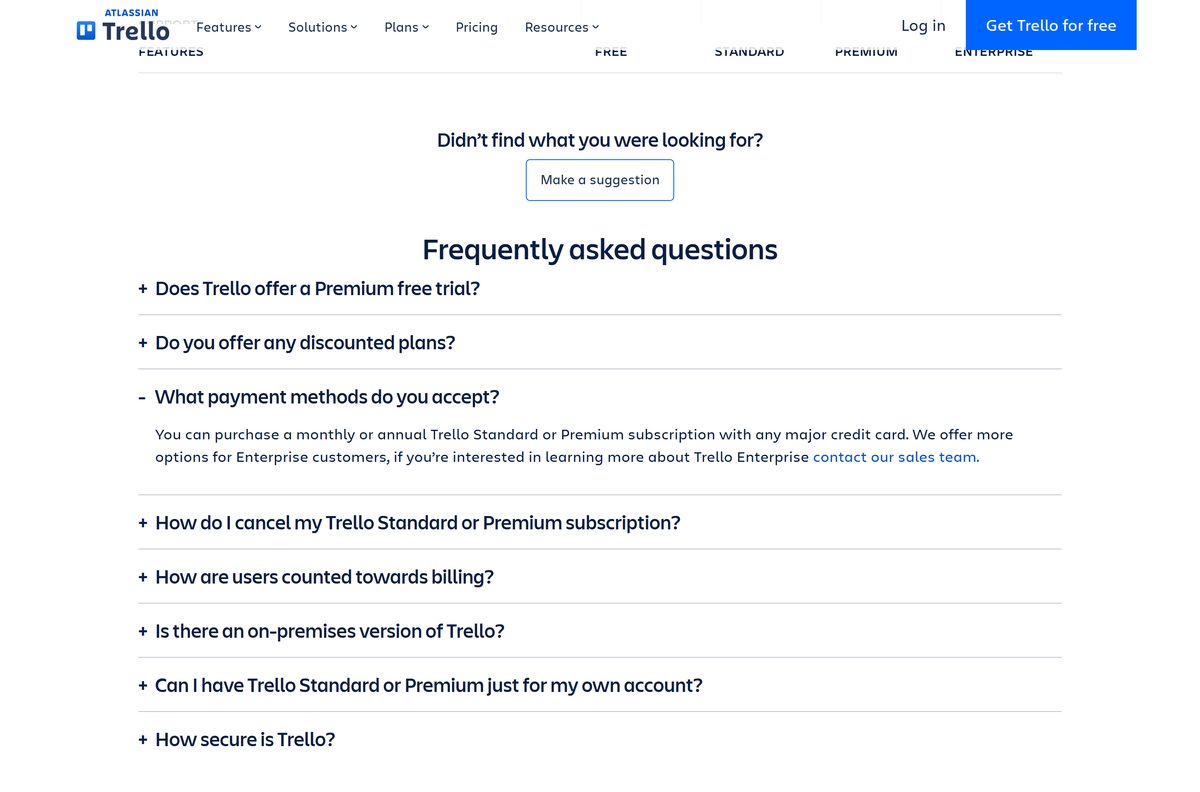
The desktop, mobile and web apps cost nothing to download. What you pay for is the plan behind the Workspace.
Stay on the Free plan for a small team with up to 10 boards; move to Standard when you need more boards or bigger attachments. Free covers up to 10 collaborators and 10 boards per Workspace, unlimited cards, unlimited Power-Ups per board and 10 MB per file. Standard costs $5 per user per month billed annually, or $6 billed monthly, and removes the board and collaborator caps with 250 MB per file. Premium adds Calendar, Timeline, Table, Dashboard and Map views for $10 billed annually or $12.50 monthly. Enterprise costs $17.50 per user per month billed annually and adds organization-wide permissions and SSO through Atlassian Guard.
Those are United States prices on the Trello pricing page. An exe offered by a download site is not from Trello, which publishes no standalone Windows installer.
Should you install the Trello desktop app or use the browser?
Both routes open the same boards with the same data. The difference is what surrounds the window.
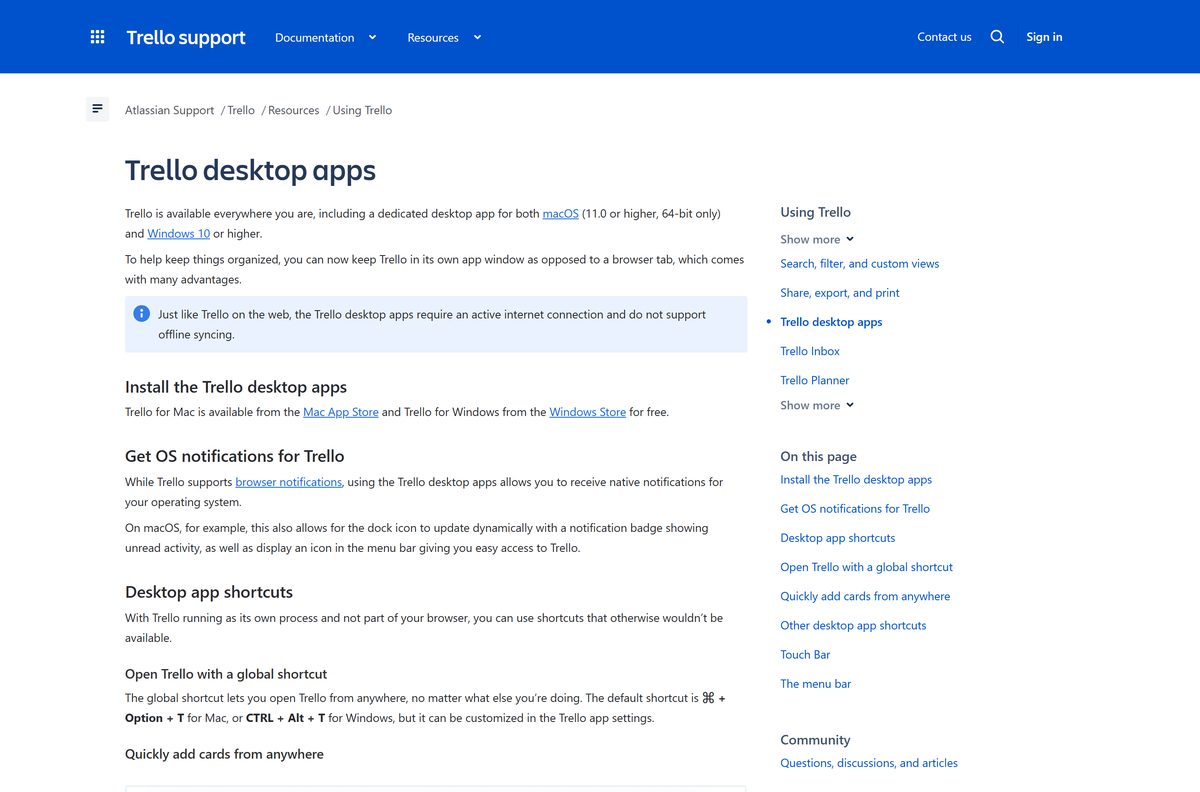
Install the desktop app if you work in Trello every day; stay in the browser on a shared or locked-down PC. The desktop app adds native operating system notifications, a dock badge and menu bar icon on Mac, and global shortcuts such as Ctrl + Alt + Space to create a card from any app. Neither route works offline, because the desktop app does not support offline syncing. The browser needs no install rights and runs on Linux and ChromeOS, where no desktop build exists.
Trello supports the latest stable Chrome, Safari, Firefox and Edge for the web app.
How to set a default board and use the desktop shortcuts
The shortcuts below exist only in the desktop app. They work on Windows 11 and 10 as listed, with Cmd in place of Ctrl on a Mac.
- Open the board you use most often in the desktop app.
- Press Ctrl + Shift + D to make it the default board.
- Press Ctrl + Alt + T from any app to open Trello.
- Press Ctrl + Alt + Space to create a card without switching windows.
- Press Ctrl + Shift + B to jump to your boards list.
- Press Ctrl + Shift + M to open My Cards.
On a Mac, the quick card shortcut is Ctrl + Opt + Space and the global launch is Cmd + Opt + T.
How to check your Trello version and update it
Both stores update the app in the background. Check by hand when a feature looks different from the browser.
- Open the Microsoft Store app on Windows.
- Select Library in the lower-left corner.
- Select Get updates and let any pending Trello update install.
- On a Mac, open the App Store and select Updates in the sidebar.
- Select Update next to Trello if it appears in the list.
- Relaunch Trello and compare its version with the current 2.16.7 release.
If the Store shows no update but the app misbehaves, use the reset steps in the troubleshooting section below.
Check the Trello system requirements before you install
The requirements are light. Any PC that runs a supported Windows release handles the app.
| Field | Value |
|---|---|
| Software | Trello desktop |
| Developer | Trello, Inc. (Atlassian) |
| Latest version | 2.16.7 (Windows and Mac, August 19, 2026) |
| License | Free download; Free plan for up to 10 collaborators, paid plans from $5 per user per month |
| Supported OS | Windows 10 or 11 (64-bit); macOS 12 or higher (64-bit only) |
| Architecture | Microsoft Store packages for x64 and x86; no native ARM64 package |
| Download size | 151.8 MB x64 package on Windows; 148.5 MB on Mac |
| Official source | Microsoft Store and Mac App Store, linked from trello.com/platforms |
| Offline installer | No, Store delivery only |
| Offline use | No, an internet connection is required |
| Mobile | iOS 18.6 or higher; Android 10 or higher with Google Play |
| Last verified | 2026-09-24 |
Press Windows + R, type winver and select OK to read your Windows version.
Fix Trello not installing or opening on Windows 11 or 10
Work through the symptom that matches. Each one has a single cause and a short fix.
The app opens to a blank or frozen window
Cached local data is out of step with your boards.
- Close Trello completely and restart the computer.
- Open Trello again and select Help in the menu.
- Choose Reset local data, then quit and relaunch the app.
Boards never finish loading
Antivirus, firewall, VPN or proxy settings block the connection.
- Pause the VPN or proxy and reopen Trello.
- Turn off the antivirus or firewall briefly to test.
- Add Trello to the allowlist of whichever tool caused the block, then turn protection back on.
The app still crashes after a reset
The installed package is damaged or outdated.
- Uninstall Trello using the steps in the next section.
- Reinstall it from the Microsoft Store listing.
- Sign in again and let your boards load.
The Mac App Store will not install it
The Mac runs a macOS release older than 12.
- Open the Apple menu and select About This Mac.
- Update to macOS 12 or later if the Mac supports it.
- Sign in at trello.com in a browser if it cannot take that update.
Contact Atlassian Support if none of these steps help.
How to uninstall Trello
Removing the app leaves your boards untouched, because they live on the server.
- Open Start, then Settings, then Apps on Windows.
- Search for Trello in the app list.
- Select Uninstall and confirm the prompt.
- On a Mac, open Finder and go to Applications.
- Drag Trello to the Trash, or right-click it and select Move to Trash.
- Choose Go, then Go to Folder, and open ~/Library/Containers/ .
- Drag the Trello folder to the Trash to clear leftover data.
Sign in at trello.com to keep working in a browser.
Which Trello alternatives ship a desktop app?
Two project tools cover different needs. Each has its own download guide.
| Tool | Best for | Guide |
|---|---|---|
| Trello | Kanban boards for small teams, free for up to 10 collaborators | Trello platforms page |
| Jira | Software teams that track sprints and issues, also from Atlassian | Download Jira for PC and Mac |
| Asana | Task and project tracking with a direct-download desktop app | Download Asana for PC and Mac |
Pick Trello for simple boards. Pick Jira when your work runs in sprints, and Asana when you need portfolios and goals.
Frequently asked questions
Short answers to what readers ask before they install.
Is the Trello desktop app free to download?
Yes. Both desktop apps are free in the Microsoft Store and the Mac App Store. The Free plan covers up to 10 collaborators and 10 boards per Workspace. Standard costs $5 per user per month billed annually.
Where is the official Trello download for PC?
The trello.com/platforms page links to the Microsoft Store listing for Windows and the Mac App Store listing for Mac. Trello, Inc. publishes both. No other site distributes the desktop app.
Does Trello work on Windows 11?
Yes. Atlassian supports the desktop app on Windows 10 and Windows 11, 64-bit. The Microsoft Store package installs on both releases and updates itself through the Store.
How big is the Trello download for Windows?
The Microsoft Store lists a maximum download of 151.8 MB for the x64 package and 130.1 MB for the x86 package. The Mac App Store lists the Mac app at 148.5 MB.
Is there a Trello offline installer?
No. Trello ships the desktop app only through the Microsoft Store and the Mac App Store, so there is no standalone setup file. The app itself also needs an internet connection and does not sync offline.
Is there a Trello app for Mac?
Yes. The free Mac App Store app needs macOS 12 or later on a 64-bit Mac. Version 2.16.7 is the current release. On an older Mac, open trello.com in Safari, Chrome, Firefox or Edge.
Does Trello run on ARM64 Windows PCs?
The Microsoft Store carries x64 and x86 packages and no native ARM64 package. Atlassian lists 64-bit Windows 10 or 11 as the supported platform, so the browser is the safer route on an ARM laptop.
Is Trello safe to install?
Yes, when it comes from the Microsoft Store or the Mac App Store listing published by Trello, Inc. Avoid exe files offered by download portals, because Trello publishes no standalone Windows installer.
What is the latest version of Trello desktop?
Version 2.16.7, released on August 19, 2026, for both the Windows and Mac desktop apps. The iPhone app follows its own numbering and sits at 2026.19.
Why won’t Trello install or open on my PC?
Restart the computer first. If the app opens but misbehaves, choose Help, then Reset local data. Next, uninstall and reinstall from the Store, then check antivirus, firewall, VPN and proxy settings.
Does the Trello desktop app work offline?
No. Atlassian states the desktop apps need an internet connection and do not support offline syncing. Boards load from the server each time you open them.
Can I get Trello on my phone as well?
Yes. The iPhone and iPad app is free in the App Store and needs iOS 18.6 or higher. Android users get it free on Google Play with Android 10 or higher.