The Armoury Crate download for Windows 11 and Windows 10 is a free 2.2 MB installer on the ASUS support site. It sets up the Armoury Crate app, Aura Creator and the ASUS services behind RGB lighting, device updates and connected ROG gear.
ASUS also publishes a 4.99 GB Full Installation Package for PCs without a steady connection, and a separate installer for the ROG Ally. ROG and TUF Gaming laptops and desktops ship with the app preinstalled in the Start menu.
This guide covers the official files and their sizes, installing and checking the download, the offline package, Mac options, updates, and fixes for Armoury Crate not installing.
Which Armoury Crate download do you need?
ASUS lists five files on the Armoury Crate support page. Three of them install the app. Match your situation to one row.
| Your situation | File to download | Size |
|---|---|---|
| ROG, ROG Strix, TUF Gaming or Prime motherboard, or an ASUS gaming laptop | Armoury Crate & Aura Creator Installer | 2.2 MB |
| ROG or TUF Gaming mouse, keyboard or headset on a non-ASUS PC | Armoury Crate & Aura Creator Installer | 2.2 MB |
| A PC with a slow, metered or no internet connection | Armoury Crate Full Installation Package | 4.99 GB |
| ROG Ally series handheld | Armoury Crate SE Installer | 2.1 MB |
| A broken install you need to remove first | Armoury Crate Uninstall Tool | 1.21 MB |
Every file is a ZIP archive served from dlcdnets.asus.com, the ASUS download server. Extract it before you run anything inside.
Get Armoury Crate from the official ASUS download page
Start from the ASUS support page when you want the file list, release dates and checksums in one place. Select Windows 11 64-bit or Windows 10 64-bit in the OS menu, then open Utilities.
- Armoury Crate Driver & Tools page on asus.com — every installer, with version, date and SHA-256
- ArmouryCrateInstallTool.zip, the standard installer — 2.2 MB · version 3.3.6.0, dated 2025/11/04
- Armoury Crate Full Installation Package — 4.99 GB · version 1.5.0.7, dated 2025/08/18
- Armoury Crate on the Microsoft Store — published by ASUSTeK COMPUTER INC., listed at $0.00
- ASUS Armoury Crate FAQ — install, uninstall and troubleshooting notes
The Store listing carries the app itself. The ASUS installer adds the prerequisite services, including Armoury Crate Service, Aura Service and ASUS Framework Service, so start with the ZIP from asus.com.
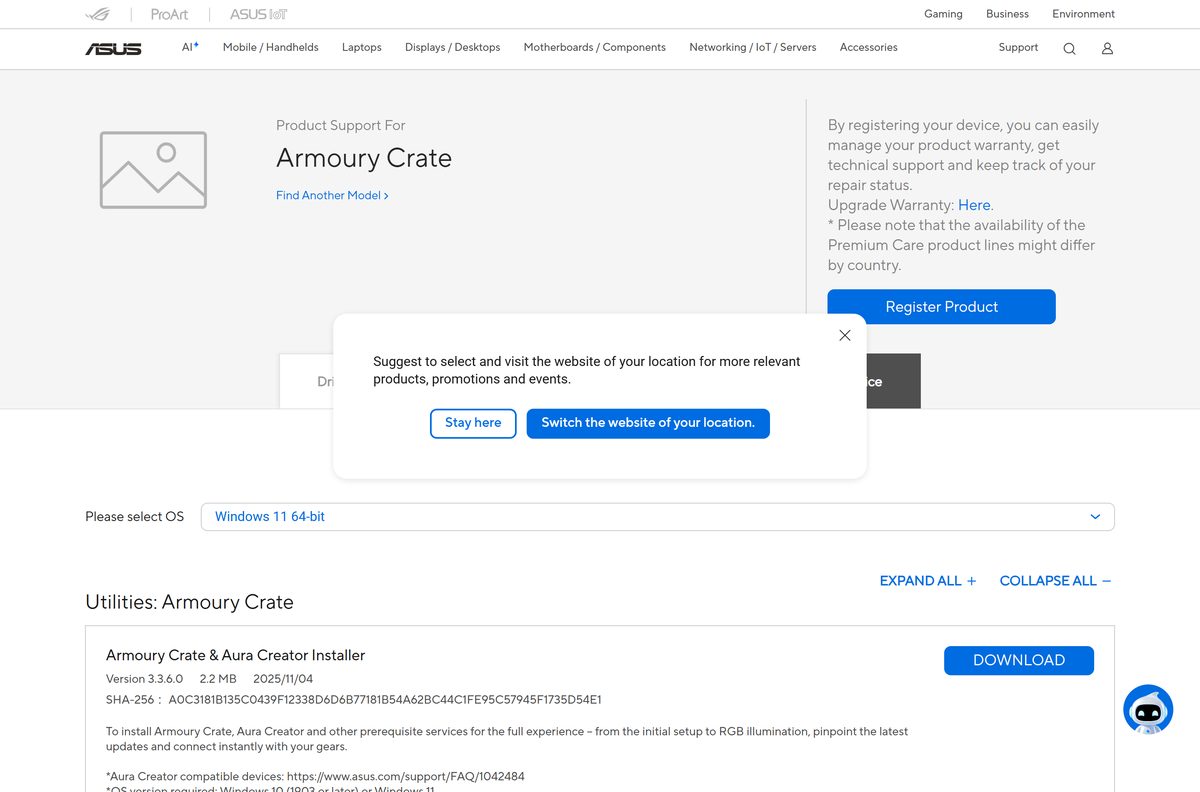
How to install Armoury Crate on Windows 11 and 10
Check your Windows build first. The installer needs Windows 10 version 1903 or later, or Windows 11. Press Windows + R, type winver and press Enter to read it.
On a new ROG, ROG Strix, TUF Gaming or Prime motherboard, Windows shows a pop-up on first boot. Click OK there and the app installs itself. Use the steps below if you dismissed it.
- Download ArmouryCrateInstallTool.zip from the ASUS support page.
- Right-click the ZIP in your Downloads folder and select Extract All, then click Extract.
- Open the extracted folder and double-click ArmouryCrateInstaller.exe.
- Select Yes if User Account Control asks for permission.
- Choose to install Armoury Crate, Aura Creator, or both.
- Click Start and keep the PC online while the installer downloads its components.
- Open Armoury Crate from the Start menu when setup finishes.
- Sign in with your ASUS account if you want to register your ASUS products.
Leave any VPN switched off during setup. ASUS lists a VPN as a cause of failed installs.
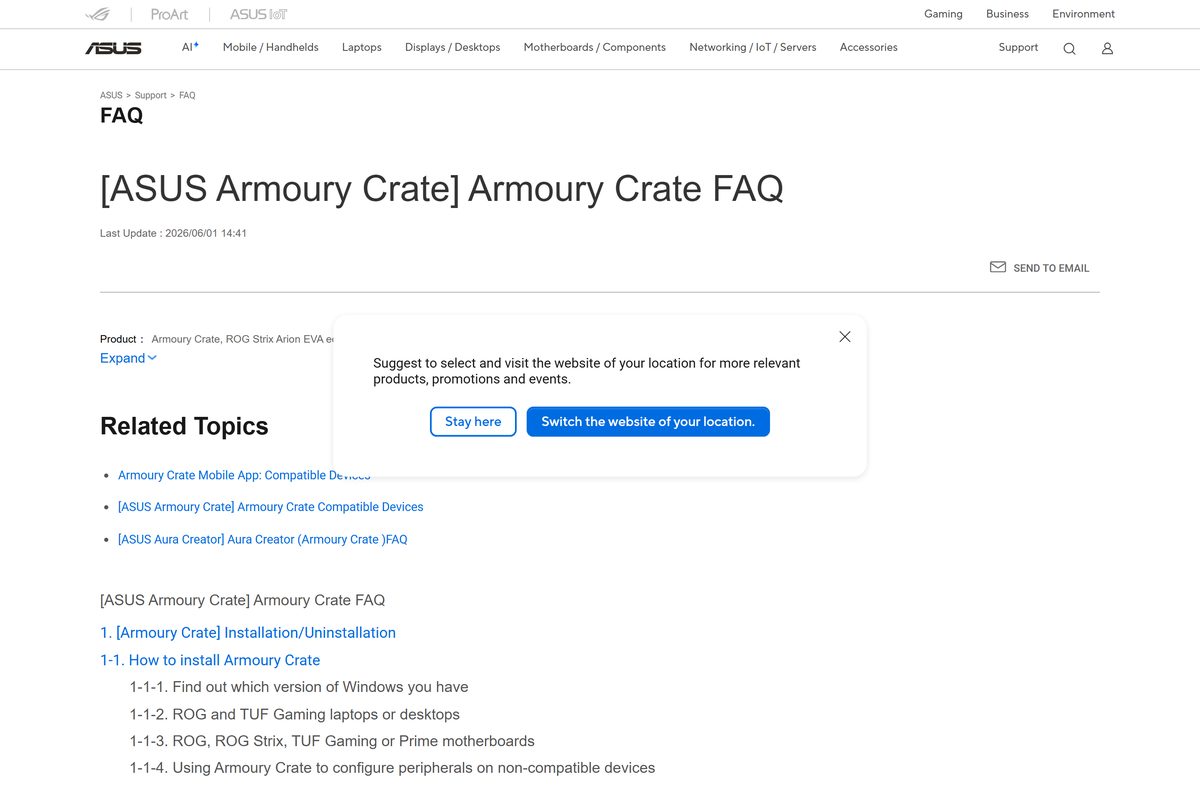
How to verify the Armoury Crate download is genuine
ASUS prints a SHA-256 hash under every file on its support page. Compare it with your copy before you extract anything.
- Open Terminal from the Start menu and change to your Downloads folder with cd $HOME\Downloads .
- Run Get-FileHash .\ArmouryCrateInstallTool.zip -Algorithm SHA256 .
- Compare the result with A0C3181B135C0439F12338D6D6B77181B54A62BC44C1FE95C57945F1735D54E1 , the hash ASUS lists for installer 3.3.6.0.
- For the offline package, run the same command on the full ZIP and compare it with FCF9D0ECF3350837F68F1223F452CB0E1CD7B8F28753AC6ECC4376C792ACBD87 .
- Delete the file and download it again from asus.com if the hashes differ.
A mismatch after ASUS publishes a new build is normal. Recheck the hash on the support page, because it changes with each version.
Which Armoury Crate download do you need for your Mac?
ASUS builds Armoury Crate for Windows only. Each installer on the support page states Windows 10 or Windows 11 as the required OS, and no macOS file is listed.
| Your setup | What to do | Link |
|---|---|---|
| Mac running macOS | No macOS build exists; configure ASUS gear from a Windows PC | ASUS support page |
| Mac user with a Windows 11 or 10 PC nearby | Install the standard installer on the PC and set up the device there | ArmouryCrateInstallTool.zip |
| ROG peripheral plugged into a non-ASUS Windows PC | The same installer works for peripherals on other brands of PC | ArmouryCrateInstallTool.zip |
Is Armoury Crate free?
Yes, Armoury Crate is free. ASUS gives every installer away on its support site, and the Microsoft Store lists the app at $0.00 in the US. There is no paid edition to unlock. A site that charges for Armoury Crate, or bundles it inside a download manager, is not ASUS. Take the ZIP from asus.com or dlcdnets.asus.com only.
Standard installer or Full Installation Package: which should you download?
Download the 2.2 MB standard installer unless the PC is offline. The standard installer detects your devices and fetches the current app and services online, so you get the newest components. The 4.99 GB Full Installation Package works without instant device detection or online downloading: you select your devices and it installs from the archive. That makes it the right pick for a PC with no reliable connection, but its bundled app is version 6.2.11, older than the online installer delivers. It also accepts Windows 10 version 1809, one release earlier than the standard installer.
How to control Armoury Crate updates
The Armoury Crate and Aura Creator apps update through the Microsoft Store. ASUS documents one switch for stopping that.
- Open Microsoft Store from the Start menu.
- Click the Sign in (profile) icon on the right of the title bar.
- Select App settings.
- Turn off App updates to stop automatic updates.
- Turn App updates back on, or open the Armoury Crate Store listing, when you want the current release again.
That switch covers every Store app on the PC, not only Armoury Crate. Turn it back on after you finish troubleshooting.
Check the Armoury Crate system requirements and specifications
The requirements are about Windows, not hardware. The Store package ships x64 and ARM64 builds, and the latest installer notes add support for ARM-based laptops.
| Field | Value |
|---|---|
| Software | Armoury Crate |
| Developer | ASUSTeK COMPUTER INC. |
| Latest version | App 6.5.14.0 (Microsoft Store); installer 3.3.6.0 |
| License / Price | Free |
| File size | 2.2 MB installer; 4.99 GB Full Installation Package |
| Supported OS | Windows 10 version 1903 or later, Windows 11 (64-bit) |
| Architecture | x64 and ARM64 |
| macOS | Not available |
| Offline installer | Yes, the Full Installation Package |
| Official download source | asus.com support page |
| Last verified | 2026-09-13 |
Fix Armoury Crate not installing on Windows 11 or 10
Installation fails or stops partway
The standard installer downloads its components, so a broken connection, a VPN or leftovers from an old install stop it.
- Disconnect any VPN and confirm the PC has a stable internet connection.
- Run the Armoury Crate Uninstall Tool to clear the previous install.
- Restart Windows.
- Run ArmouryCrateInstaller.exe again and click Start.
- Install on Windows itself, not inside an Android emulator or other virtual platform.
Installation keeps failing after a clean reinstall
ASUS support needs the installer log to diagnose a repeat failure.
- Download the Armoury Crate Lite Log Tool from the ASUS support page.
- Extract the ZIP and double-click LogToolLite.exe.
- Tick Enable Log.
- Run the Armoury Crate installer again until the failure repeats.
- Click Package Log and wait for the Done message.
- Send the LogToolLiteLog_ file from the tool’s folder to ASUS customer service.
The uninstall tool reports a failure
Some components stay locked until Windows restarts.
- Follow the dialog’s prompt and restart the computer.
- Run Armoury Crate Uninstall Tool.exe a second time.
- Send the ACUTLog_ file from the tool’s folder to ASUS if the second run fails too.
Armoury Crate shows a service error
One of the background services failed to start.
- Restart the computer.
- Download the standard installer again if the error returns.
- Run it to reinstall Armoury Crate over the existing copy.
How to uninstall Armoury Crate completely
The ASUS Uninstall Tool removes Armoury Crate and the Aura Creator components in one pass. Run it before any clean reinstall.
- Open the Armoury Crate support page and select Windows 10 64-bit or Windows 11 64-bit.
- Download Armoury_Crate_Uninstall_Tool.zip (1.21 MB).
- Right-click the ZIP and select Extract All.
- Double-click Armoury Crate Uninstall Tool.exe and follow the prompts.
- Restart Windows to finish the removal.
Other system utilities and drivers for Windows include 8BitDo Ultimate Software and Glorious CORE.
Frequently asked questions
Is Armoury Crate free?
Yes. ASUS offers every Armoury Crate installer free on its support site, and the Microsoft Store lists the app at $0.00. There is no paid tier, so any site asking for payment is not ASUS.
Where is the official Armoury Crate download?
The official page is the Armoury Crate Driver & Tools page on asus.com. The files themselves come from dlcdnets.asus.com, the ASUS download server, as ZIP archives with a SHA-256 hash listed beside each one.
Does Armoury Crate work on Windows 11?
Yes. The installer supports Windows 11 and Windows 10 version 1903 or later. The Microsoft Store package includes both x64 and ARM64 builds, so ARM-based Windows laptops are covered too.
How big is the Armoury Crate download?
The standard Armoury Crate & Aura Creator Installer is 2.2 MB. It downloads the app and services during setup. The offline Full Installation Package is 4.99 GB, and the ROG Ally SE installer is 2.1 MB.
Is there an Armoury Crate offline installer?
Yes. ASUS publishes the Armoury Crate Full Installation Package at 4.99 GB. You select your devices and it installs the app, services and device components without downloading anything during setup.
Is there Armoury Crate for Mac?
No. ASUS publishes Armoury Crate for Windows 10 and Windows 11 only. To set up an ROG device, connect it to a Windows PC and install the standard installer there.
Is there a 64-bit or ARM64 Armoury Crate?
Armoury Crate runs on 64-bit Windows. The Microsoft Store package lists x64 and ARM64 builds, and the current ASUS installer notes add support for ARM-based laptops. There is no 32-bit version.
What is the current Armoury Crate version?
The Microsoft Store catalog lists Armoury Crate 6.5.14.0 as the newest app package. The ASUS Armoury Crate & Aura Creator Installer that delivers it is version 3.3.6.0, dated 4 November 2025.
Is Armoury Crate safe to download?
It is safe from asus.com and dlcdnets.asus.com. Compare the ZIP’s SHA-256 hash with the value on the ASUS support page using Get-FileHash in Terminal. A matching hash confirms the file ASUS published.
Why is Armoury Crate not installing?
The most common causes are a VPN, an unstable connection, or leftovers from an earlier install. Run the Armoury Crate Uninstall Tool, restart, then run the installer again without a VPN.
Is Armoury Crate for ASUS motherboards?
Yes. Armoury Crate supports ROG, ROG Strix, TUF Gaming and Prime motherboards, which offer to install it on first boot. It also configures ROG and TUF Gaming peripherals on PCs from other brands.
Does Armoury Crate come preinstalled?
On ROG and TUF Gaming laptops and desktops, yes. ASUS preinstalls the app, so open the Start menu and look for Armoury Crate before downloading anything.
Which installer does the ROG Ally use?
The ROG Ally series uses the Armoury Crate SE Installer, a 2.1 MB ZIP on the same ASUS page. Extract it and double-click ArmouryCrateInstallTool.exe, and the app then updates itself online.

Download ASUS AI Suite 3 for PC, Windows 11 and Windows 10 (Free) - Techdows
[…] Armoury Crate & Aura Creator Installer from the same page for fan […]