The 8BitDo Ultimate Software download is free and installs on Windows 11, Windows 10 and macOS, with mobile versions for iPhone and Android. It remaps buttons, records macros, tunes sticks and triggers, and updates the firmware on 8BitDo controllers, keyboards and mice.
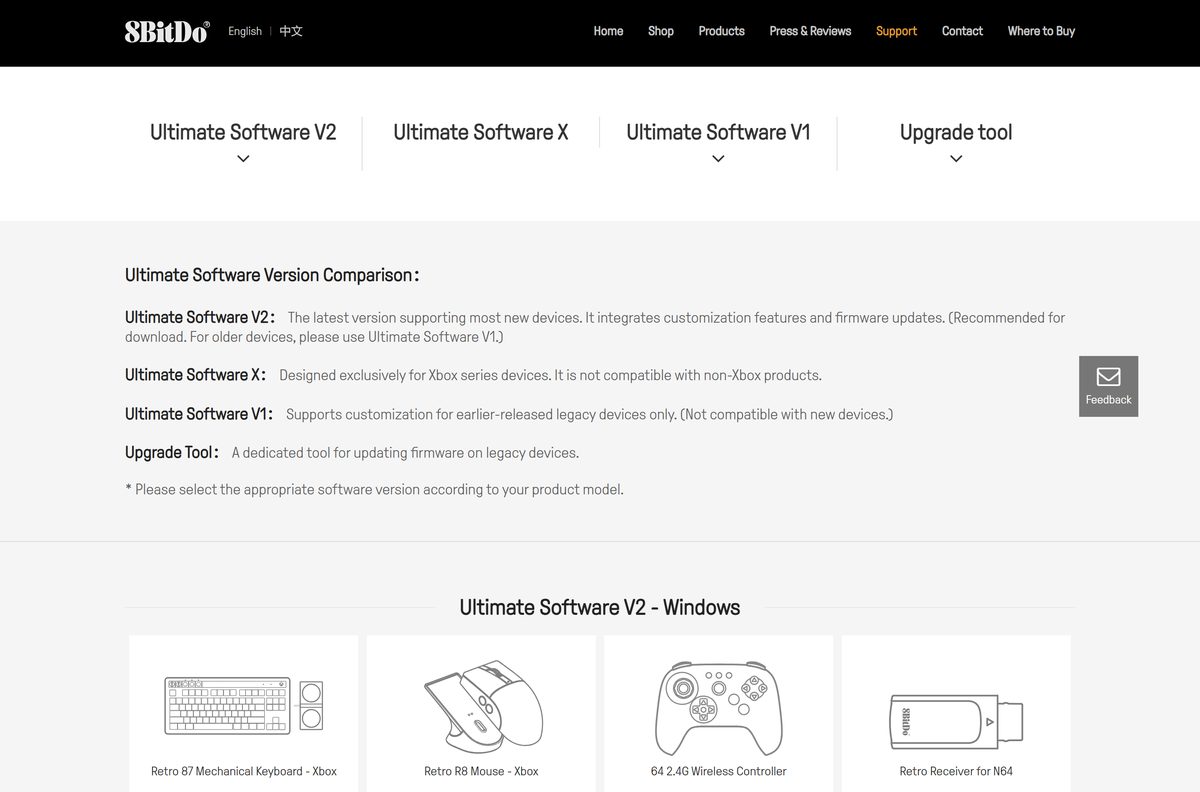
8BitDo ships three editions: V2 for most current devices, V1 for older controllers, and Ultimate Software X for Xbox-licensed models. The right one depends on the device you own.
This guide covers which edition to pick, the official download links, installing on each platform, system requirements and fixes for a device the app does not detect.
Which 8BitDo Ultimate Software download do you need?
Find your device’s exact name on the box or in its manual first. 8BitDo splits support by model, and the wrong edition does not detect the device at all.
| Your device | Take this | Size |
|---|---|---|
| Ultimate 2, Ultimate 2C, Pro 3, 64 Bluetooth, Arcade Controller, Retro keyboards, Retro R8 Mouse or Retro Receivers, on Windows | Ultimate Software V2 for Windows | 148.9 MB |
| The same V2 devices, on a Mac with macOS 13 or later | Ultimate Software V2 for macOS | 52.1 MB |
| Ultimate 3, Ultimate 3E, Arcade Controller for Xbox or other Xbox-licensed models | Ultimate Software X (Microsoft Store) | 68.8 MB package |
| Older models: Ultimate Bluetooth, Ultimate Wired, Pro 2, SN30 Pro+, Arcade Stick, USB Adapter 2 | Ultimate Software V1 for Windows | 25.7 MB |
| Legacy models that only need a firmware update, such as Ultimate C or NEOGEO Wireless | 8BitDo Upgrade tool for Windows | 18.3 MB |
The full device list for every edition sits on app.8bitdo.com. 8BitDo recommends V2 and points owners of older devices to V1.
Download 8BitDo Ultimate Software V2 from the official page
The V2 page on app.8bitdo.com has a Windows Download button and a macOS Download button. Both deliver a zip file from support.8bitdo.com.
- 8BitDo_Ultimate_Software_V2_Windows_V1.35.zip — 148.9 MB · Windows 10 version 1903 or later and Windows 11
- 8BitDo_Ultimate_Software_V2_macOS_V1.0.20.zip — 52.1 MB · macOS 13 or later
- Ultimate Software V2 page — supported devices, update log and FAQ
- All 8BitDo software editions — V2, X, V1 and the Upgrade tool
Both zip files hold the complete app, so you can copy them to a PC or Mac without an internet connection.
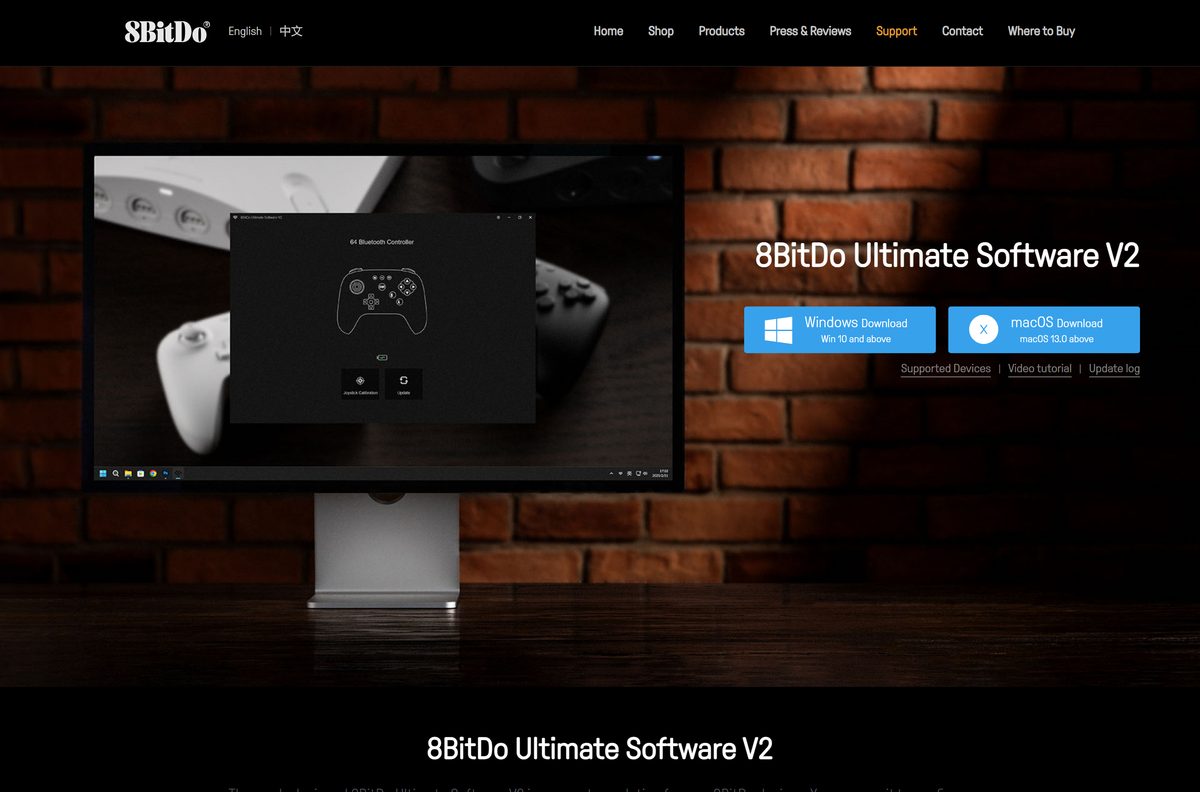
How to install 8BitDo Ultimate Software on Windows 11 and 10
Keep a USB data cable at hand. The desktop app talks to your device over a wired USB connection.
- Open app.8bitdo.com/Ultimate-Software-V2.
- Select Windows Download and save the zip file.
- Right-click the zip in Downloads and select Extract All, then select Extract.
- Open the extracted folder and double-click the 8BitDo Ultimate Software application.
- Select Yes if User Account Control asks for permission.
- Connect your 8BitDo device to the PC with a USB cable.
- Wait for the app to show your device, then open its profile to remap keys or update firmware.
If the app stays empty, some devices need a button held while you plug them in. The fix section below lists them.
Install 8BitDo Ultimate Software X from the Microsoft Store
Ultimate Software X is the Xbox-series edition. It does not work with non-Xbox 8BitDo products, and V2 does not replace it.
- Open the Ultimate Software X listing on the Microsoft Store.
- Select Get or Install and let the Store open.
- Wait for the download to finish.
- Select Open, or launch 8BitDo Ultimate Software X from the Start menu.
- Connect your Xbox-licensed 8BitDo controller with a USB cable.
- Select the controller in the app to edit its profile or update its firmware.
The Store package is published by SHENZHEN 8BITDO TECH CO., LTD., costs nothing and needs an x64 PC with Windows 10 build 17134 or later.
Which 8BitDo Ultimate Software download do you need for your Mac?
Open the Apple menu and select About This Mac to read your macOS version. V2 needs macOS 13 Ventura or later.
| Your Mac and device | Download | Size |
|---|---|---|
| macOS 13 or later, with a V2 device such as Ultimate 2, Pro 3 or a Retro keyboard | 8BitDo_Ultimate_Software_V2_macOS_V1.0.20.zip | 52.1 MB |
| An older device such as Pro 2, SN30 Pro+ or Arcade Stick | 8BitDo-Ultimate-Software-for-macOS.dmg (V1) | 26.4 MB |
| An Xbox-licensed controller | No Mac edition. Use a Windows PC with Ultimate Software X | – |
Double-click the V2 zip to unpack it, then move the app into Applications. For the V1 disk image, open the .dmg and drag the app into Applications.
Install 8BitDo Ultimate Software on iPhone and Android
The mobile V2 app adjusts mapping, sticks, triggers and vibration over Bluetooth. It supports fewer devices than the desktop app.
| Platform | Where to get it | Needs | Supported devices |
|---|---|---|---|
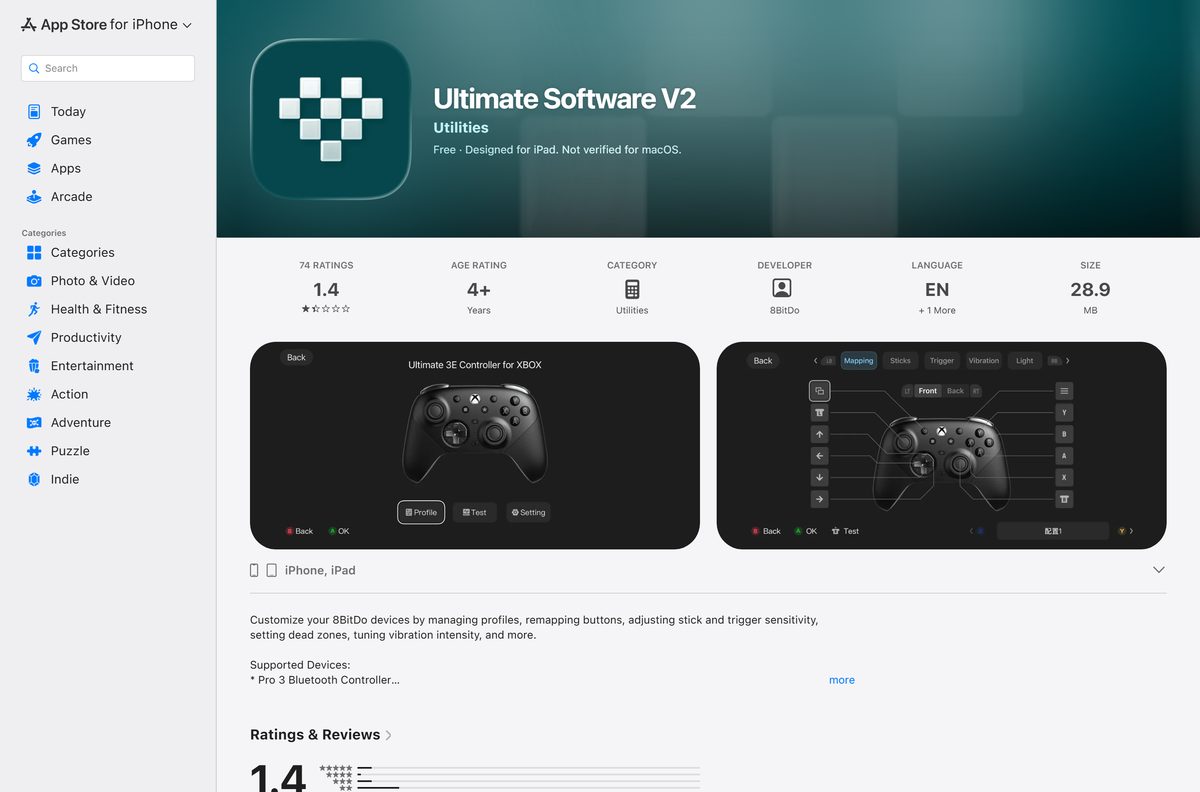
| iPhone and iPad | Ultimate Software V2 on the App Store | iOS 16 or later, 28.9 MB | Ultimate 3 and 3E for Xbox, FlipPad, 64 2.4G, Pro 3, Ultimate 2 Bluetooth, Ultimate Mobile Gaming Controller |
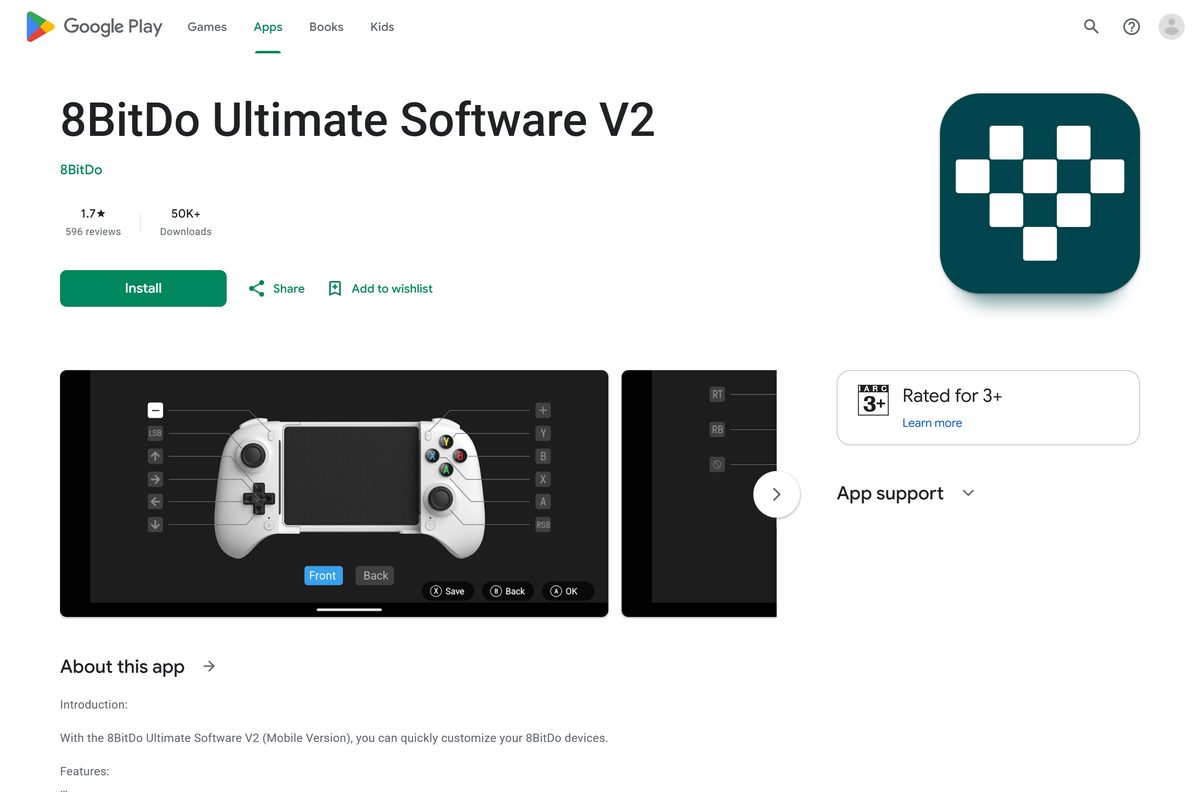
| Android | 8BitDo Ultimate Software V2 on Google Play | Android 13 or later | The iOS list plus the Ultimate Mobile Gaming Controller (VITRUE) |
| Android without Google Play | Official V2 APK from 8BitDo | Android 13 or later, 35.3 MB | Same as Google Play |
| iPhone with an older controller | 8BitDo Ultimate Software (V1) on the App Store | 174.9 MB | Pro 2, Micro, Ultimate Bluetooth, Ultimate 3-mode for Xbox |
Is 8BitDo Ultimate Software free?
Yes. Every edition is free on every platform, with no subscription and no paid tier. The Microsoft Store lists Ultimate Software X at $0, and both App Store apps are marked Free.
Any site that sells a licence key or a “pro” build is not 8BitDo. Take the files only from app.8bitdo.com, support.8bitdo.com or the official app stores.
Download the edition that matches your device from app.8bitdo.com and pay nothing. The software exists to configure 8BitDo hardware, so the cost is in the controller, keyboard or mouse, not the app.
Should you install 8BitDo Ultimate Software V2 or V1?
V2 adds macros, audio configuration, lighting and firmware updates in one app. V1 supports customization for legacy devices only and does not work with new ones.
Install V2 if your device appears on its supported list. Otherwise install V1, or Ultimate Software X for Xbox models. 8BitDo’s own FAQ says to use V2 instead of the previous version when the device is supported, and keeps V1 for older hardware such as the Pro 2 and SN30 Pro+.
Check the 8BitDo Ultimate Software system requirements and specifications
| Specification | Detail |
|---|---|
| Software | 8BitDo Ultimate Software (V2, X and V1) |
| Developer | SHENZHEN 8BITDO TECH CO., LTD. (8BitDo) |
| Latest version | V2 1.35 for Windows, V2 1.0.20 for macOS, 2.0.0 for iOS, 2.00 for Android |
| Licence / price | Free |
| Windows | Windows 10 version 1903 or later, Windows 11 |
| macOS | macOS 13 or later |
| iOS / Android | iOS 16 or later / Android 13 or later |
| Architecture | Ultimate Software X: x64 only |
| Windows download size | 148.9 MB zip (V2) |
| Mac download size | 52.1 MB zip (V2) |
| Offline installer | Yes, both desktop zips are full packages |
| Official download source | app.8bitdo.com |
| Last verified | 2026-09-25 |
Fix 8BitDo Ultimate Software not detecting your device
The app opens but shows no device
Some devices enter update mode only when a button is held while the USB cable goes in.
- Turn the device off and unplug it.
- For the Ultimate Mobile Gaming Controller, hold LB + RB and connect the USB cable.
- For the Ultimate 2C Bluetooth Controller, hold L1 + R1 and connect the USB cable.
- For the NGC Mod Kit, hold Z and connect the USB cable.
- Try a different cable if nothing changes. Charge-only cables carry no data.
An Xbox-licensed controller never appears in V2
Xbox-series devices use Ultimate Software X, which is a separate app.
- Close V2.
- Install Ultimate Software X from the Microsoft Store.
- Connect the controller by USB and open the new app.
An older controller is missing from V2
V2 covers newer devices. Models such as the Pro 2 and SN30 Pro+ are V1 devices.
- Check your model on app.8bitdo.com.
- Download the V1 Windows zip or the V1 Mac disk image.
- Connect the controller and open V1.
The Mac app will not open
V2 for macOS needs macOS 13 or later.
- Open System Settings > General > Software Update and install any available macOS update.
- If the Mac cannot run macOS 13, use V1 for supported older devices, or a Windows PC for V2.
How to uninstall 8BitDo Ultimate Software
- On Windows, open Settings > Apps > Installed apps and look for the 8BitDo software.
- If it is listed, select the three dots beside it, then Uninstall.
- If it is not listed, close the app and delete the folder you extracted from the zip.
- For Ultimate Software X, right-click it in the Start menu and select Uninstall.
- On a Mac, quit the app, open Applications and drag it to the Trash.
- On iPhone or Android, press and hold the app icon and select Remove App or Uninstall.
Frequently asked questions
Is 8BitDo Ultimate Software free?
Yes. 8BitDo Ultimate Software is free on Windows, Mac, iPhone and Android, with no subscription or paid tier. The Microsoft Store lists Ultimate Software X at $0, and both App Store apps are marked Free.
What is the official 8BitDo Ultimate Software download page?
app.8bitdo.com is the official page. It links Ultimate Software V2, Ultimate Software X, V1 and the Upgrade tool, and lists which devices each edition supports. The files themselves download from support.8bitdo.com and download.8bitdo.com.
Does 8BitDo Ultimate Software work on Windows 11?
Yes. Ultimate Software V2 runs on Windows 11 and on Windows 10 version 1903 or later. Ultimate Software X, the Xbox-series edition, installs from the Microsoft Store on Windows 10 and Windows 11.
How big is the 8BitDo Ultimate Software download?
The Windows V2 zip is 148.9 MB and the macOS V2 zip is 52.1 MB. The Android APK is 35.3 MB, the iOS V2 app is 28.9 MB, and the Store package for Ultimate Software X is 68.8 MB.
Is there an 8BitDo Ultimate Software offline installer?
Yes. The Windows and macOS V2 downloads are full zip packages rather than web installers. Copy the zip to a computer without internet access, extract it and run the app from there.
Is 8BitDo Ultimate Software available for Mac?
Yes. Ultimate Software V2 for macOS needs macOS 13 or later and is a 52.1 MB zip. Older devices such as the Pro 2 use the V1 Mac disk image. Xbox-licensed controllers have no Mac edition.
Does 8BitDo Ultimate Software support ARM64 on Windows?
8BitDo does not list an architecture for the V2 zip. The Microsoft Store package for Ultimate Software X is built for x64 only, so it targets standard Intel and AMD PCs.
Is 8BitDo Ultimate Software safe?
Yes, when you download it from app.8bitdo.com, support.8bitdo.com or the official Microsoft Store, App Store and Google Play listings. Avoid mirror sites and anything sold as a licence key, because the real software is free.
What is the latest version of 8BitDo Ultimate Software?
Ultimate Software V2 is at version 1.35 on Windows and 1.0.20 on macOS. The mobile app is 2.0.0 on iOS and 2.00 on Android, and Ultimate Software X is 1.4.9.70 on the Microsoft Store.
Why does 8BitDo Ultimate Software not detect my controller?
Most often the controller needs a different edition or a button held while you connect it. Xbox models need Ultimate Software X, older models need V1, and some devices, such as the Ultimate Mobile Gaming Controller, need LB + RB held while plugging in.
Do I need a cable to use 8BitDo Ultimate Software?
On Windows and Mac, yes. Connect the device with a USB data cable so the app can read and write its profile. The iPhone and Android apps work over Bluetooth with supported controllers.
Can I use 8BitDo Ultimate Software on Android without Google Play?
Yes. 8BitDo publishes the V2 Android APK on its own site as a 35.3 MB file. It needs Android 13 or later and supports the same controllers as the Google Play version.