You can get the Alienware Command Center download free from Dell for Windows 11 and Windows 10. It controls lighting, thermal modes, overclocking and per-game profiles on Alienware and Dell G Series computers.
Dell ships two generations. AWCC 6.x runs on newer Alienware and Dell G systems, while AWCC 5.x stays on many older models. Your model’s Dell support page tells you which one to install.
This guide covers picking the right package, the official Dell links, installing and updating it, the Microsoft Store route, and fixes when setup fails.
Which Alienware Command Center download do you need?
Match your computer to a row. Dell builds AWCC per model, so the package on your own Service Tag page always wins over a generic link.
| Your situation | Download | Size |
|---|---|---|
| Newer Alienware or Dell G system with a reliable internet connection | AWCC 6.x web installer (IM_Web_v6.14.4.0.zip) | 6.64 MB |
| Newer system, slow or metered connection, or several PCs to set up | AWCC 6.x Full Installer 6.14.20.0 | 773.47 MB |
| Alienware m16 R1, m18 R1 or m18 R2 | AWCC 6.x Full Installer for Alienware/Dell G Series (5T498) | 848.79 MB |
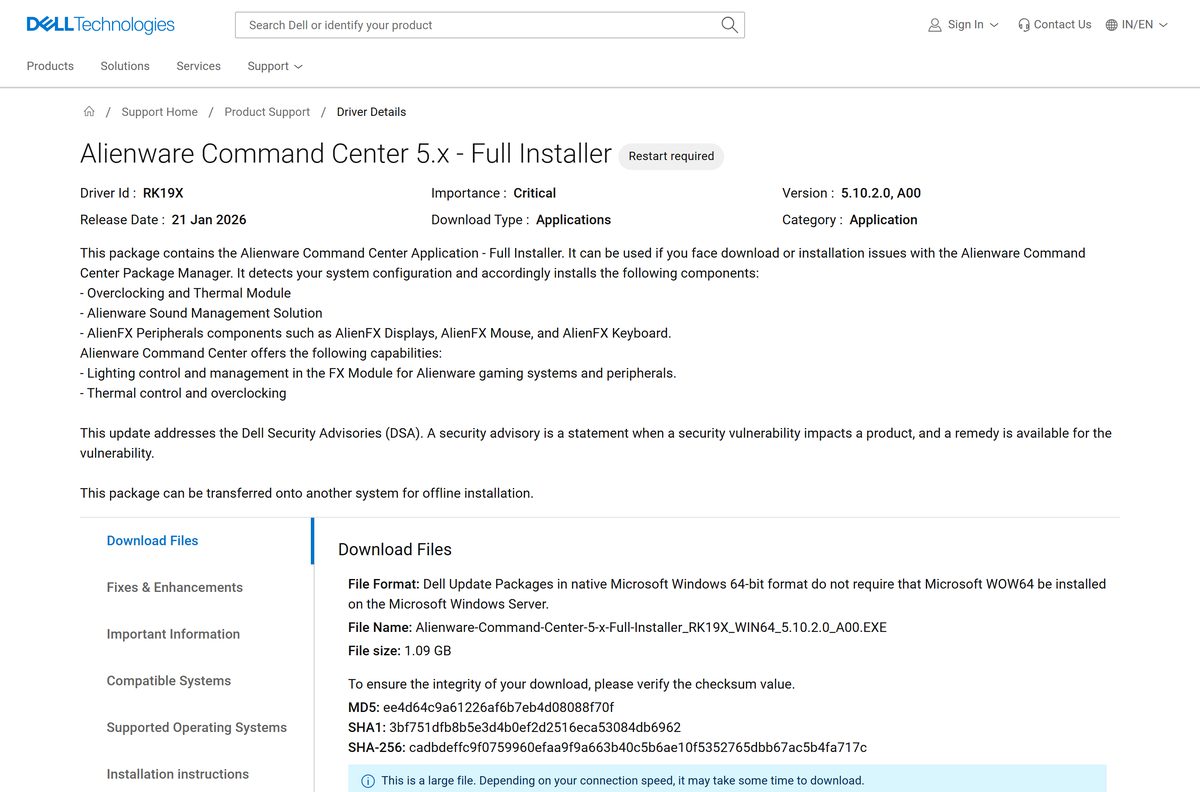
| Older model: Alienware m15 R2 to R7, m17 R2 to R5, x14, x15, x17, Aurora R8 to R15, Area-51m, Dell G3, G5, G7, G15 or G16 | AWCC 5.x Full Installer 5.10.2.0 | 1.09 GB |
| Not sure which model you have | Dell Drivers & Downloads (enter your Service Tag) | Varies |
The full installers are complete offline packages. The 6.64 MB web installer downloads the rest of AWCC during setup.
Download Alienware Command Center from the official Dell pages
Every genuine AWCC package comes from dell.com, and the file itself downloads from dl.dell.com. Start from one of these pages.
- Dell Drivers & Downloads — Enter your Service Tag, select Application, then find Alienware Command Center
- AWCC 6.x Full Installer driver page — 773.47 MB · Windows 11, released 14 Aug 2026
- AWCC 6.x web installer driver page — 6.64 MB · Windows 11 and Windows 10 64-bit
- AWCC 5.x Full Installer driver page — 1.09 GB · Windows 11 and Windows 10 64-bit, released 21 Jan 2026
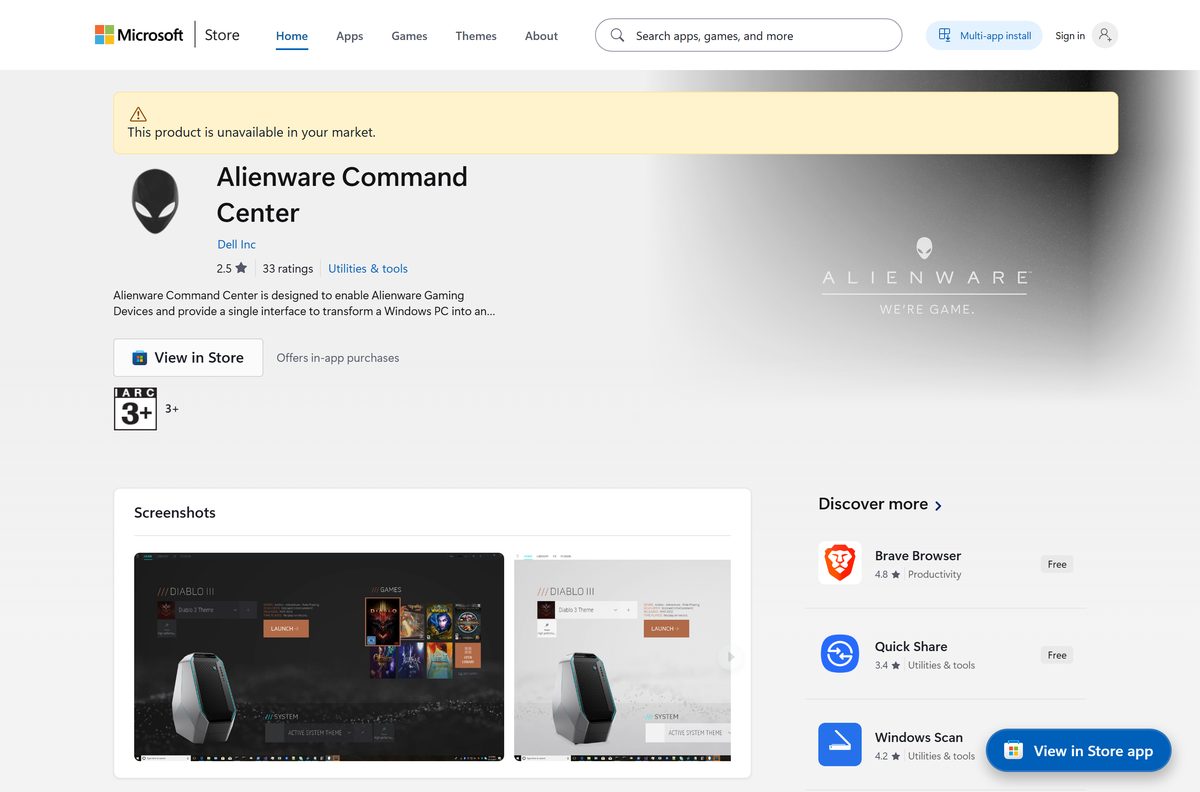
- Alienware Command Center in the Microsoft Store — Free, published by Dell Inc.
How to install Alienware Command Center on Windows 11 and 10
Plug the laptop into its AC adapter and keep it online for the whole install. Dell asks for both on the AWCC 6.x package page.
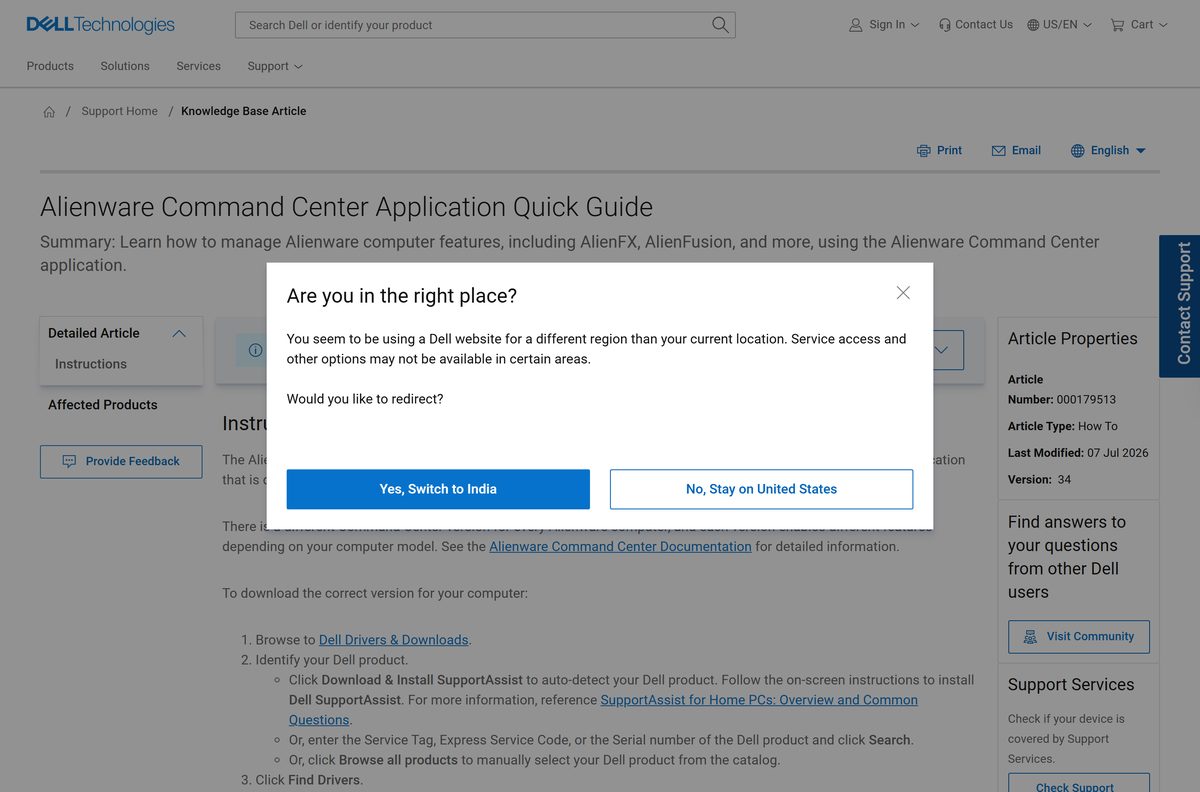
- Open Dell Drivers & Downloads and enter your Service Tag, Express Service Code or serial number, then select Search.
- Select Drivers & Downloads on your product page.
- Set Operating system to your version of Windows and Category to Application.
- Find the latest Alienware Command Center package and select Download.
- Open File Explorer, go to your Downloads folder and double-click the downloaded file. Extract the .zip first if you took the web installer.
- Review the dialog and install any prerequisites it lists.
- Select Install and follow the remaining prompts.
- Restart the computer when setup finishes, then open Alienware Command Center from the Start menu.
Install Alienware Command Center from the Microsoft Store
The Store listing is published by Dell Inc. and is free. It carries the 5.x app, version 5.9.2.0, for 64-bit Windows 10 version 1709 or later.
- Open the Alienware Command Center listing on apps.microsoft.com, or search for it in the Microsoft Store app.
- Check that the publisher reads Dell Inc.
- Select Get or Install.
- Wait for the package, about 120 MB for all architectures combined, to download and install.
- Select Open, or launch Alienware Command Center from the Start menu.
Newer systems that run AWCC 6.x should use the Dell package from their support page instead.
How to verify the Alienware Command Center installer
Each Dell driver page prints MD5, SHA1 and SHA-256 checksums for its file. Compare the SHA-256 value before you run a package you copied between PCs.
- Open the Dell driver page for the package you downloaded and copy its SHA-256 value.
- Open Windows PowerShell from the Start menu.
- Run Get-FileHash “$env:USERPROFILE\Downloads\Alienware-Command-Center-6-x-Full-Installer_W6HY9_WIN64_6.14.20.0_A00.EXE” -Algorithm SHA256 , changing the file name if yours differs.
- Compare the Hash output with the value on the Dell page. For the 6.14.20.0 full installer it is 9f91125ed4e4c78bccc16d89a1bfc2a81068773fbc568c8df33c3fdbe10ddba2 .
- Delete the file and download it again from dell.com if the two values differ.
Can you run Alienware Command Center on a Mac?
Dell publishes AWCC for 64-bit Windows only, and there is no macOS package on Dell’s download pages.
| Your setup | What to do |
|---|---|
| Mac with an Alienware keyboard, mouse or headset | Set lighting and buttons with AWCC on a Windows 11 or Windows 10 PC. |
| Alienware or Dell G computer | Use the Windows package for your model from Dell Drivers & Downloads |
| Windows PC that is not an Alienware | Install AWCC to drive Alienware peripherals |
Is Alienware Command Center free?
Yes. Alienware Command Center is free. Dell posts every AWCC package on its Drivers & Downloads site at no charge, and the Microsoft Store listing costs nothing. There is no paid edition or licence key. A site asking you to pay for AWCC, or offering a “full” or “pro” version, is not Dell.
Should you install AWCC 6.x or AWCC 5.x?
Install the generation your model’s Dell support page lists. AWCC 6.x improves the Game Library and delivers firmware updates, and Dell moved the Alienware x16 R1, m16 R1 and m18 R1 to it from 5.0. Its installation manager removes the old version on its own. Dell still publishes AWCC 5.x for many older Alienware and Dell G models, with a 5.x security update released in January 2026. Dell builds a different AWCC version for each model, so the package on your Service Tag page is the one that enables your hardware’s features.
How to check your Alienware Command Center version and update it
Dell names four update routes for AWCC 6.x: a daily Task Scheduler job, the Alienware Update app, the Microsoft Store and a manual install. An update takes 10 to 17 minutes.
- Open Settings > Apps > Installed apps and search for Alienware Command Center.
- Read the version number shown under the app name.
- Compare it with the latest package on your model’s Drivers & Downloads page.
- Install the Store update if a Microsoft Store notification appears when you open AWCC.
- Otherwise download the newer package from Dell and run it as in the install steps.
- Restart the computer after the update finishes.
Check the Alienware Command Center system requirements
These figures come from Dell’s driver pages and the Microsoft Store listing.
| Field | Value |
|---|---|
| Software | Alienware Command Center (AWCC) |
| Developer | Dell Inc. |
| Latest version | 6.14.20.0 (AWCC 6.x full installer, 14 Aug 2026); AWCC 5.x at 5.10.2.0 |
| License | Free |
| Operating system | Windows 11 for the 6.x full installer; Windows 11 or Windows 10 64-bit for the 6.x web installer and 5.x |
| Architecture | 64-bit (x64) only |
| File size | 773.47 MB (6.x full), 6.64 MB (6.x web), 1.09 GB (5.x full) |
| Hardware | Alienware and Dell G Series desktops and laptops; Alienware keyboards, mice and headsets on other PCs |
| Mac | Not available |
| Offline installer | Yes, the full installers |
| Official source | Dell Drivers & Downloads |
| Last verified | 2026-09-19 |
Fix Alienware Command Center not installing on Windows 11 or 10
The web installer stalls or fails to download components
The small installer fetches AWCC modules online and stops if the connection drops.
- Download the Full Installer for your AWCC generation from Dell instead.
- Connect the laptop to its AC adapter.
- Run the full installer and select Install.
- Restart the computer when setup finishes.
AWCC 6.x will not install over AWCC 5.x
Remnants of the earlier version can block the new installer.
- Open Settings > Apps > Installed apps.
- Uninstall Alienware Command Center and restart.
- Delete leftover folders as shown in the uninstall section below.
- Run the AWCC 6.x installer again.
AWCC opens but lighting or thermal controls are missing
Dell builds a different AWCC version for each model, and each enables different features.
- Enter your Service Tag on Dell Drivers & Downloads.
- Download the AWCC package listed for your exact model.
- Uninstall the current copy, restart, and install the matching package.
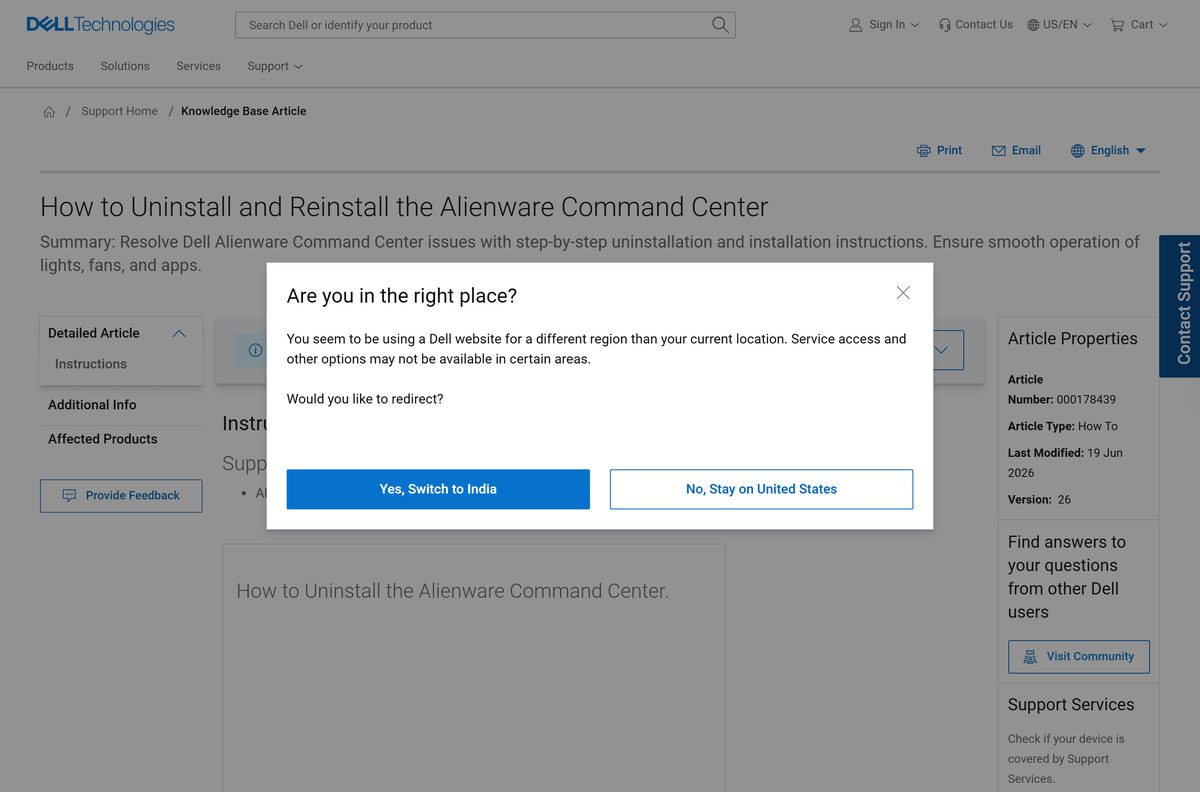
How to uninstall Alienware Command Center completely
You need an administrator account. These steps follow Dell’s own clean-removal procedure.
- Press Windows + Q, type programs and features and open Add or remove programs.
- Find Alienware Command Center. On Windows 11 select the three dots, then Uninstall; on Windows 10 select the app, then Uninstall.
- Press Windows + R, type %appdata% and delete any Alienware folders.
- Press Windows + R, type %programdata% and delete any Alienware folders.
- Open C:\Program Files\Alienware\ and delete only the Command Center folder. Older versions use C:\Program Files (x86)\ .
- Delete the AlienFX and Alienware TactX folders in Documents.
- Restart the computer.
To reinstall, download the package for your model from Dell and run it after the restart.
Other system utilities and drivers for Windows include Lenovo System Update and MyASUS.
Frequently asked questions
Is Alienware Command Center free?
Yes. Alienware Command Center is free from Dell Drivers & Downloads and from the Microsoft Store, where Dell Inc. publishes it at no charge. There is no paid edition, so any site selling a licence or a “pro” version is not Dell.
Where is the official Alienware Command Center download?
The official download is on Dell Drivers & Downloads at dell.com. Enter your Service Tag, set the category to Application and pick the Alienware Command Center package listed for your model. Files download from dl.dell.com.
Does Alienware Command Center work on Windows 11?
Yes. Every current AWCC package supports Windows 11. The AWCC 6.x full installer lists Windows 11 only, while the 6.x web installer and AWCC 5.x also support Windows 10 64-bit.
How big is the Alienware Command Center download?
The AWCC 6.x full installer is 773.47 MB, and the AWCC 5.x full installer is 1.09 GB. The 6.x web installer is only 6.64 MB because it downloads the remaining components during setup.
Is there an Alienware Command Center offline installer?
Yes. Dell’s Full Installer packages for AWCC 6.x and 5.x contain the whole application. Dell notes the 5.x package can be copied to another system for offline installation, which helps when the web installer fails.
Is Alienware Command Center available for Mac?
No. Dell publishes Alienware Command Center for 64-bit Windows only and offers no macOS package. To configure an Alienware keyboard, mouse or headset, install AWCC on a Windows 11 or Windows 10 PC.
Is Alienware Command Center 64-bit?
Yes. All Dell AWCC packages are 64-bit Windows builds, and the Microsoft Store package is x64. There is no 32-bit or ARM64 version.
Is the Alienware Command Center download safe?
Yes, when it comes from dell.com or the Microsoft Store listing published by Dell Inc. Each Dell driver page lists the SHA-256 checksum, so you can confirm the file with PowerShell’s Get-FileHash before running it.
What is the latest version of Alienware Command Center?
The latest AWCC 6.x full installer is version 6.14.20.0, released on 14 August 2026. Older models stay on AWCC 5.x, whose latest full installer is 5.10.2.0 from January 2026.
What is Alienware Command Center?
Alienware Command Center is Dell’s control app for Alienware and Dell G Series computers. It manages AlienFX lighting, thermal and overclocking settings, and per-game presets in the Game Library. It also configures Alienware keyboards, mice and headsets on other PCs.
Is Alienware Command Center required?
No. Windows runs without it, but AWCC is the app that controls lighting, thermal modes and overclocking on Alienware and Dell G systems. Without it those settings stay at their defaults.
Can I install an old version of Alienware Command Center?
Use the version Dell lists for your model. Older systems keep AWCC 5.x, whose installer Dell still updates, while newer systems use 6.x. Dell’s per-model package is the one that enables that model’s features.
Why won’t Alienware Command Center install?
The usual causes are a dropped connection during the web installer or leftovers from an earlier version. Download the Full Installer for your model, uninstall the old copy, delete leftover Alienware folders, restart and install again.