Techdows

Windows how-to guides, fixes and software downloads

  • Home
  • Windows guides

    • Printer settings and problems
    • Windows Update
    • Wi-Fi and network settings
    • Sound and microphone
    • Keyboard shortcuts and symbols

    Popular fixes

    • Get help in Windows 11
    • Connect a wireless printer
    • Re-pair Bluetooth earbuds for stereo sound
    • Cancel a stuck print job
    • Change default programs

    Windows 11 26H2

    • Should you install 26H2?
    • 26H2 not showing in Windows Update
    • 26H2 build numbers explained
    • Where is My Computer (This PC)
    • ncpa.cpl network connections

    All Windows how-to guides →

  • Popular downloads

    • GTA V for PC
    • YouTube app for PC
    • Google Meet for PC
    • Cisco Packet Tracer
    • TikTok for PC

    Office and productivity

    • Microsoft Office
    • Microsoft Word
    • Google Sheets for PC
    • Office product key

    Windows tools

    • PC Health Check app
    • HEVC Video Extension
    • DirectX 12
    • Cinebench R23

    All software downloads →

  • Microsoft Edge

    • Fix WebView2 using too much memory
    • Internet Explorer mode in Edge
    • Manage Edge favorites
    • Set or remove Edge as default

    Chrome and Firefox

    • Make Chrome the default browser
    • Restore closed tabs
    • Change the default web browser
    • Google Chrome news and tips
    • Firefox news and tips

    All Microsoft Edge articles →

  • Office apps

    • Office product key
    • Office Deployment Tool
    • What is OneDrive?
    • Turn off OneDrive in Windows 11

    Outlook and Teams

    • Outlook inbox view changed
    • Schedule an email in Outlook
    • Outlook dark mode
    • Teams breakout rooms
  • PHP security

    • PHP2Shell patch download
    • PHP critical RCE security update
    • CVE-2026-109618 fix
    • CVE-2026-109619 explained
    • Mitigations if you can't update

    Update PHP

    • Update PHP to the latest version
    • Check your PHP version
    • Update PHP on Ubuntu and Debian
    • Restart PHP-FPM

    Hosting and local servers

    • Update PHP in XAMPP
    • Change PHP version in cPanel
    • Update PHP in Laragon and WampServer
    • Update PHP Docker images
    • WordPress PHP version check

    PHP downloads

    • PHP 8.5.12 download
    • PHP 8.4.27 download
    • PHP 8.3.36 and 8.2.35 download
    • Download PHP for Windows

    PHP2Shell by platform

    • PHP 8.3 fix on Ubuntu 24.04
    • PHP 8.1 fix on Ubuntu 22.04
    • PHP 8.2 and 8.4 fix on Debian
    • Update PHP on IIS
    • Cloudflare PHP2Shell WAF rule

    All PHP guides →

  • News
Home›How to

How to

2,124 articles

How to
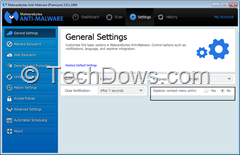
Malwarebytes Explorer Context Menu Entry setting

How to Add Scan Option for Malwarebytes v2.0 in the Explorer Right Click Menu

May 1, 2014 by Venkat Eswarlu 1 Comment
Malwarebytes Explorer Context Menu Entry setting

‘Scan with Malwarebytes anti-Malware’ Missing on the context menu? Find out how to fix that. When you right click on any file in Windows Explorer, in the previous versions before introducing Malwarebytes Anti-Malware 2.0, there is option for scanning with […]

Posted in: How to, Tips and Tricks
How to
NAV Performance Alert

How to disable or turn off Performance Alerts Shown by Norton Antivirus?

May 1, 2014 by Venkat Eswarlu Leave a Comment
NAV Performance Alert

Don’t want to be annoyed by Performance Alerts shown by Norton Antivirus?, you can easily deactivate them. Remember AVG advisor notifications? -For instance, all of a sudden a notification pops up saying Firefox is using more memory, AVG recommends to […]

Posted in: How to, Security, Tips and Tricks
Google Chrome
Youtube Default HTML5 Player

Google makes HTML5 Player default for Playing Videos on YouTube in Chrome

May 1, 2014 by Venkat Eswarlu Leave a Comment
Youtube Default HTML5 Player

Today if you visit YouTube.com and play any video in the Chrome browser, it will be played by HTML5 Player instead of Flash, this applies to all videos in the popular video sharing site and you simply can’t switch to […]

Posted in: Google Chrome, How to, Tips and Tricks
How to
Snagit capture window

How to disable Capture Window (formerly OneClick) of Snagit 12?

May 1, 2014 by Venkat Eswarlu Leave a Comment
Snagit capture window

Remember OneClick in Snagit 11 -which lets you access Snagit and its profiles quickly from the desktop – this has been changed to Capture Window in Snagit 12. Snagit Capture Window, similar to OneClick docks on top of the screen […]

Posted in: How to, Tips and Tricks
How to
Panda Devices Agent installed location

How to Remove Panda Devices Agent installed by Panda Cloud Antivirus?

April 1, 2014 by Venkat Eswarlu Leave a Comment
Panda Devices Agent installed location

When you install Panda Cloud Antivirus (v2.9 beta) on your computer, it installs ‘Panda Devices Agent’ and Uninstaller for it also provided which you can notice in Control Panel. What Panda Devices Agent has to do with Panda Cloud Antivirus […]

Posted in: How to, Tips and Tricks
Firefox

How to use Customization Mode in Firefox Australis [Video]

April 1, 2014 by Venkat Eswarlu Leave a Comment

Get ready, Firefox browser with Australis design is coming soon with version 29 to stable channel, currently in the Beta.  It’s easy to ignore about Menu -which you don’t use much except for opening new private window, add-ons Manager and […]

Posted in: Firefox, How to, Tips and Tricks
How to
Browser Cleanup popup

How to disable GrimeFighter and Popups of Browser Cleanup in Avast?

March 1, 2014 by Venkat Eswarlu 1 Comment
Browser Cleanup popup

Recently, we’ve covered how to uninstall GrimeFighter feature of Avast in your computer, do you know you can disable it without needing to remove it?. Browser Cleanup is another tool that removes add-ons and toolbars from browsers that have a […]

Posted in: How to, Tips and Tricks
How to

How to remove green ticks Shown by Avast in Search Results?

March 1, 2014 by Venkat Eswarlu 1 Comment

WebRep module in Avast Antivirus which was used to show safety ratings for websites and search results in browsers has been integrated into the Avast Online Security Plugin (AOS) which apart from Web Reputation also has other security features built-in, […]

Posted in: How to, Tips and Tricks
How to

How to Revert to Malwarebytes Free from Premium Trial?

March 1, 2014 by Venkat Eswarlu 2 Comments

Malwarebytes Anti-Malware (MBAM) 2.0 stable version has been released and available for download in Free and Premium versions with support for Windows XP and above. User can install this on top of v1.75 in his computer. Malwarebytes Corporation has introduced […]

Posted in: How to, Security, Tips and Tricks
Google Chrome
Snagit for Chrome screen recording

How to Enable Screen Recording feature of Snagit in Google Chrome?

March 1, 2014 by Venkat Eswarlu 2 Comments
Snagit for Chrome screen recording

With Snagit 11.3 version, TechSmith has introduced Google Drive support and it has also released app and extension for their screen capturing product on the Web Store then. Yesterday, TechSmith has updated Snagit for Chrome on online store with ScreenCasting […]

Posted in: Google Chrome, How to, News
How to

How to Enable Rootkit Scanning and Chameleon Self-Protection in Malwarebytes Anti-Malware 2.0.0

February 1, 2014 by Venkat Eswarlu 1 Comment

Malwarebytes Corporation has released a public beta for Malwarebytes Anti-Malware 2.0.0 for Windows and is available for testing with completely new interface, integration of Malwarebytes Anti-Rootkit and Malwarebytes Chameleon driver and other improvements. Before you install this version, first, you […]

Posted in: How to, Tips and Tricks
Firefox

How to Enable HTTP/2 in Firefox

February 1, 2014 by Venkat Eswarlu Leave a Comment

Firefox Nightly currently supports HTTP/2 protocol which is major revision of web’s protocol, this feature is disabled by default, you can by turning on two preferences in about:config.  “Firefox will only be implementing HTTP/2 over TLS – and right now […]

Posted in: Firefox, How to, Tips and Tricks
« Previous 1 … 169 170 171 … 177 Next »

More from Techdows

How do I delete my Apple Account?
How to · 5 hours ago
How to lock your PC automatically after inactivity on Windows 10
How to · 5 hours ago
How to Type the Upside Down Exclamation Point (¡) on Your Keyboard
How to type the upside down exclamation point (¡) on your keyboard
How to · 4 hours ago
Gmail login prompt not showing in the YouTube app? How to fix it
How to · 4 hours ago
How to enable scrolling on Magic Mouse in Windows 11 Pro
How to · 3 hours ago
How to change audio balance levels on Windows 11
How to · 3 hours ago
How to change lid close action on Windows 11
How to · 2 hours ago
iPhone keeps asking for password: fix "You must enter both your Apple Account and password"
How to · 2 hours ago

© 2009–2026 Techdows · About · Contact · Privacy Policy

Copyright © 2026 Techdows.

Techdows WordPress Theme by Techdows