To use Google job search, search Google for a job such as "nursing jobs near me", select Jobs in the blue box at the top of the results, filter the list, and apply through the job site Google links to.
This guide covers how the feature works, filters, saving jobs, email alerts, applying, avoiding fake listings, and searching for jobs at Google itself.
Getting started: How to access Google job search
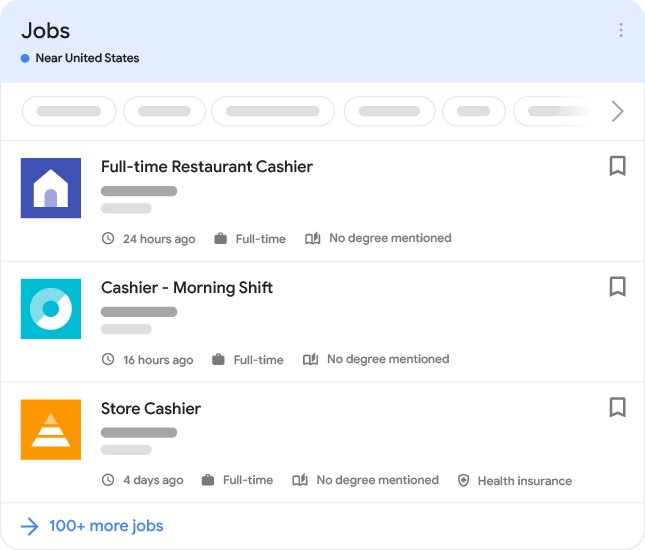
There is no separate app or sign-up. The job panel appears inside normal Google results on a computer, phone browser or the Google app, and Google's help center lists it as available in the US.
- Go to Google in a browser or open the Google app.
- Search for a job, with or without a location, for example
jobs for biology majorsorwarehouse jobs near me. - In the blue box at the top of the results, select Jobs.
- Select an occupation above the listings to narrow the list.
- Use the filters to narrow it further.
- Select a job to read the full listing.
What is Google job search?
Google job search is a panel in Google Search that gathers job postings from employer career pages and job sites into one list. It launched in 2017 with listings from sites such as LinkedIn, Monster, Glassdoor, CareerBuilder and Facebook.
| Feature | What it gives you |
|---|---|
| One list from many sites | The same job posted on several boards appears once, with links to each |
| Filters | Narrow by occupation, location, job type and other criteria |
| Employer details | Logo, reviews and ratings next to many listings |
| Save | Keep jobs in a saved list tied to your Google Account |
| Apply links | Choose which job site to apply through |
How does Google job search work?
Google does not host applications. It reads job pages that employers and job boards mark up with job posting data, then shows them in the panel.
| Step | What happens |
|---|---|
| Employer or job site publishes | Each job has its own page with structured job data, or is sent to Google's Indexing API |
| Google crawls and checks | Postings must follow Google's job content policies, including a real way to apply |
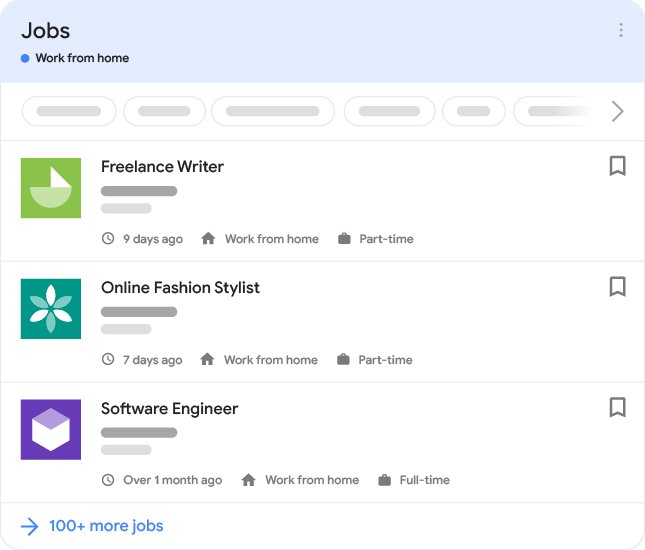
| Remote jobs are labelled | Fully remote jobs carry a remote location type and the countries applicants can work from |
| Salary is shown when given | Only employers can supply the base salary |
| Expired jobs are removed | Sites must take down closed jobs, or Google can act against them |
| You apply off Google | Selecting a site under Apply opens that job board or employer page |
How to effectively use Google job search
- Make your search specific: include the title, skill or field and a location, such as
junior accountant jobs Denver. - Select Jobs in the blue box, then pick the closest occupation above the listings.
- Apply the filters to cut the list to the location, job type and posting date you want.
- Select a job and read the full description, requirements and employer details.
- Select Save next to jobs you want to come back to.
- To see them later, search for any job and select Saved.
- When ready, select a job and choose a site under Apply; prefer the employer's own careers page when it is listed.
Search operators also work in the first search, so Google advanced search techniques such as exact phrases in quotes help when a title is common.
Optimizing your job search profile
Google job search has no profile or resume upload of its own. What you can tune is your Google Account and the profiles on the sites you apply through.
- Sign in to your Google Account so saved jobs and alerts stay with you across devices.
- Keep one up-to-date resume ready in a common format to upload on each job site.
- Complete your profile on the job boards Google links to most often in your field, since that is where applications are submitted.
- Use the same name and contact details on every site so employers can match your applications.
How to use Google Alerts for job search
Google Alerts emails you when new results for a search appear, which works as a job alert for a specific title, company or location.
- Go to Google Alerts at google.com/alerts.
- In the box at the top, enter the job search to follow, for example
"data analyst" jobs Chicago. - Select Show options to set how often you get emails, the region and the number of results.
- Select Create Alert.
- To stop it later, select Delete next to the alert, or Unsubscribe in an alert email.
Additional tips and best practices for Google job search
- Apply through the employer's own site when it appears under Apply, rather than a reposting board.
- Check that the job still exists on the employer's careers page before you spend time on an application.
- Treat a listing that asks for payment, bank details or ID numbers before any interview as a scam.
- Be wary of salaries far above the market for vague duties.
- Track where and when you applied in a simple spreadsheet so you can follow up, and keep interview dates in Google Calendar as a planner.
- If you represent a company and a listing for it is fake or wrong, use Google's removal request for job listings.
Leveraging Google job search for career development
| Goal | How to use the job panel |
|---|---|
| Find which skills employers ask for | Read ten listings for your target title and note repeated requirements |
| Compare pay | Look for salary ranges supplied by employers on similar jobs |
| Explore remote work | Search for remote versions of your role and check which countries applicants may work from |
| Spot growing employers | Notice which companies post often in your area |
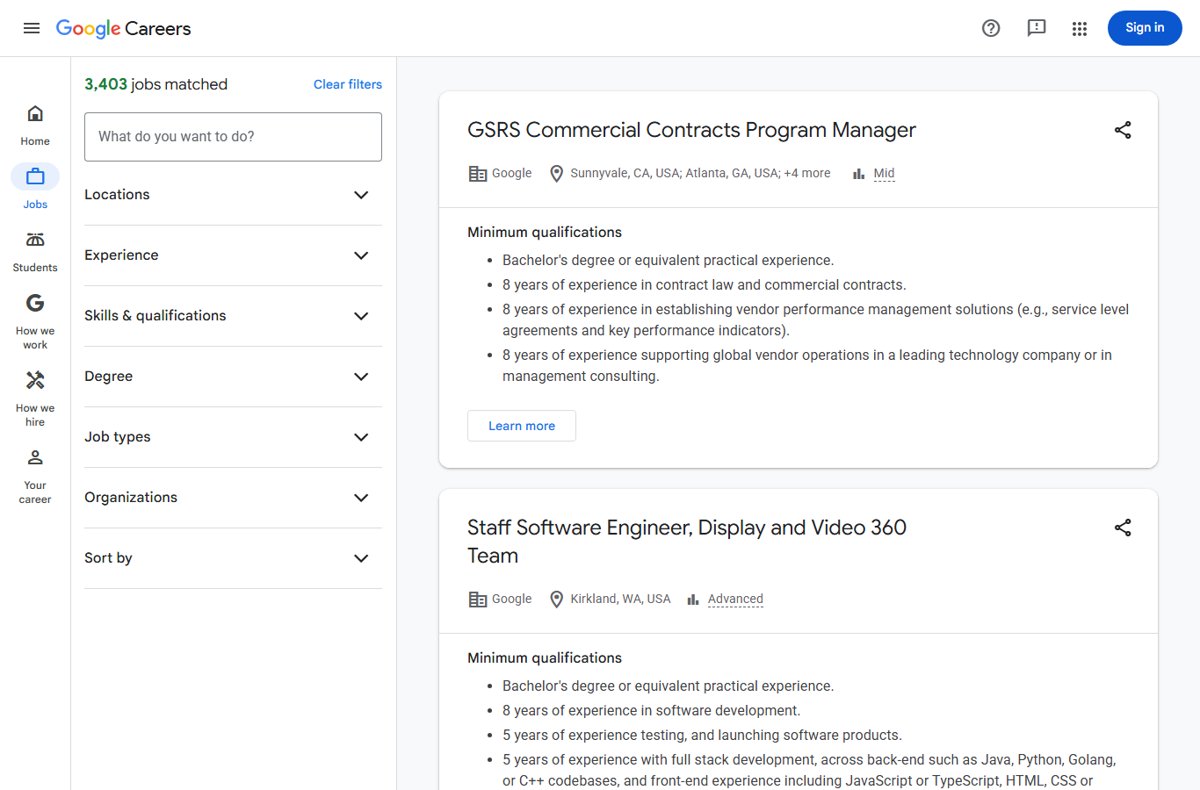
| Find jobs at Google | Use Google Careers, filter by location, experience and job type, then select Add an alert for this search |
Fix Google job search when it does not show
No Jobs box appears in the results
The search does not look like a job search, or the feature is not offered where you are.
- Add the word
jobsand a job title to the search. - Add a location or
near me. - Check that you are searching from the US, where Google's help center lists the feature.
Saved jobs are missing
You are signed in to a different Google Account, or not signed in.
- Sign in with the account you used to save the jobs.
- Search for any job and select Saved.
Google Alerts emails do not arrive
The alert is on another account, its settings are too narrow, or emails are filtered.
- Check which account you are signed in to at Google Alerts.
- Edit the alert and widen its sources or region.
- Check your spam folder and email filters.
Google job search FAQ
Does Google have a job search engine?
Yes. Google Search shows a Jobs panel when you search for work. It collects listings from employer sites and job boards, and you apply through those sites rather than through Google.
How do I search for jobs on Google?
Search for a job title or field, optionally with a location, then select Jobs in the blue box at the top of the results. Pick an occupation and use the filters to narrow the list.
How do I use Google Alerts for job search?
Go to Google Alerts, enter a search such as a job title and city, set the frequency under Show options, and select Create Alert. Google emails you new matching results.
How do I find a job at Google the company?
Use Google Careers, filter by location, experience, skills and job type, and select Add an alert for this search to get emails when new roles match.
How do I save a job on Google?
Search for a job, select Jobs in the blue box, then select Save next to the listing. To see saved jobs later, search for any job and select Saved.
Can I apply for jobs directly on Google?
No. Select a job, then choose a site under Apply. The application happens on that employer's site or job board.
How does Google search find job listings?
Employers and job boards publish each job on its own page with job posting data, or send it through Google's Indexing API. Google shows postings that follow its job content policies.