Usually not: Apple offers no draft history in Messages, so an unsent draft that vanished cannot be pulled back from a menu on your iPhone 12 Pro Max.
What you can recover is a sent or received message you deleted, through Recently Deleted for up to 30 days or through an older backup, and both routes are covered below.
Retrieve lost text messages on iPhone from Recently Deleted
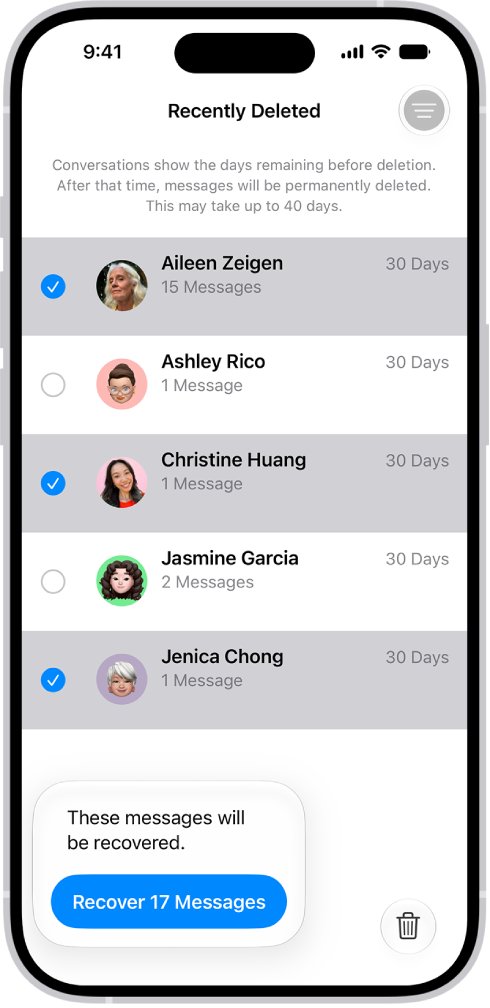
Start here if the text was a real message in a conversation, not only words typed in the box. Apple keeps deleted messages and attachments in Recently Deleted for up to 30 days.
- Open the Messages app on your iPhone.
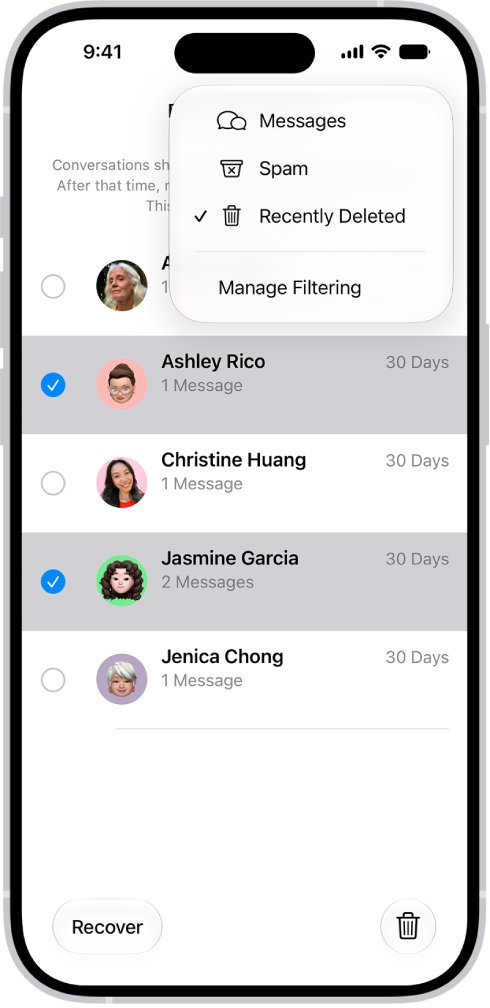
- In the conversation list, tap the filter or menu button at the top, then tap Recently Deleted.
- Select the conversations whose messages you want back.
- Tap Recover.
- Tap Recover Messages to confirm.
If Recently Deleted is not listed, your iPhone is on a version of iOS older than iOS 16, which the Recently Deleted steps in Apple's guide do not cover. Update iOS first, then check again for messages deleted after the update.
Does iPhone save text message drafts?
A draft is the unsent text sitting in the message field of one conversation. It is not a message yet, so it does not follow the rules that apply to sent and received texts.
| What you lost | Can Apple's tools bring it back? | Where to look |
|---|---|---|
| Unsent draft in the text field | No documented recovery tool | Open the same conversation and check the text field |
| Sent or received message you deleted | Yes, for up to 30 days | Messages > Recently Deleted |
| Message removed with Undo Send | No, it is permanently deleted | Nowhere on the device |
| Audio message that expired before you saved it | No | Nowhere on the device |
| Message deleted more than 30 days ago | Only from an older backup | iCloud backup or computer backup |
| Message removed by Keep Messages auto-delete | Only from an older backup | iCloud backup or computer backup |
Apple documents no draft history, draft folder or draft entry in Recently Deleted. Treat any app that promises to restore an iPhone draft with caution.
Find a missing draft in the Messages conversation
A draft stays in the text field of the conversation where you typed it, so a draft that seems lost is often in a different thread.
- Open the Messages app and scroll the conversation list from the top.
- Open each recent conversation with that contact, including group conversations that include them.
- Check the text field at the bottom of each conversation for unsent text.
- Use the search field at the top of the conversation list to search for the contact's name and open every matching thread.
- If the conversation itself is gone, follow the Recently Deleted steps above to recover it, then open it again.
Recover deleted text messages from an iCloud backup
Use this only for messages deleted more than 30 days ago, or ones missing from Recently Deleted. Restoring a backup replaces what is on the iPhone now with the backup's contents.
- Make sure you have an iCloud backup made before the messages were deleted; the restore screen shows each backup's date and size.
- Back up anything newer that you want to keep, because the restore removes it.
- Erase the iPhone, then turn it on so the Hello screen appears.
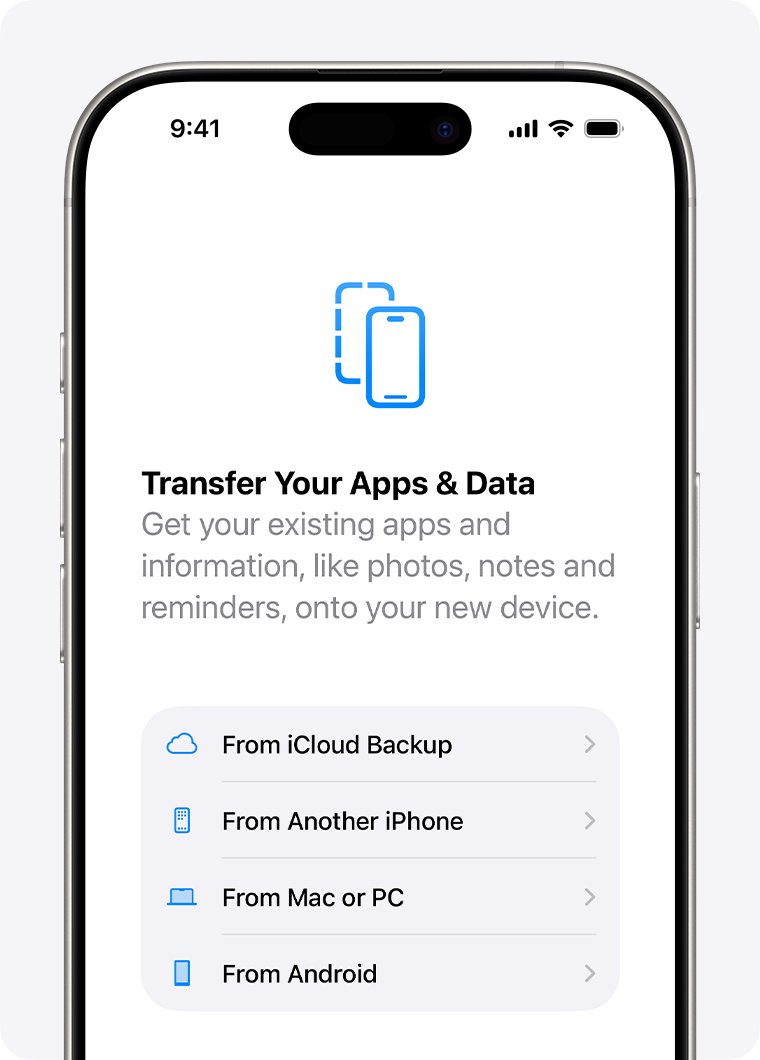
- Follow the setup steps until you reach Transfer Your Apps & Data, then tap From iCloud Backup.
- Sign in to your Apple Account and choose the backup dated before the messages were deleted.
- Keep the iPhone on Wi-Fi and power until the progress bar finishes, then finish setup.
This only works if Messages in iCloud was off. With Messages in iCloud on, messages sync to iCloud and are not included in the iCloud backup, so a deletion syncs to every device.
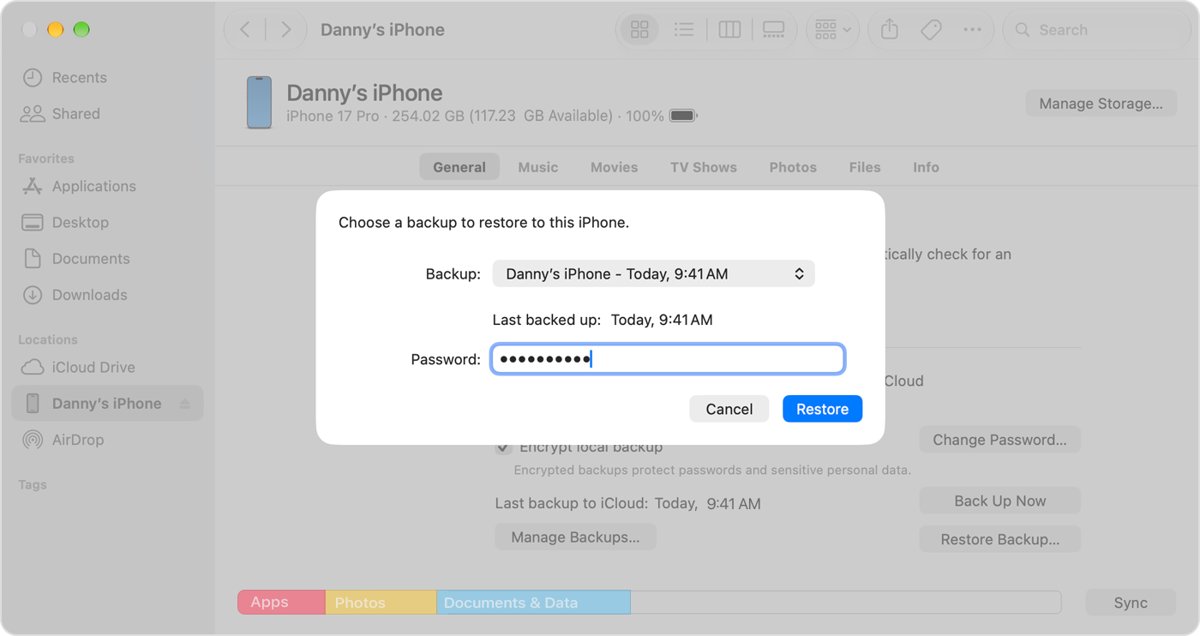
Restore text messages from a Mac or PC backup
- On a Mac with macOS Catalina 10.15 or later, open Finder. On a Windows 10 or later PC, open the Apple Devices app.
- Connect the iPhone 12 Pro Max to the computer with a USB cable.
- Select the iPhone in the sidebar.
- Click Restore Backup.
- Choose a backup dated before the messages were deleted, and enter the password if it is encrypted.
- Click Restore and keep the iPhone connected until it restarts and syncs.
If the iPhone asks for its passcode or shows Trust This Computer, follow the prompts on screen before the restore continues.
Best way to retrieve lost text messages on iPhone
| Your situation | Use this | Why |
|---|---|---|
| Draft disappeared, never sent | Check every conversation with that contact | No recovery tool exists for drafts |
| Message deleted in the last 30 days | Recently Deleted | No data loss, takes seconds |
| Deleted over 30 days ago, Messages in iCloud off | iCloud or computer backup from before the deletion | The backup holds the old message history |
| Deleted over 30 days ago, Messages in iCloud on | Computer backup made before the deletion, if one exists | iCloud backups skip synced messages |
| Message removed with Undo Send | Ask the recipient to resend or screenshot it | Undo Send deletes it permanently |
Check recovered messages are back on every device
- Open Messages and confirm the recovered conversation appears in the main list.
- Open the conversation and scroll to the date of the lost message.
- If you use Messages in iCloud, open Messages on your iPad or Mac and confirm the conversation returned there too.
- Go to Settings > Apps > Messages and check Keep Messages is set to Forever so the thread is not removed again.
Fix lost text messages that will not come back
Recently Deleted is empty
The message was deleted over 30 days ago, removed permanently, or deleted with Undo Send.
- Check whether you emptied Recently Deleted or chose Delete there, which cannot be undone.
- Look for an iCloud or computer backup dated before the deletion.
- Restore that backup using the steps above, after saving any newer data.
Old texts are missing even though you never deleted them
Keep Messages is set to 30 Days or 1 Year, which removes older conversations automatically.
- Go to Settings > Apps > Messages.
- Tap Keep Messages below Message History and choose Forever.
- Recover anything within 30 days from Recently Deleted, or use an older backup.
A deleted text came back on the iPhone but not on the Mac
Messages in iCloud is off on one of the devices, so the recovery does not sync.
- Confirm the same Apple Account is signed in on both devices.
- Turn on Messages in iCloud on each device.
- Wait for the sync to finish while both devices are on Wi-Fi.
Lost text message draft on iPhone FAQ
How do I retrieve lost text messages on iPhone?
Open Messages, tap the menu at the top of the conversation list, then tap Recently Deleted. Select the conversation, tap Recover, then Recover Messages. This works for texts deleted in the last 30 days; older ones need a backup from before the deletion.
Can I retrieve a text I deleted?
Yes, if you deleted it on your own iPhone within the last 30 days and did not remove it with Undo Send. It sits in Recently Deleted in the Messages app. You cannot recover messages from anyone else's device.
Can a deleted text be retrieved after 30 days?
Only from a backup made before you deleted it. An iCloud backup includes messages only when Messages in iCloud is off. A Mac or PC backup restored through Finder or the Apple Devices app also works, but it replaces current data.
Can I retrieve a text message draft I never sent?
Apple provides no draft history or draft folder in Messages. Check the text field of every conversation with that contact, including group threads. If the conversation was deleted, recover it from Recently Deleted and open it again.
How do I find lost text messages that are not deleted?
Use the search field at the top of the Messages conversation list and search for the contact or a word from the text. Also check that Keep Messages is set to Forever in Settings, because shorter options remove old conversations automatically.
Can deleted text be recovered with Undo Send?
No. Apple states that any message you remove from a conversation using Undo Send is permanently deleted. It does not go to Recently Deleted, so it cannot be restored on your iPhone afterwards.
Does an iCloud backup include my text messages?
Only when Messages in iCloud is turned off. With Messages in iCloud on, messages sync to iCloud instead of being stored in the daily backup, so deleting a message removes it from every synced device, including texts deleted on a Mac.
Can I recover a deleted text message without losing data?
Recently Deleted recovers messages without touching anything else. Restoring an iCloud or computer backup replaces the iPhone's current contents with the backup, so save newer photos and data before you restore.