What is GameInput Redist Service on Windows 11?
GameInput Redist Service (gameinputredistservice.exe) is part of Microsoft’s GameInput runtime for controllers. What it does, how to check it, and crash fixes.
4,040 articles

GameInput Redist Service (gameinputredistservice.exe) is part of Microsoft’s GameInput runtime for controllers. What it does, how to check it, and crash fixes.

IntelliJ Community Edition download: get the free unified IntelliJ IDEA installer for Windows 11, Windows 10 and Mac, with setup steps and requirements.


Firefox settings, about:config, updating Firefox, clearing cache and cookies, privacy settings and fixes, plus Brave, Opera, Vivaldi and other browsers.


Open file types in Windows 11 and 10: HEIC, ZIP, 7Z, RAR, CSV, AVIF, PST, VOB, MSI, JAR and APK, with the built-in app, the free fix and an extension table.


Free up disk space in Windows 11 and 10 with Cleanup recommendations, Storage Sense and Disk Cleanup, then partition, format, check and optimize your drives.


Outlook settings explained: where to find them in new and classic Outlook, how to add a signature, share a calendar, encrypt email and fix common problems.
ArcGIS Pro download for Windows 11: start Esri’s 21-day free trial, install the x64 setup, check the system requirements and fix a stalled install.
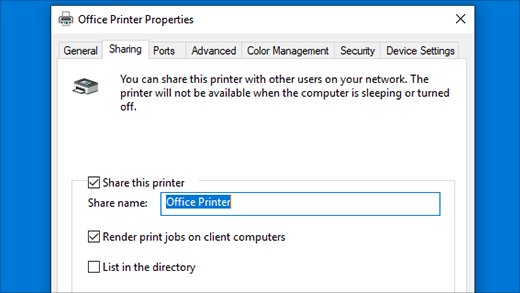
Add a shared printer in Windows 10: share it on the host PC, then connect with Select a shared printer by name, an IP address or PowerShell, plus fixes.

Chrome settings, update Chrome, install and manage extensions, clear cache, chrome://flags, error codes and how to reset Chrome on Windows 11 and 10.


HTTP error codes list with meanings and fixes: what 403, 404, 500, 502 and 503 mean, what visitors can try, and how site owners fix each server error.


File Explorer in Windows 11 and 10: open it with Windows + E, find system folders, show hidden files, search, share, and fix it when it stops responding.


Download Speed Test for Mac free: Speedtest by Ookla 1.29 is an 8.5 MB Mac App Store install for macOS 12 or later, with setup steps and fixes.