To get an Apple refund for an app, subscription or other digital purchase, sign in to reportaproblem.apple.com, choose Request a refund, pick a reason and submit the item.
This guide also covers returning hardware bought from Apple, checking a refund request's status, how long the money takes to arrive and what to do when Apple denies a request.
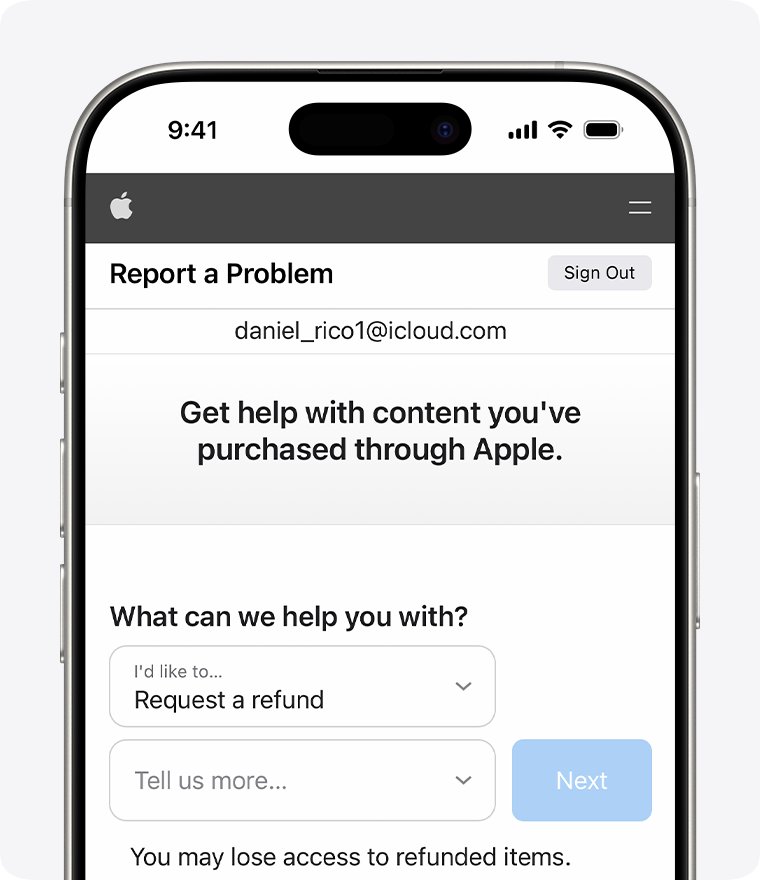
How to request a refund from Apple for an app or in-app purchase
This route covers purchases from the App Store, iTunes Store, Apple Books and other Apple media services. It works in any web browser, so you can use an iPhone, iPad, Mac or Windows PC.
It is the same Apple site you use to report a problem with a purchase, such as an app that will not download.
- Open a browser and go to reportaproblem.apple.com.
- Sign in with the Apple Account that made the purchase.
- Tap or click I'd like to, then choose Request a refund.
- Choose the reason you want a refund, then choose Next.
- Select the app, subscription or other item, then choose Submit.
Apple usually sends an update within 24 to 48 hours. If the request is approved, it can take extra time for the money to reach your payment method.
Apple refund request options for each type of purchase
Where you ask for the refund depends on what you bought and where you bought it, which your Apple ID purchase history shows.
| What you bought | Where to request the refund | Key limit |
|---|---|---|
| App, game, in-app purchase, song, film or book | reportaproblem.apple.com | Eligibility varies by country or region |
| Apple subscription (Apple Music, iCloud+, Apple TV and others) | reportaproblem.apple.com, then cancel the subscription | Cancelling alone does not refund past charges |
| Hardware or accessory ordered on apple.com | Order Listing page on apple.com, or any U.S. Apple Store | 14 calendar days from the date you received it |
| Item bought in an Apple Store | Any U.S. Apple Store | 14 calendar days; refund processed at the store |
| Apple product bought from a carrier or another retailer | That retailer | The retailer's own return policy applies |
| Apple Gift Card | Not refundable | No cash refund except where the law requires one |
How to get a refund on an Apple subscription
A subscription refund and a subscription cancellation are two separate actions. Request the refund for the charge you did not want, then cancel so it does not renew.
- Request the refund for the latest charge on reportaproblem.apple.com using the steps above.
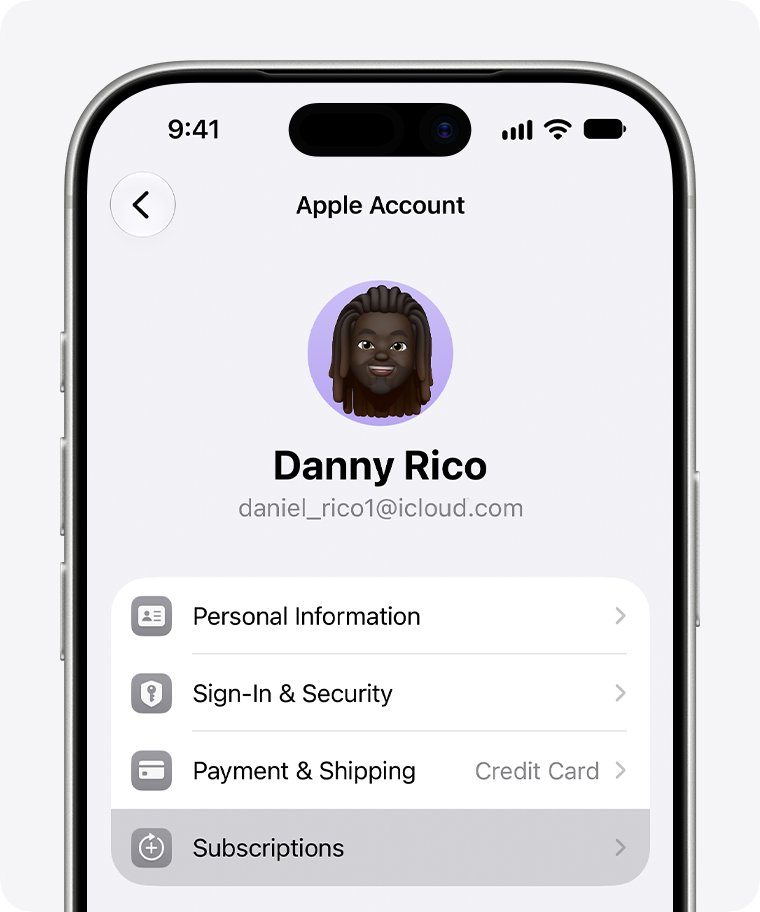
- On your iPhone, open Settings and tap your name.
- Tap Subscriptions.
- Tap the subscription you want to stop.
- Scroll down and tap Cancel Subscription.
If there is no Cancel Subscription button, or you see an expiration message in red text, the subscription is already cancelled. For a free trial you do not want to keep, cancel at least 24 hours before the trial ends.
How to return an Apple Store purchase for a refund
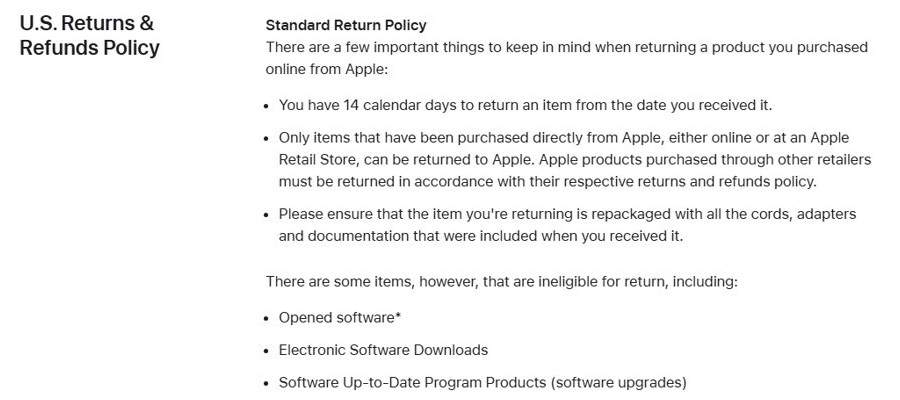
In the U.S., you have 14 calendar days from the day you received an item to return it to Apple. Only items bought directly from Apple online or in an Apple Store can go back to Apple.
- Sign in to your Order Listing page on apple.com with your Apple Account.
- Select the item to open its order details page.
- Select Start a Return below the item, then select Get Started.
- Confirm the items you want to return and select Initiate Your Return.
- Select Print Return Label and attach the label to the box. Print a new label for each box if you are shipping more than one.
- Schedule a pickup with the carrier or drop the package at one of the carrier's locations.
Pack the item with all the cords, adapters and documentation it came with. You can also take it to any U.S. Apple Store, where the refund is processed on the spot. Returning an iPhone or iPad does not cancel your wireless plan, so contact your carrier about that separately.
Apple refund policy: what you can and cannot return
Apple's Media Services terms state that all transactions are final, but Apple still reviews refund requests for digital content, and consumer law in your country or region can give you extra rights. In Australia and New Zealand, local consumer law applies on top of Apple's policy.
| Item | Returnable to Apple? | Notes |
|---|---|---|
| Hardware and accessories bought from Apple | Yes, within 14 days | Repackage with all included cords and documents |
| Opened boxed software | Only if not installed on any computer | A broken seal on a printed licence blocks the return |
| Electronic software downloads and software upgrades | No | Excluded from the Apple Store return policy |
| Apple Gift Cards, App Store & iTunes Gift Cards | No | Not redeemable for cash except as required by law |
| Apple Developer membership, support incidents, WWDC tickets | No | Listed as ineligible for return |
| Engraved items and custom-configured Macs | Return only, no in-store exchange | Refund goes to the original payment method |
How to return an Apple gift for a refund
If someone bought you an Apple product as a gift, you can return it without access to the buyer's account. The refund comes to you as an electronic Apple Gift Card, not cash.
- Open the Gift Returns page on apple.com.
- Enter the product serial number, or the order number plus the UPC number from the packaging.
- Enter your contact information and select Continue.
- Select Print Return Label and attach the label to the shipping box.
- Schedule a carrier pickup or drop the box off at a carrier location.
You can return items from only one order at a time. For help, call 1-800-MY-APPLE or take the item to an Apple Store.
How to check Apple refund status
Calling or chatting with Apple does not speed up a request you have already submitted. The status page is the quickest place to see a decision.
Make sure you sign in with the Apple ID that was charged, or the request will not be listed.
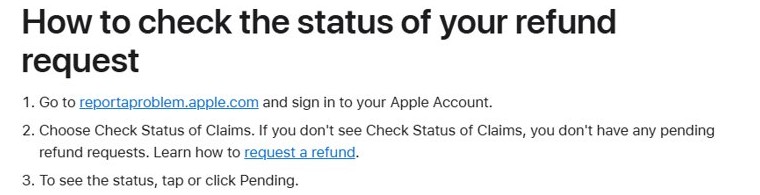
- Go to reportaproblem.apple.com and sign in to your Apple Account.
- Choose Check Status of Claims.
- Tap or click Pending to see the status of each request.
If Check Status of Claims does not appear, the account has no pending refund requests. You may lose access to an item once its refund is approved.
Apple refund time for each payment method
An approved refund goes back to the payment method you used for the purchase. The wait depends on that method, not on Apple's decision.
| Payment method | Typical time to see the refund | If it is late |
|---|---|---|
| Apple Account balance (store credit) | Up to 48 hours | Check the balance in your account settings |
| Credit or debit card, Apple Pay, Apple Cash | Up to 30 days on your statement | Contact your bank or card issuer after 30 days |
| Mobile phone billing | 30 to 60 days on your phone bill | Contact your carrier |
| Apple Store hardware return paid by card | Sent to your bank within five business days of Apple receiving the item | Ask the card-issuing bank when it will post |
| Apple Store purchase paid with an Apple Gift Card | Issued as a new Apple Gift Card by email | Ask the Apple representative for a physical card |
Apple refund request problems and fixes
The charge is not listed on reportaproblem.apple.com
The purchase was made with a different Apple Account, by a family member, or is still pending.
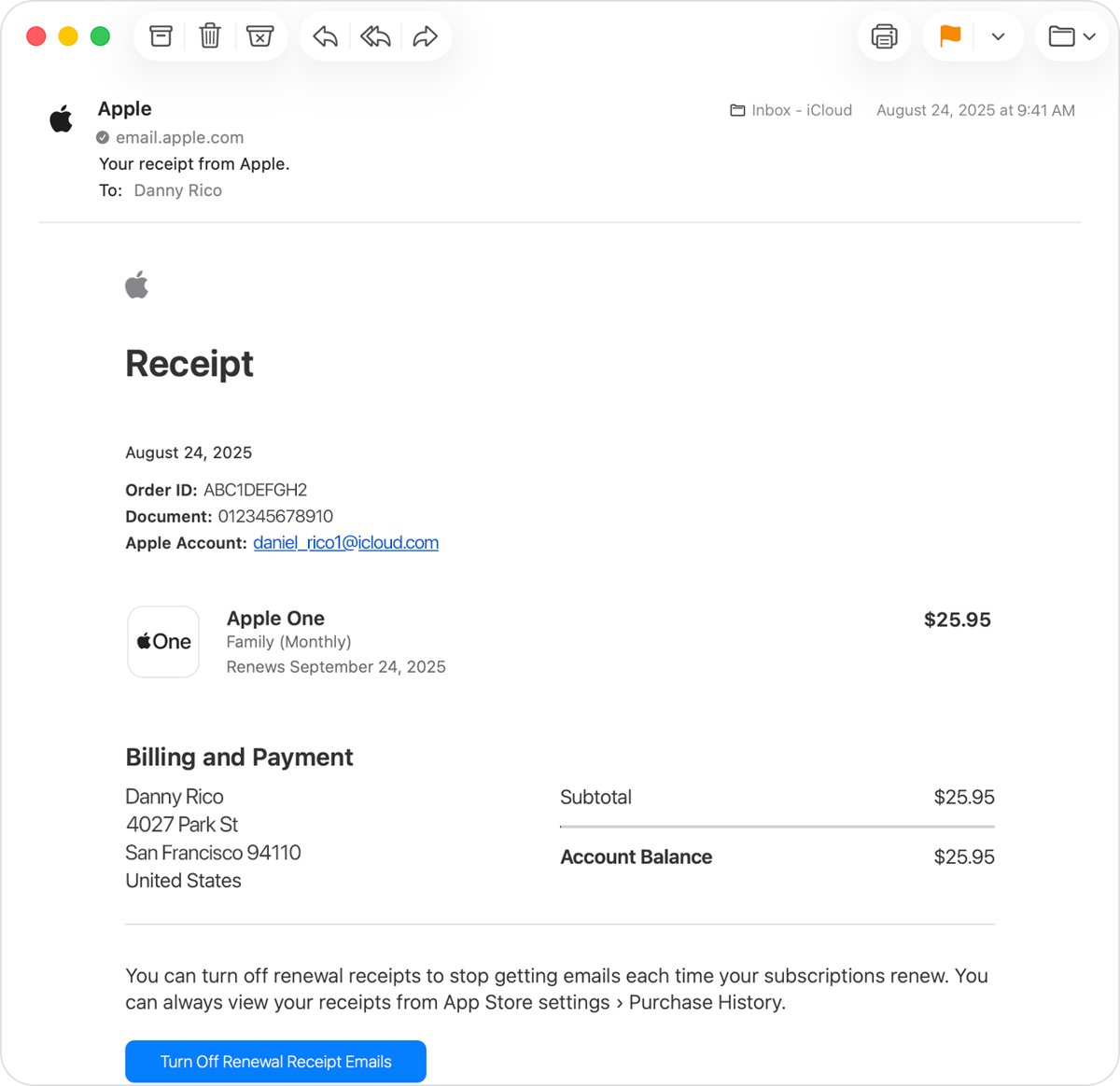
- Search your email for "receipt from Apple" or "invoice from Apple" and find the receipt that matches the amount of the apple.com/bill charge on your statement.
- Check which Apple Account the receipt names, then sign in to reportaproblem.apple.com with that account.
- If you are the Family Sharing organizer, select the Apple Account button, then choose All to see purchases charged to the shared payment method.
- If the charge is still pending, wait for the email receipt and then request the refund.
Why did Apple deny my refund?
Refunds are reviewed case by case, and Apple can refuse a request when it finds evidence of fraud or abuse.
- Read the decision under Check Status of Claims on reportaproblem.apple.com.
- Confirm the purchase was billed by Apple. In some regions, apps can bill you directly instead of through the App Store.
- Contact Apple Support if you believe consumer law in your country entitles you to a refund.
Apple refund request blocked by an unpaid order
An unpaid order on the account blocks new refund requests.
- Update your payment information in your Apple Account.
- Pay the outstanding order.
- Return to reportaproblem.apple.com and submit the request again.
Apple approved the refund but the money has not arrived
Your bank, card issuer or carrier has not posted the credit yet.
- Compare the date of approval with the payment-method timings in the table above.
- After 30 days for a card, Apple Pay or Apple Cash, contact your financial institution.
- For a refund to mobile phone billing, contact your carrier after 60 days.
Apple refund FAQ
How do I get an Apple app refund?
Sign in to reportaproblem.apple.com, choose I'd like to, then Request a refund. Pick a reason, select the app and choose Submit. Apple normally replies within 24 to 48 hours.
Can I refund an app on Apple?
Yes, you can request one, but approval is not guaranteed. Apple reviews each request, and eligibility varies by country or region under the Apple Media Services terms.
Does Apple refund subscriptions?
Apple accepts refund requests for subscription charges on reportaproblem.apple.com. Cancelling a subscription only stops future renewals; it does not refund a charge already taken, so do both.
Does Apple refund app purchases and in-app purchases?
Both are eligible to request through reportaproblem.apple.com. Select the specific in-app item from the purchase list rather than the app itself when you submit the request.
Can I get a refund on Apple Pay?
For purchases from Apple paid with Apple Pay, an approved refund returns to the same Apple Pay card and can take up to 30 days to appear. For purchases from other stores, the merchant's return policy applies.
Can I get a refund on Apple Gift Cards?
No. Apple Gift Cards cannot be returned for a cash refund except where the law requires it, and they cannot be exchanged or resold. Refunds for Apple Store purchases paid by gift card come back as a new gift card.
Why did Apple deny my refund?
Apple does not publish a full list of reasons, but its terms say it may refuse a refund request when it finds evidence of fraud, abuse or manipulative behavior. Eligibility also varies by country or region.
How long does an Apple refund take?
Apple decides within 24 to 48 hours. After approval, store credit appears within 48 hours, cards and Apple Cash within 30 days and mobile phone billing within 30 to 60 days.
What is the Apple refund policy for hardware?
In the U.S., you can return hardware bought from Apple within 14 calendar days of receiving it. Return it through your Order Listing page or at any U.S. Apple Store.
Can I get a refund for a purchase my child made?
Yes, if you are the Family Sharing organizer. Sign in to reportaproblem.apple.com, select the Apple Account button, choose All and request the refund for the child's purchase.
Apple refund request: what to do first
Request digital refunds on reportaproblem.apple.com as soon as you spot the charge, and return hardware within the 14-day window. Both routes are self-service and fast, while a pending charge, an unpaid order or the wrong Apple Account are the usual reasons a request cannot be submitted.