"Connection problem or invalid MMI code" means your phone sent a star (*) or pound (#) code to your carrier and the request failed, either because the code is wrong for that carrier or because the phone has no working connection to the mobile network.
Start by checking whether ordinary calls, texts and data still work, because that one test tells you whether to fix the code or the connection.
How to fix connection problem or invalid MMI code
Work through these in order and dial the code again after each one. Most failures clear at step 2 or step 3.
- Place an ordinary call and send a text to see whether normal mobile service works.
- Check the code is one your carrier publishes; Verizon, for example, uses
*72and*73for call forwarding rather than the**21*style codes other carriers use. - Type the code on the phone's own dialer keypad, not inside a calling app, then tap Call or Send.
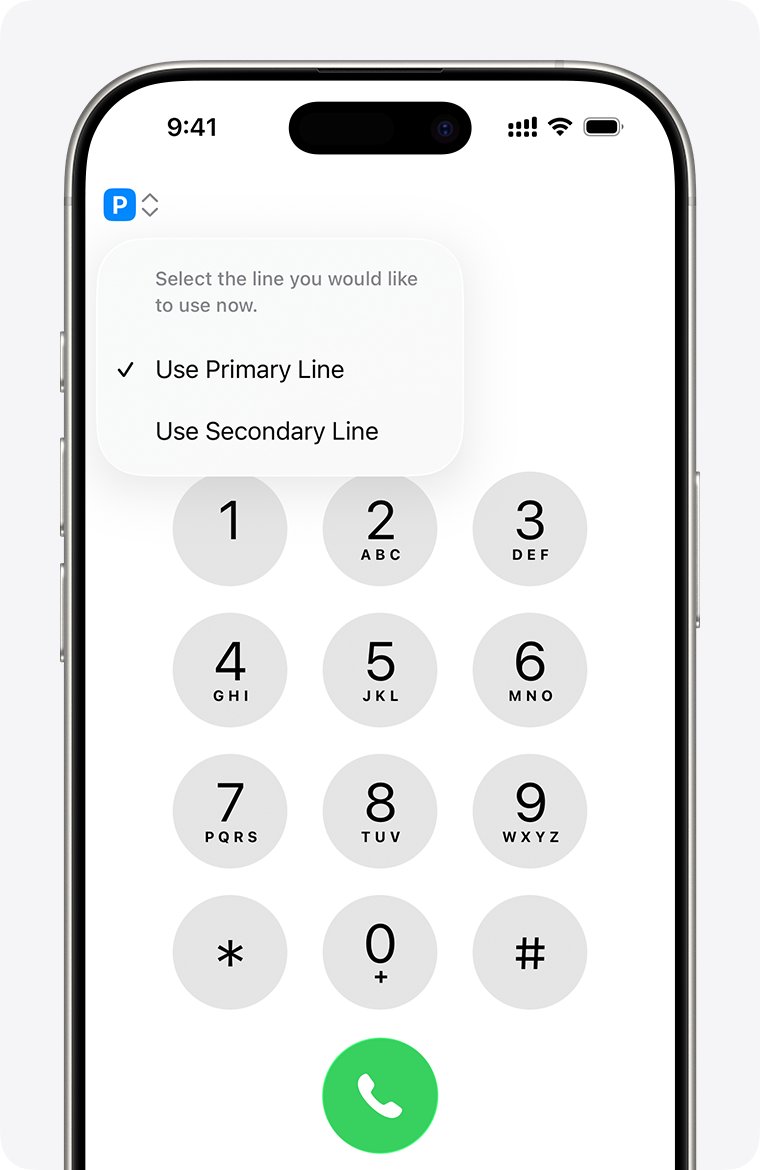
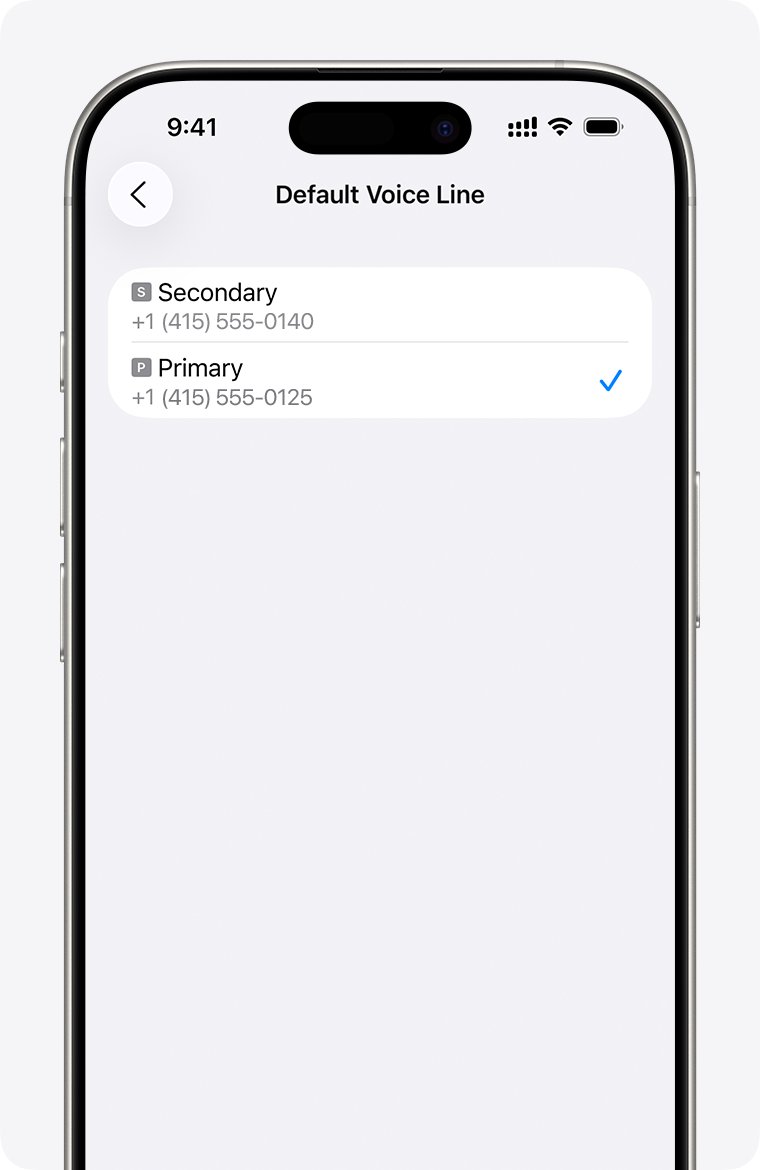
- On a Dual SIM phone, dial from the line that belongs to the carrier the code is meant for.
- Turn on airplane mode for at least 15 seconds, then turn it off.
- Restart the phone and dial the code once more.
- If it still fails, contact your carrier with the exact code and message.
What is invalid MMI code
MMI codes are the short commands that start with * or # and end with #, or with a phone number for some carriers. You dial them like a phone number, and the carrier's network carries out the request: call forwarding, a balance check or a voicemail setting.
| Part of the message | What it points to |
|---|---|
| "Connection problem" | The phone could not reach the carrier to send the request: no signal, the line is off, or the account is blocked |
| "Invalid MMI code" | The network did not accept the code: it is mistyped, belongs to another carrier, or the plan does not support the feature |
| The message appears for every code | A connection or account problem, not one bad code |
| The message appears for one code only | That code is wrong for your carrier or plan |
Star commands vary by carrier, and some reseller plans do not support conditional call forwarding at all.
Invalid MMI code: First, identify what failed
Match your situation to a row, then go to the section it names.
| What you see | Most likely cause | Where to go next |
|---|---|---|
| Calls, texts and data work; one code fails | Wrong code or format for your carrier, or the feature is not on your plan | If normal calling, texting, and data work |
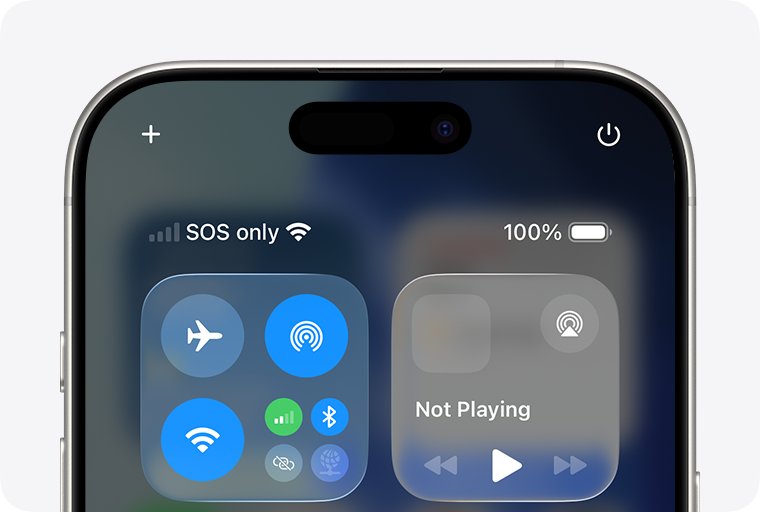
| Calls fail too, or the status bar shows No Service or SOS | No connection to the mobile network | If ordinary mobile service also fails |
| Code fails only on one SIM of a Dual SIM phone | The code was sent on the other carrier's line | Dial again from the correct line |
| Code fails only abroad | Some carrier features cannot be set up outside the home network | Set it up before you travel, or ask the carrier |
| Code typed into a calling or VoIP app fails | The app does not pass codes to the mobile network | Use the phone's built-in dialer |
If normal calling, texting, and data work
Working service means the network is reachable, so the code itself is the problem. Check it against your carrier's published list before you change any phone settings.
- Find the code on your carrier's own support page and compare it with what you typed, character by character, including every
*,#and digit. - Enter forwarding numbers in the format the carrier asks for; Verizon, for example, needs the full 10-digit number after
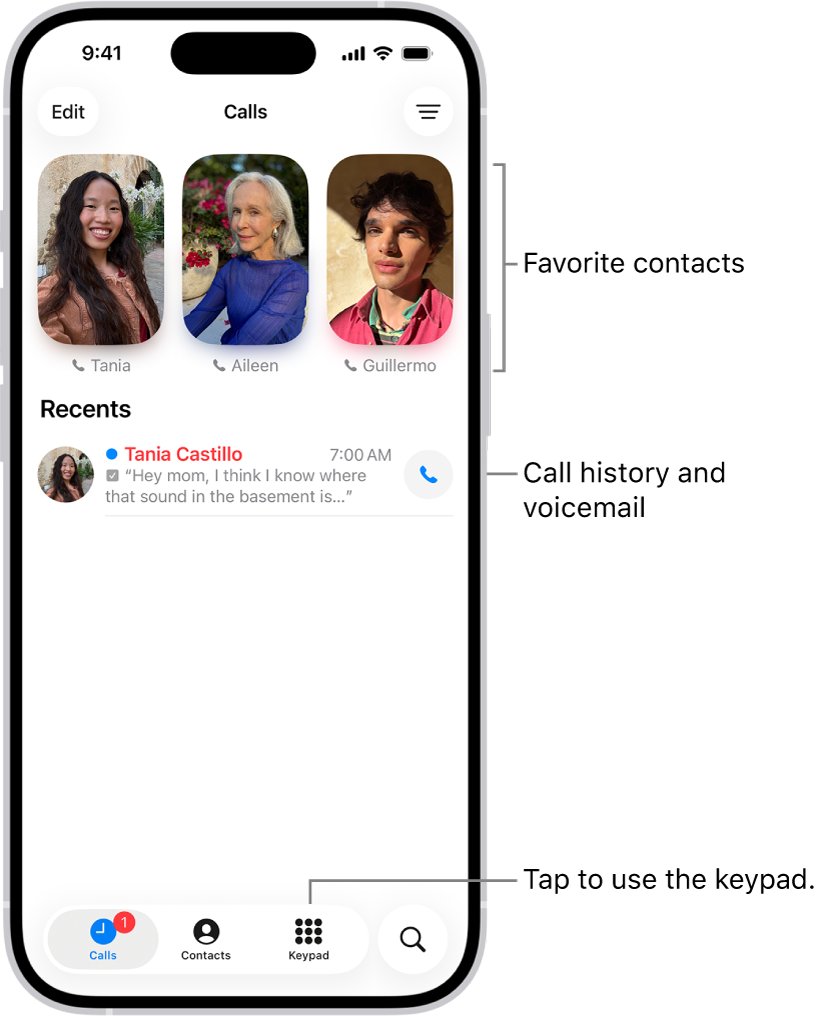
*72or*71. - Open the phone's built-in Phone app keypad, not a VoIP app or the Google Voice keypad, and dial the code.
- Tap Call or Send, wait for the confirmation message or tone, then hang up.
- When a carrier lists several codes, enter them one at a time and wait for each confirmation before the next.
- If the code is for a feature such as conditional call forwarding, ask the carrier whether your plan includes it; prepaid and reseller plans may not.
On an iPhone on a GSM network, you can turn on forwarding in Settings > Apps > Phone > Call Forwarding instead of dialing a code. The carrier-by-carrier codes for enabling or disabling call forwarding differ, so use the set that matches your carrier.
Call forwarding connection problem or invalid MMI code
Forwarding codes cause most of these errors, because GSM-style codes and Verizon's star codes are not interchangeable. These are the published codes for the main US carriers.
| Carrier | Turn on | Turn off | Notes |
|---|---|---|---|
| Verizon | *72 + 10-digit number (all calls); *71 + 10-digit number (unanswered) |
*73 |
Confirmation can sound like a busy tone; cannot be set up outside Verizon coverage |
| AT&T | *61*number# (unanswered), *62*number# (unreachable), *67*number# (busy) |
##61#, ##62#, ##67# |
Enter one at a time and wait for confirmation |
| T-Mobile | Set through the phone's call forwarding settings | ##004# resets call forwarding settings |
Unanswered calls should forward to T-Mobile voicemail, 1-805-637-7243 |
| iPhone on GSM | Settings > Apps > Phone > Call Forwarding | Same switch | On CDMA networks, ask the carrier |
Codes like *#21# and **21* follow the GSM style. On a carrier that uses its own star codes, such as Verizon, they can return the invalid MMI code message even though the line works.
If ordinary mobile service also fails
No Service, Searching or SOS in the status bar
The phone is not registered on the carrier's network, so no code can reach it.
- Turn on airplane mode for at least 15 seconds, then turn it off.
- Restart the phone.
- Move to a spot with better coverage, or try another location.
- Ask the carrier to confirm the account is active, not blocked for billing, and that there is no outage in your area.
Service stopped after a SIM or eSIM change
The new line is not active yet, the SIM is seated badly, or the phone lacks the new carrier's settings.
- Remove the physical SIM card and put it back in, or check the eSIM line is turned on.
- On iPhone, connect to Wi-Fi and go to Settings > General > About to install any carrier settings update.
- On a Pixel, follow Google's SIM checks in Fix mobile connectivity issues, including trying another SIM card.
- Ask the carrier for a new SIM if the card is damaged or came from another phone.
Calls fail but data works
A phone setting such as call forwarding, blocking or a Focus is interfering, or VoLTE or Wi-Fi Calling is unstable.
- On iPhone, check Settings > Apps > Phone > Call Forwarding is off unless you set it on purpose.
- On a Pixel, check the VoLTE status in Settings > Network & internet > SIMs for your carrier.
- Turn Wi-Fi Calling off and on, then test a normal call before the code.
Pixel phone keeps dropping calls or data
Signal, SIM or network settings on the phone.
- On a Pixel 11 in the US, open Settings > Device health & support and tap Call diagnostics or Mobile data diagnostics.
- Work through the SIM, Wi-Fi calling and VoLTE checks in Google's Fix mobile connectivity issues article.
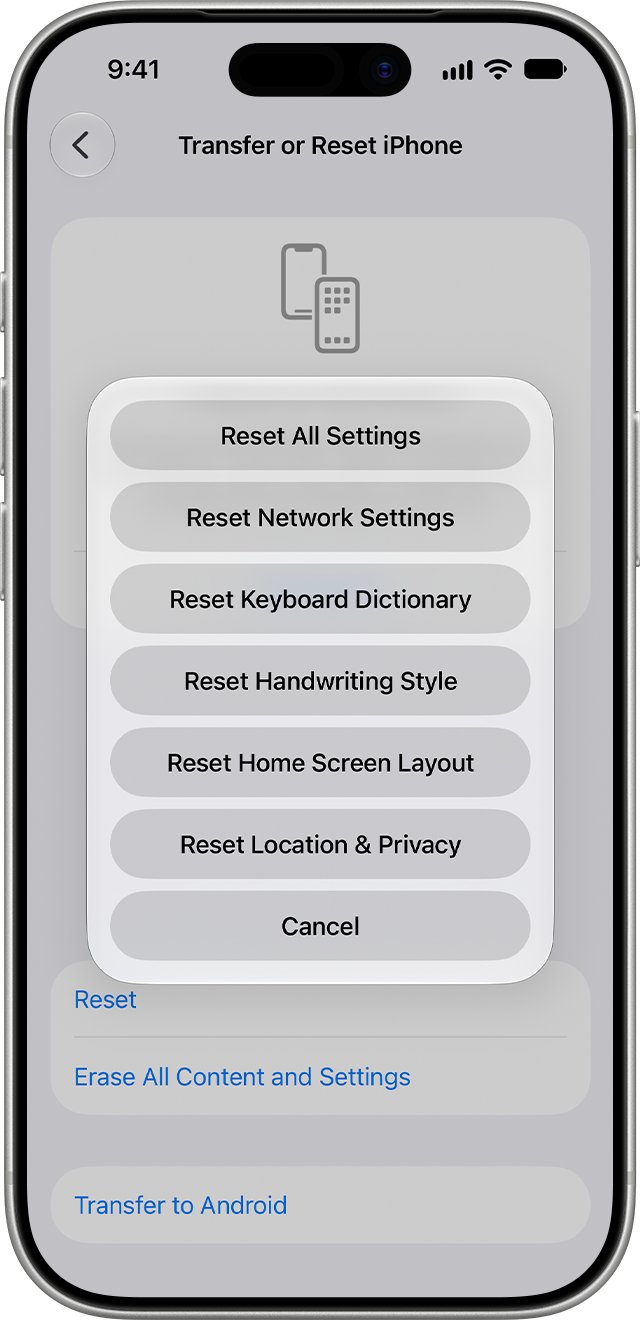
- Reset network settings only as the last step, and only after the checks above fail.
If your iPhone shows a cellular fault after an update, the steps for an iPhone cellular connection issue cover the same carrier checks in more depth.
Fixes to avoid without a specific reason
Some common suggestions erase settings or open you to fraud, and none of them fix a code your carrier does not support.
| Avoid | Why |
|---|---|
| Factory resetting the phone | Erases the phone, while the MMI error comes from the network or the code |
| Resetting network settings first | On iPhone it erases saved Wi-Fi passwords, preferred networks, VPN and APN settings; keep it for when service is down |
Dialing reset codes such as ##004# "just to try" |
It resets call forwarding, which also controls how unanswered calls reach voicemail |
| Codes or links from texts, emails or strangers | Call forwarding requests are a known scam route; iPhone blocks such links for this reason |
| Hidden test menus and "MMI fixer" apps | Neither changes which codes your carrier accepts |
| Swapping SIM cards between carriers to test one code | Each carrier's code only works on that carrier's line |
If voicemail stopped answering after you dialed ##004#, you can reactivate voicemail after #004# by restoring the carrier's forwarding to voicemail.
What to tell support
Only the carrier can see your account and how its network treats a code. Give them these details in the first message so they can test the same request.
| Detail | Example | Why the carrier needs it |
|---|---|---|
| The exact code you dialed | *61*number# |
A single wrong character changes the request |
| The exact error text | Connection problem or invalid MMI code | Separates a rejected code from a connection failure |
| What still works | Calls and texts work, data works | Shows whether the line is registered on the network |
| Phone model and software version | Pixel 10, Android 16 | Some dialers handle codes differently |
| Line and plan type | Prepaid, reseller or postpaid; which SIM on Dual SIM | Some plans do not include forwarding features |
| Where you were | Home network or roaming abroad | Some features cannot be set up outside the carrier's coverage |
Invalid MMI code FAQ
What is invalid MMI code?
It is the message a phone shows when the carrier's network rejects a star or pound code you dialed, such as a call forwarding or balance code. The code is usually mistyped, meant for another carrier, or for a feature your plan does not include.
How do I fix MMI code problem?
Check that normal calls work, then confirm the code on your carrier's support page and dial it from the phone's built-in keypad on the right SIM line. If calls also fail, toggle airplane mode for 15 seconds, restart, and contact the carrier.
What does connection problem or invalid MMI code mean?
The phone either could not reach the carrier to send the code, or the carrier did not accept it. If every code fails, the connection or account is the problem; if only one code fails, that code is wrong for your carrier or plan.
Why is my MMI code not working?
The most common reasons are a code from another carrier, a missing character, dialing from a calling app instead of the phone keypad, the wrong SIM on a Dual SIM phone, or a plan that lacks the feature. Verizon uses its own star codes, such as *72 and *73.
Why does *#21# give connection problem or invalid MMI code?
*#21# is a GSM-style call forwarding status code. Carriers that use their own codes, such as Verizon's *72 and *73, may reject it. Check forwarding in your carrier's app or account, or on iPhone in Settings > Apps > Phone > Call Forwarding.
How do I fix invalid MMI code on Android?
Dial the code in the built-in Phone app, pick the correct SIM, and confirm the code with your carrier. On a Pixel 11 in the US, Settings > Device health & support > Call diagnostics can test calling. Contact the carrier if the code still fails.
Does invalid MMI code mean my SIM is blocked?
Not by itself. If calls and texts work, the SIM is active and only the code was rejected. If calls fail as well, ask the carrier whether the account is active and not under a billing block, and reseat the SIM.
Why do I get invalid MMI code on MTN, Jazz, Globe or O2?
Each carrier publishes its own list of codes, and codes from another network or an old list are often rejected. Copy the code from that carrier's own website or app, dial it from the phone keypad on that carrier's SIM, and contact the carrier if it still fails.