An iPhone is a pocket-sized phone that makes carrier calls and texts on its own, while an iPad is a larger tablet built for reading, drawing, video and multitasking that relies on Wi-Fi, a data plan or a nearby iPhone for calls.
This comparison covers size, iOS versus iPadOS, calling, cameras, Apple Pencil support, storage, price, battery life and safety features across the current 2026 lineups, plus which device suits which person.
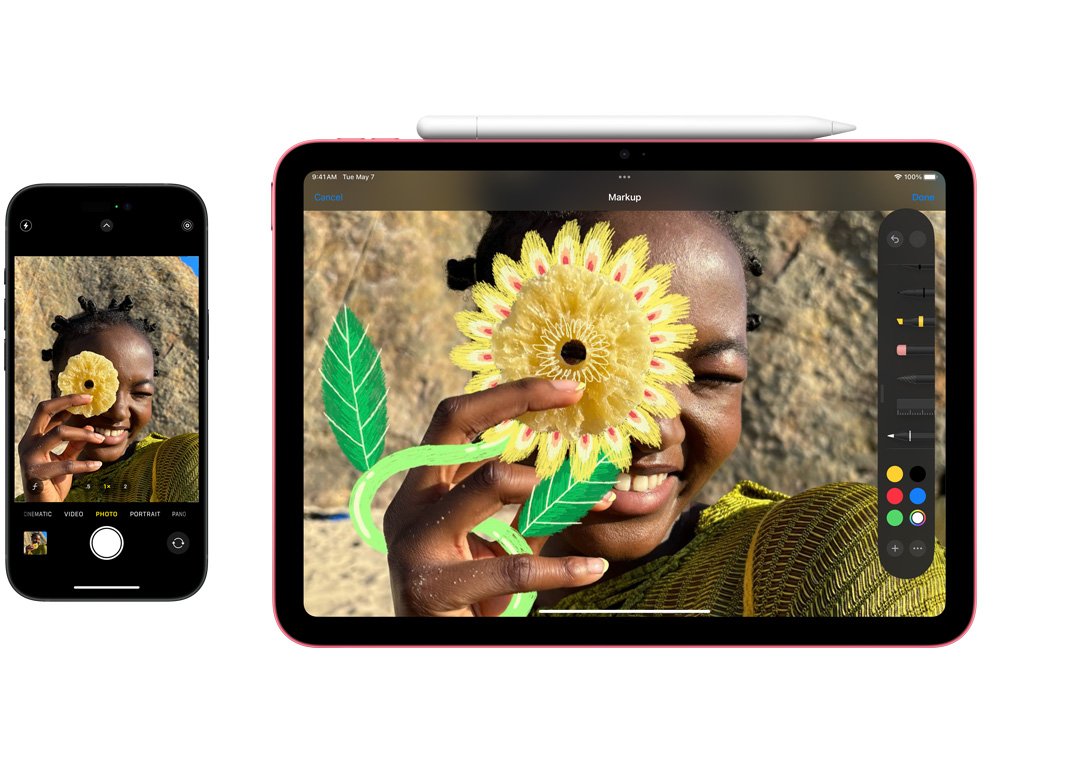
iPhone vs iPad: what's the difference
The quickest way to tell them apart is what each device does when it is the only thing in your hand. These are the differences that matter most in the current lineups listed on apple.com.
| Difference | iPhone | iPad |
|---|---|---|
| Main job | Phone, camera and wallet you carry everywhere | Larger screen for reading, video, drawing, notes and side-by-side apps |
| Screen size (current models) | 6.3 in. and 6.9 in. on iPhone 18 Pro models, 7.6 in. inside the foldable iPhone Duo | 8.5 in. iPad mini, 11 in. and 13 in. iPad Air and iPad Pro |
| Software | iOS 27 | iPadOS 27, with Stage Manager and multiple windows |
| Phone calls and SMS | Built in, using a carrier plan | Relayed from an iPhone on the same network, or Wi-Fi Calling where the carrier supports it |
| Cellular | Every model | Optional Wi-Fi + Cellular models, data plan sold separately |
| Apple Pencil | iPhone Duo only, with Apple Pencil (USB-C) | Every current model |
| Starting price | From $699 (iPhone 17e) | From $449 (iPad) |
If you need one device for calls, maps and photos on the move, that device is an iPhone. An iPad adds a bigger canvas on top of it, or replaces a laptop for lighter work.
Step by step tutorial: Distinguishing between an iPhone and an iPad
Work through these steps in order to decide which device fits the way you actually use a screen.
- Consider the size and portability. An iPhone 18 Pro weighs 211 g and fits a pocket. The lightest current iPad, the iPad mini, weighs 255 g but has an 8.5-inch screen that needs a bag or a large coat pocket.
- Evaluate the functionality. List what you must do without another device nearby: carrier calls, SMS, Emergency SOS via satellite and Crash Detection are iPhone features. Drawing with Apple Pencil, Stage Manager and a hardware keyboard are iPad strengths.
- Assess the usage. Count the hours you spend reading, watching video, editing documents or sketching. Long sessions on a large screen point to an iPad; short, frequent use on the move points to an iPhone.
- Check connectivity. Decide whether you need internet away from Wi-Fi. Every iPhone has cellular; an iPad needs the Wi-Fi + Cellular model and its own data plan.
- Price the accessories. Add the cost of Apple Pencil and a Magic Keyboard if you want an iPad for notes or typing, because both are sold separately.
- Decide whether you need both. If you already own an iPhone, an iPad can use its calls, texts and Handoff, so the tablet does not have to do everything alone.
iPhone vs iPad size and weight
Apple's comparison pages list these dimensions for the current models. The iPad mini is the closest an iPad gets to phone size, and the folding iPhone Duo is the closest an iPhone gets to tablet size.
| Model | Screen | Weight |
|---|---|---|
| iPhone 18 Pro | 6.3 in. OLED | 211 g (7.44 oz) |
| iPhone 18 Pro Max | 6.9 in. OLED | 249 g (8.78 oz) |
| iPhone Duo (foldable) | 7.6 in. inner, 5.4 in. outer | 254 g (8.96 oz) |
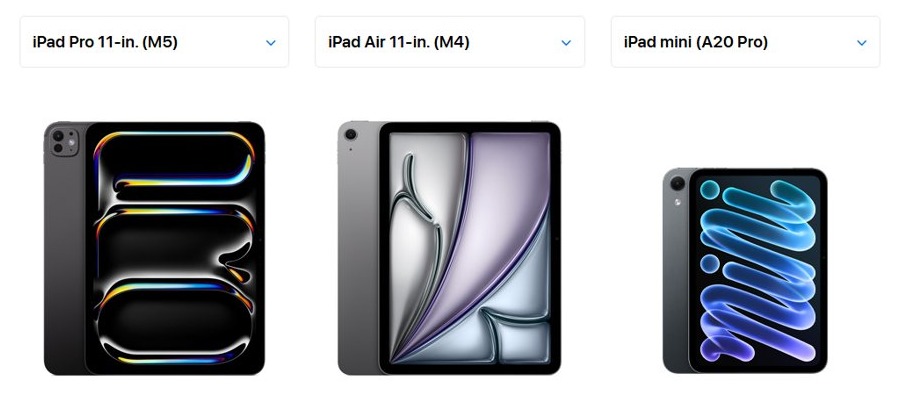
| iPad mini (A20 Pro) | 8.5 in. OLED | 255 g (Wi-Fi) |
| iPad Pro 11-in. (M5) | 11 in. tandem OLED | 444 g (Wi-Fi) |
| iPad Air 11-in. (M4) | 11 in. Liquid Retina (LCD) | 464 g (Wi-Fi) |
iPad Air and iPad Pro also come in 13-inch versions, which add more screen and more weight.
iOS vs iPadOS differences
Both systems share the same App Store, iCloud storage and sync, Messages and FaceTime, so most apps you buy work on both. The difference is how each one handles a bigger screen.
| Feature | iOS 27 on iPhone | iPadOS 27 on iPad |
|---|---|---|
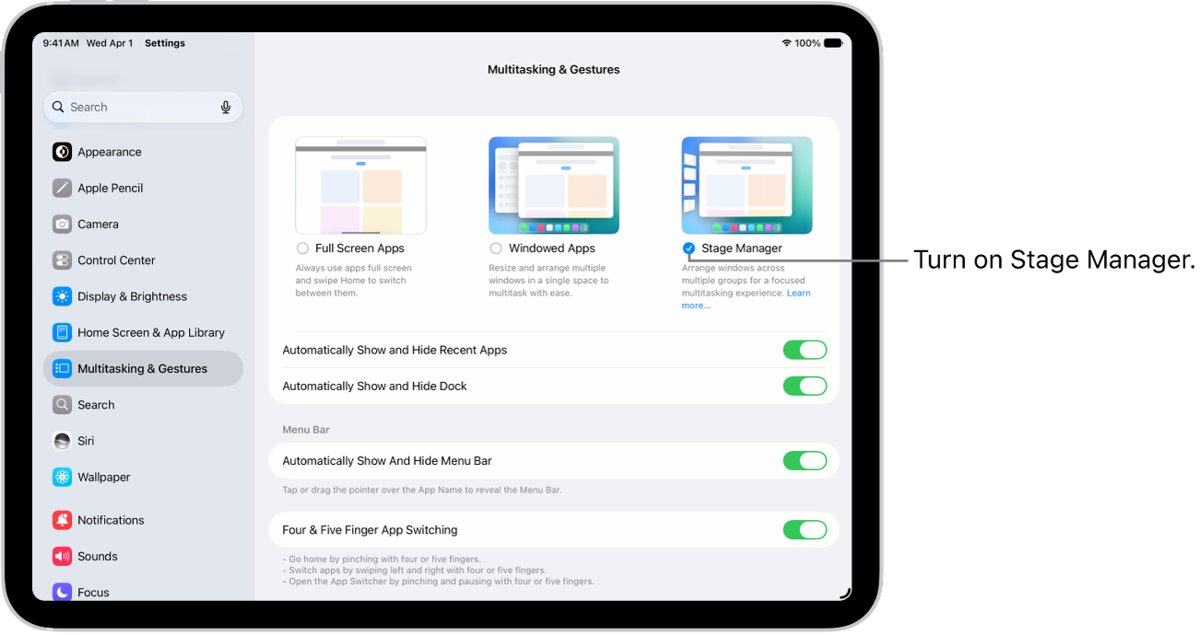
| Stage Manager | Not part of iOS | Resizable, overlapping windows in app groups; turn on at Settings > Multitasking & Gestures > Stage Manager |
| Phone app | Uses the iPhone's own carrier line | Present on iPadOS 27; if missing, download it from the App Store |
| Apple Pencil | Supported only on iPhone Duo with iOS 27.2 | Supported on every current iPad |
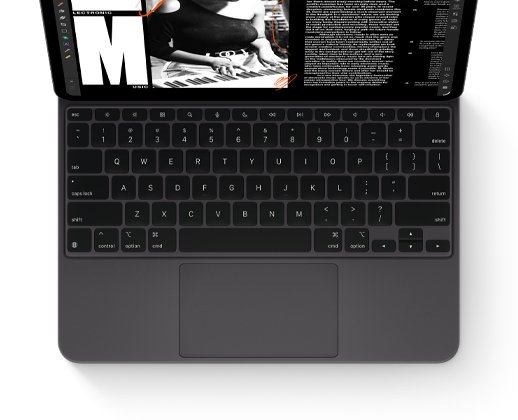
| Keyboard accessories | No Magic Keyboard | Magic Keyboard for iPad Pro and iPad Air; Bluetooth keyboards on iPad mini |
Apple Intelligence on iPadOS 27 runs on iPad mini (A17 Pro or later) and iPad models with an M1 chip or later.
Can an iPad make phone calls and send texts?
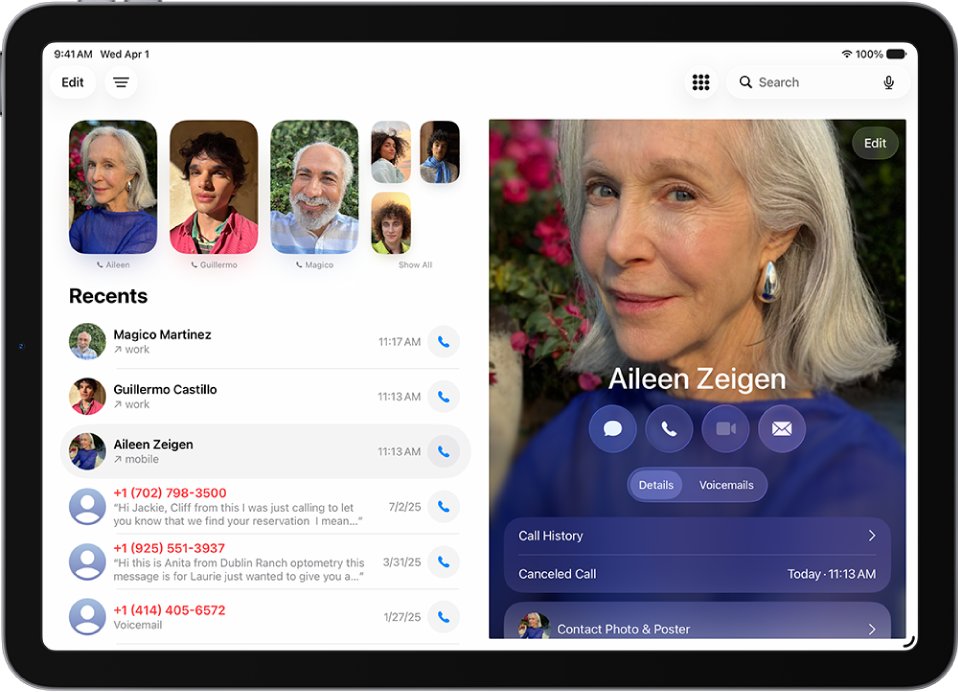
Yes, but not the way an iPhone does. Apple's iPhone Cellular Calls feature lets an iPad make and receive calls when it is on the same network as an iPhone that has an activated carrier plan.
| What you want | iPhone | iPad |
|---|---|---|
| Carrier phone call | Built in | Through iPhone Cellular Calls, using a nearby iPhone's plan |
| SMS, MMS and RCS texts | Built in | Through Text Message Forwarding from your iPhone |
| iMessage and FaceTime | Yes | Yes, over Wi-Fi or cellular data |
| Wi-Fi Calling | Yes, where the carrier supports it | Settings > Cellular > Wi-Fi Calling on cellular models, where the carrier supports it |
| Mobile data away from Wi-Fi | Every model | Wi-Fi + Cellular models with eSIM or nano-SIM and a data plan |
To set up a data plan on a cellular iPad, go to Settings > Cellular Data, select a carrier and follow the onscreen instructions, or scan the carrier's QR code.
iPhone vs iPad camera
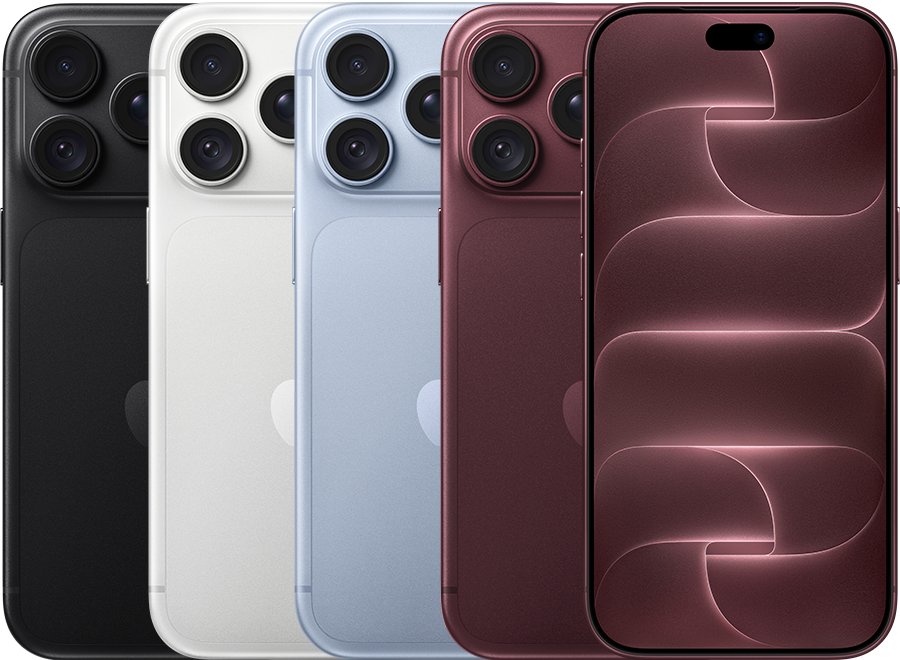
The iPhone has the better camera in every current pairing. Apple fits the iPhone with several 48MP lenses, while current iPads use a single 12MP rear camera meant for scanning documents and quick shots.
| Camera | iPhone 18 Pro | iPad Pro 11-in. (M5) | iPad Air and iPad mini |
|---|---|---|---|
| Rear cameras | 48MP Fusion Main, 48MP Ultra Wide, 48MP Telephoto | 12MP Wide | 12MP Wide |
| Video | 4K Dolby Vision up to 120 fps, ProRes | 4K, ProRes | 4K |
| Front camera | 18MP Center Stage | Landscape 12MP Center Stage | Landscape 12MP Center Stage |
| Face unlock | Face ID | Face ID | Touch ID in the top button |
The iPad's landscape front camera sits on the long edge, so you stay centred on video calls while the iPad rests on a keyboard or stand.
Does Apple Pencil work on iPhone?
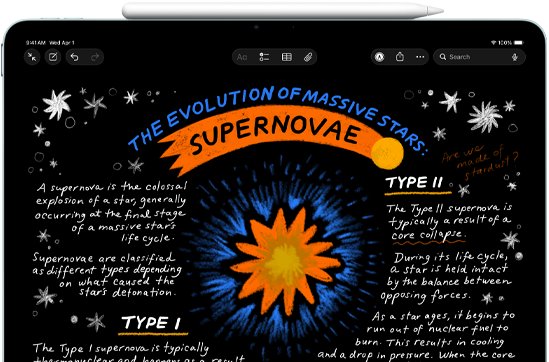
Only one iPhone supports it: Apple lists Apple Pencil (USB-C) as compatible with iPhone Duo on iOS 27.2, and hover is not supported on that phone. Every other iPhone lacks Apple Pencil support.
| Apple Pencil | Works with |
|---|---|
| Apple Pencil Pro | iPad Pro (M4 and M5), iPad Air (M2, M3 and M4), iPad mini (A17 Pro and A20 Pro), with iPadOS 17.5 or later |
| Apple Pencil (USB-C) | Current iPad Pro, iPad Air, iPad and iPad mini models, plus iPhone Duo with iOS 27.2 |
| Apple Pencil (2nd generation) | Older iPad Pro, iPad Air (4th and 5th generation) and iPad mini (6th generation) |
| Apple Pencil (1st generation) | Older iPads; iPad (A16) and iPad (10th generation) need the USB-C to Apple Pencil Adapter |
iPhone vs iPad storage and price
iPads start with less storage than Pro iPhones, and iPads also start at a lower price. Prices are Apple's US starting prices before trade-in.
| Model | Storage options | Starting price |
|---|---|---|
| iPhone 17e | See Apple's store page | $699 |
| iPhone 17 | See Apple's store page | $899 |
| iPhone Air | See Apple's store page | $1,099 |
| iPhone 18 Pro | 256GB, 512GB, 1TB, 2TB | $1,199 |
| iPhone Duo | 256GB, 512GB, 1TB, 2TB | $1,999 |
| iPad | See Apple's store page | $449 |
| iPad mini (A20 Pro) | 128GB, 256GB, 512GB | $699 |
| iPad Air 11-in. (M4) | 128GB, 256GB, 512GB, 1TB | $749 |
| iPad Pro 11-in. (M5) | 256GB, 512GB, 1TB, 2TB | $1,199 |
Cellular adds to an iPad's price: the iPad mini and iPad Air cellular models start $150 higher, and the iPad Pro 11-inch cellular model starts $200 higher.
iPhone vs iPad battery life
Apple measures the two differently, so the numbers are not a like-for-like contest. iPhones are rated in hours of video playback; iPads are rated in hours of web browsing or video on Wi-Fi.
| Model | Apple's battery rating |
|---|---|
| iPhone 18 Pro | Up to 36 hours video playback |
| iPhone 18 Pro Max | Up to 45 hours video playback |
| iPhone Duo | Up to 31 hours on the inner display, 44 hours on the outer display |
| iPad Pro, iPad Air, iPad mini | Up to 10 hours of web browsing on Wi-Fi or watching video |
| iPad on cellular | Up to 9 hours of web browsing on cellular data |
Battery life on both devices drops with screen brightness and heavy apps, and the right charging habits help either battery last more years.
iPhone features the iPad does not have
Several safety and durability features are listed only on the iPhone comparison page.
| Feature | iPhone | iPad |
|---|---|---|
| Emergency SOS via satellite | iPhone 14 and later | Not listed |
| Crash Detection | iPhone 14 and later; needs cellular, satellite or Wi-Fi Calling | Not listed |
| Water and dust rating | IP68 (6 meters up to 30 minutes) on iPhone 18 Pro models | No rating listed |
| MagSafe and Qi2 wireless charging | Yes | No wireless charging listed |
| Always-On display | iPhone 18 Pro models and iPhone Duo | Not listed |
Should I get an iPhone or an iPad?
| Your situation | Get this | Why |
|---|---|---|
| You need one device for calls, texts, maps and photos | iPhone | It works alone on a carrier plan and fits a pocket |
| You take handwritten notes or draw | iPad Air or iPad Pro with Apple Pencil Pro | Pencil support and an 11 or 13-inch canvas |
| You want a laptop replacement for light work | iPad Air or iPad Pro with Magic Keyboard | Stage Manager and multiple windows on iPadOS |
| You read, stream and browse at home | iPad or iPad mini | Larger screen at a lower starting price |
| You want a big screen that still fits a pocket | iPhone Duo | 7.6-inch folding display with Apple Pencil (USB-C) support |
| You already own an iPhone | Add an iPad | Calls, texts and Handoff carry over from the iPhone |
Pros of an iPad over an iPhone
| Pro | What it means for you |
|---|---|
| Larger display | 8.5 to 13 inches for reading, video and editing photos you took on your iPhone |
| Apple Pencil support on every model | Handwritten notes, drawing and marking up PDFs |
| Stage Manager and multiple windows | Several apps on screen at once, grouped by task |
| Keyboard options | Magic Keyboard for iPad Air and iPad Pro turns it into a laptop-style setup |
| Lower starting price | The base iPad starts at $449 against $699 for the cheapest current iPhone |
| Works with Mac | Sidecar uses the iPad as a second display, and Universal Control shares one mouse across both |
Cons of an iPad compared with an iPhone
| Con | What it means for you |
|---|---|
| No standalone carrier calls | Phone calls and SMS depend on a nearby iPhone or carrier Wi-Fi Calling |
| Weaker camera | One 12MP rear camera against the iPhone's 48MP multi-camera systems |
| Less portable | Even the iPad mini needs a bag; an 11-inch iPad weighs more than twice an iPhone 18 Pro |
| Cellular costs extra | Mobile data needs a Wi-Fi + Cellular model and a separate plan |
| Accessories cost extra | Apple Pencil and Magic Keyboard are sold separately |
| Fewer safety features | No Emergency SOS via satellite or Crash Detection listed for iPad |
How to use an iPhone and iPad together
Apple's Continuity features link the two devices when they are signed in to the same Apple Account. You can also sync iPhone and iPad through iCloud so photos, notes and messages match on both.
| Continuity feature | What it does |
|---|---|
| iPhone Cellular Calls | Make and receive the iPhone's calls on the iPad over the same network |
| Text Message Forwarding | Send and receive SMS, MMS and RCS texts from the iPhone on the iPad |
| Handoff | Start a task on one device and pick it up on the other; FaceTime handoff needs iOS 16 or iPadOS 16 |
| Universal Clipboard | Copy text, images or video on one device and paste on the other |
| AirDrop | Send photos, videos and files between the two wirelessly |
Syncing is not the same as protection, so keep a backup separate from sync for each device.
iPhone vs iPad FAQ
Can iPads make phone calls?
Yes, through an iPhone. iPhone Cellular Calls lets an iPad make and receive calls when it is on the same network as an iPhone with an activated carrier plan. FaceTime audio and video calls work on any iPad over Wi-Fi or cellular data.
Which has a better camera, the iPhone or iPad?
The iPhone. Current iPhone 18 Pro models have 48MP Main, Ultra Wide and Telephoto cameras, while current iPads have a single 12MP Wide rear camera. The iPad's front camera sits in landscape, which suits video calls on a stand.
Can I use an Apple Pencil with my iPhone?
Only with iPhone Duo. Apple lists Apple Pencil (USB-C) as compatible with iPhone Duo on iOS 27.2, without hover support. No other iPhone supports Apple Pencil, and every current iPad does.
Do iPads have less storage than iPhones?
Some do. iPad mini and iPad Air start at 128GB, while iPhone 18 Pro models and iPhone Duo start at 256GB. iPad Pro matches the Pro iPhones, with 256GB, 512GB, 1TB and 2TB options.
Which device should I choose for gaming?
Choose by screen and portability. Both run App Store games, and the current chips in iPhone 18 Pro, iPad Air (M4), iPad Pro (M5) and iPad mini (A20 Pro) all list hardware-accelerated ray tracing. The iPad gives a larger screen; the iPhone goes everywhere.
Does an iPad need a phone plan?
No. A Wi-Fi iPad works on Wi-Fi alone. A Wi-Fi + Cellular iPad can add a data plan through an eSIM or nano-SIM, set up under Settings > Cellular Data, but it does not need a voice plan.
Can an iPad send text messages?
Yes. iMessage works on any iPad signed in to an Apple Account. SMS, MMS and RCS texts to non-Apple phones need Text Message Forwarding from an iPhone with an activated carrier plan.
Is an iPad just a big iPhone?
No. iPadOS adds Stage Manager, resizable windows, Apple Pencil support and keyboard accessories that iOS lacks on standard iPhones. The iPhone adds carrier calls, satellite Emergency SOS, Crash Detection and a much stronger camera.
Can the same apps run on iPhone and iPad?
Most can. Both devices use the App Store, and many developers build one app for both screen sizes. Some apps are made for only one of the two, so check the App Store listing before you buy.