When iCloud won't login, check Apple's System Status page for an outage, then confirm you are using the right Apple Account and update your device.
The fixes below cover iPhone, Mac, Windows and iCloud.com, plus forgotten passwords, missing verification codes, locked accounts and new accounts that will not create.
How to fix iCloud login not working
These are the checks Apple puts first. Try them in order and retry the sign-in after each one.
- Open Apple's System Status page at apple.com/support/systemstatus and look for an outage or scheduled maintenance affecting iCloud.
- Use the same Apple Account you use on your other devices. Any email address or phone number linked to that account will work.
- If you do not know the password, choose Forgot password? on the sign-in screen and follow the onscreen instructions.
- Update your iPhone or iPad to the latest iOS or iPadOS, or your Mac to the latest macOS.
- If sign-in spins or cannot reach a server, connect to a different network or try again later.
- Enter the six-digit verification code when prompted. If no code arrives, select Didn't Get a Code? or Can't get to your devices?.
Why can't I sign in to iCloud?
The message you see usually points to the cause. Match it to a row, then use the fix for that row.
| What you see | Likely cause | What to do |
|---|---|---|
| Sign-in spins or cannot connect to a server | An Apple outage, or a network problem on your side | Check System Status, then try another network |
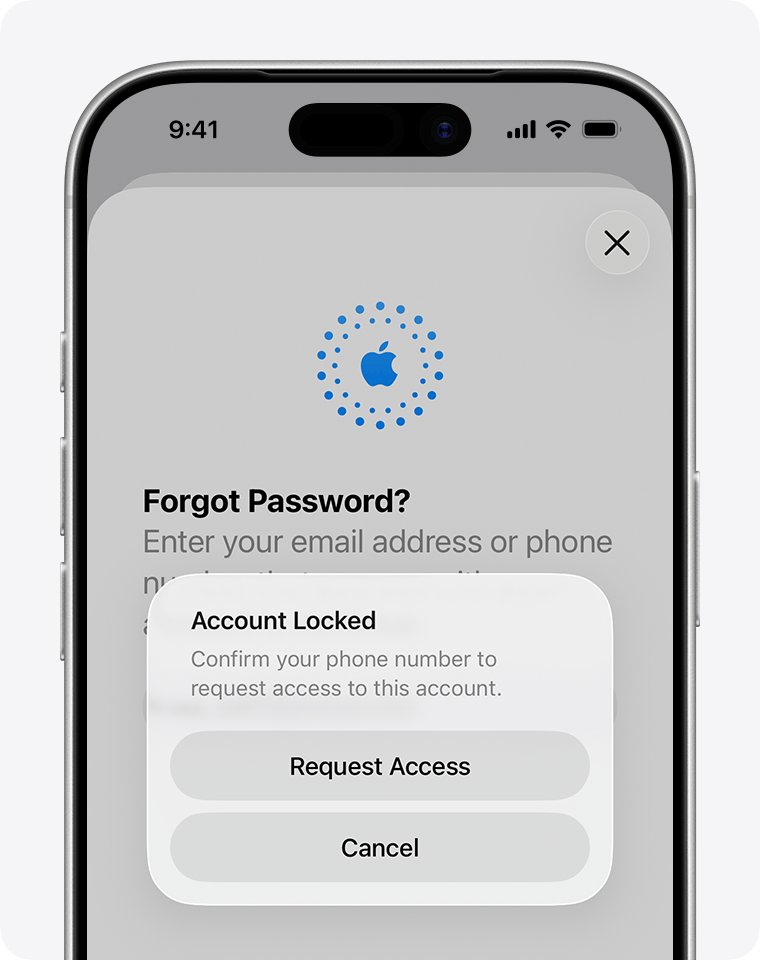
| "This Apple Account has been locked for security reasons" | Wrong password or account details entered too many times | Reset your Apple Account password |
| "This Apple Account is locked and can't be used" | Your request for access was denied | Create a new Apple Account, or start an Activation Lock support request if you have proof of purchase |
| Password rejected | Wrong password, or a different Apple Account | Try your other email addresses and phone numbers, then reset the password |
| Verification code missing or rejected | No trusted device nearby, or the text was filtered | Request a text or call to your trusted phone number |
| "This device can only be used with Apple Accounts from [organization name]" | A school or business manages the device | Contact the administrator who provided the device |
| Sign-in fails only away from Wi-Fi | Cellular or Mobile Data is turned off | Turn it on in the Settings app |
| Alert when setting up iCloud or creating an account | Too many new Apple Accounts set up with iCloud on this device in one year | Sign in with an existing account instead of creating another one |
Can't log into iCloud on iPhone
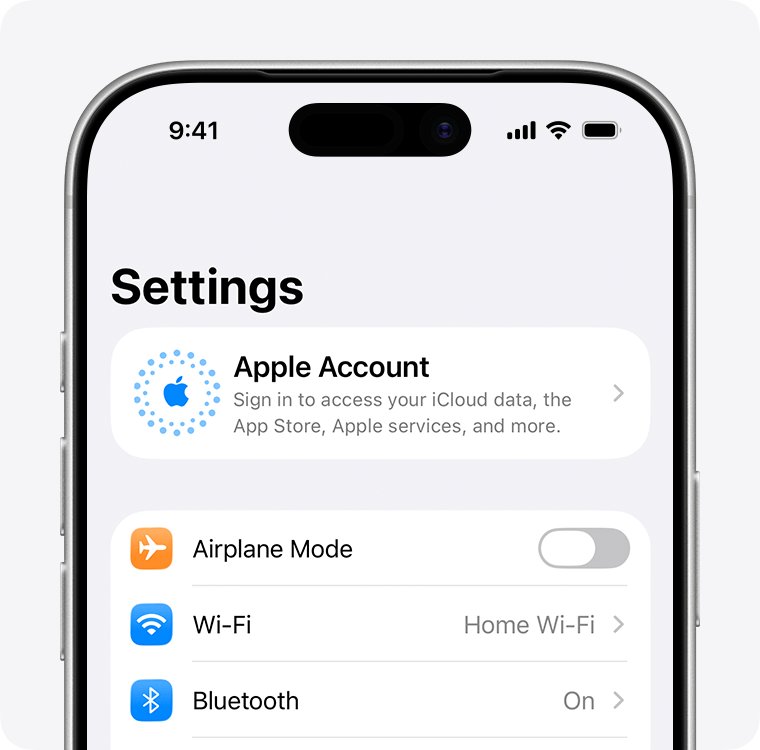
On iPhone and iPad, signing in to your Apple Account in Settings is what signs you in to iCloud. Apple offers two ways to do it.
- Open the Settings app and tap Apple Account at the top. If your name is already there, you are signed in.
- Tap Use Another Apple Device if a second iPhone or iPad signed in to your account is nearby, then follow the instructions on both devices.
- Otherwise tap Sign in Manually and enter your Apple Account email address or phone number and password.
- Enter the six-digit verification code if prompted.
- If you see no Use Another Apple Device option or it fails, turn on Bluetooth on both devices and update both to the latest software.
- Open Settings > Cellular or Mobile Data and confirm it is on if you are away from Wi-Fi.
Can't log into iCloud on Mac
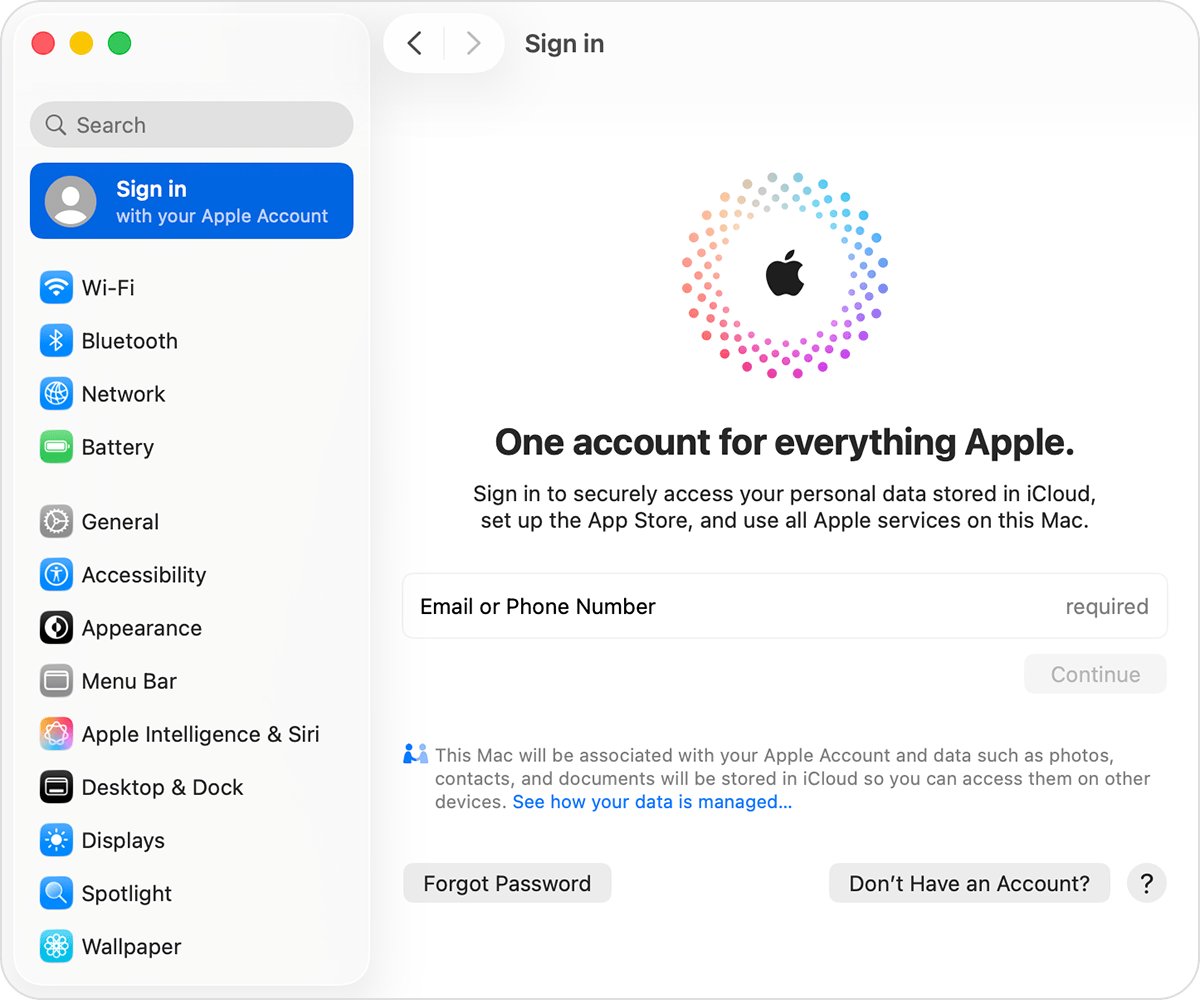
A Mac signs in to iCloud through System Settings, using the same Apple Account as your other devices.
- Choose Apple menu > System Settings.
- Click your name at the top of the sidebar. If you do not see your name, click Sign in.
- Enter your Apple Account email address or phone number, then enter your password.
- Enter the verification code if prompted.
- Click iCloud, then turn on each app or feature you want to use.
- Update to the latest version of macOS if the sign-in still fails.
Can't log into iCloud on Windows
You must set up iCloud on an iPhone, iPad, iPod touch or Mac before iCloud for Windows can sign you in. The latest version also expects Windows 11 or later.
- Download or update iCloud for Windows from the Microsoft Store.
- Open iCloud for Windows.
- Sign in with the same Apple Account you use on your iPhone, iPad, iPod touch or Mac.
- Enter the code sent to a trusted device or phone number, or use your security key, if prompted.
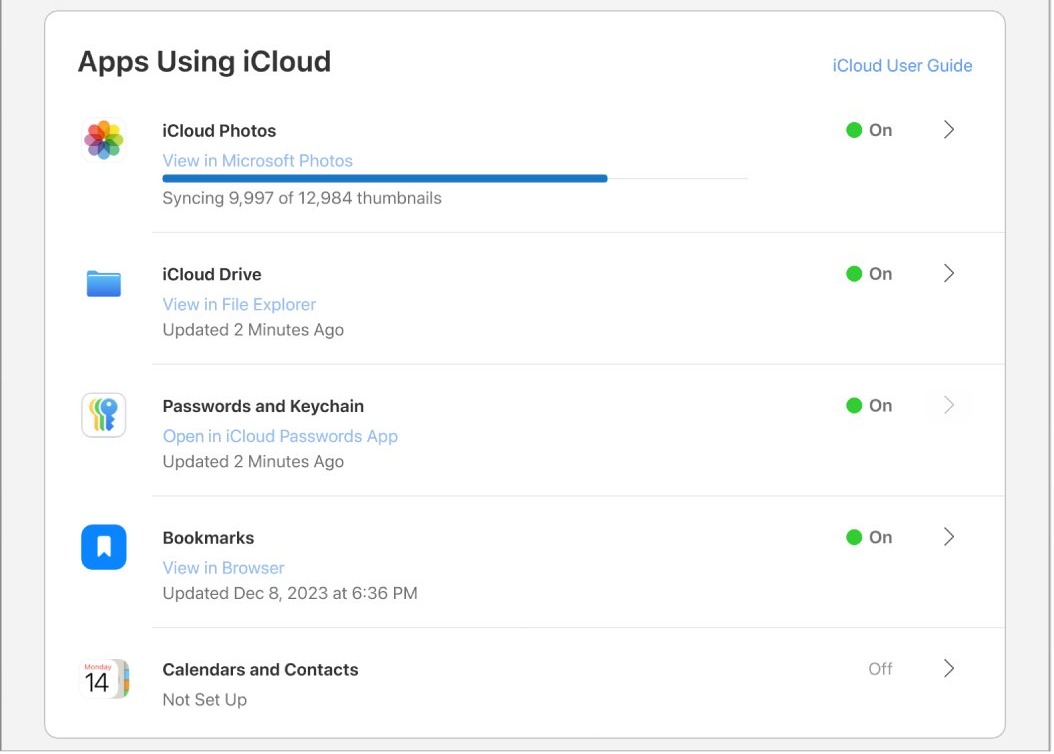
- Click Sync or Not Now for each app or feature, choose whether to share analytics, then click Finish Setup.
If the app returns to the sign-in screen each time, you can break the iCloud login loop on Windows 11 with repair and reinstall steps.
Unable to log into iCloud for Windows with Advanced Data Protection or security keys
Some account types and security settings block iCloud for Windows until you meet a specific requirement. Check your setup against this table.
| Your account or setting | What sign-in requires |
|---|---|
| Managed Apple Account | iCloud for Windows is not supported |
| Advanced Data Protection for iCloud | iCloud for Windows 14.1 or later |
| Advanced Data Protection with iCloud for Windows 14.2 or later | Your trusted Apple device within Bluetooth range of the PC, or both on the same Wi-Fi router |
| Advanced Data Protection while using a VPN | Turn the VPN off temporarily |
| Security keys on your account | iCloud for Windows 15 or later |
iCloud sign in not working on iCloud.com
Apple recommends specific browsers for iCloud.com. On a Mac: Safari 13.1 or later, Firefox 128 or later, Chrome 130 or later, Opera, or Edge 130 or later. On a PC: Firefox 128 or later, Chrome 130 or later in desktop mode only, or Edge 130 or later.
- Update your browser to a version in the list above, or switch to another supported browser.
- Go to iCloud.com and enter your email address or phone number and your password.
- On a device that supports it, use Face ID or Touch ID instead of typing the password.
- Select Sign in with Passkey and scan the QR code if you turned on iCloud Keychain and have an iPhone or iPad with iOS 17, iPadOS 17 or later.
- Verify your identity with a code sent to a trusted device or phone number, or with a security key.
- Select the Find Devices button instead if you lost your trusted device and only need to locate it.
You may want to sign in to iCloud.com with your Apple ID password on a Mac that keeps offering your Mac login instead.
If you get in but apps are missing, check three things. Phones and tablets get a smaller set of apps, a device that has never signed in gets web-only access, and Advanced Data Protection limits the site to Find My iPhone and iCloud Settings until you turn on Access iCloud Data on the Web.
Can't log into my iCloud account: forgot Apple Account password
Apple's easiest route is a trusted device plus your trusted phone number. If you are signed in on another Apple device, change the password there and skip account recovery.
- Select Forgot password? or Forgot password or don't have an Apple Account? on the sign-in screen.
- Follow the onscreen instructions, which may direct you to a trusted device or ask for recovery factors.
- Have your recovery factors ready: your trusted phone number, Apple Account email address, the card on your account, and any recovery contact or recovery key you set up.
- With no Apple device of your own, go to iforgot.apple.com in Safari on a device with iOS 17 or later, or macOS 27 or later.
- On a borrowed device or one at an Apple Store, open the Support app, scroll to Support Tools, select Reset Password, then select Help Someone Else.
- Sign in to iCloud with the new password, and update any iCloud service that still asks for the old one.
If you cannot reset the password, request account recovery, which can take several days or more. Signing in with a remembered password, or using a device that is still signed in to your account, cancels the request.
iCloud verification code not working or not arriving
Two-factor authentication asks for a six-digit code whenever you sign in on a new device or browser. A nearby trusted device is the fastest source.
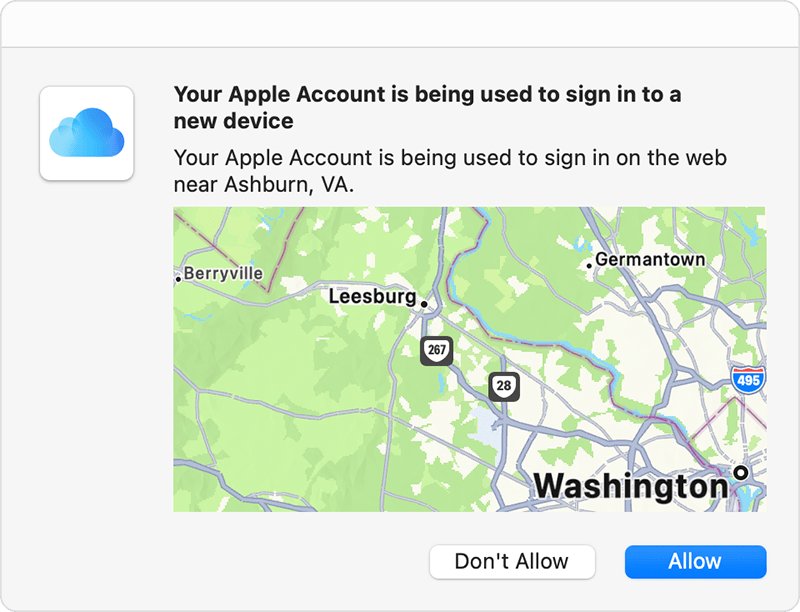
- Look for a sign-in notification on any of your trusted devices and choose Allow.
- Enter the code shown there on the device you are signing in to.
- If you have no trusted device handy, select Didn't Get a Code? or Can't get to your devices? on the code screen.
- Choose to send the code to your trusted phone number as a text message or phone call.
- If you screen Unknown Senders, check that list in the Messages app for the text.
- If you have permanently lost that number and every device, choose Can't use [phone number] and follow the onscreen steps to start account recovery.
If you will have your device or number back within a few days, waiting is faster than recovery. You can also get into iCloud without your phone through the other routes Apple allows. Contacting Apple cannot speed up account recovery.
Apple Account locked or disabled: how to get back into iCloud
Your account can lock automatically if you or someone else enters the password or other account details incorrectly too many times. The fix depends on the wording of the message.
- If the message says the account was disabled or locked for security reasons, reset your Apple Account password.
- If it says your account is locked or not active, tap Request Access in the alert, or request access on Apple's unlock page.
- If you see "Your Media & Purchases account has been disabled", tap Continue in the alert to request reactivation.
- If access is denied, create a new Apple Account, or start an Activation Lock support request if you have proof of purchase.
If a lock followed a sign-in you did not make, check whether an iCloud login alert is real and review your iCloud login history once you are back in.
Why can't I make an iCloud account?
You may have reached the number of new Apple Accounts you can set up with iCloud on a single device in one year. If your email address or phone number is refused as unavailable, an account already exists for it.
- If you already have an account and only forgot its password, reset the password rather than creating another one.
- If the email address or phone number is unavailable, try a different one or reset the password on that account.
- Create the account in Settings or System Settings on an Apple device, or at account.apple.com on a Windows PC or Android device.
- Update the device to the latest software.
- Make sure webpages open in your browser, then try again later on cellular data or a different Wi-Fi network.
- Check Apple's System Status page for an outage in your country or region.
To create an account for a child, use Family Sharing instead.
How to tell if you are signed in to iCloud
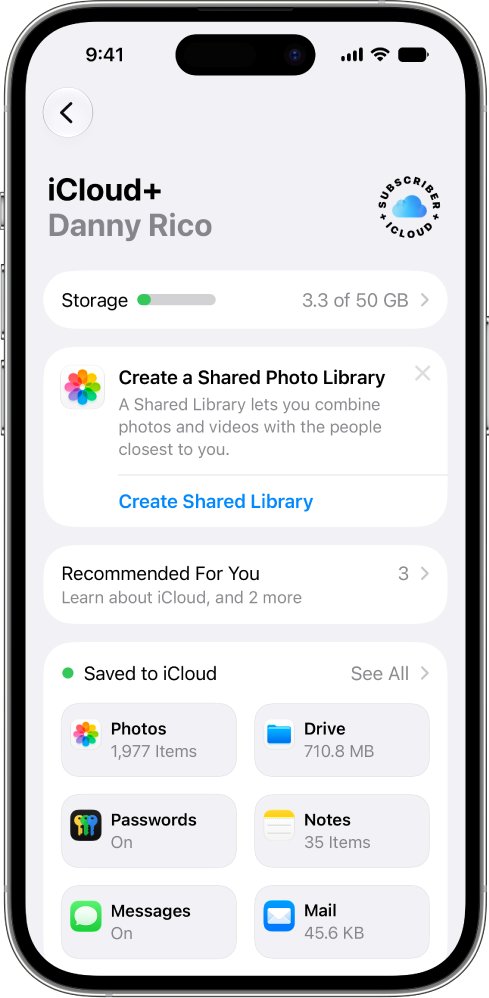
- On iPhone or iPad, go to Settings and look for your name at the top. Tap iCloud to see which apps are syncing.
- On a Mac, choose Apple menu > System Settings and look for your name at the top of the sidebar.
- On the web, sign in at account.apple.com and select Devices to see every device on your account.
- Compare the Apple Account on each device; they must all match for your data to appear everywhere.
iCloud login issue on iPhone or PC: other sign-in errors
iCloud keeps asking for the password after you sign in
An iCloud restore may be unfinished, a service may still hold your old password, or Automatic Downloads or a Family Sharing request may be waiting.
- Stay on reliable Wi-Fi and a power source until any iCloud restore finishes.
- Update the sign-in in each iCloud service if you recently changed your password.
- Check for Automatic Downloads waiting to continue.
- If you organize a Family Sharing group, approve or decline any purchase request from a child.
A third-party mail or calendar app rejects your password
Third-party apps that reach your iCloud information may need an app-specific password rather than your Apple Account password.
- Create an app-specific password for that app.
- Enter it in the third-party app in place of your normal password.
"Couldn't Sign In" or "Verification Failed" naming an organization
The device is enrolled in Apple School Manager or Apple Business, and the IT administrator requires a school or work account.
- Contact the school or business administrator who provided the device.
- If you are not linked to any school or business and bought the device from Apple or an Authorized Reseller, contact Apple Support.
Can't sign in to iCloud on a managed work or school iPhone
Restrictions on which apps can run can block iCloud sign-in on a managed iOS device.
- Tell your administrator that iCloud sign-in is failing.
- Ask them to add the bundle ID com.apple.CoreCDPUI.localSecretPrompt to the list of allowed apps.
iCloud login FAQ
Why can't I log into my iCloud?
The usual causes are an Apple outage, a wrong Apple Account or password, a missing verification code, or a locked account. Check Apple's System Status page first, then reset your password with Forgot password? on the sign-in screen if it is rejected.
Why won't iCloud let me sign in?
iCloud blocks sign-in when your account is locked, your password is wrong, two-factor verification is incomplete, or a school or business manages the device. The message on screen names the cause, and each has a separate fix through Apple's account or your administrator.
Why is my iCloud account not working?
Check System Status for iCloud outages and make sure you are signed in with the same Apple Account on all your devices. Then update your software, because iCloud requires an Apple Account, an active internet connection and up-to-date software.
Can't log into iCloud on iPhone?
Open Settings, tap Apple Account at the top, and choose Use Another Apple Device or Sign in Manually. If it spins or cannot connect, check Apple's System Status page and try another network. Away from Wi-Fi, make sure Cellular or Mobile Data is on.
Can't login to iCloud on PC?
Install or update iCloud for Windows from the Microsoft Store, and set up iCloud on an iPhone, iPad, iPod touch or Mac first. Managed Apple Accounts are not supported. With security keys you need iCloud for Windows 15 or later.
Can't log into iCloud on Windows in a browser?
Use a browser Apple recommends for PC: Firefox 128 or later, Chrome 130 or later in desktop mode, or Edge 130 or later. Go to iCloud.com, enter your Apple Account and password, then complete verification with a code or a security key.
Can't log into my iCloud account because I forgot the password?
Choose Forgot password? on the sign-in screen and follow the instructions. Without a trusted device or recovery factors, request account recovery through iforgot.apple.com or the Apple Support app on a borrowed device. Recovery can take several days or more.
Why can't I make an iCloud account?
You may have exceeded the number of new Apple Accounts you can set up with iCloud on one device in a year, or the email address or phone number may already be in use. Try a different address, or reset the password on the existing account.