Windows has no setting that reserves a fixed amount of RAM for one app, so you allocate more RAM to a specific app by freeing memory for it and by raising the app's own memory limit where it has one.
This guide covers freeing RAM in Windows 11 and Windows 10, process priority from PowerShell and Command Prompt, per-app memory settings in Java, Chrome, Edge and Blender, and the risks of pushing memory too far.
How to allocate more RAM to a specific app in Windows 11
Windows' memory manager hands RAM to whichever process asks for it, as long as free memory exists. The fastest way to give one app more RAM is to take memory away from everything else.
- Save your work in the app that needs more memory.
- Press Ctrl + Shift + Esc to open Task Manager.
- On the Processes tab, select the Memory column header to sort apps by RAM use.
- Right-click each app you are not using, and then select End task.
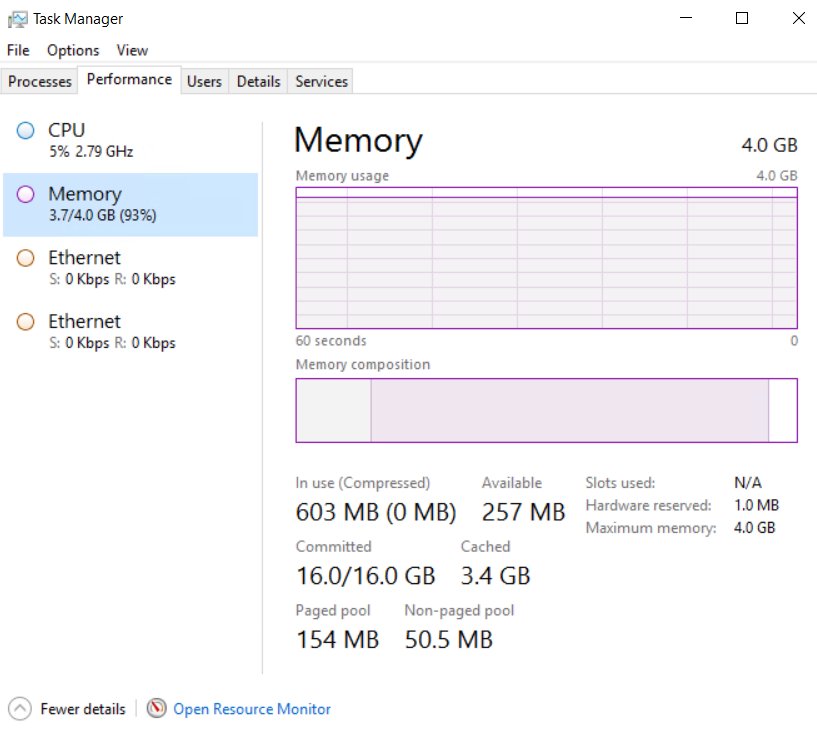
- Select Performance on the left, then Memory, and note the Available value.
- Open the app's own settings and raise its memory limit if it has one (see the per-program table below).
If Available stays low with only one app open, the PC needs more physical RAM. You can check how much RAM is installed before you buy a module.
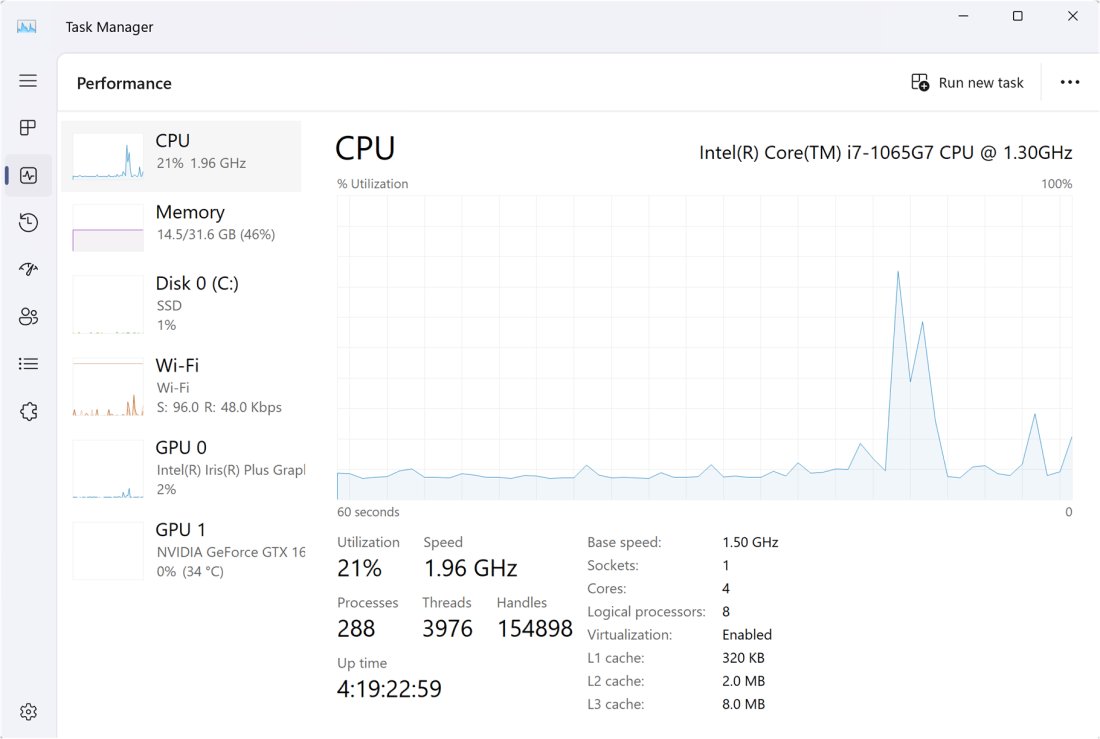
What is RAM?
RAM (random access memory) is the fast, temporary working space that holds running apps and the data they use. Its contents are lost when the PC turns off.
Windows also uses a page file on disk, which lets it move infrequently used pages out of RAM so frequently used pages can stay in physical memory.
| Term | What it means | Where you see it |
|---|---|---|
| Physical memory (RAM) | The installed memory modules that apps run in | Task Manager > Performance > Memory |
| Working set | The pages of memory a process has used recently | WS(M) column in PowerShell Get-Process |
| Page file | A hidden system file that backs infrequently used modified pages | System-managed by default |
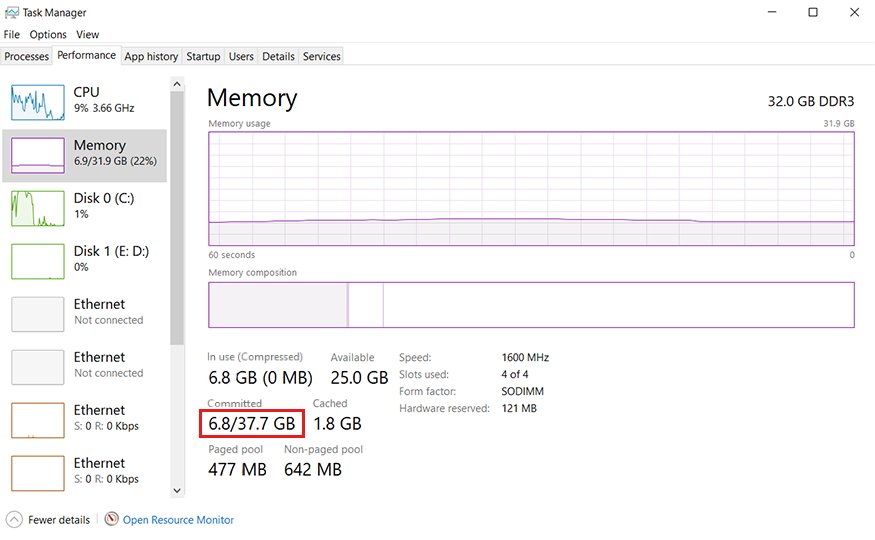
| Commit limit | Physical RAM plus all page files combined | Committed value on the Memory graph |
| Commit charge | The total memory Windows has promised to all processes | Committed value on the Memory graph |
Allow Windows 10 to allocate more RAM
These steps lower what Windows itself and background apps hold in memory, which leaves more RAM for the app you care about. They work the same way on Windows 11.
- Select Start, type Adjust the appearance and performance of Windows, and open it.
- On the Visual Effects tab, select Adjust for best performance, and then select OK.
- Press Ctrl + Shift + Esc, select Startup apps on the left, right-click each app you do not need at sign-in, and select Disable.
- Go to Start > Settings > Apps > Installed apps.
- Select More options (…) next to an app you rarely use, and then select Advanced options.
- Under Background app permissions, set Let this app run in the background to Never.
- Restart the PC from Start > Power > Restart, then open only the app you need.
Apps you never use are better removed entirely, and you can uninstall apps on Windows 11 from the same Installed apps page.
Prioritize RAM usage
Process priority is the closest Windows control to telling an app it matters more. Microsoft's documentation is clear that priority classes set CPU scheduling priority, not a RAM reservation.
Memory priority is separate, and Normal is already the highest level and the default for every process. No built-in tool raises one app above it, so the practical move is to raise the app's CPU priority and lower everything else.
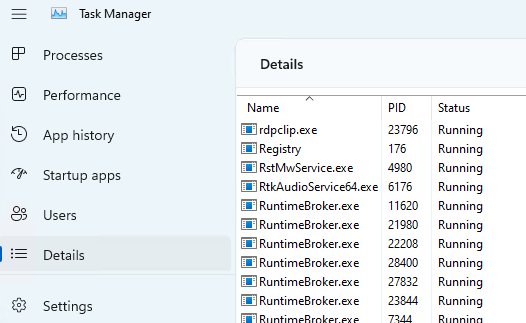
(Get-Process -Id 1234).PriorityClass = 'AboveNormal'Replace 1234 with the app's PID, shown in the PID column of Task Manager's Details tab. The accepted values are Idle, BelowNormal, Normal, AboveNormal, High and RealTime.
You should see: Run Get-Process -Id 1234 | Select-Object Name, Id, PriorityClass and the PriorityClass column shows AboveNormal.
The change lasts until the app closes. A newly started process gets the Normal priority class by default.
How to start an app with high priority in Windows
The start command in Command Prompt launches a program in a chosen priority class, so you do not have to change it after the app opens.
start "" /abovenormal "C:\Program Files\AppName\app.exe"The empty quotes are the window title that start expects first. The priority switches are /low, /belownormal, /normal, /abovenormal, /high and /realtime.
You should see: The app opens, and Get-Process -Name app | Select-Object Name, PriorityClass in PowerShell reports AboveNormal.
Save the line in a .cmd file and use it as your shortcut if you want the app to start at that priority every time.
Designate RAM usage within specific programs
A real per-app RAM allocation only exists inside apps that expose their own memory setting. Use the app's setting first, because Windows will honour whatever the app requests while RAM is free.
| Program | Memory setting | Where to change it |
|---|---|---|
| Any Java app | Maximum heap size with -Xmx, initial size with -Xms |
The java command line or the app's launch options |
| Google Chrome | Memory Saver frees RAM from inactive tabs | Settings > Performance |
| Microsoft Edge | Sleeping tabs frees resources held by background tabs | Settings > System and performance > Performance |
| Blender | Undo Memory Limit caps undo memory in MB (0 is unlimited) | Preferences > System > Memory & Limits |
| Blender video editing | Memory Cache Limit for the Video Sequencer and Movie Clip Editor | Preferences > System > Video Sequencer |
Programs not listed here may still have a memory or cache option in their own preferences. Check the vendor's documentation for the exact name.
How to allocate more RAM to a Java app with -Xmx
Java apps cannot use more heap memory than their -Xmx value, whatever the PC has installed. Raising it is a true per-app RAM allocation.
java -Xms2g -Xmx4g -jar app.jar-Xmx4g sets the maximum heap to 4 GB and -Xms2g sets the initial heap to 2 GB. Append k, m or g for kilobytes, megabytes or gigabytes. When -Xmx is not set, Java picks a default at runtime from the system configuration.
You should see: Task Manager's Memory column for the java process can now climb past the old limit when the app needs it.
Keep -Xmx well below your installed RAM. Windows, the browser and other apps still need memory of their own.
Chrome Memory Saver settings to free RAM for other apps
Browsers are often the largest RAM users on a PC. Memory Saver deactivates tabs you are not using, and they reload when you open them again.
- Open Chrome and select More (three dots) at the top right.
- Select Settings, and then select Performance on the left.
- Turn on Memory Saver.
- Choose Moderate, Balanced or Maximum. Maximum deactivates tabs soonest.
- Next to Always keep these sites active, select Add to exempt a site such as a web app you keep open.
Microsoft Edge sleeping tabs to reduce memory use
- Open Edge and select Settings and more (three dots).
- Select Settings > System and performance > Performance.
- Turn on Automatically put tabs to sleep.
- Under Put inactive tabs to sleep after a set time, choose a shorter delay than the two-hour default.
- Open Settings and more > More tools > Performance to see which background tabs use the most memory.
How to use Efficiency mode in Task Manager on Windows 11
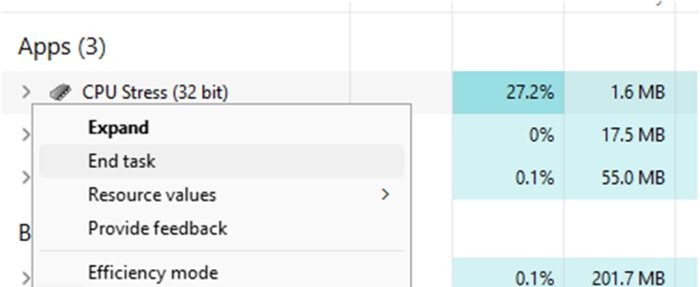
Efficiency mode works the other way round: it limits the resources a background process uses, which leaves more for the app in front of you.
- Press Ctrl + Shift + Esc to open Task Manager.
- Select Processes on the left.
- Right-click a background app you want to keep open but slow down.
- Select Efficiency mode.
- Repeat for other background apps, but never for the app that needs the resources.
How to see how much RAM an app is using in Windows
- Press Ctrl + Shift + Esc and select Processes.
- Select the Memory column header to sort apps by memory use.
- Select Performance > Memory to compare In use, Available and Committed for the whole PC.
- For one process, run
Get-Process -Name appin PowerShell and read the WS(M) column, the working set in megabytes.
Memory that stays high with every app closed points to high RAM usage when nothing is running, which has its own causes.
How to reset an app's priority to normal in Windows
- Close the app and open it again from the Start menu. It starts in the Normal priority class.
- To reset it without closing, open PowerShell and run
(Get-Process -Id 1234).PriorityClass = 'Normal'with the app's PID. - In Chrome, turn Memory Saver off under Settings > Performance if tabs reload too often.
- Reopen Adjust the appearance and performance of Windows and tick the effects you want back on the Visual Effects tab.
Risks of using too much RAM
When the commit charge reaches the commit limit, Windows and its processes may not get the memory they request. Microsoft lists freezing, crashing and other malfunctions as the result.
| Change | What can go wrong | Safer choice |
|---|---|---|
| Realtime priority | Interrupts the system threads that handle mouse input, keyboard input and disk flushing | Use AboveNormal, or High for short jobs only |
| High priority for long periods | Other threads get little or no processor time | Raise it for the task, then set it back to Normal |
Java -Xmx near total RAM |
Windows and other apps run short and start paging heavily | Leave several gigabytes for Windows and the browser |
| Undo or cache limits set to 0 (unlimited) | The app can keep growing until RAM runs out | Set a fixed cap in MB |
| Page file turned off | The commit limit drops to slightly less than installed RAM | Keep the page file system-managed |
A system-managed page file grows automatically when the commit charge passes 90 percent of the commit limit. If you need a larger fixed size, increase virtual memory in Windows 11 with care.
Allocate RAM to apps in Windows FAQ
Can you dedicate RAM to one app in Windows 11?
No. Windows has no setting that reserves a fixed amount of RAM for a single app. The memory manager gives memory to any process that requests it, so you free RAM for the app by closing others or raise the app's own limit, such as Java's -Xmx.
Does setting high priority give an app more RAM?
No. Process priority classes control CPU scheduling, not memory. An app at High priority gets processor time ahead of others, but it can only use the RAM that is free. Memory priority is a separate value, and Normal is already the default and highest level.
How do I make a program use more RAM?
Check whether the program has its own memory or cache setting and raise it. Java apps use the -Xmx option, and Blender has an Undo Memory Limit. Programs without a setting use more RAM automatically when other apps are closed.
Does increasing virtual memory add more RAM?
No. Virtual memory raises the commit limit by adding page file space on disk, but disk is far slower than RAM. It prevents out-of-memory errors when RAM is full, and it does not make one app faster.
Is it safe to set an app to realtime priority?
Rarely. Microsoft warns that realtime priority interrupts the system threads that manage mouse input, keyboard input and background disk flushing. A long-running realtime app can make the mouse unresponsive. AboveNormal or High is the safer choice.
Why does Windows say my computer is low on memory?
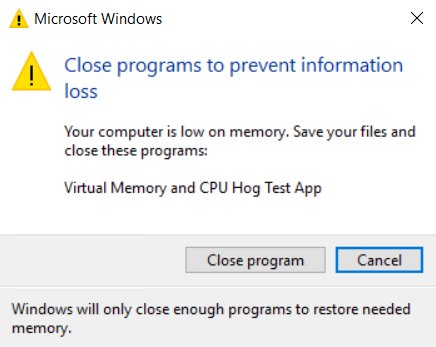
The commit charge has reached or nearly reached the commit limit, which is physical RAM plus the page file. Close apps you are not using, keep the page file system-managed, and add RAM if the warning returns during normal work.
How much RAM should I give a Java app?
Give it enough for its workload while leaving memory for Windows. Set -Xmx below your installed RAM with room to spare for the operating system and other apps. Java chooses its own default maximum heap when -Xmx is not set.
Should you change app priority to get more RAM?
Free memory first and use the app's own memory setting; change priority only when the app is short of CPU time. Priority changes CPU scheduling, not RAM, and Normal memory priority is already the highest level, so closing other apps and raising an app's built-in limit are the only changes that actually put more RAM in that app's hands.