To send a fax from a computer without a phone line, sign up for an online fax service, upload your document in its web or desktop app, enter the recipient's fax number and press Send.
This guide covers the browser, email to fax, Microsoft Office and desktop app routes, how to prepare the file and cover page, how to track delivery, and what to do when a fax fails.
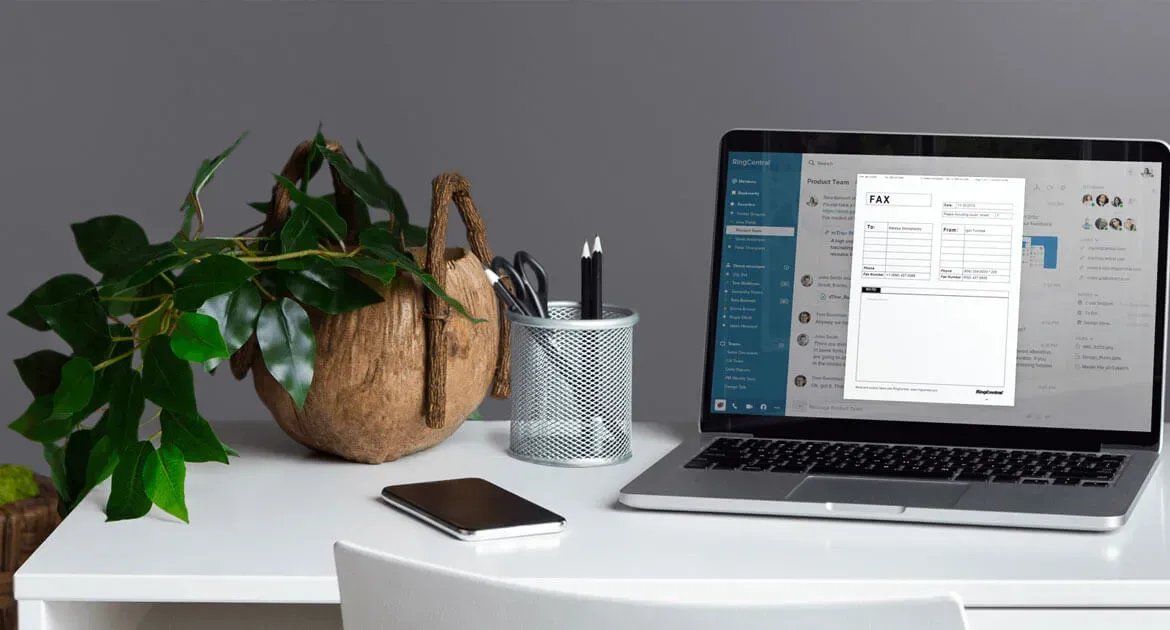
How to send a fax from a Windows computer without a phone line?
An online fax service carries the call for you, so the computer needs only an internet connection. No fax machine, modem or landline is involved on your side.
- Choose a reliable online fax service and pick a plan that covers the number of pages you send each month.
- Create your account and log in. The service gives you a fax number or lets you pick a local or toll-free one.
- Prepare your document for faxing: save it as a PDF or Word file and check that every page is readable.
- Upload the document to the fax platform from your computer or a cloud storage account.
- Enter the recipient's fax number in the To field.
- Add a cover page with your name, the recipient's name and the page count.
- Review the settings and select Send now, or schedule the fax for later.
- Track the delivery status in the service's fax log, then save or archive the sent fax.
The recipient gets a normal fax on their machine, or a file in their inbox if they also use an online service.
Ways to send a fax from a computer without a fax machine
| Your situation | Use this | Why |
|---|---|---|
| You fax now and then from any PC | The online fax service in a browser | Nothing to install; sign in, attach and send |
| You live in your inbox | Email to fax | Address the email to the fax number and attach the file |
| The document is already open in Word, Excel or PowerPoint | Print to the service's fax printer | No export or upload step |
| You send faxes every day | The service's desktop app | Saved contacts, cover pages and send-later in one window |
| You still have a landline and a fax modem | Windows Fax and Scan | It dials out through the modem, so it is not a no-phone-line option |
How online faxing works
A fax machine scans a page into an image, turns it into data and sends it over a phone line. The receiving machine turns that data back into an image and prints or displays it.
| Stage | What happens with an online fax service |
|---|---|
| You send | You upload a file or email it to the service over the internet |
| The service converts | Your file is turned into fax pages, with the cover page first |
| The service dials | The provider delivers the pages to the recipient's fax number |
| The recipient receives | A fax machine prints it, or an online fax account shows it as a file |
| You get a record | The sent fax and its status appear in your account's fax log |
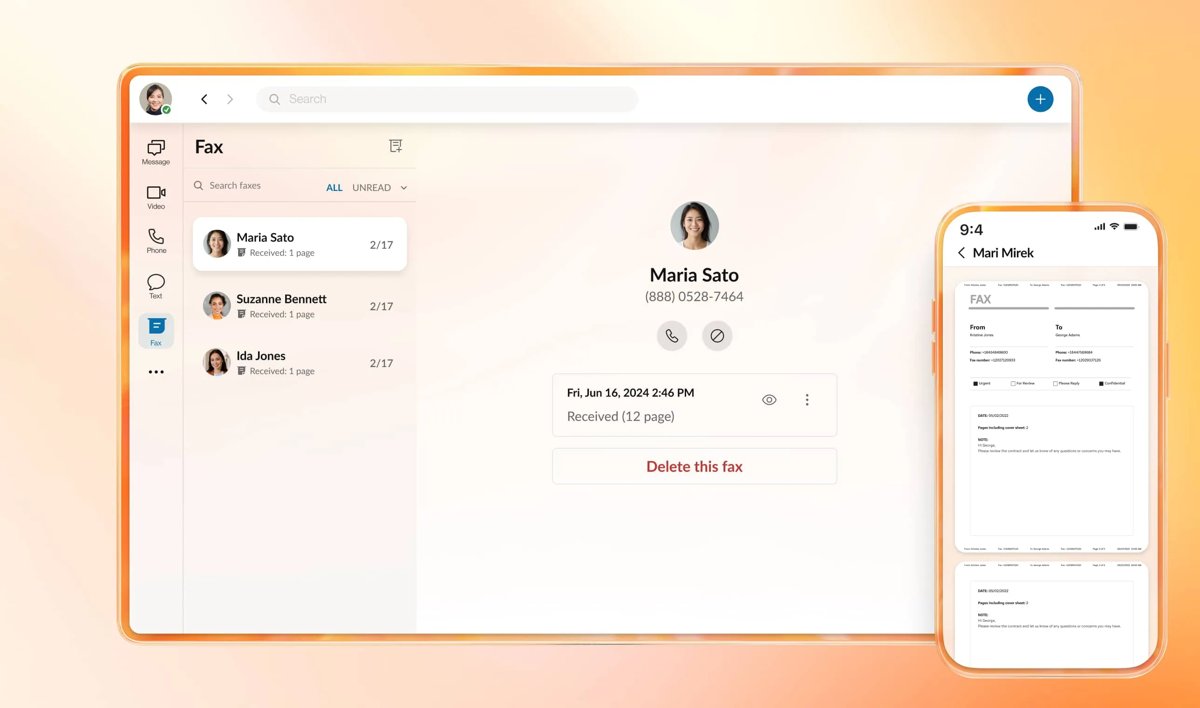
What file formats can you fax online?
Each provider publishes its own list of accepted files and limits. RingCentral's is a useful reference because it is typical of business fax services.
| Item | RingCentral example | What to check with any provider |
|---|---|---|
| Documents | .pdf, .doc, .docx | PDF is the safest choice for layout |
| Spreadsheets and slides | .xls, .xlsx, .csv, .ppt, .pptx | Wide sheets may shrink to fit a fax page |
| Other files | .html, .psd | Some services accept only PDF or Word |
| File size | Up to 20 MB per fax from the web account | Large scans may need splitting |
| Pages | Depends on the plan | Some services cap a free fax at a few pages |
| Recipients | Up to 50 at once | Broadcast faxing may cost extra |
If a document is on paper, scan it to PDF first. A phone camera scan app works, or a flatbed scanner with the Windows Scan app.
Send a fax online from a web browser
These steps use RingCentral's web account. Other services use the same order: number, cover page, attachment, send.
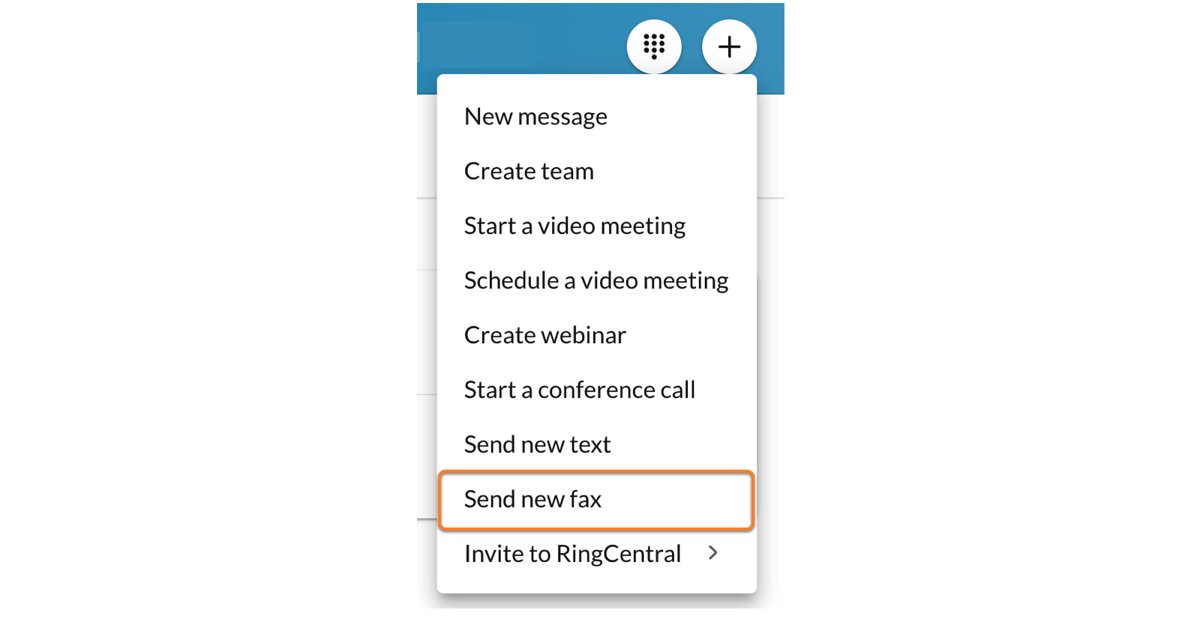
- Sign in to your RingCentral account in a browser.
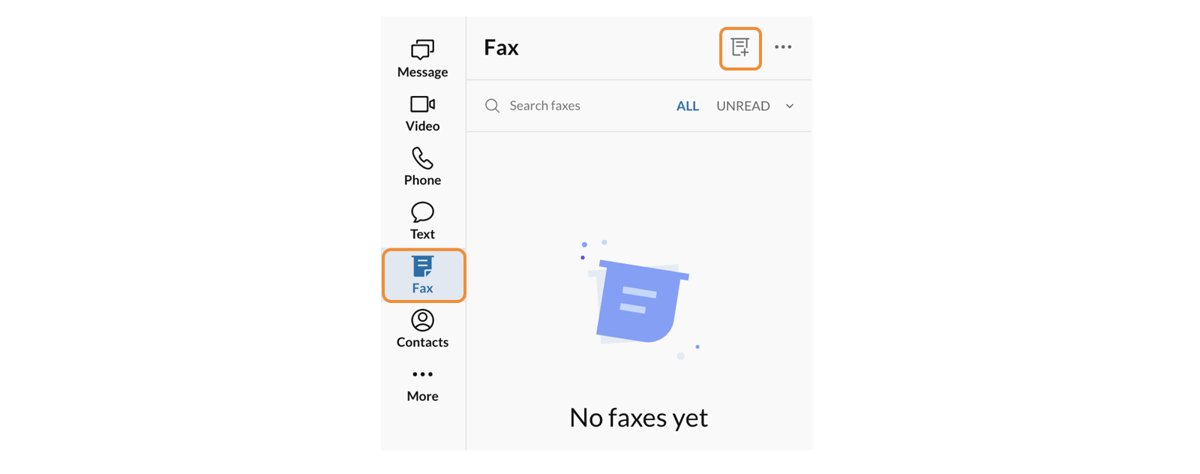
- Select the fax icon in the upper-right corner of the dashboard to open the fax window.
- Type the recipient's fax number.
- Write your cover page text, if you need a cover page.
- Attach the file from your computer or from an online storage service such as Google Drive or Box. Keep it under 20 MB.
- Send the fax right away, or set a date and time to send it later.
How to send a fax from email
Email to fax works from any email program, as long as you send from the address linked to your fax account.
- Open the email account linked to your RingCentral number.
- Start a new message.
- In To, type the recipient's fax number followed by
@rcfax.com. - In Subject, type the text you want on the fax cover page.
- Attach the document you want to fax.
- Select Send.
Other providers use their own domain after the fax number. Use the exact format your service shows in its help pages.
Fax a Word document from Microsoft Office
Some fax services add a virtual printer, so a document open in Word, Excel or PowerPoint can be faxed from the print dialog.
- Open the document in Word, Excel or PowerPoint.
- Select File, then Print.
- Open the printer list and choose RingCentral Internet Fax.
- Print the document to send it to the fax service, then add the recipient's number when the service asks for it.
Send a fax from the RingCentral desktop app
- Open the RingCentral app for PC and sign in.
- Select the FaxOut icon, which looks like a sheet of paper coming out of a machine.
- Enter the recipient's fax number or pick a saved contact.
- Choose a cover page and add a note if you need one.
- Drag the file into the window, or select the paper clip Attach icon and choose it.
- Select Send now or Send later.
Create a free fax cover sheet in Word
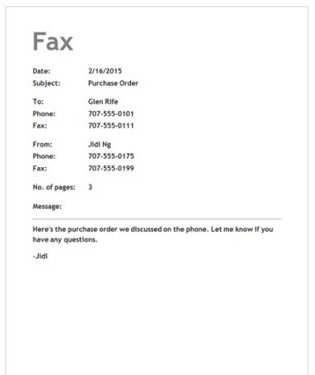
A cover page tells the recipient who the fax is for and how many pages to expect. Word for the web has free fax cover templates.
- Open Word for the web and select File, then New.
- Select Browse templates, scroll down and select Explore all templates.
- Search for Fax Covers.
- Open a fax cover template, fill in the sender, recipient, date and page count, and add your signature in Word if the recipient needs one.
- Save the cover sheet as a PDF so you can attach it ahead of your document.
Skip this if your fax service builds the cover page for you from the text you type.
Can Windows Fax and Scan send a fax without a phone line?
No. Windows Fax and Scan sends faxes through a fax modem, and a fax modem dials out over a phone line. On a computer without a landline, use an online fax service instead.
| Question | Answer |
|---|---|
| Is it built into Windows 11? | Not on new installs after Windows 11, version 22H2; it is an optional feature |
| Where is it turned on? | Control Panel > Programs > Programs and Features > Turn Windows features on or off > Print and Document Services > Windows Fax and Scan |
| What does Internet Fax in Office need? | The Windows Fax printer driver or Fax Services installed on the PC |
| What if it is missing from Windows Features? | That Windows version does not support it |
Track fax delivery status and confirmation
- Sign in to your fax account and open the fax log or sent items list.
- Find the fax by recipient number and time.
- Check that the status shows it as sent or delivered, not failed or queued.
- Open the entry to confirm the page count matches your document plus the cover page.
- Download or keep the record as your proof of sending.
A fax log is the paper trail many offices still want. Save it alongside the document you sent.
Fax not sending from computer: fixes
The file will not upload or attach
The file type is not on the provider's list, or the file is over the size limit.
- Save the document as a PDF.
- Check the file is under the provider's limit, such as 20 MB on RingCentral.
- Split a long scan into two faxes if it is still too large.
Email to fax never arrives
The email came from an address that is not linked to the fax account, or the address format is wrong.
- Send from the email address linked to your fax number.
- Check the To line is the fax number followed by the provider's fax domain, with no spaces.
- Confirm the document is attached, not pasted into the message body.
- Send it again.
The fax log shows the fax failed
The number is wrong, the receiving machine was busy or off, or the plan's page limit was reached.
- Open the failed entry in the fax log and read the status it gives.
- Check every digit of the recipient's fax number with the recipient.
- Check whether your plan has pages left this month.
- Resend the fax.
- Contact the provider's support with the fax log entry if it fails again.
Is it safe to send sensitive documents by online fax?
Use a business online fax service that states it encrypts faxes, and send sensitive files only from your own account. Most online faxing is encrypted, and received faxes stay in a private inbox instead of on a shared office tray. Healthcare and legal users should confirm the provider's compliance terms, such as HIPAA, before sending patient or client records.
Online fax from a computer FAQs
Can I send a fax from Windows without installing any software?
Yes. An online fax service's web account works in any browser, and email to fax works from the email program you already use. Neither needs a fax modem, a phone line or Windows Fax and Scan.
Is it safe to send sensitive documents through online fax services?
It can be. Most online fax services encrypt faxes, and received faxes go to a private inbox. For medical or legal records, choose a provider that states its encryption and compliance terms, such as HIPAA, in writing.
What file formats are supported for online faxing?
It depends on the provider. RingCentral accepts .pdf, .doc, .docx, .xls, .xlsx, .ppt, .pptx, .csv, .html and .psd files. Some services accept only PDF or Word files, so PDF is the safest format to send.
Do I need a fax number to send a fax?
Yes, the service sends from a fax number on your account. Online fax providers give you one when you sign up, and many let you choose a local or toll-free number or move an existing fax number across.
Can I send international faxes using this method?
Usually, but it depends on the provider and plan. Check that the service supports international faxing before you sign up, and check whether it charges a different rate for faxes sent outside your country.
What should I do if my fax fails to send?
Open the fax log and read the failure status. Then check the recipient's number, confirm the file type and size are accepted, and resend. If it fails again, contact the provider with the log entry.
Is there a free way to fax from a computer?
Some services offer free faxing, but free tiers are limited. Some allow only a few pages per fax, so a paid plan is the practical choice if you fax regularly.
Can I send one fax to several people at once?
Yes, with most business fax services. RingCentral, for example, sends one fax to up to 50 recipients at once from the same window.