You can put the NFL on your Windows 11, Windows 10 or Mac desktop in about a minute. Microsoft Edge and Google Chrome install nfl.com as a real app, with its own window, a taskbar icon and a Start menu entry.
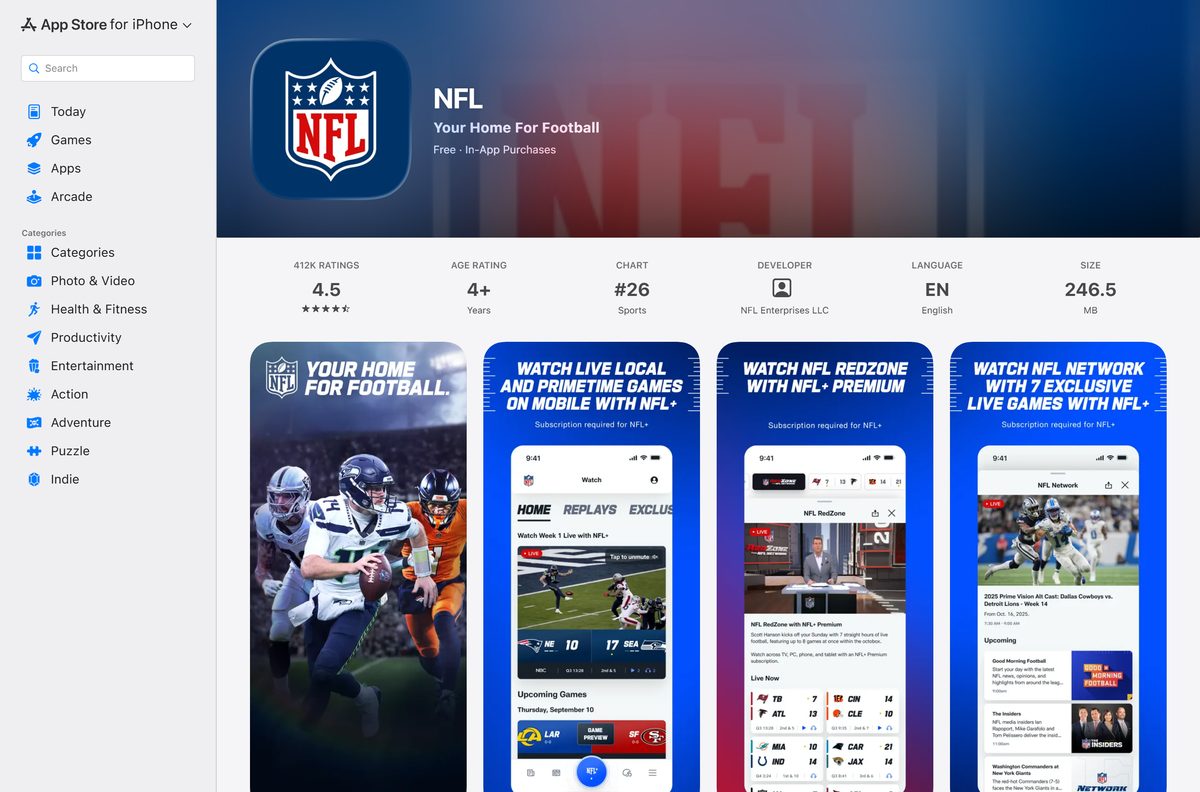
On a phone or a tablet the app itself is a free download. Version 61.0.12 is 245.9 MB on the App Store.
Below are the official links, the desktop and mobile install routes, what NFL+ costs, the browsers the site supports, and fixes for a stream that stalls.
Which NFL app download do you need?
Match the device in front of you to a row. Every route signs in with the same NFL account.
| Your device | What to get | Size |
|---|---|---|
| Windows 11 or Windows 10 PC | nfl.com, installed as an app from Microsoft Edge | No download |
| Mac, Intel or Apple silicon | nfl.com, installed as an app from Google Chrome | No download |
| iPhone, iPad or Apple TV | The App Store listing | 245.9 MB |
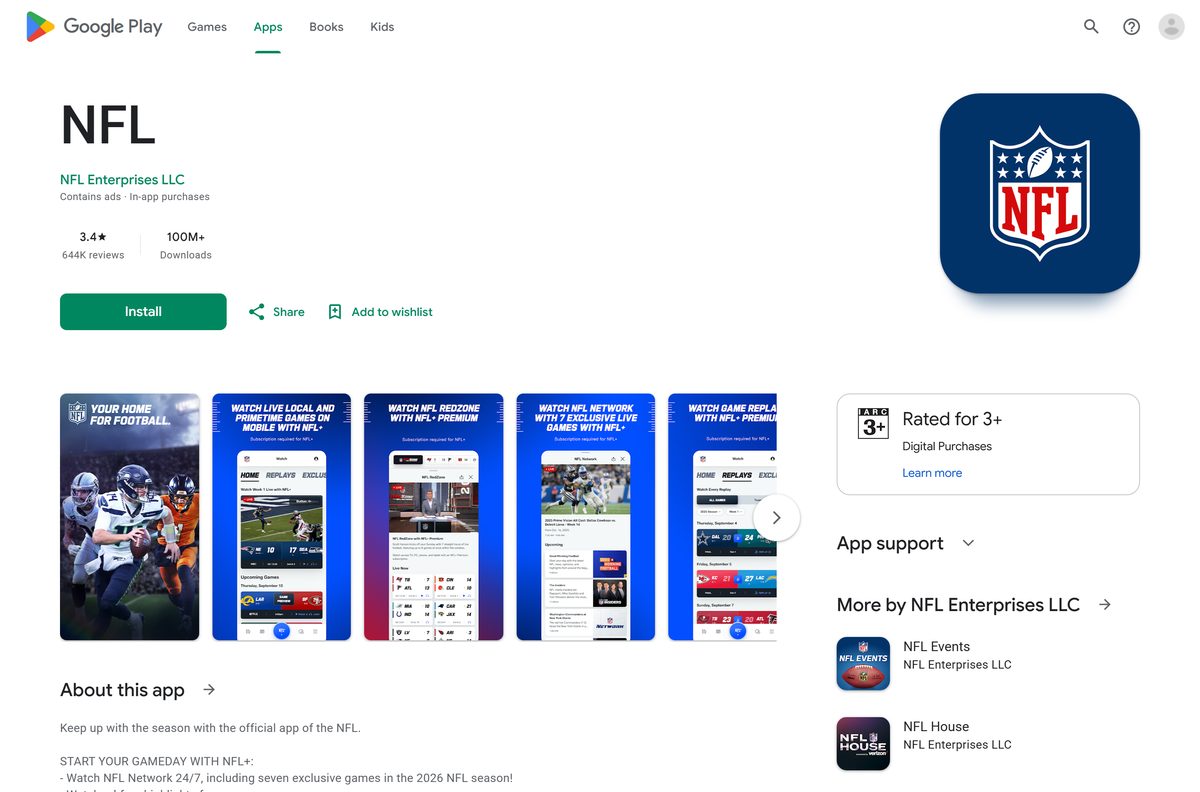
| Android phone, tablet or Google TV | The Google Play listing | Play states none |
| Xbox Series S or Series X | The Microsoft Store on the console itself | Console only |
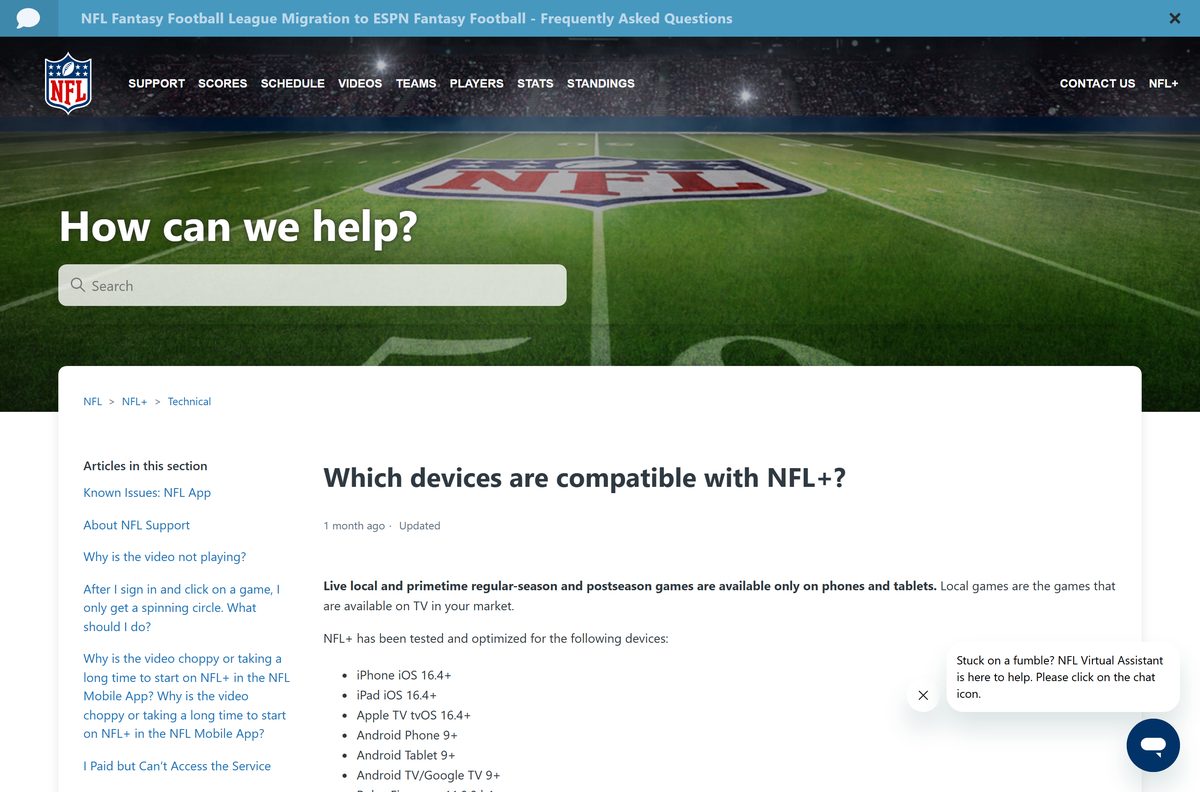
Live local and primetime games are the exception: phones and tablets only, and casting is blocked.
Download the NFL app for Windows 11 and Windows 10
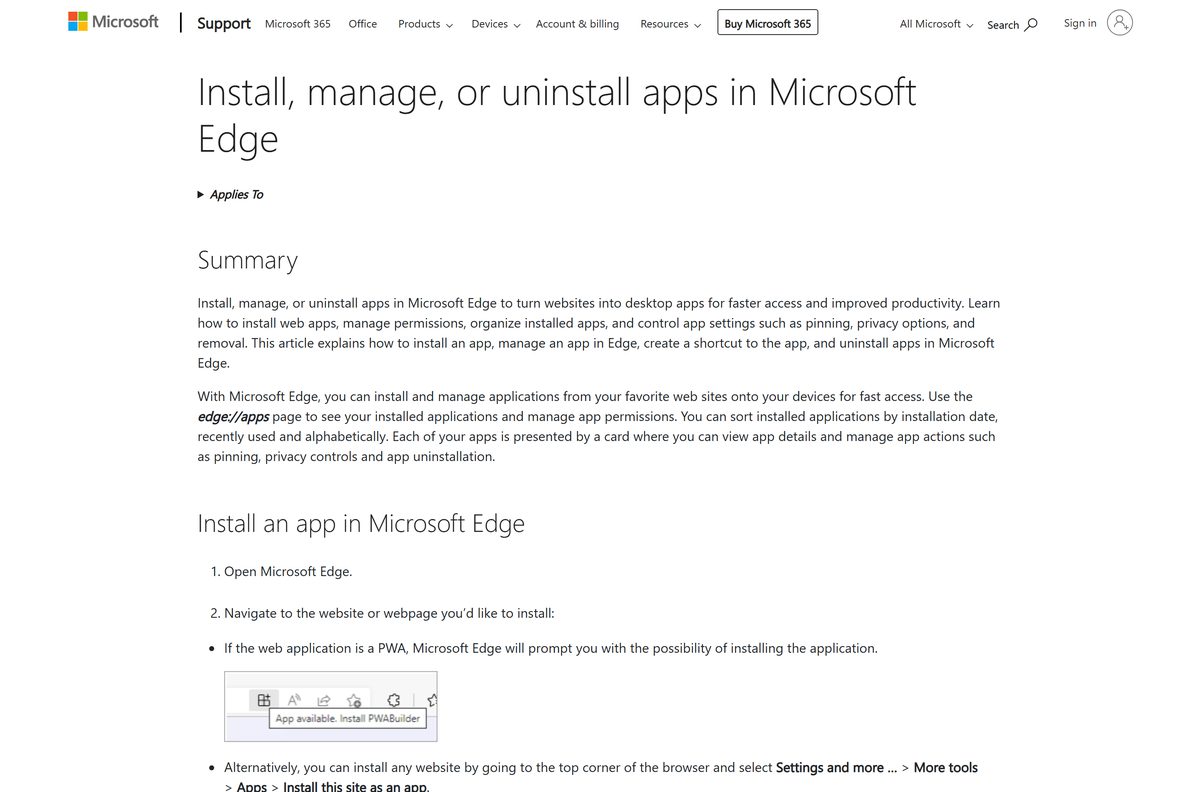
Windows has no setup file to run, because the NFL publishes no EXE or MSI. Edge turns nfl.com into a desktop app instead, and Windows treats the result like any installed program.
- nfl.com — scores, highlights, NFL Network and NFL+ — Install this page as an app from Edge or Chrome
- Install, manage, or uninstall apps in Microsoft Edge — Microsoft’s own instructions for the Edge route
- Use web apps — Google Chrome Help — The Chrome route, identical on Windows and Mac
- NFL on the App Store — 245.9 MB · iPhone, iPad and Apple TV
- NFL on Google Play — Android phones, tablets, Android TV and Google TV
Anything sold as an NFL setup file for Windows came from somewhere else.
How to install the NFL app on Windows 11 and 10
Edge builds the app from the live site, so it needs no administrator rights.
- Open Microsoft Edge and go to nfl.com.
- Select Settings and more (the three dots at the top right).
- Select More tools, then Apps, then Install this site as an app.
- Name the app and select Install. It opens in its own window straight away.
- Go to edge://apps , find the card and select Details.
- Select Pin to taskbar, Pin to Start or Create Desktop shortcut.
- Turn on Auto-start on device login if you want scores waiting at sign-in.
- Select the profile icon in the app, select Sign In, and enter your NFL account details.
Chrome does the same job through More, then Cast, save, and share, then Install page as app.
Which NFL app download do you need for your Mac?
macOS has no build to install. The App Store line stops at iPhone, iPad and Apple TV.
| What you want on the Mac | What to do | Result |
|---|---|---|
| A dock icon that opens straight into scores | Install nfl.com as an app in Chrome | Its own window and dock entry |
| Nothing installed at all | Sign in at nfl.com in Safari | Full site in a browser tab |
| Live local and primetime games | The iPhone or iPad app | Phone and tablet only |
| A subscription bought inside the iPhone app | Sign in at nfl.com with the same account | Carries over to the Mac |
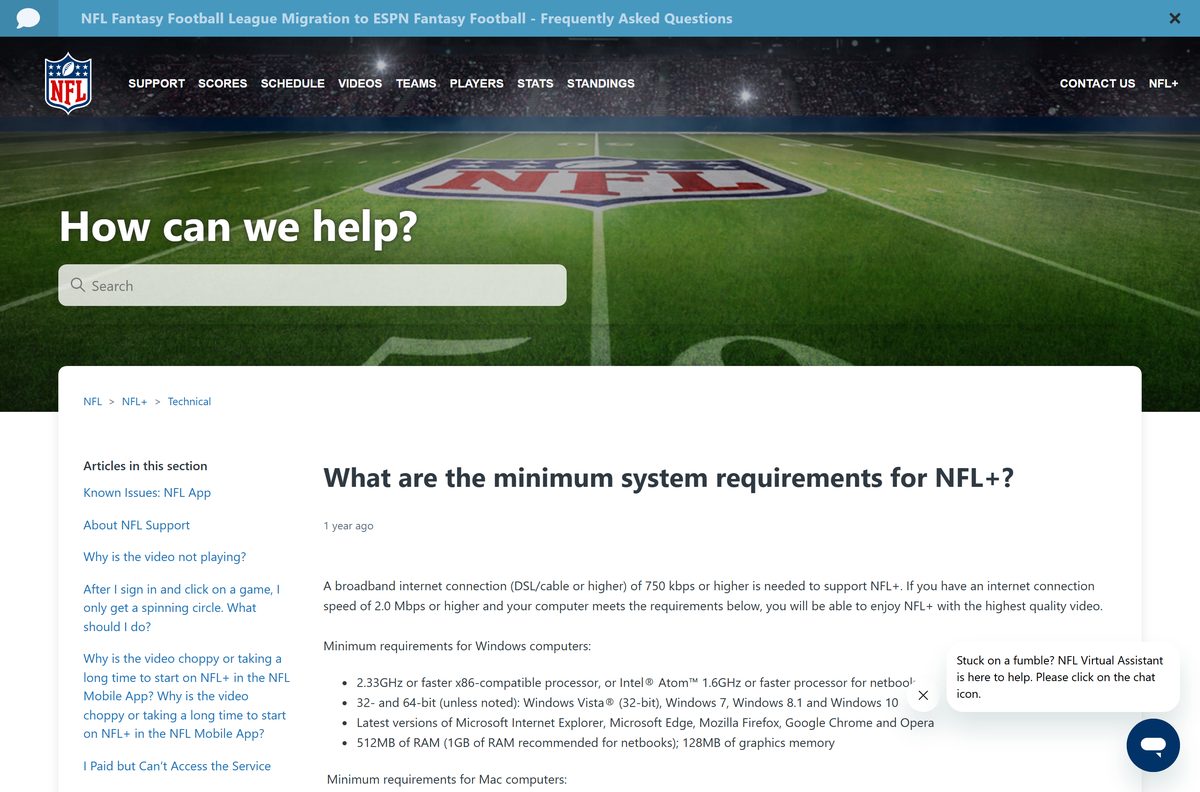
Safari, Chrome and Firefox all play the video. The help centre sets the Mac floor at Mac OS X 10.9.
Install the NFL app from the App Store or Google Play
The phone build carries what a desktop cannot reach, including live local games.
- Open the App Store on iPhone, iPad or Apple TV, or Google Play on Android.
- Search for NFL and open the listing from NFL Enterprises LLC.
- Check the compatibility line: iOS, iPadOS or tvOS 16.4, or Android 9.
- Tap Get on the App Store, or Install on Google Play.
- Open the app and tap the profile icon in the upper-right corner.
- Tap Sign In, or tap Sign Up to create an NFL account.
- Pick your team, then tap Continue to finish setup.
A subscription bought here bills through Apple or Google, and third-party billing can add fees.
Check the NFL app system requirements before you sign in
The connection matters more than the processor. The hardware floor below dates from the 32-bit era.
| Field | Value |
|---|---|
| Software | NFL App |
| Developer | NFL Enterprises LLC |
| Latest version | 61.0.12 (App Store, 1 September 2026) |
| Play listing updated | 16 September 2026 |
| License | Free with in-app purchases; NFL+ is a paid subscription |
| Supported OS | iOS, iPadOS and tvOS 16.4 or later; Android 9 or later |
| Windows and Mac | No native build; nfl.com in a browser or installed as an app |
| Architecture | Runs on x64, ARM64 and Apple silicon through the browser |
| Download size | 245.9 MB (245,878,784 bytes) on the App Store |
| Windows floor | 2.33 GHz x86 processor, 512 MB RAM, 128 MB graphics memory |
| Mac floor | Intel Core Duo 1.83 GHz, Mac OS X 10.9, 512 MB RAM |
| Bandwidth | 750 kbps minimum, 5 Mbps for video, 10 Mbps for HD |
| Concurrent streams | Three |
| Offline installer | None |
| Last verified | 2026-09-22 |
Press Windows + R, type winver and select OK to read your Windows version and build number.
Which browsers play NFL video on a desktop?
The site names its supported browsers outright, and an unsupported one triggers a banner.
| Browser | Windows | Mac | Note |
|---|---|---|---|
| Google Chrome | Supported | Supported | Also installs the site as an app |
| Microsoft Edge | Version 80 and later | Version 80 and later | The Windows install route |
| Mozilla Firefox | Supported | Supported | Latest version only |
| Safari | Not available | Supported | Mac OS X 10.9 or later |
| Internet Explorer | Not supported | Not available | Cache instructions remain for old builds |
Choppy playback in one browser is worth testing in a second.
Is the NFL app free?
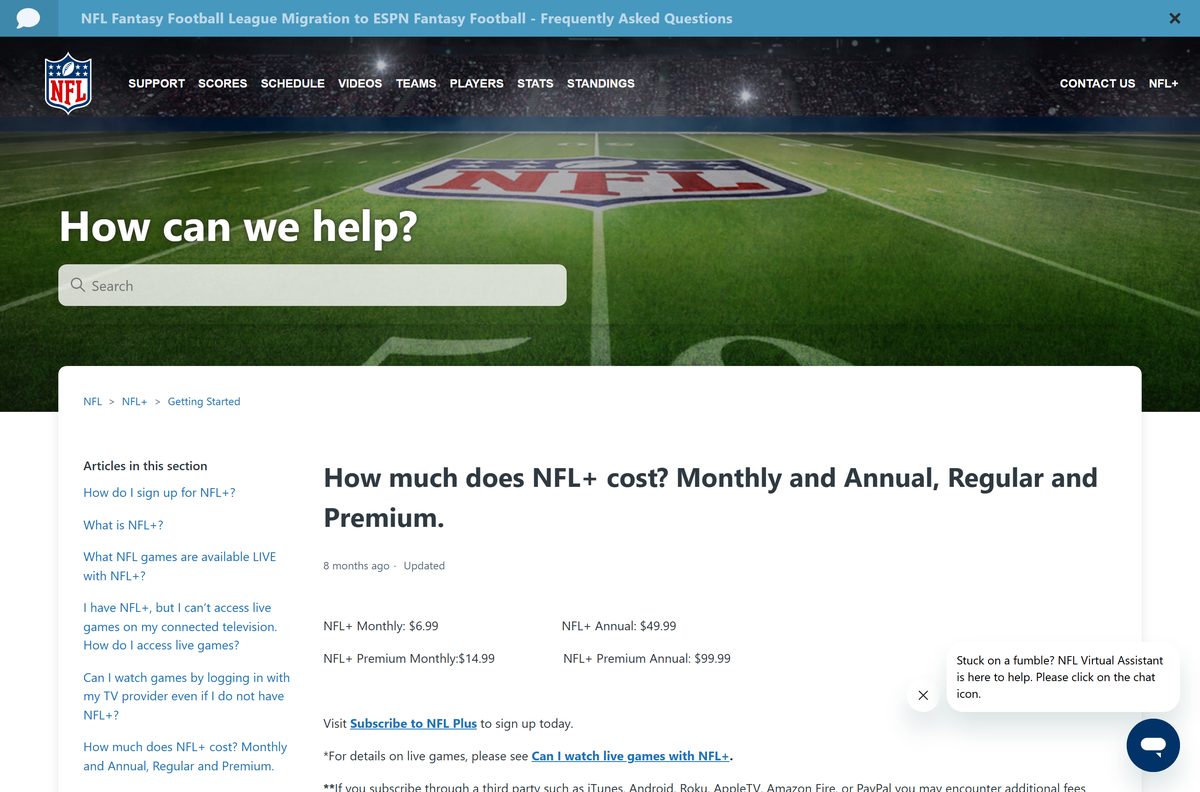
Yes. The app costs nothing on the App Store or Google Play, and nfl.com needs no payment for scores, news and highlights. NFL+ is the paid part. It runs $6.99 a month or $49.99 a year, and NFL+ Premium runs $14.99 a month or $99.99 a year, adding NFL RedZone and full game replays. Buying through Apple, Google, Roku, Amazon Fire or PayPal can carry extra fees. NFL+ sells in the United States only, and fans elsewhere are sent to DAZN.
A page selling an NFL installer or a lifetime unlock is not from the league.
Which NFL+ plan should you subscribe to?
Both plans cover NFL Network and live game audio. The split is replays and RedZone.
Take standard NFL+ if you mostly watch on a phone, and Premium if a computer is your main screen. Standard NFL+ puts live local and primetime games on phones and tablets, where a desktop cannot follow. Premium adds NFL RedZone and full, condensed and All-22 replays across every supported device, which is what makes a desktop worth using on game day.
Annual billing saves roughly two months on either tier.
How to check your NFL app version and update it
The desktop app has no version of its own. It loads the live site each time it opens.
- On iPhone or iPad, open the App Store and tap your profile picture.
- Scroll to the pending updates list and tap Update beside the NFL entry.
- Compare the number shown against 61.0.12, the release dated 1 September 2026.
- On Android, open Google Play, tap your profile picture, then Manage apps & device.
- Open Updates available and tap Update beside the listing.
- On Windows, go to edge://apps and select Details to confirm the app still points at nfl.com.
- Press Ctrl + Shift + R inside the desktop app window to force a fresh load.
Fix the NFL app not installing or not playing
Most desktop failures are the browser or the connection, not the account.
Install this site as an app is missing in Edge
The menu path changes with the window width, and a managed PC can hide it.
- Maximise the Edge window so the toolbar shows every menu item.
- Open Settings and more, then More tools, then Apps.
- Go to edge://apps and check whether the site installed already.
- Use Chrome instead: More, then Cast, save, and share, then Install page as app.
The video spins forever after you pick a game
A stale session token sits in the browser cache.
- Sign out of your account on the site.
- Clear the cache in Chrome, Edge, Firefox or Safari.
- Close the browser completely and reopen it.
- Sign in again and start the stream from the schedule page.
A message says your connection speed is too low
The stream fell below the 5 Mbps the NFL sets for video, so audio continues alone.
- Run any free internet speed test and read the download figure.
- Move closer to the router, or switch to a wired connection.
- Restart the modem and the router.
- Close other apps and devices that are using the line.
- Call your provider if the figure stays under 5 Mbps.
A live local game will not open on your PC
Those rights are limited to phones and tablets.
- Open the game on a phone or a tablet instead.
- Skip casting: local and primetime games are blocked from external displays.
- Use the desktop for NFL Network, RedZone on Premium, and replays.
How to uninstall the NFL app from Windows and Mac
Removing the desktop app takes one dialog and leaves nothing behind.
- Open Edge and go to edge://apps .
- Select Details on the card for the site.
- Select Uninstall, tick the box to delete app history and data, then confirm.
- In Chrome on Windows or Mac, right-click the app icon and choose the uninstall option.
- On Windows, open Settings, then Apps, then Installed apps to confirm the entry has gone.
- On iPhone or iPad, press and hold the icon, tap Remove App, then Delete App.
- On Android, open Google Play, open the listing and tap Uninstall.
- Cancel NFL+ separately, because deleting an app never ends a subscription.
Which other ways can you watch NFL games?
The league spreads coverage across hardware it does not own.
| Route | What it gives you | What it costs |
|---|---|---|
| nfl.com in a browser | Scores, news, highlights, NFL Network and RedZone with a plan | Free, plus NFL+ for live video |
| The phone or tablet app | Live local and primetime games, the only device class that gets them | Free, plus NFL+ |
| Xbox Series S or X | The app from the console’s own Microsoft Store | Free, plus NFL+ |
| A participating TV provider | NFL Network and NFL RedZone on an authenticated sign-in | Included with the TV package |
| Outside the United States | The league directs fans to DAZN instead | Sold separately |
Frequently asked questions
Is the NFL app free to download?
Yes. The App Store lists it at $0.00 and Google Play lists it as free with in-app purchases. Scores, news and highlights cost nothing. Live game video needs an NFL+ plan, which starts at $6.99 a month.
Where is the official NFL app download for PC?
There is no setup file. The official desktop route is nfl.com, installed as an app from Microsoft Edge or Google Chrome. A site offering an NFL installer for Windows is not run by the league.
Does the NFL app work on Windows 11 and Windows 10?
Yes, as an installed web app. Edge turns nfl.com into a desktop app with its own window, taskbar icon and Start menu entry. It works the same way on Windows 11 and Windows 10.
How big is the NFL app download?
245.9 MB, or 245,878,784 bytes, for the App Store build that covers iPhone, iPad and Apple TV. Google Play publishes no size for its listing. The desktop app downloads nothing, because it loads the live site.
Is there an offline installer or an EXE file?
No. The NFL publishes no EXE, MSI or DMG for this app, so nothing can be installed without a connection. Windows and Mac get the site itself, and the mobile builds come from the two app stores.
Is there an NFL app for Mac?
No native one. The App Store compatibility line names iPhone, iPad and Apple TV only. On a Mac, sign in at nfl.com in Safari, Chrome or Firefox, and Chrome can install that page as an app.
Does it run on 64-bit and ARM64 computers?
Yes. The desktop app is the website, so it runs wherever Edge or Chrome runs, including ARM64 Windows laptops and Apple silicon Macs. The store builds target their own phone and tablet hardware.
Is the NFL app download safe?
The App Store and Google Play copies are signed by NFL Enterprises LLC and checked before install. A file from a download portal carries no such check, and the league ships no Windows binary.
What is the latest NFL app version?
61.0.12 on the App Store, released 1 September 2026. The Google Play listing was updated on 16 September 2026 and shows no version number. Both stores update the app by themselves.
Why will the app not install on my PC?
Nothing installs from a file on a PC, so the usual cause is a hidden Edge menu. Maximise the window, open Settings and more, More tools, Apps, then Install this site as an app, or use Chrome instead.
Can I watch live local games on a computer?
No. Live local and primetime regular-season and postseason games play on phones and tablets only, and cannot be cast to a television. A computer still gets NFL Network, RedZone on Premium and replays.
Can I download an APK for Windows?
No. An APK is an Android package and Windows cannot install one. The Android build belongs on Google Play, and an APK offered as a Windows download did not come from the league.