The Google Chrome app download is free from the official google.com/chrome page for Windows 11, Windows 10 (64-bit) and macOS 13 or later. Select Download Chrome, run ChromeSetup.exe, and the browser opens on your desktop when setup finishes.
Google also publishes full offline installers, 32-bit and ARM64 builds, MSI packages for IT teams and a universal Mac disk image. All of them are offered on Google’s own pages, google.com/chrome and chromeenterprise.google.
This guide covers picking the right file, installing on Windows and Mac, winget, deployment packages, release channels, updates, install fixes and a clean uninstall.
Which Google Chrome download do you need?
Open Settings > System > About and read System type to see whether Windows is 64-bit or 32-bit, and whether the processor is ARM-based. On a Mac, any model running macOS 13 or later takes the same file.
| Your machine | File to download | Size |
|---|---|---|
| Windows 11 or 10, 64-bit, online | Download Chrome on google.com | Small online installer |
| Windows 11 or 10, 64-bit, offline | ChromeStandaloneSetup64.exe |
161.2 MB |
| Windows 10, 32-bit | ChromeStandaloneSetup.exe |
150.6 MB |
| Windows 11 on ARM (Snapdragon) | ChromeStandaloneSetupArm64.exe |
165.0 MB |
| Mac with Apple silicon or Intel | googlechrome.dmg (universal) |
265.7 MB |
| Many Windows PCs, managed | googlechromestandaloneenterprise64.msi |
163.1 MB |
The online file is a small bootstrapper that fetches the browser during setup. The standalone files carry the whole browser, so they install on a PC with no internet connection.
Download Chrome browser for Windows
Google offers Chrome for Windows from two official pages. Both serve the current Stable version, and Chrome keeps itself updated after that.
- Open the Google Chrome download page. It detects your system, and the label under the button reads For Windows 11/10 64-bit on a 64-bit PC.
- Select Download Chrome to save the small online installer, ChromeSetup.exe.
- For a 32-bit or ARM64 PC, scroll to the bottom of that page and select Other Platforms, or open the Chrome Beta page, whose footer lists Windows 32-bit and Windows ARM builds.
- For a full offline installer or an MSI, open the Chrome Enterprise download page and pick Windows, the architecture and the package type.
- Google’s own step-by-step help sits on its Download and install Google Chrome page.
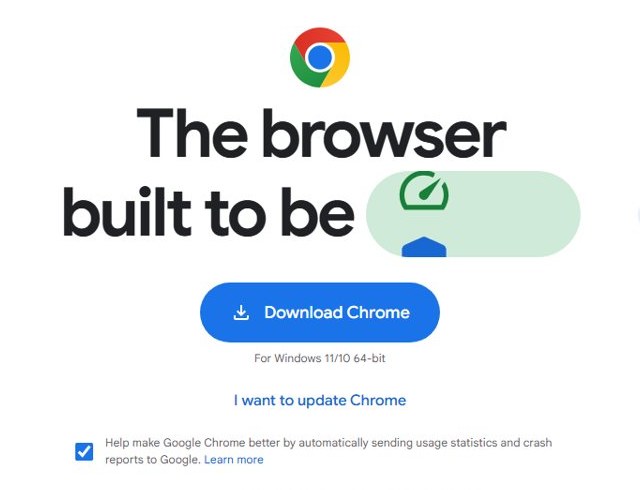
To grab an installer for a different computer, scroll to the bottom of google.com/chrome and select Other Platforms. Pick the operating system and download the file.
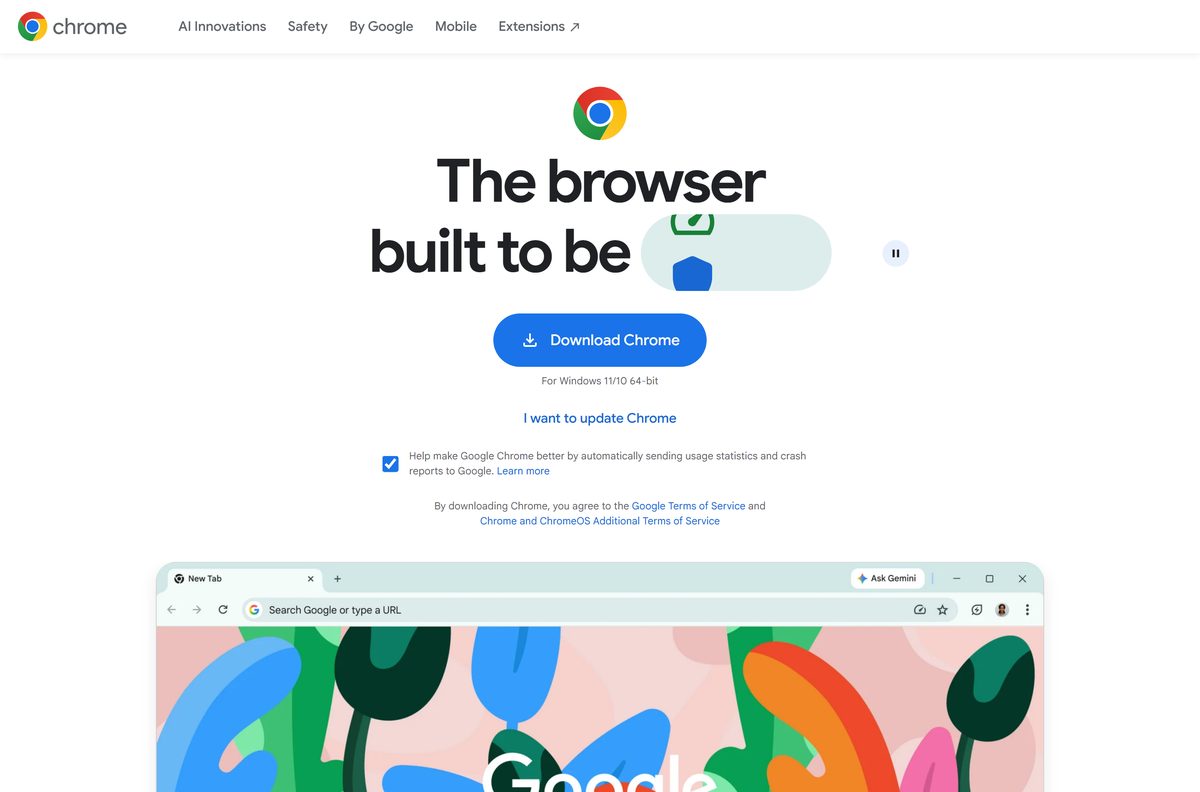
How to install Chrome
These steps install Chrome on Windows 11 and Windows 10. The standard installer needs an internet connection during setup; use a standalone installer from the Chrome Enterprise page on an offline PC.
- Open google.com/chrome in Microsoft Edge or any other browser.
- Click Download Chrome.
- Open your Downloads folder and double-click ChromeSetup.exe.
- Select Run if Windows asks what to do with the file.
- Select Yes at the User Account Control prompt.
- Wait while the installer downloads and sets up the browser.
- Let Chrome open its first window when setup finishes.
- Sign in with your Google account to bring over bookmarks, passwords and history.
Windows in S mode blocks the installer. Switch out of S mode through the Microsoft Store first, then run the file again.
Install Google Chrome with winget
winget ships with Windows 11 and current Windows 10 builds. The Google.Chrome package installs Google’s machine-wide MSI and picks x64, x86 or ARM64 to match the PC.
- Right-click Start and select Terminal (Admin).
- Type winget install –id Google.Chrome -e and press Enter.
- Type Y if winget asks you to accept the source agreements.
- Wait for the Successfully installed message.
- Run winget upgrade –id Google.Chrome -e later to force an update from the command line.
Manage and configure Chrome
Google’s Chrome Enterprise page offers the MSI packages and the Enterprise Bundle, along with the policy tools to manage and configure Chrome on many PCs. IT teams deploy Chrome with the MSI packages through Intune, Group Policy or Configuration Manager. The Enterprise Bundle adds the policy templates (.admx), the auto-update template and Legacy Browser Support files.
| Package | Architecture | Size |
|---|---|---|
googlechromestandaloneenterprise64.msi |
x64 | 163.1 MB |
googlechromestandaloneenterprise.msi |
x86 (32-bit) | 152.5 MB |
googlechromestandaloneenterprise_arm64.msi |
ARM64 | 166.8 MB |
GoogleChromeEnterpriseBundle64.zip |
x64 MSI + templates | 226.2 MB |
GoogleChromeEnterpriseBundle.zip |
x86 MSI + templates | 215.4 MB |
GoogleChrome.pkg for Mac |
Universal (Apple silicon + Intel) | 255.9 MB |
A silent install starts with msiexec /i googlechromestandaloneenterprise64.msi /qn from an elevated prompt. Test it on one machine before pushing it to a fleet.
Pick the package on the Chrome Enterprise download page. Google’s deployment guide lives on its Chrome Enterprise help page.
Download Chrome browser for Mac
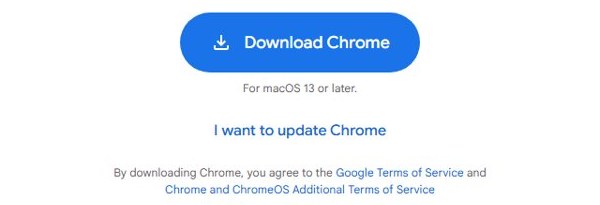
Google ships one universal build that runs natively on Apple silicon and Intel Macs. On a Mac, the google.com/chrome button is labelled For macOS 13 or later.
| Your situation | Download | Size |
|---|---|---|
| Personal Mac, M-series or Intel | googlechrome.dmg |
265.7 MB |
| Managed Macs, MDM or Jamf | GoogleChrome.pkg |
255.9 MB |
| Mac older than macOS 13 | No current build; update macOS first | – |
To install, open googlechrome.dmg and drag Google Chrome into the Applications folder. Enter your Mac password if macOS asks, then eject the disk image in Finder.
Get Chrome for Linux
Chrome for Linux comes from the same google.com/chrome page; open it on the Linux PC and select Download Chrome, then pick the package type for your distribution. Google lists these minimums on its Chrome browser system requirements page:
- 64-bit Ubuntu 18.04 or later, Debian 10 or later, openSUSE 15.5 or later, or Fedora Linux 39 or later
- An Intel Pentium 4 or later processor that is SSE3 capable, or an ARM processor
There is no 32-bit Linux build. On a Chromebook, Chrome is already the system browser.
Is Google Chrome free to download?
Yes, Chrome is free on Windows, Mac and Linux, with no trial, licence key or paid tier. The browser, the standalone installers and the MSI packages all come from Google at no cost. Any site charging for a Chrome download, or bundling a “Chrome Pro” edition, is not Google. Download only from google.com/chrome or dl.google.com.
Chrome Beta, Dev and Canary download
Google runs Chrome on several channels. Stable is what google.com/chrome serves, and the preview channels install alongside it with their own icons.
Install Stable. Use Beta, Dev or Canary only to test websites or extensions before a release lands. Stable gets minor updates every 2-3 weeks and a major release every 4 weeks. Beta previews Stable 4-6 weeks ahead, Dev runs 9-12 weeks ahead and is not fully stable, and Canary updates continuously. Extended Stable moves every 8 weeks.
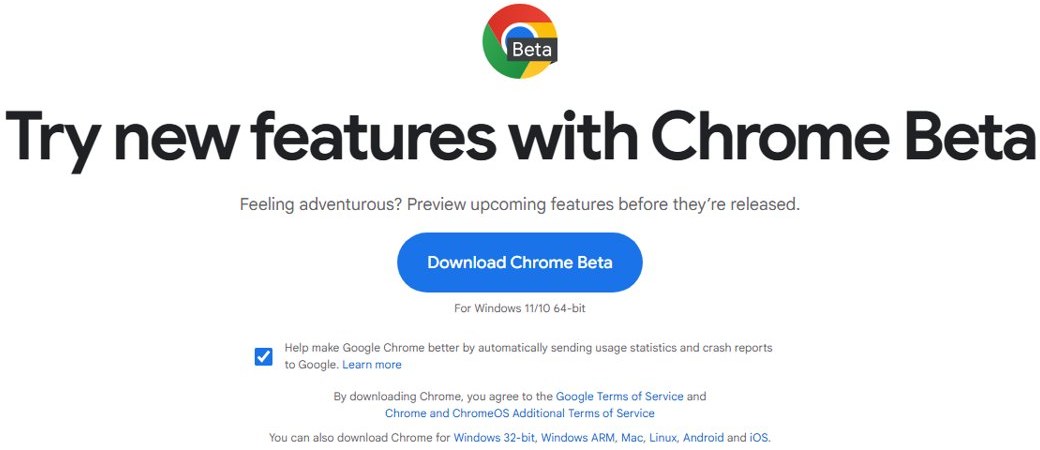
Download the preview builds from Chrome Beta, Chrome Dev or Chrome Canary.
How to update Google Chrome
Chrome updates in the background, but a pending update only applies after a relaunch. If Chrome is not installed yet, the I want to update Chrome link under the download button on google.com/chrome explains the same steps. To apply an update without losing tabs, see how to restart Google Chrome.
- Open Chrome.
- Click More (the three dots, top right).
- Select Help > About Google Chrome.
- Read the version number under the Google Chrome heading.
- Wait while Chrome checks for and downloads any update.
- Click Relaunch to finish. No Relaunch button means you already have the latest version.
Check system requirements to use Chrome
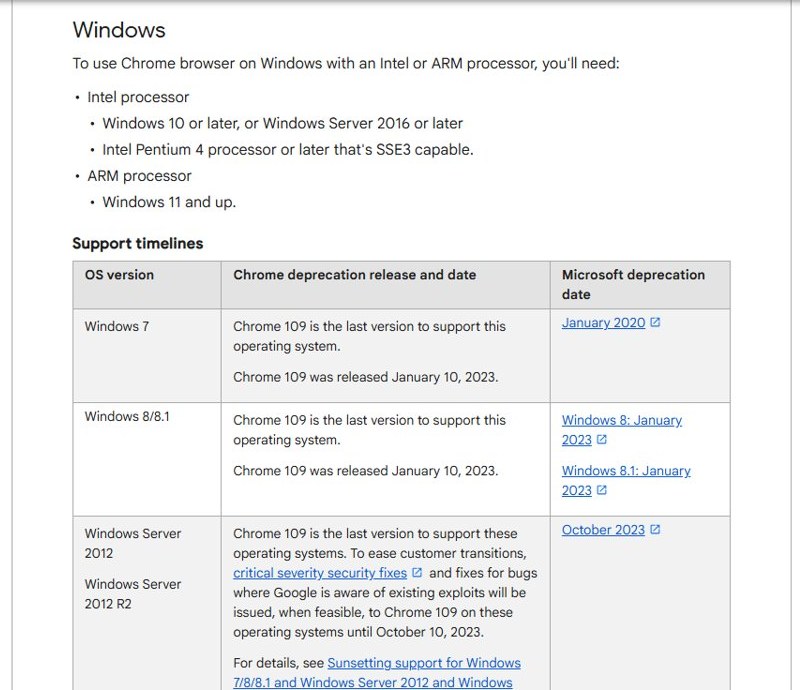
Google says Chrome 109, released January 10, 2023, was the last version for Windows 7, 8 and 8.1, so a current installer refuses to run on them.
| Detail | Google Chrome |
|---|---|
| Developer | Google LLC |
| Latest version | Current Stable channel build; Chrome updates itself |
| Licence | Free |
| Windows (Intel/AMD) | Windows 10 or later, Windows Server 2016 or later; SSE3-capable processor |
| Windows on ARM | Windows 11 or later |
| Mac | macOS 13 Ventura or later, Apple silicon or Intel |
| Linux | 64-bit Ubuntu 18.04+, Debian 10+, openSUSE 15.5+, Fedora Linux 39+ |
| Windows file size | 161.2 MB standalone 64-bit; small online installer |
| Offline installer | Yes, for 64-bit, 32-bit and ARM64 |
| Official source | google.com/chrome |
| Last verified | 2026-10-27 |
Google’s full list sits on its Chrome system requirements page.
Set up Chrome for the first time
Chrome opens its first window as soon as setup finishes. A few choices on that first run decide how much of your old browser comes with you:
- Select Sign in (or the profile icon, top right) and sign in to Chrome with your Google account. Turn on sync to bring over bookmarks, passwords and history saved to that account.
- To copy bookmarks and saved passwords from Edge or Firefox, select More > Bookmarks and lists > Import bookmarks and settings, pick the browser and select Import.
- Choose a search engine if Chrome shows a search engine choice screen.
- Decide whether Chrome should be the default browser; the steps are in the next section and in our guide to making Chrome the default browser.
How to make Google Chrome the default browser on Windows 11
- Select Start, then Settings.
- Open Apps > Default apps.
- Type Chrome in the search box.
- Select Google Chrome.
- Click Set default next to Make Google Chrome your default browser.
On Windows 10, open Settings > Apps > Default apps, click the browser under Web browser, and choose Google Chrome.
Fix Google Chrome not installing on Windows 11 or 10
Match the message you see to a fix below. Google’s own list is on its install problems page.
The installer stops or fails to connect
The online bootstrapper needs a working connection for the whole setup.
- Download
ChromeStandaloneSetup64.exeinstead. - Run it; the full browser is inside the file, so no connection is needed.
Windows says it only runs apps from the Microsoft Store
The PC is in S mode.
- Open Settings > System > Activation.
- Under Switch out of S mode, select Go to the Store and click Get.
- Run the Chrome installer again.
Error 0x80070070
The system drive is out of space.
- Open Settings > System > Storage and run Cleanup recommendations.
- Free at least a few gigabytes on drive C: and run the installer again.
Error 1603 or 0x00000643
Windows Installer hit a conflict, often a broken earlier copy.
- Restart the PC.
- Run Microsoft’s Fix It tool for install problems to clear the old entry.
- Run a fresh installer from google.com/chrome.
Errors 4, 7, 12, 13, 31, 35, 57, 102 or 103
Security software or corrupt temporary files interrupted setup.
- Press Windows + R, type %temp% , and delete what the folder lets you remove.
- Pause your antivirus for the length of the install.
- Download the installer again and run it, then turn antivirus back on.
A firewall or proxy blocks updates after install
The updater cannot reach Google’s servers.
- Add %ProgramFiles(x86)%\Google\GoogleUpdater to the firewall’s allowed programs.
- Ask your network admin to allow Negotiate or integrated authentication on the proxy.
How to uninstall Google Chrome
Close every Chrome window first, including any running in the background from the system tray.
- Select Start, then Settings.
- Open Apps > Installed apps (or Apps & features on Windows 10).
- Find Google Chrome and select Uninstall.
- Confirm with Uninstall.
- Tick Also delete your browsing data to remove the local profile, then click Uninstall.
- On a Mac, quit Chrome, drag Google Chrome from Applications to the Trash, and delete ~/Library/Application Support/Google/Chrome to remove the profile.
Bookmarks and passwords synced to your Google account stay in the account and return when you sign in again.
Google Chrome alternatives for Windows and Mac
| Browser | Engine | Best for | Official download |
|---|---|---|---|
| Microsoft Edge | Chromium | Windows users who want Chrome extensions without installing anything | microsoft.com/edge |
| Mozilla Firefox | Gecko | A browser that is not built on Chromium | mozilla.org/firefox |
| Safari | WebKit | Mac users who want the browser already built into macOS | apple.com/safari |
To control a PC from another computer through the browser, Google also offers Chrome Remote Desktop. Choose Chrome if you sign in to Google services on several devices. Edge is already on every Windows 11 PC and reads the same extensions from the Chrome Web Store.
Google Chrome download FAQ
Is the Google Chrome app free?
Yes. Google Chrome is free on Windows, Mac and Linux, with no trial, subscription or licence key. Any site asking you to pay for a Chrome download is not Google.
Where is the official Google Chrome download page?
The official page is google.com/chrome. Offline installers and MSI packages are listed on chromeenterprise.google/download, and the files themselves come from Google’s own server, dl.google.com.
Does Google Chrome work on Windows 11?
Yes. Chrome supports Windows 11 on Intel and AMD processors and is the only Windows version it supports on ARM processors. Windows 10 and Windows Server 2016 or later are supported on Intel and AMD.
How big is the Google Chrome download?
The online installer from google.com/chrome is a small bootstrapper that downloads the rest during setup. The full 64-bit standalone installer is 161.2 MB (checked October 27, 2026), and the universal Mac disk image is 265.7 MB.
Is there a Google Chrome offline installer?
Yes. Google publishes standalone installers for 64-bit, 32-bit and ARM64 Windows, plus MSI packages. They contain the whole browser, so setup runs without an internet connection, and Chrome updates itself afterwards.
Is Google Chrome available for Mac?
Yes. Google ships one universal disk image, googlechrome.dmg, that runs natively on Apple silicon and Intel Macs. It needs macOS 13 Ventura or later. Open the file and drag Chrome to Applications.
Is there a 64-bit or ARM64 version of Chrome?
Yes. Google offers 64-bit, 32-bit and ARM64 builds for Windows. The download page picks the right one automatically, and the standalone files let you choose manually for a Snapdragon laptop or an older 32-bit PC.
Is it safe to download Google Chrome?
Yes, when the file comes from google.com/chrome or dl.google.com. Avoid download portals that wrap Chrome in their own installers.
What is the latest version of Google Chrome?
Google ships a new Stable release about every four weeks, with smaller updates in between. Open More, then Help, then About Google Chrome to see the exact build on your computer and install any pending update.
Why won’t Google Chrome install on my PC?
The usual causes are Windows in S mode, a failed connection during the online install, low disk space or antivirus interference. Use the standalone offline installer, free space on drive C: and switch out of S mode, then run setup again.
Can I install Google Chrome on Windows 7 or 8.1?
No current version installs on them. Chrome 109 was the last release for Windows 7, 8 and 8.1, and it no longer receives security updates. Upgrade to Windows 10 or 11 to run current Chrome.







Download Chrome Remote Desktop for PC, Windows 11/10 & Mac (Free) - Techdows
[…] If Chrome is missing on the PC, get it first from the official Chrome page, or follow the Google Chrome download guide. […]
Download Spectrum TV App for PC, Windows 11/10 & Mac - Techdows
[…] Chrome shows a direct Install button in the address bar only on some sites. When it is missing, the Cast, save, and share menu still installs the page. Get Chrome itself from the Google Chrome download guide. […]
Download Google Gemini for PC, Windows 11/10 & Mac (Free Tier) - Techdows
[…] to the browser itself? The Google Chrome download guide covers the […]
Download Chromium for PC, Windows 11/10, Mac & Linux (Free) - Techdows
[…] Download Google Chrome […]
Windows Maps app is dead: the best alternatives that still work - Techdows
[…] Google Chrome installs sites the same way Edge does. Google Maps lives at google.com/maps, and Apple opened Maps on the web as a beta at beta.maps.apple.com in July 2024, in English, for Chrome and Edge on Windows PCs. […]