The Speedtest by Ookla download for a PC is a free Microsoft Store app that runs a speed test from the Windows 11 or Windows 10 desktop. Ookla publishes it as product 9NBLGGH4Z1JC, and a free Mac version sits in the Mac App Store.
This guide covers which build fits your device, the Store and winget installs, the Mac menu bar app, how to confirm the copy is genuine, and fixes when the app will not install or test.
Which Speedtest by Ookla download do you need?
Match your device to a row. Both Windows rows point at the same Microsoft Store listing, which serves the right package for the PC.
| Your device | What to install | Size |
|---|---|---|
| Windows 11 PC or laptop | Speedtest by Ookla in the Microsoft Store | Up to 122.8 MB |
| Windows 10, build 10240 or later | Speedtest by Ookla in the Microsoft Store | Up to 122.8 MB |
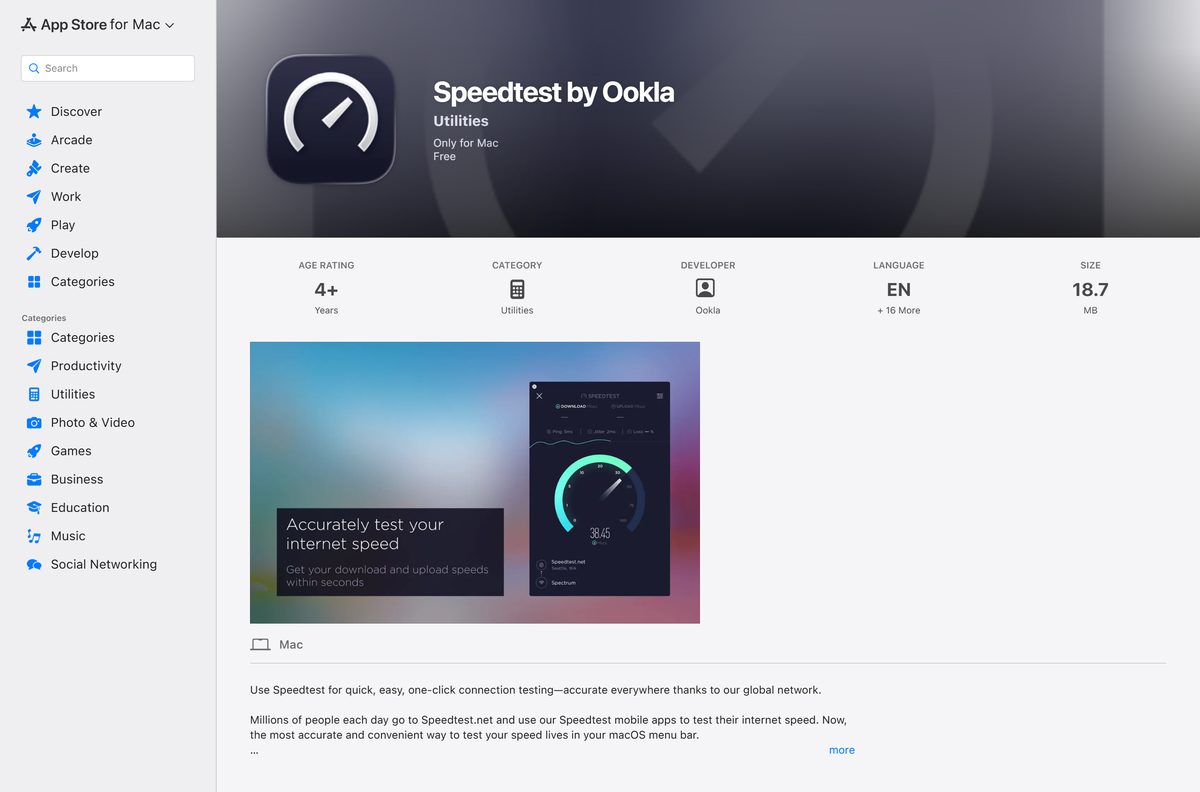
| Mac on macOS 10.11 or later | Speedtest by Ookla on the Mac App Store | 18.7 MB |
| iPhone or iPad on iOS 15.0 or later | Speedtest by Ookla on the App Store | 150.1 MB |
| Android phone or tablet | Speedtest by Ookla on Google Play | Varies by device |
The 122.8 MB figure is the whole Windows bundle. A single PC downloads only the package for its own processor, so the real transfer is smaller.
Download Speedtest by Ookla for Windows 11 and 10 from the official source
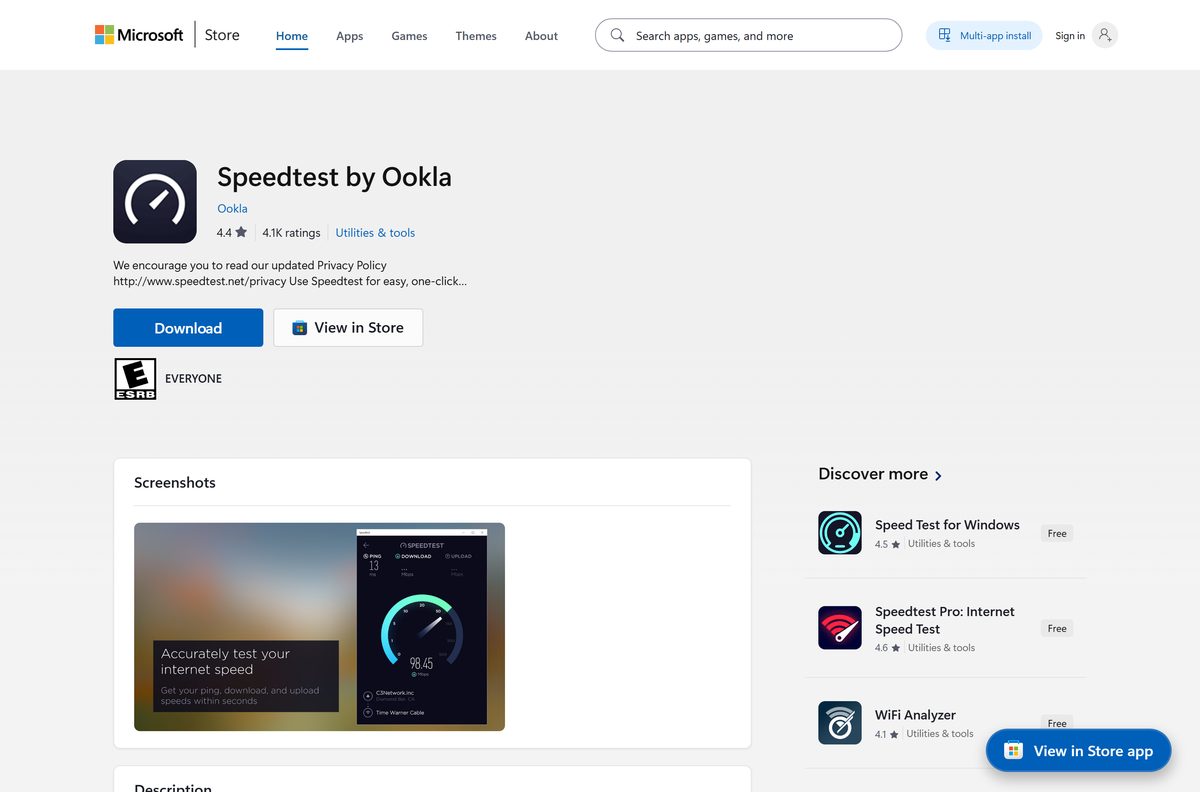
Ookla distributes the Windows app through its own Microsoft Store listing. Check that the publisher line reads Ookla on every link you open.
- Speedtest by Ookla in the Microsoft Store, product 9NBLGGH4Z1JC — published by Ookla, free, Windows 11 and 10
- Speedtest by Ookla on the Mac App Store — seller Ookla, free, 18.7 MB, macOS 10.11 or later
- Speedtest by Ookla on the App Store — iPhone and iPad, iOS 15.0 or later
- Speedtest by Ookla on Google Play — Android phones and tablets
Download portals repackage the app under their own installers. Microsoft’s guidance is to get apps from official publisher websites or stores.
Check the Speedtest by Ookla system requirements and download size
The Windows app has no processor, memory or graphics minimum on its listing. The operating system build and free disk space are the two limits.
| Field | Value |
|---|---|
| Software | Speedtest by Ookla |
| Developer | Ookla |
| Latest version | 1.27.200.0 on Windows, 1.27 on Mac |
| Store product ID | 9NBLGGH4Z1JC |
| Package identity | Ookla.SpeedtestbyOokla |
| License / Price | Free, no add-ons |
| Supported OS | Windows 11, Windows 10 build 10240 or later, macOS 10.11 or later |
| Architecture | Windows bundle carries x64, x86 and ARM packages |
| Download size | Up to 122.8 MB on Windows (full bundle), 18.7 MB on Mac |
| Installed size | 145.1 MB on Windows |
| Offline installer | No, the Store installs over the network |
| Languages | 17, including English, Spanish, French, German and Japanese |
| Store rating | 4.3 from 19,118 ratings |
| First released | 29 September 2016 |
| Official download source | Microsoft Store and Mac App Store |
| Last verified | 2026-09-13 |
Press Windows + R, type winver and select OK to read your build. Any Windows 11 release, and every Windows 10 release, clears the 10240 minimum.
How to install Speedtest by Ookla on Windows 11 and 10
The install runs entirely from the Store listing and needs a Microsoft account only if the Store asks for one.
- Open the Speedtest by Ookla listing, or search Speedtest inside the Microsoft Store app.
- Check the publisher line under the title reads Ookla.
- Select Get, or Install if your account has owned the app before.
- Wait for the download to finish, then select Open.
- Start a test from the app window to read your ping, download and upload speed.
- Right-click Speedtest by Ookla in the Start menu and select Pin to taskbar for one-click tests.
Close downloads, streams and cloud sync before the test. Anything else using the connection lowers the result.
Install Speedtest by Ookla with winget from the command line
The Store product ID works as the winget package ID when you name the msstore source.
- Open Terminal from the Start menu.
- Run winget show 9NBLGGH4Z1JC –source msstore and confirm the publisher reads Ookla.
- Run winget install 9NBLGGH4Z1JC –source msstore .
- Type Y if winget asks you to accept the source agreements.
- Run winget list –name Speedtest to confirm the installed entry.
- Launch Speedtest by Ookla from the Start menu.
The same command works in a deployment script, because winget pulls the package from the Store without opening the Store window.
Which Speedtest by Ookla download do you need for your Mac?
The Mac App Store app is free, and Apple’s listing describes it as living in the macOS menu bar rather than a Dock window.
| Your Mac | What to install | Where |
|---|---|---|
| macOS 10.11 El Capitan or later | Speedtest by Ookla, 18.7 MB, version 1.27 | Mac App Store listing |
| macOS 10.10 or earlier | No supported app. Run the test in a browser | speedtest.net |
| A Mac where you cannot install apps | The browser test, which needs no install | speedtest.net |
To install it, open the listing, select Get, then Install, and sign in with your Apple Account. The Speedtest icon then appears in the menu bar at the top of the screen.
Apple dates the current Mac version to 6 March 2023, so the Mac app changes far less often than the Windows and phone apps.
Is Speedtest by Ookla free?
Yes. The Windows and Mac apps both cost nothing, and neither has a paid unlock. Microsoft’s catalog prices the Windows app at 0.00 USD with no add-ons and no trial SKU, and the Mac App Store lists the Mac app as Free. A site asking payment for a Speedtest installer, a licence key or a premium version is charging for something Ookla gives away.
How to verify the Speedtest by Ookla app on your PC is genuine
Windows records the publisher certificate of every Store package, so one command settles where your copy came from.
- Open Terminal after the install.
- Run Get-AppxPackage -Name Ookla.SpeedtestbyOokla .
- Confirm PackageFamilyName reads Ookla.SpeedtestbyOokla_43tkc6nmykmb6 .
- Confirm Publisher reads CN=D01B1733-EEB2-4D57-8B6B-B0FEE2F6925D , the certificate on Microsoft’s listing.
- Uninstall any copy that returns nothing here but still appears in the Start menu, because it did not come from the Store package.
On a Mac, install only from the Mac App Store listing, where the seller line reads Ookla. Apple signs and reviews every app sold there.
How to check your Speedtest by Ookla version and update it
The Store updates the app in the background. Forcing an update takes a few selections.
- Open Microsoft Store and select Library in the lower-left corner.
- Select Get updates and let any Speedtest update install.
- Run Get-AppxPackage -Name Ookla.SpeedtestbyOokla | Select-Object Version in Terminal.
- Compare the result with the version in the spec table above.
- On a Mac, open App Store, select Updates, and select Update beside Speedtest if it appears.
Turning off App updates in the Store’s settings freezes the app at the installed version.
Fix Speedtest by Ookla not installing or not testing on Windows 11 and 10
The download stalls at 0% or the install fails
The Store cache, a pending restart or a wrong system clock is blocking the install.
- Restart the PC if Windows installed updates recently.
- Press Windows + R, type wsreset.exe and select OK. A blank window opens, closes, and the Store reopens.
- Open Settings, then Time & language, and turn on Set time automatically.
- Start the install again, or use the winget command above.
The Store says the app is not available for your device
The Store account region, or a managed PC policy, is hiding the listing.
- Open Settings, then Time & language, then Language & region.
- Set Country or region to where you actually are.
- Sign out of the Microsoft Store and sign back in.
- Ask your IT administrator if the PC belongs to an organisation that restricts Store apps.
The test cannot connect or never starts
A VPN, proxy or firewall is blocking the app from reaching a test server.
- Disconnect any VPN and run the test again.
- Turn off any proxy under Settings, then Network & internet, then Proxy, and test again.
- Pause third-party firewall or security software briefly and test again.
- Compare with the browser test at speedtest.net to rule out the app itself.
The app opens to a blank window or closes at once
The app package is damaged.
- Open Settings, then Apps, then Installed apps.
- Select the three dots beside Speedtest by Ookla, then Advanced options.
- Select Repair, and Reset if Repair changes nothing.
- Uninstall and reinstall from the Store listing if both fail.
How to uninstall Speedtest by Ookla from Windows 11 and 10
The app removes like any Store package and leaves no separate uninstaller behind.
- Open Settings from the Start menu.
- Select Apps, then Installed apps.
- Search for Speedtest and select the three dots beside it.
- Select Uninstall, then Uninstall again to confirm.
- To remove it from a command line instead, run winget uninstall 9NBLGGH4Z1JC in Terminal.
- On a Mac, quit Speedtest from the menu bar icon, open Finder, then Applications, and drag Speedtest to the Trash.
Uninstalling does not change anything on your router or network settings, because the app only measures the connection.
Choose a Speedtest by Ookla alternative
Every option below is free, and each one measures the same connection from a different place.
| Option | Publisher | Best for |
|---|---|---|
| speedtest.net in a browser | Ookla | A test on any PC or Mac with nothing to install |
| Internet Speed Test: Speedio | AppYogi Software | A second Mac app, also for macOS 10.11 or later |
| FAST Speed Test | Netflix, Inc. | Checking streaming speed from an iPhone |
| Internet Speed Test Speedcheck | Ookla | A second Ookla-published tester for iPhone |
Install the Windows app if you test often. Use the browser test for a one-off check on a borrowed machine.
Frequently asked questions
Is Speedtest by Ookla free to download on a PC?
Yes. The Microsoft Store lists Speedtest by Ookla at 0.00 USD with no add-ons and no trial, and the Mac App Store lists the Mac app as Free. Nothing in either app needs a payment.
What is the official Speedtest by Ookla download page for Windows?
The Microsoft Store listing for product 9NBLGGH4Z1JC, published by Ookla. Open it at apps.microsoft.com or search Speedtest inside the Microsoft Store app, and check the publisher line reads Ookla.
Does Speedtest by Ookla work on Windows 11?
Yes. The Store package targets Windows 11 and every Windows 10 release from build 10240 onward, so any current Windows PC or laptop can install it from the same listing.
How big is the Speedtest by Ookla download for Windows?
The full Windows bundle is 122.8 MB and takes 145.1 MB once installed. A single PC downloads only the package for its own processor, so the transfer is smaller. The Mac app is 18.7 MB.
Is there a Speedtest by Ookla offline installer?
Not from the Microsoft Store. The Store installs the app over the network and exposes no setup file to save. For several PCs, run winget install 9NBLGGH4Z1JC –source msstore on each one instead.
Is there a Speedtest by Ookla app for Mac?
Yes. Ookla publishes a free Mac app in the Mac App Store. It is 18.7 MB, needs macOS 10.11 or later, and runs from the menu bar at the top of the screen.
Is the Speedtest by Ookla Windows app 64-bit or ARM?
The Store bundle carries x64, x86 and ARM packages, and Windows installs the one that matches your processor. Nothing needs to be chosen by hand on the listing.
Which Speedtest by Ookla version is current on Windows?
The Windows package is version 1.27.200.0, and its Store entry was last updated on 2 June 2026. Run Get-AppxPackage -Name Ookla.SpeedtestbyOokla in Terminal to read the version on your PC.
Is Speedtest by Ookla safe to download?
The Store copy is. It is signed by Ookla’s publisher certificate and delivered by Microsoft. Installers from download portals are repackaged by whoever hosts them, so install from the Store listing instead.
Why will Speedtest by Ookla not install from the Microsoft Store?
The usual causes are a stuck Store cache, a pending restart or a wrong clock. Restart the PC, run wsreset.exe, turn on automatic time, and start the install again.
Why does Speedtest by Ookla show a slower speed than my plan?
Wi-Fi distance, a VPN, and other devices using the connection all lower the result. Run the test on a wired connection with other traffic stopped before comparing it with your plan.
How do you uninstall Speedtest by Ookla on Windows?
Open Settings, then Apps, then Installed apps, select the three dots beside Speedtest by Ookla and choose Uninstall. From a command line, winget uninstall 9NBLGGH4Z1JC does the same.