You can download Minecraft for PC from the official Minecraft website or Microsoft Store. The Minecraft Launcher is free, but you need to purchase Minecraft, use an eligible PC Game Pass subscription, or start the limited free trial before playing.
Windows 11 and Windows 10 support both Minecraft Java Edition and Minecraft Bedrock Edition. Mac computers support Minecraft Java Edition through the macOS launcher.
Official download: Download Minecraft Launcher
| Device | Available edition | Free option |
|---|---|---|
| Windows 11 | Java Edition and Bedrock Edition | Java demo and Bedrock trial |
| Windows 10 | Java Edition and Bedrock Edition | Java demo and Bedrock trial |
| Mac | Java Edition | Java demo |
Important: Download Minecraft only from Minecraft.net, Microsoft Store, or the Xbox app. Websites offering a cracked Minecraft download, free premium account, modified launcher, or activation bypass can contain malware or steal your Microsoft account.
Can you download Minecraft for PC? What is the correct link?
The correct download method depends on whether you use Windows or macOS. You need a Microsoft account to sign in to the Minecraft Launcher, start a free trial, confirm a purchase, and access online features.
Download Minecraft for Windows 11 or Windows 10
- Open the official Minecraft download page.
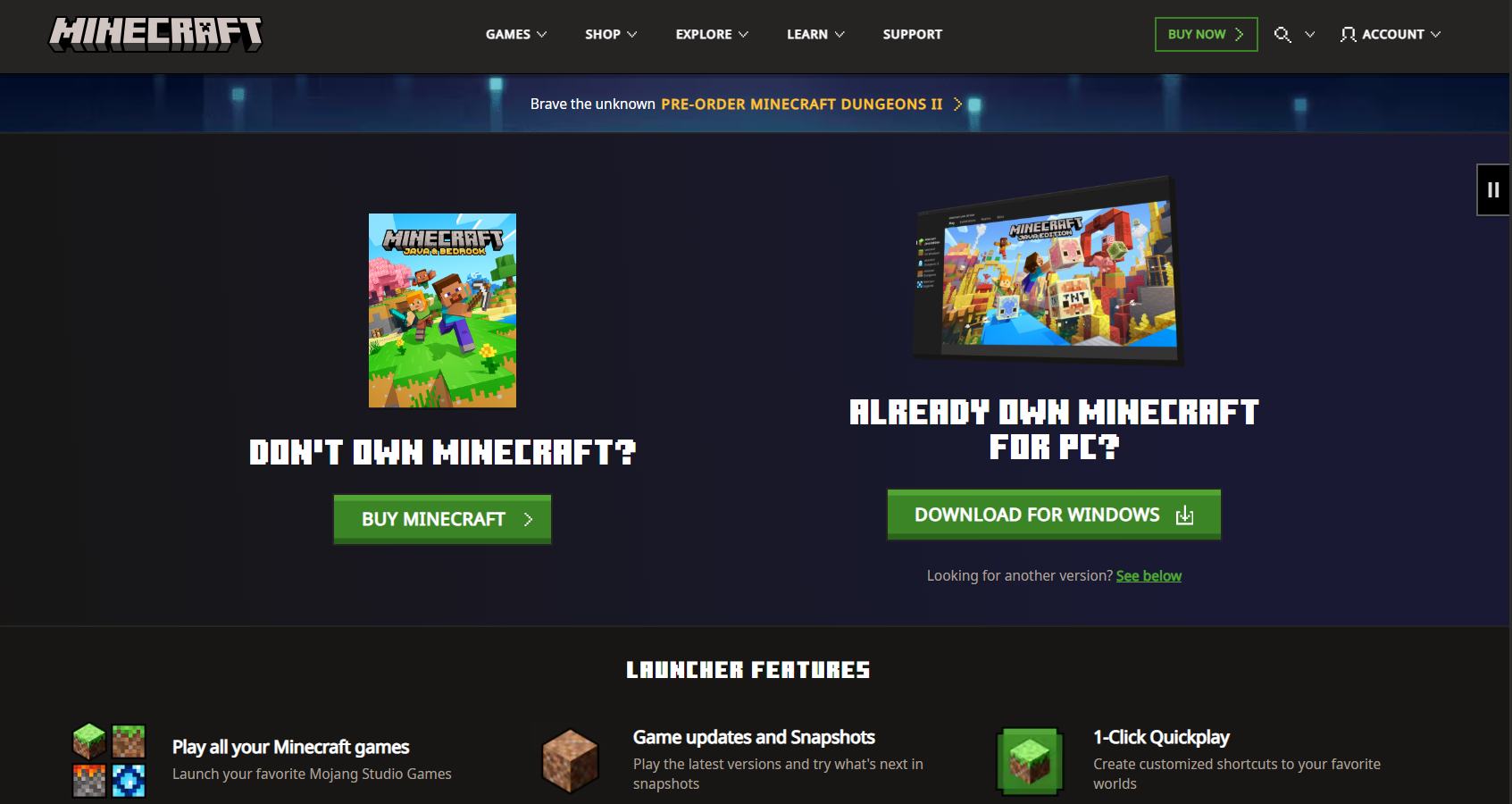
- Select Download Launcher.
- Choose the Windows 10/11 download option.
- Open the downloaded installer.
- Approve the Windows security prompt if it appears.
- Follow the installation instructions.
- Open Minecraft Launcher from the Start menu.
- Sign in with your Microsoft account.
- Select Minecraft for Windows or Minecraft Java Edition.
- Choose Install, Play Demo, Play Trial, or Buy Now.
The launcher downloads the required game files after you select an edition. The initial download can take several minutes depending on your connection and the edition you install.
Download Minecraft from Microsoft Store
Windows users can install the Minecraft Launcher directly through Microsoft Store:
- Open Microsoft Store from the Start menu.
- Search for Minecraft Launcher.
- Choose the official listing published by Microsoft Studios.
- Select Get or Install.
- Wait for the Store to finish installing the launcher.
- Select Open.
- Sign in with the Microsoft account that owns Minecraft.
Use the same Microsoft account in Microsoft Store, the Xbox app, and Minecraft Launcher. Using different accounts can make the launcher display Buy Now or Play Demo even when you already own the game.
Download Minecraft through the Xbox App
Players with an eligible PC Game Pass subscription can install Minecraft through the Xbox app on Windows.
- Open the Xbox app.
- Sign in with the Microsoft account connected to your Game Pass subscription.
- Search for Minecraft: Java & Bedrock Edition for PC.
- Select Install.
- Choose an installation drive when prompted.
- Open Minecraft Launcher after installation.
- Select the edition you want to play.
You need an active qualifying subscription to continue playing through Game Pass. Purchasing Minecraft separately provides access without an ongoing Game Pass subscription.
How to Download Minecraft on Mac
Mac users can download the Minecraft Launcher from Minecraft.net and play Minecraft Java Edition. Minecraft Bedrock Edition, also called Minecraft for Windows, does not have an official macOS version.
- Visit the official Minecraft download page.
- Find Other versions and platforms.
- Select Mac.
- Download the macOS launcher file.
- Open the downloaded
.dmgfile. - Drag Minecraft into the Applications folder if prompted.
- Open Minecraft Launcher from Applications.
- Sign in with your Microsoft account.
- Select Minecraft: Java Edition.
- Choose Install, Play Demo, or Buy Now.
The current Minecraft Launcher requires macOS 10.15 or later to receive updates. Updating macOS also improves compatibility with current Java Edition releases.
Open Minecraft When macOS Blocks the Launcher
If macOS prevents Minecraft Launcher from opening:
- Open System Settings.
- Select Privacy & Security.
- Scroll to the security section.
- Find the message about Minecraft Launcher.
- Select Open Anyway.
- Confirm that you want to open the application.
Only bypass the warning when you downloaded the launcher directly from Minecraft.net.
How to Download Minecraft for Free
The legal free version of Minecraft is a time-limited trial or demo. The Minecraft Launcher itself is free, but downloading the launcher does not unlock the complete game.
Download the Minecraft Java Edition Demo
The Minecraft Java Edition demo is available on Windows and Mac. It provides around five in-game days, which equals approximately 100 minutes of real play time.
- Open the official Minecraft free trial page.
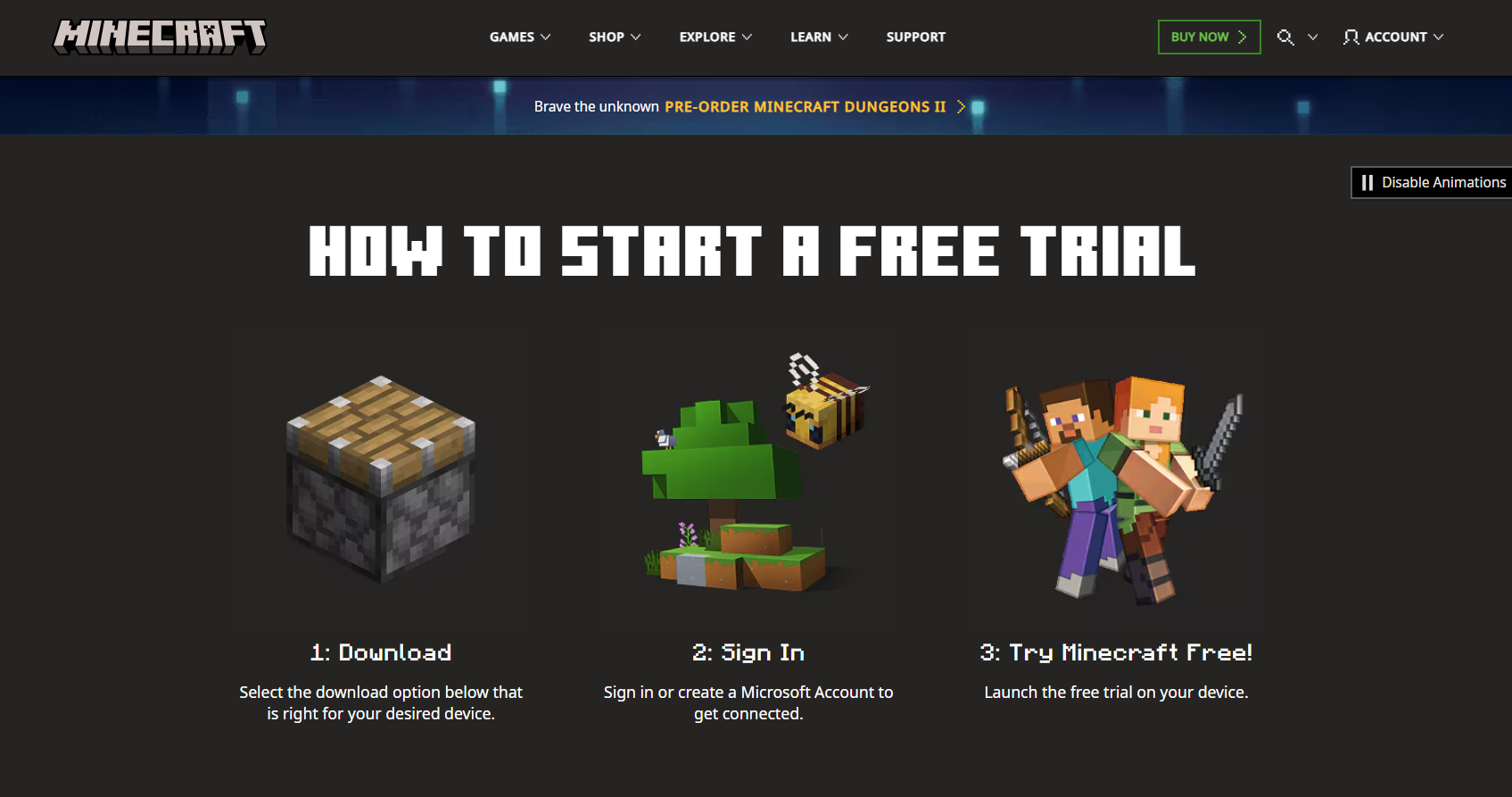
- Select the Java Edition download for Windows or Mac.
- Install Minecraft Launcher.
- Sign in with a Microsoft account that does not own the game.
- Select Minecraft: Java Edition.
- Choose Play Demo.
The Java demo supports single-player Survival mode. Commands and public multiplayer servers are unavailable. LAN play is supported with restrictions.
Download the Minecraft Bedrock Free Trial
Minecraft Bedrock Edition has a limited trial on supported Windows 10 and Windows 11 devices. Availability depends on the platform and region.
- Open the Minecraft free trial page.
- Select the Windows 10/11 option under Bedrock Edition.
- Install the game or launcher through Microsoft Store.
- Sign in with your Microsoft account.
- Select the trial option.
The Bedrock trial provides about 90 minutes of single-player Survival gameplay. Multiplayer, Realms, commands, and other full-game features remain locked.
Can You Download the Full Minecraft Game for Free?
Mojang does not offer the complete version of Minecraft as a permanent free PC download. You can use the official trial, play through an eligible PC Game Pass subscription, redeem a legitimate game code, or purchase the Java and Bedrock PC bundle.
Avoid unofficial launchers that promise free premium access. They can replace game files, display unwanted advertisements, collect login details, or install additional software.
Minecraft Java Edition vs Bedrock Edition
| Feature | Java Edition | Bedrock Edition |
|---|---|---|
| Supported computers | Windows, Mac, and Linux | Windows 10 and Windows 11 |
| Cross-platform multiplayer | Primarily with other Java Edition players | Windows, Xbox, PlayStation, Switch, and mobile |
| Mods | Large community mod ecosystem | Marketplace content and supported add-ons |
| Public servers | Java servers | Bedrock servers |
| Free version | Approximately 100-minute demo | Approximately 90-minute trial where available |
| Mac support | Yes | No |
Choose Java Edition for traditional PC servers, extensive modding, custom launch configurations, and macOS support. Choose Bedrock Edition for cross-platform play with friends using consoles and mobile devices.
Buying the standard PC bundle gives you both editions, although Bedrock runs only on Windows.
Minecraft PC System Requirements
The Minecraft Launcher requires Windows 10 or later, or macOS 10.15 or later, to continue receiving updates. Game performance also depends on the selected edition, graphics settings, render distance, texture packs, mods, and world size.
Before installing Minecraft:
- Install current Windows or macOS updates.
- Update Intel, AMD, or NVIDIA graphics drivers.
- Keep enough free storage for the launcher, game files, worlds, and updates.
- Use a supported 64-bit operating system.
- Allow Minecraft Launcher through firewall or security software when required.
Java Edition can require more memory when you use large modpacks, high-resolution texture packs, shaders, or long render distances.
How to Install Minecraft After Downloading the Launcher
- Open Minecraft Launcher.
- Sign in with the correct Microsoft account.
- Select an edition from the left menu.
- Choose the latest stable release.
- Select an installation location if the launcher offers that option.
- Click Install or Play.
- Wait while the launcher downloads the game files.
- Allow firewall access when you plan to use multiplayer.
The launcher automatically checks for game updates each time it starts. Java Edition also lets you create separate installations for supported older releases and development snapshots.
Fix Minecraft Download or Installation Problems
Minecraft Launcher Will Not Install
Restart Windows, install pending Windows updates, and try Microsoft Store again. You can also download the launcher installer directly from Minecraft.net.
On Windows 11 or Windows 10, repair Microsoft Store through Settings > Apps > Installed apps > Microsoft Store > Advanced options > Repair. Windows 10 can show this page under Apps & features.
Minecraft Shows Play Demo After Purchase
This normally happens when the launcher uses a different Microsoft account from the one that owns Minecraft.
- Sign out of Minecraft Launcher.
- Sign out of Microsoft Store and the Xbox app.
- Restart the computer.
- Sign in to all three apps with the purchasing account.
- Open Minecraft Launcher again.
Game Pass users should also confirm that their subscription remains active.
Minecraft Download Is Stuck
Check the internet connection, pause any VPN, restart the launcher, and verify that the installation drive has enough free space. Security software can also block downloads from the launcher.
Windows users can repair the launcher through:
- Open Settings > Apps > Installed apps.
- Find Minecraft Launcher.
- Select the three-dot menu.
- Open Advanced options.
- Select Repair.
- Use Reset only when repair does not work.
Minecraft Launcher Will Not Open
Restart the computer and update the launcher through Microsoft Store. If it still fails, uninstall Minecraft Launcher and reinstall the current version from the official download page.
Uninstalling the launcher should not remove saved worlds, but back up important worlds before removing game files or resetting the application.
Minecraft Does Not Run Well
Reduce render distance, close background applications, disable demanding shaders, and update the graphics driver. Java Edition players using modpacks should confirm that the installed Minecraft, mod loader, and mod versions match.
FAQs
Is Minecraft free to download on PC?
The Minecraft Launcher is free to download. The complete game requires a purchase or an eligible Game Pass subscription, while limited Java and Bedrock trials are available.
What is the official Minecraft download website?
The official launcher is available from Minecraft.net. Windows users can also install Minecraft Launcher from Microsoft Store or the Xbox app.
Can I download Minecraft on Windows 11?
Yes. Windows 11 supports Minecraft Java Edition and Minecraft Bedrock Edition through the official Minecraft Launcher.
Can I download Minecraft on Windows 10?
Yes. The current launcher supports Windows 10 and provides access to Java Edition and Bedrock Edition.
Can I download Minecraft on a Mac?
Yes. Mac users can install Minecraft Java Edition. Minecraft Bedrock Edition does not have an official macOS release.
Does buying Minecraft on PC include Java and Bedrock?
Yes. The standard Minecraft PC purchase includes Java Edition and Bedrock Edition. Windows users can play both, while Mac and Linux users can play Java Edition.
How long is the Minecraft free trial?
The Java Edition demo lasts approximately 100 minutes. The Bedrock Edition trial provides about 90 minutes where it is available.
Can I play multiplayer during the free trial?
The Bedrock trial does not include multiplayer or Realms. The Java demo blocks public multiplayer servers but allows restricted LAN play.
Do I need a Microsoft account to download Minecraft?
You can download the launcher without purchasing the game, but you need a Microsoft account to sign in, play the demo, confirm ownership, use Game Pass, or buy Minecraft.
Can I install Minecraft without Microsoft Store?
Yes. Download the official standalone Minecraft Launcher from Minecraft.net. Windows users can use this option when Microsoft Store is unavailable.
Is TLauncher an official Minecraft launcher?
No. Mojang provides the official Minecraft Launcher through Minecraft.net, Microsoft Store, and the Xbox app. Unofficial launchers are not required to install or play Minecraft.
Can Java and Bedrock players join the same server?
Java Edition and Bedrock Edition use separate multiplayer systems and cannot normally join the same server. Some independently operated servers use compatibility software, but Mojang does not provide native cross-edition multiplayer.
Where are Minecraft worlds stored?
Java Edition worlds are stored inside the Minecraft application data folder. Bedrock Edition uses a separate Windows application-data location. Back up the complete world folder before reinstalling the game, resetting Windows, or moving to another computer.