SQL Server version 17 is SQL Server 2025, version 16 is SQL Server 2022, version 15 is SQL Server 2019 and version 14 is SQL Server 2017; run SELECT @@VERSION to see which build you have.
This list maps every major version number to its release, with RTM and latest builds, support end dates, and the upgrade path from version 15 to 16.
What version of SQL Server do I have?
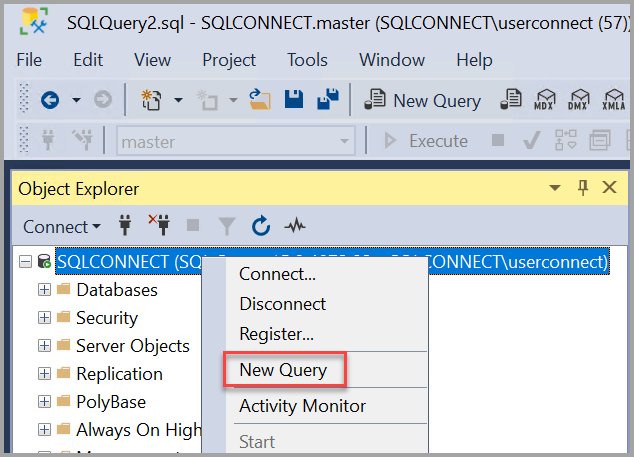
Connect to the instance in SQL Server Management Studio or any query tool and run one query. The output names the release, the cumulative update level, the build number and the edition.
SELECT @@VERSIONReturns one string with the product name, update level, KB number, build number, architecture, edition and the operating system SQL Server runs on.
You should see: A line such as Microsoft SQL Server 2022 (RTM-CU14) (KB5038325) – 16.0.4135.4 (X64) … Developer Edition (64-bit). The first number of the build (16) is the major version; match it in the summary table below.
Version numbers follow the major.minor.build.revision pattern, and the revision part is normally ignored when you identify a release.
Quick summary: SQL Server version numbers and support dates
Match the first part of your build number to the release in this table, which gives the version details for every release in one place. Latest builds are current as of the October 2026 security release.
| Release | Version | RTM build | Latest build | Mainstream support ends | Extended support ends |
|---|---|---|---|---|---|
| SQL Server 2025 | 17.0 | 17.0.1000.7 | 17.0.5015.4 (CU9 + GDR) | Jan 6, 2031 | Jan 6, 2036 |
| SQL Server 2022 | 16.0 | 16.0.1000.6 | 16.0.4305.5 (CU27 + GDR) | Jan 11, 2028 | Jan 11, 2033 |
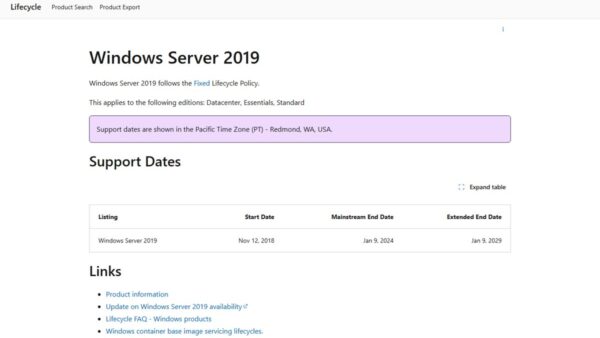
| SQL Server 2019 | 15.0 | 15.0.2000.5 | 15.0.4500.2 (CU32 + GDR) | Feb 28, 2025 | Jan 8, 2030 |
| SQL Server 2017 | 14.0 | 14.0.1000.169 | 14.0.3560.2 (CU31 + GDR) | Oct 11, 2022 | Oct 12, 2027 |
| SQL Server 2016 | 13.0 | 13.0.1601.5 | 13.0.6500.1 (SP3 GDR) | Jul 13, 2021 | Jul 14, 2026 |
| SQL Server 2014 | 12.0 | 12.0.2000.8 | 12.0.6449.1 (SP3 CU4 + GDR) | Jul 9, 2019 | Jul 9, 2024 |
| SQL Server 2012 | 11.0 | 11.0.2100.60 | 11.0.7512.11 (SP4 GDR) | Jul 11, 2017 | Jul 12, 2022 |
| SQL Server 2008 R2 | 10.50 | 10.50.1600.1 | 10.50.6785.2 (SP3 GDR) | Jul 8, 2014 | Jul 9, 2019 |
| SQL Server 2008 | 10.0 | 10.00.1600.22 | 10.0.6814.4 (SP4 GDR) | Jul 8, 2014 | Jul 9, 2019 |
| SQL Server 2005 | 9.0 | 9.00.1399 | 9.00.5324 (SP4 security update) | Apr 12, 2011 | Apr 12, 2016 |
| SQL Server 2000 | 8.0 | 8.00.194 | 8.00.2283 (post-SP4 hotfix) | Ended | Ended |
| SQL Server 7.0 | 7.0 | 7.00.623 | 7.00.1063 (SP4) | Ended | Ended |
| SQL Server 6.5 | 6.5 | 6.50.201 | 6.50.479 (SP5a update) | Ended | Ended |
SQL Server 2016 and 2014 can still receive paid Extended Security Updates: 2016 through July 2029 in three yearly terms, and 2014 through July 12, 2027. SQL Server 2017 and later have no service packs, only cumulative updates (CU) and security-only GDR updates.
How to read a SQL Server build number
A build number such as 16.0.4135.4 has four parts: major.minor.build.revision. Read them left to right to name the release and its update level.
| Part | Example | What it tells you |
|---|---|---|
| Major version | 16.0.4135.4 | The release: 17 is 2025, 16 is 2022, 15 is 2019, 14 is 2017, 13 is 2016 |
| Minor version | 16.0.4135.4 | Almost always 0; SQL Server 2008 R2 uses 50, which separates it from SQL Server 2008 (10.0) |
| Build | 16.0.4135.4 | The servicing branch and update level: the lowest build is RTM, low builds close to it are the security-only GDR branch, and higher builds are the cumulative update branch |
| Revision | 16.0.4135.4 | Normally ignored when you identify a release |
On SQL Server 2019, for example, GDR builds run 15.0.2xxx and cumulative update builds run 15.0.4xxx, so 15.0.2200.2 and 15.0.4500.2 are both October 2026 security releases on different branches. The sqlservr.exe file version writes the same build with the year in front, such as 2019.150.4430.1 for build 15.0.4430.1.
Microsoft SQL Server 2025 builds
SQL Server 2025 is version 17.0, released to manufacturing on November 18, 2025. Builds starting 17.0.1xxx are the GDR (security-only) branch; 17.0.4xxx and 17.0.5xxx are the cumulative update branch.
| Build | Update | KB | Release date |
|---|---|---|---|
| 17.0.5015.4 | CU9 + GDR | KB5126967 | October 13, 2026 |
| 17.0.1145.4 | GDR | KB5128492 | October 13, 2026 |
| 17.0.5005.3 | CU9 | KB5122048 | September 15, 2026 |
| 17.0.4075.5 | CU8 | KB5104822 | August 13, 2026 |
| 17.0.4065.4 | CU7 | KB5096981 | July 16, 2026 |
| 17.0.4055.5 | CU6 | KB5093421 | June 17, 2026 |
| 17.0.4045.5 | CU5 | KB5084896 | May 20, 2026 |
| 17.0.4035.5 | CU4 | KB5081495 | April 16, 2026 |
| 17.0.4025.3 | CU3 | KB5077896 | March 12, 2026 |
| 17.0.4015.4 | CU2 | KB5075211 | February 12, 2026 |
| 17.0.4006.2 | CU1 | KB5078298 | January 29, 2026 |
| 17.0.1000.7 | RTM | – | November 18, 2025 |
Microsoft SQL Server 2022 builds
SQL Server 2022 is version 16.0. The RTM build 16.0.1000.6 shipped on November 16, 2022, and the cumulative update branch uses 16.0.4xxx build numbers.
| Build | Update | KB | Release date |
|---|---|---|---|
| 16.0.4305.5 | CU27 + GDR | KB5126934 | October 13, 2026 |
| 16.0.1210.3 | GDR | KB5128493 | October 13, 2026 |
| 16.0.4295.3 | CU27 | KB5104824 | September 15, 2026 |
| 16.0.4265.3 | CU26 | KB5093420 | July 16, 2026 |
| 16.0.4255.1 | CU25 | KB5081477 | May 20, 2026 |
| 16.0.4245.2 | CU24 | KB5080999 | March 12, 2026 |
| 16.0.4236.2 | CU23 | KB5078297 | January 29, 2026 |
| 16.0.4225.2 | CU22 | KB5068450 | November 13, 2025 |
| 16.0.4205.1 | CU20 | KB5059390 | July 10, 2025 |
| 16.0.4175.1 | CU17 | KB5048038 | January 16, 2025 |
| 16.0.4135.4 | CU14 | KB5038325 | July 23, 2024 |
| 16.0.4105.2 | CU11 | KB5032679 | January 11, 2024 |
| 16.0.4003.1 | CU1 | KB5022375 | February 16, 2023 |
| 16.0.1000.6 | RTM | – | November 16, 2022 |
Microsoft SQL Server 2019 builds
SQL Server 2019 is version 15.0, so any build starting 15.0 is SQL Server 2019. CU32 (15.0.4430.1) is the final cumulative update; every later 15.0.4xxx build is CU32 plus a security update.
| Build | Update | KB | Release date |
|---|---|---|---|
| 15.0.4500.2 | CU32 + GDR | KB5128494 | October 13, 2026 |
| 15.0.2200.2 | GDR | KB5128495 | October 13, 2026 |
| 15.0.4480.2 | CU32 + GDR | KB5102335 | July 14, 2026 |
| 15.0.4455.2 | CU32 + GDR | KB5068404 | November 11, 2025 |
| 15.0.4430.1 | CU32 | KB5054833 | February 27, 2025 |
| 15.0.4420.2 | CU31 | KB5049296 | February 13, 2025 |
| 15.0.4415.2 | CU30 | KB5049235 | December 12, 2024 |
| 15.0.4405.4 | CU29 | KB5046365 | October 31, 2024 |
| 15.0.4375.4 | CU27 | KB5037331 | June 13, 2024 |
| 15.0.4345.5 | CU24 | KB5031908 | December 14, 2023 |
| 15.0.4261.1 | CU18 | KB5017593 | September 28, 2022 |
| 15.0.4198.2 | CU15 | KB5008996 | January 27, 2022 |
| 15.0.4003.23 | CU1 | KB4527376 | January 7, 2020 |
| 15.0.2000.5 | RTM | – | November 4, 2019 |
The table mixes two servicing branches. Cumulative update (CU) builds start 15.0.4xxx and add fixes on top of the previous CU; General Distribution Release (GDR) builds start 15.0.2xxx and carry security fixes only for an instance that never took a CU. Microsoft removed CU7 (15.0.4063.15), so skip that build if an old installer still offers it.
The SQL Server 2019 release notes list known issues worth checking before you install: Setup can fail from removable media when SSMS 18.0 to 18.3 is already installed (uninstall the older SSMS and install the latest first), and on Windows Server 2025 SQL Server can hit access violations when the Lock pages in memory policy is enabled for its service account.
Microsoft SQL Server 2017 builds
SQL Server 2017 is version 14.0 and was the first release with no service packs. CU31 (14.0.3456.2) is its last cumulative update.
| Build | Update | KB | Release date |
|---|---|---|---|
| 14.0.3560.2 | CU31 + GDR | KB5128496 | October 13, 2026 |
| 14.0.2140.2 | GDR | KB5128497 | October 13, 2026 |
| 14.0.3490.10 | Azure Connect feature pack | KB5050533 | March 6, 2025 |
| 14.0.3456.2 | CU31 | KB5016884 | September 20, 2022 |
| 14.0.3436.1 | CU29 | KB5010786 | March 30, 2022 |
| 14.0.3381.3 | CU23 | KB5000685 | February 24, 2021 |
| 14.0.3281.6 | CU19 | KB4535007 | February 5, 2020 |
| 14.0.3006.16 | CU1 | KB4038634 | October 25, 2017 |
| 14.0.1000.169 | RTM | – | September 29, 2017 |
Microsoft SQL Server 2016 builds
SQL Server 2016 is version 13.0. Service Pack 3 (13.0.6300.2) is the final service pack, and extended support ended on July 14, 2026.
| Build | Level | KB | Release date |
|---|---|---|---|
| 13.0.7095.1 | SP3 Azure Connect feature pack + GDR | KB5102339 | July 14, 2026 |
| 13.0.6500.1 | SP3 GDR | KB5102340 | July 14, 2026 |
| 13.0.7000.253 | SP3 Azure Connect feature pack | KB5014242 | May 19, 2022 |
| 13.0.6300.2 | Service Pack 3 | KB5003279 | September 15, 2021 |
| 13.0.5888.11 | SP2 CU17 | KB5001092 | March 29, 2021 |
| 13.0.5026.0 | Service Pack 2 | KB4052908 | April 24, 2018 |
| 13.0.4574.0 | SP1 CU15 | KB4495257 | May 16, 2019 |
| 13.0.4001.0 | Service Pack 1 | KB3182545 | November 15, 2016 |
| 13.0.1601.5 | RTM | – | June 1, 2016 |
Microsoft SQL Server 2014 builds
SQL Server 2014 is version 12.0. Extended support ended on July 9, 2024, and the paid Extended Security Updates program runs until July 12, 2027.
| Build | Level | KB | Release date |
|---|---|---|---|
| 12.0.6449.1 | SP3 CU4 + GDR | KB5029185 | October 10, 2023 |
| 12.0.6179.1 | SP3 GDR | KB5029184 | October 10, 2023 |
| 12.0.6329.1 | SP3 CU4 | KB4500181 | July 29, 2019 |
| 12.0.6024.0 | Service Pack 3 | KB4022619 | October 30, 2018 |
| 12.0.5687.1 | SP2 CU18 | KB4500180 | July 29, 2019 |
| 12.0.5000.0 | Service Pack 2 | KB3171021 | July 11, 2016 |
| 12.0.4100.1 | Service Pack 1 | KB3058865 | May 4, 2015 |
| 12.0.2000.8 | RTM | – | April 1, 2014 |
Microsoft SQL Server 2012 builds
SQL Server 2012 is version 11.0. Service Pack 4 is the last service pack, and the final Extended Security Update year ended on July 8, 2025.
| Build | Level | KB | Release date |
|---|---|---|---|
| 11.0.7512.11 | SP4 GDR | KB5021123 | February 14, 2023 |
| 11.0.7001.0 | Service Pack 4 | KB4018073 | October 4, 2017 |
| 11.0.6607.3 | SP3 CU10 | KB4025925 | August 8, 2017 |
| 11.0.6020.0 | Service Pack 3 | KB3072779 | November 20, 2015 |
| 11.0.5058.0 | Service Pack 2 | KB2958429 | June 10, 2015 |
| 11.0.3000.00 | Service Pack 1 | KB2674319 | November 7, 2012 |
| 11.0.2100.60 | RTM | – | March 6, 2012 |
Microsoft SQL Server 2008 R2 builds
SQL Server 2008 R2 is version 10.50, which tells it apart from SQL Server 2008 (10.0). Extended support ended on July 9, 2019.
| Build | Level | KB | Release date |
|---|---|---|---|
| 10.50.6785.2 | SP3 GDR security update | KB5021112 | February 14, 2023 |
| 10.50.6000.34 | Service Pack 3 | KB2979597 | September 26, 2014 |
| 10.50.4000.0 | Service Pack 2 | KB2630458 | July 26, 2012 |
| 10.50.2500.0 | Service Pack 1 | KB2528583 | July 12, 2011 |
| 10.50.1600.1 | RTM | – | May 10, 2010 |
Microsoft SQL Server 2008 builds
SQL Server 2008 is version 10.0, with builds written as 10.00.xxxx. Support ended alongside 2008 R2 on July 9, 2019.
| Build | Level | KB | Release date |
|---|---|---|---|
| 10.0.6814.4 | SP4 GDR | KB5020863 | February 14, 2023 |
| 10.00.6000.29 | Service Pack 4 | KB2979596 | September 30, 2014 |
| 10.00.5500.00 | Service Pack 3 | KB2546951 | October 6, 2011 |
| 10.00.4000.00 | Service Pack 2 | KB2285068 | September 29, 2010 |
| 10.00.1600.22 | RTM | – | August 6, 2008 |
Microsoft SQL Server 2005 builds
SQL Server 2005 is version 9.0. Extended support ended on April 12, 2016, so none of these builds receive security fixes.
| Build | Level | KB | Release date |
|---|---|---|---|
| 9.00.5324 | SP4 MS12-070 security update | KB2716427 | October 9, 2012 |
| 9.00.5266 | SP4 CU3 | KB2507769 | March 22, 2011 |
| 9.00.5000 | Service Pack 4 | KB2463332 | December 16, 2010 |
| 9.00.4035 | Service Pack 3 | KB955706 | December 15, 2008 |
| 9.00.3042 | Service Pack 2 | KB937137 | February 19, 2007 |
| 9.00.2047 | Service Pack 1 | – | April 18, 2006 |
| 9.00.1399 | RTM | – | – |
Microsoft SQL Server 2000 builds
SQL Server 2000 is version 8.0. The RTM build 8.00.194 is shared with MSDE 2.0, the free desktop engine of that era.
| Build | Level |
|---|---|
| 8.00.2283 | Post-SP4 hotfix for MS09-004 |
| 8.00.2039 | Service Pack 4 |
| 8.00.818 | MS03-031 security patch for SP3 |
| 8.00.760 | Service Pack 3 or SP3a |
| 8.00.534 | Service Pack 2 |
| 8.00.384 | Service Pack 1 |
| 8.00.194 | RTM or MSDE 2.0 |
Microsoft SQL Server 7.0, 6.5 and 6.0 builds
These releases predate the modern KB tables. Microsoft's version history still lists 7.0 and 6.5 service pack builds, but it no longer publishes a build table for SQL Server 6.0.
| Release | Build | Level |
|---|---|---|
| SQL Server 7.0 | 7.00.1063 | Service Pack 4 |
| SQL Server 7.0 | 7.00.961 | Service Pack 3 |
| SQL Server 7.0 | 7.00.842 | Service Pack 2 |
| SQL Server 7.0 | 7.00.699 | Service Pack 1 |
| SQL Server 7.0 | 7.00.623 | RTM |
| SQL Server 6.5 | 6.50.479 | Service Pack 5a update |
| SQL Server 6.5 | 6.50.416 | Service Pack 5a |
| SQL Server 6.5 | 6.50.415 | Service Pack 5 |
| SQL Server 6.5 | 6.50.281 | Service Pack 4 |
| SQL Server 6.5 | 6.50.258 | Service Pack 3 |
| SQL Server 6.5 | 6.50.240 | Service Pack 2 |
| SQL Server 6.5 | 6.50.213 | Service Pack 1 |
| SQL Server 6.5 | 6.50.201 | RTM |
| SQL Server 6.0 | Not listed | No longer in Microsoft's build tables |
Other ways to check the SQL Server version and edition
SELECT @@VERSION covers most cases, but these routes help when you cannot run a query or need every instance on a machine.
| Your situation | Use this | What you see |
|---|---|---|
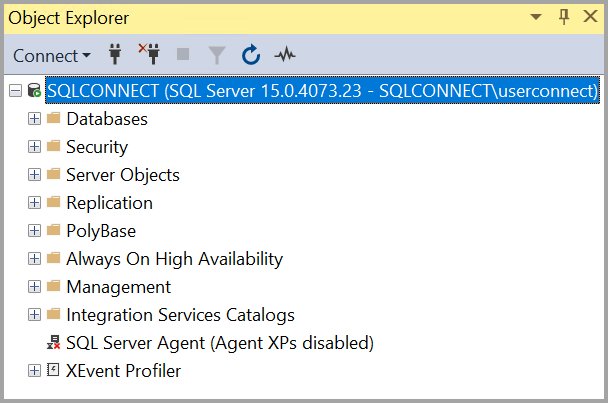
| Already connected in SSMS | Object Explorer | The version in parentheses next to the server name |
| Need individual values for a script | SELECT SERVERPROPERTY('productversion'), SERVERPROPERTY('productlevel'), SERVERPROPERTY('edition') |
Separate columns, for example 16.0.4135.4, RTM, Developer Edition (64-bit) |
| Cannot connect to the instance | The first lines of the ERRORLOG file in the instance's MSSQL\LOG folder | Product, update level, build, edition and OS |
| Several instances on one server | Installed SQL Server features discovery report on the Tools page of the SQL Server Installation Center | Every local instance and client tool; it cannot read remote servers |
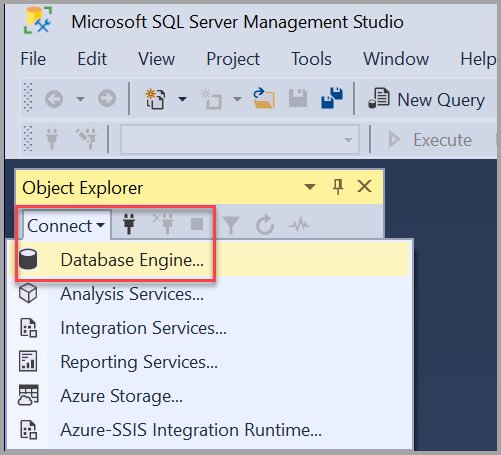
If you do not have the management tools yet, SQL Server Management Studio is a free download from Microsoft.
How to upgrade SQL Server version 15 to 16
SQL Server 2022 (version 16) supports an in-place upgrade from SQL Server 2019 (version 15), 2017, 2016 SP3, 2014 SP3 and 2012 SP4. Back up every database first, and clear any pending restart, because Setup blocks the upgrade if one is waiting.
SQL Server 2022 is 64-bit only, so a 32-bit instance cannot be upgraded in place; back up or detach its databases and restore them on a new 64-bit instance instead.
- Run SQL Server 2022 Setup to open the SQL Server Installation Center.
- Select Installation, then select the Upgrade from option for previous versions of SQL Server.
- On the Product Key page, choose a free edition or enter your product key.
- On the License Terms page, select I accept the license terms and select Next.
- Wait for Upgrade Rules to pass, then on Select Instance pick the version 15 instance to upgrade.
- Review the preselected features on Select Features and the service accounts, then select Next.
- On Ready to Upgrade, select Install, then select Close on the Complete page.
- Run
SELECT @@VERSIONand confirm the build now starts with 16.0.
After the upgrade, install the latest cumulative update for 2022 so the instance does not stay on the RTM build. Installation media is on Microsoft's site, and the SQL Server download options include free Developer and Express editions.
SQL Server version numbers FAQ
What version is SQL Server 15?
SQL Server version 15 is SQL Server 2019. Any build that starts with 15.0, from the RTM build 15.0.2000.5 to the latest 15.0.4500.2, belongs to SQL Server 2019.
What is SQL version 15.0?
Version 15.0 is the internal version number of SQL Server 2019, released on November 4, 2019. Mainstream support ended on February 28, 2025, and extended support with security fixes runs until January 8, 2030.
What SQL Server version is 15.0.4455.2?
Build 15.0.4455.2 is SQL Server 2019 Cumulative Update 32 plus a security update (KB5068404), released on November 11, 2025. Newer CU32 security builds such as 15.0.4500.2 have shipped since.
What is SQL Server version 16?
SQL Server version 16 is SQL Server 2022, with the RTM build 16.0.1000.6 released on November 16, 2022. Mainstream support runs until January 11, 2028 and extended support until January 11, 2033.
What is SQL Server version 17?
SQL Server version 17 is SQL Server 2025. Its RTM build is 17.0.1000.7, and Microsoft supports it until January 6, 2031 for mainstream and January 6, 2036 for extended support.
What is SQL Server version 14 and 13?
Version 14 is SQL Server 2017 and version 13 is SQL Server 2016. SQL Server 2017 has extended support until October 12, 2027, while SQL Server 2016 extended support ended on July 14, 2026.
How do I upgrade SQL Server version 15 to 16?
Run SQL Server 2022 Setup, select Installation, then Upgrade from a previous version of SQL Server, and pick your 2019 instance. Back up databases first and make sure no restart is pending, because Setup blocks the upgrade otherwise.
Which SQL Server version should you run?
Run SQL Server 2022 or 2025 for new deployments, and plan the move off SQL Server 2019 or older before their extended support dates. Versions 16 and 17 have mainstream support into 2028 and 2031, while 2019 already receives security fixes only and 2016 and earlier are out of support without paid Extended Security Updates.