Yes, you can log in to Spotify with your Apple ID on a Windows 10 computer: select Continue with Apple on the Spotify login screen and sign in on Apple's secure webpage.
This guide covers the desktop app and web player, the Hide My Email address Spotify may hold, how to add a Spotify password as a backup, and fixes when the Apple login fails.
Log in to Spotify with Apple ID on Windows 10
Apple states that Sign in with Apple works in any browser and on other platforms, Windows included. Spotify offers it as Continue with Apple on its login page. If the app is not on your PC yet, download Spotify for Windows first.
- Open the Spotify app on your Windows 10 PC and select Log in.
- Select Continue with Apple on the Spotify login screen.
- On the Apple-hosted webpage, enter your Apple ID email or phone number and your password.
- Type the verification code sent to your trusted Apple device or phone number.
- Choose whether to trust this browser, so Apple skips the code for 30 days.
- Select Continue to finish and return to Spotify, now signed in.
If you created your Spotify account with Apple on an iPhone, this signs you in to that same account, with the same playlists and plan.
Sign in with Apple requirements for Spotify on a PC
| Requirement | Why it matters on Windows 10 |
|---|---|
| An Apple ID (Apple Account) and its password | Windows has no Face ID or Touch ID, so Apple asks for the password on its webpage |
| Two-factor authentication turned on | Apple and Spotify both require it for Sign in with Apple |
| A trusted Apple device or trusted phone number nearby | The first web sign-in asks for a verification code |
| A Spotify account already linked to Apple, or a new sign-up | Continue with Apple opens the account tied to that Apple ID |
| Account holder aged 13 or older (varies by country) | Apple blocks new Sign in with Apple accounts for younger children |
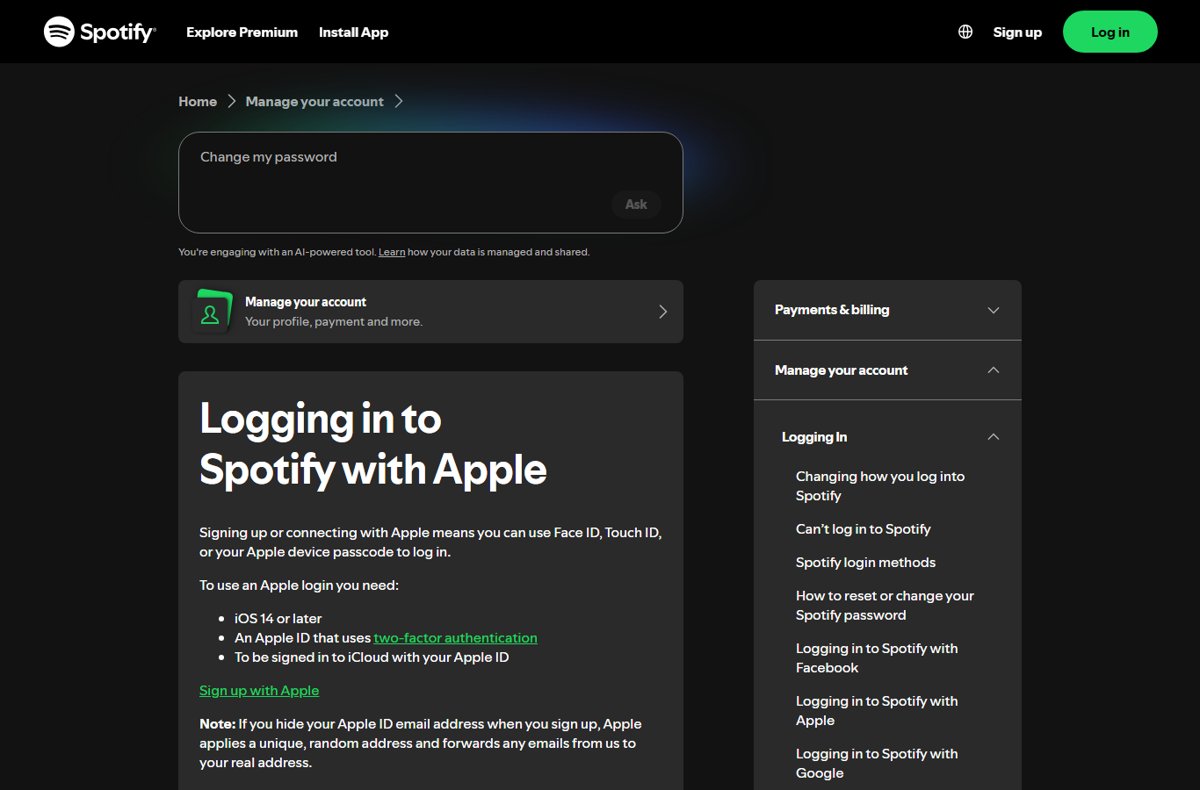
Spotify's help page lists iOS 14 or later and an iCloud sign-in for the Face ID and Touch ID route on Apple devices. On a PC, Apple's web sign-in replaces those with your password and a code, so change your Apple Account password on your Mac first if you no longer remember it.
Log in to the Spotify web player with Apple ID
The web player is useful when the desktop app is not installed, or when you are on a shared Windows 10 PC.
- Open Microsoft Edge, Chrome or Firefox and go to
open.spotify.com. - Select Log in at the top right.
- Select Continue with Apple.
- Sign in with your Apple ID and password on Apple's page.
- Enter the verification code from your trusted device.
- Select Continue and wait for the web player to load your library.
Do not trust the browser on a shared or public PC. Leave the 30-day option unchecked there and log out when you finish.
Create a Spotify password to log in without Apple ID
Spotify's own fix for a failed Apple login is a password on the same account. You then log in on Windows with an email address and password instead of the Apple button.
- Go to Spotify's password reset page at
accounts.spotify.com/password-reset. - Enter the email address on your Spotify account. If you hid your email at sign-up, enter the Apple relay address instead (next section).
- Open the reset email from Spotify and select the link inside it.
- Type a new password twice and save it.
- In the Spotify app on Windows 10, select Log in, enter that email address, select Continue and use the new password.
Check spam and junk folders if the reset email does not arrive. Mail to a Hide My Email address lands in the inbox tied to your Apple ID.
Find the Apple relay email address Spotify uses for your Apple ID
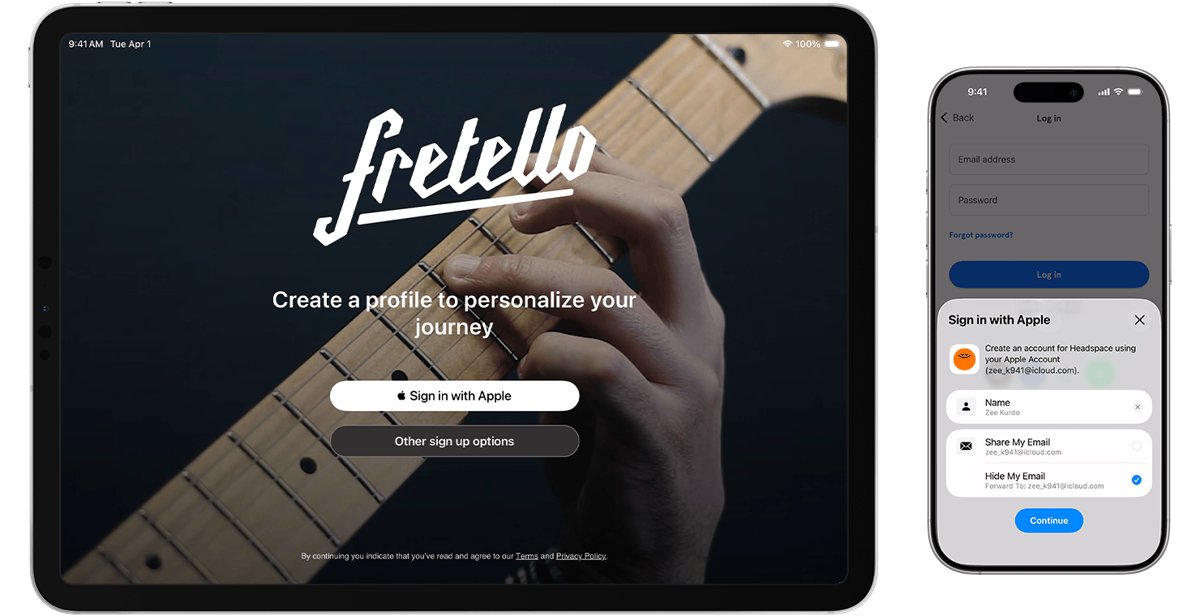
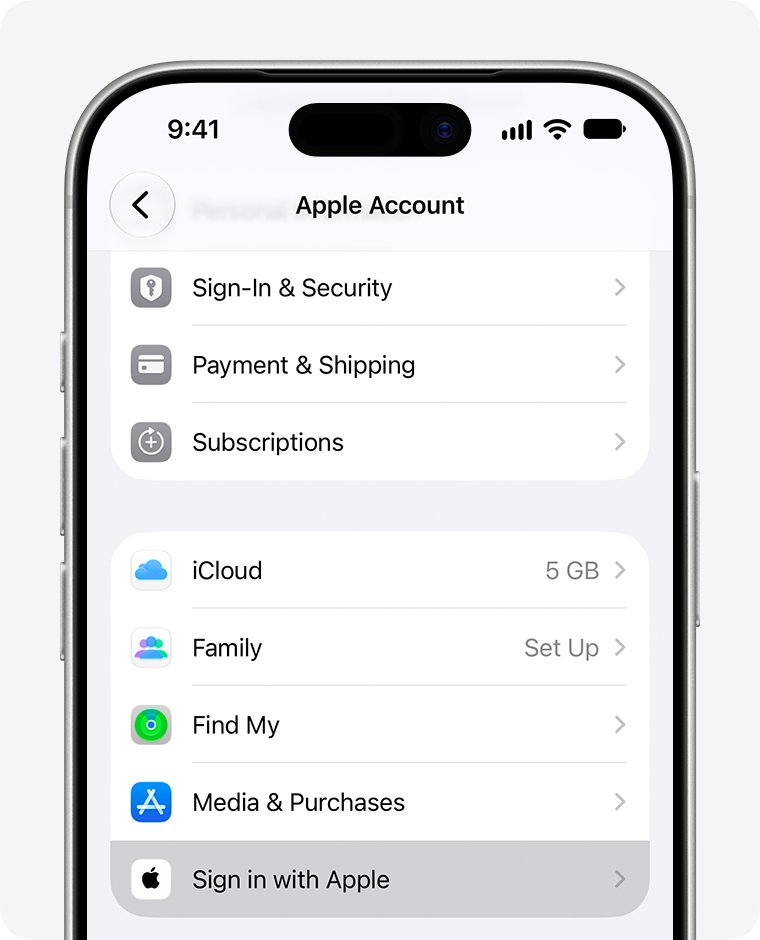
If you chose Hide My Email when you first signed up with Apple, Spotify only knows a random relay address. You need that address for a password reset.
| Where you look | Path | What you see |
|---|---|---|
| Web browser on Windows 10 | account.apple.com > Sign-In & Security > Sign in with Apple > Spotify | The name and email address shared with Spotify |
| iPhone or iPad | Settings > [your name] > Sign in with Apple > Spotify | The same shared details |
| Mac | Apple menu > System Settings > [your name] > Sign in with Apple | The same shared details |
| Spotify account page | spotify.com account overview | The email address Spotify holds for the account |
Add or remove Spotify login methods
Spotify lets one account carry several login methods, such as Apple plus an email address. That keeps you in if one route stops working on your PC.
- Sign in to your Spotify account page in a browser.
- Open the Edit login methods page.
- If an Edit button appears beside Available login methods, select it and verify your identity.
- Select Add next to the method you want, such as Apple, Google or email.
- Confirm the login details. The method now appears under your current login methods.
- To drop one, select Remove next to it and confirm.
A login can belong to only one Spotify account, and Spotify always keeps at least one method active. If Apple is already linked to a second Spotify account, pick a different method.
Check that Spotify is linked to your Apple ID
- Sign in at account.apple.com in your browser.
- Go to Sign-In & Security and select Sign in with Apple.
- Confirm that Spotify appears in the list of apps.
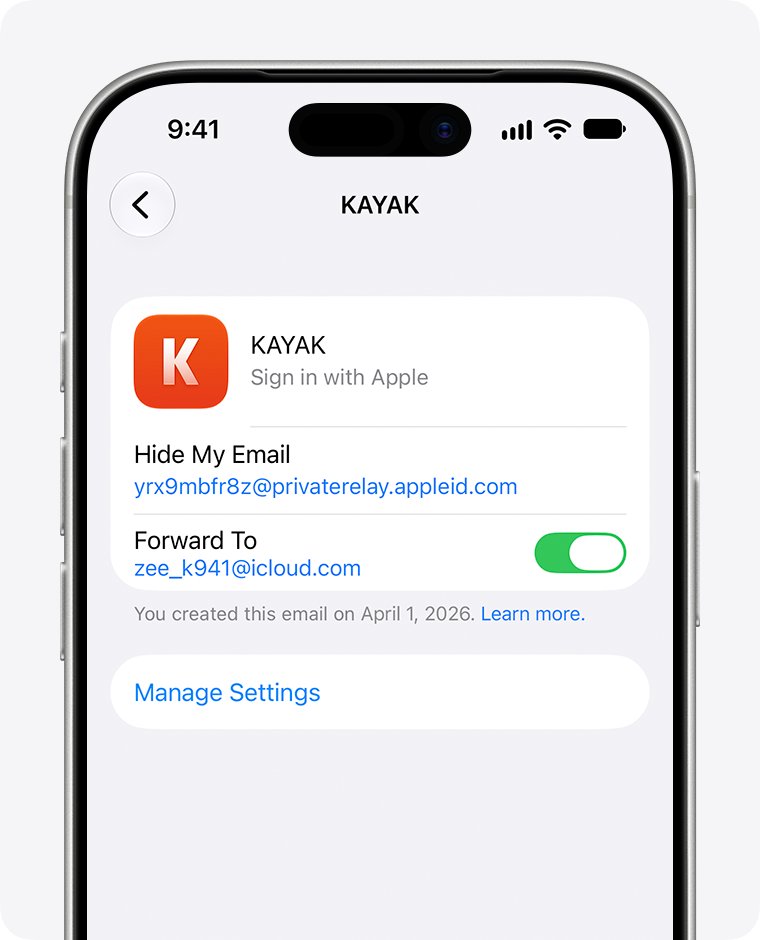
- Select Spotify to see the name and email address it received.
- In the Spotify app, open your account page and confirm the same email address appears.
If Spotify is missing from Apple's list, that Spotify account was created with another method. Log in with email, phone number, Google or Facebook instead, or create a new Spotify account with Apple.
Log out of Spotify on Windows 10 or stop using Apple login
- In the desktop app or web player, click your profile picture at the top and select Log out, or press Ctrl + Shift + W.
- To sign out of every phone, tablet, web player and desktop at once, open Spotify's Sign out everywhere page and click Sign out everywhere.
- Remove consoles, speakers and TVs separately from the apps page with Remove Access.
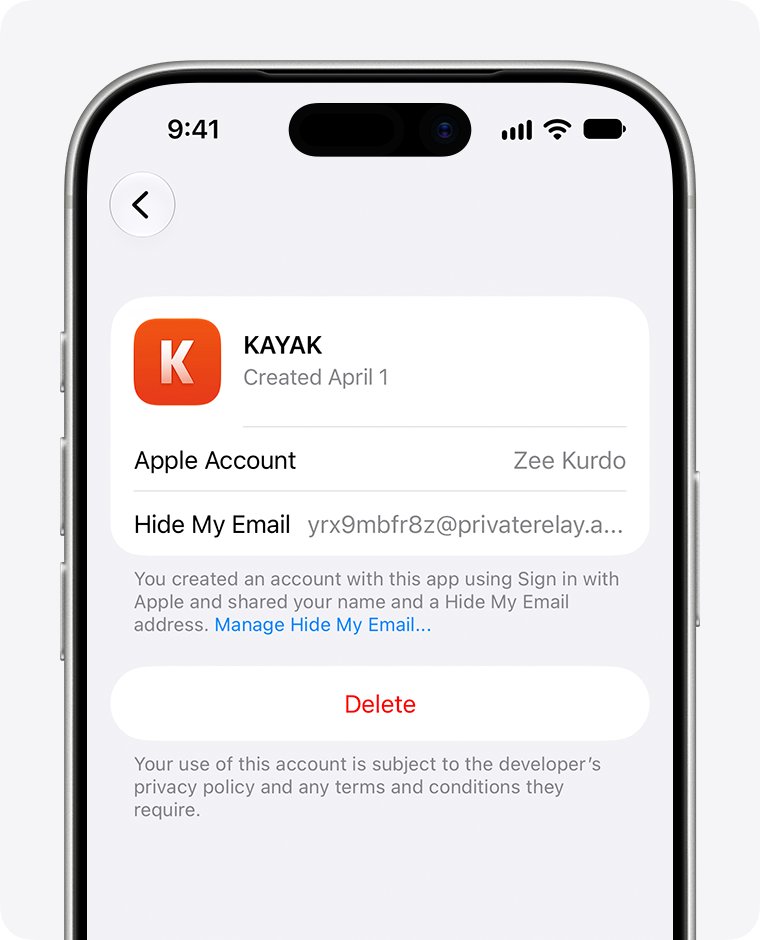
- To stop using Apple with Spotify, open Settings > [your name] > Sign in with Apple on your iPhone, select Spotify and tap Delete.
Create a Spotify password before you delete the Apple link. Otherwise the account may have no way in, because signing in with Apple again simply returns you to it.
Spotify Apple ID login not working on Windows 10
Continue with Apple fails or loops back to the login screen
The Apple sign-in did not hand back to Spotify, often in an older browser session.
- Close the login window and try again in a private or InPrivate browser window at
open.spotify.com. - If it still fails, create a Spotify password through the reset page.
- Log in with your email address and that password instead.
Why can't I log in: Spotify says no account exists
The account was created with a different method or email address.
- Try Continue with phone number, Continue with Google and Continue with Facebook in turn.
- On the password reset page, try every email address you own.
- Check account.apple.com > Sign in with Apple for a Spotify entry and its relay address.
Why do I have to log in every time with a verification code?
The browser was not marked as trusted during Apple's sign-in.
- Sign in again with Continue with Apple.
- When Apple asks, choose to trust this browser.
- Apple then skips the code in that browser for 30 days.
Password reset email never arrives
Spotify holds a Hide My Email relay address, or the mail was filtered.
- Look up the address shared with Spotify at account.apple.com.
- Run the reset again with that exact address.
- Check spam, junk and other filtered folders in the inbox tied to your Apple ID.
Password reset link says it is invalid
The link expired or the browser blocked it.
- Request a new reset email from the reset page.
- Open the new link in a private or incognito browser window.
- Set the password and log in on Windows 10 with email and password.
Spotify Apple ID login on Windows FAQ
Can I log in to Spotify with Apple on a Windows 10 computer?
Yes. Select Continue with Apple on the Spotify login screen in the desktop app or web player. Apple opens a secure webpage where you enter your Apple ID password and a verification code, then returns you to Spotify signed in.
Why am I not able to log in to Spotify with my Apple ID?
The usual causes are a different sign-up method, a missing verification code or a failed hand-off back to Spotify. Spotify's fix is to create a password through its reset page and then log in with the email address instead.
Why can't I log in to Spotify on my PC when my iPhone works?
Your iPhone confirms Apple login with Face ID, Touch ID or a passcode, but a Windows PC needs your Apple ID password and a code. Make sure two-factor authentication is on and your trusted device is nearby.
Why do I have to log in every time on Windows?
Apple asks for a code each time unless you trust the browser during sign-in. Trusting it skips the code for 30 days. Spotify itself stays signed in until you log out or use Sign out everywhere.
Where am I logged in to Spotify?
Spotify does not list sessions, but its Sign out everywhere page logs you out of every phone, tablet, web player and desktop app at once. Partner devices such as consoles and TVs need Remove Access on the apps page.
Is it log in or login with Apple?
Log in is the verb: you log in to Spotify with Apple. Login is the noun or adjective: your Apple login. Spotify's button itself reads Continue with Apple, and Apple calls the feature Sign in with Apple.
What is my Spotify login if I used Hide My Email?
Spotify holds a random relay address from Apple. Find it at account.apple.com under Sign-In & Security, then Sign in with Apple, then Spotify. Use that address for password resets or email login.
Can I switch a Spotify account from Apple ID to email login?
Yes. Create a password through Spotify's reset page with the account's email, or add an email method on the Edit login methods page. Keep Apple linked until the new method works.
Bottom line: should you use Apple ID for Spotify on Windows 10?
Use Continue with Apple on Windows 10 if your Spotify account was created with Apple, but add a Spotify password or email login method as a backup. Apple's web sign-in works on any PC, yet it depends on a code from your trusted device each time the browser is not trusted. A second login method keeps your account reachable when that hand-off fails.