To create a network bridge in Windows 11, open View network connections from Start, select two adapters while holding Ctrl, right-click one of them, and select Bridge Connections.
This guide also covers the netsh bridge commands, the alternatives to a bridge, how to set the bridge's IP address, how to remove it, and the fixes for a bridge that fails.
How to create a network bridge in Windows 11
You need at least two network adapters, and Microsoft notes that not all adapters can be bridged. Connect both adapters before you start, so each one is listed.
- Select Start, type View network connections, and open the result.
- Select the first network connection.
- Press and hold Ctrl, then select the second network connection.
- Right-click either selected connection, then select Bridge Connections.
- Wait for Windows to finish. A Network Bridge entry joins the list of connections.
The bridge now handles traffic for both adapters. Any IP settings you need belong on the bridge entry, which the steps further down cover.
What is a network bridge?
A network bridge links two or more network segments, so devices on separate segments communicate as if they are part of a single network. Windows has this built in, with no extra software.
| Question | Answer |
|---|---|
| Function of a bridge in networking | Connects network segments into what acts like one network |
| Use of a bridge in a computer network | Lets devices on separate segments reach each other, and can join different types of network media |
| What Windows needs | At least two adapters that support bridging |
| Windows versions | netsh bridge applies to Windows 11, Windows 10 and Windows Server 2016 or later |
| What it gives you in Windows | One Network Bridge connection with its own GUID, which netsh bridge list shows |
How to bridge two networks: network bridge, Internet Connection Sharing, hotspot or Hyper-V switch
A bridge is not always the right tool. Choose by what you want the second network to do.
| Your situation | Use this | Why |
|---|---|---|
| Two wired or mixed segments should act as one network | Network bridge | Devices on both sides communicate directly |
| An Xbox has no router and connects through your PC | Network bridge or Internet Connection Sharing | Xbox Support documents both ways |
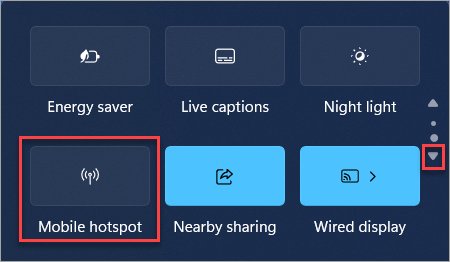
| Phones or laptops need your PC's internet | Mobile hotspot in Settings > Network & internet | Shares Wi-Fi, Ethernet or cellular over Wi-Fi or Bluetooth |
| Virtual machines must reach the physical network | Hyper-V external virtual switch | Connects virtual machines to the physical network |
If sharing a connection is the real goal, you can share your internet over Ethernet or Wi-Fi without a bridge. For virtual machines, enable Hyper-V first, then create the switch.
How to create network bridge in Windows 11 with netsh
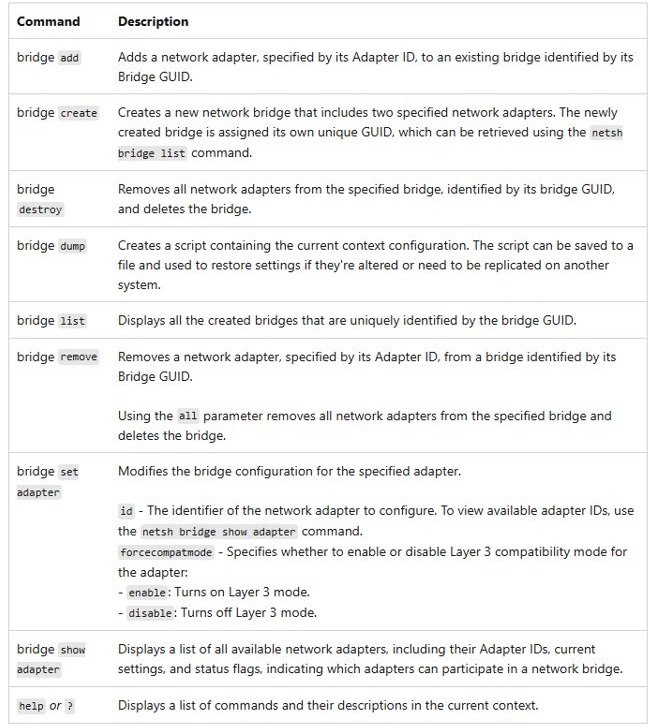
The netsh bridge commands do the same job from the command line. They suit scripts, and they show adapter IDs that the Network Connections window does not.
- Open Command Prompt as administrator.
- Run
netsh bridge show adapterand note the IDs of the two adapters. The list also shows which adapters can join a bridge. - Run
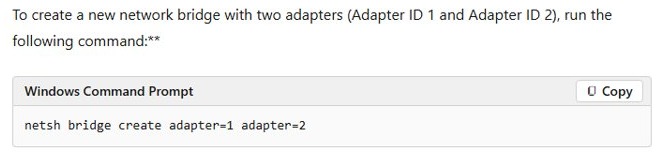
netsh bridge create adapter=1 adapter=2, using your own IDs in place of 1 and 2. - Run
netsh bridge listto see the new bridge and its GUID.
How to add an adapter to a network bridge
A bridge can hold more than two adapters. You need the bridge GUID and the new adapter's ID.
- Run
netsh bridge listand copy the bridge GUID. - Run
netsh bridge show adapterand find the ID of the adapter you want to add. - Run
netsh bridge add adapter=3 bridge={12345678-ABCD-EF01-2345-6789ABCDEF03}, using your own ID and GUID. - Run
netsh bridge show adapteragain to review the adapter's status.
How to turn on Layer 3 compatibility mode for a network bridge
netsh bridge set adapter changes how one adapter takes part in the bridge. The forcecompatmode option turns Layer 3 compatibility mode on or off for that adapter.
netsh bridge set adapter id=1 forcecompatmode=enableReplace 1 with the adapter ID from netsh bridge show adapter. Use forcecompatmode=disable to turn the mode off again.
You should see: the adapter's settings in netsh bridge show adapter reflect the change.
How to configure a network bridge IP address
Once adapters join a bridge, set the address on the Network Bridge entry. Most networks hand out an address automatically.
- Select Start, type View network connections, and open the result.
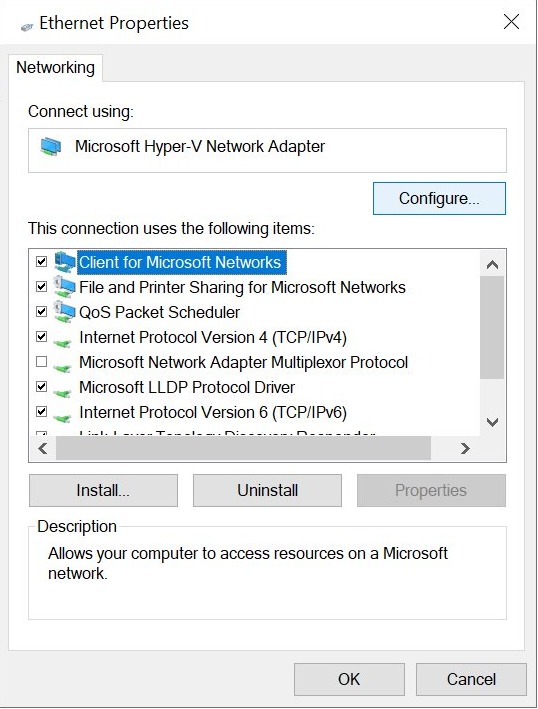
- Right-click Network Bridge, then select Properties.
- Double-click Internet Protocol Version 4 (TCP/IPv4).
- Select Obtain an IP address automatically, or select Use the following IP address and enter the address you need.
- Select OK, then close the properties window.
How to check network bridge status in Windows 11
A listed bridge is not proof that traffic moves. Check the entry, then test a device on the other side.
- Run
netsh bridge list. A working setup shows your bridge and its GUID. - Run
netsh bridge show adapterto read each adapter's settings and status flags. - Run
ipconfig /alland find the address assigned to the bridge. - Ping a device on the other network segment.
You can ping an IP address from Command Prompt for that last step, and view Ethernet status and properties if the bridge looks idle.
How to remove a network bridge in Windows 11
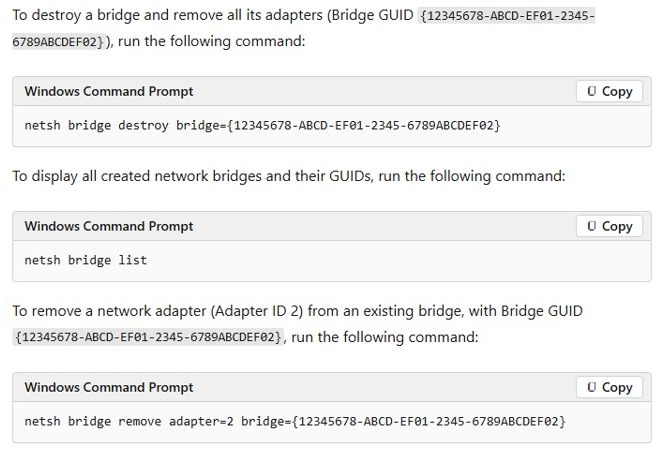
You can pull one adapter out or delete the whole bridge. Both start with the bridge GUID from netsh bridge list.
- Open Command Prompt as administrator and run
netsh bridge list. - To remove one adapter, run
netsh bridge remove adapter=2 bridge={12345678-ABCD-EF01-2345-6789ABCDEF02}, using your own ID and GUID. - To delete the bridge and remove all its adapters, run
netsh bridge destroy bridge={12345678-ABCD-EF01-2345-6789ABCDEF02}, using your own GUID. - Run
netsh bridge listagain. The bridge should be gone.
After the bridge is gone, open each adapter's properties and check its IP settings, then test that it connects as you expect.
Network bridge not working in Windows 11
Bridge Connections is missing from the menu
A bridge needs at least two selected connections, and not all adapters can be bridged.
- Select two connections, holding Ctrl for the second, then right-click again.
- Run
netsh bridge show adapterto see which adapters can take part. - Try a different adapter if one will not join.
Network bridge has no internet
The bridge has the wrong IP settings, or one adapter is not behaving in the bridge.
- Open the Network Bridge properties and set Internet Protocol Version 4 (TCP/IPv4) to Obtain an IP address automatically.
- Run
netsh bridge show adapterand review each adapter's status. - Remove the most recently added adapter with
netsh bridge removeand test again. - Run the Network and Internet troubleshooter in the Get Help app.
An Ethernet adapter is not listed
Windows is not detecting the adapter, or the driver has a problem.
- Check the cable and connect the adapter.
- Open Device Manager and expand Network adapters.
- Update the adapter's driver from the manufacturer's website if it is missing or shows an error.
- Restart the PC and look for the adapter in View network connections.
A network bridge will not go away
Adapters are still attached to the bridge.
- Run
netsh bridge listand copy the GUID. - Run
netsh bridge remove all from {12345678-ABCD-EF01-2345-6789ABCDEF02}, using your own GUID. Removing all adapters also deletes the bridge. - Run
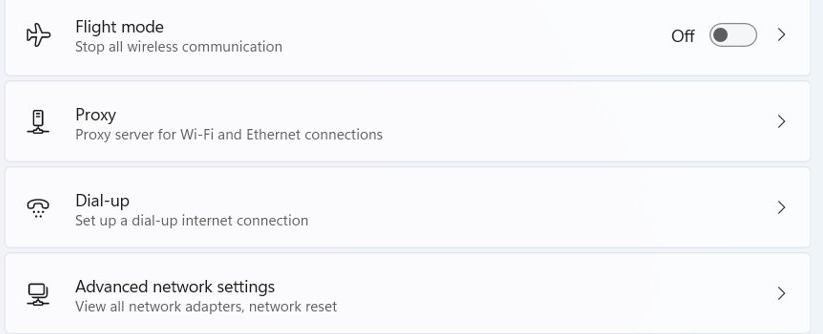
netsh bridge listagain to confirm it has gone. - Use Network reset only as a last step. Go to Settings > Network & internet > Advanced network settings > Network reset, then select Reset now and Yes.
Network reset removes every network adapter you have installed and its settings. You might also need to set up VPN software and Hyper-V virtual switches again, so keep it for when nothing else works.
Network bridge in Windows 11: frequently asked questions
What is a bridge in networking?
A bridge links two or more network segments so devices on separate segments can communicate as if they share one network. Windows includes bridging as a feature of its network adapters, and it can connect different types of network media too.
How do I set up a network bridge?
Open View network connections from Start, select two connections while holding Ctrl, right-click either one and select Bridge Connections. You can also run netsh bridge create adapter=1 adapter=2 as administrator, replacing the numbers with your own adapter IDs from netsh bridge show adapter.
How do I configure a network bridge?
Open the Network Bridge entry's properties to set its IP address through Internet Protocol Version 4 (TCP/IPv4). Use netsh bridge add to attach more adapters, and netsh bridge set adapter to change Layer 3 compatibility mode for a single adapter in the bridge.
How do I bridge a network connection?
Connect both adapters first, because Windows bridges connections listed in the Network Connections window. Then select both, right-click one and select Bridge Connections. To share internet instead of joining two networks, Mobile hotspot or Internet Connection Sharing can be the better fit.
How do I bridge two networks in Windows 11?
Give the PC one adapter on each network, then bridge those two adapters. Devices on both sides can then communicate as one network. Microsoft notes that not all adapters can be bridged, so run netsh bridge show adapter if one will not join.
Can I bridge Wi-Fi and Ethernet in Windows 11?
Windows bridges can join different types of network media, but Microsoft notes that not all adapters can be bridged. Run netsh bridge show adapter to see what your adapters report. If Wi-Fi will not join, use Mobile hotspot to share the connection instead.
Can I create a network bridge with nmcli or Docker on Windows 11?
No. The built-in Windows tools are the Network Connections window and netsh bridge. The nmcli tool belongs to Linux NetworkManager, and docker network create makes networks for Docker containers, not a bridge between your Windows network adapters.