Apple does not publish a mailing address for Apple Card payments, so ask an Apple Card Specialist at Goldman Sachs through Message in the Wallet app, or pay from your bank account in Wallet or at card.apple.com instead.
This guide covers the one Goldman Sachs address Apple does print, every electronic way to pay, and what to tell a bank whose bill pay asks for a payee address.
How to get the Apple Card payment address from Goldman Sachs
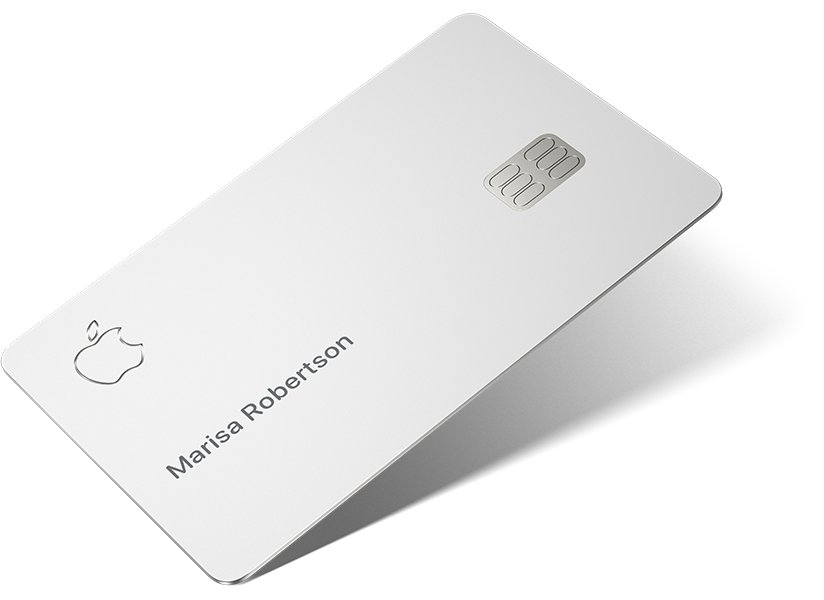
Apple Card is issued by Goldman Sachs Bank USA, Salt Lake City Branch, and its specialists answer account questions inside Wallet. Ask them for the current payment address before you set up a mailed or bank bill pay payment.
- Open the Wallet app on your iPhone and tap Apple Card.
- Tap the More button at the top of the card screen.
- Tap Message to start a chat with an Apple Card Specialist at Goldman Sachs.
- Ask for the address to use for payments sent by your bank's bill pay service or by check.
- Note the full address, including any lockbox number, exactly as the specialist writes it.
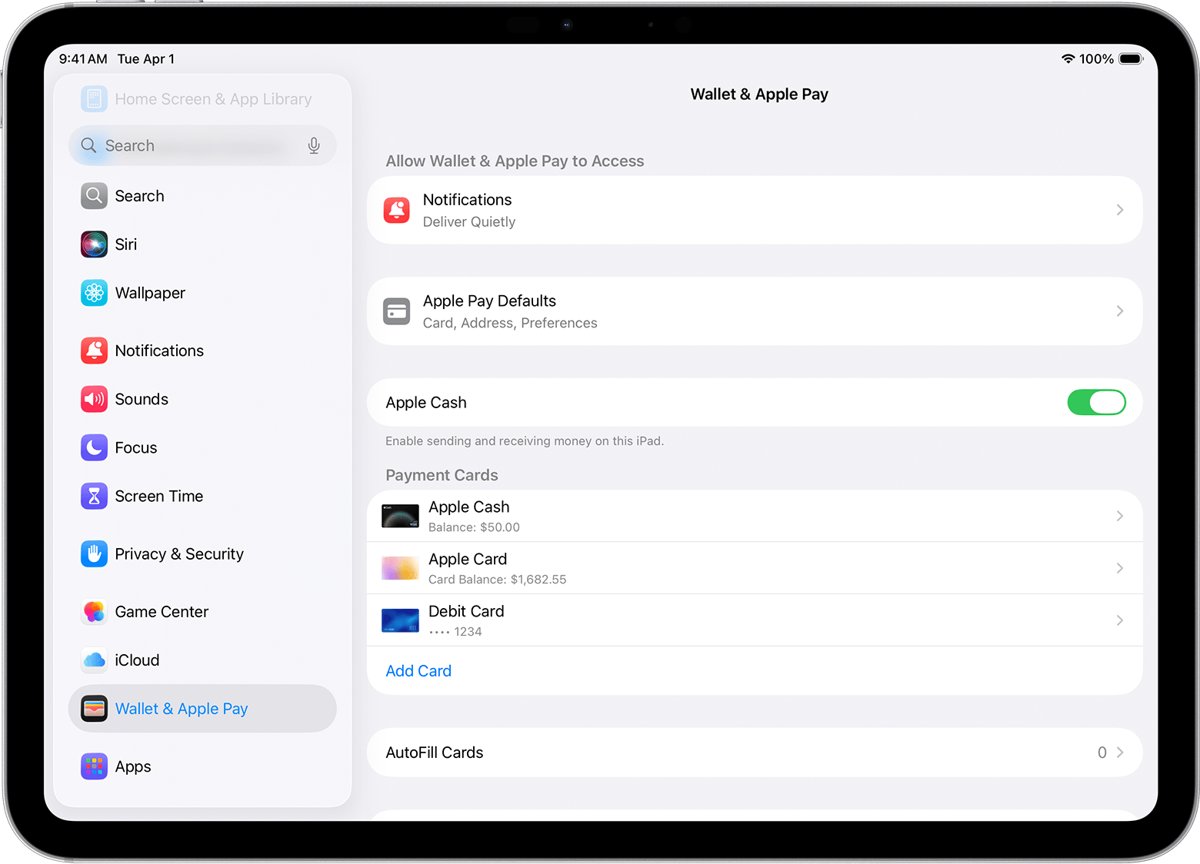
- On an iPad, open Settings > Wallet & Apple Pay, tap Apple Card, then tap Message instead.
Without an iPhone or iPad, sign in at card.apple.com and click Support in the sidebar for Goldman Sachs contact information.
Goldman Sachs Apple Card address for Billing Error Notices
The only Goldman Sachs mailing address in Apple's support articles is for written Billing Error Notices, a type of dispute under the Fair Credit Billing Act. Apple does not describe it as a payment address.
| What you need | What Apple publishes | Where it appears |
|---|---|---|
| Mail a written Billing Error Notice | Goldman Sachs Bank USA, Lockbox 6112 [6122], P.O. Box 7247, Philadelphia, PA 19170-6112 | Apple's article on reporting a transaction issue or disputing a charge |
| Mail a payment | No address published | Ask an Apple Card Specialist through Message in Wallet |
| Name of the issuing bank | Goldman Sachs Bank USA, Salt Lake City Branch | Footer of every Apple Card support article |
| Phone help from U.S. territories | Goldman Sachs at 877-255-5923 | Apple Card support pages, for the U.S. Virgin Islands, American Samoa, Guam, Northern Mariana Islands and U.S. Minor Outlying Islands |
| Contact details without an Apple device | Support in the sidebar | card.apple.com |
Apple prints the lockbox as "6112 [6122]". Check the Billing Rights Summary in your Apple Card Customer Agreement before you mail a notice, and never treat that address as a payment address without a specialist confirming it.
How to pay Apple Card bill without a mailing address
Apple's payment articles list only electronic routes. Each one moves money from a bank account or Apple Cash, so none needs a payee address.
| Your situation | Use this | Why |
|---|---|---|
| You have an iPhone with Apple Card in Wallet | Wallet > Apple Card > Card Balance > Pay | Pays the monthly balance or any amount in a few taps |
| You only use a computer or a non-Apple phone | card.apple.com > Payments | Works in a supported web browser with your Apple Account |
| Your bank wants to send payments every month | Autopay from your bank account | Apple pulls the payment from your account on the date you choose |
| You have money in Apple Cash | Wallet payment with the Apple Cash slider on | Any shortfall comes from your default bank account |
| You have an iPad | Settings > Wallet & Apple Pay > Apple Card > Make a Payment | Same payment flow as the iPhone |
How to add a bank account to Apple Card
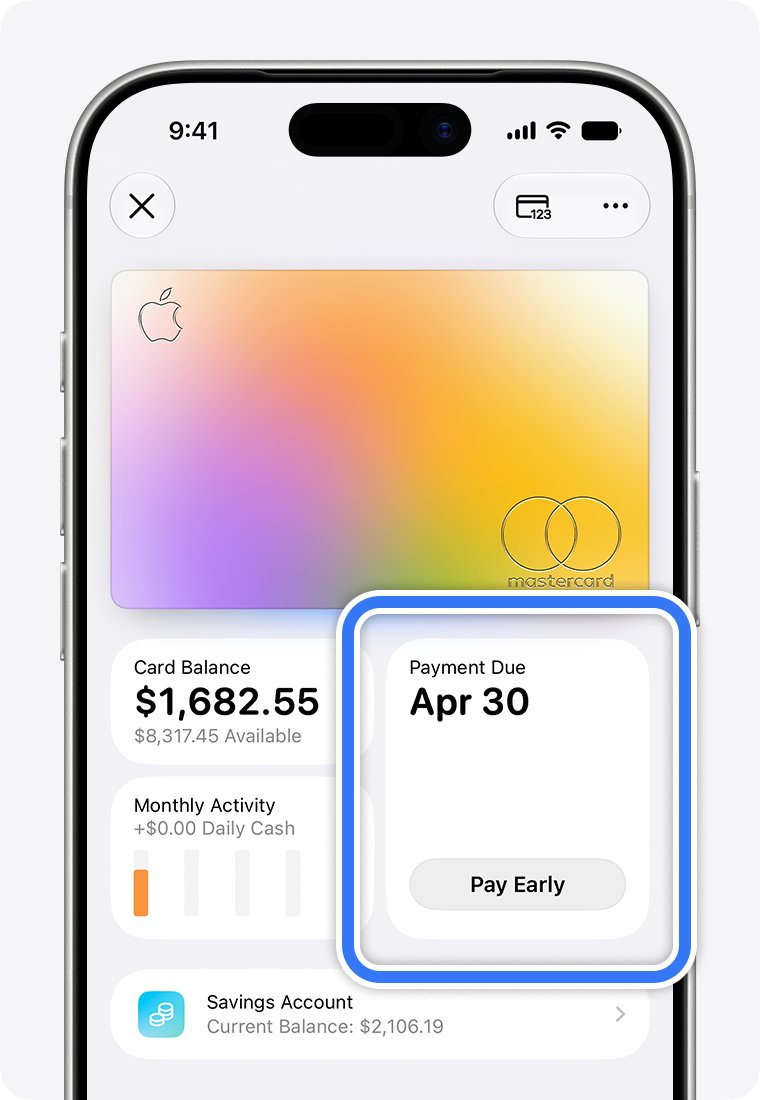
Every Apple Card payment from a bank starts with the routing and account numbers on file. The first bank account you add becomes your default for payments.
- Open the Wallet app and tap Apple Card.
- Tap the More button, then tap Account Details.
- Scroll down and tap Bank Accounts.
- Tap Add Bank Account or Add Another Bank Account.
- Enter your bank's routing number and your account number, then tap Next.
- Enter both numbers again to confirm, then tap Save.
At card.apple.com, the same option sits under Settings > Bank Accounts > Add Bank Account.
How to pay Apple Card online at card.apple.com
card.apple.com is the official way to pay Apple Card from a Windows PC, a Mac or an Android phone. Sign in with the same Apple Account that holds the card, and use the steps to find your Apple ID on iPhone if you are unsure which one that is.
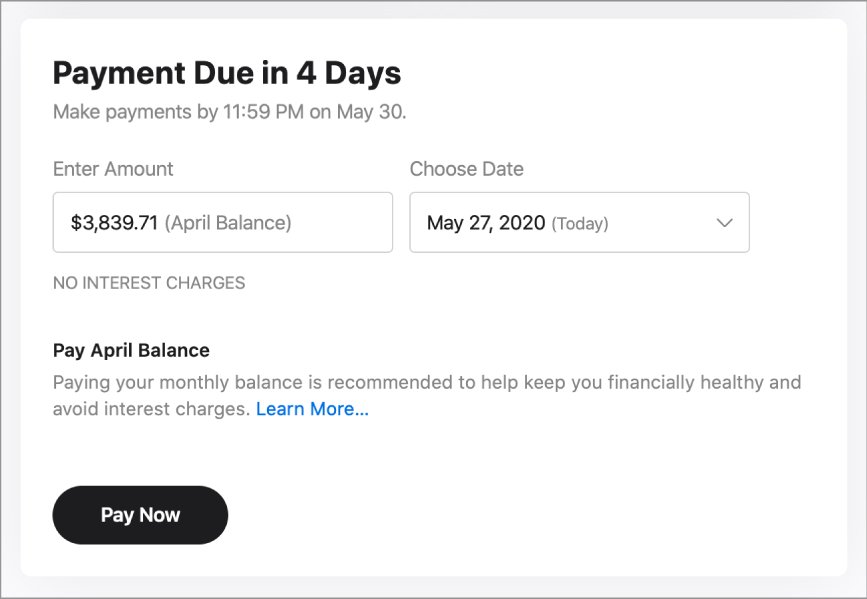
- Go to card.apple.com and sign in with your Apple Account and password.
- Click Payments in the sidebar.
- Enter and confirm your routing and account numbers if no bank account is on file yet.
- Enter a payment amount or choose a suggested amount.
- Choose a payment date, then click Pay Now for today or Pay Later for a future date.
- Select the bank account to use if you added more than one.
- Click the Pay button again to submit the payment.
Only the owner and co-owner of an Apple Card Family account can sign in to card.apple.com. Participants are not responsible for payments.
How to set up Apple Card Autopay from your bank account
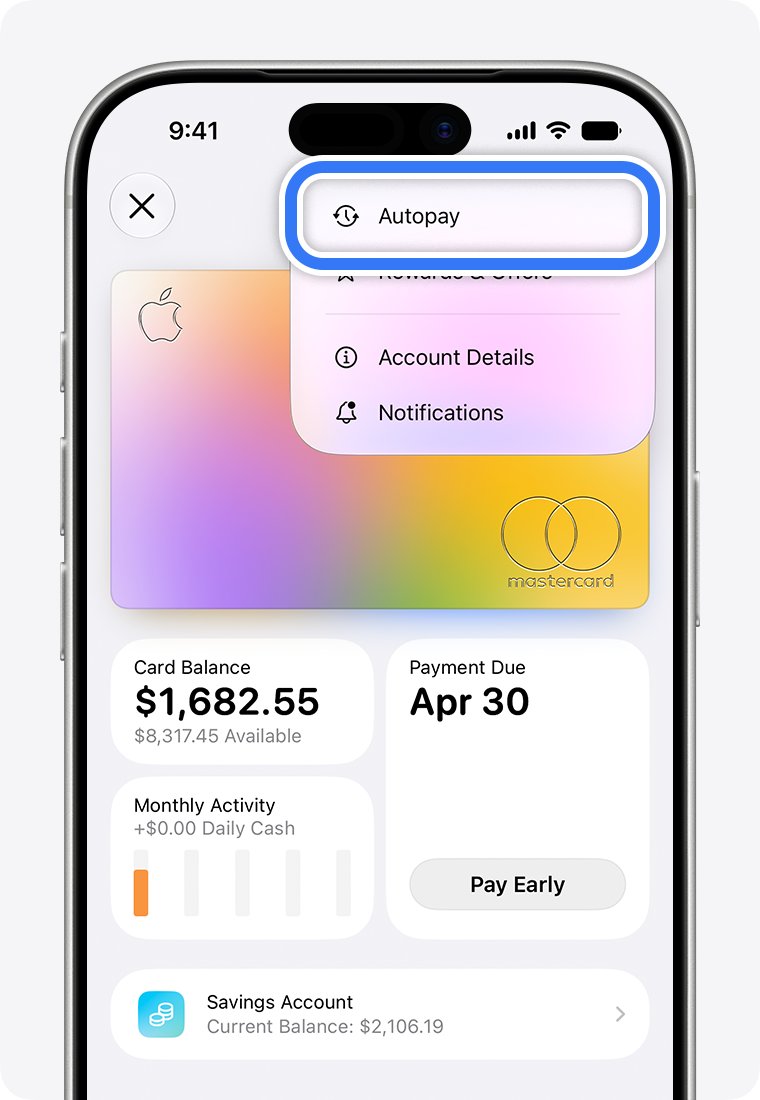
Autopay replaces a bank's bill pay service. Instead of your bank pushing a payment to an address, Apple Card collects it from your linked account on the schedule you pick.
- On your iPhone, open the Wallet app and tap Apple Card.
- Tap the More button, then tap Autopay.
- Tap Continue.
- Choose Monthly Balance, Minimum Payment Due or a custom amount, then tap Next.
- Select the payment date, or for a custom amount choose how often to pay and when to start.
- Tap Done, double-click the side button and confirm with Face ID, Touch ID or your passcode.
Online, click Payments, then Set Up Now below Set Up Autopay. To stop it on iPhone, open Autopay again and tap Cancel Autopay.
How to pay Apple Card with Apple Cash
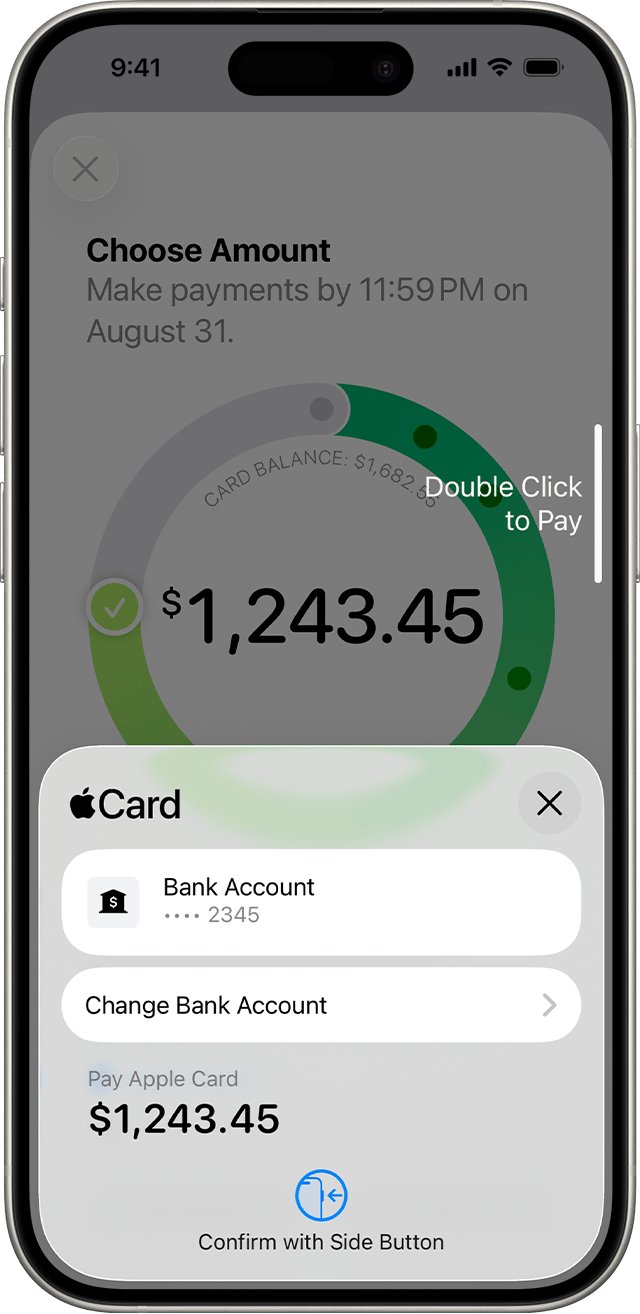
Apple Cash can pay the Apple Card bill straight from Wallet. If the Apple Cash balance is smaller than the payment, the rest comes from your default bank account.
- Open the Wallet app on your iPhone and tap Apple Card.
- Tap the area to the right of Card Balance.
- Tap Pay [amount], or tap Other Amount to enter a different figure.
- If your bank account shows instead of Apple Cash, tap Change Bank Account and turn the Apple Cash slider on.
- Double-click the side button and confirm with Face ID, Touch ID or your passcode.
- Tap Done.
How to download Apple Card statements for your bank
Banks that ask for statement details can work from the PDF statement. Monthly statements are available in Wallet and at card.apple.com.
- On your iPhone, open the Wallet app and tap Apple Card.
- Tap Card Balance.
- Scroll down and select the monthly statement you need.
- Tap Download PDF Statement.
- Tap the share button to email, print or save the file.
- On a computer, go to card.apple.com, click Statements and click the download button next to the month.
Confirm any address your bank takes from a statement with a specialist through Message before the bank sends money.
How to check an Apple Card payment in Wallet
A payment that reached Goldman Sachs shows in your Apple Card transactions and lowers the Card Balance. Checking both catches a payment your bank sent but the card never received.
- Open the Wallet app and tap Apple Card.
- Look under Latest Transactions for the payment and its amount.
- Tap the payment to see its date and status.
- Check that Card Balance below the card has dropped by the payment amount.
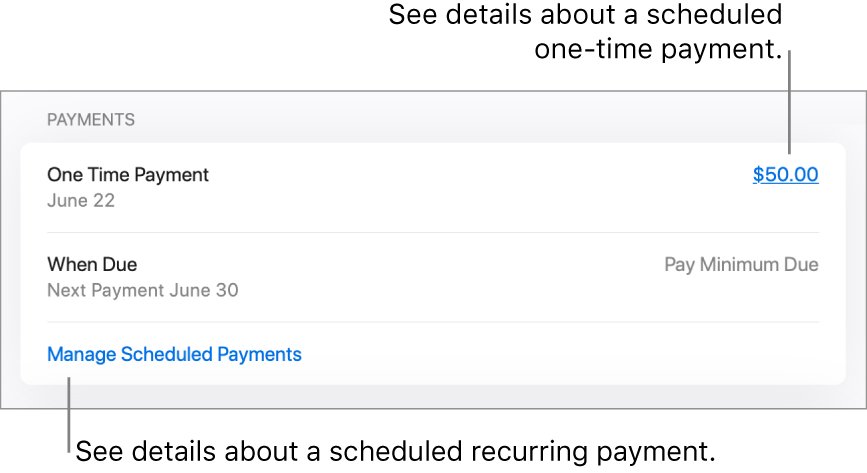
- At card.apple.com, click Settings and review scheduled one-time and recurring payments in the Payments section.
If a line such as Applecard GSBank payment appears on your bank statement, compare its date and amount with the payment in Wallet.
Apple Card bill pay problems with Goldman Sachs
Your bank's bill pay asks for the Goldman Sachs payee address
Apple publishes no payment address, and bill pay services push money to a payee instead of letting Apple Card pull it.
- Add your bank account to Apple Card in Wallet > Apple Card > More > Account Details > Bank Accounts.
- Set up Autopay for the monthly balance or minimum payment.
- If you still need bill pay, ask an Apple Card Specialist for the address through Message in Wallet.
No Apple Card statement has arrived yet
Statements are monthly, so a new account has none until its first billing month closes.
- Open Wallet > Apple Card and tap Card Balance to see the current balance.
- Pay any amount now with Pay or Other Amount; you do not need a statement first.
- Download the first statement from Card Balance or card.apple.com > Statements once it appears.
You cannot cancel an Apple Card payment
Payments that have already been processed cannot be canceled.
- Open Wallet > Apple Card and tap the payment under Latest Transactions.
- Tap it again and look for Cancel Payment.
- If Cancel Payment is missing, the payment has been processed.
- Cancel a scheduled online payment at card.apple.com by 11:59 p.m. eastern time on the day before its date.
You live in a U.S. territory and cannot reach Apple Card support
Cardholders in the U.S. Virgin Islands, American Samoa, Guam, Northern Mariana Islands and U.S. Minor Outlying Islands use a separate phone line.
- Call Goldman Sachs at 877-255-5923.
- Ask for the payment options and any payment address for your account.
- Use card.apple.com to pay electronically while you wait for an answer.
Goldman Sachs Apple Card payment FAQ
Does Goldman Sachs give an address for Apple Card payments?
Apple's support pages give no Goldman Sachs address for payments. The only address printed is for written Billing Error Notices: Goldman Sachs Bank USA, Lockbox 6112 [6122], P.O. Box 7247, Philadelphia, PA 19170-6112. Ask an Apple Card Specialist through Message in Wallet for a payment address.
Where is Goldman Sachs Apple Card based?
Apple Card is issued by Goldman Sachs Bank USA, Salt Lake City Branch. Apple Payments Services LLC, an Apple subsidiary, is a service provider to Goldman Sachs for Apple Card. Neither Apple Inc. nor Apple Payments Services LLC is a bank.
What is the Goldman Sachs contact number for Apple Card?
Apple lists Goldman Sachs at 877-255-5923 for Apple Card holders in the U.S. Virgin Islands, American Samoa, Guam, Northern Mariana Islands and U.S. Minor Outlying Islands. Other cardholders contact an Apple Card Specialist through Message in Wallet, or through Support at card.apple.com.
How do I log in to Goldman Sachs for Apple Card?
Sign in to Apple Card on the web at card.apple.com with the Apple Account that holds the card. From there you can make payments, add a bank account, check your balance and download PDF statements.
What is the official website for Goldman Sachs Apple Card?
The official site for managing Apple Card on the web is card.apple.com, and Apple Card help lives at support.apple.com/apple-card. Both are Apple sites, because Apple Payments Services LLC services Apple Card on behalf of Goldman Sachs Bank USA.
How do I open a Goldman Sachs account for Apple Card?
You do not open a separate Goldman Sachs account. You apply for Apple Card in the Wallet app on an iPhone, and the card is issued by Goldman Sachs Bank USA, Salt Lake City Branch, subject to credit approval for qualifying U.S. applicants.
Can I pay Apple Card from my checking account?
Yes. Add the checking account's routing and account numbers in Wallet under Apple Card > More > Account Details > Bank Accounts, or at card.apple.com under Settings. Then pay from Wallet, card.apple.com or Autopay.