Applecard GSBank payment is a payment from a bank account toward an Apple Card balance, and GSBank points to Goldman Sachs Bank USA, the bank that issues Apple Card.
This guide decodes the statement line, shows what the money pays for, and covers how to find, cancel or report the payment.
What is Applecard GSBank payment?
Apple doesn't publish the exact text banks print, so the meaning comes from the words themselves and from how Apple Card payments work.
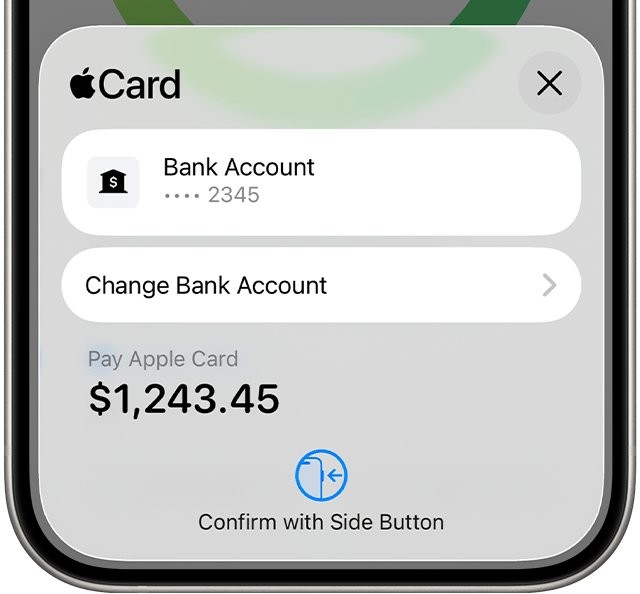
Treat the line as an Apple Card bill payment if you or someone on your bank account has Apple Card, then match the date and amount in the Wallet app. Apple Card bills are paid from a linked bank account or Apple Cash, so the money reduces the card balance and doesn't buy anything new.
Applecard GSBank – payment on a bank statement
| Part of the line | What it points to | What to do with it |
|---|---|---|
| APPLECARD | Apple Card, the credit card in the Wallet app | Check who in your household has one |
| GSBANK | Goldman Sachs Bank USA, Salt Lake City Branch, the Apple Card issuer | Direct account questions to its Apple Card Specialists |
| PAYMENT | Money moving from a bank account to the card balance | Match the amount against Apple Card transactions |
| WEB | A word Apple's support pages don't explain | Ask your bank what its statement code means |
What is Apple Card GS Bank payment paying for?
The payment goes toward your balance, so it won't line up with a single purchase. It also differs from an apple.com/bill charge on your statement, which comes from Apple purchases or subscriptions. Your monthly balance can combine several items.
| Item in the monthly balance | What it covers |
|---|---|
| Spending | All purchases in the calendar month, not counting pending transactions |
| Interest charges | Interest added under your Apple Card APR |
| Credits | Credits posted to the account, which lower the amount |
| Carried balance | Any amount left from the previous month |
| Monthly installment | The interest-free installment, if you use Apple Card Monthly Installments |
The amount can also be a minimum payment, a custom amount, or a recurring Autopay amount, so it may differ from the full monthly balance.
How to find an Apple Card GS Bank payment in Wallet
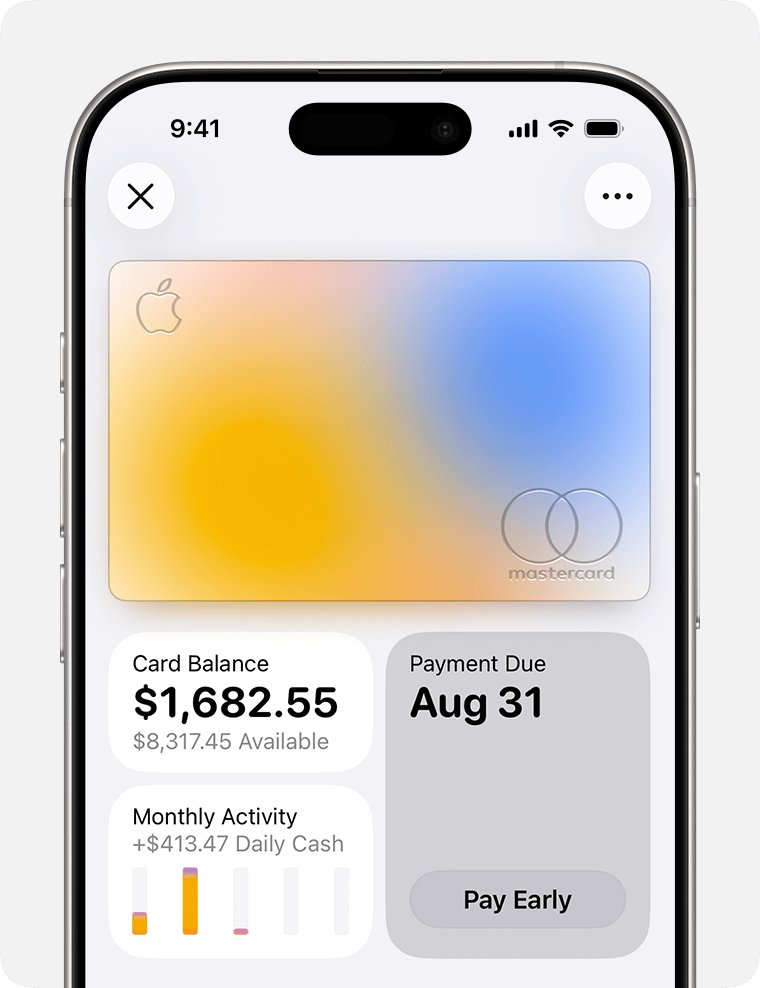
The Wallet app on the cardholder's iPhone is the quickest place to match a bank line to an actual payment.
- Open the Wallet app on the iPhone and tap Apple Card.
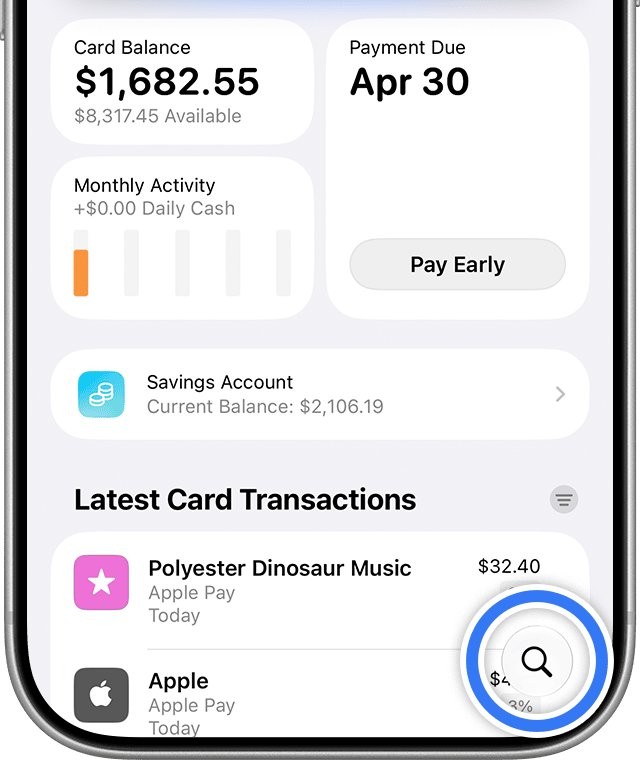
- Look under Latest Transactions for a payment with the same amount as your bank line.
- Tap the Search button if it isn't listed, then enter the amount or date.
- Tap the payment to see its details.
- Tap Card Balance to open past monthly statements if you need a record.
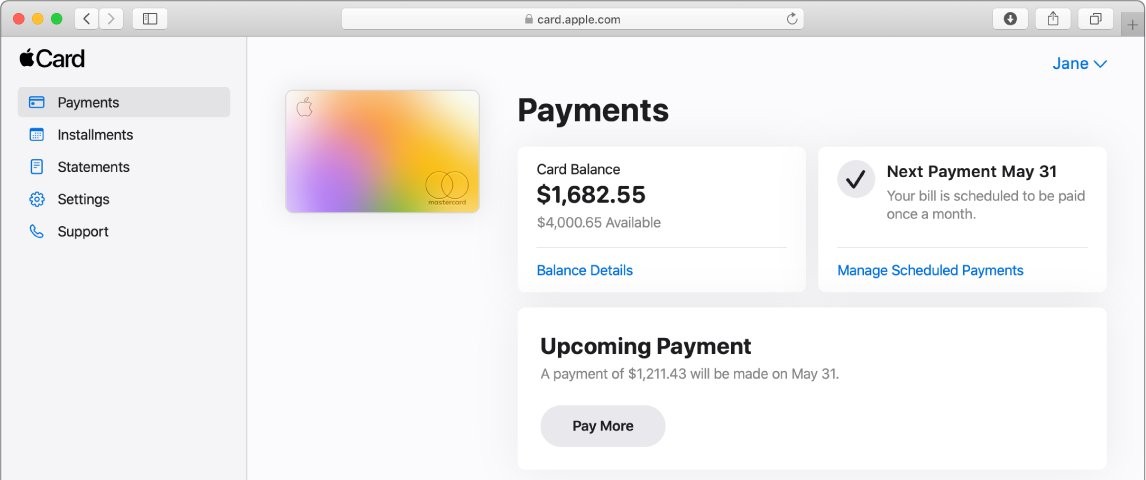
GS Bank Apple Card login at card.apple.com
There is a website for Apple Card at card.apple.com, and you sign in with an Apple Account. Only the account owner and any co-owner can sign in, while participants use Wallet to see their own transactions.
- Go to card.apple.com and sign in with your Apple Account and password.
- Click Payments in the sidebar to see your balance.
- Click Balance Details to see Payments and Credits and New Spending.
- Click Statements in the sidebar, then click the download button for a PDF.
- Click Settings in the sidebar to see scheduled payments and linked bank accounts.
How to cancel an Apple Card payment
You can cancel a payment only if it hasn't been processed yet. A scheduled payment on the website must be canceled by 11:59 p.m. Eastern time on the day before its date.
- Open the Wallet app and tap Apple Card.
- Under Latest Transactions, tap the payment you want to cancel.
- Tap the payment again, then tap Cancel Payment.
- Tap Cancel Payment again to confirm.
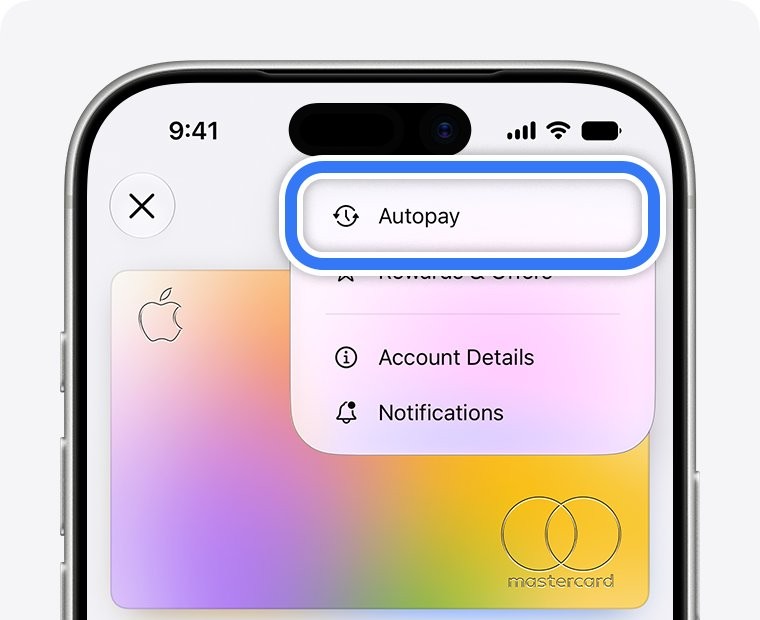
To stop recurring payments, tap the More button in Apple Card, tap Autopay, then tap Cancel Autopay.
How to remove a bank account from Apple Card
Removing the bank account stops it being used for new Apple Card payments. Cancel any scheduled payments first, as Apple advises.
- Open the Wallet app and tap Apple Card.
- Tap the More button, then tap Account Details.
- Scroll down and tap Bank Accounts.
- Tap Edit, then tap the minus sign next to the account.
- Tap Delete.
At card.apple.com, click Settings, click the More button next to the account, click Remove Bank, then click Remove. Apple Cash keeps a separate bank setting, so change the Apple Cash transfer account too if that bank is the one you're dropping.
Applecard GSBank payment: what is this if you don't have Apple Card?
Adding a bank account to Apple Card asks for the routing and account numbers, so check the people who share your account before you assume fraud. Scam messages are a separate problem, and it helps to spot fake Apple Pay texts and calls before you reply to one.
| Your situation | What it likely means | What to do |
|---|---|---|
| You have Apple Card and the amount matches | Your own payment or Autopay | No action needed |
| A spouse or joint account holder has Apple Card | They paid their card from the shared account | Ask them to check Wallet |
| You share an Apple Card as a co-owner | Either owner may have paid, since each is liable for the balance | Check Latest Transactions together |
| You are an Apple Card Family participant | The owner normally pays, since participants aren't responsible for payments | Ask the account owner |
| Nobody with access to the account has Apple Card | The debit may be unauthorized | Call your bank using the number on your card or statement |
How to dispute an Apple Card GS Bank charge
These steps are for a purchase on Apple Card that looks wrong. A debit on your bank statement that you never approved goes to your bank instead.
- Update the iPhone to the latest version of iOS.
- Open the Wallet app and tap Apple Card.
- Under Latest Card Transactions, tap the transaction, then tap it again.
- Tap Report an Issue, then select I need help with this transaction.
- Tap Continue to Chat, then tap the Send button in Messages.
- Follow the prompts to report the issue to Goldman Sachs, then check your email or Wallet for updates.
Apple Card Family members should check with each other first, because another member may have made the purchase.
Apple Card GS Bank payment address and contact options
Apple's payment articles describe paying through Wallet, iPad Settings and card.apple.com, with no mailing address. The address in its dispute article is for written Billing Error Notices, so ask a specialist before you send a payment by mail.
| What you need | Where to go |
|---|---|
| Chat with an Apple Card Specialist on iPhone | Wallet > Apple Card > More button > Message |
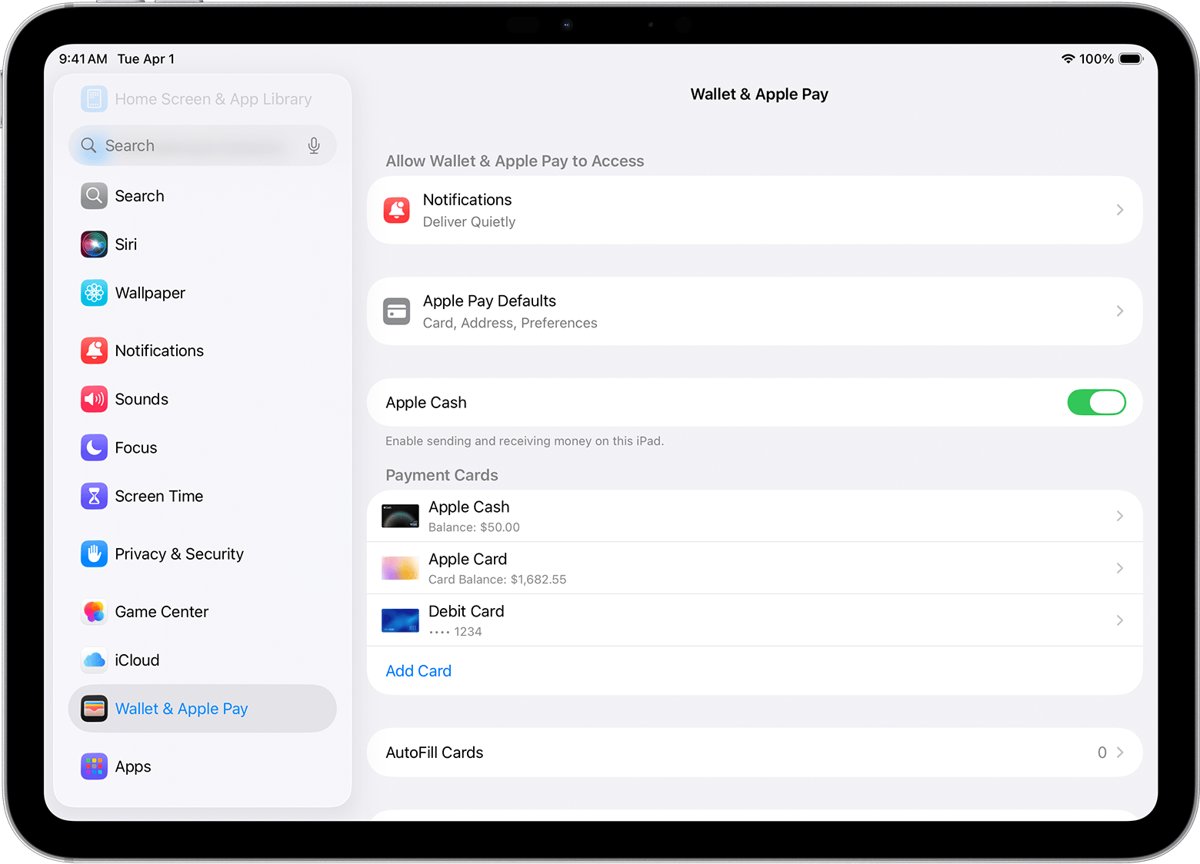
| Chat with a specialist on iPad | Settings > Wallet & Apple Pay > Apple Card > Message |
| Contact details without an eligible device | Support in the sidebar at card.apple.com |
| Phone help from U.S. territories | Goldman Sachs at 877-255-5923 |
| Mail a written Billing Error Notice | Goldman Sachs Bank USA, Lockbox 6112, P.O. Box 7247, Philadelphia, PA 19170-6112 |
Apple's page prints the lockbox number as "6112 [6122]", so confirm it in the Billing Rights Summary of your Customer Agreement before you mail anything.
Is GS Bank for Apple? Goldman Sachs and Apple Card explained
GS Bank isn't a part of Apple. Apple Card involves separate companies, and each one has its own role. Anyone who wants the card can apply for Apple Card in Wallet on an iPhone.
| Company | Role with Apple Card |
|---|---|
| Goldman Sachs Bank USA, Salt Lake City Branch | Issues Apple Card and handles Apple Card Specialist support |
| Apple Payments Services LLC | An Apple subsidiary that acts as a service provider to Goldman Sachs, and isn't a bank |
| Mastercard | The card network, so Apple Card works wherever Mastercard is accepted |
| Green Dot Bank | Provides Apple Cash, which can also pay the Apple Card bill |
Apple Card GS Bank charge problems
Apple Card GS Bank charge smaller than the payment in Wallet
Apple Cash covered part of it, and the remainder came from your default bank account.
- Open the Wallet app and tap Apple Card.
- Tap the area to the right of Card Balance.
- Tap Pay [amount], then tap Change Bank Account to review the Apple Cash slider.
- Turn the slider off if you want the full amount to come from your bank.
Apple Card payment taken from the wrong bank account
The first bank account you add becomes the default account.
- Tap Change Bank Account on the payment screen for your next payment.
- Open Account Details, then Bank Accounts, to add or remove accounts.
- Cancel any scheduled payments tied to an account before you delete it.
Cancel Payment doesn't appear on an Apple Card payment
The payment has already been processed and can't be canceled.
- Check Latest Transactions to confirm the payment posted.
- Tap the More button, then tap Autopay, to stop future payments.
- Tap the More button on the Apple Card screen, then tap Message to ask a specialist about the processed payment.
Applecard GSBank payment FAQ
What is Applecard GSBank payment?
It is a bank-account payment toward an Apple Card balance. GSBank points to Goldman Sachs Bank USA, which issues Apple Card. Match the date and amount in the Wallet app to confirm it came from your own account.
What is Apple Card GS Bank payment for?
It pays down what is owed on the card: purchases, interest, any carried balance and any Apple Card Monthly Installment. It doesn't pay for one specific item, so the amount rarely matches a single purchase.
What does web applecard gsbank payment mean?
It is the same Apple Card payment line with an extra word added. Apple's support pages don't explain the word WEB, so your bank is the place to ask what that statement code means on its own statements.
Is GS Bank for Apple?
GS Bank points to Goldman Sachs Bank USA, the Salt Lake City Branch that issues Apple Card. Apple itself isn't a bank. Apple Payments Services LLC works as a service provider to Goldman Sachs for the card.
What is GS Bank USA Apple Card?
GS Bank USA points to Goldman Sachs Bank USA, the issuer of Apple Card, rather than a separate product. The card is available only to qualifying applicants in the United States, and it is managed in the Wallet app or at card.apple.com.
Where do you log in to GS Bank Apple Card?
Go to card.apple.com and sign in with your Apple Account. Owners and co-owners can sign in there to check balances, make payments and download PDF statements. Participants can't use the website, so they view their own transactions in Wallet.
What is the GS Bank Apple Card payment address?
Apple's payment articles list no mailing address. Its dispute article gives a Goldman Sachs Bank USA address in Philadelphia for written Billing Error Notices. Use Wallet or card.apple.com to pay, or message a specialist about mailing a payment.