Use File > Convert > Create MP3 Version in the Music app to make an MP3 copy of any unprotected song in your library, but Apple offers no way to export songs from the Apple Music subscription catalog.
This guide covers conversion on Mac and Windows, songs that cannot be converted, MP3 CDs, importing MP3 files and the fixes for common conversion problems.
How to turn Apple Music into MP3
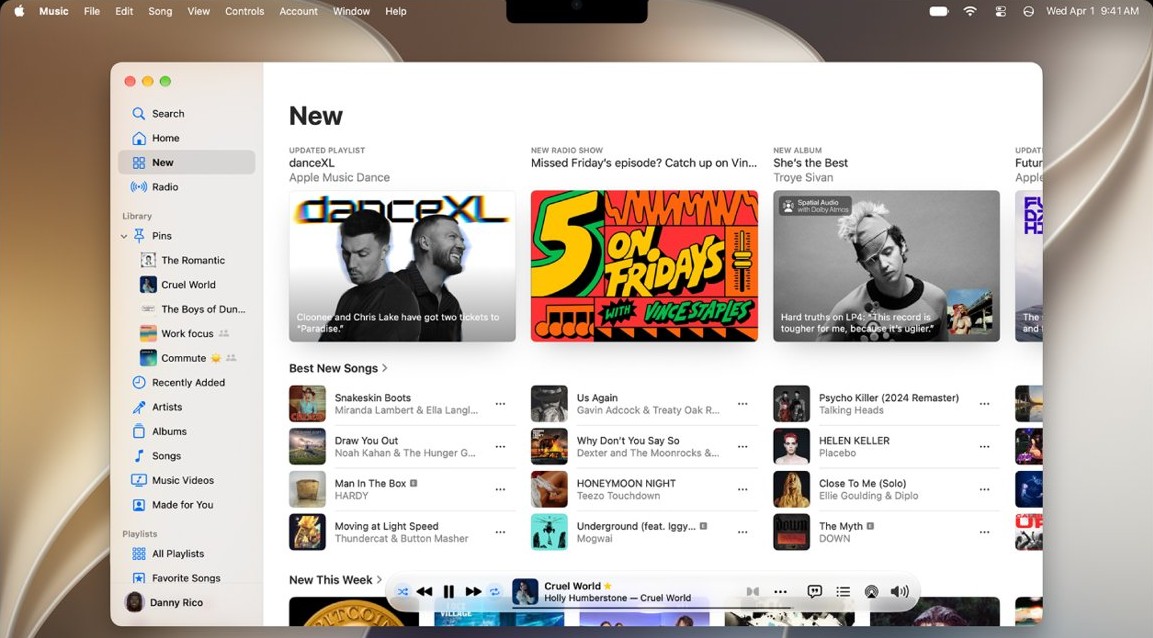
These steps work on a Mac for CD imports, your own audio files and iTunes Plus purchases. The original song stays in your library, and the MP3 appears beside it as a second copy.
- Open the Music app on your Mac.
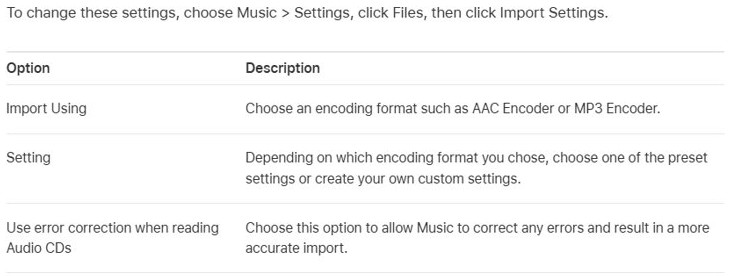
- Choose Music > Settings, click Files, then click Import Settings.
- In the Import Using pop-up menu, choose MP3 Encoder, then click OK.
- Select one or more songs in your library.
- Choose File > Convert > Create MP3 Version.
Can I convert Apple Music to MP3?
You can convert a song only when Apple's rules allow it, and the source of the song decides that. Check your song against this table before you spend time on the steps.
| Song source | Can you make an MP3? | What Apple says |
|---|---|---|
| Songs imported from your own CDs | Yes | For the best quality, import the CD again with MP3 chosen as the format instead of converting a compressed copy. |
| MP3, AAC, AIFF or WAV files you added | Yes | Convert keeps the original and adds the new version to your library. |
| iTunes Plus purchases from the iTunes Store | Yes | iTunes Store purchases can be converted only if they are iTunes Plus songs. |
| Older iTunes Store purchases | No | Older purchases use a Protected AAC format that prevents conversion. |
| Songs added or downloaded from the Apple Music catalog | No official route | Apple says these songs can be downloaded only directly from Apple Music, cannot be burned to a CD and cannot be moved to another device by hand. |
A subscription gives you access to the catalog rather than ownership of the files. If you want to keep a catalog song as an MP3, the supported route is to buy it from the iTunes Store first.
Convert Apple Music to MP3 on Windows with iTunes
Apple documents the Convert command for iTunes on PC, and its Apple Music for Windows guide has no conversion topic. iTunes for Windows is a Microsoft Store download, and you can download Apple Music for your PC separately for everyday listening.
- Open iTunes on your PC.
- Choose Edit > Preferences, click General, then click Import Settings.
- In the Import Using pop-up menu, choose MP3 Encoder.
- In the Setting pop-up menu, choose a quality level, then click OK.
- Select one or more songs in your library.
- Choose File > Convert > Create MP3 Version.
iTunes keeps the original song and adds the MP3 copy to your library. Apple lists Windows 10 in the current iTunes system requirements, and you can update iTunes on your PC if yours is an older version.
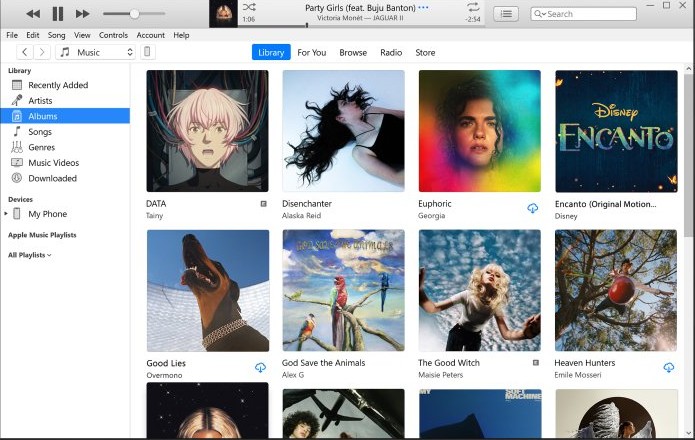
Convert Apple Music files to MP3 from a folder or disk
This Mac route converts files that are not in your library yet. Music imports each file and converts it in one pass, so both versions appear in your library afterward.
- In the Music app, choose Music > Settings, click Files, then click Import Settings.
- Set Import Using to MP3 Encoder, then click OK.
- Hold down the Option key.
- Choose File > Convert > Convert to MP3. The menu names the format you set as your import preference.
- Select the folder or disk that holds the songs you want to convert.
Apple Music convert to AAC, MP3, WAV and lossless formats
The format you choose in Import Using decides what the Convert menu creates. Choose AAC Encoder to get Create AAC Version, for example. The presets below are the ones Apple lists for iTunes on PC.
| Import Using option | Apple's stated use | File size |
|---|---|---|
| MP3 Encoder: Good Quality | Fitting more songs on a player with little storage | Smallest MP3 preset |
| MP3 Encoder: High Quality | Listening in noisy environments | About 1 MB per minute of music |
| MP3 Encoder: Higher Quality | Audio CDs or high-quality stereo speakers | Larger than High Quality |
| MP3 Encoder: Custom | Direct control of bit rate, sample rate, channels and stereo mode | Depends on your choices |
| AAC Encoder | Most music, and the default format | Compressed |
| Apple Lossless Encoder | Audiophile-quality systems with no loss in quality | Much larger |
| AIFF Encoder | Burning high-quality audio CDs | Much larger |
| WAV Encoder | Playing on computers without MP3 software | Much larger |
Apple recommends MP3 Encoder for listening in other apps or on non-Apple MP3 players. Converting between MP3 and AAC can reduce sound quality, and a lossless copy of a compressed file gets larger without sounding better.
Convert Apple Music song to MP3 by buying it from the iTunes Store
Buying is the supported way to own a song you found in the catalog. Apple announced in January 2009 that iTunes music would become DRM-free at 256 kbps, and you can get back missing purchases if older ones have vanished from your library.
- Click iTunes Store in the Music sidebar. If it is missing, choose Music > Settings, click General, select iTunes Store, then click OK.
- Search for the song, then click its price button to buy it.
- To restore something you bought earlier, click Purchased on the right side of the iTunes Store window, then click Download.
- Set Import Using to MP3 Encoder in Music > Settings > Files > Import Settings.
- Select the purchased song, then choose File > Convert > Create MP3 Version.
Apple says purchased content you download permanently can play without an internet connection, and that it cannot revoke that content. A protected older purchase still will not convert.
Convert Apple Music playlist to MP3
Conversion works on selected songs, so a playlist is a handy way to gather them. Each song still follows the source rules above, and catalog songs in the playlist stay as they are.
- Set Import Using to MP3 Encoder in Music > Settings > Files > Import Settings.
- Open the playlist in your library.
- Select the unprotected songs you want to convert.
- Choose File > Convert > Create MP3 Version.
- Create a new playlist and add the MP3 copies to keep them together.
Burn an Apple Music playlist to an MP3 CD
An MP3 CD plays on MP3-capable CD players and computers, and every song on it must already be an MP3. Apple's terms cap burning at seven times per playlist for purchased music, but that limit does not apply to DRM-free content.
- Create a playlist that contains only your MP3 copies.
- Choose View > as Songs, then check the songs to include.
- Insert a blank disc.
- Select the playlist, then choose File > Burn Playlist to Disc.
- Select the MP3 CD format, then click Burn.
Apple states that songs from the Apple Music catalog cannot be burned to a CD. Burning can take several minutes, and a cancelled CD-R cannot be used again.
How to convert MP3 to Apple Music
You do not need to convert an MP3 for Apple Music, because the app can add the file as it is. These steps also answer how to get music onto Apple Music from your own computer.
| Where you are | Menu path | Shortcut |
|---|---|---|
| Music app on Mac | File > Import, or File > Add To Library if copying to the Media folder is off | Drag the file or folder from Finder into the Music window |
| Apple Music app on Windows | Sidebar Actions > Library > Add Files to Library or Add Folder to Library | Drag the file or folder from File Explorer into the Apple Music window |
| iTunes on PC | File > Add File to Library or Add Folder to Library | Drag the file or folder from the desktop into the iTunes window |
Without the copy setting, the library stores a reference to the file rather than the file itself. Moving the original afterward can stop the song from playing.
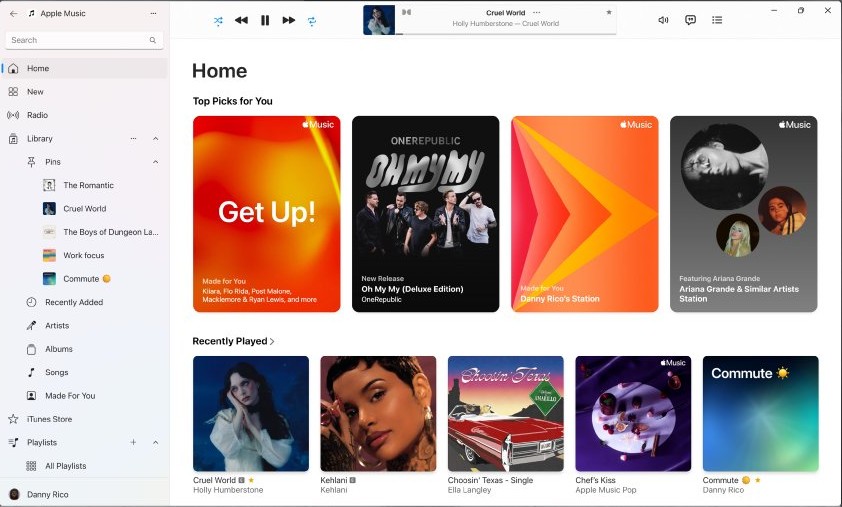
Where does Apple Music save converted MP3 files?
The converted copy appears in your library beside the original, and its file sits in the default media folder unless you changed that location.
| App | Default folder | Open the file's folder |
|---|---|---|
| Music on Mac | ~/Music/Music |
Click Songs, select the song, then choose File > Show in Finder |
| Apple Music on Windows | Home\Music\Apple Music |
Click Songs, click More beside the song, then choose Show in Explorer |
| iTunes on PC | Music\iTunes\iTunes Media in your user folder |
Select the song, then choose File > Show in Windows Explorer |
How to tell if an Apple Music song is an MP3 file
Two songs with the same title after conversion are expected. The file extension shows you which one is the MP3.
- Click Songs in the sidebar and find the two copies of the song.
- Select one copy, then open its folder with the command in the table above.
- Look for a file name ending in
.mp3. - If the name ends in another extension, select the other copy and repeat the check.
- Copy the
.mp3file to the player or app you want to use, then play it there.
Apple Music not converting to MP3
Create MP3 Version is missing from the Convert menu
The Convert menu follows your import setting, so another format is still selected.
- Open Import Settings from Music > Settings > Files on Mac, or Edit > Preferences > General in iTunes.
- Set Import Using to MP3 Encoder, then click OK.
- Select the song again and open File > Convert.
A purchased or catalog song will not convert
Apple allows conversion of store purchases only for iTunes Plus songs, and it offers no export route for catalog songs.
- If you own the CD, import the CD again with MP3 Encoder selected.
- If you do not own it, buy the song from the iTunes Store.
- Convert the new copy with File > Convert > Create MP3 Version.
iTunes on PC does not show the Music category
Apple directs you to the Apple Music app when the category is missing from iTunes, and its Windows guide lists no conversion command.
- Open Sidebar Actions in Apple Music and look for a convert command in the menus.
- If there is none, run the conversion in Music on a Mac, or in iTunes on a PC where the Music category is available.
Burn Playlist to Disc does not appear
The playlist contains items with usage restrictions, such as a song your computer is not authorized to play.
- Remove catalog songs and protected purchases from the playlist.
- Select the playlist again, then choose File > Burn Playlist to Disc.
The MP3 sounds worse than the original song
Converting a compressed song to another compressed format can discard audio data, and that data cannot be recovered.
- Choose a higher Setting for MP3 Encoder in Import Settings.
- Import the music again from the original CD or source file instead of converting the compressed copy.
Show in Finder or Show in Explorer is missing
The song can be in your library without being on your computer.
- Click the Download button beside the song if it is one you own.
- Select the song again and repeat the command.
A song stops playing after you move its file
The library holds a reference to the file's old location unless copying to the media folder is turned on.
- Move the file back to its original folder, or add it to the library again from the new location.
- Turn on Copy files to Media folder when adding to library in Files settings to avoid a repeat.
Are Apple Music to MP3 converter apps allowed?
Searches for an Apple Music file converter or a free Apple Music to MP3 tool usually lead to third-party apps that promise to unlock subscription songs.
Stick with Apple's own Convert command, which is free and already built into Music on Mac and iTunes on PC. Apple's terms say you may not tamper with or circumvent any security technology included with its services or content, and they limit use to personal, noncommercial purposes.
Apple also says its software may be used to reproduce only non-copyrighted material, material you own the copyright to, or material you are authorized or legally permitted to reproduce. Apple suggests asking a legal advisor if you are unsure about your right to copy something.
Convert Apple Music to MP3 FAQ
Can I convert Apple Music to MP3?
Yes for your own imported files and iTunes Plus purchases, using File > Convert > Create MP3 Version. Apple offers no route for subscription catalog songs, and older Protected AAC purchases cannot be converted either.
How can I convert Apple Music to MP3 for free?
Use the Convert command in Music on Mac or iTunes on PC, which costs nothing beyond the software you already have. It works on songs Apple allows you to convert, such as CD imports and your own audio files.
Does converting a song to MP3 delete the original?
No. Apple keeps the song in its original format and adds the converted copy to your library, so you see two entries with the same name. You can remove the copy you do not need afterward.
How do I convert MP3 to Apple Music?
You add the MP3 as it is, with no conversion. On Mac, choose File > Import or drag the file into the Music window. On Windows, open Sidebar Actions, choose Library, then Add Files to Library.
How do I transfer music to Apple Music?
Add your audio files or a whole folder to the library from the app's menu, or drag them into the window. Apple Music then lists those songs in your library alongside music you add from the catalog.
How do I convert music to iTunes?
On a PC, open iTunes, click File, then select Add File to Library or Add Folder to Library. To change a song's format once it is in the library, set Import Using and choose File > Convert.
Can Apple Music convert to AAC?
Yes. Set Import Using to AAC Encoder in Import Settings, select your songs, then choose File > Convert > Create AAC Version. AAC is Apple's default format, and it suits most music, according to Apple's iTunes guide.
Does converting to MP3 improve sound quality?
No. Compression can discard audio data, and converting afterward cannot bring it back. For the best MP3, Apple recommends importing the music again from the original source with the new format selected.
Do I keep Apple Music downloads if I cancel?
No. Apple's terms say you lose access to your iCloud Music Library when your Apple Music membership ends. Songs bought from the iTunes Store are different, since purchased content you download permanently stays yours to play.
Can I convert Apple Music to MP3 on iPhone?
Apple documents song conversion only in the Music app on Mac and iTunes on PC. For offline listening on iPhone, download songs in the app, since Apple says music can be downloaded to a device only directly from Apple Music and cannot be moved by hand.