Your Undertale download for Windows 11, Windows 10, Mac or Linux comes from Steam, GOG or the Microsoft Store, each selling the PC game for $9.99. Steam and GOG include the Mac and Linux builds, and GOG also gives you a DRM-free installer file.
This guide covers which copy to buy, the official store links, install steps for each store, the Mac options, system requirements, fixes for install problems and how to remove the game.
Which Undertale download do you need?
Match your device to a row. Every PC row installs the same game by Toby Fox.
| Your device | What to get | Size | Where |
|---|---|---|---|
| Windows 11 or Windows 10 PC | The Steam copy, $9.99 | 200 MB of space | Undertale on Steam |
| Any PC where you want an installer file to keep | The DRM-free GOG copy, $9.99 | About 126 MB installer | Undertale on GOG |
| Windows PC signed in to a Microsoft account | Undertale (PC) from the Microsoft Store, $9.99 | About 126 MB package | Undertale (PC) on Xbox.com |
| Mac | Steam or GOG; both include the macOS build | About 130 MB on GOG | Undertale on GOG |
| Linux PC | The Steam copy, which includes the Linux build | 200 MB of space | Undertale on Steam |
| Xbox console | The console edition, $14.99 | Console only | Undertale on Xbox |
The $14.99 Xbox listing is a console package. It does not install on a Windows PC, so buy Undertale (PC) instead.
Download Undertale for Windows 11 and Windows 10
Buy from one of these official store pages. The purchase adds the game to your account, and you download it from there.
- Undertale on Steam — $9.99; Windows, Mac and Linux; Family Sharing and Remote Play
- Undertale on GOG — $9.99; DRM-free installers for Windows, Mac and Linux
- Undertale (PC) in the Microsoft Store — $9.99; x64 package, Windows 10 version 1903 or later
Steam asks you to accept a third-party EULA from the developer before the game runs. Accept it once at first launch.
How to install Undertale on Windows 11 and 10
Follow the list for the store you bought from. GOG gives you an installer file; Steam downloads through its client.
Install with Steam
Steam must be on the PC before the game can download.
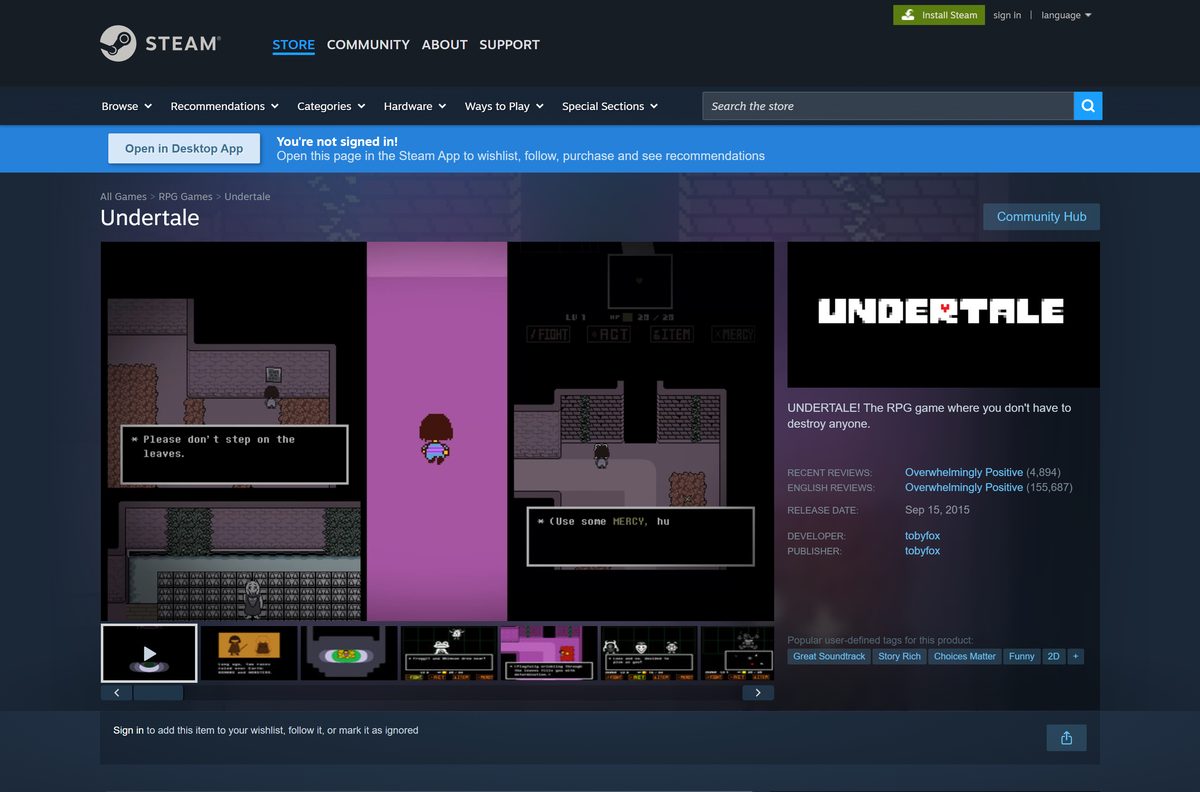
- Open the Undertale Steam page and select Add to Cart next to Buy Undertale.
- Complete the purchase with your Steam account.
- Install the Steam client from store.steampowered.com/about if the PC does not have it.
- Launch Steam and sign in with the same account.
- Open Library and select Undertale in the left column.
- Select Install, pick a drive and confirm.
- Select Play when the download finishes, then accept the EULA.
Install with the GOG offline installer
GOG sells the game DRM-free with a standalone setup file.
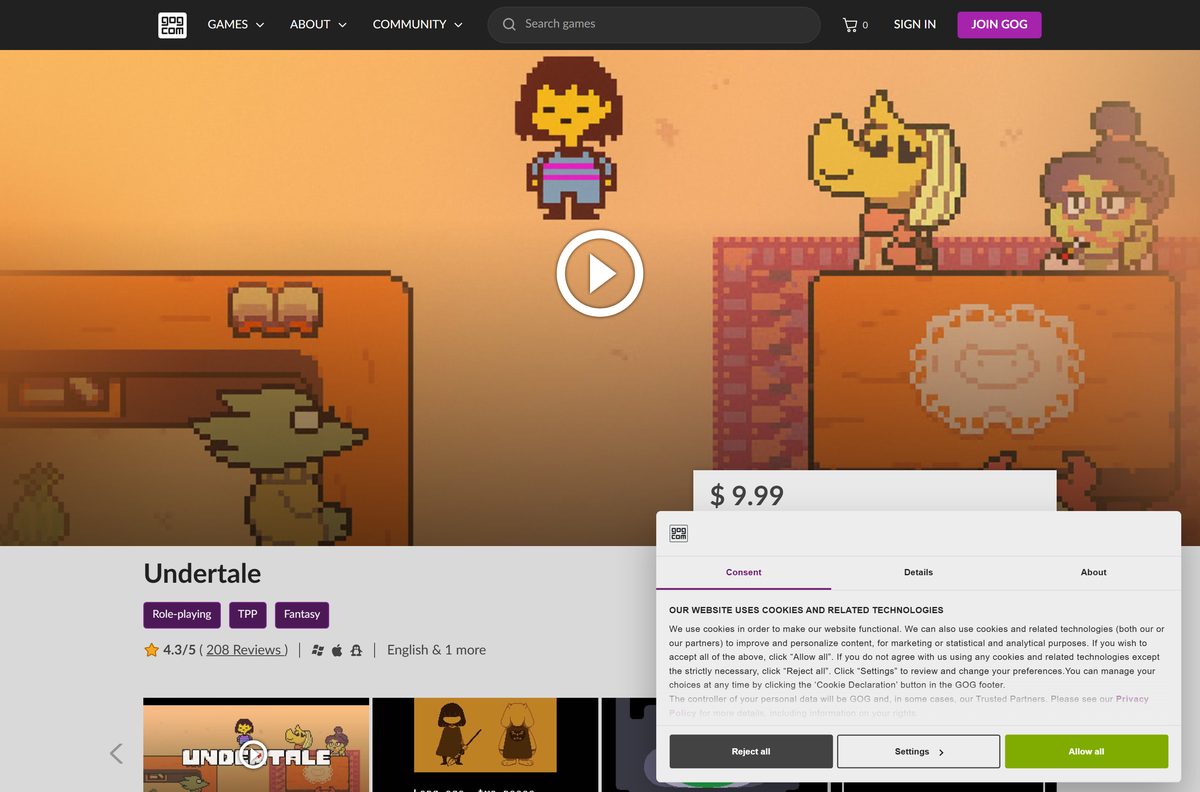
- Open the Undertale GOG page and select Buy now.
- Sign in to gog.com and open your games library.
- Select Undertale to show its download options.
- Download the Windows installer in English.
- Run the installer and follow its prompts.
- Launch Undertale from the shortcut the installer creates.
Keep the GOG installer on a USB drive or backup disk. It runs without an internet connection or GOG Galaxy.
Install Undertale from the Microsoft Store
The Microsoft Store sells a separate PC listing named Undertale (PC). Check that the name ends in (PC) before you buy.
- Open the Undertale (PC) listing in the Microsoft Store.
- Sign in with your Microsoft account.
- Select Buy and complete the $9.99 purchase.
- Select Install and let the Store or the Xbox app download the 126 MB package.
- Select Play when the install finishes.
- Pin Undertale to Start if you want a shortcut.
The package needs Windows 10 version 1903 or later on an x64 PC. Press Windows + R, type winver and press Enter to check yours.
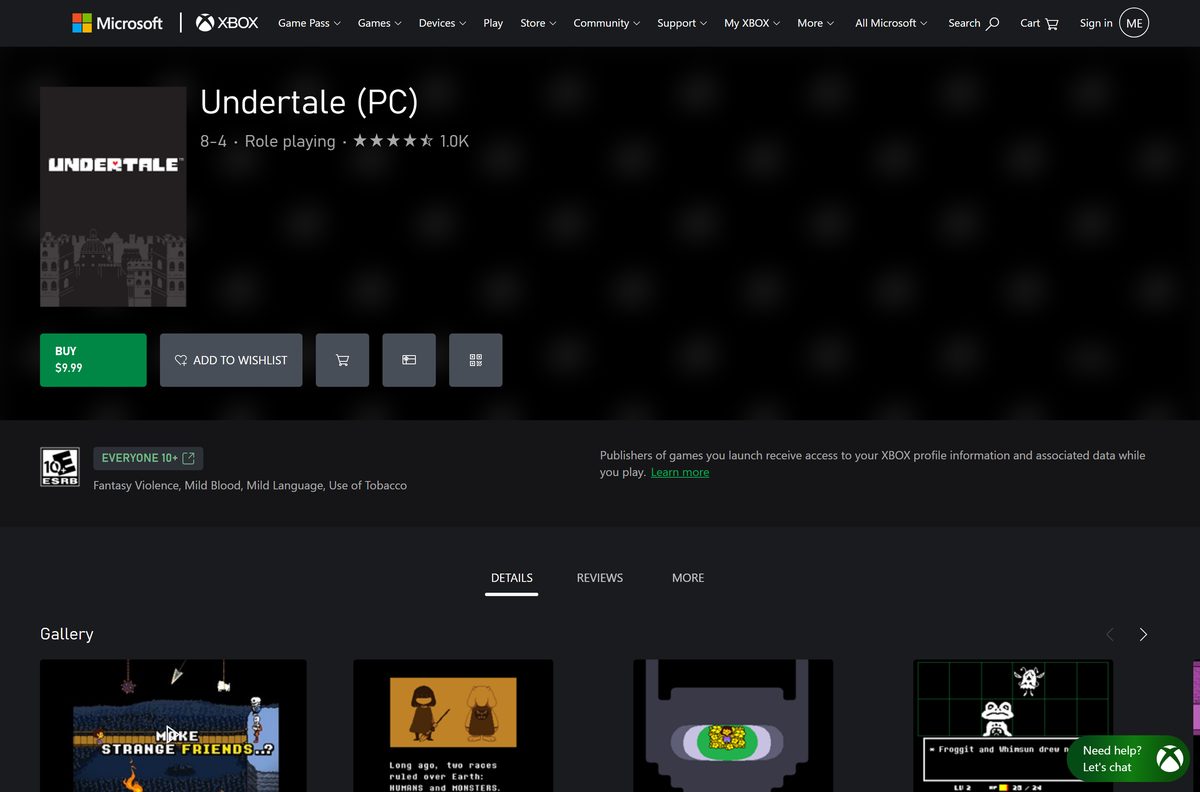
How to verify your Undertale game files on Steam
Steam can compare your install with the official files and replace anything damaged or missing.
- Restart the PC and launch Steam.
- Right-click Undertale in your Library, or select the gear icon on its Library page.
- Choose Properties from the menu.
- Open the Installed Files tab.
- Select Verify integrity of game files and wait for the check to finish.
- Launch the game again once Steam reports the result.
A note that one or more files failed to verify is normal. Those are local configuration files, and Steam leaves them alone.
Which Undertale download do you need for your Mac?
Open the Apple menu and select About This Mac to check your memory before you buy.
| Your situation | Get | Why |
|---|---|---|
| You already use Steam on the Mac | Steam macOS build | One purchase covers Mac, Windows and Linux |
| You want an installer you can archive | GOG macOS installer | DRM-free installer file, about 130 MB |
| You switch between a Mac and a Windows PC | Steam or GOG | Both stores include every desktop build in one purchase |
Steam lists 2 GB of RAM as the Mac minimum and 4 GB as recommended. The Microsoft Store edition runs on Windows only.
Is Undertale free?
No. Undertale costs $9.99 on Steam, GOG and the Microsoft Store, and $14.99 for the Xbox console edition. The PC price is a one-time purchase with no subscription, and the Steam and GOG copies include the Mac and Linux builds. Any site offering Undertale as a free PC download or APK is distributing an unlicensed copy.
The UNDERTALE Soundtrack is a separate $9.99 add-on on Steam. You need the base game to buy it, and you do not need it to play.
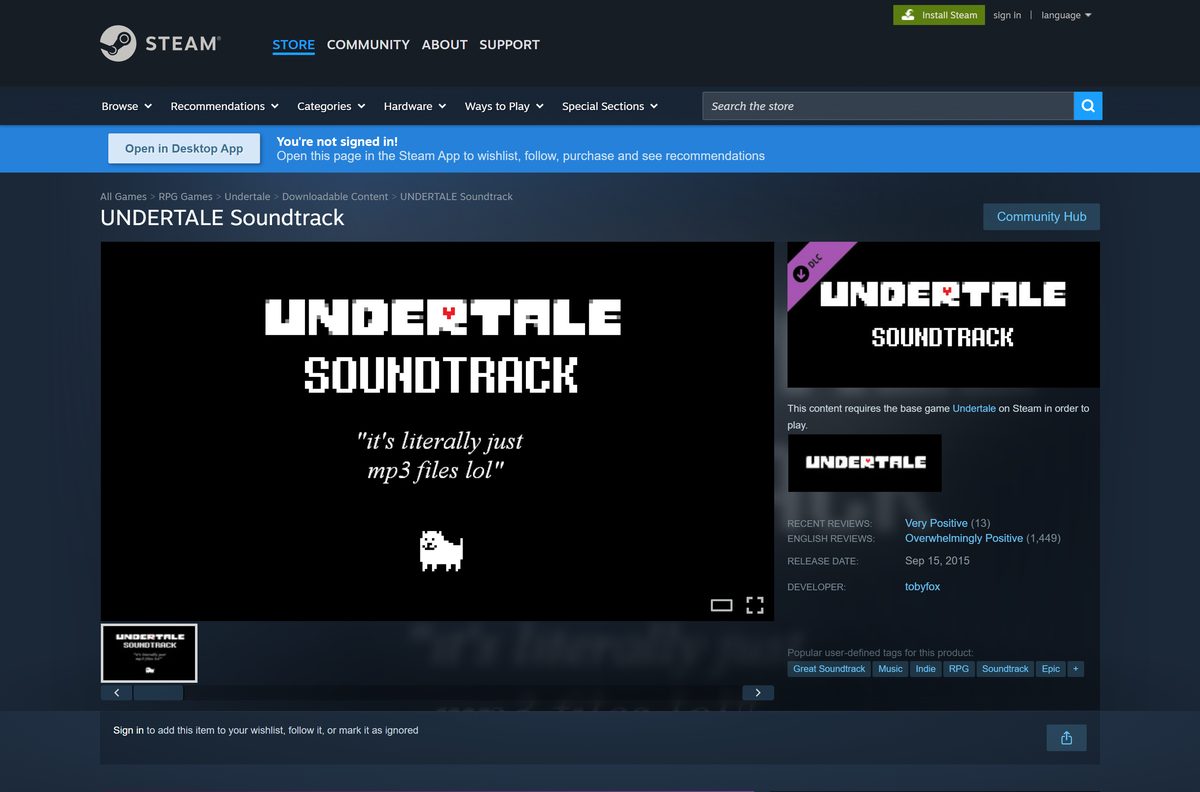
Choose between Undertale (PC) and the Xbox edition
The Microsoft Store shows two Undertale listings from 8-4, and they install on different hardware.
Buy Undertale (PC) at $9.99 for a Windows computer. Buy the $14.99 Undertale listing only for an Xbox console. The PC listing ships an x64 Windows package. The console listing ships an Xbox-only package that a Windows PC cannot install.
On a PC, Steam and GOG sell the same game at the same $9.99 price and add the Mac and Linux builds.
How to check your Undertale version and update it
Steam and the Microsoft Store patch the game on their own. A GOG install stays on the version you installed until you run a newer installer.
- Open Steam and select Library.
- Right-click Undertale and choose Properties.
- Open the Updates tab and set automatic updates to keep the game current.
- For the Microsoft Store copy, open Library in the Store and select Get updates.
- On GOG, open your library and read the version printed next to each installer.
- Download the installer again when its number is higher than yours, and run it over your install.
GOG labels the current Windows and Linux installers v1.08 and the Mac installer v1.08 (A).
Check the Undertale system requirements before you buy
Press Windows + Pause to see your RAM and processor on a PC.
| Field | Value |
|---|---|
| Game | Undertale |
| Developer | Toby Fox |
| Publisher | tobyfox on Steam and GOG; 8-4 on the Microsoft Store and Xbox |
| Latest version | 1.08 (GOG installers) |
| License / Price | Paid; $9.99 on Steam, GOG and the Microsoft Store |
| Windows | XP, Vista, 7, 8 or 10 on Steam and GOG; Windows 10 version 1903 or later for the Microsoft Store build |
| Processor | 2 GHz or faster recommended |
| Memory | 2 GB minimum; 3 GB recommended on Windows, 4 GB on Mac |
| Graphics | 128 MB minimum; 512 MB recommended |
| Mac | Mac OS X 32/64-bit on Steam |
| Linux | Ubuntu 14+ recommended on Steam |
| File size | About 126 MB for Windows (GOG installer and Microsoft Store package); 200 MB of free space |
| Architecture | One build per system on Steam and GOG; x64 only in the Microsoft Store; no ARM64 build |
| Offline installer | Yes on GOG; no on Steam or the Microsoft Store |
| Official download source | Steam store page |
| Last verified | 2026-09-25 |
The 200 MB of free space and 2 GB of RAM apply to Windows, Mac and Linux alike.
Fix Undertale not installing or not launching
Pick the symptom that matches what you see.
The game crashes or will not start on Steam
A damaged or incomplete file in the install folder.
- Restart the PC and launch Steam.
- Right-click Undertale in your Library and choose Properties.
- Open Installed Files and select Verify integrity of game files.
- Launch the game again after the check ends.
The Microsoft Store will not install Undertale (PC)
The PC runs a Windows 10 build older than version 1903.
- Press Windows + R, type winver and press Enter.
- Open Settings, then Windows Update, and install every pending update.
- Restart the PC and select Install on the listing again.
The download stops with a disk space error
The target drive has less than 200 MB free.
- Open Settings, then System, then Storage.
- Free at least 200 MB on the drive, or pick another drive in the store’s install dialog.
- Start the install again.
You bought the Xbox listing and it will not install on the PC
The $14.99 listing is an Xbox console package.
- Open the Undertale (PC) listing instead.
- Buy and install that version on the PC.
- Contact Microsoft Store support about the console purchase if you did not intend it.
How to uninstall Undertale
Removing the game keeps the purchase on your account, so you can reinstall it later.
- In Steam, open Library, right-click Undertale and choose Manage, then Uninstall.
- For a GOG or Microsoft Store install on Windows 11, open Settings, then Apps, then Installed apps.
- Find Undertale, select the three-dot menu and choose Uninstall.
- Confirm the prompt and wait for Windows to finish.
- On a Mac, drag the Undertale app from Applications to the Trash.
Back up your save files before you uninstall if you want to keep your progress on a new PC.
Choose where to buy Undertale: Steam, GOG or Microsoft Store
All three sell the PC game for $9.99. The difference is what you get with it.
| Store | Platforms | Offline installer | Best for |
|---|---|---|---|
| Steam | Windows, Mac, Linux | No | Linux play, Remote Play and Family Sharing |
| GOG | Windows, Mac, Linux | Yes, DRM-free | Keeping a backup installer and playing offline |
| Microsoft Store | Windows 10 and 11 (x64) | No | Buying with a Microsoft account balance |
Pick GOG if you want a file you own outright. Pick Steam if you play on Linux or share games through Family Sharing.
Frequently asked questions
Is Undertale free to download?
No. Undertale costs $9.99 on Steam, on GOG and in the Microsoft Store, and the Xbox console edition costs $14.99. The price is a one-time purchase, and later patches for your copy download at no extra charge.
Where is the official Undertale download?
Buy and download Undertale from its Steam page, its GOG page or the Undertale (PC) listing in the Microsoft Store. Toby Fox self-publishes the game on Steam and GOG, and 8-4 publishes the Microsoft Store and Xbox editions.
Does Undertale work on Windows 11?
Yes. The Microsoft Store PC build requires Windows 10 version 1903 or later, which includes Windows 11. Steam and GOG list Windows XP through Windows 10 as the minimum, and both install the game on Windows 11 PCs.
How big is the Undertale download?
About 126 MB on Windows. GOG’s Windows installer is 132,120,576 bytes, and the Microsoft Store package is 131,612,672 bytes. The Mac installer on GOG is about 130 MB, and Steam and GOG ask for 200 MB of free space.
Is there an Undertale offline installer?
Yes, on GOG. The GOG copy is DRM-free, and your library offers a standalone installer for Windows, Mac and Linux that needs no GOG Galaxy client. Steam and the Microsoft Store install the game only through their own apps.
Can you play Undertale on a Mac?
Yes. Steam and GOG both sell a native macOS build, and the $9.99 purchase on either store includes it. Steam lists 2 GB of RAM and 200 MB of space as the Mac minimum, with 4 GB of RAM recommended.
Is Undertale 32-bit or 64-bit?
Steam and GOG each sell one build per operating system, so there is no 32-bit or 64-bit file to pick. The Microsoft Store PC package is x64 only. None of the three stores offers a separate ARM64 build.
Is Undertale safe to download?
Yes, from Steam, GOG or the Microsoft Store. Sites promising a free Undertale PC download, an APK or a Mediafire link are handing out unlicensed copies, and those files can carry malware. Buy it from an official store instead.
What is the latest version of Undertale?
Version 1.08 is the current PC release. GOG labels its Mac installer v1.08 (A). Steam and the Microsoft Store update your copy automatically, so you do not install patches by hand.
Why won’t Undertale install?
The usual causes are a Windows 10 build older than version 1903 for the Microsoft Store copy, too little free space, or a damaged Steam download. Update Windows, free at least 200 MB, and run Steam’s file verification.
Is Undertale free on Xbox?
No. The Xbox console edition costs $14.99 in the Microsoft Store and installs only on Xbox consoles. For a Windows PC, buy the separate Undertale (PC) listing, which costs $9.99.
Does the Undertale soundtrack come with the game?
No. The UNDERTALE Soundtrack is a separate $9.99 add-on on Steam, and it requires the base game in your Steam library. You do not need it to play Undertale.