Toca Boca World is a free download for iPhone, iPad and Android, and it installs on a Windows 11 or Windows 10 PC through Google Play Games. Get it from the App Store, Google Play or Google Play Games on PC, then build homes, design characters and tell stories across Bop City.
The iPhone and iPad app is 1.01 GB and needs iOS 15.0 or later. On a PC, Google Play Games needs 8 GB of RAM, an SSD with 10 GB free and hardware virtualization turned on.
Below you get the right link for each device, install steps for PC and mobile, the requirements, what the in-app purchases cost, and fixes for install problems.
Which Toca Boca World download do you need?
Match your device to a row and use the link in that row. Every route installs the same free game.
| Your device | What to install | Size |
|---|---|---|
| iPhone or iPad on iOS 15.0 or later | Toca Boca World on the App Store | 1.01 GB |
| Android phone or tablet | Toca Boca World on Google Play | Play shows no size |
| Windows 11 or Windows 10 PC | Google Play Games on PC, then Toca Boca World | 10 GB free SSD space for the client |
| Mac | Use the App Store build on an iPhone or iPad | No Mac build |
Download Toca Boca World from the official stores
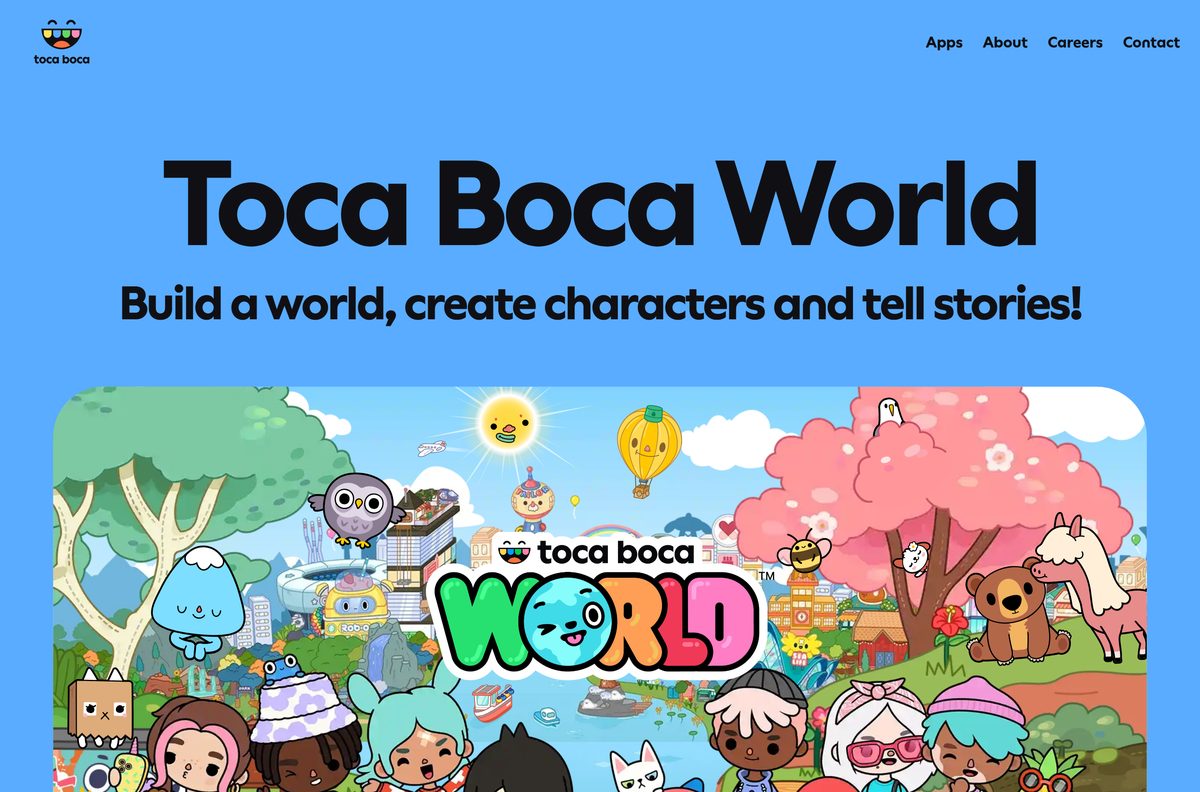
Toca Boca AB publishes the game only through these stores. The tocaboca.com page describes the game but carries no installer.
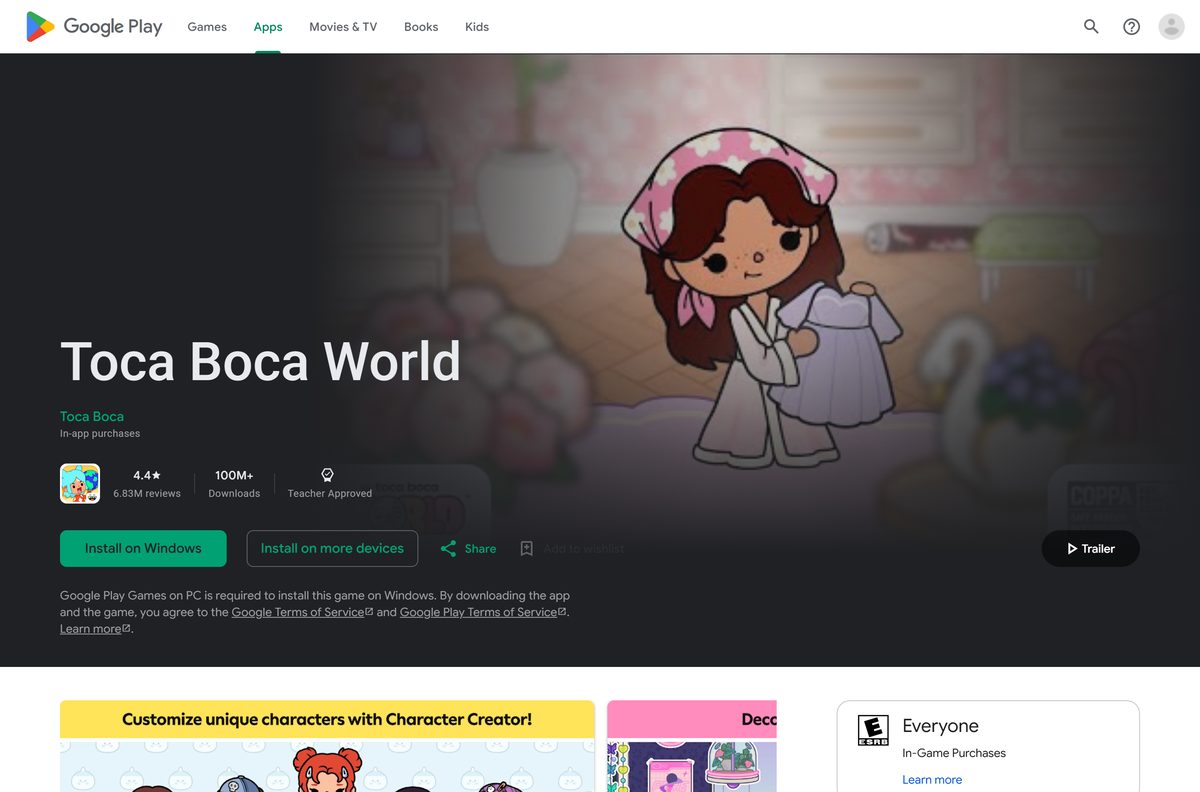
- Toca Boca World on Google Play — Android and Windows, 100M+ downloads, Teacher Approved
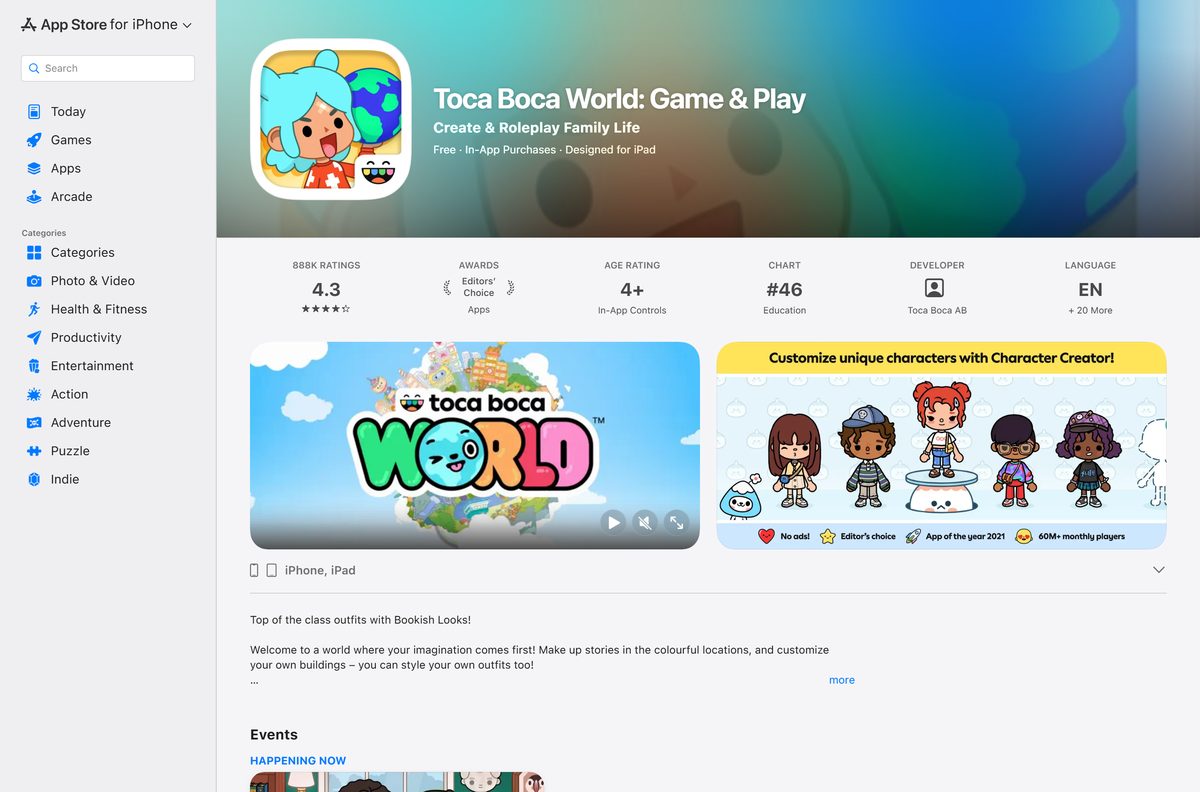
- Toca Boca World on the App Store — 1.01 GB · iPhone and iPad, iOS 15.0 or later, Editors’ Choice
- Google Play Games on PC — Free Windows client that runs the Android game
- Toca Boca World on tocaboca.com — Official game page from Toca Boca
Search either store for Toca Boca World and check that the developer reads Toca Boca or Toca Boca AB before you install.
How to install Toca Boca World on Windows 11 and 10
Google Play states that Google Play Games on PC is required to install this game on Windows. Install the client first, then the game.
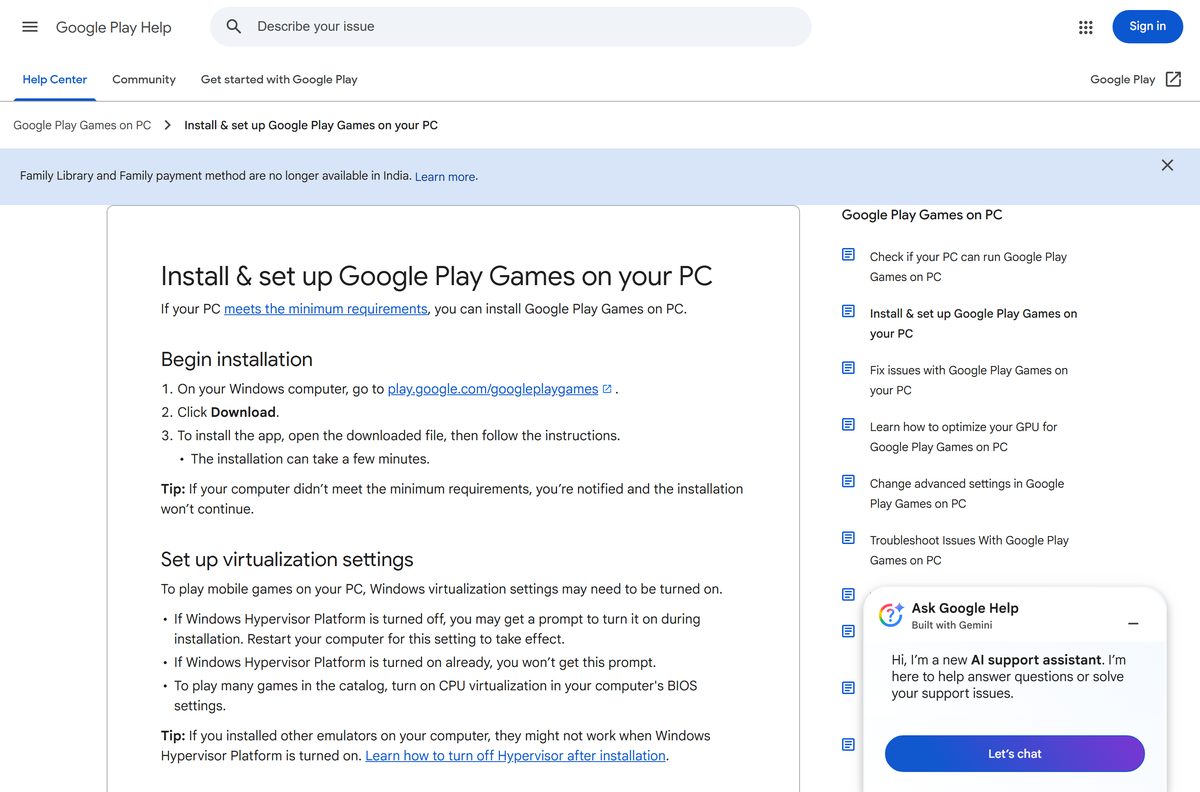
- On your PC, go to play.google.com/googleplaygames and click Download.
- Open the downloaded file and follow the instructions. Installation takes a few minutes.
- Turn on Windows Hypervisor Platform if the installer asks, then restart the PC.
- Open Google Play Games and sign in with your Google Account.
- Search for Toca Boca World and click Install.
- Launch the game from Google Play Games or its desktop shortcut.
You can also open the Google Play listing in a browser and click Install on Windows. Only the first Windows user who installed Google Play Games on PC can open it and play.
How to install Toca Boca World on iPhone, iPad and Android
The App Store build is over 1 GB, so start the download on Wi-Fi.
- On iPhone or iPad, open the App Store listing and check that the developer reads Toca Boca AB.
- Tap Get, then confirm with Face ID, Touch ID or your Apple Account password.
- On Android, open the Google Play listing and check that the developer reads Toca Boca.
- Tap Install and wait for the download to finish.
- Tap Open and start building your world.
Set up purchase approval on the device before you hand it to a child, because the in-game shop sells paid packs.
Which way can you play Toca Boca World on a Mac?
Toca Boca World has no Mac version. The App Store listing covers iPhone and iPad only, and Google Play Games on PC supports Windows only.
| Your situation | What to do |
|---|---|
| You have an iPad or iPhone | Install the App Store build on it |
| You also have a Windows 11 or 10 PC | Install Google Play Games on the Windows PC |
| You have an Android tablet | Install the Google Play build on it |
Skip any site offering a Toca Boca World DMG. Toca Boca publishes no macOS installer.
Is Toca Boca World free?
Yes. The download and a large base world are free, and extra packs are optional in-app purchases. The App Store lists the game as Free with In-App Purchases, for example the Bookish Looks Style Pack at $1.99. The Post Office hands out free furniture, outfits, decorations and pets every Friday, and the game shows no third-party ads.
Google Play rates the game Everyone with In-Game Purchases, and the App Store rates it 4+.
How to verify you have the genuine Toca Boca World
The game ships only as a store listing, so the listing details are the proof.
- Open the store listing from the links above, not from a search ad.
- On the App Store, check that the seller reads Toca Boca AB and the title reads Toca Boca World: Game & Play.
- On Google Play, check that the developer reads Toca Boca and the listing shows 100M+ downloads.
- Ignore look-alike apps such as Toca Life Aesthetic Mod Boca, which come from other developers.
- Delete any Toca Boca World APK, EXE or DMG from a third-party site.
Check the Toca Boca World system requirements
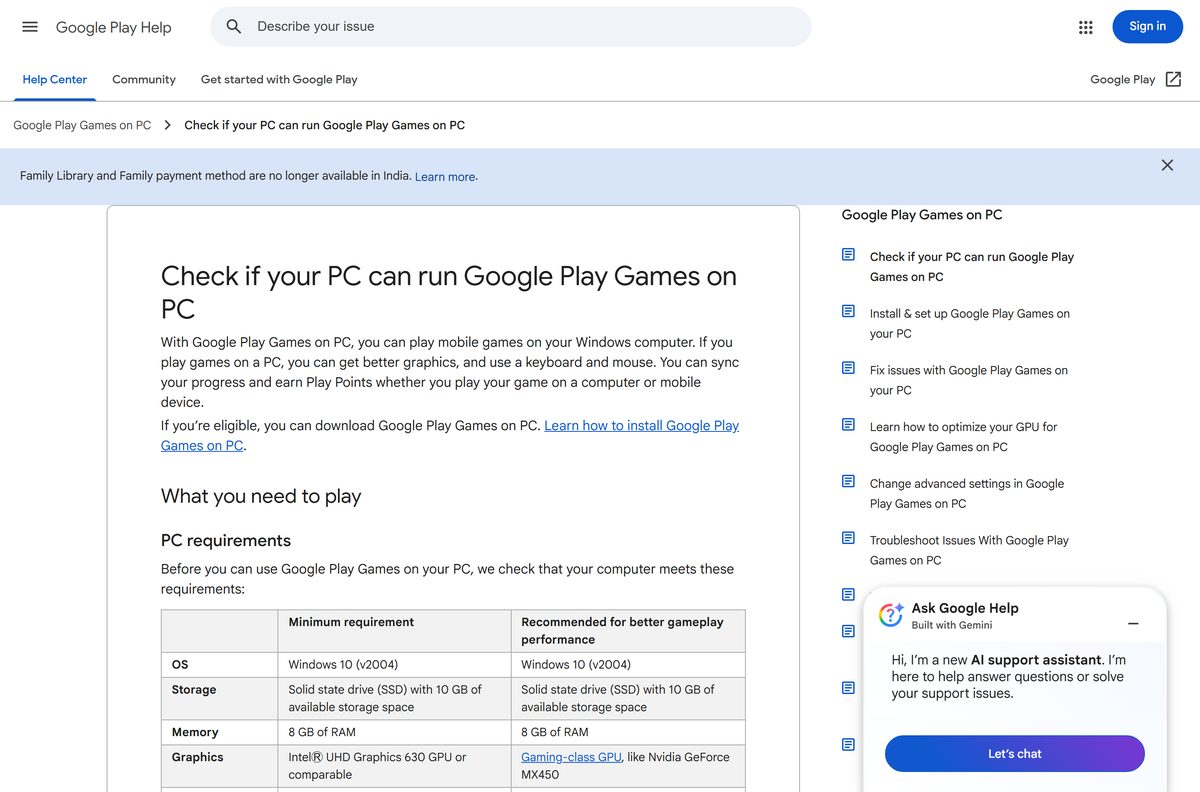
The Windows rows are the requirements for Google Play Games on PC, which runs the game.
| Field | Value |
|---|---|
| Game | Toca Boca World |
| Developer | Toca Boca AB (a subsidiary of Spin Master Corp.) |
| Latest version | 1.139.1 on iPhone and iPad (22 September 2026); Android updated 21 September 2026 |
| Price | Free, with optional in-app purchases |
| iPhone and iPad | iOS 15.0 or later, 1.01 GB |
| Android | Phones and tablets through Google Play |
| Windows OS | Windows 10 (v2004) or later, or Windows 11 |
| Windows hardware | 4 physical CPU cores, 8 GB RAM, Intel UHD Graphics 630 or comparable |
| Windows storage | SSD with 10 GB of available space |
| Windows account | Admin account, hardware virtualization turned on |
| Mac | Not supported |
| Offline installer | None |
| Age rating | 4+ (App Store), Everyone (Google Play) |
| Last verified | 2026-09-25 |
For smoother play on PC, Google recommends a gaming-class GPU such as an Nvidia GeForce MX450 and 8 logical cores. Check the full list on Google’s requirements page.
How to check your Toca Boca World version and update it
New packs and events arrive as store updates, so an old build can miss items that other players see.
- On iPhone or iPad, open the App Store, tap your profile picture and tap Update beside Toca Boca World.
- On Android, open the Play Store, tap your profile icon, then Manage apps & devices and Updates available.
- On Windows, open Google Play Games, where installed games update through the client.
- Reopen Toca Boca World and visit the Post Office to collect the latest Friday gift.
Fix Toca Boca World not installing
Google Play Games on PC stops during installation
The PC misses a minimum requirement, or Windows Hypervisor Platform is off.
- Read the requirement the installer names and fix it, such as free SSD space or RAM.
- Turn on Windows Hypervisor Platform when prompted, then restart the PC.
- Turn on CPU virtualization in the BIOS settings.
- Uninstall Google Play Games through Apps & features, then reinstall it.
The App Store says Toca Boca World is not compatible
The iPhone or iPad runs a version older than iOS 15.0.
- Open Settings, then General, then Software Update.
- Install any available update.
- Retry the App Store listing.
The Microsoft Store, Steam or Mac App Store shows no Toca Boca World
Toca Boca does not publish the game on those stores.
- On Windows, install Google Play Games on PC from play.google.com/googleplaygames.
- Search for Toca Boca World inside the client and click Install.
- On a Mac, install the game on an iPhone or iPad instead.
Google lists error codes and fixes on its install and setup page.
How to uninstall Toca Boca World
Removing the game deletes its local save on that device, so only uninstall when you are sure.
- On iPhone or iPad, touch and hold the Toca Boca World icon, tap Remove App, then Delete App.
- On Android, open the Play Store, tap your profile icon, then Manage apps & devices and Manage.
- Select Toca Boca World and tap Uninstall.
- On Windows, remove the game inside Google Play Games, or remove the whole client through Settings > Apps > Installed apps.
Apple’s remove apps guide and Google’s delete apps guide cover the phone steps. Google Play purchases can be reinstalled later without paying again.
Frequently asked questions
Is Toca Boca World free to download?
Yes. Toca Boca World is free on the App Store, Google Play and Google Play Games on PC. Extra locations, furniture and style packs are optional in-app purchases, such as the Bookish Looks Style Pack at $1.99, and the game shows no third-party ads.
Can I play Toca Boca World on a Windows 11 or Windows 10 PC?
Yes. Google Play lists Toca Boca World for Android and Windows. Install Google Play Games on PC from play.google.com/googleplaygames, sign in with your Google Account, then install Toca Boca World from inside the client or with the Install on Windows button on the Play listing.
Is there a Toca Boca World download for Mac?
No. The App Store listing covers iPhone and iPad only, the Mac App Store has no Toca Boca World app, and Google Play Games on PC runs on Windows only. Play it on an iPad or iPhone if your household uses Apple devices.
How big is the Toca Boca World download?
The iPhone and iPad app is 1.01 GB on the App Store. Google Play does not show a size for Android. On Windows, Google Play Games on PC asks for an SSD with 10 GB of free space.
Is Toca Boca World on Steam or the Microsoft Store?
No. Neither Steam nor the Microsoft Store carries Toca Boca World. The official Windows route is Google Play Games on PC, which Google Play names as required to install the game on Windows.
What are the PC requirements for Toca Boca World?
Google Play Games on PC needs Windows 10 (v2004) or later, 8 GB of RAM, 4 physical CPU cores, an Intel UHD Graphics 630 GPU or comparable, an SSD with 10 GB free, a Windows admin account and hardware virtualization turned on.
What devices can run Toca Boca World?
iPhone and iPad on iOS 15.0 or later, Android phones and tablets through Google Play, and Windows 10 or Windows 11 PCs through Google Play Games on PC.
Is Toca Boca World safe for kids?
Toca Boca World is a single-player game with no chat and no strangers. It is COPPA compliant, carries no third-party ads, and is rated 4+ on the App Store and Everyone on Google Play.
What is the latest Toca Boca World version?
Version 1.139.1 on iPhone and iPad, released on 22 September 2026 with the Bookish Looks Style Pack. Google Play shows the Android build updated on 21 September 2026. Each store delivers updates automatically.
Is there a Toca Boca World APK or offline installer?
Toca Boca publishes the game through Google Play, the App Store and Google Play Games on PC only. None of them offers an offline installer, EXE or DMG, so skip any site that offers one.






