The Elder Scrolls V: Skyrim Special Edition download for PC comes from Steam, the Xbox app or GOG, and the game runs on Windows 11 and Windows 10.
Bethesda Game Studios developed the remaster, which bundles the core game with the Dawnguard, Hearthfire and Dragonborn add-ons. The Anniversary Edition adds the Creation Club content released up to November 11, 2021.
Below you will find the store links, install steps for Steam and the Xbox app, the Special versus Anniversary choice, PC requirements and fixes for crashes.
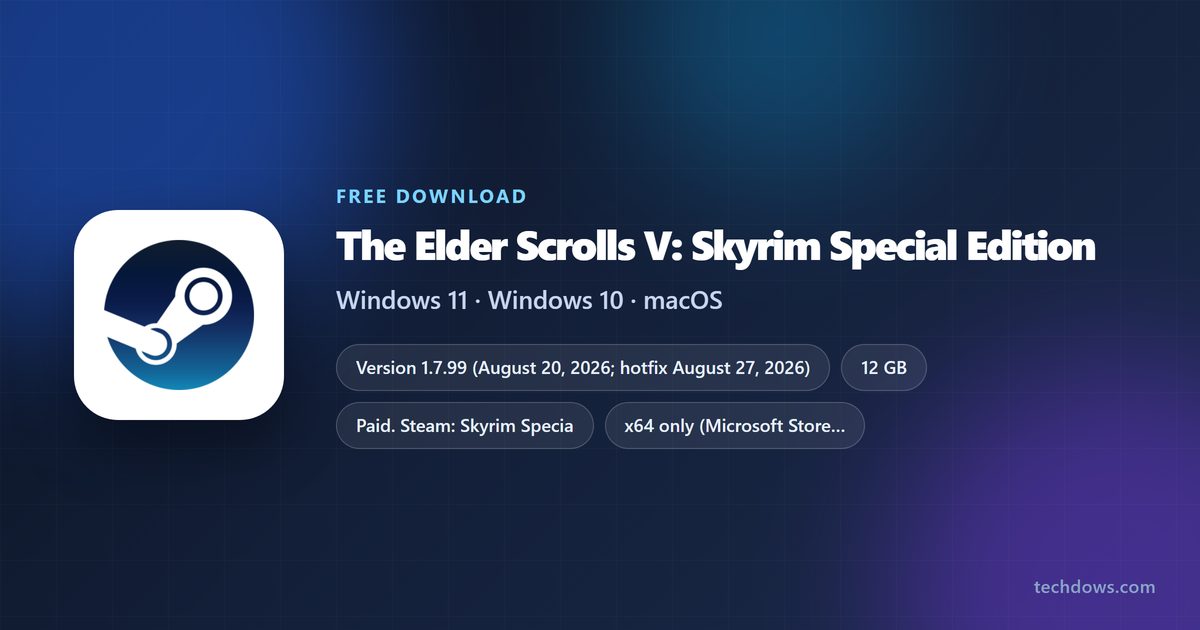
Which Skyrim Special Edition download do you need?
Every PC copy is the same 64-bit Windows game. The store you pick decides the price, the launcher and whether you get an offline installer.
| You want | Where to get it | List price | Install space |
|---|---|---|---|
| The base game on Steam | Skyrim Special Edition on Steam | $39.99 | 12 GB |
| The game plus all Creation Club content on Steam | Anniversary Edition on Steam | $49.99 | 12 GB listed |
| To play through a Game Pass subscription | Skyrim Special Edition (PC) on Xbox | Included in PC Game Pass, Premium and Ultimate; $39.99 to buy | About 29.9 GB package |
| A DRM-free copy with an offline installer | Anniversary Edition on GOG | $49.99 | 26 GB |
| To play on a Mac | Steam platform list (Windows only) | No macOS build | Not applicable |
Stores run frequent sales, so check the current price on the listing before you pay. A copy stays tied to the account that bought it.
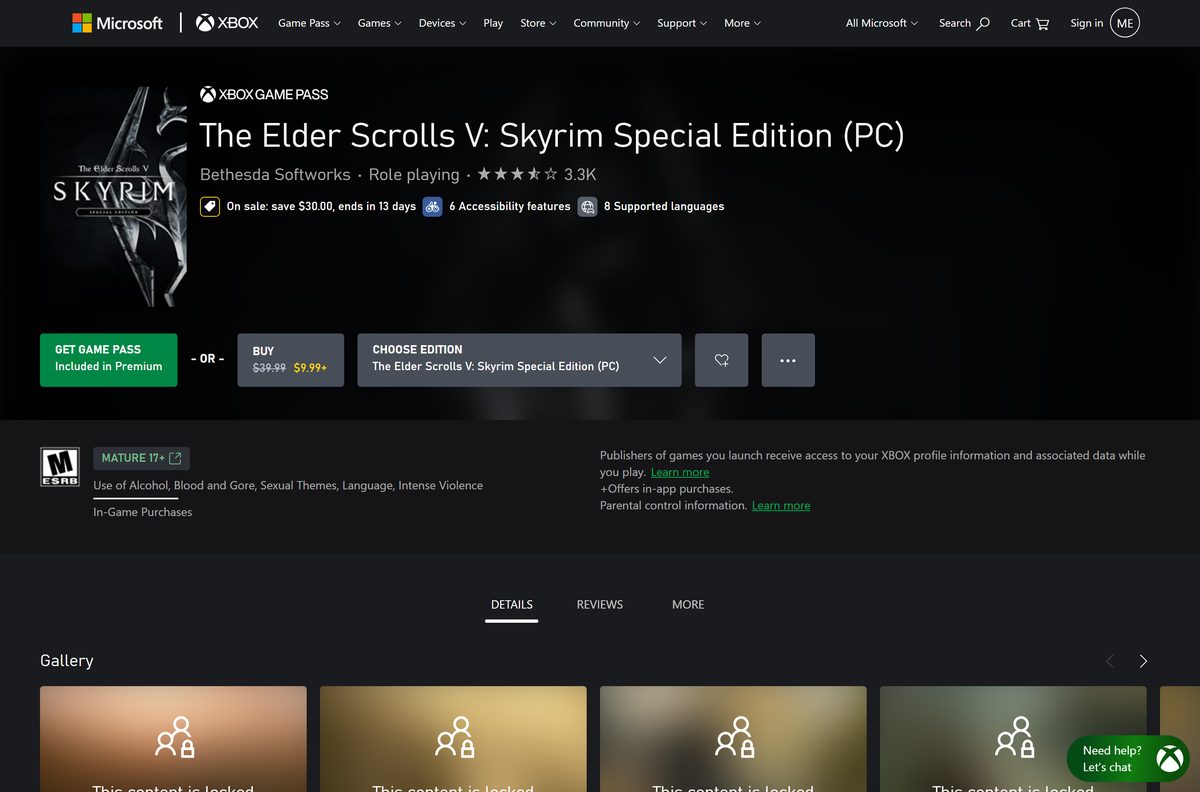
Where to buy Skyrim Special Edition from the official stores
Bethesda Softworks publishes the game on each of these listings. Install the matching launcher first if your PC does not have it.
- The Elder Scrolls V: Skyrim Special Edition on Steam — Windows 64-bit, $39.99, or $49.99 for the Anniversary Edition
- Skyrim Anniversary Upgrade on Steam — $19.99 add-on for owners of the Special Edition
- Skyrim Special Edition (PC) on Xbox — Buy it or play it with PC Game Pass, Game Pass Premium or Ultimate
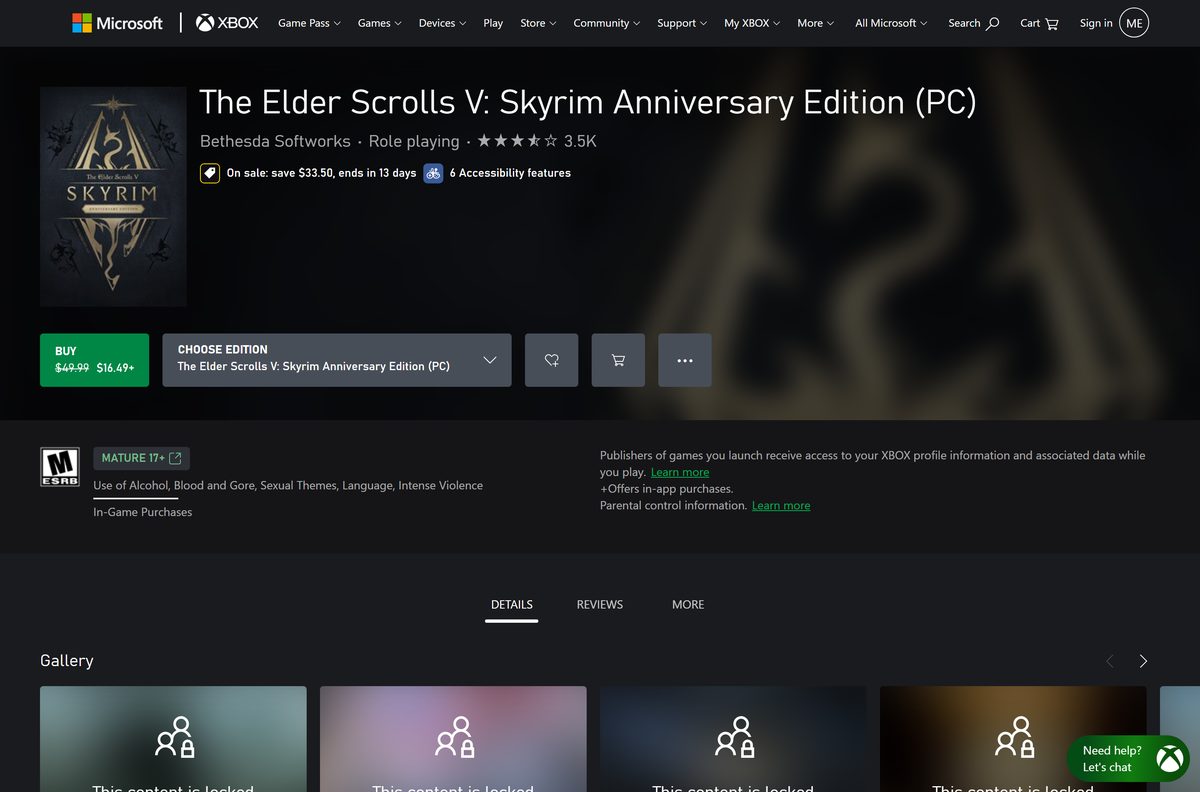
- Skyrim Anniversary Edition (PC) on Xbox — $49.99, not part of Game Pass
- Skyrim Anniversary Edition on GOG — DRM-free, offline installer, GOG Galaxy optional
- Steam client for Windows — Needed for the Steam copy
The Steam and Xbox copies install only through their own launchers. GOG is the one store that hands you a standalone setup file after purchase.
How to install Skyrim Special Edition on Windows 11 and 10 with Steam
Steam handles the purchase, the download and every later patch.
- Download and install the Steam client, then sign in or create an account.
- Open the Skyrim Special Edition store page in Steam and confirm your birth date at the age check.
- Select Add to Cart on the Special Edition or the Anniversary Edition.
- Select Purchase for myself and complete the payment.
- Select Install when Steam offers it, or find the game in your Library.
- Pick a drive with at least 12 GB free, and more if you chose the Anniversary Edition.
- Wait for the download to finish, then select Play.
- Set your resolution and quality in the launcher’s Options, then select Play to start.
Leave automatic updates on. Creations from the in-game menu expect the current game build.
Install Skyrim Special Edition with the Xbox app or PC Game Pass
The Xbox listing sells the PC version and also includes it in PC Game Pass, Game Pass Premium and Game Pass Ultimate. The Microsoft Store package is about 29.9 GB and is 64-bit only.
- Open the Xbox app on Windows 11 or Windows 10 and sign in with your Microsoft account.
- Search for Skyrim Special Edition and open The Elder Scrolls V: Skyrim Special Edition (PC).
- Select Install if your Game Pass plan includes it, or select Buy to own it outright.
- Choose the drive for the install when the app asks.
- Wait for the download to finish in the Queue.
- Select Play to start the game.
A Game Pass copy stops launching when the subscription ends. Buy the game, or the Anniversary Edition, to keep playing afterwards.
Which should you buy: Skyrim Special Edition or Anniversary Edition?
The Anniversary Edition is the Special Edition plus the Anniversary Upgrade. The upgrade adds Creation Club quests, dungeons, weapons, armor and homes released on or before November 11, 2021.
Buy the Anniversary Edition for $49.99 if you are new to the game; owners of the Special Edition should add the $19.99 Anniversary Upgrade instead of buying again. Steam prices the Special Edition at $39.99, so the Anniversary Edition costs $10 more for the extra content, while the upgrade alone is $19.99. The Special Edition already includes Dawnguard, Hearthfire, Dragonborn, Survival Mode and Fishing.
Pick the plain Special Edition only if you want the lowest price or plan to play through Game Pass, which covers the Special Edition (PC) but not the Anniversary Edition (PC).
Is Skyrim Special Edition free to download?
No. Steam lists the game as paid at $39.99, and GOG and Xbox sell the PC editions at the same list prices.
Buy it from Steam, Xbox or GOG, or play the Special Edition through PC Game Pass; a free full-game download from any other site is not legitimate. The 2016 offer that gave the Special Edition free to owners of the original Skyrim and all its add-ons has ended, and Steam marks it as no longer valid. Game Pass is the only official way to play without buying the game.
Treat cracked copies and repacks as malware risks. Paid Creations use Creation Credits, which the Xbox PC listing sells from $4.99 for 500 credits.
How can you play Skyrim Special Edition if you use a Mac?
Skyrim Special Edition has no macOS version. Steam and GOG both list Windows as the only platform.
| Your situation | What to do | Link |
|---|---|---|
| Mac, plus a Windows 10 or 11 PC | Buy or install the game on the PC | Skyrim Special Edition on Steam |
| Mac, plus a Game Pass plan | Install the PC version from the Xbox app on a Windows PC | Skyrim Special Edition (PC) on Xbox |
| Mac only | There is no native build; check the platform list before you pay | GOG platform list |
How to verify and repair the Skyrim Special Edition game files
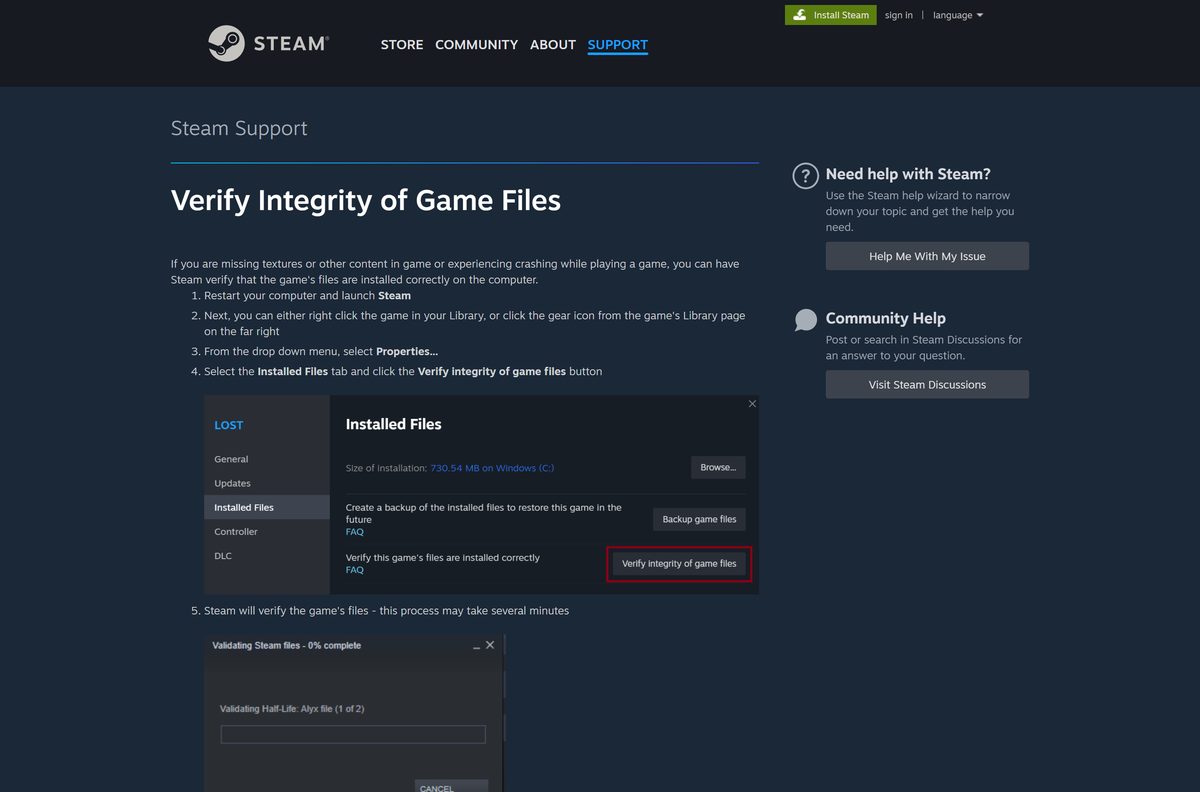
Steam downloads the game itself, so there is no setup file to checksum. Steam can check every installed file and replace damaged ones instead.
- Close the game and restart your PC, then open Steam.
- Right-click The Elder Scrolls V: Skyrim Special Edition in your Library.
- Select Properties.
- Open the Installed Files tab and select Verify integrity of game files.
- Wait for the check to finish, then launch the game again.
A few local configuration files can fail the check, and Steam leaves them alone. In the Xbox app, open the game’s Manage page and use Verify and repair instead.
How to check your Skyrim Special Edition version and update it
Update 1.7.99 arrived on August 20, 2026, with a hotfix on August 27. It raised console Creations storage and fixed Creations menu and Creation Kit bugs.
- Start the game and look at the version string in the lower corner of the main menu.
- Quit the game completely.
- Restart Steam, or the Xbox app, so it checks for a new build.
- Open your Library and select the game.
- Let any pending update finish before you select Play.
Check the Skyrim Special Edition PC system requirements before you buy
Steam’s list still names Windows 7 and 8.1, but the current Steam client and the Microsoft Store package need Windows 10 or Windows 11, 64-bit.
| Field | Value |
|---|---|
| Game | The Elder Scrolls V: Skyrim Special Edition |
| Developer | Bethesda Game Studios |
| Publisher | Bethesda Softworks |
| Latest version | 1.7.99 (August 20, 2026) |
| Price | $39.99; Anniversary Edition $49.99; Anniversary Upgrade $19.99 |
| Supported OS | Windows 10 and Windows 11, 64-bit; no macOS or Linux version |
| Architecture | x64 only |
| Processor | Intel i5-750 or AMD Phenom II X4-945 minimum; Intel i5-2400 or AMD FX-8320 recommended |
| Memory | 8 GB RAM |
| Graphics | NVIDIA GTX 470 1GB or AMD HD 7870 2GB minimum; NVIDIA GTX 780 3GB or AMD R9 290 4GB recommended |
| Storage | 12 GB on Steam; 26 GB for the GOG Anniversary Edition; about 29.9 GB Microsoft Store package |
| Controllers | Partial controller support |
| Offline installer | GOG only; Steam and Xbox download through their apps |
| Official sources | Steam, Xbox, GOG |
| Last verified | 2026-09-25 |
To check your own PC, open Settings, select System, then About. Installed RAM shows your memory and System type confirms 64-bit Windows.
Fix Skyrim Special Edition not installing, launching or crashing on Windows 11 or 10
Find the symptom that matches your screen and follow the fix under it.
Steam says there is not enough disk space
The target drive has less free space than the game and its Creations need.
- Open Settings, select System, then Storage, and check the free space on each drive.
- Free up space, or choose another drive in the install dialog.
- Select Install again.
The game crashes to the desktop after an update
A mod or script extender built for the previous game version no longer matches the new build.
- Disable recently added mods and Creations from the main menu or your mod manager.
- Right-click the game in your Steam Library, select Properties, open Installed Files and select Verify integrity of game files.
- Start a new test save, then re-enable mods one at a time.
The launcher opens but the game shows a black screen
An outdated graphics driver or a display setting the launcher cannot apply.
- Update your graphics driver from NVIDIA, AMD or Intel.
- Open the launcher’s Options and set Windowed Mode with your monitor’s native resolution.
- Restart your PC and select Play again.
The Xbox app install stalls or fails
The Gaming Services component or the Microsoft Store has a pending update.
- Open the Microsoft Store, select Library and select Get updates.
- Restart your PC.
- Open the Xbox app and resume the install from the Queue.
How to uninstall Skyrim Special Edition on PC
Uninstalling frees the drive space. The game stays in your Steam or Xbox library, so you can reinstall at no extra cost.
- Open Steam and go to your Library.
- Right-click The Elder Scrolls V: Skyrim Special Edition.
- Select Manage, then Uninstall.
- Select Uninstall again to confirm.
- Delete the leftover Skyrim Special Edition folder under Documents\My Games only if you also want to remove saves and settings.
For the Xbox copy, open Settings, select Apps, then Installed apps, and uninstall it from there.
Should you buy original Skyrim or Skyrim VR instead?
Bethesda still sells two other PC versions of Skyrim on Steam. Each one is a separate purchase with its own save files and mods.
| Game | What it is | Steam price | Link |
|---|---|---|---|
| The Elder Scrolls V: Skyrim Special Edition | 2016 remaster with the three add-ons, 64-bit | $39.99 | Special Edition on Steam |
| The Elder Scrolls V: Skyrim | Original 2011 release without the remaster | $19.99 | Skyrim on Steam |
| The Elder Scrolls V: Skyrim VR | Full game rebuilt for SteamVR headsets | $59.99 | Skyrim VR on Steam |
Buy the Special Edition or Anniversary Edition for a flat screen. Pick Skyrim VR only if you own a SteamVR headset, and skip the original unless you need an older mod setup.
Frequently asked questions
Is Skyrim Special Edition free to download?
No. The Elder Scrolls V: Skyrim Special Edition costs $39.99 on Steam and Xbox. The only official way to play without buying it is through PC Game Pass, Game Pass Premium or Game Pass Ultimate.
Where is the official Skyrim Special Edition download for PC?
Steam, the Xbox app and GOG are the official PC stores. Bethesda Softworks publishes the game on all three, and each store installs it through its own launcher or installer after purchase.
Does Skyrim Special Edition work on Windows 11?
Yes. The game runs on 64-bit Windows 11 and Windows 10 through Steam, the Xbox app or GOG. It needs 8 GB of RAM and at least an NVIDIA GTX 470 or AMD HD 7870 graphics card.
How big is the Skyrim Special Edition download?
Steam lists 12 GB of free space. The GOG Anniversary Edition needs 26 GB, and the Microsoft Store package for the Xbox app is about 29.9 GB.
Is there a Skyrim Special Edition offline installer?
Yes, on GOG only. GOG sells the Anniversary Edition with a fully offline installer that works without GOG Galaxy. Steam and the Xbox app download the game through their clients.
Can you play Skyrim Special Edition on a Mac?
No. Steam and GOG list Windows as the only platform, and there is no macOS build. You need a Windows 10 or Windows 11 PC to play the PC version.
Is Skyrim Special Edition 64-bit?
Yes. The Special Edition is a 64-bit game, and the Microsoft Store package lists x64 as its only architecture. There is no 32-bit or ARM64 build.
Is Skyrim Special Edition on PC Game Pass?
Yes. The Xbox listing includes The Elder Scrolls V: Skyrim Special Edition (PC) in PC Game Pass, Game Pass Premium and Game Pass Ultimate. The Anniversary Edition (PC) is sold separately.
What is the latest version of Skyrim Special Edition?
Update 1.7.99 is the latest, released on August 20, 2026, with a hotfix on August 27. It raised console Creations storage and fixed Creations menu and Creation Kit bugs.
Is Skyrim Special Edition safe to download?
Yes, when you get it from Steam, Xbox or GOG. Cracked copies and repacks from other sites carry malware risk and do not receive official updates or Creations access.
Why won’t Skyrim Special Edition launch?
An outdated mod, a script extender that does not match the current version or a damaged file is the usual cause. Disable recent mods, verify the game files and update your graphics driver.






