The Sublime Text download for Windows 11 and Windows 10 is a 21.0 MB installer from sublimetext.com. Run it, and you have a fast code editor ready in under a minute.
The same editor installs on Apple Silicon and Intel Macs and on Linux. You can evaluate it for free before buying a license.
Below: which file to pick, the installer and portable setups, Mac and Linux installs, pricing, updates, fixes and a clean uninstall.
Which Sublime Text download do you need?
sublimetext.com offers one setup file per system. Match your computer to a row and click the file name.
Every file below is the current stable release from Sublime HQ.
| Your computer | File to download | Size |
|---|---|---|
| Windows 11 or 10 PC, 64-bit | sublime_text_build_4215_x64_setup.exe | 21.0 MB |
| Windows PC where you cannot run installers | sublime_text_build_4215_x64.zip | 26.8 MB |
| Any Mac, Apple Silicon or Intel | sublime_text_build_4215_mac.zip | 50.8 MB |
| Ubuntu or Debian, x64 | sublime-text_build-4215_amd64.deb | 20.0 MB |
| Fedora or openSUSE, x64 | sublime-text-4215-1.x86_64.rpm | RPM package |
| Linux on ARM64 | sublime-text_build-4215_arm64.deb | DEB package |
There is no 32-bit Windows build. Windows 10 is the oldest version the current release supports.
Download Sublime Text from the official site
Get Sublime Text only from sublimetext.com. The download buttons pass the file from download.sublimetext.com, the vendor’s own file server.
- Sublime Text download page — Windows, macOS and Linux files plus the changelog
- Sublime Text Windows x64 setup — 21.0 MB · installer for Windows 11 and 10
- Sublime Text for Mac — 50.8 MB · universal app for Apple Silicon and Intel
- Linux package repositories — apt, pacman and dnf setup
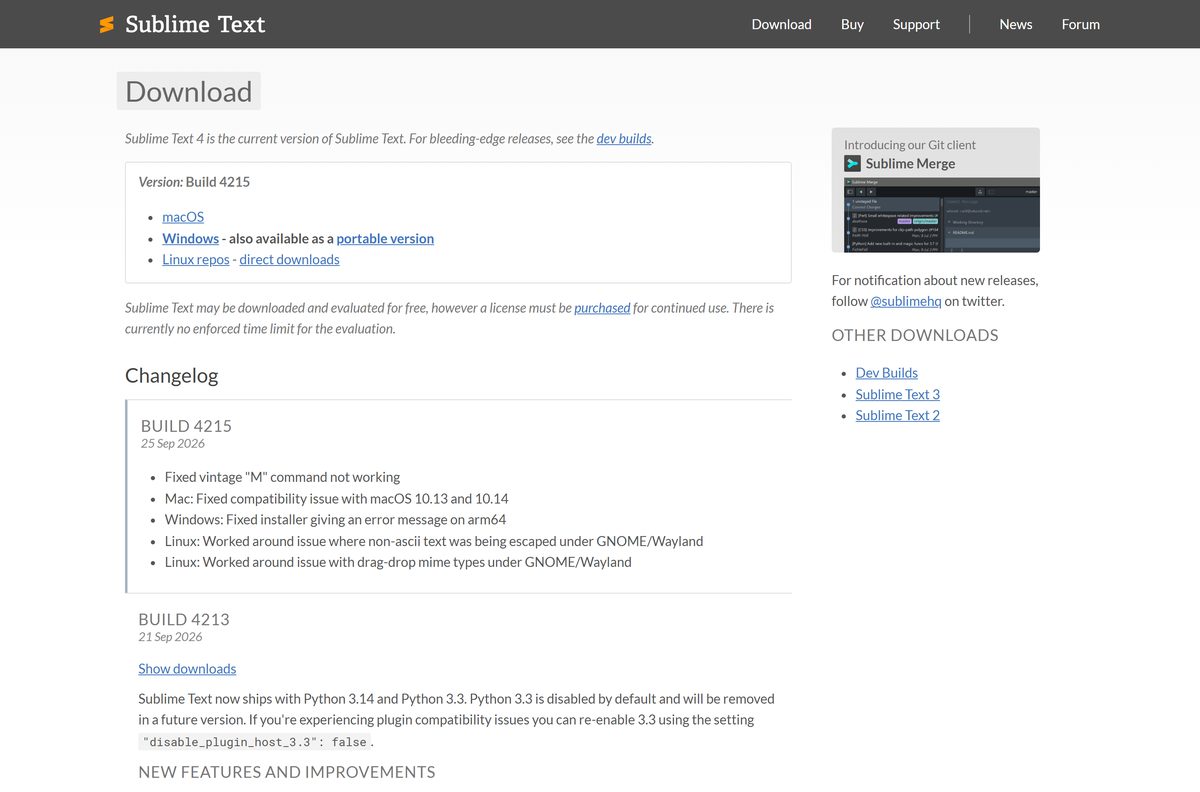
How to install Sublime Text on Windows 11 and 10
- Open sublimetext.com/download and click Windows next to Setup.
- Save sublime_text_build_4215_x64_setup.exe to your Downloads folder.
- Double-click the file and click Yes at the User Account Control prompt.
- Keep the default folder, C:\Program Files\Sublime Text, and click Next.
- Click Install, then Finish.
- Open Sublime Text from the Start menu and start editing.
Admins can install it in the background by running the setup file with the /SILENT flag.
Run Sublime Text from the portable ZIP
The portable build needs no setup, so it runs from a USB stick or on a PC where you cannot install software.
- Download sublime_text_build_4215_x64.zip from the official page.
- Right-click the ZIP and choose Extract All.
- Pick an empty folder or a USB drive and click Extract.
- Open the folder and double-click sublime_text.exe.
- Pin sublime_text.exe to the taskbar if you use it often.
To upgrade a portable copy, download the newer ZIP and extract it to a fresh folder.
Which Sublime Text download do you need for your Mac?
Sublime HQ ships one universal Mac app with native Apple Silicon support. The same file runs on M-series and Intel Macs.
| Your Mac | What to do | Download |
|---|---|---|
| Apple Silicon Mac on macOS 10.13 or later | Unzip and drag the app to Applications | sublime_text_build_4215_mac.zip |
| Intel Mac on macOS 10.13 or later | Use the same universal ZIP | sublime_text_build_4215_mac.zip |
| Mac older than macOS 10.13 | Upgrade macOS first; current builds will not start | Sublime Text download page |
Sublime Text is not sold in the Mac App Store. The ZIP from sublimetext.com is the only Mac release.
Install Sublime Text on Linux from the official repository
The apt repository keeps Sublime Text updated with your other packages. These are the commands for the stable channel on Ubuntu and Debian.
- Add the signing key: wget -qO – https://download.sublimetext.com/sublimehq-pub.gpg | sudo tee /etc/apt/keyrings/sublimehq-pub.asc > /dev/null
- Add the stable repository: echo -e ‘Types: deb\nURIs: https://download.sublimetext.com/\nSuites: apt/stable/\nSigned-By: /etc/apt/keyrings/sublimehq-pub.asc’ | sudo tee /etc/apt/sources.list.d/sublime-text.sources
- Refresh the package list: sudo apt-get update
- Install the editor: sudo apt-get install sublime-text
- Launch it from your app menu or type subl in a terminal.
Arch users install with sudo pacman -Syu sublime-text , and Fedora users with sudo dnf install sublime-text , after adding the repository from the official guide.
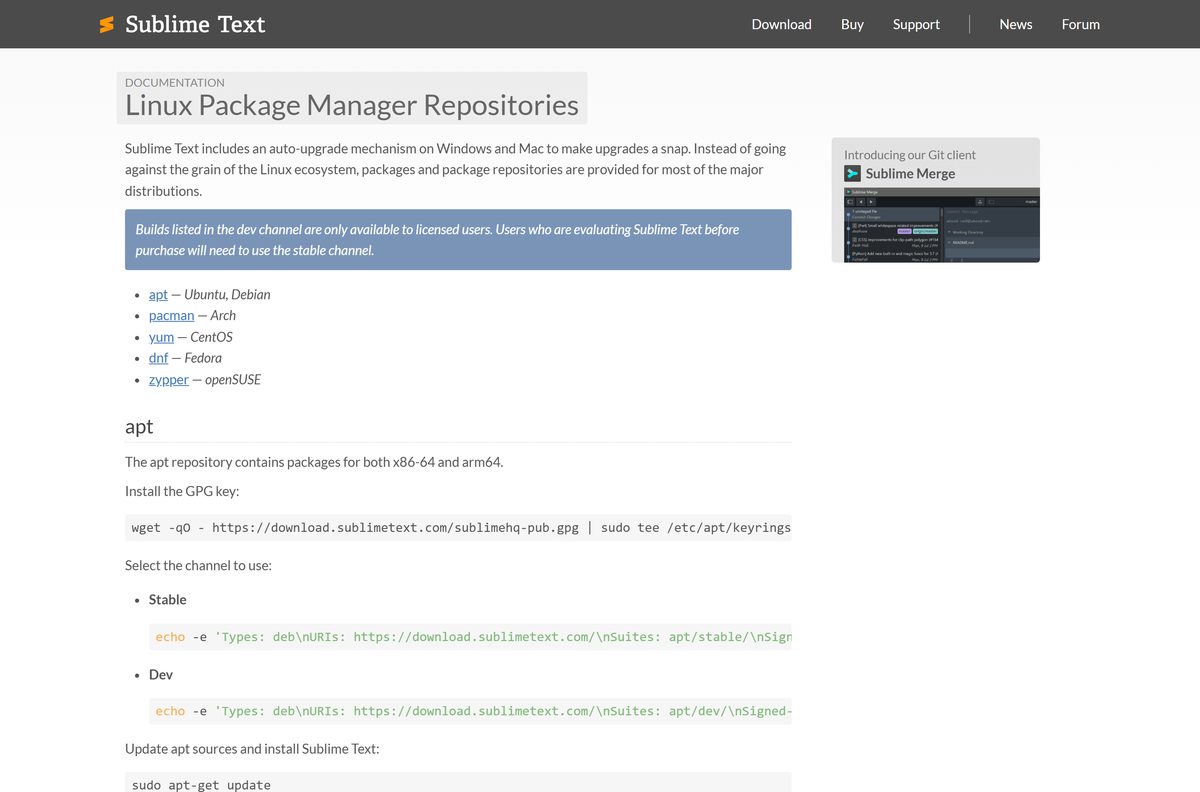
Is Sublime Text free?
A license is per-user. One key covers every computer and operating system where you are the primary user, including a work PC.
Download Sublime Text and use the free evaluation to decide. Buy a license if you keep using it. Sublime HQ states that Sublime Text may be downloaded and evaluated for free, but a license must be purchased for continued use. There is no enforced time limit on the evaluation, and the unregistered copy is the full editor.
Business licenses belong to the company, and refunds are available within 30 days of purchase. Any site selling a cracked or “full version” Sublime Text file is not Sublime HQ.
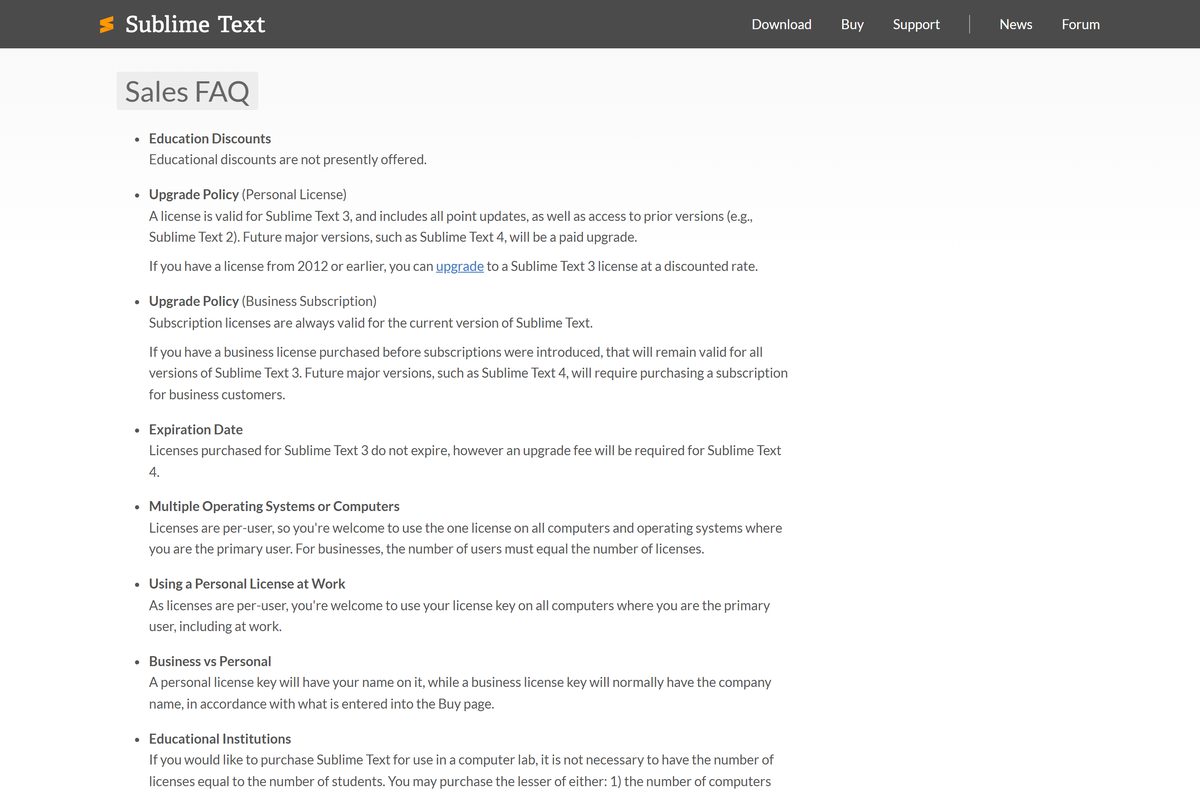
Check the Sublime Text system requirements before you install
| Field | Value |
|---|---|
| Software | Sublime Text 4 |
| Developer | Sublime HQ Pty Ltd |
| Latest version | Build 4215 |
| Released | 25 September 2026 |
| License | Paid license, free evaluation with no enforced time limit |
| File size | 21.0 MB (Windows setup), 50.8 MB (Mac) |
| Windows | Windows 10 or later, 64-bit |
| Mac | macOS 10.13 or later, Apple Silicon or Intel |
| Linux | DEB, RPM, pkg.tar.xz and tar.xz, x64 and ARM64 |
| Architecture | x64 on Windows; universal on Mac |
| Offline installer | Yes, the setup EXE and ZIP are full packages |
| Official download source | sublimetext.com |
| Last verified | 2026-09-25 |
Windows 7, Windows 8 and 32-bit Windows cannot run the current build.
How to check your Sublime Text version and update it
- Open Sublime Text.
- Click Help and choose About Sublime Text to see your build number.
- Compare it with the build shown at the top of sublimetext.com/download.
- Click Help > Check for Updates to open the update dialog.
- Download the newer build and run the setup file over your current install.
- Restart Sublime Text; your settings and packages stay in place.
On Linux, updates arrive through sudo apt-get update and sudo apt-get upgrade once the repository is added.
How to open files in Sublime Text from the command line
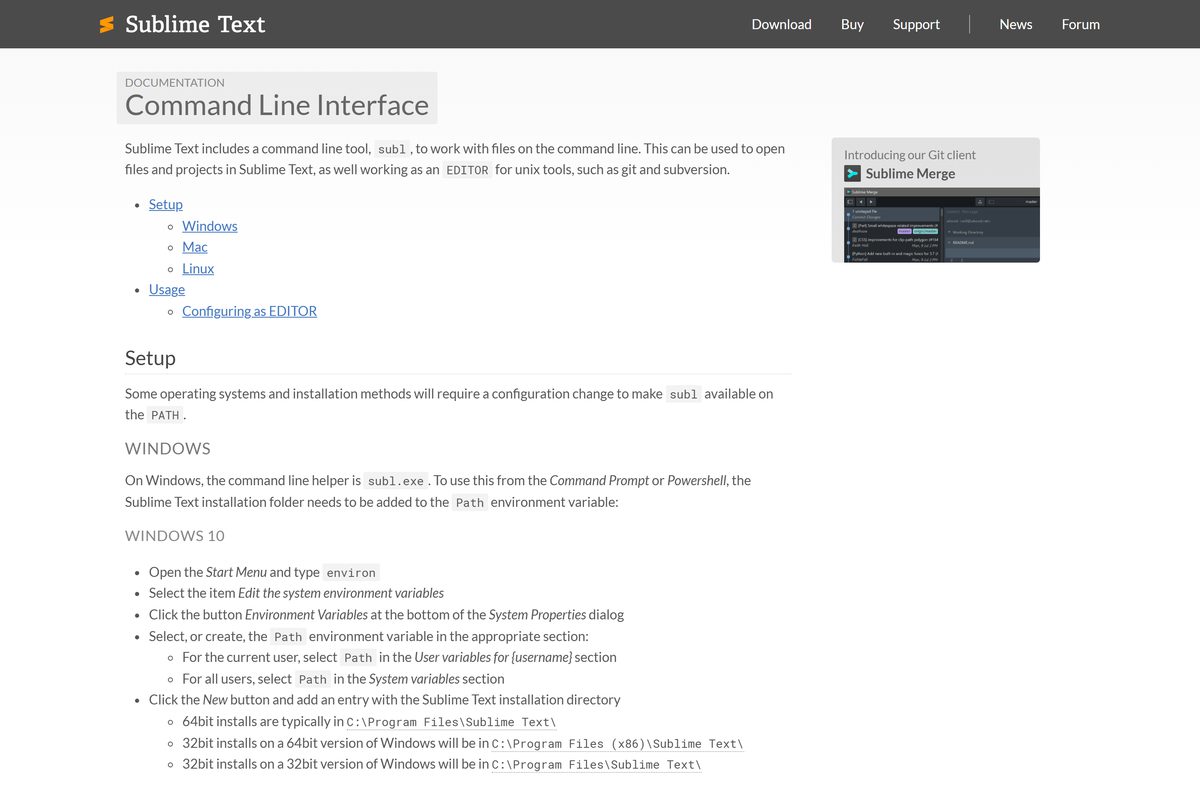
Sublime Text includes a command-line tool, subl, that opens files and folders from a terminal.
| System | Where subl lives | How to use it |
|---|---|---|
| Windows | C:\Program Files\Sublime Text\subl.exe | Add the folder to the Path environment variable |
| Mac (zsh) | /Applications/Sublime Text.app/Contents/SharedSupport/bin | echo 'export PATH="/Applications/Sublime Text.app/Contents/SharedSupport/bin:$PATH"' >> ~/.zprofile |
| Linux | /usr/bin/subl via the package | Works right after install |
Run subl –help to list the flags. subl -n opens a new window, and subl -w waits until the file closes.
Fix Sublime Text not installing or starting
The installer will not run on an older PC
Current builds need Windows 10 or later and a 64-bit system.
- Press Windows + R, type winver and press Enter to check your version.
- Upgrade to Windows 10 or 11 before you install the current build.
The installer shows an error on an ARM64 Windows PC
Builds before 4215 had an installer bug on arm64 Windows.
- Delete the old setup file.
- Download sublime_text_build_4215_x64_setup.exe and run it again.
Sublime Text will not open on an older Mac
The Mac build needs macOS 10.13 or later.
- Open the Apple menu and choose About This Mac to check your macOS version.
- Update macOS, then download the Mac ZIP again from sublimetext.com.
Sublime Text crashes or misbehaves after adding packages
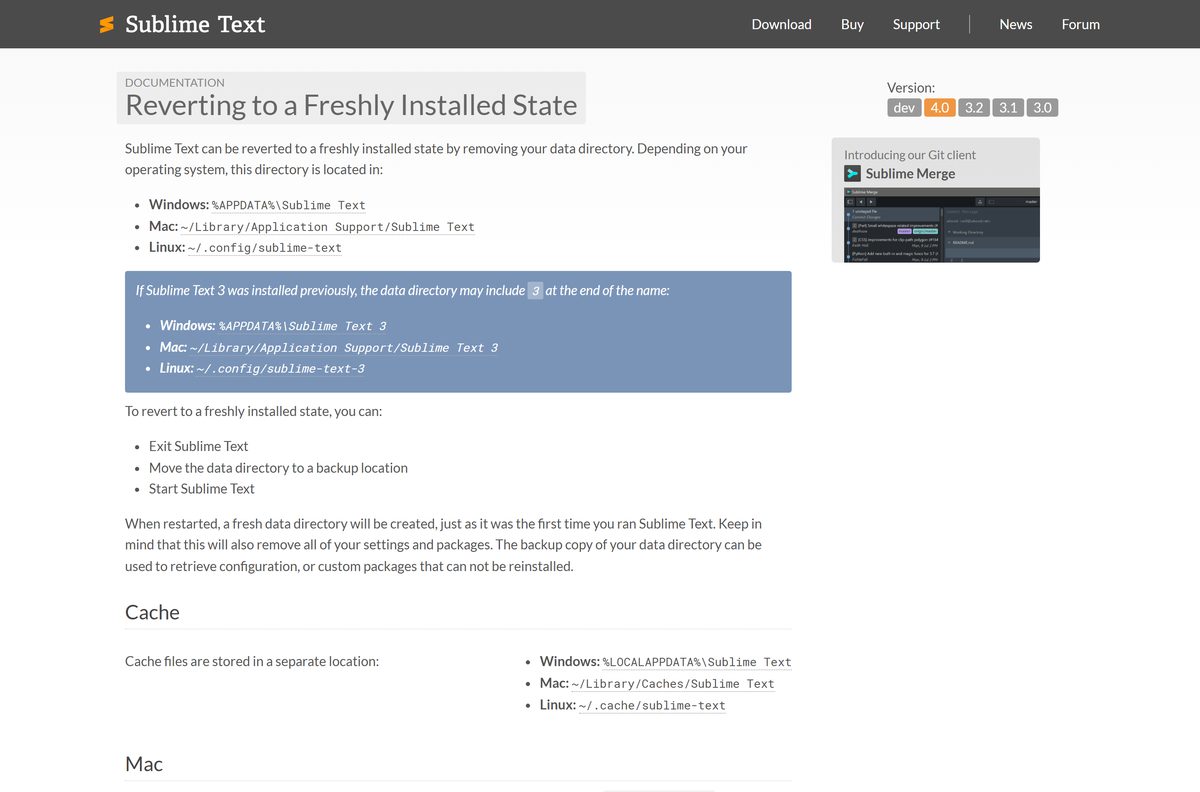
A broken setting or package in the data folder.
- Exit Sublime Text.
- Move %APPDATA%\Sublime Text (Windows) or ~/Library/Application Support/Sublime Text (Mac) to a backup location.
- Start Sublime Text again with fresh settings.
How to uninstall Sublime Text from Windows
- Close Sublime Text.
- Open Settings > Apps > Installed apps.
- Find Sublime Text, click the three-dot menu and select Uninstall.
- Confirm with Uninstall and wait for the wizard to finish.
- Press Windows + R, type %APPDATA% and press Enter.
- Delete the Sublime Text folder to remove settings, packages and your license file.
On a Mac, drag the app from Applications to the Trash and delete ~/Library/Application Support/Sublime Text .
Choose another editor if Sublime Text is not the right fit
| Option | Best for | Link |
|---|---|---|
| Sublime Text | A fast, lightweight editor with a one-time license | sublimetext.com |
| Visual Studio Code | A free editor with a large extension library and built-in debugging | Download Visual Studio Code |
| Git for Windows | Version control to pair with any editor | Download Git |
| Python | Running the scripts you write in the editor | Download Python |
Pick Visual Studio Code if you want a free editor with no license prompts. Keep Sublime Text if startup speed matters most.
Frequently asked questions
Is Sublime Text free?
Sublime Text is free to download and evaluate, with no enforced time limit on the evaluation. Sublime HQ states that a license must be purchased for continued use. One license covers every computer where you are the primary user.
What is the official Sublime Text download page?
The official page is sublimetext.com/download. It lists the Windows setup and portable ZIP, the universal Mac ZIP, Linux DEB, RPM and tar.xz packages, and links to the official Linux package repositories.
Does Sublime Text work on Windows 11?
Yes. The current build runs on Windows 11 and Windows 10, 64-bit. Windows 10 is the minimum supported version, so Windows 7, Windows 8 and 32-bit systems cannot run the current build.
How big is the Sublime Text download?
The Windows setup file is 21.0 MB and the portable ZIP is 26.8 MB. The universal Mac ZIP is 50.8 MB, and the Ubuntu x64 DEB package is 20.0 MB.
Is there a Sublime Text offline installer?
Yes. The Windows setup EXE is a full offline installer that needs no internet connection during setup. The portable ZIP also contains the complete editor and runs after extraction.
Is there a Sublime Text version for Mac?
Yes. Sublime Text ships one universal Mac app that runs natively on Apple Silicon and Intel Macs. It needs macOS 10.13 or later and is downloaded as a ZIP from sublimetext.com, not from the Mac App Store.
Is there a 64-bit or ARM64 Sublime Text build?
The Windows builds are 64-bit x64 only, with no 32-bit version. The Mac app is universal for Apple Silicon and Intel. Linux has separate x64 and ARM64 packages.
Is Sublime Text safe to download?
Yes, when you download it from sublimetext.com. The files come from download.sublimetext.com, Sublime HQ’s own server. Avoid sites offering a cracked or full version, which are not from the developer.
What is the latest version of Sublime Text?
The latest stable release is Sublime Text 4 Build 4215, released on 25 September 2026. It fixed an installer error on ARM64 Windows and a compatibility issue with macOS 10.13 and 10.14.
Why won’t Sublime Text install?
The usual cause is an unsupported system. The current build needs 64-bit Windows 10 or later, or macOS 10.13 or later. On ARM64 Windows, older installers showed an error that Build 4215 fixed.
Can I install Sublime Text silently?
Yes. Run the Windows setup file with the /SILENT flag to install it in the background. Admins can also place a License.sublime_license file in each user’s data folder to register copies.
How do I install Sublime Text on Ubuntu?
Add the Sublime HQ signing key and stable apt repository, run sudo apt-get update, then run sudo apt-get install sublime-text. You can also install the DEB package from sublimetext.com directly.






