You can get the Sea of Thieves download for Windows 11 and Windows 10 from Steam, the Microsoft Store or the Xbox app with PC Game Pass. Buy the game once, or play it through a Game Pass plan, and the store client installs it and keeps it updated.
This guide covers which store to pick, both install methods, what the game costs, playing on a Mac through the cloud, system requirements, fixes for install failures and a clean uninstall.
Which Sea of Thieves download do you need?
Rare ships no standalone setup file. A store client downloads the game for you, so match your situation to the row below.
| Your situation | Get this | What you pay |
|---|---|---|
| You buy PC games on Steam | Sea of Thieves on Steam | $39.99 for the 2026 Edition |
| You use the Xbox app or the Microsoft Store | Sea of Thieves on the Xbox store | $39.99, and it also plays on Xbox consoles |
| You already pay for PC Game Pass, Game Pass Premium or Ultimate | Install through the Xbox app | Nothing extra while the plan is active |
| You are on a Mac or a PC below the minimum specs | Xbox Cloud Gaming | Game Pass Premium or Ultimate; no install |
Every route signs in to an Xbox account. Your pirate, gold and cosmetics follow that account, not the store you bought from.
Download Sea of Thieves from the official links
Valve and Microsoft are the only official sellers of the Windows game. A site offering a free Sea of Thieves .exe is not Rare.
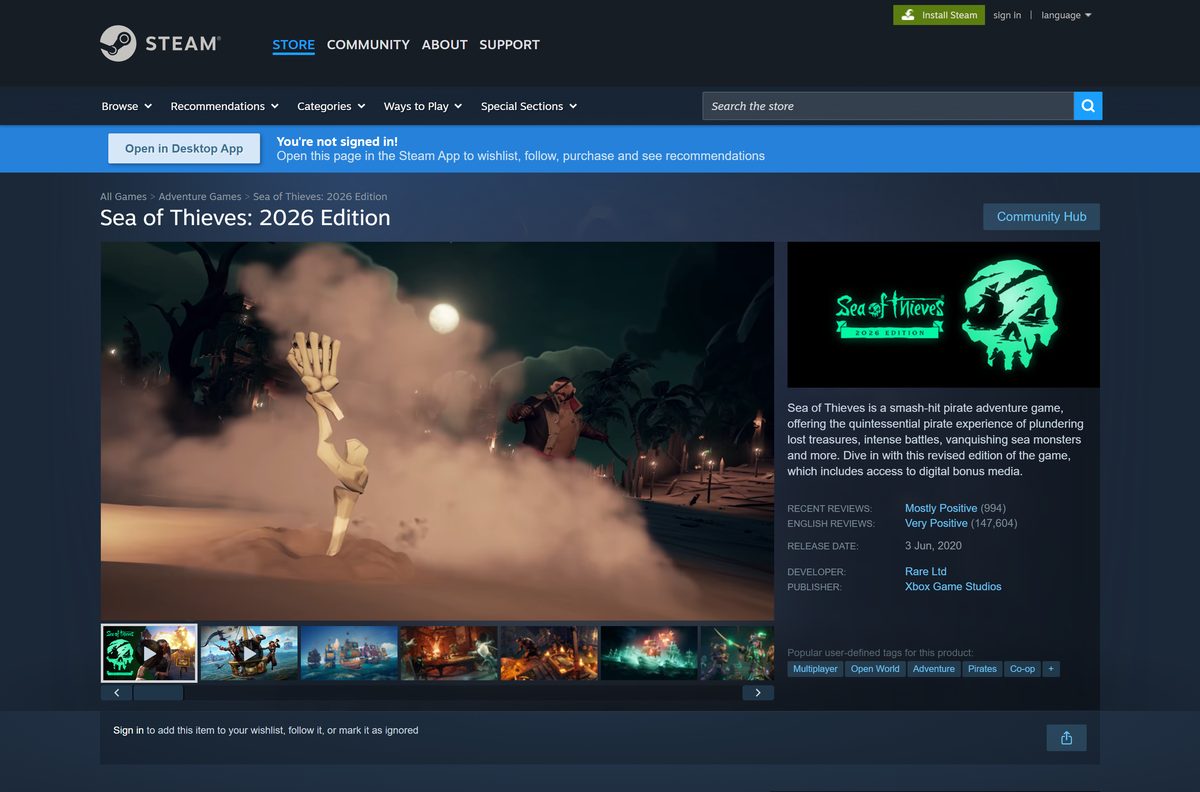
- Sea of Thieves: 2026 Edition on Steam — developer Rare Ltd, publisher Xbox Game Studios
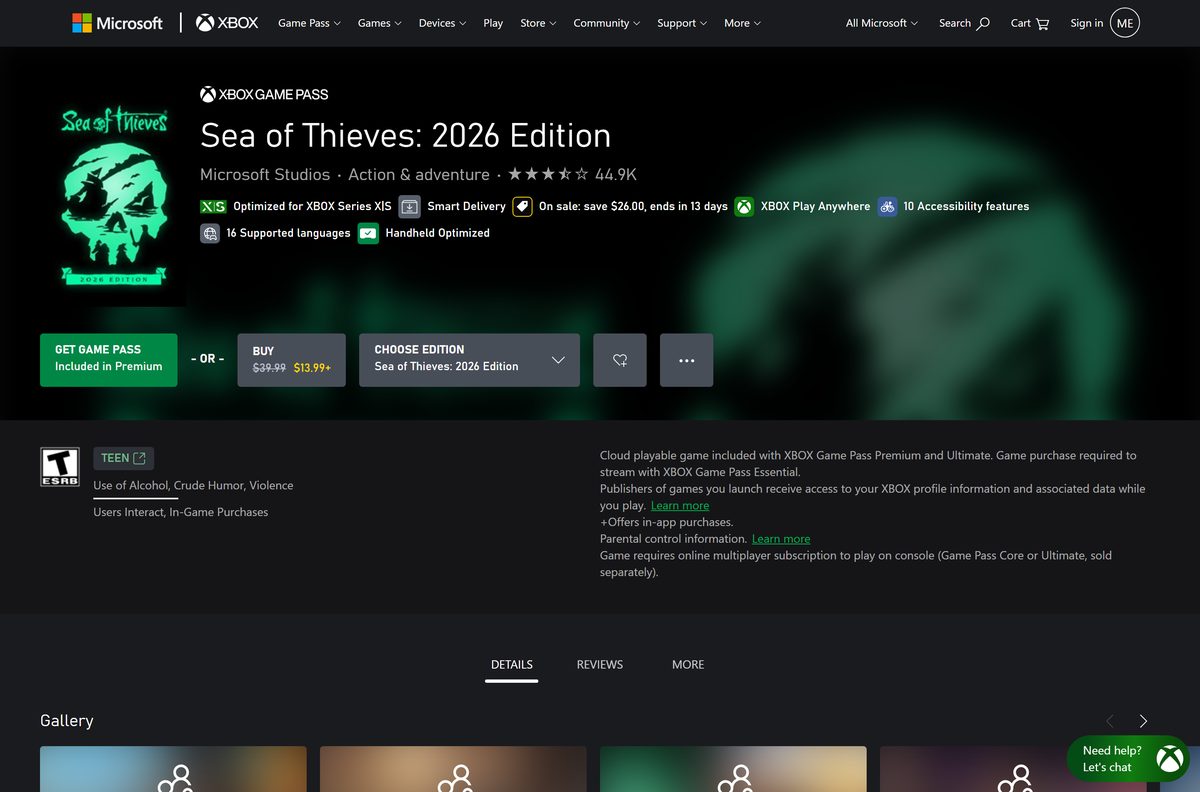
- Sea of Thieves: 2026 Edition on the Xbox store — Buy button and Game Pass install, Xbox Play Anywhere
- Sea of Thieves on the Microsoft Store — opens the same listing in the Store
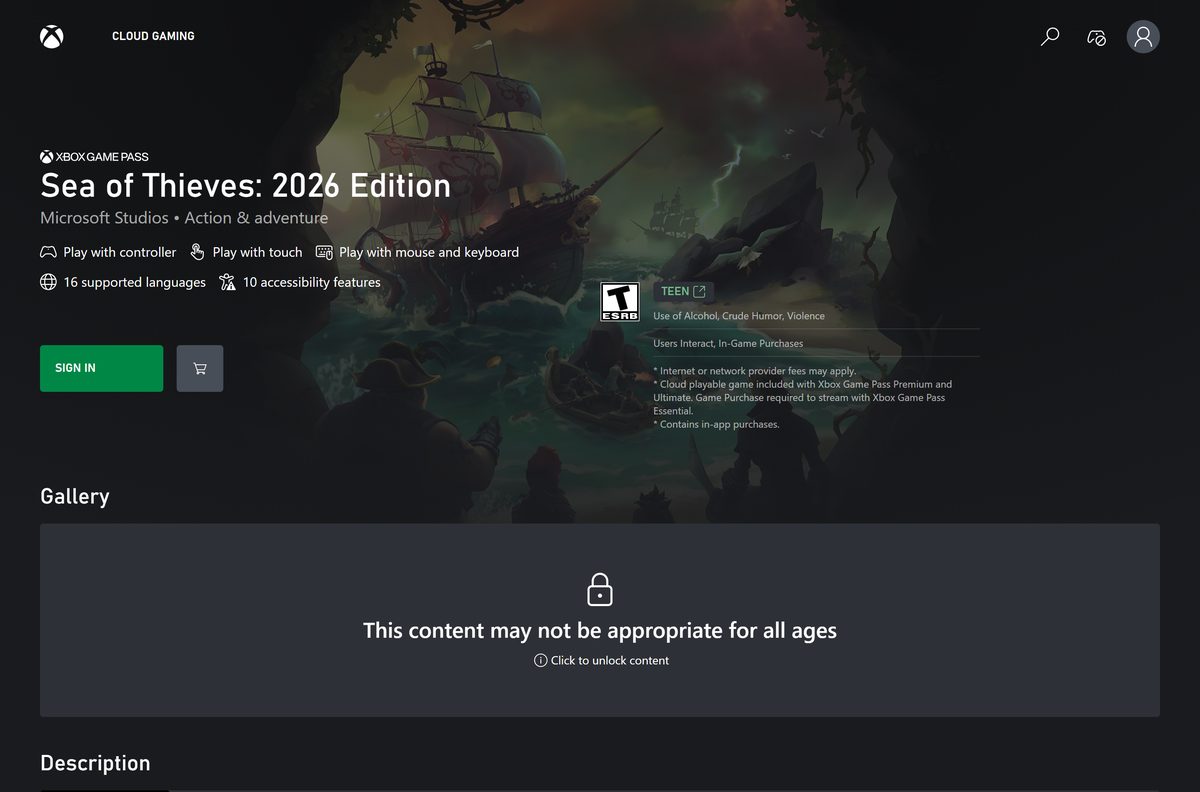
- Sea of Thieves on Xbox Cloud Gaming — stream in a browser without installing
Need the store client first? Techdows has guides to download Steam for PC and to download the Xbox app for PC.
How to install Sea of Thieves on Windows 11 and 10 from Steam
Free up space before you start. Steam asks for 100 GB of available storage, and seasonal updates add to that.
- Open the Sea of Thieves Steam page and sign in to Steam.
- Pick the 2026 Edition, Deluxe Edition or Premium Edition and select Add to Cart.
- Select Purchase for myself and complete the payment.
- Open Library in the Steam client and select Sea of Thieves.
- Select Install, choose a drive with at least 100 GB free and confirm.
- Wait for the download to finish, then select Play.
- Sign in with your Microsoft account when the game asks. Steam lists an Xbox account as required and supports linking it to Steam.
- Create your pirate and set sail.
Steam also lists Easy Anti-Cheat as third-party DRM for the game. Allow it through your antivirus rather than blocking it.
Install Sea of Thieves from the Xbox app or with PC Game Pass
The Xbox listing marks Sea of Thieves as an Xbox Play Anywhere title. One purchase covers the PC and Xbox consoles, with shared cloud saves.
- Open the Xbox app on your PC and sign in with your Microsoft account.
- Search for Sea of Thieves and open the game page.
- Select Install if your Game Pass plan includes it, or select Buy to purchase the 2026 Edition.
- Choose the drive for the install. Microsoft lists the PC package at up to 133.0 GB.
- Wait for the download to finish in the Xbox app’s queue.
- Select Play and let the game finish its first-run setup.
A Game Pass install stops working if the plan lapses. Buy the game on the same page to keep playing, and your progress stays on your Xbox account.
How to play Sea of Thieves on a Mac
Steam lists the game for Windows only, and the Xbox listing names PC, Xbox consoles and Xbox Cloud Gaming. On a Mac, stream it in a browser instead.
| Your situation | What to do | Link |
|---|---|---|
| You have Game Pass Premium or Ultimate | Open Xbox Cloud Gaming in Safari, Edge or Chrome, sign in and select Play | Sea of Thieves cloud page |
| You have Game Pass Essential | Buy the game first; Microsoft requires a purchase to stream it on Essential | Xbox store listing |
| You are unsure your Mac qualifies | Check for macOS 14.1.2 or later with Safari 16, Edge or Chrome 85 or newer | Supported browsers for cloud gaming |
| You found a Sea of Thieves .dmg for macOS | Do not run it; no store sells a Mac version | Steam listing (Windows only) |
Microsoft supports mouse and keyboard in the cloud on Mac only in Edge or Chrome. Pair a controller if you stream in Safari.
Is Sea of Thieves free to download?
No. Sea of Thieves is a paid game, but PC Game Pass, Game Pass Premium and Ultimate include it at no extra cost. Steam and the Xbox store list Sea of Thieves: 2026 Edition at $39.99. The Deluxe Edition is $49.99 and the Premium Edition $59.99, and both stores run regular sales. The game also sells in-game items. A site that offers the full game for free, or free in-game currency for your login, is a scam.
A Game Pass install works only while the plan is active. Buy the game if you want to keep it after you cancel.
Should you buy Sea of Thieves on Steam or the Xbox app?
Buy on the Xbox store if you also own an Xbox console; otherwise buy on Steam. The Xbox purchase is Xbox Play Anywhere, so it unlocks the game on PC and on Xbox One and Series X|S. The Steam copy stays in your Steam library, earns Steam achievements and still links to your Xbox account for cross-platform play.
Both copies share the same servers and seasons. Crossplay works either way, so pick by where you keep your other games.
Check the Sea of Thieves system requirements before you download
The game needs 64-bit Windows. Press Windows + R, type msinfo32 and press Enter to see your processor, RAM and Windows build on one screen.
| Field | Value |
|---|---|
| Game | Sea of Thieves: 2026 Edition |
| Developer | Rare Ltd |
| Publisher | Xbox Game Studios |
| Latest version | 3.9.0 (Season 21), released September 17, 2026 |
| Price | Paid, $39.99; included with PC Game Pass, Game Pass Premium and Ultimate |
| Minimum Windows | Windows 10 version 18362.0 or later, 64-bit |
| Windows 11 | Supported |
| Architecture | x64 only |
| macOS | No installed version; Xbox Cloud Gaming only |
| Microsoft Store PC package | Up to 133.0 GB |
| Steam storage | 100 GB available space |
| Offline installer | No; Steam or the Xbox app downloads the game |
| Official source | Xbox store |
| Last verified | 2026-09-24 |
Check which Sea of Thieves hardware tier your PC meets
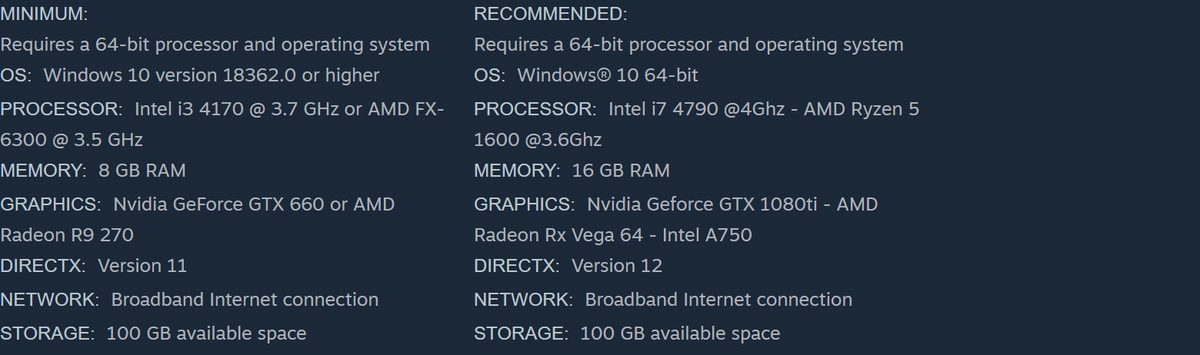
Steam publishes two tiers. Find the row your graphics card and processor match, then set the in-game quality to suit.
| Tier | Graphics | Processor | Memory | DirectX |
|---|---|---|---|---|
| Minimum | Nvidia GeForce GTX 660 or AMD Radeon R9 270 | Intel i3 4170 at 3.7 GHz or AMD FX-6300 at 3.5 GHz | 8 GB RAM | Version 11 |
| Recommended | Nvidia GeForce GTX 1080 Ti, AMD Radeon RX Vega 64 or Intel A750 | Intel i7 4790 at 4 GHz or AMD Ryzen 5 1600 at 3.6 GHz | 16 GB RAM | Version 12 |
Both tiers need a broadband connection. The game is online only, so a slow link causes more trouble than a slow graphics card.
Fix Sea of Thieves not installing on Windows 11 or 10
Pick the symptom that matches, then work through its fixes in order.
The Xbox app will not install or launch the game
Gaming Services, the Windows component behind Xbox app installs, is damaged or out of date.
- Check the Xbox status page for an outage before changing anything.
- Sign out of the Xbox app, restart the PC and sign back in.
- Confirm your Game Pass plan is active if you installed through it.
- Run the Gaming Services Repair Tool from Xbox Support.
- Retry the install from the Xbox app.
The download stops partway or the game crashes at launch
Antivirus or another launcher blocks the files, or the install is damaged.
- Close Steam, the EA app, the Epic Games Launcher and any other launcher that is running.
- Allow the game folder in your antivirus, or pause scanning while the install runs.
- In Steam, right-click Sea of Thieves, select Properties, then Installed Files and Verify integrity of game files.
- For an Xbox app copy, open Settings > Apps > Installed apps, select the three dots next to Sea of Thieves, choose Advanced options and select Repair.
- Uninstall and reinstall the game if the repair does not help.
The install is refused or Xbox app features are missing
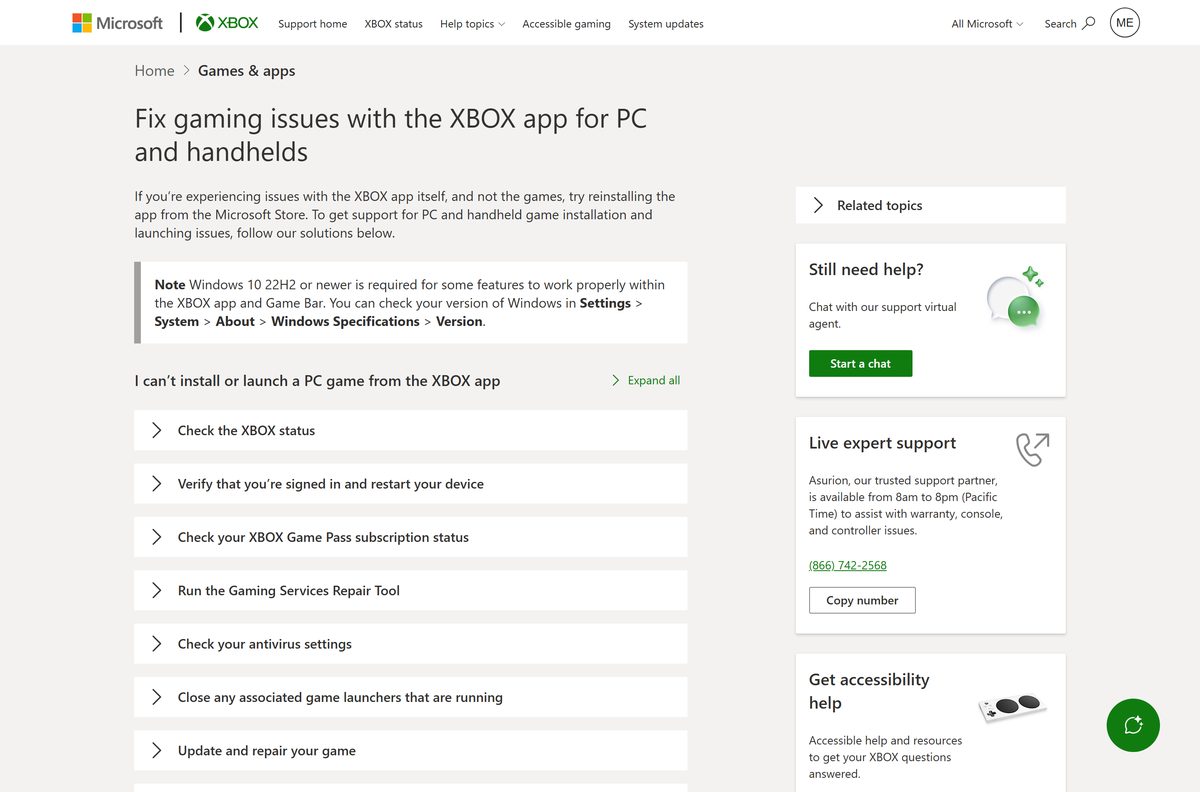
Windows is too old. Xbox Support says some Xbox app features need Windows 10 22H2 or newer.
- Open Settings > System > About and check the Version under Windows specifications.
- Open Windows Update and select Check for updates.
- Install every pending update, including optional driver updates for your graphics card.
- Restart the PC and retry the install.
Xbox Support keeps the full checklist in Fix gaming issues with the Xbox app for PC.
How to uninstall Sea of Thieves
Uninstalling removes only the game files. Your pirate, gold and cosmetics stay on your Xbox account.
- For a Steam copy, open Library in Steam and right-click Sea of Thieves.
- Select Manage, then Uninstall, and confirm.
- For an Xbox app or Microsoft Store copy, open Settings > Apps > Installed apps.
- Find Sea of Thieves, select the three dots next to it and select Uninstall.
- Confirm with Uninstall again and wait for Windows to finish.
To reinstall later, open the game in your Steam library or the Xbox app and select Install. Xbox Support covers both routes in How to install or uninstall a PC game.
Frequently asked questions
Is the Sea of Thieves download free?
No. Sea of Thieves is a paid game, listed at $39.99 for the 2026 Edition on Steam and the Xbox store. It costs nothing extra if you already have PC Game Pass, Xbox Game Pass Premium or Ultimate, which include it.
Where is the official Sea of Thieves download?
Buy and download it from the Steam store page or the Xbox store page for Sea of Thieves: 2026 Edition, which also opens in the Microsoft Store. Rare Ltd develops the game and Xbox Game Studios publishes it; no other site sells the PC version.
Does Sea of Thieves work on Windows 11?
Yes. Sea of Thieves runs on 64-bit Windows 11 and Windows 10. Steam lists Windows 10 version 18362.0 or later as the minimum, and the Microsoft Store package sets the same Windows build as its floor.
How big is the Sea of Thieves download on PC?
Microsoft lists the Sea of Thieves PC package at up to 133.0 GB on the Microsoft Store. Steam asks for 100 GB of available space. Seasonal updates add more over time, so leave extra room on the drive.
Is there a Sea of Thieves offline installer?
No. There is no standalone Sea of Thieves setup file. Steam or the Xbox app downloads the game over the internet, and the game itself needs a broadband connection because every voyage is online.
Can you play Sea of Thieves on a Mac?
Not as an installed game. Steam lists Sea of Thieves for Windows only. On a Mac running macOS 14.1.2 or later, stream it through Xbox Cloud Gaming in Safari, Edge or Chrome with Game Pass Premium or Ultimate.
Does Sea of Thieves need a 64-bit PC, and does it run on ARM64?
Sea of Thieves needs a 64-bit processor and 64-bit Windows. Microsoft publishes the PC package for x64 only, so there is no native ARM64 build. On a Windows on Arm laptop, Xbox Cloud Gaming is the supported way to play.
Is Sea of Thieves safe to download?
Yes, from Steam, the Xbox app or the Microsoft Store. Those stores deliver the game straight from Microsoft and Valve and update it automatically. Avoid any site offering a free Sea of Thieves .exe or a Mac .dmg, because neither is genuine.
What is the latest version of Sea of Thieves?
The latest Sea of Thieves release is version 3.9.0, published on September 17, 2026, for Season 21. Steam and the Xbox app download new versions automatically when you open the client.
Why won’t Sea of Thieves install?
The usual causes are a damaged Gaming Services component, antivirus blocking the files, too little free space or an outdated Windows build. Run the Gaming Services Repair Tool, free at least 100 GB, update Windows and retry the Sea of Thieves install.
Do you need an Xbox account to play Sea of Thieves on Steam?
Yes. Steam lists an Xbox account as required for Sea of Thieves and supports linking it to your Steam account. Sign in with a free Microsoft account the first time the game starts.






