The PowerToys download for Windows 11 and Windows 10 is free, open source and published by Microsoft. Version 0.101.2362.0 arrived on 25 August 2026, and the x64 setup is 282.7 MB.
Microsoft ships PowerToys for Windows only. There is no macOS or Linux build, so a Mac needs Apple’s own tools instead.
This guide covers which setup file fits your PC, the official links, install steps, the SHA-256 check and fixes for a failed install.
Which PowerToys download do you need?
Press Windows + Pause and read System type to see whether the PC is x64 or ARM64.
| Your PC | File to get | Size | Why |
|---|---|---|---|
| Intel or AMD PC, one person uses it | PowerToysUserSetup-0.101.2362.0-x64.exe | 282.6 MB | Your account only, no admin prompt |
| Intel or AMD PC shared by several accounts | PowerToysSetup-0.101.2362.0-x64.exe | 282.7 MB | All accounts, installs to %ProgramFiles% |
| Windows on Arm PC, one person uses it | PowerToysUserSetup-0.101.2362.0-arm64.exe | 274.5 MB | Native ARM64, your account only |
| Windows on Arm PC shared by several accounts | PowerToysSetup-0.101.2362.0-arm64.exe | 274.5 MB | Native ARM64, all accounts |
| Domain or Intune fleet | GroupPolicyObjectFiles-0.101.2362.0.zip | 8.8 KB | ADMX templates for Group Policy |
| Windows 10 older than build 19041 | Nothing to install | — | Version 2004 is the floor; run Windows Update |
| 32-bit Windows | No build exists | — | Only x64 and ARM64 are published |
| Mac or Linux | No build exists | — | Windows only; see the Mac section |
Download PowerToys from the official Microsoft sources
Two addresses carry the app. Both serve the same build, signed by Microsoft.
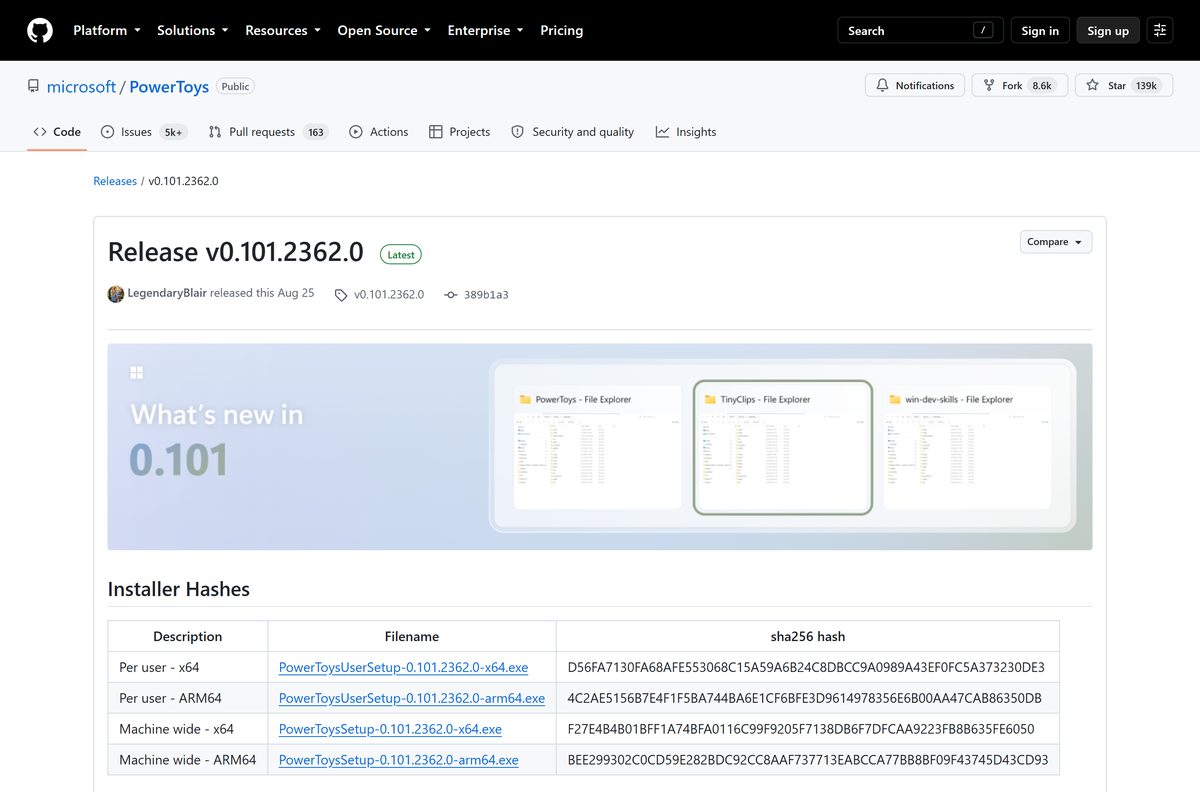
- Microsoft PowerToys releases on GitHub — 282.7 MB for the x64 setup · open Assets on the top release to see all four setup files
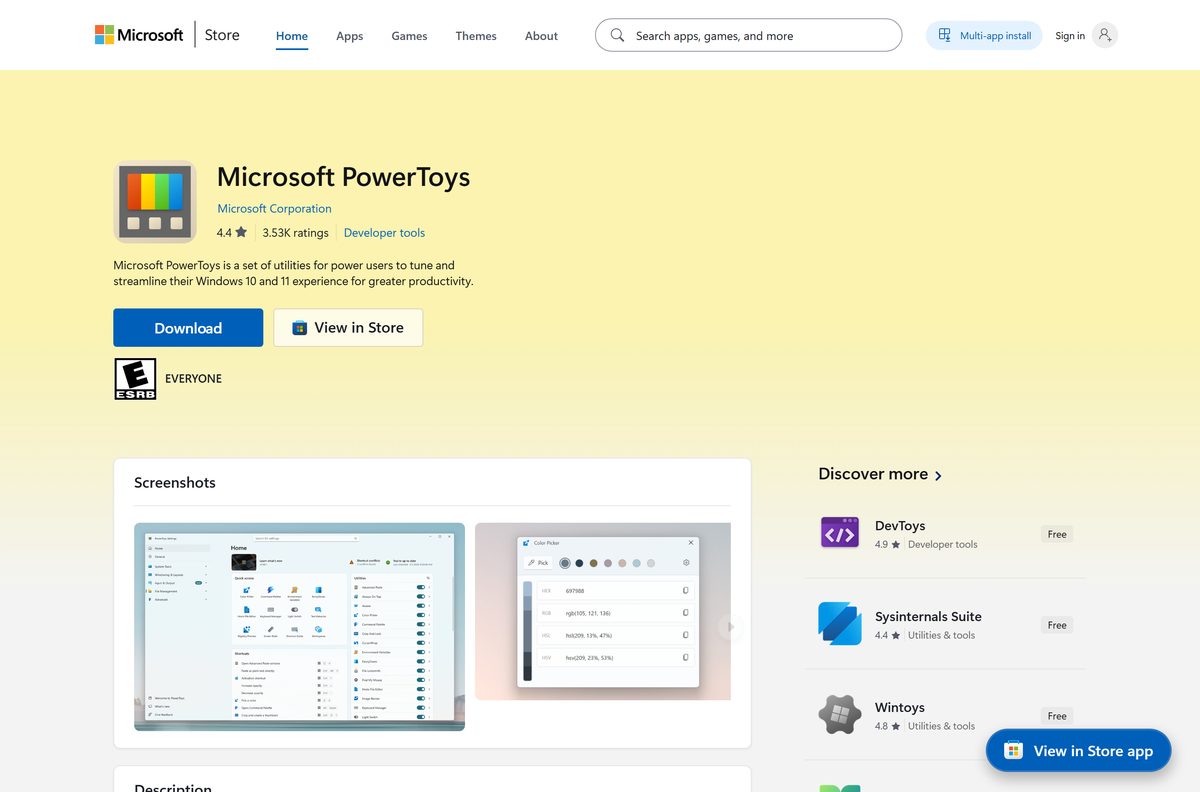
- Microsoft PowerToys on the Microsoft Store — product ID XP89DCGQ3K6VLD, Microsoft Corporation, $0.00
- Release notes and SHA-256 hashes for 0.101.2362.0 — what changed, plus the hash table
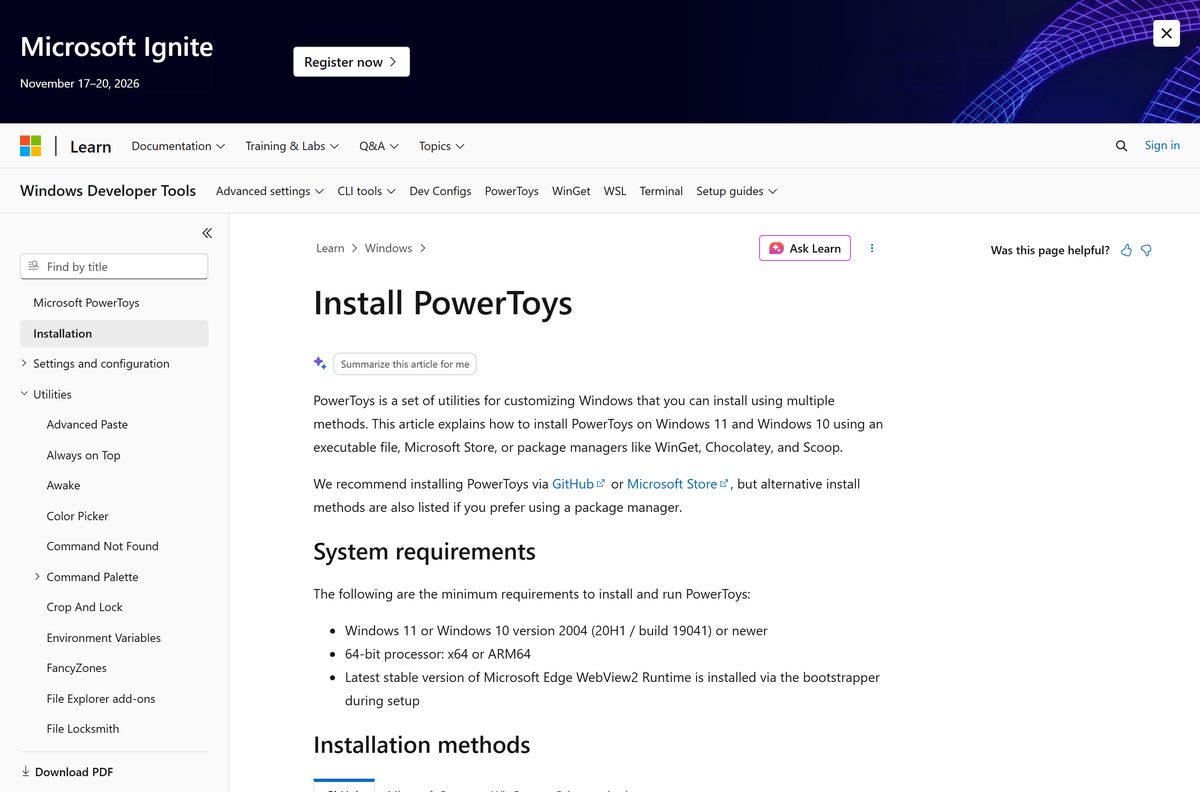
- Microsoft’s install documentation — requirements and every supported install route
The Store listing does not repackage the app. It runs the per-user setup from that same GitHub release.
Check the PowerToys system requirements before you install
Two things block the install: an old Windows 10 build, and a 32-bit processor.
| Field | Value |
|---|---|
| Software | Microsoft PowerToys |
| Developer | Microsoft Corporation |
| Latest version | 0.101.2362.0 |
| Released | 25 August 2026 |
| License | MIT License, free and open source |
| Windows | Windows 11, or Windows 10 version 2004 (build 19041) or newer |
| Architecture | x64 and ARM64; no 32-bit build |
| Download size | 282.7 MB machine-wide x64, 274.5 MB ARM64 |
| Runtime | Microsoft Edge WebView2, installed by the setup bootstrapper |
| Offline installer | Yes, each setup .exe is a standalone bundle |
| Store rating | 4.4 stars from 3,532 ratings |
| Official source | GitHub releases and the Microsoft Store |
| Last verified | 2026-09-22 |
Check your build with Windows + R, then winver . A number below 19041 means Windows Update comes first.
How to install PowerToys on Windows 11 and 10
The setup file is a bundle, so the install runs without any further downloads on most PCs.
- Open the releases page and select the top entry.
- Select Assets to expand the file list.
- Pick the PowerToysSetup file for your processor, or the PowerToysUserSetup file to install for your account only.
- Run the downloaded file and approve the User Account Control prompt for a machine-wide install.
- Accept the licence terms, then select Install.
- Wait while the bootstrapper adds the Microsoft Edge WebView2 Runtime if your PC lacks it.
- Select Launch PowerToys when setup finishes.
- Work through the overview window, then open Settings and enable the utilities you want.
Install PowerToys from the Microsoft Store or with winget
Both routes keep the app updated without a manual download later.
- Open the Microsoft Store listing in your browser.
- Select Get in Store app, then Get in the Store window.
- Sign in with a Microsoft account if the Store asks for one.
- Prefer the command line? Open Windows Terminal and run winget install –id Microsoft.PowerToys –source winget instead.
- Open Settings once the install ends and turn on the utilities you need.
The Store entry sits under Developer tools and carries 4.4 stars from 3,532 ratings.
How to verify the PowerToys installer you downloaded
Microsoft publishes a SHA-256 hash for all four setup files on the release page.
- Open the release page and find the Installer Hashes table.
- Open Windows Terminal in the download folder and run Get-FileHash .\PowerToysSetup-0.101.2362.0-x64.exe -Algorithm SHA256 .
- Compare the output with F27E4B4B01BFF1A74BFA0116C99F9205F7138DB6F7DFCAA9223FB8B635FE6050 for the machine-wide x64 file.
- Delete the file and download again from GitHub if the two strings differ.
- Right-click the file, open Properties and check the Digital Signatures tab names Microsoft Corporation.
Download the PowerToys deployment files for a fleet
Use the machine-wide setup for managed PCs, then layer the ADMX templates on top.
| File | Size | Use |
|---|---|---|
| PowerToysSetup-0.101.2362.0-x64.exe | 282.7 MB | Machine-wide install on Intel and AMD hardware |
| PowerToysSetup-0.101.2362.0-arm64.exe | 274.5 MB | Machine-wide install on Windows on Arm hardware |
| GroupPolicyObjectFiles-0.101.2362.0.zip | 8.8 KB | PowerToys.admx and PowerToys.adml templates |
| Group Policy reference | — | Every policy name, registry value and Intune OMA-URI |
Start a silent rollout with PowerToysSetup-0.101.2362.0-x64.exe /quiet /norestart , the arguments the Store itself uses. Test one machine first.
Copy PowerToys.admx to C:\Windows\PolicyDefinitions and PowerToys.adml to the matching language folder. The policies then appear under Administrative Templates > Microsoft PowerToys.
Which PowerToys features can you replace on a Mac?
Microsoft publishes no macOS build. Apple covers several of the same jobs with tools already on the Mac.
| What you used on Windows | The Mac equivalent | Where it lives |
|---|---|---|
| PowerToys Run and Command Palette | Spotlight | Command + Space |
| FancyZones window layouts | Mission Control and Stage Manager | Control + Up Arrow |
| Peek file previews | Quick Look | Select a file, press Space |
| PowerRename bulk renaming | Finder batch rename | Select files, Control-click, Rename |
| Text Extractor screen OCR | Live Text | Photos, Preview and Quick Look |
| Keyboard Manager remapping | Shortcuts | Applications |
None of these match the Microsoft feature set. For the real thing, run Windows 11 in a virtual machine.
Is PowerToys free?
Yes, completely, on every route. The source sits under the MIT License, the Store lists the app at $0.00, and there is no paid tier, trial timer or advertising. No licence key exists, so any site selling one is selling nothing.
Should you install the per-user or the machine-wide setup?
Take the per-user setup on your own laptop, and the machine-wide setup on a shared or managed PC. The per-user file installs under %LocalAppData%\Programs with no administrator prompt, and only your account sees the app. The machine-wide file installs under %ProgramFiles% and serves every account. Updates reach both the same way.
How to check your PowerToys version and update it
The app checks for updates on its own and shows a toast when one lands.
- Open PowerToys Settings from the system tray icon.
- Select General and read the version under Version & updates.
- Select Check for updates to look for a newer build.
- Turn on Download updates automatically to let the app fetch them in the background.
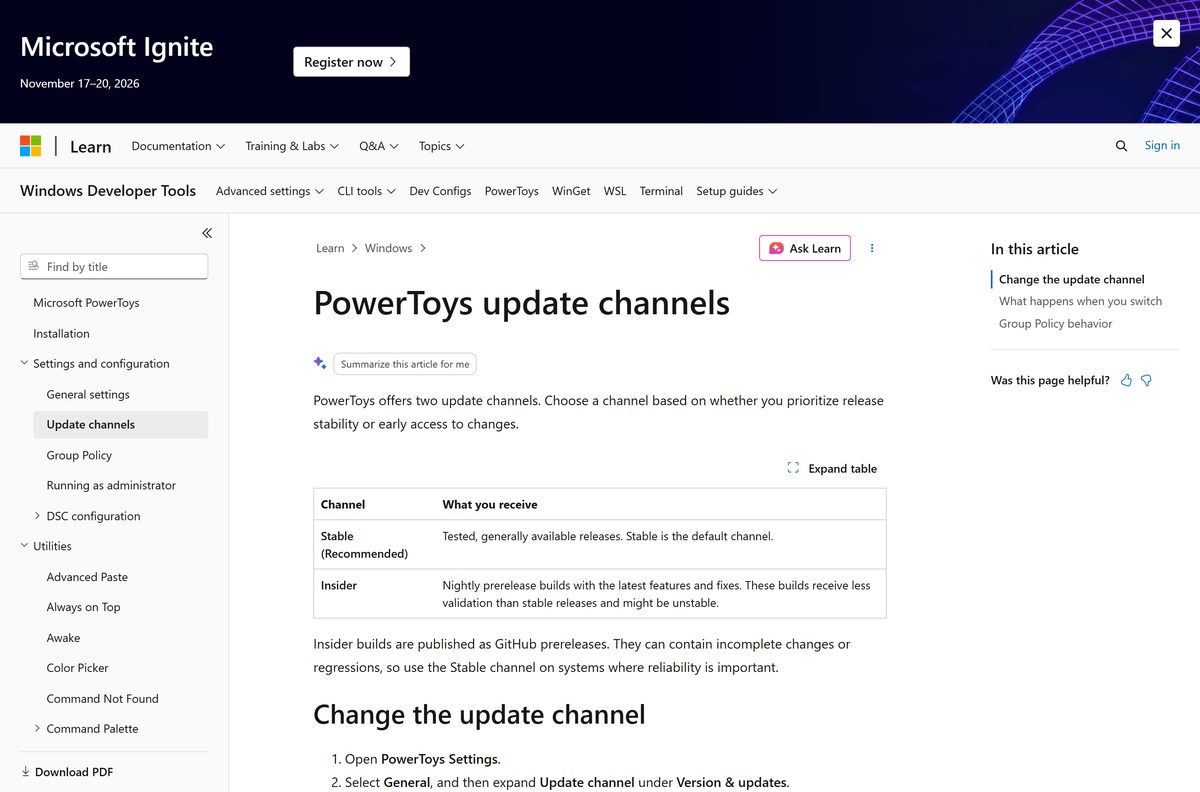
- Expand Update channel and pick Stable (Recommended) for tested releases.
- Pick Insider instead only if you want nightly prerelease builds and accept the rough edges.
Switching back to Stable never downgrades an Insider build. You stay on it until a later stable release passes it.
Fix PowerToys not installing on Windows 11 or 10
Setup refuses to run and names your Windows version
The app needs Windows 11, or Windows 10 version 2004 (build 19041) or newer.
- Press Windows + R, type winver and select OK.
- Read the build number in the second line of the dialog.
- Open Settings > Windows Update and install everything offered if the number is below 19041.
- Restart, then run the setup file again.
Install fails partway with a WebView2 error
The bootstrapper cannot reach Microsoft’s servers to fetch the runtime.
- Connect the PC to the internet and run setup again.
- Install the Microsoft Edge WebView2 Runtime by hand if the network is filtered.
- Run the PowerToys setup once more.
Your administrator blocks the install
The Disable per-user installation policy is switched on.
- Open Registry Editor and look at HKLM\Software\Policies\PowerToys .
- Check whether DisablePerUserInstallation is set to 1.
- Ask your IT team to deploy the machine-wide setup instead.
The app does not start after Windows signs you in
Another tray utility interferes at startup.
- Close TaskbarX or any similar taskbar tool.
- Start the app from the Start menu.
- Open Settings > General and confirm Run at startup is on.
- Turn on Show system tray icon so the app is reachable again.
A shortcut does nothing in one particular app
Windows blocks a normal process from acting on an elevated window.
- Open Settings > General and read the administrator mode guidance.
- Restart the app as administrator from its tray icon.
- Enable Always run as administrator if the elevated app is one you use daily.
How to uninstall PowerToys cleanly
Remove it the same way you installed it, then clear the settings folder if you are done for good.
- Quit the app from its system tray icon.
- Open Settings > Apps > Installed apps on Windows 11, or Apps & features on Windows 10.
- Find PowerToys (Preview), select the three dots, then Uninstall.
- Run winget uninstall –id Microsoft.PowerToys instead if you installed it that way.
- Delete %LocalAppData%\Microsoft\PowerToys to drop the leftover settings.
- Consult Microsoft’s install page for the cleanup scripts if an old build refuses to go.
What covers the same ground without PowerToys?
Windows already ships parts of the toolkit. None of these match the full set.
| The job | Built into Windows | What you give up |
|---|---|---|
| Window tiling | Snap layouts | Custom zone grids and per-monitor layouts |
| Clipboard history | Windows + V | Paste as Markdown, JSON or plain text |
| Screen text capture | Snipping Tool text actions | A global shortcut that grabs text anywhere |
| Bulk renaming | File Explorer rename | Regular expressions, previews and undo |
Each one is a partial answer. The toolkit exists because Windows leaves these gaps open.
Frequently asked questions
Is the PowerToys download free?
Yes. The project is open source under the MIT License, and the Microsoft Store lists it at $0.00. There is no paid edition, trial period or licence key, so any site selling one is a scam.
What is the official PowerToys download page?
The releases page of the microsoft/PowerToys repository on GitHub, and the Microsoft Store listing under product ID XP89DCGQ3K6VLD. Microsoft’s install documentation points to both. No other site is official.
Does PowerToys work on Windows 11?
Yes. Windows 11 is fully supported, and so is Windows 10 from version 2004 (build 19041) upward. Older Windows 10 builds are refused by the installer, and Windows 7 and 8.1 are not supported.
How big is the PowerToys download?
The machine-wide x64 setup is 282.7 MB and the ARM64 setup is 274.5 MB. The per-user files are within a few kilobytes of the same size. The Group Policy template archive is only 8.8 KB.
Is there an offline installer?
Yes. Each setup .exe is a standalone bundle that installs without further downloads. The exception is the Microsoft Edge WebView2 Runtime, which the bootstrapper fetches during setup on a PC that lacks it.
Is there a PowerToys download for Mac?
No. Microsoft publishes Windows installers only, and the repository has no macOS or Linux build. On a Mac, Spotlight, Quick Look, Mission Control and Automator cover parts of the same ground.
Does PowerToys run on ARM64 and 32-bit PCs?
ARM64 yes, 32-bit no. Microsoft publishes native x64 and ARM64 setups, so Copilot+ PCs and Snapdragon laptops run it without emulation. No x86 build has been released.
Is PowerToys safe to install?
The installers are signed by Microsoft Corporation and every release lists a SHA-256 hash. Verify your download with Get-FileHash, and check the Digital Signatures tab in the file properties before running it.
What is the latest PowerToys version?
Version 0.101.2362.0, published on 25 August 2026. It adds Window Hopper for cycling windows inside one app, a rebuilt update experience with Stable and Insider channels, and a compact Command Palette mode.
Why will PowerToys not install on my PC?
Most failures come down to an old Windows 10 build below 19041, a 32-bit processor, or a blocked WebView2 download. Run winver to read your build, then check Windows Update before trying the setup file again.






