The LogMeIn download comes from the LogMeIn Download Center on logmein.com, and it arrives in two parts. The host app goes on the computer you want to reach, and the client app goes on the machine or phone you sit at.
LogMeIn Pro is a paid subscription from GoTo Group. A 14-day trial opens the account without a credit card, and the installers themselves cost nothing to download.
Below: the right file for each machine, install steps for Windows and Mac, plan prices, system requirements, update checks, fixes and clean removal.
Which LogMeIn download do you need?
Two roles, two files. The host sits on the remote computer; the client sits on the one in front of you.
| Your situation | What you download | Size | Link |
|---|---|---|---|
| A Windows PC you want to reach from elsewhere | logmein.msi, the host installer | 52.4 MB | Host app for Windows |
| A Mac you want to reach from elsewhere | LogMeInInstallerMac.zip, the host package | 39.1 MB | Host app for Mac |
| The Windows PC you sit at | LogMeInClientApp.msi, the desktop client | 12.1 MB | Client app for Windows |
| The Mac you sit at | LogMeInClientMac.dmg, the desktop client | 16.7 MB | Client app for Mac |
| A borrowed PC you cannot install on | LogMeInIgnitionUSB.exe, the client on a USB drive | 9.2 MB | Client for a USB drive |
| A phone or tablet | The free client app from the App Store or Google Play | 28.6 MB on iOS | App Store listing |
Installing the host also puts the desktop client on that computer, so one file covers both roles on your own machine.
A computer attaches to one account at a time, which is why the same host cannot be reached from two separate accounts.
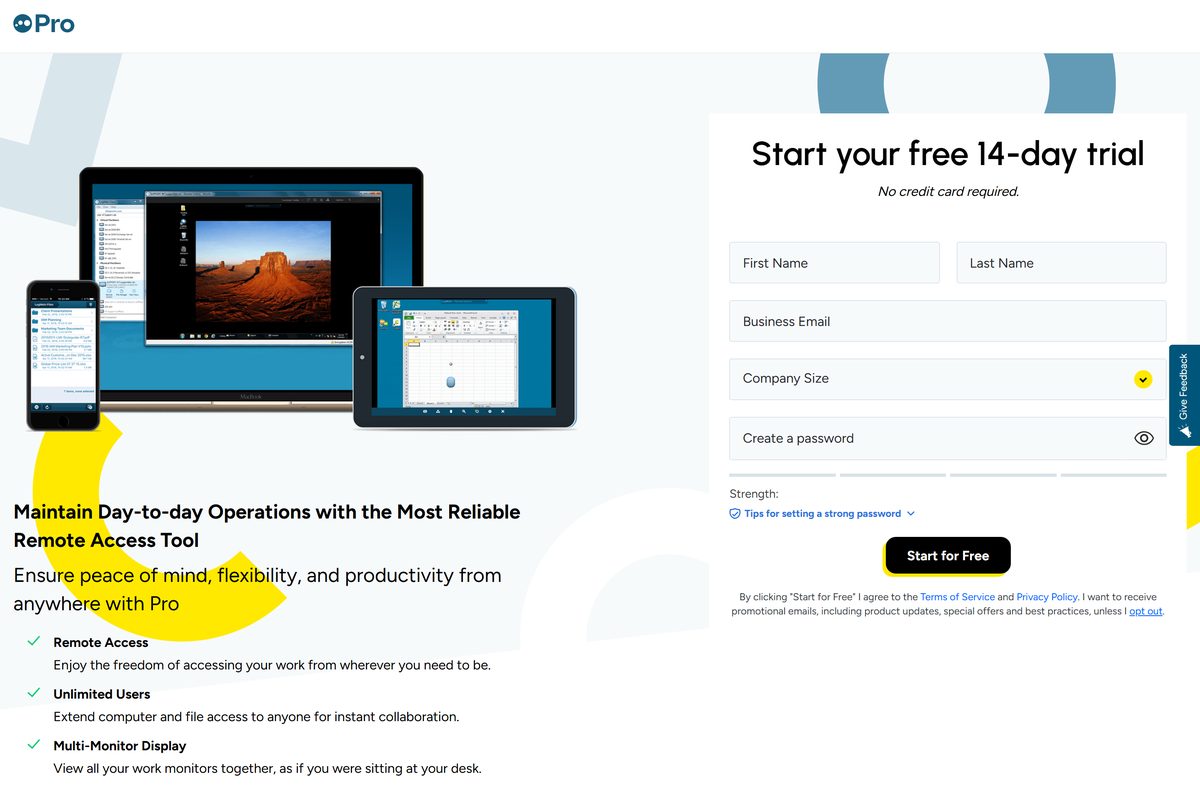
Download LogMeIn from the official download page
Every file below is served from secure.logmein.com and listed on the LogMeIn Pro download options page.
- LogMeIn Download Center — the product list, with download options for each app
- Host app for Windows (logmein.msi) — 52.4 MB · install this on the computer you want to reach
- Host app for Mac (LogMeInInstallerMac.zip) — 39.1 MB
- Client app for Windows (LogMeInClientApp.msi) — 12.1 MB
- Client app for Mac (LogMeInClientMac.dmg) — 16.7 MB
- Windows host as a ZIP for command-line setup (logmein.zip) — 55.5 MB · carries x86 and x64 folders
- Free 14-day trial sign-up — no credit card asked for
Each of these is a full installer rather than a small web stub, so an offline copy on a USB stick installs on a machine that is briefly offline.
Activation still needs a connection, because the host has to register itself against your account.
Check the LogMeIn system requirements before you install
The same operating system list covers the host and the client, and the unsupported list is short and firm.
| Field | Value |
|---|---|
| Software | LogMeIn Pro |
| Developer | GoTo Group, Inc. |
| Latest version | Windows host 4.1.0.16226, Mac host 4.1.0.13581 |
| License | Paid subscription with a 14-day trial |
| Windows | Windows 7 or newer, including 64-bit |
| Windows Server | Windows Server 2008 R2 or newer, including 64-bit |
| Mac | macOS 10.13 High Sierra or newer, Intel and Apple silicon |
| Not supported | Windows XP, Linux, Chromebook and Windows RT |
| Browsers | Firefox and Chrome last 20 versions, Safari last five major versions on Mac |
| Internet | Any always-on connection; 25 Mbit/s each end for remote control |
| Firewall | Hardware firewalls must allow TCP port 443 |
| Architecture | Windows x86 and x64; Mac Intel and Apple silicon |
| Download size | 52.4 MB Windows host, 39.1 MB Mac host, 12.1 MB Windows client |
| Offline installer | Yes, a standalone MSI and a ZIP for command-line setup |
| Official source | logmein.com |
| Last verified | 2026-09-22 |
Safari on Windows is not supported, so use Chrome or Firefox on a PC when you connect through a browser.
How to install LogMeIn on Windows 11 and Windows 10
The host is added from inside your account rather than from a public link, so each installer is tied to a seat.
- Go to the computer you want to reach remotely.
- Open LogMeIn.com and select Sign In in the top-right corner.
- Enter your LogMeIn ID, select Next, type your password and select Sign In.
- On the Computers page, select Add Computer.
- Select Add this computer, then Download installer, and run the file with administrator rights.
- Write down the Computer Access Code if setup asks you to create one, because it cannot be retrieved later.
- Follow the on-screen instructions until the host reports itself as accessible.
- Install the client app for Windows on the machine you sit at, then sign in with the same LogMeIn ID.
To set up a computer you are not sitting at, choose Add different computer and select Generate link instead. That one-time link expires after 24 hours or after the first install.
The button greys out when no seats are free, and adding computers also needs the Management and Deployment permission on your user.
Which LogMeIn download do you need for your Mac?
Both Mac files run on Intel and Apple silicon, so the chip in the machine does not change the download.
| What you want the Mac to do | Download | Size |
|---|---|---|
| Be reached remotely | LogMeInInstallerMac.zip | 39.1 MB |
| Connect out to other computers | LogMeInClientMac.dmg | 16.7 MB |
| Run macOS 27 Golden Gate as a host | Update to host 4.1.0.13581 | 39.1 MB |
macOS 10.13 High Sierra is the oldest release the host and client support.
Uninstalling on a Mac runs from the About tab of the LogMeIn Control Panel in the Applications folder.
Install the LogMeIn client app on iPhone, iPad or Android
The mobile app is a client only. It connects to hosts you already added, and it never turns the phone into a host.
- Open the App Store on an iPhone or iPad, or Google Play on an Android device.
- Search for LogMeIn and open the listing from GoTo Group, Inc.
- Tap Get or Install and wait for the download to finish.
- Open the app and sign in with your LogMeIn ID, not your store account.
- Pick a computer from the list and enter its Computer Access Code when prompted.
The iOS build is 28.6 MB and needs iOS 16.0 or later. The Android listing states its own device requirements.
The mobile app is free to install; the subscription is what unlocks the computers it connects to.
Download the LogMeIn MSI package for deployment
Admins get two Windows packages: an MSI that runs a normal wizard, and a ZIP that installs from the command line.
| Package | Size | What it is for |
|---|---|---|
| logmein.msi | 52.4 MB | Host install and in-place upgrade; choose Upgrade in the wizard |
| logmein.zip | 55.5 MB | Extract to C:\LMI and install from a prompt |
| LogMeInClientApp.msi | 12.1 MB | Desktop client for the machines your staff sit at |
Extract the ZIP to C:\LMI, open Command Prompt as administrator, then run cd C:\lmi\x64 followed by logmein install on a 64-bit machine. The x86 folder holds the 32-bit build.
A command-line install skips the Access Code. Set one afterwards, or the computer stays unreachable.
Run the LogMeIn client from a USB drive
A borrowed or locked-down PC will not take an installer. The USB client covers that case.
- Download LogMeInIgnitionUSB.exe, which is 9.2 MB.
- Save it to the USB drive rather than the computer’s disk.
- Plug the drive into the PC you are borrowing and run the file.
- Sign in with your LogMeIn ID and pick a computer from the list.
- Eject the drive when you finish, so no account details stay behind.
A browser session is the other route. Chrome and Firefox both work, and Safari works on a Mac.
Is LogMeIn Pro free?
The free tier that older guides mention ended years ago. What is free now is the trial and the installers.
No. LogMeIn Pro is a paid subscription, and the only free route is the 14-day trial. Individuals costs $30 per month billed annually and covers 2 computers. Power Users costs $70 per month for 5 computers, and Small Businesses costs $129 per month for 10 computers. Every plan includes remote access, unlimited users, remote printing, multi-monitor display and LogMeIn Antivirus. Any site offering a cracked or lifetime-free build is selling something else, because the host has to register against a paid account before it will connect.
The trial asks for a business email and a password, and it does not ask for a card.
Seats are counted per computer, so reassigning a seat means deleting a computer from the account first.
How to check your LogMeIn version and update it
The Control Panel reports the build on both platforms and starts the update from the same tab.
- Select the LogMeIn icon in the Windows system tray, or in the Finder bar on a Mac.
- Select LogMeIn Control Panel.
- Open the About tab to read the installed build.
- Select Check for Updates and follow the on-screen instructions.
- Download logmein.msi and choose Upgrade in the wizard when the Control Panel cannot update itself.
The Windows component moved to host 4.1.0.16226 with client 1.3.0.5702 on 3 September 2026. The Mac component moved to host 4.1.0.13581 on 21 September 2026 and added macOS 27 support.
Fix LogMeIn not installing or showing offline on Windows 11 and 10
Each symptom below has one cause and one fix. Work through the one that matches.
The installer stops with an ‘Another version of this product is already installed’ error
The Windows installer database still holds a record of an earlier build.
- Press Windows key + R, type regedit and select OK.
- Go to HKEY_LOCAL_MACHINE\SOFTWARE\Classes\Installer\Products\
- Select each key until the right pane shows a Product Name of LogMeIn Pro, RemotelyAnywhere or LogMeIn Hamachi.
- Delete that key, then run the installer again.
The computer shows as offline in your account
The host is asleep, switched off in the Control Panel, or blocked from the internet.
- Press Windows key + R, type powercfg.cpl and set Sleep and Hibernation to Never.
- Right-click the tray icon, open LogMeIn Control Panel, and check the top-left corner for Accessible.
- Select the power switch twice when the host reads Enabled but offline.
- Run services.msc , find the LogMeIn service, and set Startup Type to Automatic.
- Allow TCP port 443 on a hardware firewall, and allow the host files through security software.
The client says another version is already running
A previous client session never closed and is still in memory.
- Select the arrow icon in the taskbar, right-click the client icon and select Exit.
- Open Task Manager, select the client on the Processes tab and select End Task.
- Restart the PC and reinstall the client app if the error returns.
The browser asks you to install the client app every session
Cookies are cleared between sessions, or the browser is in a private window.
- Close Chrome Incognito or Firefox Private Browsing and start a normal window.
- Set the browser to keep cookies across sessions, or add a cookie exception for LogMeIn.com.
- In Firefox, tick Remember my choice on the Launch Application dialog and select OK.
- Uncheck Cookies under the Firefox setting that clears history on close.
The computer never appears on the Computers page
An older install is still attached to a different account, or security software blocked registration.
- Right-click the tray or menu-bar icon and select LogMeIn Control Panel.
- Open the Overview tab and read the email address the computer is attached to.
- Sign in with that account, or uninstall the host and install it again.
- Add an exception in your firewall software, then repeat the install.
How to uninstall LogMeIn from Windows and Mac
Removing the host leaves the account and the subscription untouched. Cancel the plan separately.
- On Windows, open Control Panel, then Programs, then Uninstall a program.
- Select LogMeIn in the list and select Uninstall.
- On a Mac, open Go, then Applications, and double-click LogMeIn Control Panel.
- Open the About tab, select Uninstall, then select Yes in the dialog.
- Run cd “C:\Program Files (x86)\LogMeIn\x64” and then logmein uninstall from an administrator Command Prompt when the wizard fails.
- End LMIGuardian.exe, LogMeIn.exe, LogMeInSystray.exe and ramaint.exe in Task Manager, then delete the LogMeIn folder in Program Files (x86), for a manual cleanup.
- Delete the LogMeIn keys under HKEY_CURRENT_USER\Software and HKEY_LOCAL_MACHINE\Software, then reboot.
A reboot is recommended after the standard Mac uninstall, though it is not required.
Deleting computers from the account does not cancel billing.
Choose between LogMeIn Pro and the other GoTo remote access tools
GoTo sells four remote access products from the same family, and they split by who is doing the connecting.
| Product | Built for | Where to read more |
|---|---|---|
| LogMeIn Pro | Individuals and small teams reaching their own 2 to 10 computers | Product page |
| LogMeIn Central | Internal IT and service providers managing a fleet of endpoints | Product page |
| LogMeIn Resolve | Endpoint management with remote support built in | Product page |
| LogMeIn Rescue | Enterprise helpdesks supporting other people’s devices | Product page |
| GoToMyPC | Microbusiness and personal use, reaching one work computer | Comparison article |
LogMeIn Pro and LogMeIn Central use 256-bit end-to-end encryption, while GoToMyPC uses 128-bit.
Pick Pro when you own the computers. Pick Rescue or Resolve when you support machines that belong to someone else.
Frequently asked questions
Short answers to the questions that come up most around the installers and the plans.
Is LogMeIn free to download?
The installers cost nothing and need no account to fetch, but the software itself is a paid subscription. A 14-day trial with no credit card is the only free way to use it. Plans start at $30 per month billed annually for two computers.
What is the official LogMeIn download page?
The LogMeIn Download Center at logmein.com/download. It lists every product, and the LogMeIn Pro entry opens the download options page holding the Windows host, the Mac host, both desktop clients and the USB client.
Does LogMeIn work on Windows 11?
Yes. The host and client support Windows 7 or newer, including 64-bit, and Windows Server 2008 R2 or newer. Windows XP, Chromebook, Linux and Windows RT are not supported, so those machines cannot act as a host.
What is the LogMeIn download size?
The Windows host MSI is 52.4 MB and the Mac host package is 39.1 MB. The Windows desktop client is 12.1 MB, the Mac client disk image is 16.7 MB, and the client that runs from a USB drive is 9.2 MB.
Is there an offline installer for LogMeIn?
Yes. Both host files are full installers rather than web stubs, and Windows also gets a ZIP that installs from the command line. Registration still needs a connection, so the computer has to be online at first sign-in.
How do you download LogMeIn for Mac?
Open the Download Center, choose the LogMeIn Pro download options, then take LogMeInInstallerMac.zip for a Mac you want to reach or LogMeInClientMac.dmg for a Mac you connect from. Both run on Intel and Apple silicon.
Does LogMeIn have a 64-bit or ARM64 build?
The Windows package covers 32-bit and 64-bit from one file, and the ZIP holds separate x86 and x64 folders for command-line installs. Macs use one universal package that covers Intel and Apple silicon.
Is the LogMeIn download safe?
It is safe when the file comes from secure.logmein.com, which is where the Download Center points. Sessions use 256-bit end-to-end encryption, and hardware firewalls only need TCP port 443 open.
What is the latest LogMeIn version?
Windows host 4.1.0.16226 with client 1.3.0.5702, released on 3 September 2026. The Mac host is 4.1.0.13581 with client 4.1.0.8091, released on 21 September 2026 alongside macOS 27 support.
Why will LogMeIn not install on Windows 11?
The common cause is an error reading that another version of this product is already installed, left behind by a previous build. Clear the stale key under Installer Products in the registry, then run the installer with administrator rights.






