The GoTo Meeting download for Windows 11, Windows 10 and Mac comes from the GoTo download center. It installs the GoTo desktop app, which is where GoTo Meeting sessions now run, along with webinars and calls.
Windows gets an EXE that installs for your own account, plus MSI packages for IT teams. Mac gets separate disk images for Apple chips and Intel chips. The same GoTo app is on iPhone, iPad and Android.
Joining a meeting costs nothing and needs no account. Hosting your own meetings needs a paid GoTo Meeting plan, and a 14-day free trial lets you try that first.
This guide covers which download fits your machine, the install steps, browser joining, pricing, requirements and install fixes.
Which GoTo Meeting download do you need?
Match your device and your role first. Attendees have one extra option that hosts do not need to think about: skipping the install entirely.
| Your situation | Where to get it | Note |
|---|---|---|
| Windows 11 or Windows 10, installing for yourself | GoTo download center | Per-user EXE, no IT ticket needed |
| Mac with an Apple M-series chip or an Intel chip | GoTo install guide, Mac tab | Pick the chip-specific DMG |
| IT admin rolling it out to many PCs | Deploy the GoTo app | 64-bit and 32-bit MSIs, plus Mac DMG |
| Joining one meeting as a guest | app.goto.com | Runs in Chrome or Edge, no account |
| iPhone or iPad | GoTo on the App Store | Needs iOS 15.1 or later |
| Android phone or tablet | GoTo on Google Play | Needs Android 8 Oreo or later |
| Linux, Ubuntu or a Chromebook | app.goto.com | Browser only, no desktop build |
Download GoTo Meeting from the official links
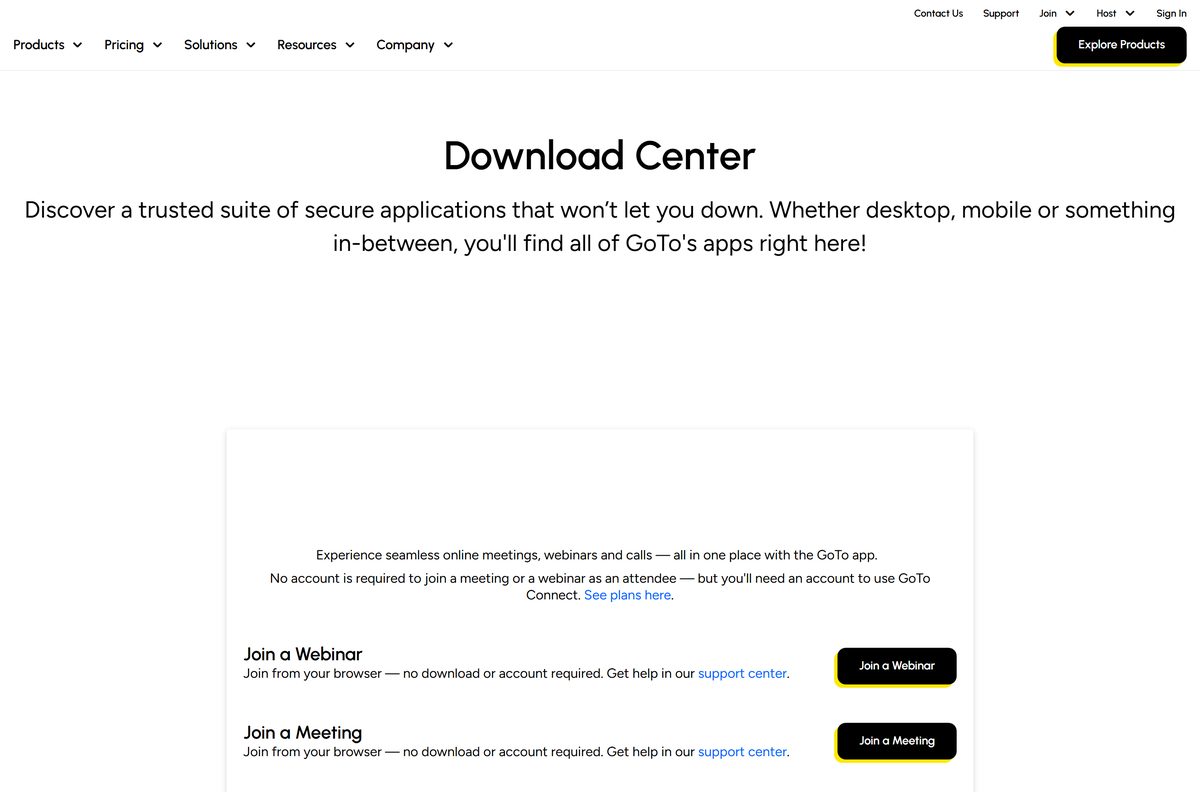
GoTo hosts every desktop and mobile download itself. The download center has one Download button that serves the right installer for Windows or Mac.
- GoTo download center — Desktop app for Windows and Mac, mobile links and browser join
- Download and install the GoTo app — Windows, Mac, iOS and Android tabs with direct links
- What’s new in the GoTo app — Release notes with EXE, MSI and DMG links for each version
- GoTo Meeting product page — Features, plans and the free trial
Avoid download portals that repackage the installer. GoTo tells users to take the installer only from its official page.
How to install GoTo Meeting on Windows 11 and 10
The EXE installs into your own user profile, so a standard account can run setup.
- Open the GoTo download center in your browser.
- Select Download under the desktop app for Mac and Windows to save the .EXE file.
- Open your Downloads folder and run the setup file.
- Follow the on-screen instructions until setup finishes.
- Select Sign in if your company or you hold a GoTo account.
- Select Join a session instead if you are only attending, then enter the session ID from your invitation.
- Allow microphone and camera access when Windows asks, so others can hear and see you.
GoTo asks users to update the app at least once every three months for security and compatibility.
Install GoTo Meeting on your phone from the App Store or Google Play
The mobile app is called GoTo and is published by GoTo Group, Inc. The older GoToMeeting mobile apps lost support on August 31, 2023.
- Open GoTo on the App Store on iPhone or iPad, or GoTo on Google Play on Android.
- Confirm the publisher reads GoTo Group, Inc. before you install.
- Select Get on iOS or Install on Android.
- Open the app and sign in, or select Join a session and enter the meeting ID.
- Allow microphone, camera and notification access when prompted.
The App Store edition is free, 97.2 MB and rated 4.8 from 144K ratings. The Play Store edition has passed 5 million downloads.
Choose the GoTo Meeting MSI package for company deployment
GoTo ships two kinds of MSI, and each suits a different rollout. Both come in 64-bit and 32-bit builds.
| Package | Where it installs | Best for |
|---|---|---|
| MSI for per-machine installation | Program Files, shared by every user; needs admin elevation | Managed PCs pushed through a deployment tool |
| MSI for per-user installation during login | Per user, installed when that user signs in to Windows | Shared PCs where each person gets their own copy |
| DMG for Mac (Apple and Intel) | Each Mac, installed from the chip-specific DMG | Mac fleets through your management tool |
| Deployment guide | Deploy the GoTo app to multiple computers | Specifications, supported properties and group policy templates |
GoTo recommends deploying the GoTo Opener alongside the MSI. People who join from a meeting link then skip a separate download on their own.
How to join a GoTo Meeting from your browser without installing
Attendees can join straight from a browser with no download and no account. The web app drops a few desktop features, such as flexible layout mode.
- Open app.goto.com in Google Chrome or Microsoft Edge.
- Enter the meeting ID from the host’s invitation, or open the meeting link directly.
- Select Allow when the browser requests microphone and camera access.
- Check your microphone and camera on the preview screen, then join the session.
Chrome and Edge are supported in their latest three versions. This is also the only route on Linux, Ubuntu and ChromeOS.
Which GoTo Meeting download do you need for your Mac?
Open the Apple menu, select About This Mac, and read the Chip or Processor line. That line decides the file.
| Your Mac says | Download | Requirement |
|---|---|---|
| Apple M1, M2, M3, M4 or later | Mac with Apple chip | macOS 12 or newer |
| Intel Core processor | Mac with Intel chip | macOS 12 or newer |
| macOS 11 Big Sur or older | Join in the browser | Desktop app no longer supported |
Version 4.19.0 of the desktop app, released July 20, 2026, dropped macOS 11 Big Sur. Open the DMG, follow the installer, then sign in or join a session.
Is GoTo Meeting free?
The answer turns on whether you attend or host. Attendees never pay, and the app itself costs nothing to install.
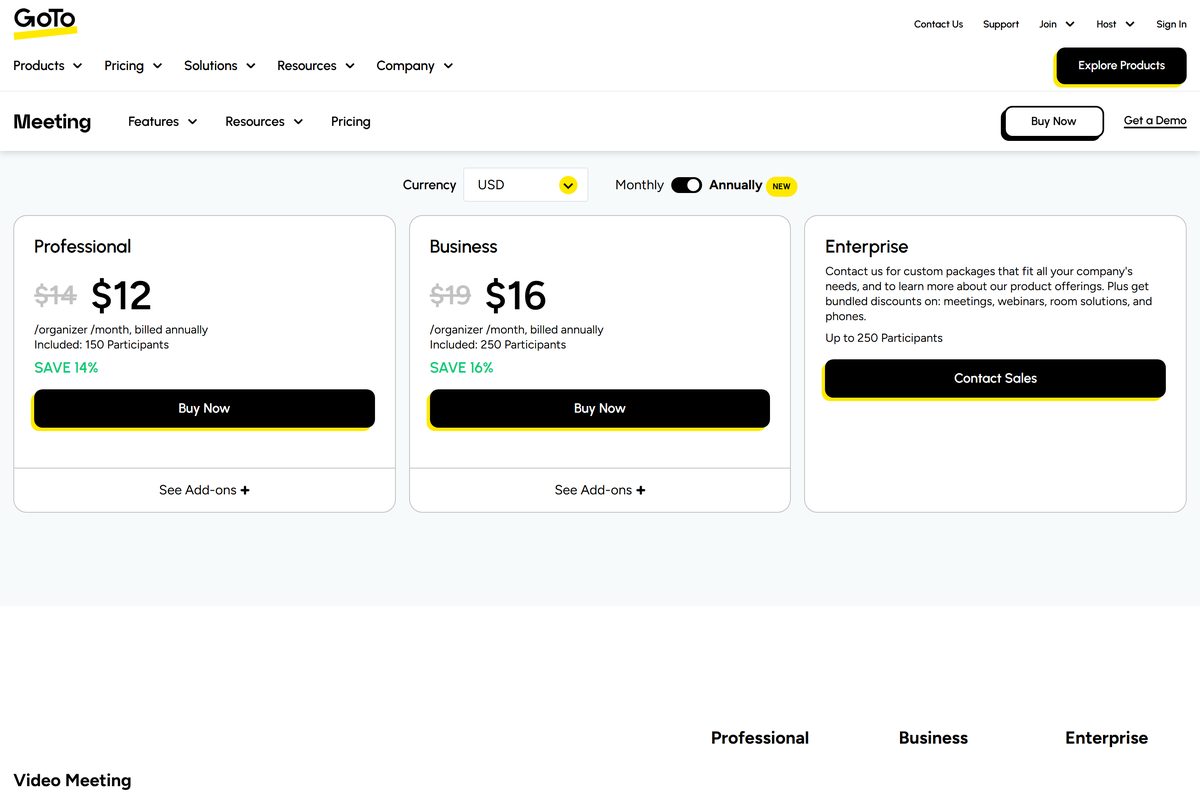
Joining is free; hosting is paid. Start the 14-day free trial if you want to host before you buy. GoTo sells hosting per organizer. Professional costs $12 per organizer per month billed annually, or $14 billed monthly, for up to 150 participants. Business costs $16 billed annually, or $19 monthly, for up to 250 participants. Enterprise pricing comes from GoTo sales.
The free trial needs a name, a business email and a password, but no credit card. It expires after 14 days and does not renew on its own.
Recordings and meeting history stay in the account when you subscribe with the same email. Plans and currencies are listed on the GoTo Meeting pricing page.
Should you install the GoTo app or the classic GoTo Meeting app?
Older guides still point to the classic GoTo Meeting desktop app. Its last listed release was version 10.20.0 in April 2024.
Install the GoTo app. It is the desktop app GoTo now ships for GoTo Meeting, and it receives regular releases. The GoTo app handles meetings, webinars and trainings in one place The classic desktop app stays limited to 25 shared cameras, while the new GoTo experience shows up to 50.
If an old GoTo Meeting shortcut still opens the classic interface, uninstall it and install the current GoTo app from the download center.
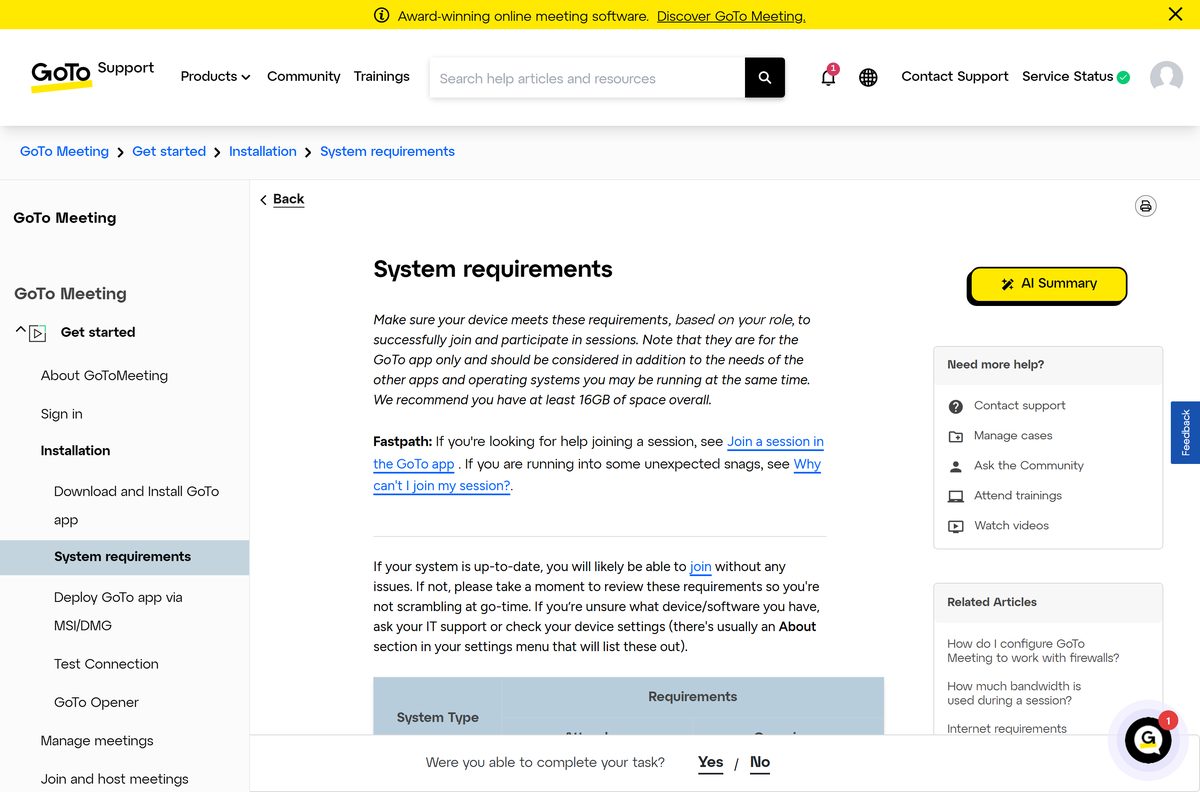
Check the GoTo Meeting system requirements before you install
The hardware bar is low. Memory and a steady connection matter more than the processor.
| Item | Detail |
|---|---|
| Developer | GoTo Group, Inc. |
| Desktop app | GoTo (runs GoTo Meeting, Webinar and Training) |
| Latest version | 4.19.3, released August 6, 2026 |
| Licence | Free to join; paid plans to host, 14-day free trial |
| Windows | Windows 10 or newer, including Windows 11 |
| macOS | macOS 12 or newer, Apple chip or Intel |
| Linux and ChromeOS | Web browser only |
| Browser | Google Chrome or Microsoft Edge, latest 3 versions |
| Memory | 2 GB for the app, 4 GB or more recommended |
| Internet | 1 Mbps or better on a computer |
| Audio and video | Microphone and speakers; USB headset recommended; webcam optional |
| Mobile | iOS 15.1 or newer; Android 8 Oreo or newer |
| Last verified | September 24, 2026 |
GoTo recommends 16 GB of memory overall, because the app shares RAM with everything else you run. Sessions cannot be hosted or joined inside a Citrix-based environment.
Fix GoTo Meeting not downloading or installing on Windows 11 and 10
Match your symptom, then work through the fixes in order.
The download is blocked or deleted
Firewall or antivirus software treats the installer as an unknown program.
- Check the quarantine list in your antivirus and restore the GoTo file if it landed there.
- Allow the GoTo app through your firewall software.
- Download the file again from the GoTo download center, not a mirror.
The download froze partway through
A GoTo Meeting process from an earlier session is still running.
- Press Ctrl + Shift + Esc to open Task Manager.
- Select each GoTo process and select End task.
- Run the installer again.
The app installs but will not launch or join
An older installed copy conflicts with the new one, or drivers are out of date.
- Uninstall the existing GoTo or GoTo Meeting app from Settings > Apps > Installed apps.
- Update your audio and video drivers from your PC maker’s support site.
- Restart the PC and install a fresh copy.
The automatic installer keeps failing
The web download path is blocked on your network.
- Open the deployment guide and download the MSI instead.
- Run the MSI on your own PC; it works for single machines too.
- Join from app.goto.com in Chrome or Edge if you need to get into a meeting right now.
Organizers on a free GoTo Meeting account cannot use the desktop app, so they and their attendees join through the browser or the mobile app.
Which GoTo Meeting alternatives should you compare?
Each of these runs on Windows and Mac and lets guests join without paying.
| App | Best for | Download guide |
|---|---|---|
| Zoom Workplace | Meetings with a free tier for short calls | Download Zoom |
| Microsoft Teams | Chat and meetings inside Microsoft 365 | Download Microsoft Teams |
| Google Meet | Browser meetings tied to a Google account | Download Google Meet |
| RingCentral | Phone, messaging and video in one business app | Download RingCentral |
Frequently asked questions
Is the GoTo Meeting download free?
Yes. The GoTo desktop and mobile apps are free to download, and joining a meeting costs nothing. Hosting needs a paid plan, starting at $12 per organizer per month billed annually, with a 14-day free trial first.
Where is the official GoTo Meeting download page?
GoTo publishes the desktop app at goto.com/download, with one Download button for Windows and Mac. Its support site also has Windows, Mac, iOS and Android install tabs with direct links.
Is GoTo Meeting the same as the GoTo app?
GoTo Meeting is the meeting service. The GoTo app is the desktop and mobile software that runs it, along with GoTo Webinar and Training. Installing the GoTo app is how you get GoTo Meeting today.
Does GoTo Meeting run on Windows 11?
Yes. GoTo lists Windows 10 or newer for the desktop app, which covers Windows 11. You need at least 2 GB of memory for the app, and GoTo recommends 4 GB or more.
Can I join a GoTo meeting without downloading anything?
Yes. Open app.goto.com in Google Chrome or Microsoft Edge and enter the meeting ID. Attendees need no account, though the browser version lacks a few desktop features such as flexible layout mode.
Which Mac download should I pick?
Open the Apple menu and select About This Mac. Take the Apple chip DMG for an M-series Mac and the Intel chip DMG for an Intel Mac. Both need macOS 12 or newer.
Does GoTo Meeting need a credit card for the free trial?
No. The trial asks for a name, business email and password. It lasts 14 days, then the account expires rather than renewing, and you subscribe from Plan Details to keep hosting.
Is there a GoTo Meeting MSI installer?
Yes. GoTo offers a per-machine MSI that installs to Program Files and needs admin rights, and a per-user MSI that installs at sign-in. Both come in 64-bit and 32-bit builds.
Does GoTo Meeting work on Linux or a Chromebook?
Only in the browser. GoTo lists Linux, Ubuntu and ChromeOS as web-browser platforms, so join through app.goto.com in Chrome or Edge. There is no desktop build for either.
Why will GoTo Meeting not download or install?
Antivirus or firewall software blocking the file is the usual cause. Allow it, end any leftover GoTo processes, uninstall older copies, then reinstall. The MSI package is a fallback when the automatic download keeps failing.






