The Brawlhalla download is free on Windows 11, Windows 10 and Mac, and it arrives through a storefront rather than a setup file. Steam, the Epic Games Store and Ubisoft Connect PC all carry it at no cost.
Blue Mammoth Games builds it and Ubisoft publishes it. Patch 10.11 opened Battle Pass Season 14 on 16 September 2026, and the same build serves every platform.
Below are the official store links, install steps for each launcher, the Mac situation, system requirements, uninstall steps and fixes for installs that stall.
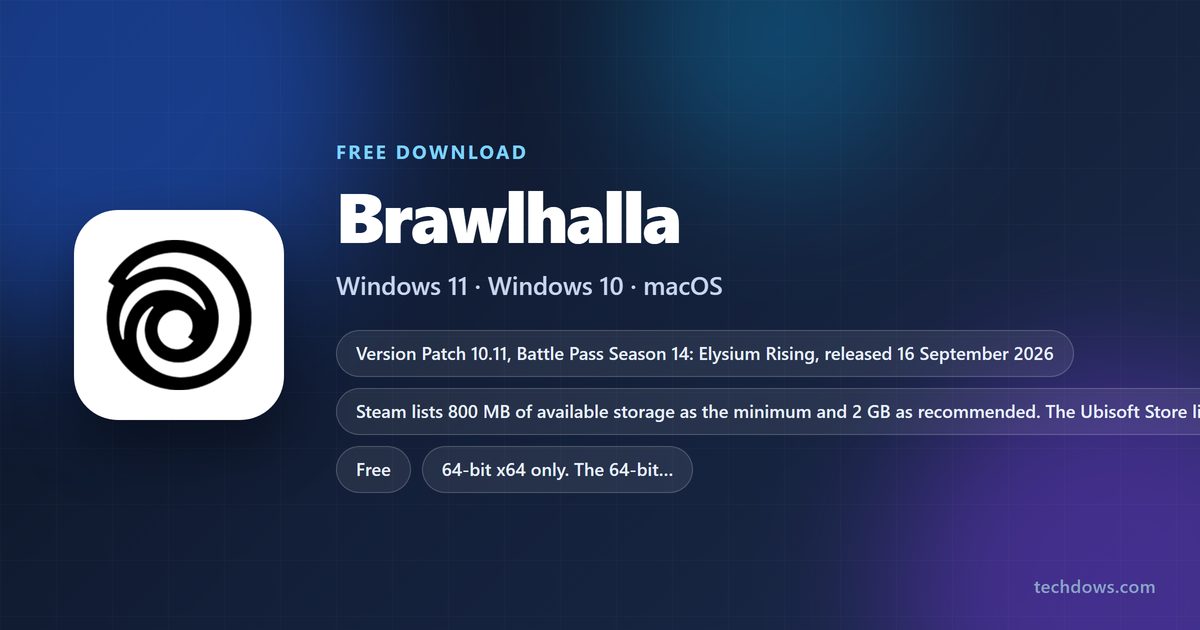
Check the Brawlhalla system requirements before you install
The requirements are small by 2026 standards. Storage is the only figure that moves, because seasonal content keeps landing.
| Item | Detail |
|---|---|
| Software | Brawlhalla |
| Developer | Blue Mammoth Games |
| Publisher | Ubisoft |
| Latest version | Patch 10.11, Battle Pass Season 14: Elysium Rising |
| Released | 16 September 2026 |
| Price | Free to play, no trial period |
| Memory | 2 GB RAM minimum, 4 GB recommended |
| Storage | 800 MB minimum, 2 GB recommended |
| Network | Permanent internet connection; broadband recommended |
| Supported OS | Windows 11 and Windows 10; macOS 10.7 or later on Steam, 11.5 recommended |
| Architecture | 64-bit x64 only; no 32-bit build since patch 10.02 |
| Anti-cheat | Easy Anti-Cheat, kernel level, installed with the game |
| Standalone installer | None; it installs through a storefront client |
| Official store listing | store.steampowered.com |
| Last verified | 22 September 2026 |
Steam and Epic both publish memory, storage and network figures only. Neither names a floor for Windows, so the practical floor is whatever the launcher itself supports.
Which Brawlhalla download do you need?
There is one game and four PC routes to it. Pick the launcher you already run, because the account and the progress travel with you across all of them.
| Your machine | Where to get it | What you need first | |
|---|---|---|---|
| Windows 11 or Windows 10 PC | Steam store listing | The Steam client and a Steam account. | |
| Windows PC that already runs Epic | Epic Games Store product page | The Epic Games Launcher and an Epic account. | |
| Windows PC tied to a Ubisoft account | Ubisoft Store listing | A Ubisoft account and the Ubisoft Connect PC app. | |
| Mac | Steam store listing | The Steam client for macOS; no other PC store carries a Mac build. | |
| Xbox Series X | S or Xbox One | Xbox store listing | An Xbox profile; the package is 2.2 GB. |
| iPhone or iPad | App Store listing | iOS 15.0 or later. | |
| Android phone or tablet | Google Play listing | A Google account. |
Cross-play runs across every row, so the launcher you choose changes nothing about who you can fight.
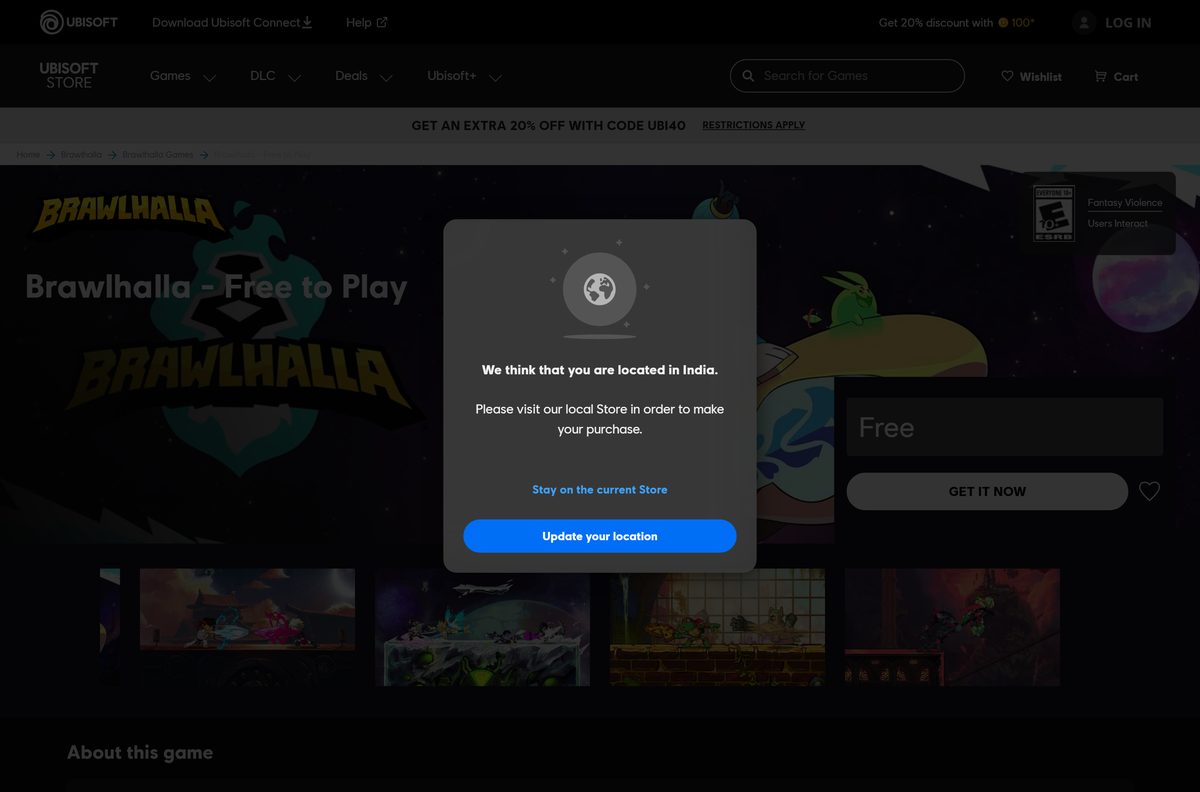
Download Brawlhalla from the official stores for Windows 11 and 10
Every link below is a first-party storefront. None of them charges for the base game.
- Brawlhalla on Steam — Windows and macOS builds, 65 achievements, Remote Play Together
- Brawlhalla on the Epic Games Store — Windows only; Epic lists memory, storage and network requirements
- Brawlhalla on the Ubisoft Store — Free listing that installs through Ubisoft Connect PC
- Ubisoft Connect PC app — The launcher the Ubisoft Store copy installs into
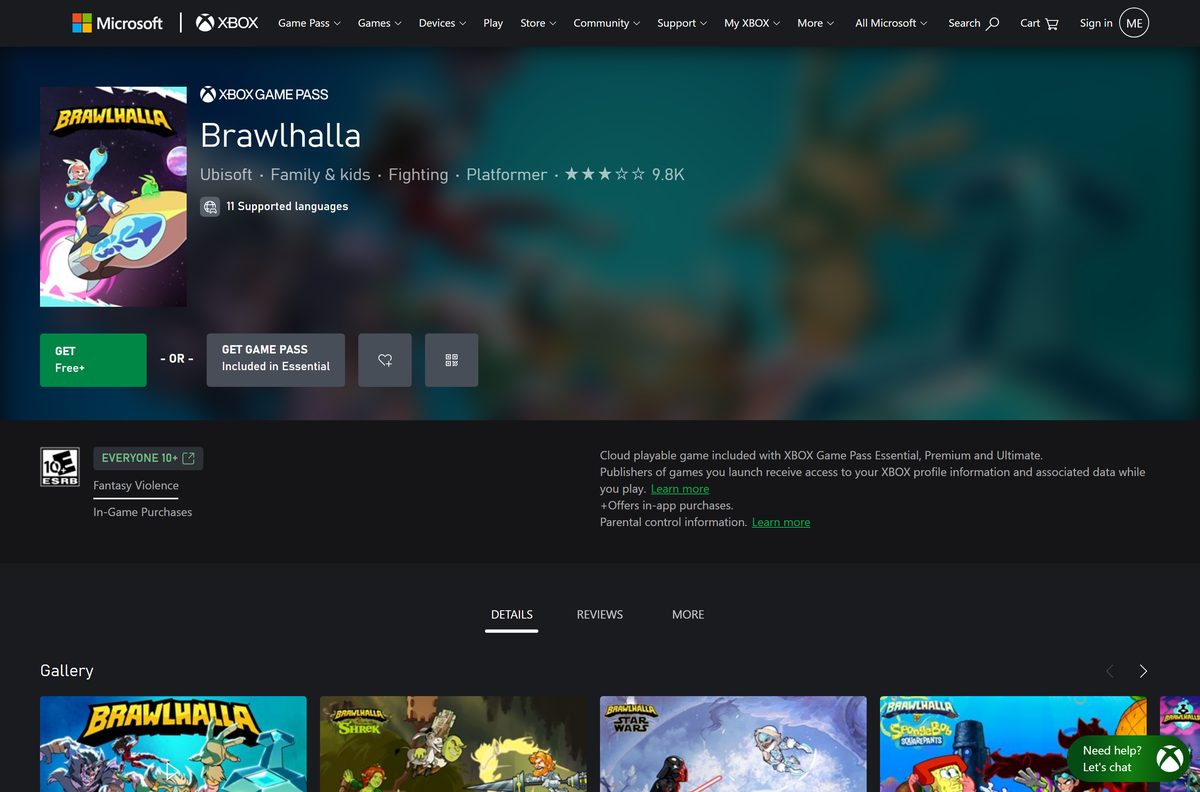
- Brawlhalla on Xbox — Console build, listed at $0.00, also playable through cloud gaming
- Patch notes and update history — Every patch, including the ones that changed platform support
There is no .exe or .dmg to keep on a drive. A storefront client downloads the files and patches them in place.
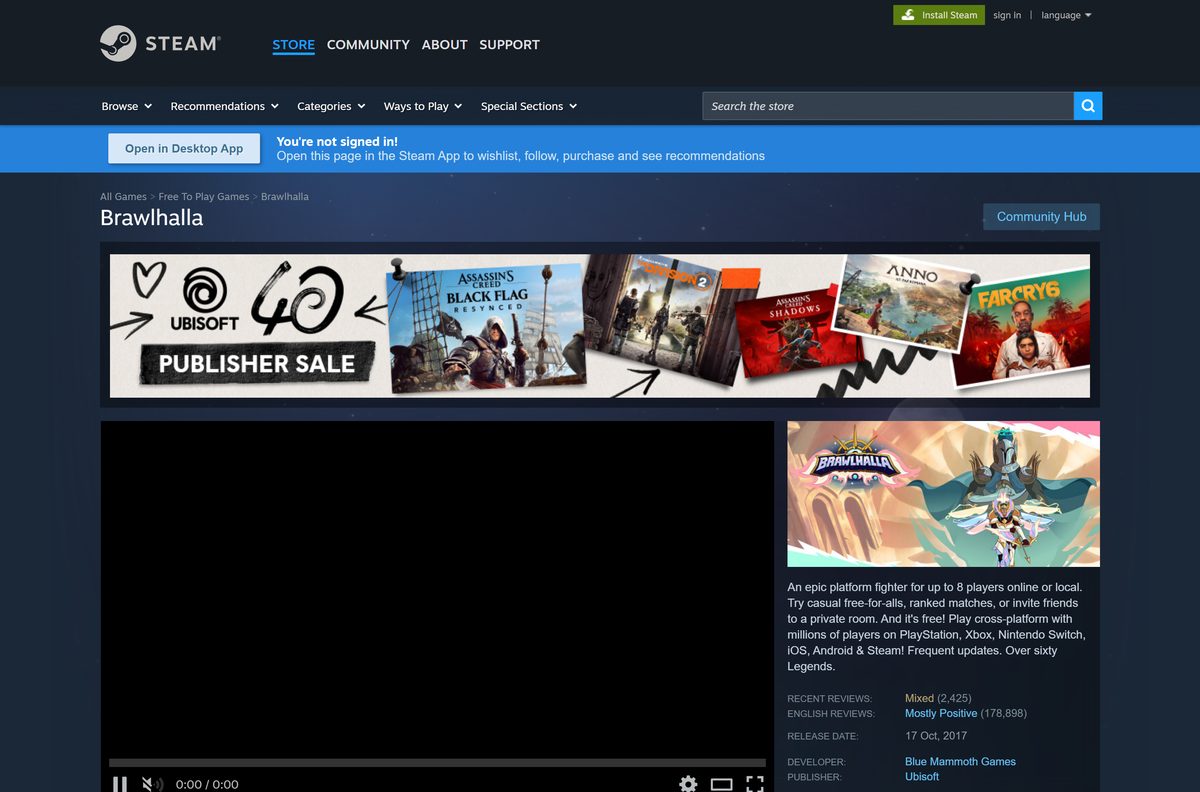
How to install Brawlhalla on Windows 11 and 10 through Steam
Steam is the shortest route and the only one with a Mac build. Install the client first if the machine has never run it.
- Open the Steam store listing in a browser and sign in.
- Select Play Game. Steam adds the free title to your library and hands the request to the desktop client.
- Switch to the Steam client and select Install when the install dialog appears.
- Pick the library folder with at least 2 GB free, then select Next.
- Leave Create desktop shortcut ticked if you want an icon outside the client, and select Finish.
- Wait for the download to finish. The status under the title changes from Downloading to Play.
- Select Play. Windows shows a prompt for Easy Anti-Cheat, which installs as a separate service.
- Approve the prompt, then pick a Legend from the free weekly rotation and start a match.
Easy Anti-Cheat runs at kernel level and is not optional. Blocking it stops the game from launching.
Install Brawlhalla from the Epic Games Store or Ubisoft Connect
Both routes end with the same game and the same account progress. The Ubisoft route adds one extra step, because the copy is tied to a Ubisoft account.
- Epic: open the Epic Games Store product page and select Get.
- Epic: complete the free order, then select Library in the Epic Games Launcher.
- Epic: find the title and select Install, then choose the install folder and select Install again.
- Ubisoft: open the Ubisoft Store listing and sign in with a Ubisoft account.
- Ubisoft: add the free listing to your account, then download the Ubisoft Connect PC app.
- Ubisoft: run the launcher, open Games, select the title and select Download.
- Launch from whichever launcher installed it and sign in when the game asks.
The Ubisoft Store listing states the account rule plainly: a Ubisoft account and the Ubisoft Connect application are both required for that copy.
Which Brawlhalla download do you need on a Mac?
The Mac build is alive and it lives on Steam alone. Epic lists Windows as its only platform, and the Ubisoft Store lists PC, PS4, Xbox and Steam with no macOS entry.
| Your Mac | What to do | Notes |
|---|---|---|
| Any Mac running macOS 11.5 or later | Install through Steam | The recommended macOS release on the Steam listing; the build uses the default branch. |
| A Mac on an older macOS release | Install through Steam | The listing gives macOS 10.7 as the stated minimum. |
| A Mac with no Steam client | Install Steam first | No other PC storefront carries the Mac build. |
| A Mac you would rather not install anything on | Play through a browser on Xbox Cloud Gaming | Streams the console build; needs a supported browser and a subscription. |
Mac players stay on the default Steam branch. The 64-bit rebuild reached macOS before it reached Windows, so there was never a separate Mac branch to switch to.
Is Brawlhalla free?
Nine Legends rotate free every week, and gold earned in online matches unlocks more of them permanently. Nothing behind the paywall changes how a match plays.
Yes. The base game costs nothing on every store, with no trial period and no paid tier to unlock the fighting. Money buys cosmetics and convenience. Brawlhalla – All Legends (Current and Future) is $39.99 and unlocks every fighter now and later; the Collectors Pack is $99.99; the Lara Croft bundle is $14.99; the Ezio Starter Pack is $4.99; the Summer Esports 2026 Pack is $8.99. Mammoth Coins are the premium currency, and the Xbox listing prices the game itself at $0.00.
A page selling you a paid copy of the base game is selling something Ubisoft gives away. The stores above are the whole list.
How to check your Brawlhalla version and update it
Patches land on every platform at once and the client applies them without asking. Matchmaking refuses an out-of-date build, which is usually how players notice.
- Open the update history and read the newest patch number at the top.
- Launch the game and read the version string on the main menu, then compare the two.
- If the client sits behind, close the game completely so the launcher can write to the files.
- Steam: right-click the title in Library, select Properties, open Updates and set Automatic Updates to Always keep this game updated.
- Steam: return to the library page and select Update if one is queued.
- Epic Games Launcher: open Library, select the three dots next to the title and turn on Auto Update.
- Ubisoft Connect: open Games, select the title and let the launcher apply the pending patch.
- Relaunch and check that online queues accept you.
Console and mobile builds follow the same patch numbers, so a friend on Switch is on the same content you are.
Which controllers and platforms can you play Brawlhalla with?
Cross-play is on by default and covers every platform the game ships on. Controller support on PC is partial, so menus still expect a mouse in places.
| Feature | Supported |
|---|---|
| Cross-platform multiplayer | Yes, across PC, Mac, PlayStation, Xbox, Nintendo Switch, iOS and Android |
| Local play | Up to 8 players online or local, with shared and split-screen PvP and co-op |
| Xbox controllers | Yes |
| PlayStation controllers | Yes, including DualShock and DualSense |
| Full controller support | No; the Steam listing marks it Partial Controller Support |
| Steam Remote Play | Remote Play on Phone, Tablet and TV, plus Remote Play Together |
| Steam achievements | 65 |
| Interface languages | 13, with full English audio |
| Offline play | No; a permanent internet connection is required |
Split-screen and Remote Play Together both cover couch matches, which matters on a machine with one gamepad.
How to verify your Brawlhalla files after a failed install
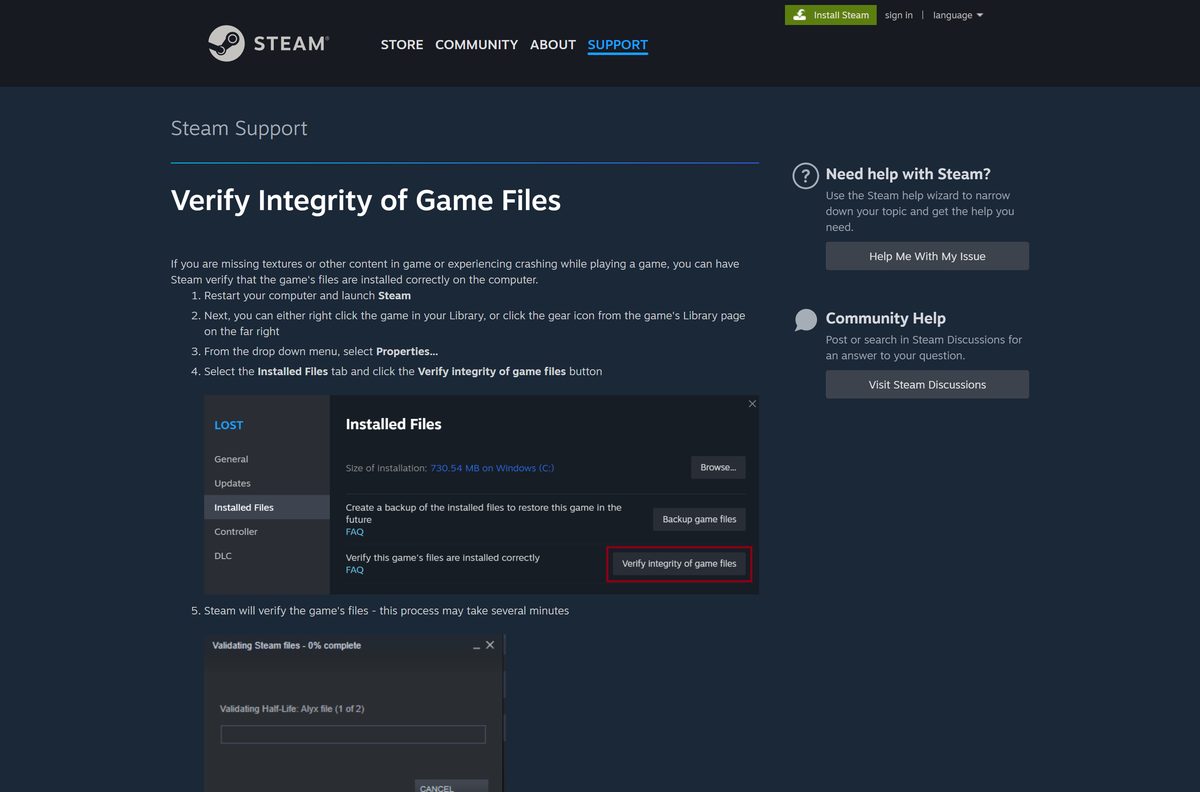
There is no checksum to compare, because no standalone installer exists. Steam does the equivalent by rechecking every file it wrote.
- Restart the computer, then launch the Steam client.
- Right-click the title in your Library, or select the gear icon on its library page.
- Select Properties from the menu.
- Open the Installed Files tab and select Verify integrity of game files.
- Wait several minutes. Steam replaces anything that fails the check.
- Ignore a message saying one or more files failed to verify. Those are local configuration files Steam leaves alone.
- Avoid running a virus scan or a disk defragment at the same time, and verify one game at a time.
Epic Games Launcher has the same repair under the three dots next to the title in Library.
Fix Brawlhalla not installing or updating on Windows 11 and 10
Almost every stalled install on PC is the launcher, not the game. Work down the symptoms below in order.
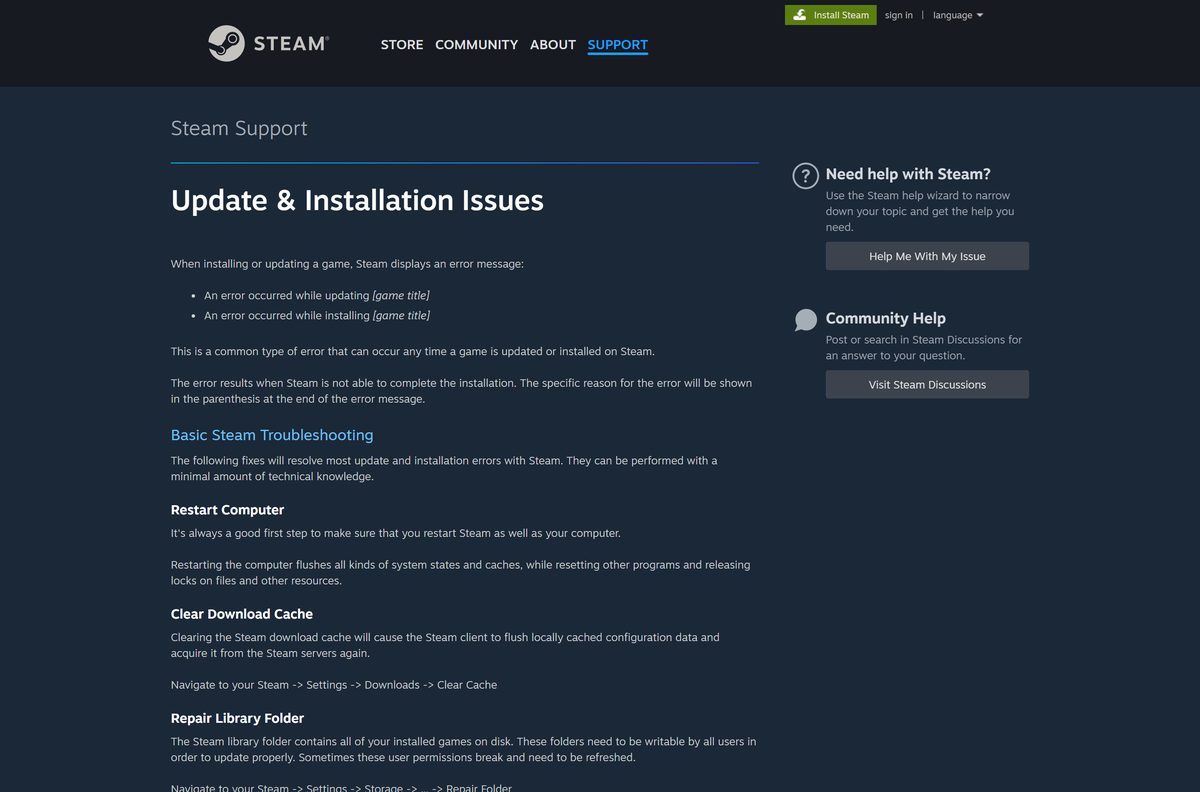
Steam reports an error while updating or installing
The reason sits in the brackets at the end of the message, and the cache is the usual culprit.
- Restart the Steam client and the computer.
- Open Steam, then Settings, then Downloads, and select Clear Cache.
- Open Steam, then Settings, then Storage, select the library folder and choose Repair Folder.
- Right-click the title, open Properties, then Installed Files, and select Verify integrity of game files.
- Open Steam, then Settings, then Downloads, and pick a different Download Region.
The install fills the disk or refuses to start
The 800 MB minimum is the floor for the base install, not for a season of content.
- Free at least 2 GB on the target drive before you retry.
- Move the library to another drive from Steam, then Settings, then Storage.
- Retry the install and leave the machine alone while it writes.
The game installs but will not launch
Easy Anti-Cheat installs as a separate service and needs its own approval.
- Approve the Easy Anti-Cheat prompt when Windows shows it.
- Check that the anti-cheat service is not blocked by your security software.
- Allow the launcher and the game through the Windows firewall, since a permanent internet connection is required.
- Restart Windows so the kernel driver loads cleanly.
A 32-bit PC cannot install it at all
The 32bit-windows Steam branch ended with patch 10.02, after Steam stopped supporting 32-bit Windows in January 2026.
- Confirm the Windows edition under Settings, then System, then About.
- Install a 64-bit edition of Windows, or play the Xbox Cloud Gaming stream instead.
How to uninstall Brawlhalla
Removing the game leaves the anti-cheat service behind, and that is the part people forget.
- Steam: right-click the title in Library, select Manage, then Uninstall, and confirm.
- Epic Games Launcher: open Library, select the three dots next to the title, select Uninstall, then select Uninstall in the pop-up.
- Ubisoft Connect: open Games, select the title, open its properties and select Uninstall.
- Open Settings, then Apps, then Installed apps in Windows 11, and look for Easy Anti-Cheat.
- Remove the anti-cheat entry only if no other game on the machine uses it.
- Delete the leftover folder in the Steam library path if the launcher left one behind.
- Sign out of the account in the launcher if you are handing the PC to someone else.
Account progress lives on Ubisoft’s servers, so a reinstall restores every Legend and cosmetic you had unlocked.
Which free platform fighters can you install instead?
The list below covers free-to-play fighters on the same storefronts, so the install route matches what you already read.
| Game | Price | Where it installs from | Why pick it |
|---|---|---|---|
| Brawlhalla | Free to play | Steam, Epic Games Store, Ubisoft Connect PC | The only one of these with a current Mac build |
| Fortnite | Free to play | Epic Games Store | Epic’s own launcher, much larger install |
| Counter-Strike 2 | Free to play | Steam | Free shooter on the same client, Windows only |
| Xbox Cloud Gaming | Subscription | xbox.com | Streams the console build with no install at all |
Stay on Brawlhalla if a Mac is the target machine. Nothing else in that table installs natively on macOS.
Frequently asked questions
Is Brawlhalla free?
Yes. The base game costs nothing on Steam, the Epic Games Store, the Ubisoft Store, Xbox, PlayStation, Nintendo Switch and mobile. There is no trial and no paid tier. Paid content is cosmetic, plus the $39.99 pack that unlocks every Legend.
Where is the official Brawlhalla download page?
Steam carries the main PC listing at store.steampowered.com, app 291550. Ubisoft also lists it on its own store and on the Epic Games Store. Those four storefronts are the entire official distribution for a PC or a Mac.
Does Brawlhalla work on Windows 11?
Yes. It installs and runs on Windows 11 and Windows 10 through Steam, the Epic Games Launcher or Ubisoft Connect PC. Neither Steam nor Epic publishes a minimum Windows version, listing memory, storage and network requirements instead.
How big is the Brawlhalla download?
Steam asks for 800 MB of available storage as a minimum and recommends 2 GB. The Ubisoft Store listing asks for 2 GB. The Xbox package in Microsoft’s catalog is 2.2 GB, which is the closest thing to a fixed figure.
Is there a Brawlhalla offline installer?
No. There is no standalone setup file to keep on a drive. Every PC copy installs through a storefront client, and a permanent internet connection is required to play, so an offline install would not be usable anyway.
Is there still a Brawlhalla Mac version?
Yes, on Steam. The Steam listing carries a macOS entry with 10.7 as the stated minimum and 11.5 recommended, and Mac fixes still appear in 2026 patch notes. The Epic and Ubisoft Store listings are Windows only.
Is there a 64-bit or 32-bit Brawlhalla download?
It is 64-bit x64 only. The 64-bit Windows client became the default in patch 9.00, and the 32bit-windows Steam branch ended with patch 10.02 after Steam stopped supporting 32-bit Windows in January 2026.
Is the Brawlhalla download safe?
It is when it comes from Steam, the Epic Games Store, the Ubisoft Store or a console storefront. Those are first-party listings. Download portals repackage installers, and this game has no installer to repackage in the first place.
What is the latest version of Brawlhalla?
Patch 10.11, which opened Battle Pass Season 14: Elysium Rising on 16 September 2026 and added the Eternity’s End map. Ranked Season 42 followed on 23 September. The iOS build carries the matching 10.11.1 version number.
Why will Brawlhalla not install on my PC?
Clear the Steam download cache under Settings, then Downloads, repair the library folder under Storage, and verify the game files. If the PC runs 32-bit Windows, it cannot install the game at all since patch 10.02.
Do I need a Ubisoft account to play Brawlhalla?
For the Ubisoft Store copy, yes. That listing states a Ubisoft account and the Ubisoft Connect PC app are both required. The Steam and Epic copies install through their own launchers, and the game itself signs you in.
Can I get Brawlhalla from the Microsoft Store?
No. The Xbox listing in Microsoft’s catalog carries an Xbox package only, with no desktop Windows package behind it. On a PC the game comes from Steam, the Epic Games Store or Ubisoft Connect.
Does Brawlhalla have cross-play?
Yes, across every platform it ships on: PC, Mac, PlayStation, Xbox, Nintendo Switch, iOS and Android. Progress and purchases follow the account, so the launcher you install from has no effect on who you can play with.






