To delete a subscription on your iPhone, open Settings, tap your name, tap Subscriptions, choose the subscription and tap Cancel Subscription.
This guide covers app subscriptions, canceling on the web, what happens to old and expired subscriptions in the list, shared family subscriptions, and what to do when a subscription is missing.
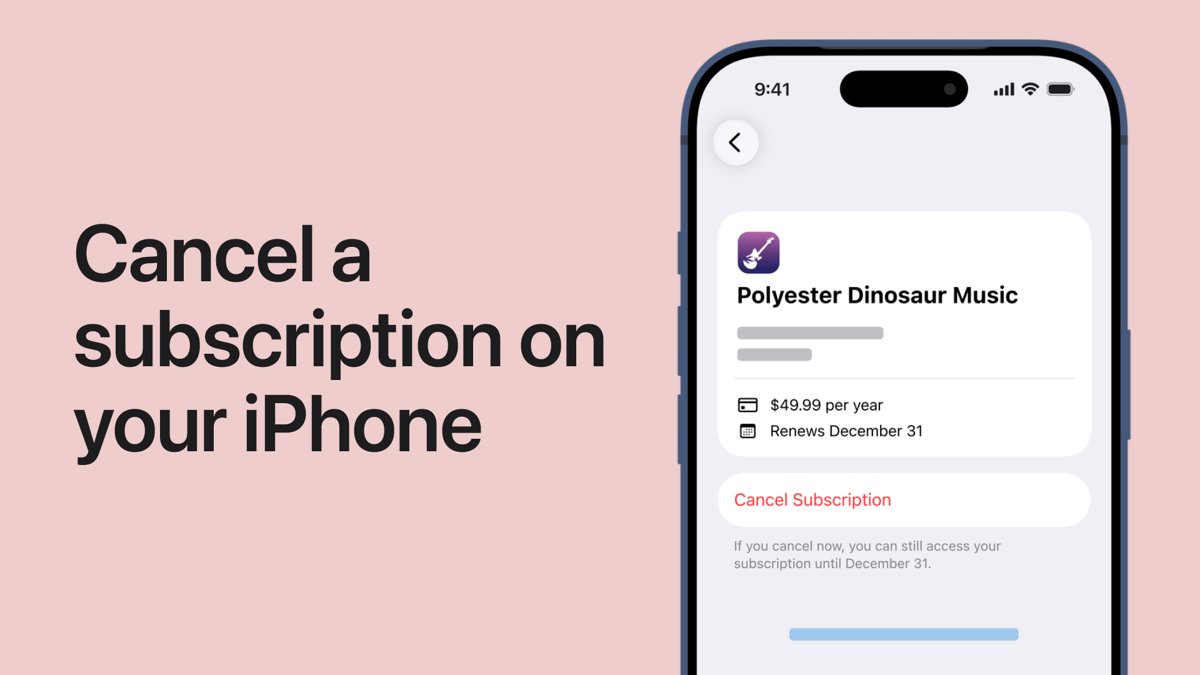
How to cancel subscriptions on iPhone in Settings
Canceling is how you remove a subscription on iPhone. It stops the next renewal, and the subscription then shows an expiration date instead of a renewal date.
- Open the Settings app.
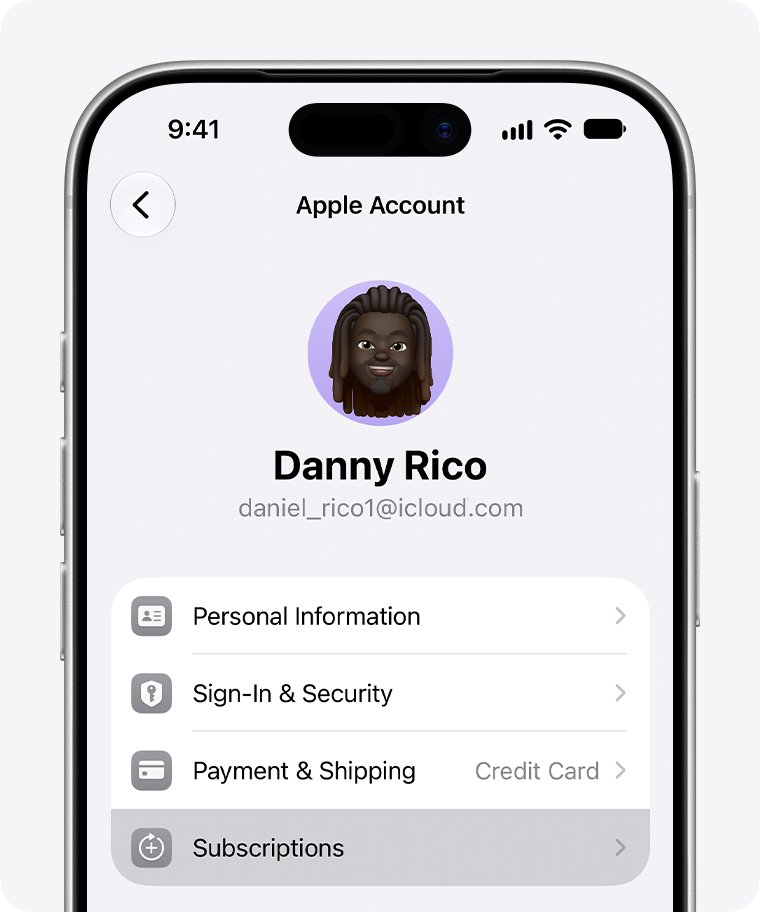
- Tap your name at the top.
- Tap Subscriptions.
- Tap the active subscription you want to stop.
- Scroll down and tap Cancel Subscription, or Cancel All Services for an Apple One bundle.
- Confirm the cancellation when asked.
If there is no Cancel button, or you see an expiration message in red text, the subscription is already canceled.
For a free trial you do not want to pay for, cancel at least 24 hours before the trial ends.
How to delete app subscriptions on iPhone
Deleting an app does not cancel its in-app subscription. Apple keeps billing until you cancel it, so cancel first and then remove the app.
- Go to Settings > your name > Subscriptions.
- Tap the app's subscription and tap Cancel Subscription.
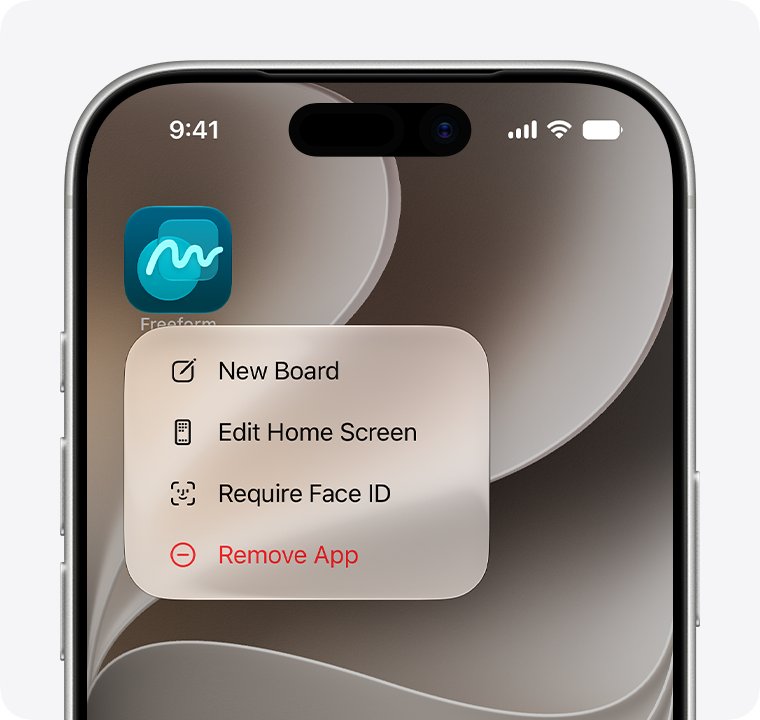
- Go back to the Home Screen and touch and hold the app.
- Tap Remove App.
- Tap Delete App, then tap Delete to confirm.
Removing the icon from the Home Screen only hides it. To delete the app itself, choose Delete App, not Remove from Home Screen.
Where to cancel subscriptions on iPhone
The right place depends on who bills you. Apple can only cancel subscriptions that Apple charges for.
| Who bills you | Where to cancel | Why |
|---|---|---|
| Apple, for an Apple service or an App Store app | Settings > your name > Subscriptions | Lists every subscription billed to this Apple Account |
| Apple, but the iPhone is not with you | account.apple.com, Subscriptions section | Works from any browser after you sign in |
| Apple, on a different Apple Account you own | Sign in to that Apple Account, then cancel | The Subscriptions list only shows the signed-in account |
| A family member's Apple Account | Ask that family member to cancel it | You cannot cancel another member's subscription |
| Your wireless carrier or another provider | Contact the carrier or provider | The subscription was set up through their billing |
| The app's developer, outside Apple In-App Purchase | Contact the developer or the company on your bank statement | Apple cannot manage or cancel purchases it did not bill |
How to cancel an Apple subscription on the web
Use this when your iPhone is lost, broken or not set up, or when you want to cancel from a computer or an Android phone.
- Open a browser and go to
account.apple.com. - Sign in with the Apple Account that pays for the subscription.
- Open the Subscriptions section.
- Choose the subscription you want to end.
- Select Cancel Subscription and confirm.
A subscription billed through Google Play on an Android phone is canceled in the Google Play app instead.
Can you delete subscription history on iPhone?
No. Canceled subscriptions stay on the Subscriptions screen as expired entries, and the only action Apple offers on an expired subscription is Renew. Leaving them there costs nothing.
| What you see | Can you remove it? | What you can do instead |
|---|---|---|
| Expired subscriptions in Settings > Subscriptions | No | Ignore them; they do not bill. Tap one only if you want to Renew it |
| Subscriptions and in-app purchases in Purchase History | No | Filter the list by date, cost or type to find a charge |
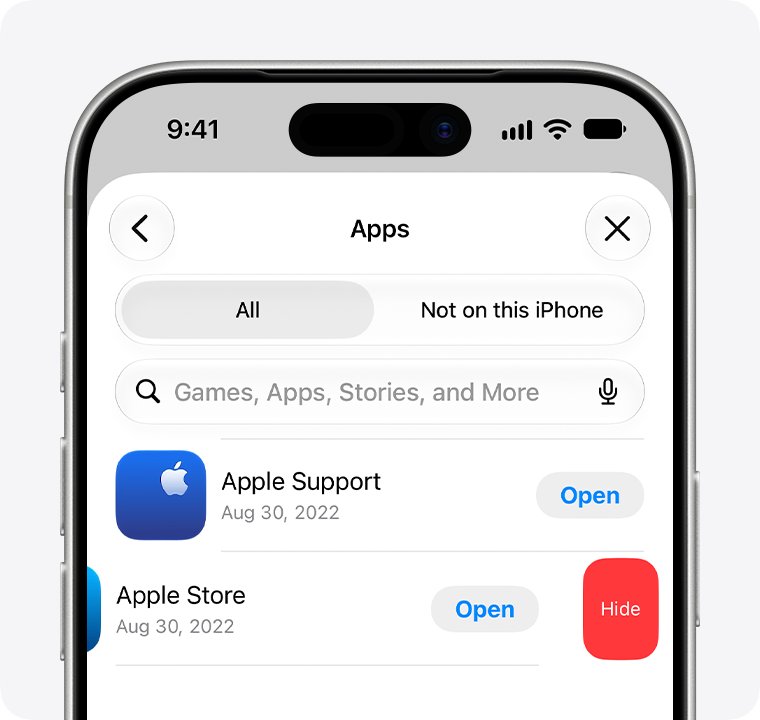
| An app in the App Store Your Apps list | Hide it | Swipe left on the app and tap Hide |
| Renewal receipt emails | Turn them on or off | Use the Renewal Receipt Emails switch on the Subscriptions screen |
Hiding an app does not remove its purchases or subscriptions from your complete purchase history.
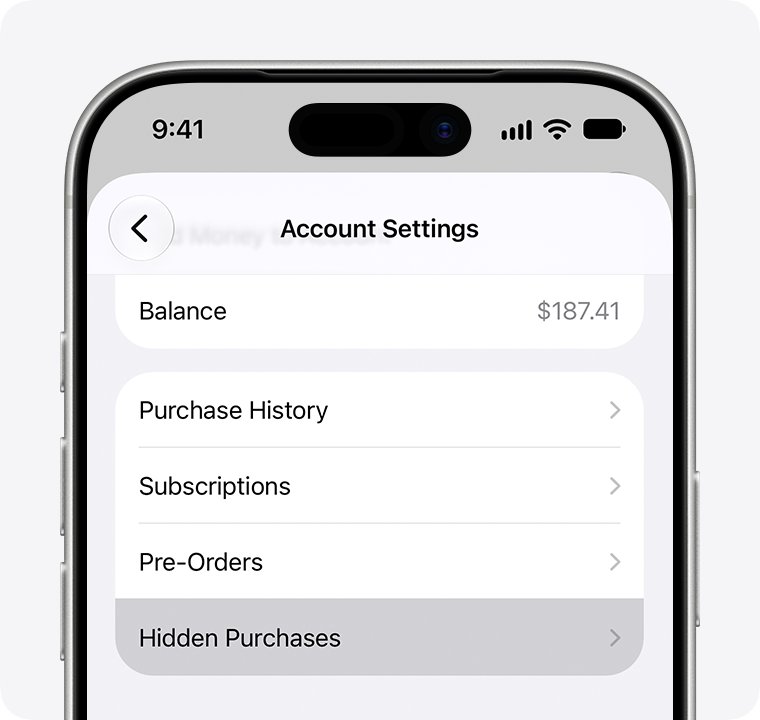
How to remove old app purchases from the App Store list on iPhone
Hiding is the closest thing to deleting an old purchase. The app disappears from your App Store purchase list but stays in your full purchase history.
- Open the App Store and tap your photo or initials.
- Tap Apps & Purchase History.
- Tap Your Apps.
- Find the app, swipe left on it and tap Hide.
- To bring it back later, tap your name on the account page, tap Hidden Purchases, then tap Unhide.
If you use Family Sharing, family members cannot redownload a hidden app, and its in-app purchases stop being shared with them.
How to tell if an iPhone subscription is canceled
- Go to Settings > your name > Subscriptions.
- Tap the subscription you canceled.
- Look for an expiration message in red text, which shows the date access ends.
- Check that the Cancel Subscription button is gone.
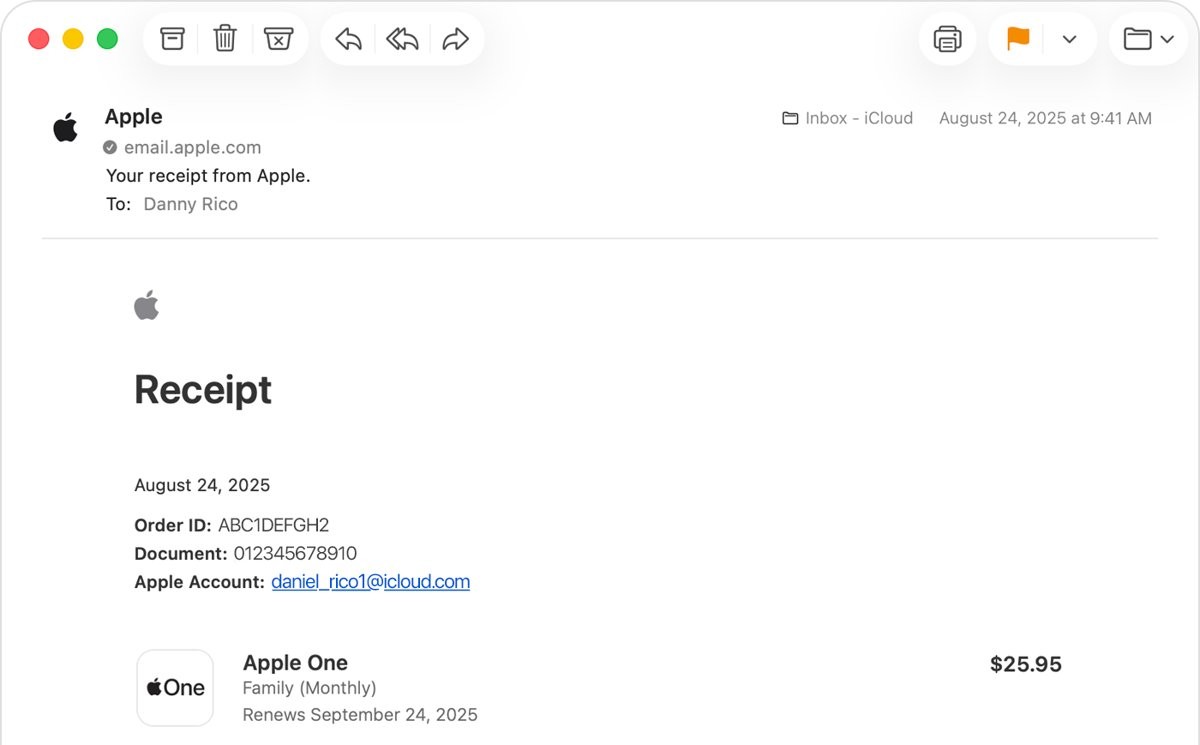
- Search your email for "receipt from Apple" after the next billing date to confirm no renewal charge arrived.
How to stop sharing subscriptions with family on iPhone
In a Family Sharing group, shared subscriptions are billed to the organizer's payment method when purchase sharing is on. Stop sharing one, or have the person who bought it cancel it.
- Open Settings and tap Family.
- Tap Subscriptions, then tap Manage Subscriptions.
- Tap the subscription and turn off Share with Family.
- Turn off Share with Family at the top if you do not want new subscriptions shared automatically.
- To end the subscription itself, cancel it from Settings > your name > Subscriptions on the account that bought it.
If Share with Family does not appear, that subscription is not eligible for sharing.
Subscription not showing on iPhone to cancel: how to fix it
The subscription is not in the Subscriptions list
It is billed to another Apple Account, a family member, or a company other than Apple.
- Search your email for "receipt from Apple" or "invoice from Apple".
- Open the receipt for the subscription and check which Apple Account was used.
- If it is another Apple Account you use, sign in to that account and cancel there.
- If it is a family member's account, ask them to cancel it.
- If there is no Apple receipt, check your bank or card statement for the company that bills you and contact it.
There is no Cancel Subscription button
The subscription is already canceled and runs until its expiration date.
- Look for the expiration message in red text on the subscription screen.
- Leave it; it will not renew.
A subscription from your carrier does not appear
Carrier and provider bundles are billed outside your Apple subscription list.
- Contact your wireless carrier or the provider to cancel.
- If the subscription is linked to the wrong Apple Account, contact Apple Support first, then the carrier.
An AppleCare plan subscription is missing
The plan setup is not finished or the plan is not linked to your Apple Account.
- Finish the AppleCare plan setup.
- Link the plan to your Apple Account, then check Subscriptions again.
You were charged for a subscription you no longer want
It renewed before you canceled it.
- Cancel the subscription so it does not renew again.
- Sign in to
reportaproblem.apple.com, choose I'd like to, then Request a refund. - Choose a reason and the subscription, then submit and wait 24 to 48 hours for an update.
Refunds are not guaranteed; Apple decides each request, and you request an Apple refund the same way for apps and subscriptions.
Delete subscription on iPhone FAQ
How do I delete a subscription on my iPhone?
Open Settings, tap your name, tap Subscriptions, tap the subscription and tap Cancel Subscription. Canceling stops future renewals, and the subscription then shows an expiration message in red text.
Does deleting an app cancel its subscription?
No. Deleting an app does not cancel its in-app subscription, and Apple keeps billing until you cancel. Cancel it in Settings > your name > Subscriptions before or after you delete the app.
Can you delete subscription history on iPhone?
No. Expired subscriptions stay on the Subscriptions screen, where the only option is Renew, and subscriptions stay in your purchase history. You can hide an app from your App Store purchase list, but its purchases remain in your full history.
How do I delete old subscriptions on iPhone?
Old subscriptions that show as expired are already canceled and do not bill you. They cannot be deleted from the list. Only active subscriptions need canceling with Cancel Subscription.
Where do I cancel subscriptions on iPhone?
In Settings > your name > Subscriptions for anything Apple bills. Subscriptions billed by a carrier, another company or a developer outside Apple In-App Purchase are canceled with that company.
How do I delete an Apple subscription without my iPhone?
Sign in at account.apple.com with the Apple Account that pays for it, open Subscriptions, choose the subscription and cancel it. This works from any browser, including on an Android phone.
How do I stop a free trial subscription on iPhone?
Cancel it from Settings > your name > Subscriptions at least 24 hours before the trial ends. Apple sets that 24-hour cutoff for trials you do not want to renew.
Why can't I find a subscription on my iPhone to cancel?
It is usually billed to another Apple Account, a family member's account, or a company other than Apple. Search your email for "receipt from Apple" to see which Apple Account was used, or check your bank statement for the company that bills you.
Can I cancel a family member's subscription on my iPhone?
No. Only the family member whose Apple Account appears on the receipt can cancel it. As the organizer, you can stop sharing a subscription from Settings > Family > Subscriptions.