When Apple Music moves to the next song while the current one still has time left, the usual cause is a song transition: AutoMix or Crossfade, which you turn off under Song Transitions in Music settings.
This guide covers the fix on iPhone, Mac and Apple Music for Windows, how AutoMix and Crossfade differ, and what to try when a single song still cuts off early.
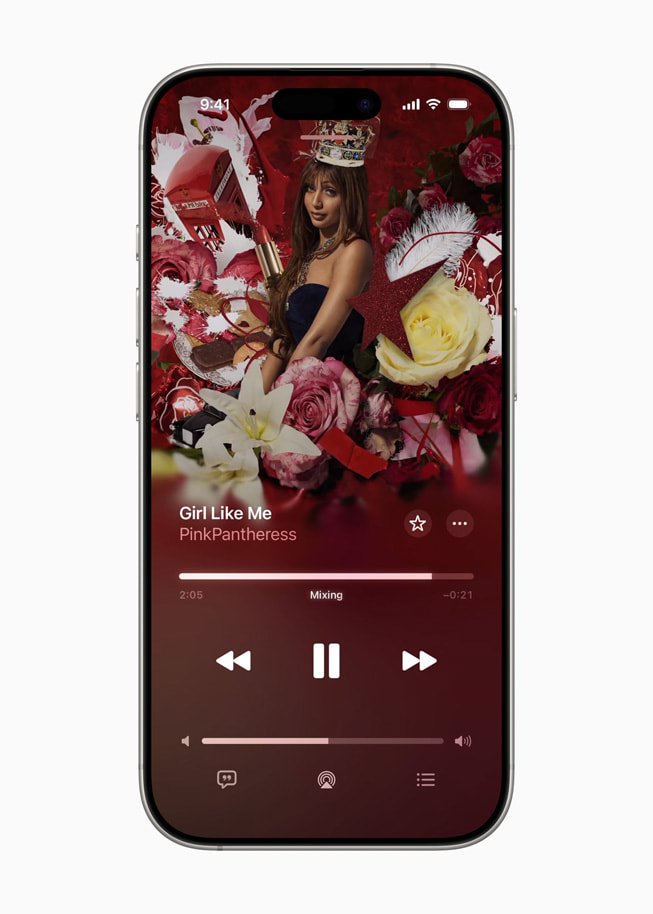
How to stop Apple Music skipping to the next song early on iPhone
AutoMix is on by default in iOS 26 and later, so it is the first setting to switch off if songs started ending early after an update.
- Open the Settings app on your iPhone.
- Tap Apps, then tap Music.
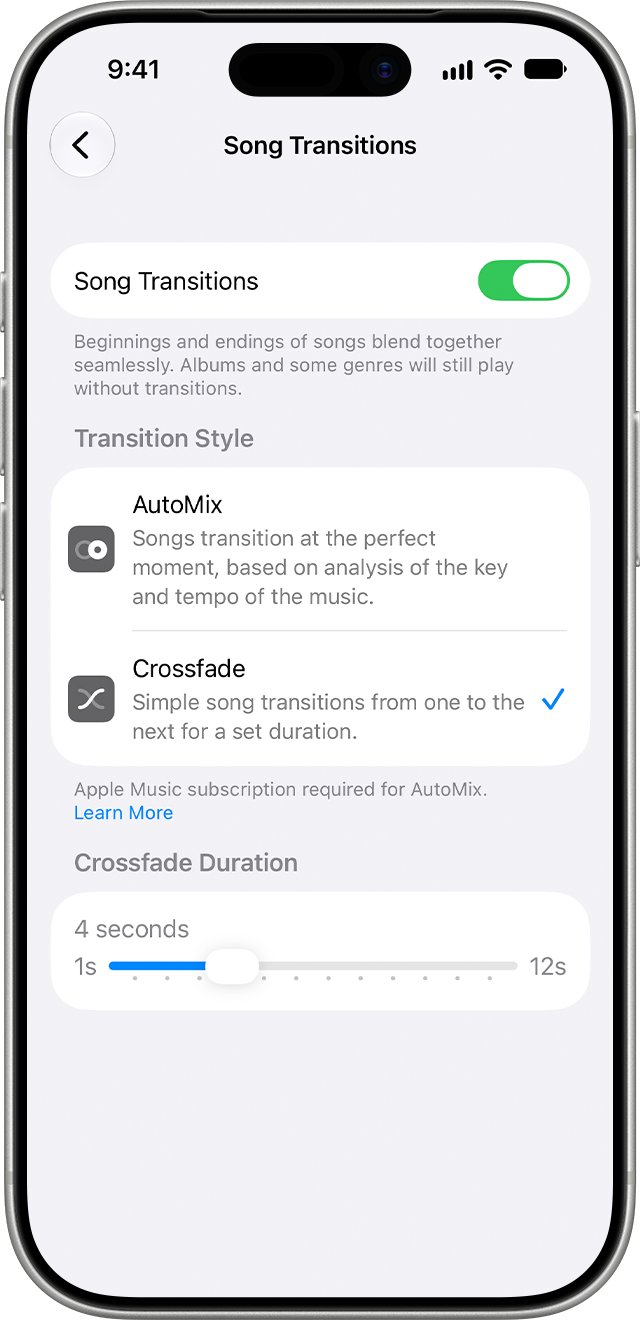
- Tap Song Transitions.
- Turn Song Transitions off so neither AutoMix nor Crossfade runs.
- Open the Music app and play a song through to its final seconds to check the full ending plays.
With transitions off, Music plays each track to its last second before the next one starts. Similar songs that keep playing after your queue ends are a separate setting, AutoPlay, and you can stop Apple Music auto-playing the next song from the queue.
Apple Music AutoMix vs Crossfade
Both settings change how one song hands over to the next, and both can make the end of a track disappear. Pick the row that matches what you hear.
| What you hear | Setting doing it | What to change |
|---|---|---|
| The next song starts while the current one still has its outro, sometimes with the beats blended | AutoMix (iOS 26, iPadOS 26, macOS 26 or later, Apple Music catalog only) | Turn AutoMix off in the queue, or turn Song Transitions off |
| The current song fades quietly while the next one fades in over it | Crossfade | Drag the Crossfade slider shorter, or turn Song Transitions off |
| Silence at the start or end of a track is gone | AutoMix trimming silence | Turn AutoMix off if you want the full track as released |
| Every song plays to the last second | Song Transitions off | Nothing; this is the setting for full endings |
| Album tracks play straight through with no blend | Neither; albums and some genres play without transitions | Nothing; this is expected |
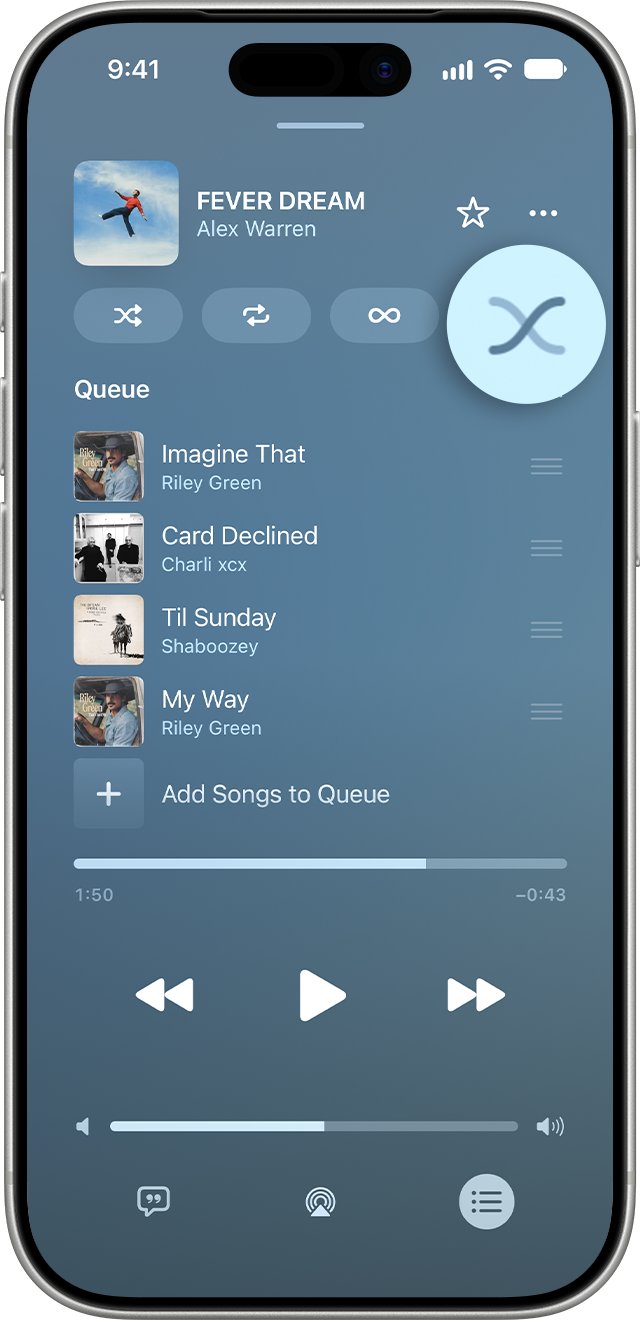
How to turn off AutoMix in Apple Music on iPhone
The queue has a one-tap switch for AutoMix, which is quicker than opening Settings while a song is already playing.
- Open the Music app on your iPhone.
- While a song is playing, tap the MiniPlayer to open the Now Playing screen.
- Tap the Queue button to show the list of upcoming songs.
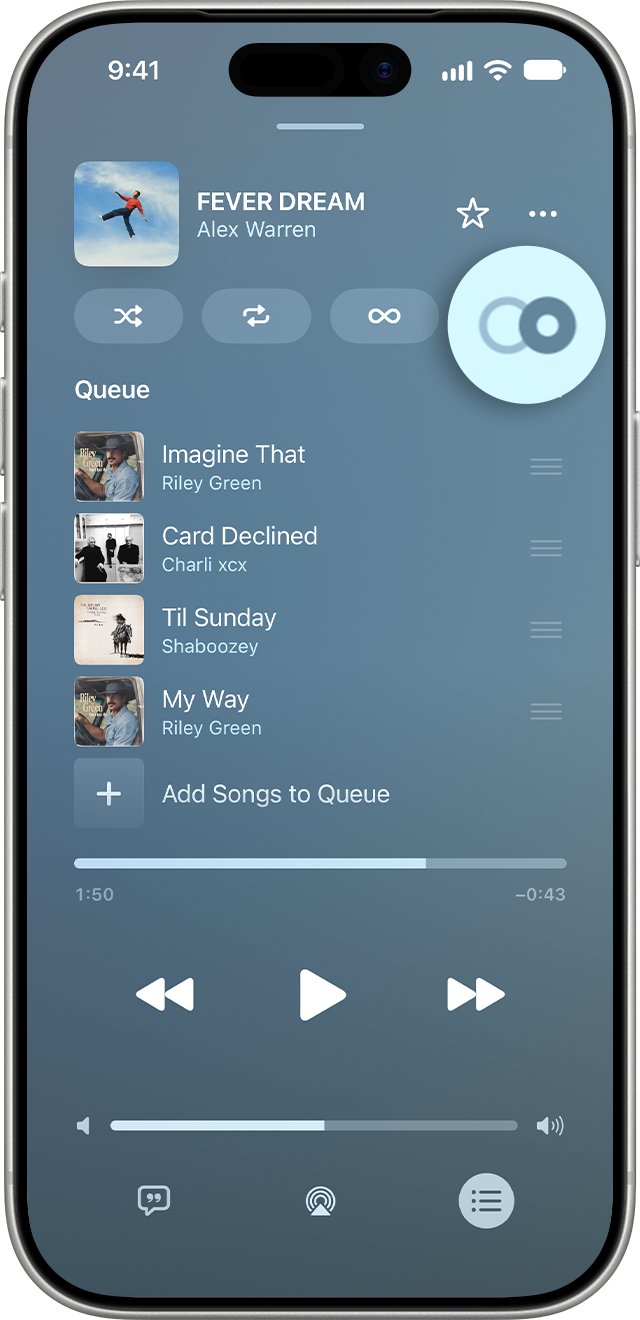
- Tap the AutoMix button in the top-right corner of the queue so it is no longer highlighted.
- Tap the Queue button again to close the list.
The same corner holds the Crossfade button when Crossfade is the chosen transition, and you turn it off the same way. When Music plays a different track than the next song you chose, the cause is the queue order rather than a transition.
How to turn off AutoMix on Mac
AutoMix in Music on Mac needs a Mac with Apple silicon and macOS 26 or later, so an Intel Mac only offers Crossfade.
- Open the Music app on your Mac.
- Choose Music > Settings from the menu bar.
- Click Playback.
- Click the Song Transitions pop-up menu and choose a setting other than AutoMix, or turn Song Transitions off.
- Close the Settings window and play a song to its end.
You can also click the AutoMix button in the queue to switch it off for the current listening session.
How to change Crossfade length in Apple Music
Crossfade fades out the end of the current song while the next one fades in, so a long setting removes more of each ending. A shorter slider keeps more of the outro without losing the gapless feel.
- On iPhone, open Settings, tap Apps, then tap Music.
- Tap Song Transitions and make sure it is on.
- Tap Crossfade, then drag the slider to the left to shorten the fade.
- On Mac, open Music, choose Music > Settings, then click Playback.
- Turn on Song Transitions, select Crossfade, then drag the Seconds slider to a lower value.
- Play two songs back to back to hear where the fade now begins.
Turn off Crossfade in Apple Music on Windows
Apple Music for Windows offers Crossfade but no AutoMix, so Crossfade is the only setting there that shortens song endings.
- Open the Apple Music app on your Windows PC.
- Select the button at the top of the sidebar, then choose Settings.
- Select Playback.
- Turn off Crossfade songs to hear every track to the end.
- To keep Crossfade but trim less of each song, leave it on and drag the Duration slider shorter.
Apple Music for Windows turns crossfading off by itself when it plays consecutive tracks from the same album.
How to tell if AutoMix is on in Apple Music
- Open the Now Playing screen and tap the Queue button.
- Look at the top-right corner of the queue: a highlighted AutoMix or Crossfade button means a transition is active.
- On iPhone, open Settings > Apps > Music > Song Transitions to see which option is selected.
- Play a song you know well and drag the playhead to the last minute.
- Let it run: if the full ending plays and the next song starts only after it, transitions are off.
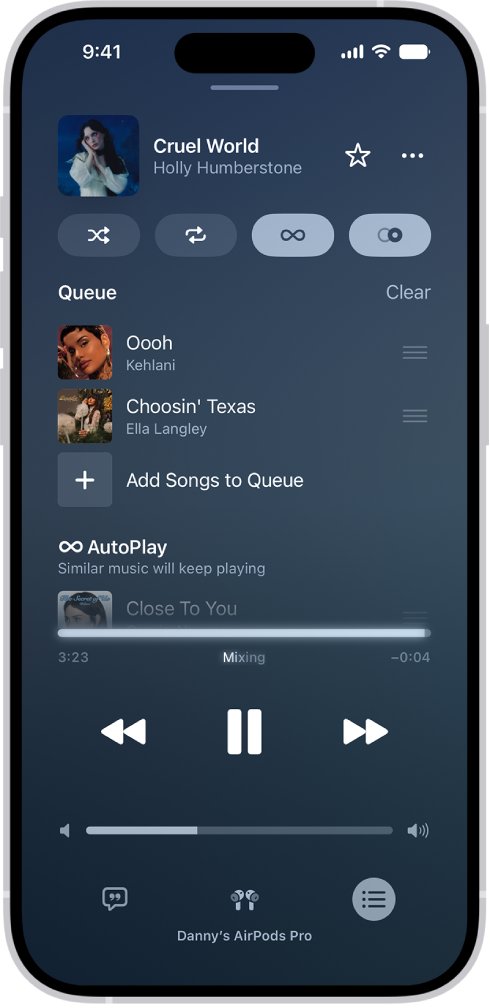
How to turn AutoMix back on in Apple Music
If you miss the DJ-style blend for playlists and radio, switch it back on in the same places.
- On iPhone, open Settings, tap Apps, then tap Music.
- Tap Song Transitions, turn it on, then choose AutoMix.
- On Mac, choose Music > Settings > Playback, then pick AutoMix from the Song Transitions pop-up menu.
- For a single session, tap the AutoMix button in the queue instead.
Apple Music skipping songs on iPhone
AutoMix and Crossfade are missing from Song Transitions
Hi-Res Lossless is selected, and neither transition works with it.
- Open Settings > Apps > Music > Audio Quality.
- Change the streaming or download quality from Hi-Res Lossless to Lossless or another option.
- Return to Song Transitions to see AutoMix and Crossfade again.
Songs stopped transitioning on Mac
Prefer HDMI Passthrough is selected in Playback settings, which stops all song transitions.
- Choose Music > Settings, then click Playback.
- Deselect Prefer HDMI Passthrough if you want Crossfade or AutoMix to work again.
Only one downloaded song cuts off before its end
The copy saved on the device can differ from the catalog version that streams.
- In the Music app, touch and hold the song.
- Tap Remove Download.
- Touch and hold the song again, then tap Download.
- Play the new copy through to the end.
The next song starts when you touch the player
Swiping left across the track title in the MiniPlayer or Now Playing screen moves to the next track.
- Tap the MiniPlayer instead of swiping across it when you open Now Playing.
- Use the playhead to scrub within a song rather than swiping on the title.
Songs still end early with Song Transitions off
The setting change has not reached the playing session, or the iPhone runs older software.
- Open Settings, tap General, then tap Software Update.
- If an update is listed, tap Download and Install and follow the onscreen instructions.
- Restart the iPhone, then play the song again.
Apple Music song transitions FAQ
Why does Apple Music skip to the next song before it ends?
AutoMix or Crossfade is usually the cause. Both start the next song before the current one finishes, and AutoMix can also trim silence at the end of a track. Turn off Song Transitions in Music settings to hear every song to its last second.
How do I turn off AutoMix in Apple Music?
Open the queue on the Now Playing screen and tap the AutoMix button in the top-right corner. To turn it off permanently on iPhone, go to Settings > Apps > Music > Song Transitions and turn the setting off.
Is AutoMix on by default?
Yes. AutoMix is on by default in iOS 26, iPadOS 26 and macOS 26 or later for music from the Apple Music catalog. That is why many people notice songs ending early right after updating.
Does Crossfade cut off the end of songs?
Crossfade fades out the end of the current song while the next one fades in, so the last seconds play quietly under the new track. Shorten the Crossfade slider to keep more of the ending, or turn Song Transitions off.
Why can't I find AutoMix or Crossfade on my iPhone?
Both are unavailable while Hi-Res Lossless streaming is selected under Audio Quality. Choose Lossless or another quality setting in Settings > Apps > Music > Audio Quality, and the transition options return.
Does AutoMix work on Windows?
No. Apple Music for Windows offers Crossfade only, under Settings > Playback > Crossfade songs. AutoMix needs an iPhone, iPad or Apple silicon Mac running version 26 software, or Apple Vision Pro with visionOS 26.
Why do album tracks play without transitions?
AutoMix leaves albums and some genres alone so tracks play as released. Apple Music for Windows also turns Crossfade off when consecutive songs come from the same album.
Does AutoMix work with my own music files?
No. AutoMix works with music from the Apple Music catalog. Songs you imported from CDs or files play with Crossfade if it is on, or with no transition at all.