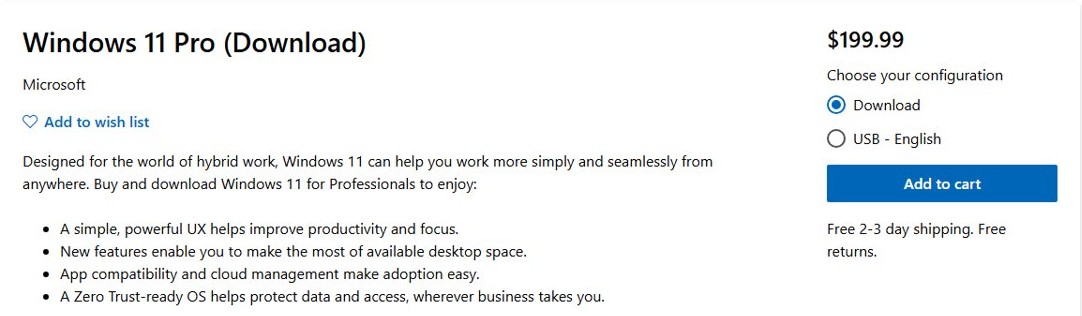
To buy a Windows 11 product key, open the Windows 11 Home or Windows 11 Pro page in the online Microsoft Store, choose Download or USB, select Add to cart and check out; the key arrives in your confirmation email and stays in your Microsoft account order history.
This guide covers which edition and format to pick, buying a license or a Pro upgrade from Settings, entering the key, and how to avoid counterfeit keys.

How to buy a Windows 11 product key
Microsoft's own store is the simplest place to buy, because Microsoft keeps a record of the key for you. At the time of writing, the US store lists Windows 11 Home at $139.00 and Windows 11 Pro at $199.99.
- Go to microsoft.com/windows/get-windows-11 and select Get your license, or search the online Microsoft Store for Windows 11 Home or Windows 11 Pro.
- Open the edition you want.
- Under Choose your configuration, select Download for an emailed key or USB – English for a boxed copy.
- Select Add to cart, then open the cart and check out.
- Sign in with the Microsoft account you want the purchase tied to.
- Enter your payment details and place the order.
- Open the confirmation email, or sign in at account.microsoft.com/billing/orders, and select Product key/Install next to the order to see the key.
Both store pages say this version is for PCs that need a new license and meet the Windows 11 minimum system requirements.
Windows 11 Home vs Pro product key: price and what you get
The key decides the edition Windows installs, so pick the edition before you pay.
| Your situation | Buy this | Why |
|---|---|---|
| Home PC for browsing, office work and games | Windows 11 Home ($139.00) | Includes Snap layouts, widgets, biometric sign-in on supported hardware and DirectX 12 Ultimate |
| Work PC, or you need Client Hyper-V and business management | Windows 11 Pro ($199.99) | Pro adds business features such as Client Hyper-V and cloud management |
| PC already runs activated Windows 11 Home | Pro upgrade from Settings > System > Activation | Upgrades the edition in place without reinstalling |
| New build with no operating system | USB – English configuration | Comes with installation media in the box |
| PC with a working internet connection | Download configuration | Key arrives by email, no shipping wait |
| Windows 10 PC that meets the requirements | Nothing; use Windows Update | The free upgrade gives the same edition you already have |
Can I buy Windows 11 for my PC? Check the system requirements
A key does not make an unsupported PC eligible. Check the hardware before buying, or ask the PC maker if you are unsure.
| Component | Windows 11 minimum |
|---|---|
| Processor | 1 GHz or faster, 2 or more cores, compatible 64-bit processor or SoC |
| RAM | 4 GB |
| Storage | 64 GB or larger |
| System firmware | UEFI, Secure Boot capable |
| TPM | Trusted Platform Module version 2.0 |
| Graphics card | DirectX 12 or later with a WDDM 2.0 driver |
| Display | 720p, larger than 9 inches diagonally, 8 bits per colour channel |
| Setup | Internet connection and a Microsoft account for Windows 11 Home and Pro for personal use |
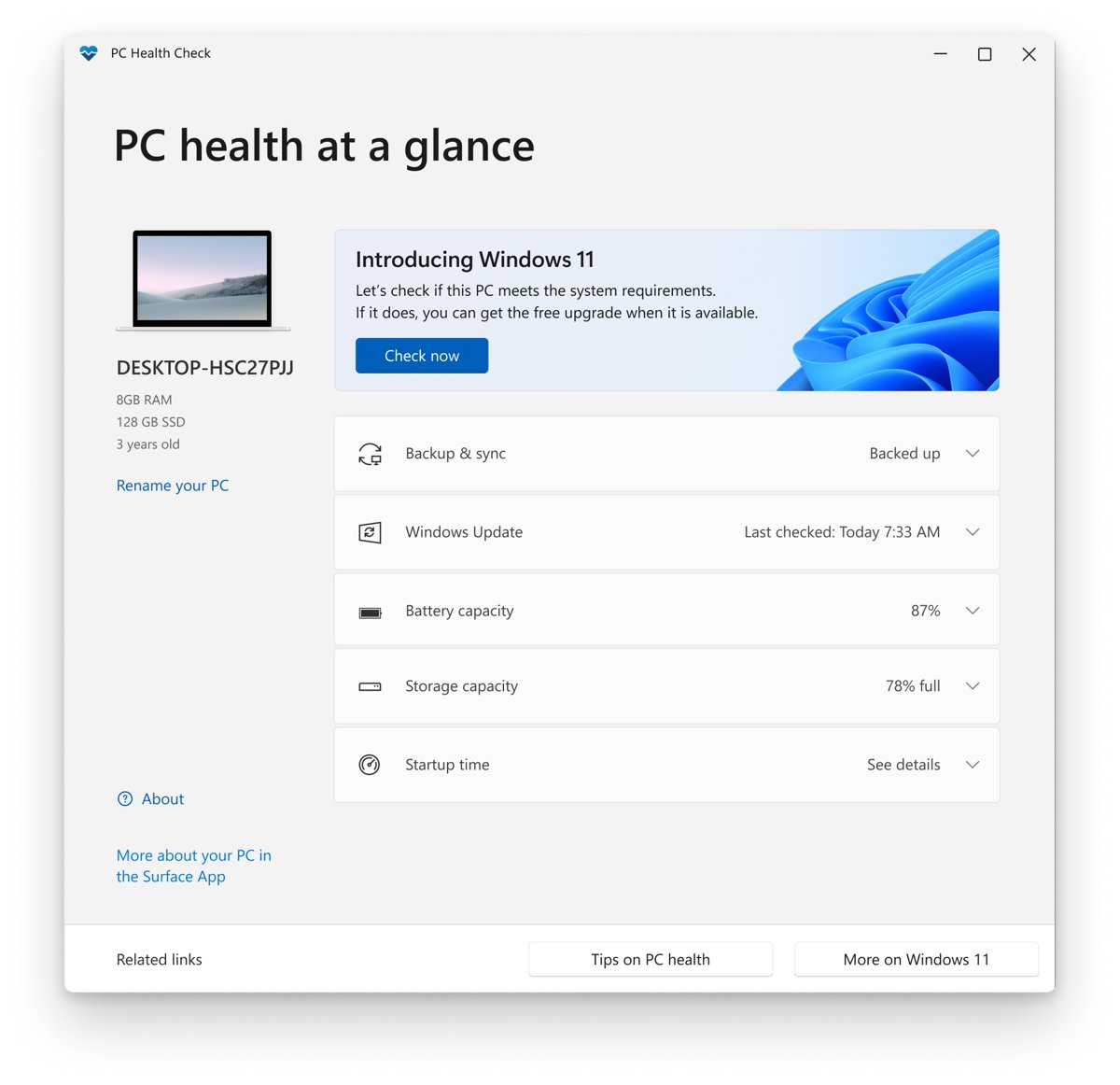
On a PC that already runs Windows 10, the PC Health Check app reports whether it can run Windows 11.
How to buy a Windows 11 license from Settings
If Windows 11 is installed but not activated, you can buy a digital license from inside Windows. A digital license is tied to the PC and your Microsoft account, so there is no key to type.
- Select Start > Settings > System > Activation.
- Check Activation status. If it says Windows is not activated, continue.
- Select Go to Store (on some setups the button reads Open Store).
- Sign in to the Microsoft Store app with your Microsoft account.
- Follow the prompts to buy the digital license for your edition.
- Return to Activation and confirm the status now reads Windows is activated with a digital license linked to your Microsoft account.
On a new PC or motherboard with no key, select I don't have a product key during setup and buy the license this way once Windows has finished installing.
How to buy a Windows 11 Pro upgrade key
These steps apply only to a PC running an activated copy of Windows 11 Home. Microsoft recommends the Store route, because the Store checks the Home activation for you.
- Select Start > Settings > System > Activation.
- Expand Upgrade your edition of Windows. If it is missing, the PC may already run Pro or no upgrade is offered.
- Next to Upgrade in the Microsoft app, select Open Store.
- Sign in with your Microsoft account and buy Windows 11 Pro.
- When the purchase is confirmed, install Windows 11 Pro when prompted and restart the PC.
A Pro upgrade bought in the Microsoft Store app comes as a digital license, not a printed key. The confirmation email is sent to the Microsoft account that holds it.
How to activate Windows 11 with a product key you bought
A Windows 11 product key is a 25-character code in the format XXXXX-XXXXX-XXXXX-XXXXX-XXXXX. You can enter it during setup or afterwards.
- Select Start > Settings > System > Activation.
- Next to Change product key, select Change.
- Select Yes if User Account Control asks, or enter an administrator name and password.
- Type the 25-character key in the Product key box and select Next.
- Select Activate, or Start if Windows offers an edition upgrade.
- Wait for Windows to activate online, then restart if asked.
When you install on a blank drive, Windows Setup asks for the key and picks the edition to install from it.
How to check if Windows 11 is activated after buying a key
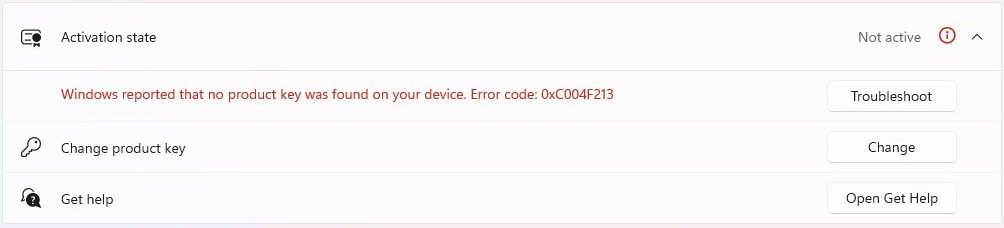
The Activation page shows whether the key or license took, and whether it is linked to your Microsoft account.
- Select Start > Settings > System > Activation.
- Read the message next to Activation status.
- If it says Windows is activated with a digital license linked to your Microsoft account, you are done; the license survives a reinstall of the same edition.
- If it says Windows is activated or Windows is activated with a digital license, select Add an account and sign in with your Microsoft account so you can reactivate after a hardware change.
- If it says Windows is not activated, read the error shown and check the key matches the installed edition, Home or Pro.
Where to find your Windows 11 product key after buying
Where the key lives depends on where you bought it.
| Bought from | Where the key is |
|---|---|
| Microsoft Store online | Confirmation email and Order history at account.microsoft.com, under Product key/Install |
| Microsoft Store app (license or Pro upgrade) | No key; a digital license linked to the Microsoft account in the confirmation email |
| Box copy from an authorised retailer | Label inside the Windows 11 box |
| Digital copy from an authorised retailer | Confirmation email or the retailer's digital locker |
| New PC with Windows 11 | Preinstalled, on the packaging or on the Certificate of Authenticity (COA) |
| Refurbished PC | COA from the refurbisher, which must supply the key, not Microsoft |
Microsoft only keeps a record of keys bought from its online store. For a key already in use on a PC, you can find the Windows product key with Command Prompt or PowerShell.
Why do I have to buy Windows 11?
Many PCs never need a key, because Windows 11 is a free upgrade for eligible Windows 10 PCs. You only pay in the cases below.
| Situation | Do you need to buy? |
|---|---|
| Eligible Windows 10 PC with genuine, activated Windows | No. The free upgrade gives a digital license for the same edition |
| Custom-built PC with no Windows license | Yes, Home or Pro |
| First Windows install on a new device or motherboard | Yes, unless it shipped with a license |
| Moving from Windows 11 Home to Pro | Yes, a Pro key or the Store upgrade |
| Reinstalling the same edition on an activated PC | No. The digital license reactivates it |
| Installing a feature update such as 26H2 | No. Updates keep the existing license |
Feature updates do not ask for a new key, which is why Windows 11 26H2 does not need a new product key on an activated PC.
Tips for buying a Windows 11 product key
Microsoft warns that counterfeit sellers often price keys just below retail so the offer looks like a normal deal.
| Tip | Why it matters |
|---|---|
| Buy from Microsoft or a reseller you trust | Microsoft keeps a record of keys bought from its own online store |
| Be wary of a key sold on its own, with no box or card | Apart from Product Key Cards sold with a COA, Microsoft does not distribute product keys as standalone products |
| Treat a price far below $139 or $199.99 with suspicion | If the price looks too good to be true, Microsoft says it probably is |
| Check the license is for home use, not business volume licensing | A volume license used over a Home edition is a common licensing mistake |
| Match the edition to the PC | A Home key will not activate Pro, and a Pro key installs Pro |
| Pay with a secure payment method | Microsoft lists it as a basic rule for buying software online |
| Confirm a full license, not an upgrade | Confusing an upgrade with a full license is another common mistake |
If you think you received a counterfeit key, report it at microsoft.com/howtotell.
Buy Windows 11 product key FAQ
What is a Windows 11 product key?
A Windows 11 product key is a 25-character code, in the format XXXXX-XXXXX-XXXXX-XXXXX-XXXXX, that activates Windows. Some purchases, such as those made in the Microsoft Store app, give a digital license instead, which needs no key.
How do I buy a Windows 11 key from Microsoft?
Open the Windows 11 Home or Pro page in the online Microsoft Store, choose Download or USB, add it to your cart and check out. The key appears in the confirmation email and in Order history under Product key/Install.
How much does a Windows 11 product key cost?
At the time of writing, Microsoft's US store sells Windows 11 Home for $139.00 and Windows 11 Pro for $199.99, as a download or on USB. Prices vary by region, and the Store shows the current price.
How long does it take to receive the product key?
A download purchase from the online Microsoft Store sends the key in the confirmation email, and it also appears in your order history. The USB version ships with free 2-3 day delivery in the US.
Can I buy a Windows 11 product key in a physical store?
Yes. Authorised retailers sell boxed copies with the key on a label inside the box. Microsoft also lists Best Buy, Walmart, Costco and others as places to buy a PC that comes with Windows 11.
Can I use a Windows 10 product key for Windows 11?
On an eligible Windows 10 PC running genuine, activated Windows, you do not need a key at all. The free upgrade to Windows 11 gives a digital license for the same edition, so Windows 10 Home moves to Windows 11 Home.
What should I do if I lose my product key?
If you bought from the Microsoft online store, sign in at account.microsoft.com, open Order history and select Product key/Install. Microsoft does not keep keys bought elsewhere, so contact that retailer or check the box or COA.
Why buy Windows 11 when it's free?
Windows 11 is free only as an upgrade for eligible Windows 10 PCs. A custom-built PC, a first install on new hardware or a move from Home to Pro needs a paid license.
How do I buy a Windows 11 Pro upgrade key?
On an activated Windows 11 Home PC, open Settings > System > Activation, expand Upgrade your edition of Windows and select Open Store next to Upgrade in the Microsoft app. Buy Windows 11 Pro and restart when prompted.
Can I buy Windows 11 for my PC if it is not supported?
Both Store versions are for PCs that meet the Windows 11 minimum system requirements, including TPM 2.0 and Secure Boot. Microsoft suggests a new PC if your device does not meet them.