A genuine Apple replacement battery in an iPhone 13 is designed to keep 80 percent of its original capacity at 500 complete charge cycles, which works out to roughly one and a half to three years for most owners.
This guide covers the hours you should get per charge on each iPhone 13 model, what a charge cycle really is, how to check the new battery in Settings, why a new battery can drain fast in the first days, and what Apple's repair guarantee covers.
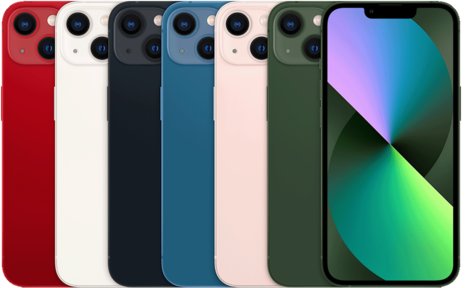
How long does an iPhone 13 battery last after replacement?
Apple fits the same type of battery the iPhone 13 shipped with, so a new genuine battery resets the clock to the phone's original battery life and lifespan.
Expect a genuine Apple replacement battery to give the same daily battery life as a new iPhone 13 and to hold at least 80 percent of its capacity for about 500 complete charge cycles. Apple states that batteries in iPhone 14 models and earlier, which includes every iPhone 13 model, are designed to retain 80 percent of their original capacity at 500 complete charge cycles under ideal conditions. How many months that takes depends on how much of the battery you use each day, how you charge it and how hot it gets.
Reaching 500 cycles does not mean the battery stops working. It means each charge lasts noticeably less time than it did when new, and Battery Health starts to tell you when service is recommended.
How long should an iPhone 13 battery last on a full charge?
These are Apple's published figures for each iPhone 13 model. A replacement battery in good health should get close to them under the same conditions; real use with mixed apps, cellular data and a bright screen gives fewer hours.
| Model | Video playback | Video playback (streamed) | Audio playback |
|---|---|---|---|
| iPhone 13 mini | Up to 17 hours | Up to 13 hours | Up to 55 hours |
| iPhone 13 | Up to 19 hours | Up to 15 hours | Up to 75 hours |
| iPhone 13 Pro | Up to 22 hours | Up to 20 hours | Up to 75 hours |
| iPhone 13 Pro Max | Up to 28 hours | Up to 25 hours | Up to 95 hours |
Apple's own guidance is that, for most customers, the iPhone battery should last the whole day. If a fully charged replacement battery cannot get you through a normal day after the first week, check its health and parts status as shown below.
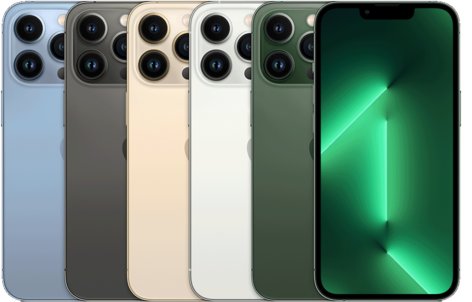
iPhone 13 battery life cycle and charge cycles explained
You complete one charge cycle when you have used an amount equal to 100 percent of the battery's capacity, but not necessarily from one charge. Using 75 percent one day and 25 percent the next adds up to one cycle.
The table turns Apple's 500-cycle design figure into rough calendar time. It is simple arithmetic on daily use, not an Apple promise, and heat or heavy fast charging shortens it.
| How you use the iPhone 13 | Charge cycles per day | Time to reach about 500 cycles |
|---|---|---|
| Light use, about half the battery each day | About 0.5 | About 1,000 days, or roughly 2.7 years |
| Typical use, about one full battery each day | About 1 | About 500 days, or roughly 16 months |
| Heavy use, about one and a half batteries each day | About 1.5 | About 330 days, or roughly 11 months |
Charging often does not cost extra cycles. Apple says you can charge your iPhone whenever you want, and there is no need to run the battery down to zero first.
How to check iPhone 13 battery health after replacement
Two screens tell you whether the new battery is healthy and genuine. The iPhone 13 does not show a cycle count in Settings; Apple added that screen on iPhone 15 models and later.
- Open the Settings app and tap Battery.
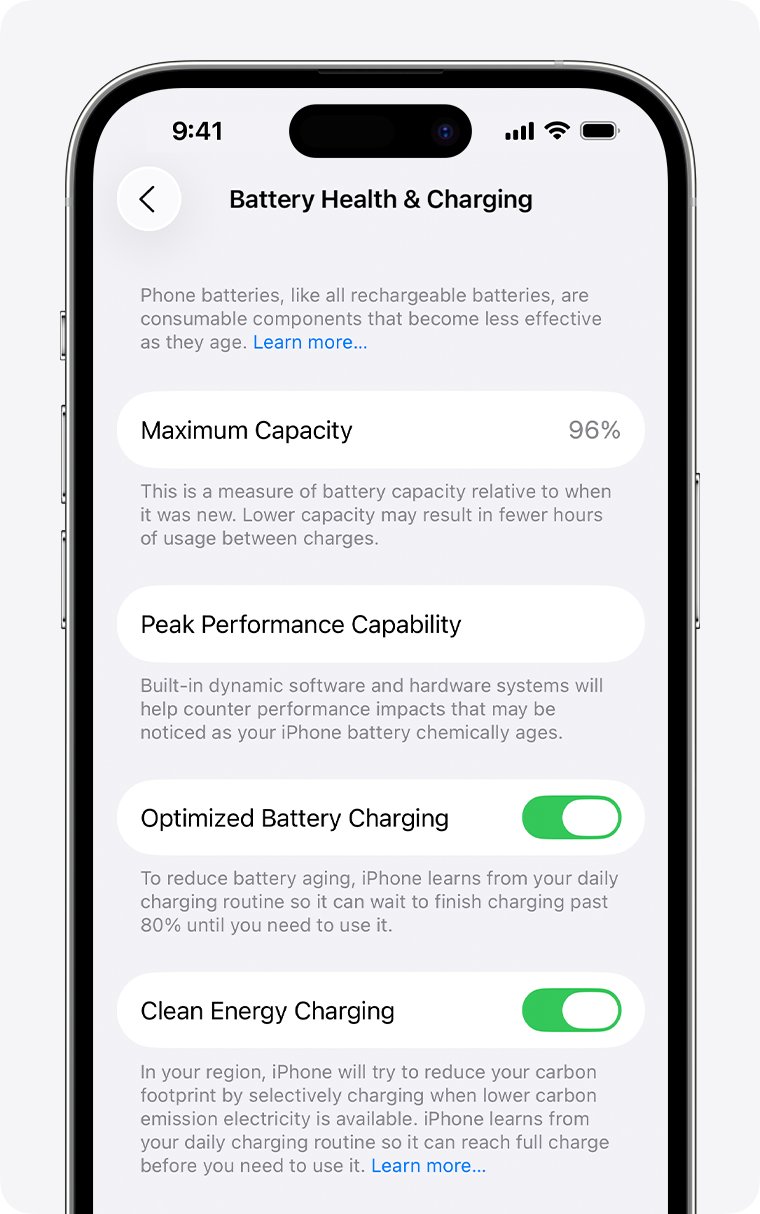
- Tap Battery Health & Charging.
- Read Maximum Capacity. A new genuine battery should show at or very close to 100 percent.
- Under Peak Performance Capability, look for "Your battery is currently supporting normal peak performance."
- Go back to Settings, tap General, then tap About.
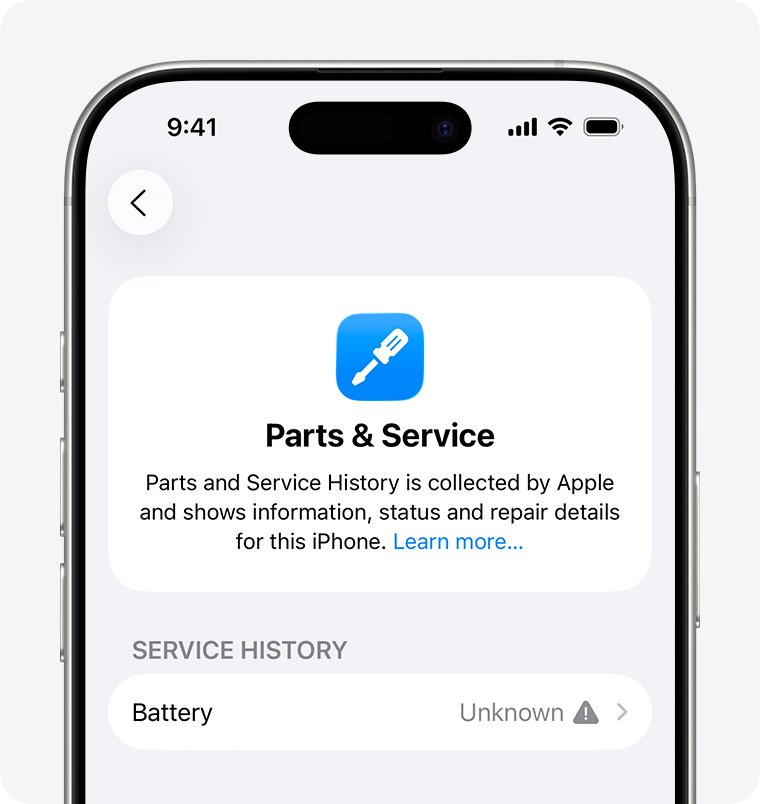
- Find Parts and Service History and check the label next to Battery. Genuine means Apple parts and processes were used.
The Parts and Service History section only appears on an iPhone that has been repaired, and it needs iOS 15.2 or later. After the iPhone connects to the internet, you can tap the battery entry to see the date of the service.
iPhone 13 battery shows Unknown Part or Finish Repair
The label next to Battery in Settings > General > About tells you how the replacement was done. None of these messages stop you from using the iPhone.
| Label or message | What it means | What to do |
|---|---|---|
| Genuine | The repair used genuine Apple parts and processes | Nothing; the battery should last as long as the original |
| Finish Repair | A new Apple battery is installed but has not been calibrated with Repair Assistant yet | Finish the repair with Repair Assistant so the part performs as a calibrated part |
| Unknown | The battery is not genuine, is not working as expected, was not linked to your iPhone, or was modified | Ask the repair shop which battery it used; an Unknown part can lower trade-in value |
| Unable to verify this iPhone has a genuine Apple battery | Shown in Battery Health when the battery cannot be verified | Treat the Maximum Capacity figure as unreliable and have the battery checked |
| Apple has updated the device information for this iPhone | Apple updated its records for the iPhone after the battery service | Nothing; it does not affect the iPhone or the battery |
Apple warns that a nongenuine battery can be poorly made, previously used, damaged or the wrong battery for the model. Any of those can mean low capacity and a much shorter life than 500 cycles.
iPhone 13 battery draining fast after replacement
The new battery drains quickly in the first few days
Setup, restore or update tasks are still running in the background and use extra power for a while.
- Open Settings and tap Battery.
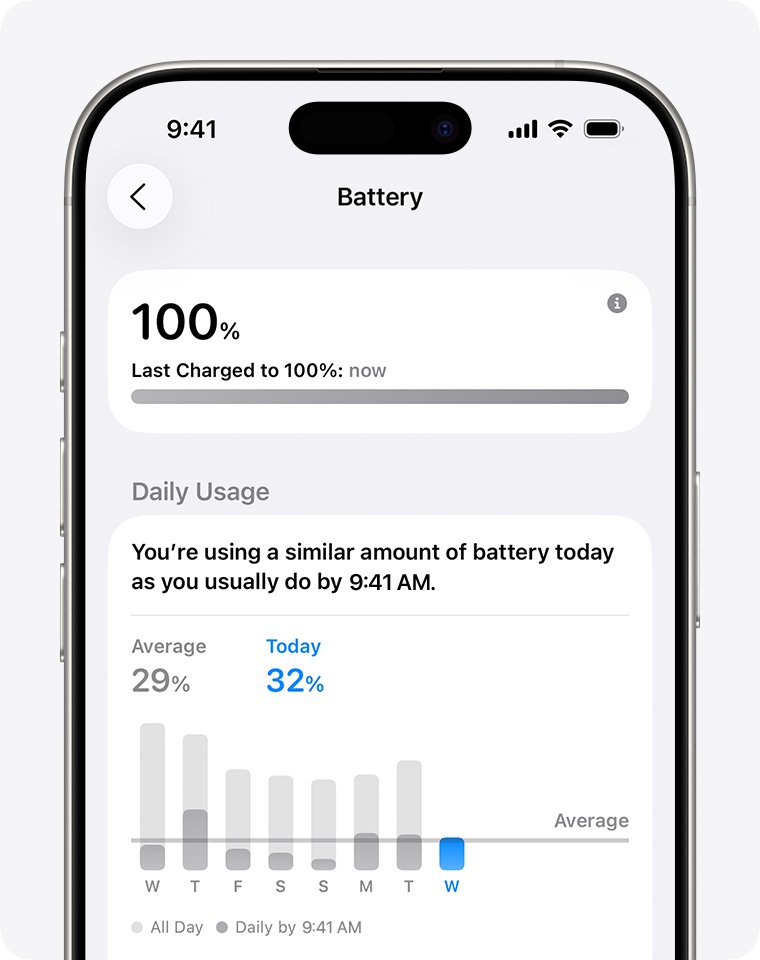
- Look above Daily Usage for an Insight such as Ongoing iOS Update or Ongoing Device Setup.
- If one is shown, keep using the iPhone normally and wait a few days for the task to finish.
- Check the Daily Usage chart again to compare today with the last seven days.
Battery life is still short after the first week
An app, weak signal or a setting is using the battery, not the battery itself.
- Open Settings, tap Battery and tap View All Battery Usage.
- Tap the app at the top of the list and look for Background Activity, Notifications or No Mobile Coverage and Low Signal.
- Reduce use of that app, cut its notifications, or switch on Airplane Mode in areas with no coverage.
- Connect to Wi-Fi when you can, because Wi-Fi uses less power than cellular data.
- Act on any battery suggestion shown above Daily Usage, such as enabling auto-brightness or auto-lock.
Maximum Capacity is low or Battery Health shows Service
The battery is not genuine, was previously used, or is faulty.
- Check Settings > General > About > Parts and Service History for a Genuine or Unknown label.
- If you see Unknown or "Unable to verify", go back to the shop that did the repair and ask for a genuine battery.
- If Apple or an Apple Authorized Service Provider did the work, contact Apple Support while the 90-day repair guarantee still applies.
- Start a battery request from Apple's iPhone battery service page if the iPhone is outside that period.
The iPhone 13 shuts down unexpectedly on the new battery
The battery cannot deliver peak power, usually at a low charge or in the cold, or the part is faulty.
- Charge the iPhone above 50 percent and keep it at room temperature.
- Open Settings > Battery > Battery Health & Charging and read the Peak Performance Capability message.
- If shutdowns continue with a warm, charged battery, book service with Apple or an Apple Authorized Service Provider.
How to make an iPhone 13 replacement battery last longer
A battery's lifespan depends on its chemical age, which comes from temperature history and charging pattern as well as time. These habits slow that aging on a new battery.
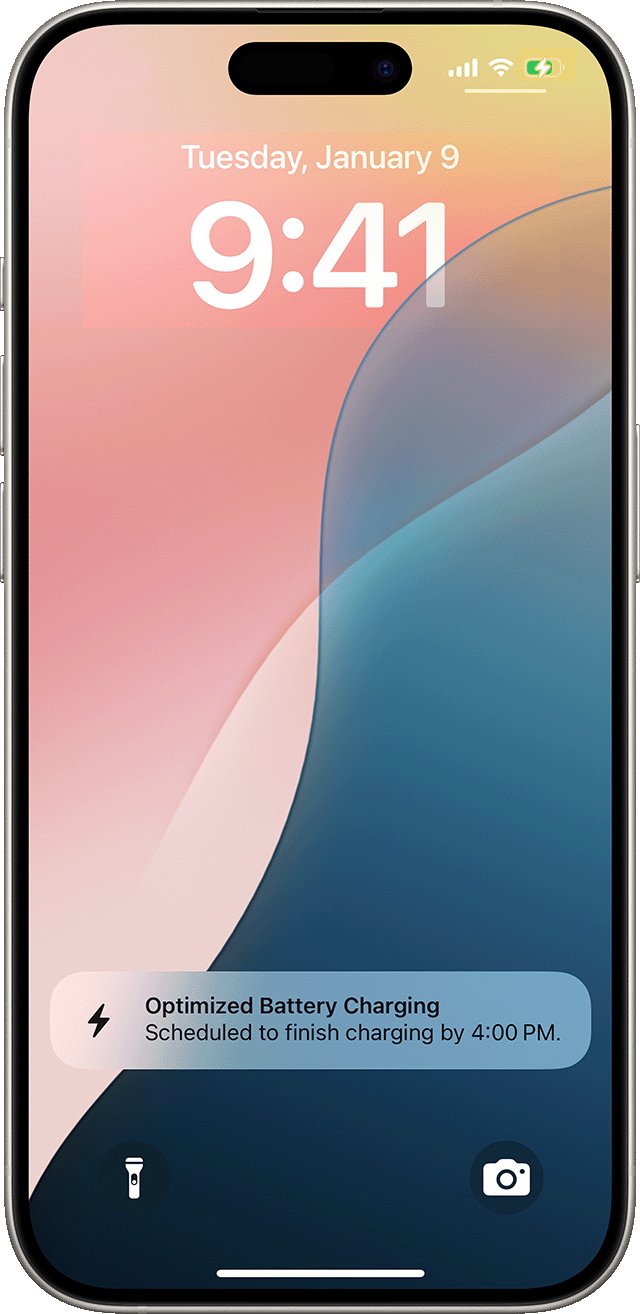
- Keep Optimized Battery Charging on in Settings > Battery > Battery Health & Charging. It is on by default and cuts the time the battery sits at 100 percent.
- Avoid using or charging the iPhone in ambient temperatures above 95° F (35° C), which can permanently reduce battery lifespan.
- Take the iPhone out of its case while charging if it gets hot.
- Update to the latest iOS in Settings > General > Software Update.
- Turn on Low Power Mode from Settings > Battery > Power Mode on days you need extra hours.
- Turn on 5G Auto in Settings > Cellular > Cellular Data Options > Voice & Data so the iPhone uses LTE when 5G gives no real benefit.
- If you store the iPhone for months, charge it to about 50 percent, power it off and keep it below 90° F (32° C).
Leaving the iPhone on the charger overnight is fine. It stops charging when full and only resumes if the level drops below 95 percent.
iPhone 13 battery replacement warranty
Apple's warranty covers a defective battery, not a battery that wears down from normal use. A replacement done by Apple carries its own guarantee on top of that.
| Who replaced the battery | Coverage on the new battery | Notes |
|---|---|---|
| Apple Store or Apple Repair Center (mail-in) | 90 days or the remaining Apple warranty, whichever is longer | Uses genuine Apple parts; in addition to consumer law and any AppleCare plan |
| Apple Authorized Service Provider | Covered by Apple's warranty | Genuine Apple parts; the provider can set its own price |
| Independent Repair Provider | Not covered by Apple's warranty or AppleCare | May have the shop's own repair warranty; genuine parts are available to them |
| Self Service Repair | Out-of-warranty repair you do yourself | Available for specific iPhone models introduced in 2021 or later in certain countries |
The service routes are the same as for an iPhone SE battery replacement: walk in to a Genius Bar or service provider, or ship the iPhone to Apple in a prepaid box.
Apple shows the current battery service price for your model on its iPhone battery service page. Estimates are for out-of-warranty service and may be subject to tax.
How long will Apple support iPhone 13?
A new battery is only worth it if the phone still gets software. Apple does not publish an end date, but every iPhone 13 model runs the current release.
| Model | Runs iOS 27 | Battery design rating |
|---|---|---|
| iPhone 13 mini | Yes | 80 percent at 500 complete charge cycles |
| iPhone 13 | Yes | 80 percent at 500 complete charge cycles |
| iPhone 13 Pro | Yes | 80 percent at 500 complete charge cycles |
| iPhone 13 Pro Max | Yes | 80 percent at 500 complete charge cycles |
Apple's iOS 27 compatibility list runs from iPhone 11 and iPhone SE (2nd generation) through the current models, so the iPhone 13 is not among the oldest phones still supported.
iPhone 13 replacement battery FAQ
How long should an iPhone 13 battery last?
An iPhone 13 battery is designed to keep 80 percent of its original capacity at 500 complete charge cycles. On one charge, Apple rates the iPhone 13 for up to 19 hours of video playback and up to 15 hours of streamed video.
How long does an iPhone 13 last?
The iPhone 13 still runs iOS 27, the current iOS release, so it keeps getting new features and security fixes. The battery is usually the first part to wear out, and a genuine replacement restores the original battery life.
How long should iPhone 13 Pro last on a charge?
Apple rates the iPhone 13 Pro for up to 22 hours of video playback, up to 20 hours of streamed video and up to 75 hours of audio. The iPhone 13 Pro Max is rated for up to 28 hours of video playback.
How long should an iPhone 14 battery last?
The iPhone 14 uses the same rating as the iPhone 13: its battery is designed to keep 80 percent of its original capacity at 500 complete charge cycles under ideal conditions. Actual life depends on how the iPhone is used and charged.
How long should an iPhone 15 battery last?
iPhone 15 models and later have a higher rating. Apple says their batteries are designed to keep 80 percent of their original capacity at 1000 complete charge cycles, twice the 500 cycles quoted for iPhone 14 and earlier.
How long should an iPhone 12 battery last?
An iPhone 12 battery is designed to keep 80 percent of its original capacity at 500 complete charge cycles, the same as the iPhone 13 and iPhone 14. Check its health in Settings > Battery > Battery Health & Charging.
How long should an iPhone 11 battery last?
The iPhone 11 battery has the same 500-cycle rating as later models up to iPhone 14. iOS 14.5 and later also recalibrated battery health reporting on iPhone 11 models to fix inaccurate estimates.
Can you see the battery cycle count on an iPhone 13?
No. Apple shows cycle count, manufacture date and first-use date in Settings only on iPhone 15 models and later with iOS 17.4 or later. The iPhone 13 shows Maximum Capacity and Peak Performance Capability instead.