To activate MTV on Roku, Android TV, Fire Stick or Apple TV, install the Paramount+ app, select Sign In > On the Web, and enter the code from your TV at your device's Paramount+ address, such as paramountplus.com/roku.
Roku's store, the US App Store and Google Play do not list a standalone MTV app from Paramount, so this guide covers Paramount+, free Pluto TV, Philo, TV provider sign-in and code problems on each device.
How to activate MTV with a Paramount+ activation code
This route works on every TV device in this guide. You need an active Paramount+ account and a phone or computer for the code.
- Add the Paramount+ app from your TV device's app store.
- Open Paramount+ and select Sign In.
- Select On the Web to show a website and an activation code on the TV.
- On your phone or computer, open the address shown on the TV, such as
paramountplus.com/roku, and sign in if asked. - Type the code and select Activate.
- Wait for the TV screen to refresh, then search for an MTV show.
No account yet? Select Sign Up in the app, or install Pluto TV, which needs no subscription. Other services use a similar TV code, and these streaming TV setup and activation fixes cover Netflix, YouTube TV and Plex.
Is there an MTV app on Roku, Fire Stick and Apple TV?
No standalone MTV app from Paramount appears in the main stores as of November 2026. Searching for MTV in those stores returns similarly named apps from other companies, such as mtv Al Lubnaniya from MTV Lebanon and MTV Katsomo from MTV3.
MTV programming reaches these devices through three other apps. Their own store listings name MTV.
| Store | Apps that carry MTV | What the listing says |
|---|---|---|
| Roku Store | Paramount Plus, Philo | Paramount Plus: favorites from MTV, VH1, BET and others. Philo: 70+ live channels including MTV |
| US App Store (iPhone, iPad, Apple TV) | Paramount+, Pluto TV, Philo | Pluto TV names MTV among its free networks and needs no subscription |
| Google Play (Android phones, tablets and TVs) | Paramount+, Pluto TV, Philo | Philo offers new subscribers a free week of the Essential plan |
| Amazon Appstore (Fire Stick, Fire TV) | Paramount+, Pluto TV, Philo | All three appear as apps for compatible Amazon devices |
Roku also lists Pluto TV – Free Movies/Shows. If an older MTV app still opens on your device and shows a code, type that code at the exact address printed on the same screen.
Watch MTV on Paramount+, Pluto TV or Philo
| Your situation | Use this | Why |
|---|---|---|
| You want MTV free and accept ads | Pluto TV | Free, no subscription, and registering is optional |
| You want MTV series with CBS, BET and Nickelodeon shows | Paramount+ Essential at $8.99 a month | Works with the activation code route on every TV device |
| You want MTV as a live channel | Philo Essential | Lists MTV among 70+ live channels, with a free week for new subscribers |
| Your cable or satellite package includes Paramount+ with SHOWTIME | Paramount+ through your TV provider | Participating providers include the Premium plan at no extra charge |
Activate MTV on Roku
Roku lists the app as Paramount Plus. An app you add goes on every Roku device linked to your Roku account.
- Press Home on the Roku remote and select Store.
- Select Apps, highlight Paramount Plus and press OK.
- Select Add app, or select OK if Roku offers a free trial or subscription first.
- Open Paramount Plus from the bottom of your home screen app list.
- Select Sign In, then On the Web, and note the code.
- Go to
paramountplus.com/rokuon your phone or computer, enter the code and select Activate.
To skip the code, select On My TV and type your Paramount+ email and password with the remote. If Roku asks for a PIN when you add the app, you can find your Roku PIN and enter it.
You can also add the app at channelstore.roku.com or in the Roku mobile app. If it does not appear on the TV, select Settings > System > System update > Check now.
Activate MTV on Android TV
Paramount+ supports Nvidia Shield, Sony Bravia Android TV (2015 and later), Hisense Android TV, the TCL 3-Series 32S330 and select Xiaomi devices.
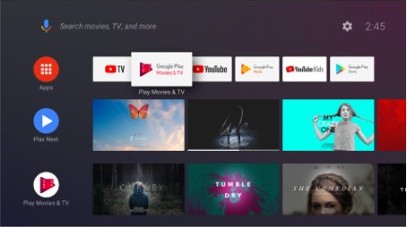
- From the Android TV home screen, scroll to Apps and open Google Play Store.
- Search for Paramount+ and select Install.
- Open Paramount+ and select Sign In.
- Select On the Web and note the code.
- Go to
paramountplus.com/androidtvon your phone or computer and sign in if asked. - Enter the code and select Activate.
On Google TV, press the Assistant button or select search on the home screen, say or type the app name, then select Install. Sign in with your Paramount+ email and password, not your Google account.
Activate MTV on Android and iOS (mobile platforms)
Phones and tablets need no activation code. You sign in inside the app, and that account then works on your TV too.
- On iPhone or iPad, open the App Store, search for Paramount+, tap Get and confirm with Face ID, Touch ID or your passcode.
- On Android, open the Play Store, search for Paramount+ and select Install.
- Open the app. On iPhone or iPad, tap the Menu icon in the upper left corner, then Sign In. On Android, tap Sign In.
- Enter the email address and password you use for Paramount+.
- Search for an MTV show and start playback.
The current App Store version requires iOS 18.0 or iPadOS 18.0, and Paramount+ supports Android 6.0 and above. For a free option on either platform, install Pluto TV and open it without registering.
Activate MTV on Amazon Fire Stick
Paramount+ supports Fire Stick 4K and 4K Select, Fire TV 4K and 4K Select, and Fire TV Cube on Fire OS 6 or greater.
- Open the Amazon Appstore on your Fire Stick and search for Paramount+.
- Select the app, then select Get.
- Select Open when the download finishes, then select Sign In.
- Select On the Web and note the website and code.
- Go to
paramountplus.com/firetvon your phone or computer and sign in if asked. - Enter the code and select Activate or Submit, whichever the page shows.
To sign in without a code, select On my TV and enter your Paramount+ details, not your Amazon email and password. If your Fire Stick stops the download with a PIN prompt, you can reset the Fire Stick PIN and try again.
Activate MTV on Apple TV
Paramount+ supports Apple TV 4K and Apple TV (4th generation). The current App Store version requires tvOS 18.0 or later.
- On the Home Screen, open the App Store.
- Go to Paramount+ and select Get. Install means you downloaded it before, and Open means it is already installed.
- Open Paramount+ and select Sign In.
- Select On the Web and note the code.
- Go to
paramountplus.com/appletvon your phone or computer and sign in if asked. - Enter the code and select Activate.
If you subscribed on an iPhone or iPad, choose to sign in with your iOS device instead. A notification appears on the phone, and tapping Yes finishes the sign-in. Your Apple Account password does not work here, because Paramount+ uses its own login.
MTV activation address on Samsung TV, LG, Vizio, Xbox and PlayStation
Every device uses the same Sign In > On the Web steps, and only the web address changes. Use the address on your TV if it differs from this table.
| Device | Paramount+ activation address |
|---|---|
| Roku | paramountplus.com/roku |
| Fire Stick and Fire TV | paramountplus.com/firetv |
| Android TV | paramountplus.com/androidtv |
| Apple TV | paramountplus.com/appletv |
| Samsung TV | paramountplus.com/samsungtv |
| LG TV | paramountplus.com/lg |
| Vizio TV | paramountplus.com/vizio |
| Xfinity device | paramountplus.com/xfinity |
| Xbox | paramountplus.com/tv |
| PS4 and PS5 | paramountplus.com/playstation |
Is the MTV app free?
Pricing depends on which app you use, because MTV has no standalone paid or free app in the main stores. Pluto TV costs nothing and shows ads. Paramount+ plans start with Essential at $8.99 a month, and Premium costs $13.99 a month, plus tax.
Start with Pluto TV if you only want free MTV programming, and pay for Paramount+ when you want its full show library on demand. Pluto TV's store listings state that no subscription is required and name MTV among its networks, while Paramount+ needs a paid plan before its activation code gives you anything to watch.
Can you watch MTV without a TV provider subscription?
Yes. Paramount+ states that you do not need cable or satellite, only Paramount+, broadband internet and a supported device. Pluto TV and Philo are also standalone services.
| Route | TV provider needed? | How to get in |
|---|---|---|
| Pluto TV | No | Install the app and start watching |
| Paramount+ | No | Sign up in the app or at paramountplus.com |
| Philo | No | Start the Essential plan or its free week in the app |
| Paramount+ with SHOWTIME package | Yes | Verify your provider login at paramountplus.com/partner or in the app |
| Eligible Spectrum TV package | Yes | Verify your Spectrum login at paramountplus.com/partner/spectrum for the Essential plan |
Participating providers for the Paramount+ with SHOWTIME route include AT&T U-verse, DIRECTV, Hulu + Live TV, Mediacom, Optimum, Spectrum, TDS and YouTube Primetime Channels. Paramount lists YouTube TV as not participating.
How to tell if MTV is activated on your TV
- Watch the TV after you select Activate on your phone or computer. The code screen refreshes without any button press.
- Open Settings > My Account in Paramount+ on the TV to see your account options.
- Search for an MTV show and play an episode to confirm the stream starts.
- On Pluto TV, a video that plays right away is your proof, because the app has no activation step for watching.
MTV app on Roku, Fire Stick or Apple TV not working
MTV app not showing on Roku
Roku's store has no standalone MTV app from Paramount, or a newly added app has not reached the device yet.
- Search for Paramount Plus, Pluto TV or Philo in the Roku Store instead of MTV.
- If you added the app on the web or in the mobile app, select Settings > System > System update > Check now on the Roku.
- Look at the bottom of the home screen app list, where new apps land.
No activation code on the TV screen
The On my TV route asks for a password and shows no code; only On the Web shows one.
- Back out of the sign-in screen and select Sign In again.
- Select On the Web, not On my TV.
- Restart the device and open the app again.
- If no code appears after that, contact Paramount+ support from the help center.
Email and password rejected on the TV
The app wants your Paramount+ login, not your Amazon, Google or Apple Account details.
- Type the email address you used when you subscribed to Paramount+.
- Use Recover password in the Paramount+ help center if you have forgotten it.
- Switch to On the Web so you can sign in on a phone or computer keyboard instead.
Black screen, loading image or "video unavailable" after activation
Paramount+ links these symptoms to the app, the device or the internet connection.
- Check your internet connection, then force close the app.
- On Fire Stick, select Settings > Applications > Manage Installed Applications > Paramount+ > Force Stop, then Clear Cache.
- On Android TV, select Settings > Apps > See all apps > Paramount+ > Clear cache > OK.
- Update the app and restart the device, then try the show again.
Activate MTV on Roku FAQ
Can you watch MTV on Roku?
Yes. Add Paramount Plus from the Roku Store for MTV shows, add Pluto TV for free programming, or add Philo, which lists MTV among its 70+ live channels. Paramount Plus and Philo need an account, while Pluto TV does not need a subscription.
Does Roku have MTV?
Roku has MTV programming but no standalone MTV app from Paramount. Search results for MTV in the Roku Store show unrelated apps such as OpenMTV and EDMtv Network. Search for Paramount Plus, Pluto TV or Philo instead, then add the app from its details page.
How do I activate Roku TV?
Connect the Roku TV to the internet, then enter your email address with the remote or scan the QR code on screen. Open the email from Roku on your phone, click Activate Device and follow the steps. The TV goes to the home screen when setup finishes.
How do I activate a Roku account?
Click Activate Device in the email Roku sends during setup, then create an account or select Existing Customer? if you already have one. Roku may ask for a payment method, but it charges you only if you choose to buy something later.
Is there a fee to activate a Roku device?
No. Roku states that activation is always free and that it never charges a fee to create an account. Treat any website or caller asking for an activation fee as a scam, and use only addresses that end in roku.com.
How do I activate a Roku remote?
A simple remote needs only fresh batteries and a clear line of sight. A voice remote has to pair: restart the Roku, then hold the pairing button for 5 seconds. You can also pair the Roku remote with Back and Home if it has no pairing button.
Can I watch MTV on a Fire Stick for free?
Yes. Install Pluto TV from the Amazon Appstore and open it. Pluto TV names MTV among its free networks and requires no subscription. Registering is optional and lets you resume shows across devices. Expect ads, because Pluto TV is ad-supported.
Do I need a new code for each device?
Yes, if you use the On the Web route. Each TV device shows its own activation code and address, and Paramount+ lets you register as many devices as you like. It allows a maximum of three streams at the same time.