Apple Pages is a free download from the App Store, and one listing now covers Mac, iPhone, iPad and Apple Vision Pro. The seller line reads Apple Inc., the price reads $0.00, and no subscription is needed to write, edit or collaborate.
On a Windows 11 or Windows 10 PC there is nothing to install. Apple runs the same word processor as Pages for iCloud in Microsoft Edge or Google Chrome, and Apple’s own description says you can work “from iPhone, iPad, Mac, or even a PC with iCloud.com”.
This guide covers the official App Store link, install steps for each device, the browser route on Windows, the formats the app opens and exports, fixes for stalled downloads, and how to remove it cleanly.
Which Apple Pages download do you need?
One universal App Store listing serves every Apple device. The separate Mac App Store page that used to exist is gone, so there is no second file to hunt for.
| Your device | What to open | Size | What you get |
|---|---|---|---|
| Mac on macOS 15.6 or later | App Store listing | 687.4 MB | The full desktop app, free |
| iPhone on iOS 18.0 or later | App Store listing | 687.4 MB | The same purchase, no extra charge |
| iPad on iPadOS 18.0 or later | App Store listing | 687.4 MB | Apple Pencil drawing and Scribble |
| Apple Vision Pro on visionOS 2.0 or later | App Store listing | 687.4 MB | The same listing again |
| Windows 11 or Windows 10 PC | Pages for iCloud | Nothing to download | A browser tab in Edge or Chrome |
Apple publishes no exe, msi or apk for this app. A file offered under that name somewhere else did not come from Apple.
Download Apple Pages from the official App Store page
Two links cover every machine. The first installs the app on Apple hardware, the second opens the browser version that a PC uses.
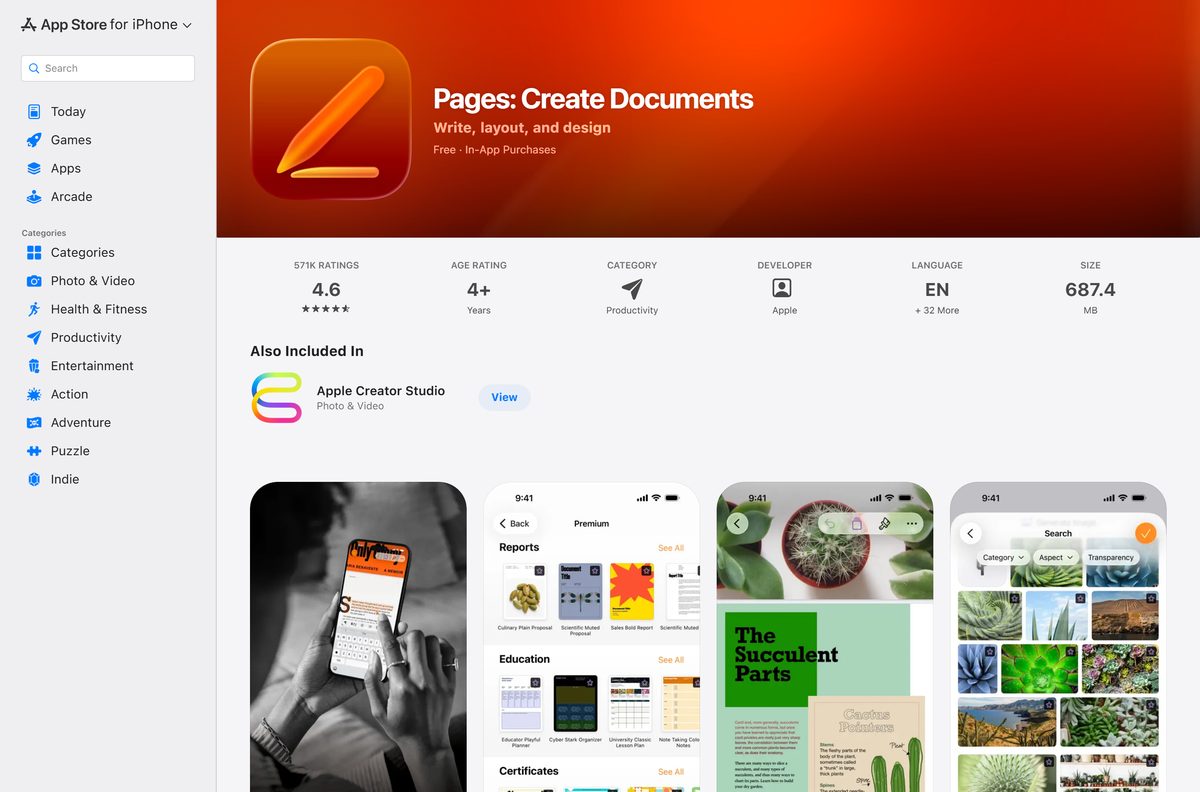
- Pages: Create Documents on the App Store — 687.4 MB · Version 15.3, seller Apple Inc., category Productivity
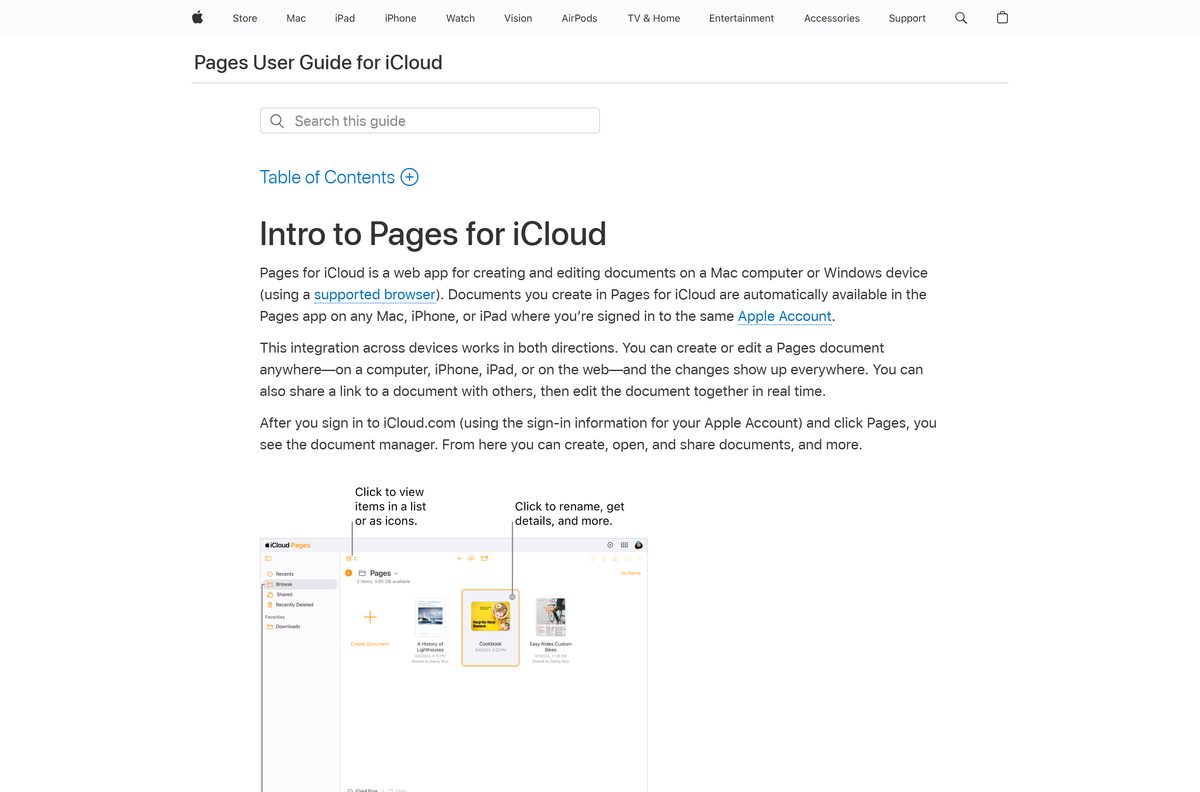
- Pages for iCloud — Sign in with an Apple Account, nothing installs
- Pages Support and user guides — Separate guides for Mac, iPad, iPhone and iCloud
Check the Apple Pages specifications and system requirements
Every figure below comes from the App Store listing and Apple’s own support pages.
| Field | Detail |
|---|---|
| Software | Pages: Create Documents |
| Developer | Apple Inc. |
| Latest version | 15.3 |
| Released | 30 June 2026 |
| License / price | Free, with an optional Apple Creator Studio subscription |
| Download size | 687.4 MB (687,362,048 bytes) |
| Supported OS | macOS 15.6, iOS 18.0, iPadOS 18.0 or visionOS 2.0 and later |
| Architecture | Apple silicon and Intel Macs; no x64 or ARM64 Windows build |
| Windows route | Pages for iCloud in Microsoft Edge or Google Chrome |
| Category | Productivity |
| Rating | 4.6 from 570K ratings |
| Official download source | App Store |
| Offline installer | No |
| Last verified | 22 September 2026 |
Which Mac can run Apple Pages, and what if yours cannot?
Click the Apple menu, then choose About This Mac to read your macOS version.
| Your Mac reports | What happens | Where to go |
|---|---|---|
| macOS 15.6 or later | The current release installs and runs | App Store listing |
| macOS 15.0 to 15.5 | Update macOS first from System Settings, General, Software Update | App Store listing |
| macOS 14 Sonoma or older | The current release will not install | Pages for iCloud |
| A Mac that cannot be updated | Work in the browser instead | Pages for iCloud |
If the app is already in your Applications folder, the listing shows Open rather than Get.
How to install Apple Pages on a Mac, iPhone or iPad
The steps are the same on every Apple device. Only the button labels shift between Install and Get.
- Open the App Store from the Dock on a Mac, or from the Home Screen on an iPhone or iPad.
- Search for Pages, then open the result named Pages: Create Documents.
- Check the seller line reads Apple Inc. and the price reads Free.
- Select Get, then select Install.
- Sign in with your Apple Account, or confirm with Face ID or Touch ID.
- Wait for the 687.4 MB transfer. The button then reads Open.
- Open the app and double-click the leftmost Blank template in the Basic category.
- Turn on iCloud Drive for the app so the same document opens on your other devices.
The listing carries in-app purchases for Apple Creator Studio. Skip them and the word processor still works in full.
How to run Apple Pages on Windows 11 and Windows 10
Apple calls this a web app for creating and editing documents on a Mac computer or a Windows device. It needs a supported browser and an Apple Account, and it installs nothing on the PC.
- Open Microsoft Edge or Google Chrome on the PC. Those are the two browsers Apple supports on Windows.
- Go to icloud.com and sign in with your Apple Account.
- Select Pages on the iCloud home page.
- Click the Create Document button in the toolbar.
- Double-click the leftmost Blank template in the Basic category, then start typing.
- Click the document name at the top, type a new name, then press Enter.
- Drag a Word, .txt, .rtf or .rtfd file from the PC onto the document manager to bring it in.
- Click the More button and choose Download a Copy to save it back as Word, PDF, EPUB or Pages.
There is no Save command. The browser version writes the document to iCloud as you type.
Apple’s own list of software for a Windows PC covers the Apple Music app, the Apple TV app, the Apple Devices app and iTunes. This word processor is not on it, and the browser is the supported route.
How to tell a genuine Apple Pages download from a fake
Four details on the listing settle it in seconds.
- Start in the App Store app itself, not from a search result on an unfamiliar site.
- Check the title reads Pages: Create Documents.
- Check the seller reads Apple Inc. and the developer link reads Apple.
- Check the price reads Free and the category reads Productivity.
- Reject any exe, msi, dmg or apk offered under this name. Apple distributes none of them.
- On a PC, type icloud.com into the address bar yourself rather than following a link from an email.
Is Apple Pages free?
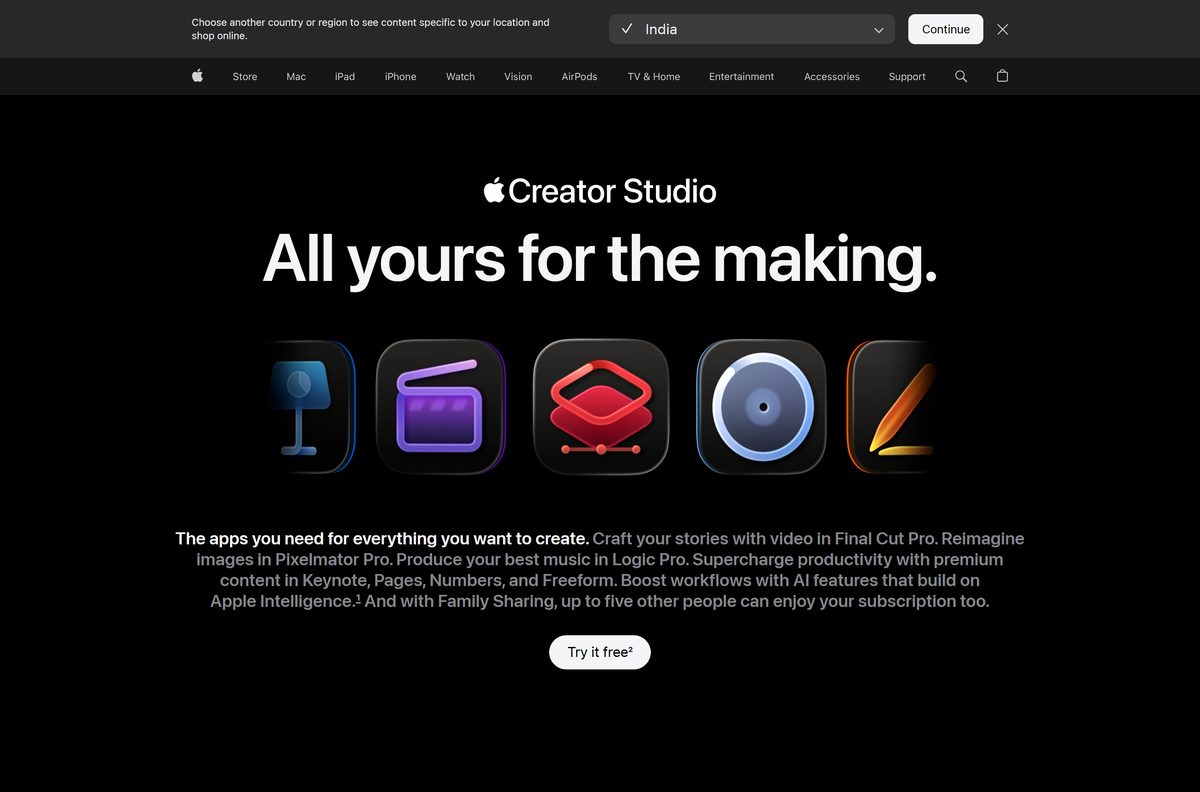
Yes. The App Store prices it at $0.00, and creating, viewing, editing and real-time collaboration need no subscription. The in-app purchases belong to Apple Creator Studio, a separate bundle at $12.99 per month or $129 per year after one free month, and $2.99 per month or $29.99 per year for students and educators. It adds Final Cut Pro, Logic Pro, Pixelmator Pro, Motion, Compressor and MainStage, plus premium content and intelligence features inside the productivity apps, and Family Sharing extends it to five other people. Leave it alone and the word processor still opens, edits and exports every document.
How to check your Apple Pages version and update it
The current release is 15.3, dated 30 June 2026.
- On a Mac, click Pages in the menu bar, then choose About Pages.
- Compare the number shown with the current release.
- Open the App Store, then click Updates in the sidebar.
- Click Update next to the app, or click Update All.
- On an iPhone or iPad, open the App Store and tap your account button at the top.
- Tap App Updates, then tap Update next to the app.
- In a browser there is nothing to update. iCloud always serves the current build.
This release added automatic hyphenation as you type, a switch for invisible formatting symbols and quicker image replacement from the Content Hub.
What file formats Apple Pages opens and exports
The desktop app and the browser app handle different lists, which matters when a Windows colleague sends a Word file.
| Task | Where | Formats |
|---|---|---|
| Bring in an existing file | Browser version | Pages, Microsoft Word, .txt, .rtf, .rtfd |
| Export a finished document | Mac app, File then Export To | PDF, Word, EPUB, Plain Text, Rich Text Format, Images, Pages ’09 |
| Take a copy off iCloud | Browser version, More then Download a Copy | Pages, PDF, Microsoft Word, EPUB |
| Lock the exported file | Mac app | Password protection on PDF, Word and Pages ’09 |
Page layout documents cannot export to plain text or RTF. Smart annotations drop out of Word, EPUB, plain text and Pages ’09 exports.
Fix Apple Pages not downloading, installing or syncing
The button says Get but nothing downloads
The device is not signed in to an Apple Account, or the store region has changed.
- Open Settings, tap your name, and confirm you are signed in.
- On a Mac, open the App Store, then choose Store and Sign In.
- Tap Get again and confirm with Face ID, Touch ID or your passcode.
- Switch off Wi-Fi and back on if the progress ring stays empty.
The App Store refuses to install it on your Mac
The current release needs macOS 15.6 or later.
- Click the Apple menu and choose About This Mac to read the version.
- Open System Settings, select General, then Software Update.
- Install any macOS update offered, then retry the listing.
- Use the browser version instead on a Mac that cannot be updated.
Documents do not appear on your other devices
iCloud Drive is switched off for this app.
- On a Mac, open System Settings, click your name, then iCloud.
- Open Drive, then Apps syncing to iCloud Drive, and switch the app on.
- On an iPhone or iPad, open Settings, tap your name, tap iCloud, then turn it on.
- Sign in to icloud.com with the same Apple Account to confirm the file is there.
iCloud.com will not open the editor on your PC
The browser is not one Apple supports for this web app.
- Switch to Microsoft Edge or Google Chrome on Windows.
- Update the browser, then reload icloud.com.
- Turn off any extension that blocks scripts for icloud.com.
- Open a private window and sign in again if the document manager stays blank.
How to uninstall Apple Pages and keep your documents
Removing the app never deletes the files. Those live in iCloud Drive until you delete them yourself.
- Quit the app on every device first.
- On a Mac, open Finder and select Applications in the sidebar.
- Drag the app to the Bin, then empty the Bin.
- On an iPhone or iPad, touch and hold the icon, tap Remove App, then tap Delete App.
- Open the Files app, or icloud.com, to confirm your documents are still there.
- Delete the app’s folder in iCloud Drive only if you want the documents gone too.
- Reinstall at any time from the same App Store listing at no charge.
Which Apple Pages alternative should you use?
A Windows PC has three sensible routes, and only one of them is Apple’s.
| Option | Cost | Where it runs | Link |
|---|---|---|---|
| Pages for iCloud | Free with an Apple Account | Microsoft Edge or Google Chrome on Windows | icloud.com |
| Google Docs | Free with a Google Account | Any browser, and it edits Word files without making a copy | workspace.google.com |
| Microsoft Word for Mac | Free to download, 1.4 GB | macOS 14.0 or later | App Store |
Stay with the iCloud route if your documents already live in an Apple account. It keeps the same templates, fonts and layout.
Frequently asked questions
Is Apple Pages free?
Yes. The App Store prices it at $0.00, and writing, editing and real-time collaboration need no subscription. The in-app purchases belong to Apple Creator Studio, which costs $12.99 a month or $129 a year.
Is there an Apple Pages download for Windows 11?
No installer, but the app itself works. Sign in at icloud.com in Microsoft Edge or Google Chrome and open Pages there. Apple’s own list of Windows software stops at Apple Music, Apple TV, Apple Devices and iTunes.
What is the official Apple Pages download page?
The App Store listing named Pages: Create Documents, at apps.apple.com. It covers Mac, iPhone, iPad and Apple Vision Pro from one page, and the seller line reads Apple Inc.
How big is the Apple Pages download?
687.4 MB, or 687,362,048 bytes, for version 15.3 on the United States storefront. The browser version downloads nothing at all, because it runs inside the tab.
Is there an offline installer?
No. Delivery runs through the App Store on Apple hardware and through the browser on Windows. Apple publishes no standalone package you can copy between machines.
Which macOS version does Apple Pages need?
macOS 15.6 or later for the current release. An iPhone needs iOS 18.0 or later, an iPad needs iPadOS 18.0 or later, and Apple Vision Pro needs visionOS 2.0 or later.
Can Apple Pages open Microsoft Word files?
Yes. The browser version accepts Word, plain text, RTF and RTFD uploads, and both versions export back to Word. Drag the file onto the document manager to bring it in.
Is Apple Pages safe to download?
Yes, from the App Store. Check the title reads Pages: Create Documents, the seller reads Apple Inc. and the price reads Free. Any exe, msi or apk offered under this name is not Apple’s work.
What is the latest Apple Pages version?
Version 15.3, released on 30 June 2026. It added automatic hyphenation while typing, a switch for invisible formatting symbols and faster image replacement from the Content Hub.
Is there a 64-bit or ARM64 build for a PC?
No. There is no Windows binary in any architecture. On Apple hardware the app runs on Apple silicon and Intel Macs, plus iPhone, iPad and Apple Vision Pro.
Which browsers work with Pages for iCloud?
Microsoft Edge and Google Chrome on a Windows device, and Safari 13.1 or later or Google Chrome on a Mac. An unsupported browser leaves the document manager blank.
Why will Apple Pages not install on my Mac?
The usual cause is the macOS version. The current release needs macOS 15.6 or later, so run Software Update first. A Mac that cannot be updated still opens the browser version.

Download Apple Numbers for Mac, iPhone, iPad and PC (Free) - Techdows
[…] word processor follows the same pattern, and Apple Pages reaches a PC the same […]