The Warframe download for PC is free on Windows 11 and Windows 10. Grab the 100.3 MB launcher from warframe.com, or add the game from Steam or the Epic Games Store, and the launcher pulls down the rest.
Digital Extremes develops and publishes Warframe, a free-to-play co-op action shooter first released on Steam in 2013. The same account also runs on iPhone, iPad, Android and Xbox, with Cross Platform Save carrying your progress between them.
Below you will find the right download for your setup, install steps, the standalone installer for multi-PC setups, PC requirements, the Mac picture and fixes for failed updates.
Which Warframe download do you need?
Every route installs the same free game on the same account. Match your setup to a row and use that link.
| Your setup | Where to get it | Download size | |
|---|---|---|---|
| Windows 11 or Windows 10 PC, 64-bit, no game launcher yet | Warframe launcher from warframe.com | 100.3 MB launcher, then the game (75 GB of space) | |
| Windows PC that already runs Steam | Warframe on Steam | 75 GB of space | |
| Windows PC that already runs the Epic Games Launcher | Warframe on the Epic Games Store | 75 GB of space | |
| Several PCs on a slow or metered connection, such as a gaming cafe | Standalone installer on warframe.com | 92.23 MB setup file plus about 51 GB of data parts | |
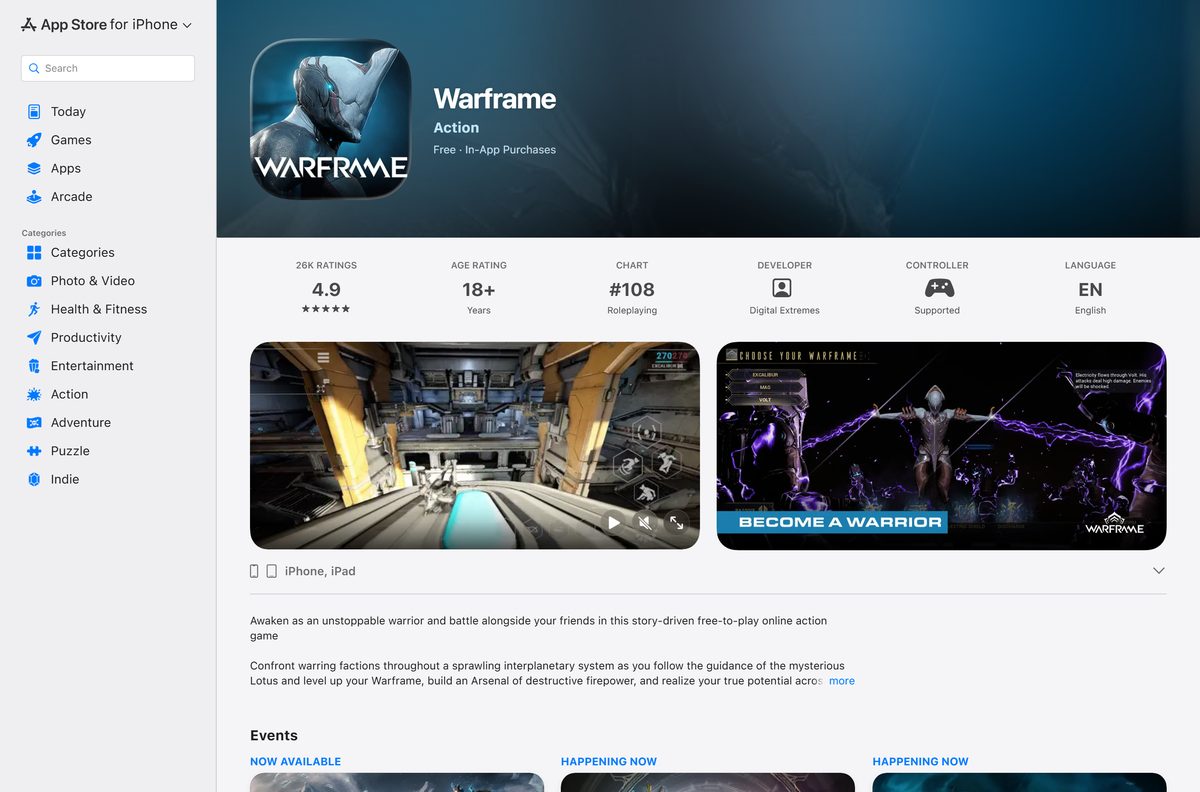
| iPhone XS or newer, or a 2019-or-later iPad | Warframe on the App Store | Up to 4 GB from the App Store, 10 GB for the full game | |
| Xbox One or Xbox Series X | S | Warframe on Xbox | Up to 88 GB on console |
Android players search for Warframe in the Google Play Store on a 64-bit ARM phone running Android 12 or later with at least 4 GB of RAM.
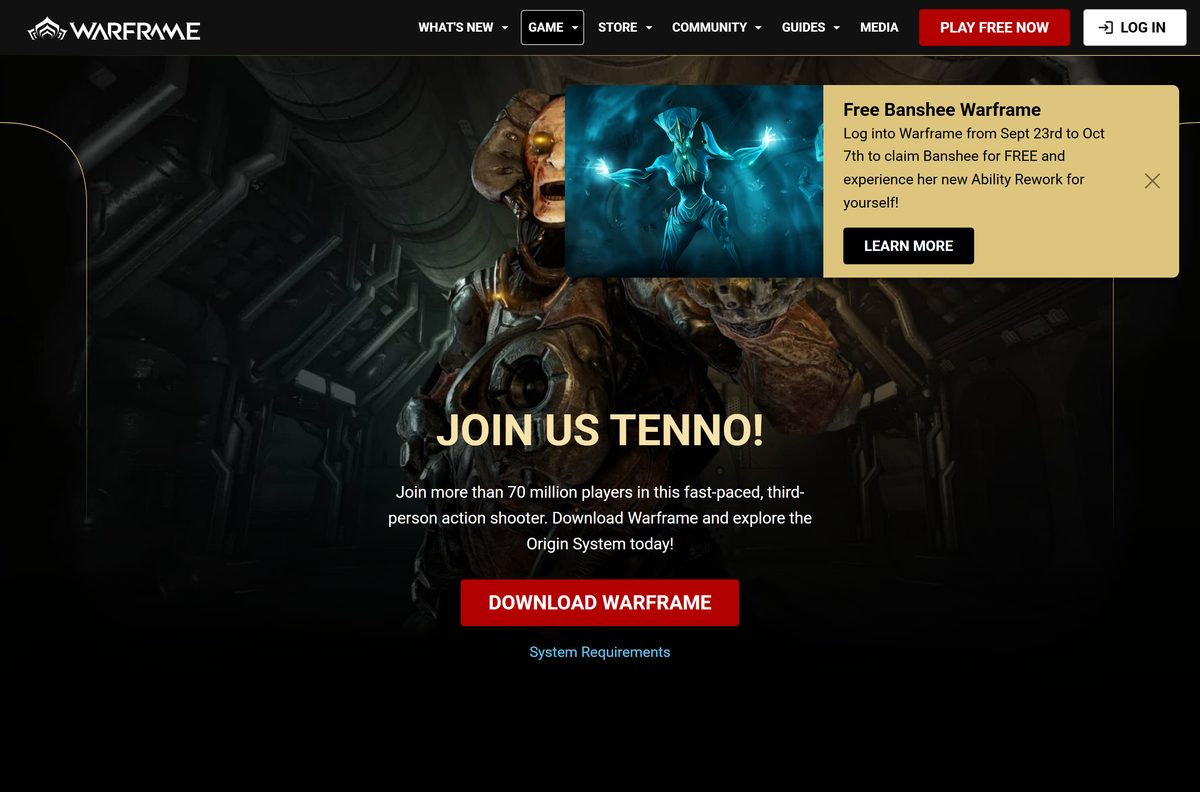
Download Warframe from the official sources
Digital Extremes is the developer and publisher on every official listing. Any other name on a Warframe setup file means it is not the real one.
- Warframe download page on warframe.com — Free launcher, standalone installer and system requirements
- Warframe on Steam — Free-to-play with in-app purchases, Windows only
- Warframe on the Epic Games Store — Linked from warframe.com, free
- Warframe for iPhone and iPad — Free, needs iOS 15.6 or later and an A12 Bionic chip or newer
- Warframe on Xbox — Free on Xbox One and Xbox Series X|S consoles
How to install Warframe on Windows 11 and 10 with the official launcher
The file behind the DOWNLOAD WARFRAME button is Warframe.msi, the official launcher. It is small because it fetches the game files after it installs.
- Open the Warframe download page and select DOWNLOAD WARFRAME.
- Save Warframe.msi, then open it from your Downloads folder.
- Follow the setup prompts and allow the change when Windows asks for permission.
- Let the Warframe launcher open and download the game files to a drive with at least 75 GB free.
- Log in with your Warframe account, or create a free one when the launcher asks.
- Select Play once the download finishes.
Keep the launcher installed. It checks for and applies every Warframe update before the game starts.
Install Warframe from Steam or the Epic Games Store
Steam and Epic install the same free game. Use the launcher you already have, since updates arrive on all platforms at the same time.
Install with Steam
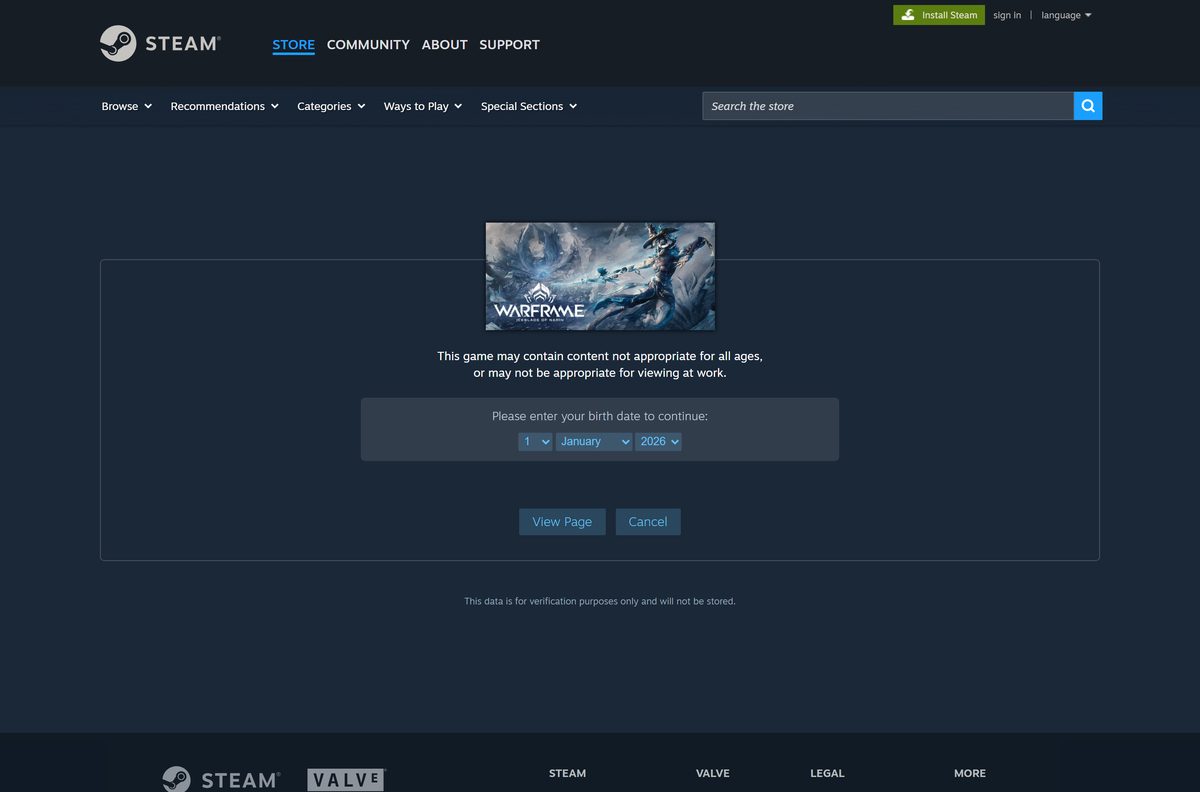
Steam lists Warframe as free-to-play for Windows, with in-app purchases.
- Open the Warframe Steam page in Steam and sign in.
- Select Play Game on the store page.
- Choose a drive with at least 75 GB free and confirm the install.
- Launch Warframe from your Library when the download completes.
Install with the Epic Games Store
warframe.com links straight to the Epic listing, where the game costs nothing.
- Open the Warframe Epic page and sign in to your Epic account.
- Select Get and confirm the free order.
- Open your Library in the Epic Games Launcher and select Install on Warframe.
- Launch the game once the download finishes.
How to install Warframe on several PCs with the standalone installer
warframe.com also offers a standalone installer for multi-installs in places like internet cafes. Digital Extremes notes it installs more slowly than the regular download, so skip it for a single PC.
Build 2026.09.21.11.10 comes as one setup file plus 26 data parts, and warframe.com prints an MD5 hash beside each one.
| File | Size | MD5 |
|---|---|---|
| Warframe.2026.09.21.11.10.exe (setup) | 92.23 MB | 14BC6A134B4B646B01CD269D3365EC33 |
| Warframe.2026.09.21.11.10.b00 to .b24 (25 parts) | 2 GB each | Listed per part on warframe.com |
| Warframe.2026.09.21.11.10.b25 (last part) | 1.15 GB | 24F2F8444B92629C79BC3F6D1B65EBFF |
The file names change with each game build, so download all parts from the Warframe download page at the same time.
How to verify the Warframe installer and game files
Check the standalone parts against the MD5 values on warframe.com before you run the setup file. After installing, the launcher can check and repair the game files itself.
Check a standalone installer file
A part that does not match its MD5 is incomplete or damaged and will break the install.
- Open PowerShell in the folder that holds the downloaded files.
- Run Get-FileHash .\Warframe.2026.09.21.11.10.exe -Algorithm MD5 and repeat for each part.
- Compare each hash with the MD5 printed next to that file on warframe.com.
- Download any file whose hash differs again.
Verify an installed game in the launcher
Digital Extremes Support recommends this for failed updates and crashes; it replaces missing or corrupt files from its content servers.
- Open the Warframe launcher.
- Click the gear icon in the upper-right corner.
- Click Verify and wait until the process completes.
- Click Optimize after the verify finishes.
Which way can you play Warframe on a Mac?
Warframe has no macOS version. The warframe.com download page states there is no Mac or Linux support currently available, and Steam lists Windows as the only PC platform.
The App Store listing covers iPhone and iPad only, so the iOS version does not appear in the Mac App Store.
| Your situation | What to do | Link |
|---|---|---|
| Mac, plus a Windows 10 or 11 PC | Install the free launcher on the PC and log in with the same account | Warframe download page |
| Mac, plus an iPhone XS or newer, or a 2019-or-later iPad | Install the free iOS version and link it through Cross Platform Save | Warframe on the App Store |
| Mac, plus an Xbox | Download the free console version from the Xbox store | Warframe on Xbox |
| Mac only | There is no official Mac download; ignore any site offering a Warframe .dmg | Warframe support |
Is Warframe free to download and play?
The whole game costs nothing on PC, iPhone, iPad, Android and Xbox. Money only changes hands for optional in-game items such as Supporter Packs.
Yes. Warframe is free-to-play, and no legitimate source charges for the game itself. Steam lists Warframe as free with in-app purchases, the App Store lists it as free with in-app purchases, and the Xbox listing has a price of $0.00. The warframe.com download page offers the launcher at no cost.
Treat any site selling a Warframe setup file or a paid full-version download as a scam.
How to check for the latest Warframe update
Warframe is a live-service game, so there is no version to pick. The newest content drop is the Iceblade of Narin update, released on September 23, 2026.
- Close Warframe completely.
- Open the Warframe launcher, Steam or the Epic Games Launcher.
- Let the launcher download the pending update before you select Play.
- Run Verify from the launcher’s gear menu if the game still reports that it is out of date.
Updates reach every platform at the same time, including iPhone and iPad.
Check the Warframe PC system requirements before you download
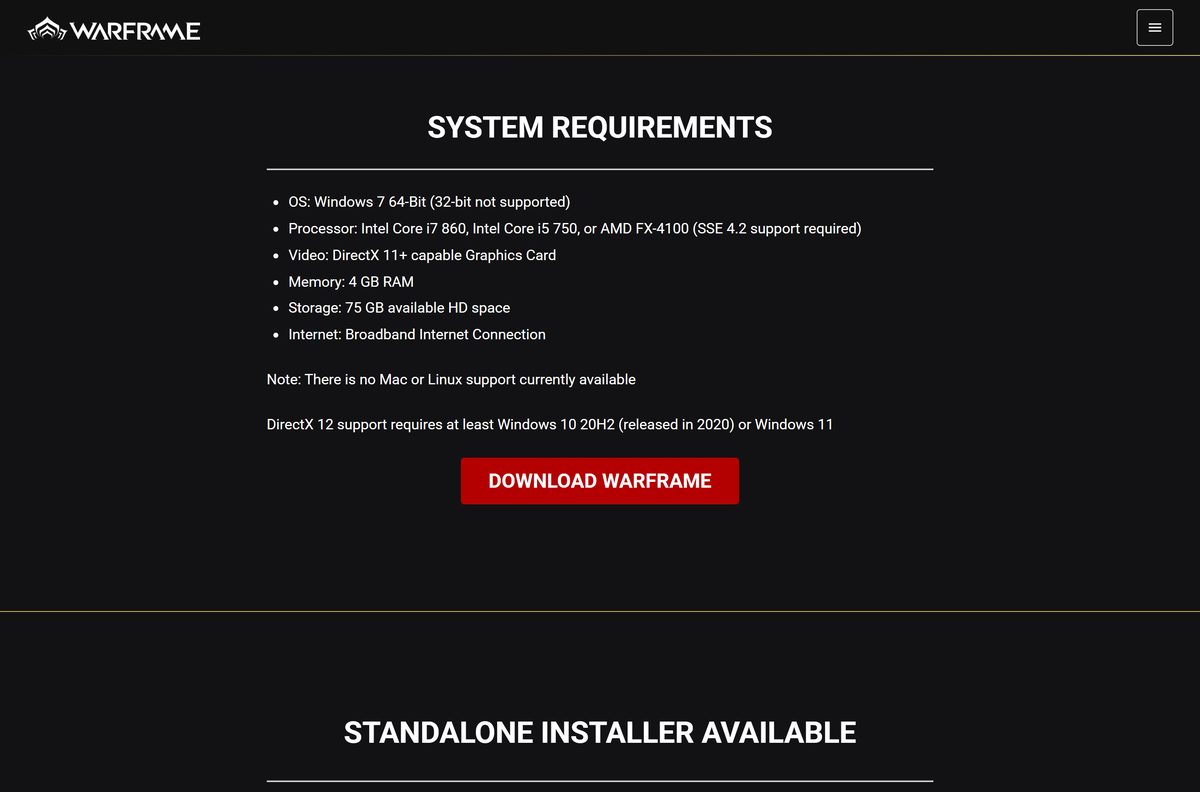
warframe.com and Steam list the same minimum specs. Any 64-bit Windows 11 or Windows 10 PC that meets them can run the game.
| Field | Value |
|---|---|
| Game | Warframe |
| Developer | Digital Extremes |
| Publisher | Digital Extremes |
| Latest version | Iceblade of Narin update (installer build 2026.09.21.11.10) |
| Price | Free-to-play, optional in-game purchases |
| Supported OS | Windows 7 64-bit or later; DirectX 12 needs Windows 10 20H2 or Windows 11 |
| Architecture | 64-bit only, 32-bit Windows is not supported |
| Processor | Intel Core i7 860, Intel Core i5 750 or AMD FX-4100, with SSE 4.2 support |
| Graphics | DirectX 11 or newer capable graphics card |
| Memory | 4 GB RAM |
| Storage | 75 GB available space |
| Network | Broadband internet connection, required to play |
| Launcher size | 100.3 MB (Warframe.msi) |
| Mac and Linux | No client available |
| Official sources | warframe.com, Steam, Epic Games Store |
| Last verified | 2026-09-24 |
To check your own PC, open Settings, select System, then About. The Installed RAM and System type lines show your memory and whether Windows is 64-bit.
Fix Warframe update failed and install errors on Windows 11 or 10
Update failed is the most common launcher error. Find the symptom that matches your screen and work through the fixes under it.
The launcher shows Update failed
The launcher could not finish the download, often because of busy servers right after a new update or a weak connection.
- Wait a few minutes and retry if a new update has just been released.
- Restart your PC.
- Power off your modem and router for 30 seconds, then turn them back on.
- Pause other downloads and streaming on your network, or connect with an Ethernet cable.
- Run Verify and then Optimize from the launcher’s gear menu.
The download stalls or never starts
A firewall, antivirus, proxy or VPN is blocking the launcher’s traffic.
- Add exceptions for Launcher.exe and Warframe.x64.exe in Windows Firewall and your antivirus.
- Search for Internet Options, open Connections, then LAN settings.
- Uncheck Use automatic configuration script and Use a proxy server for your LAN.
- Disconnect any VPN and try the update again.
The game crashes while loading or logging in
Outdated drivers or overlay software such as MSI Afterburner OSD, RivaTuner Statistics Server or Razer Synapse conflicts with the game.
- Update Windows and your graphics driver from NVIDIA, AMD or Intel.
- Close overlay and monitoring tools before you launch the game.
- Perform a clean boot in Windows to rule out other startup programs.
- Contact Warframe support if the error continues.
How to uninstall Warframe on Windows 11 and 10
Uninstalling removes the game files but not your progress, which stays on your Warframe account.
- Open Settings and select Apps, then Installed apps.
- Find Warframe in the list and select the three-dot menu next to it.
- Select Uninstall and confirm.
- If you installed through Steam, right-click Warframe in your Library and choose Manage, then Uninstall instead.
Which phone or console can run Warframe instead of a PC?
Every version is the full game with the same updates, and Cross Platform Save links them to one account.
| Platform | Requirement | Install size | |
|---|---|---|---|
| iPhone and iPad | iOS 15.6 or later and an A12 Bionic chip or newer | 99.4 MB first, then 4 GB tutorial or 10 GB full game | |
| Android | 64-bit ARM64 device, Android 12 or later, 4 GB RAM | About 14 GB in total | |
| Xbox One and Xbox Series X | S | Xbox console | Up to 88 GB |
Link a mobile account to your PC progress from the Account Management page on warframe.com.
Frequently asked questions
Is Warframe free to download on PC?
Yes. Warframe is free-to-play on Windows through the warframe.com launcher, Steam and the Epic Games Store. Optional in-game purchases are extras, not a price for the game.
Where is the official Warframe download for PC?
Use the download page on warframe.com, which offers the 100.3 MB Warframe.msi launcher and links to Steam and the Epic Games Store. Digital Extremes develops and publishes the game.
Does Warframe work on Windows 11?
Yes. Warframe runs on 64-bit Windows 7 or later, and warframe.com names Windows 11 as supporting its DirectX 12 mode. 32-bit Windows is not supported.
How big is the Warframe download on PC?
The launcher is 100.3 MB, and the game needs 75 GB of free storage. The standalone installer is a 92.23 MB setup file plus about 51 GB of data parts.
Is there a Warframe offline installer?
Yes. warframe.com offers a standalone installer split into a setup file and 26 data parts, aimed at internet cafes and other multi-PC setups. You still need an internet connection to play.
Can you download Warframe on a Mac?
No. warframe.com states there is no Mac or Linux support currently available, and Steam lists Windows only. Mac owners can play on an iPhone, iPad, Windows PC or Xbox instead.
Is Warframe on iPhone and Android?
Yes. The App Store version needs iOS 15.6 and an A12 Bionic chip or newer. The Android version needs a 64-bit ARM phone with Android 12 or later and 4 GB of RAM.
Can I play Warframe offline?
No. warframe.com lists a broadband internet connection as a requirement on PC. Even the standalone installer only removes the big download, not the need to be online.
Why does Warframe say Update failed?
The launcher could not finish downloading the update. Restart your PC and router, run Verify and Optimize from the launcher’s gear menu, and allow Launcher.exe and Warframe.x64.exe through your firewall.
Is it safe to download Warframe?
Yes, from warframe.com, Steam, the Epic Games Store, the App Store or Xbox. Avoid download sites offering repacked setup files, and check standalone parts against the MD5 values on warframe.com.