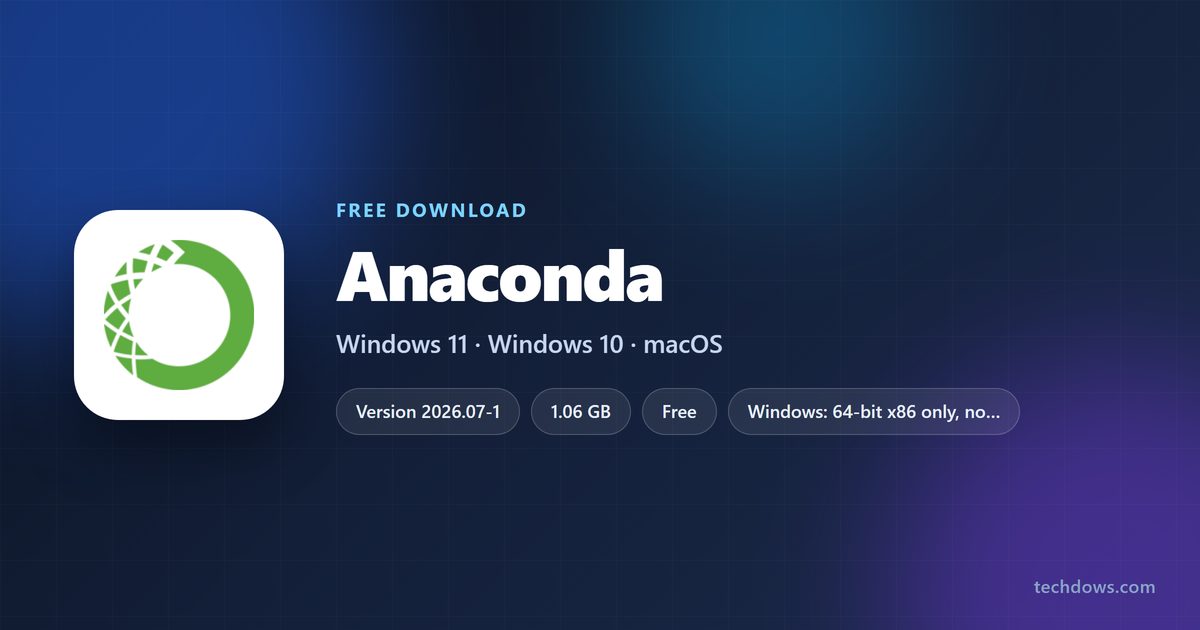
The Anaconda download for Windows is one file, Anaconda3-2026.07-1-Windows-x86_64.exe, and it is 1.06 GB. Anaconda, Inc. serves it from repo.anaconda.com, and the download page at anaconda.com/download points there.
That single file installs Python 3.14.6, conda, Anaconda Navigator and a base environment holding more than 600 data science packages. Macs get an 838.7 MB package, but only Apple silicon Macs: Anaconda stopped building for Intel Macs in August 2025.
This guide covers the official files and their sizes, the graphical and silent installs, hash checking, what the free licence allows, and fixes for an install that stalls.
Which Anaconda download do you need?
Match your machine to one row. The Windows and macOS files carry the whole base environment, so each one runs close to a gigabyte.
| Your machine | File to download | Size |
|---|---|---|
| Windows 11 or Windows 10, 64-bit | Anaconda3-2026.07-1-Windows-x86_64.exe | 1.06 GB |
| Mac on Apple silicon, point-and-click setup | Anaconda3-2026.07-1-MacOSX-arm64.pkg | 838.7 MB |
| Mac on Apple silicon, Terminal setup | Anaconda3-2026.07-1-MacOSX-arm64.sh | 841.1 MB |
| Mac with an Intel processor | Archived MacOSX-x86_64 installers | No current build |
| Linux, 64-bit x86 | Anaconda3-2026.07-1-Linux-x86_64.sh | 1.17 GB |
| A PC short on disk space | Miniconda, the minimal installer | About 900 MB installed |
There is no 32-bit build and no Windows on ARM build. Anaconda ships 64-bit x86 for Windows and nothing else.

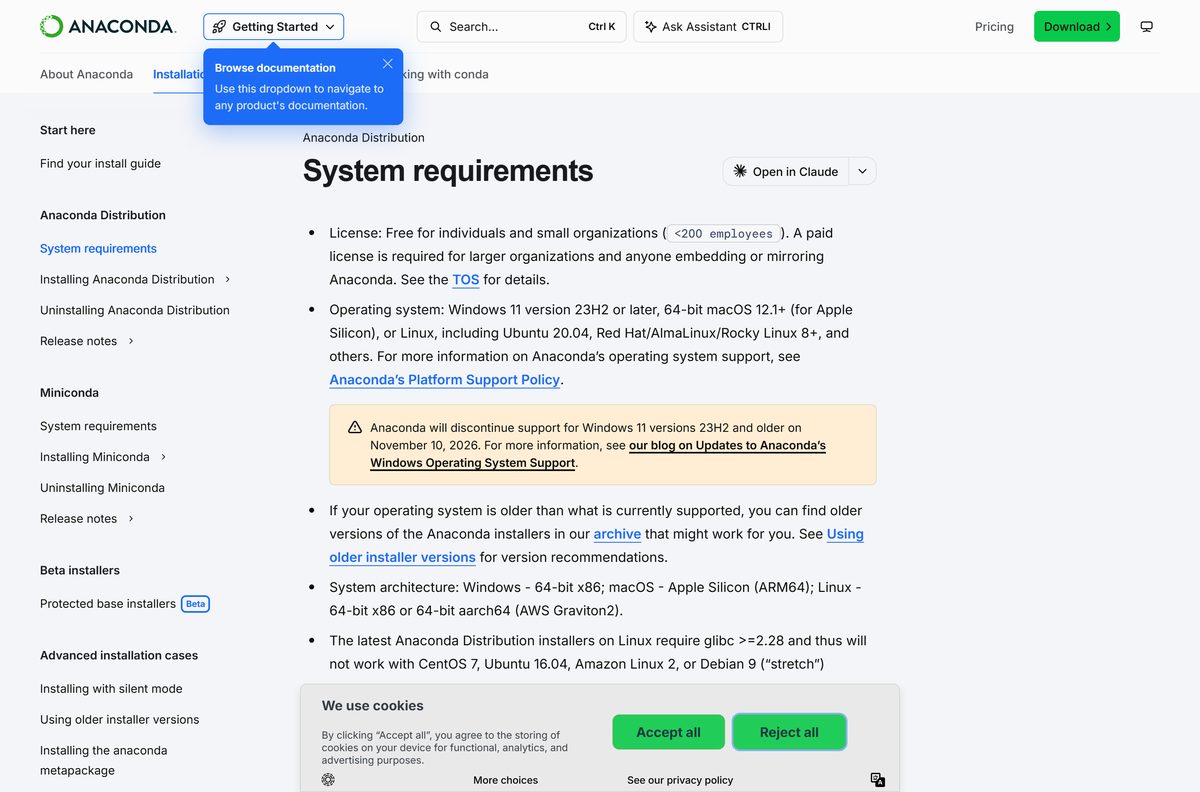
Check the Anaconda system requirements and specifications
Disk space is the constraint, not the processor. Anaconda asks for 5 GB free to download and install, and the finished install settles at roughly 9.7 GB.
| Field | Value |
|---|---|
| Developer | Anaconda, Inc. |
| Latest version | 2026.07-1 |
| Released | 29 July 2026 |
| Python included | 3.14.6 |
| conda included | 26.5.3 |
| Licence | Free for individuals; organisations over 200 people need a paid Business licence |
| Supported Windows | Windows 11 version 23H2 or later, 64-bit x86 |
| Supported macOS | macOS 12.1 or later, Apple silicon only |
| Supported Linux | Ubuntu 20.04, Red Hat, AlmaLinux, Rocky Linux 8 or later, glibc 2.28 or newer |
| Architecture | 64-bit x86 on Windows, ARM64 on macOS, x86 or aarch64 on Linux |
| Download size | 1.06 GB on Windows, 838.7 MB on macOS |
| Disk space | 5 GB minimum to install, about 9.7 GB when finished |
| Offline installer | Yes, the base environment is inside the file |
| Default macOS path | /opt/anaconda3 |
| Official download source | anaconda.com/download |
| Last verified | 2026-09-22 |
One date to diarise: support for Windows 11 version 23H2 and older ends on 10 November 2026. Run winver to see which build you are on.
Download Anaconda from the official source
Anaconda uses two hosts: pages on anaconda.com, files on repo.anaconda.com. The download page asks for an email address first, and a Skip Registration link beside the form takes you past it.
- Anaconda Distribution download page — the registration form and the Skip Registration link
- Anaconda3-2026.07-1-Windows-x86_64.exe — 1,112,492,048 bytes
- Anaconda3-2026.07-1-MacOSX-arm64.pkg — 879,450,619 bytes
- Anaconda3-2026.07-1-MacOSX-arm64.sh — 881,919,987 bytes
- Anaconda3-2026.07-1-Linux-x86_64.sh — 1,224,947,094 bytes
- Installer archive, every past release — older versions with their SHA-256 hashes
- Release notes — what changed in each dated release
Save the file rather than running it from the browser. A 1 GB download that drops halfway is the most common complaint Anaconda documents.
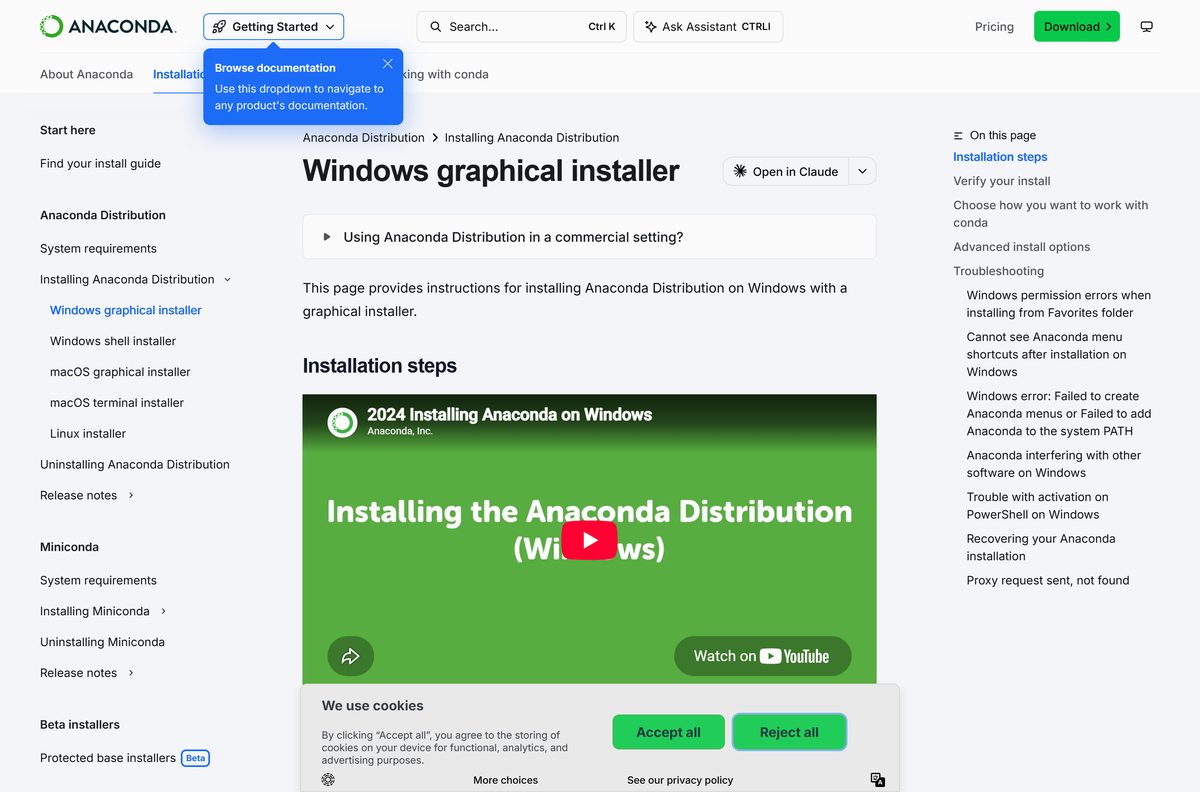
How to install Anaconda on Windows 11 and 10
The installer writes a full Python stack, so give it several minutes. Choose Just Me unless every account on the PC needs it.
- Download Anaconda3-2026.07-1-Windows-x86_64.exe from the official download page.
- Double-click the file in your Downloads folder.
- Select Next, then I Agree to accept the Terms of Service.
- Select Just Me (Recommended), or All Users if you have administrator rights and other accounts need it.
- Select Next, then pick a destination folder with no spaces or special characters in its path.
- Leave Register Anaconda3 as my default Python ticked, and tick Clear the package cache upon completion to save disk space.
- Leave Add Anaconda3 to my PATH environment variable unticked. Use the Anaconda Prompt shortcut instead.
- Select Install and wait for the progress bar to finish.
- Select Next twice, then Finish.
- Open Anaconda Prompt from the Start menu. The prompt starts with (base) when the install worked.
Adding the install to PATH is the option that breaks other Python setups on the same PC, which is why the installer leaves it off.
Install Anaconda from the command line or in silent mode
Anaconda is not in the Microsoft Store. For scripted builds it publishes a documented set of installer switches instead.
- Open Terminal or Command Prompt from the Start menu.
- Fetch the file with curl https://repo.anaconda.com/archive/Anaconda3-2026.07-1-Windows-x86_64.exe –output .\Anaconda3-2026.07-1-Windows-x86_64.exe .
- In PowerShell, use Invoke-WebRequest -Uri “https://repo.anaconda.com/archive/Anaconda3-2026.07-1-Windows-x86_64.exe” -OutFile “.\Anaconda3-2026.07-1-Windows-x86_64.exe” instead.
- Run start /wait “” Anaconda3-2026.07-1-Windows-x86_64.exe /InstallationType=JustMe /RegisterPython=0 /S /D=%UserProfile%\Anaconda3 to install without a window.
- Swap /InstallationType=JustMe for /InstallationType=AllUsers when you deploy to a shared machine.
- Add /AddToPath=1 only when no other Python is installed on the target.
- Keep /D= last in the command and never wrap that path in quotation marks, or the install fails.
- On a Mac, run bash ./Anaconda3-2026.07-1-MacOSX-arm64.sh -b -p $HOME/anaconda3 , where -b is batch mode and -p sets the install path.
Anaconda lists the rest of the switches, including -u to update an existing install in place, in its silent mode reference.
How to verify the Anaconda installer you downloaded
Every file in the archive index carries a published SHA-256 hash. Comparing it catches a truncated download as well as a tampered one.
- Open the installer archive and find the row for your file.
- Copy the SHA-256 value shown beside it.
- Open Command Prompt and run certutil -hashfile %UserProfile%\Downloads\Anaconda3-2026.07-1-Windows-x86_64.exe SHA256 .
- In PowerShell, run Get-FileHash $env:UserProfile\Downloads\Anaconda3-2026.07-1-Windows-x86_64.exe -Algorithm SHA256 instead.
- On a Mac, run shasum -a 256 ~/Downloads/Anaconda3-2026.07-1-MacOSX-arm64.pkg .
- Compare the output against the published value, character for character.
- Delete the file and download it again if the two differ.
A mismatch almost always means the transfer was cut short. Check the file size against the archive listing before you blame anything else.
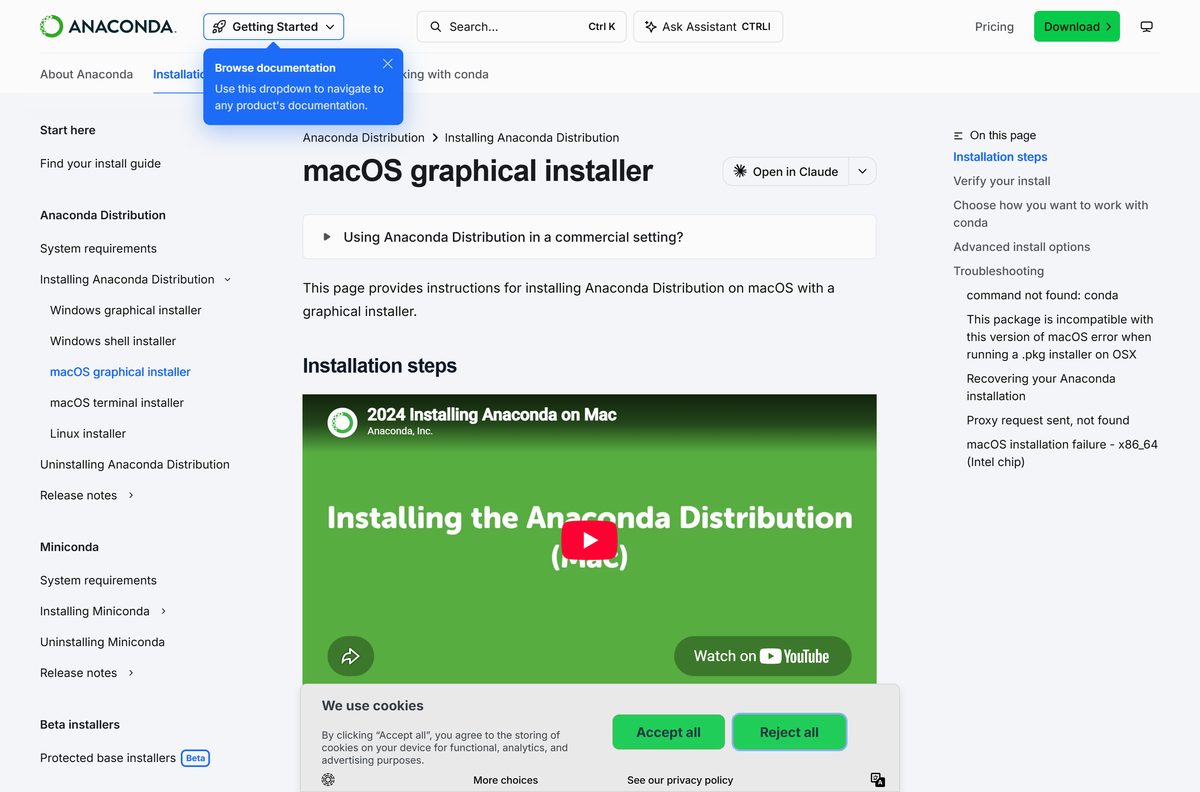
Which Anaconda download do you need for your Mac?
Open the Apple menu and select About This Mac. The Chip line decides everything below.
| Your Mac says | Download | What happens |
|---|---|---|
| Apple M1, M2, M3, M4 or later | Anaconda3-2026.07-1-MacOSX-arm64.pkg | 838.7 MB, installs to /opt/anaconda3 |
| Apple silicon, and you prefer the Terminal | Anaconda3-2026.07-1-MacOSX-arm64.sh | 841.1 MB, installs into your home folder |
| Intel Core i5, i7 or i9 | Archived x86_64 installers | Last builds only; no new releases since 15 August 2025 |
| macOS 12.0 or older | Update macOS first | macOS 12.1 is the stated minimum |
The 2026.07-1 package checks the processor before it starts. Run it on an Intel Mac and the install stops with an error instead of half-finishing.
Is Anaconda free?
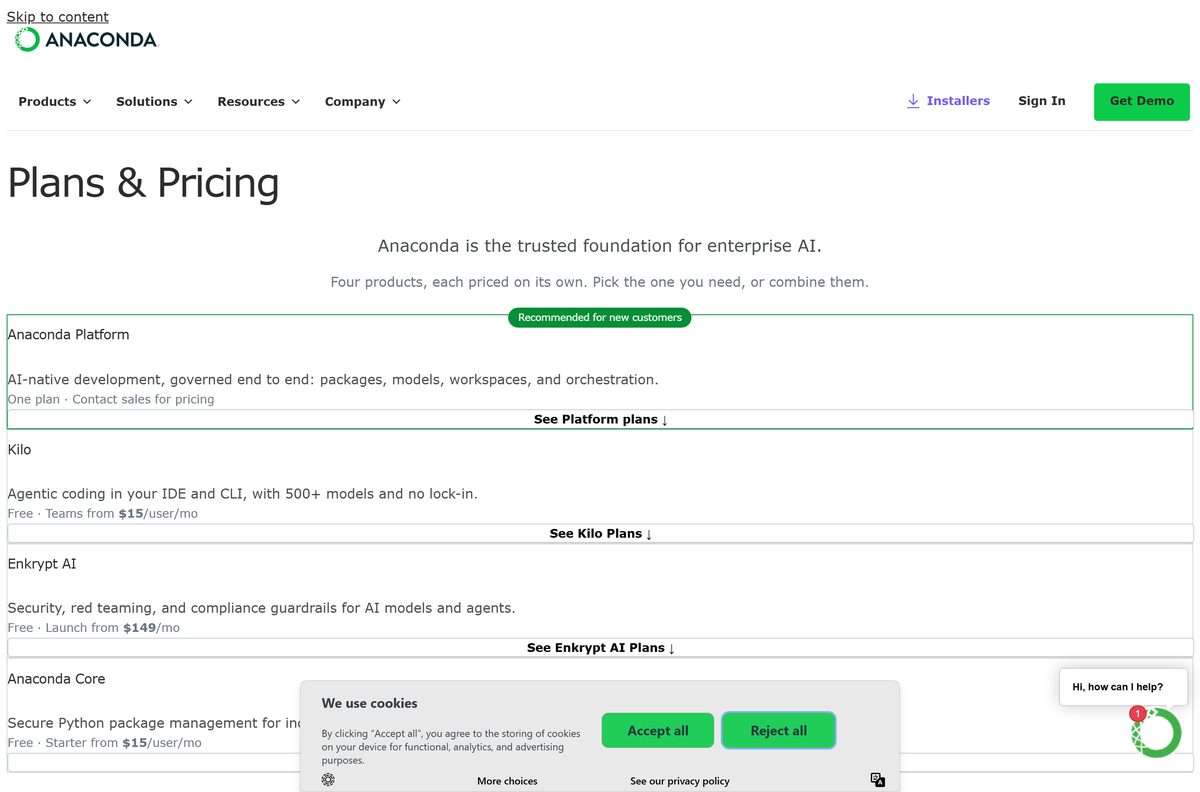
Yes for an individual, no for a large employer. Anaconda, Inc. gives the Distribution away under its Terms of Service, and the free Anaconda Core plan costs $0. The download page states the limit plainly: use at an organisation of more than 200 employees and contractors requires a paid business licence unless that organisation qualifies for discounted or free use. Above that headcount the paid tiers are Starter at $15 per user a month and Business at $50 per user a month. Students and researchers with a .edu address get the Starter plan free. Nothing about the installer changes between tiers, so the file you download is the full product either way.
Should you install Anaconda or Miniconda?
Install Miniconda unless you want the packages preloaded. Both give you conda and Python from the same company and the same repository. Anaconda Distribution adds Navigator and more than 600 curated packages, which is why it needs about 9.7 GB of disk against roughly 900 MB for Miniconda. Take the Distribution when you are new to Python, want a graphical launcher, or work on a machine that is often offline. Take Miniconda when disk space matters, when a build server is doing the work, or when you would rather add packages one at a time. Switching later costs nothing: the environments and the commands are identical.
How to check your Anaconda version and update it
Updating replaces packages inside your existing install. There is no need to download the installer again for routine updates.
- Open Anaconda Prompt on Windows, or Terminal on a Mac.
- Run conda –version to see which conda you have.
- Run conda list anaconda to see the release your base environment came from.
- Run conda update conda to bring the package manager itself up to date.
- Run conda update –all to update every package in the active environment.
- Run conda activate
first when you want to update a different environment. - Open Anaconda Navigator and use Environments if you prefer to update packages by clicking.
conda update –all does not always land on the newest release of each package. Where the newest version clashes with something else in the environment, conda stops at the latest compatible one.
What Anaconda installs on your PC
The download is large because the base environment travels inside it. Here is what lands on disk.
| Component | What it does |
|---|---|
| Python 3.14.6 | The interpreter the base environment is built around |
| conda 26.5.3 | Installs packages and creates isolated environments |
| Anaconda Navigator | A desktop window for launching apps and managing environments without commands |
| Jupyter Notebook and JupyterLab | Browser-based notebooks for running code in cells |
| 600+ curated packages | NumPy, pandas, Matplotlib, scikit-learn and the rest of the data stack |
| Anaconda Prompt | A Windows shell shortcut with conda already on the path |
| anaconda-channel-guide | A plugin added in 2026.07-1 that flags packages available on other Anaconda channels |
Ticking Clear the package cache upon completion during setup reclaims several gigabytes once the install finishes.
Fix Anaconda not installing on Windows 11 or 10
The download stops partway through
The installer is over a gigabyte, and browsers drop long transfers on an unstable connection.
- Press Ctrl+J in Chrome to open the download manager, then select Resume.
- In Edge, open Settings > Downloads, or go to edge://downloads/all , and use the play button.
- On a Mac, restart the transfer with curl -O https://repo.anaconda.com/archive/Anaconda3-2026.07-1-MacOSX-arm64.sh .
- Resume an interrupted curl transfer with curl -O -C – and the same address.
- Check the finished file against the size listed in the archive index.
The Start menu shortcuts are missing after installing
Windows refreshes the Start menu inconsistently, and a second Python installation on the PC interferes.
- Restart the PC, or restart Windows Explorer from Task Manager.
- Open Settings > System > About > Advanced system settings > Environment Variables.
- Delete any PYTHONPATH entry you find there.
- Reinstall Anaconda to the same folder if the shortcuts are still absent.
‘conda’ is not recognised as a command
The installer deliberately leaves itself off PATH, so a plain Command Prompt cannot see conda.
- Open Anaconda Prompt from the Start menu rather than Command Prompt.
- Run cd C:\Users\
then python -m conda init to wire conda into your shells. - Close and reopen the terminal window.
- Run conda config –set auto_activate_base true to have the base environment load on every new prompt.
The Mac package installer fails with a permissions error
The chosen destination is a folder your account cannot write to.
- Run the package again and stop at the Installation Type screen.
- Select Change Install Location…, or Install on a specific disk….
- Choose your home folder, such as /Users/yourname/ .
- Select Install and finish the setup.
Anaconda Navigator opens with a permission denied error
Something installed anaconda-client with administrator rights, which left the configuration files owned by the wrong account.
- Close Navigator.
- Run rd /s .continuum in your user folder on Windows, or rm -rf ~/.continuum on a Mac.
- Reopen Navigator so the configuration rebuilds.
- Reinstall without administrator rights if the error returns.
The existing install is broken and commands fail
A partly applied update left the folder inconsistent, so a clean install over the top is the documented repair.
- Run move anaconda3 anaconda_old in your user folder.
- Run the installer again and point it at the original location.
- Run robocopy anaconda_old anaconda3 /S to bring your old environments across.
- Run rd /s /q anaconda_old once everything works.
- On a Mac, use mv , then rsync -a anaconda_old/ anaconda3/ , then rm -rf anaconda_old .
Anaconda documents each of these, and several Linux-only cases, on its troubleshooting page.
How to uninstall Anaconda completely
The standard removal leaves your package caches and configuration files behind. Extra switches clear those out.
- Search for Control Panel in the taskbar and open it.
- Select Programs, then Uninstall a program.
- Select Anaconda, then Uninstall, and work through the prompts.
- To remove it silently instead, run start /wait .\anaconda3\Uninstall-Anaconda3.exe /S from the folder above the install.
- Add /RemoveCaches=1 /RemoveConfigFiles=user /RemoveUserData=1 to that command to clear the leftovers.
- Skip those three switches if a second conda installation shares the machine.
- On a Mac, run ~/anaconda3/uninstall.sh , or sudo -E /opt/anaconda3/uninstall.sh for a system-wide install.
- Delete any desktop shortcut the uninstaller left behind.
Run the uninstaller from the installation folder rather than the Windows Settings panel. Launching it from Settings is what triggers the unexpected administrator prompt.
What you can install instead of Anaconda
Three of these come from the same company or the same ecosystem, so your conda skills carry over.
| Tool | Who publishes it | Best for |
|---|---|---|
| Miniconda | Anaconda, Inc. | The same conda in about 900 MB instead of 9.7 GB |
| Python from python.org | Python Software Foundation | pip and venv, with no licence headcount to think about |
| Docker Desktop | Docker, Inc. | Reproducible environments that ship with the project |
| RStudio Desktop | Posit PBC | Work that leans on R rather than Python |
Miniconda is the honest answer for most people who hit a disk-space wall. The commands, the channels and the environments are unchanged.
Frequently asked questions
Is Anaconda free?
Yes for individuals. Anaconda Core Free costs $0 and includes the full Distribution. Use inside an organisation of more than 200 employees and contractors needs a paid Business licence under Anaconda’s Terms of Service.
Is Anaconda free for commercial use?
It depends on headcount, not on the work. A small company stays on the free tier. An organisation with more than 200 employees and contractors needs a paid Business licence unless it qualifies for discounted or free use.
What is the official Anaconda download page?
anaconda.com/download is the page, and the installers themselves live on repo.anaconda.com. Those two hosts are the only ones Anaconda, Inc. publishes from.
Can you download Anaconda without signing up?
Yes. The download page opens with an email form, and a Skip Registration link sits beside it. Choosing that link takes you straight to the installer list.
How big is the Anaconda download?
The Windows installer is 1,112,492,048 bytes, or 1.06 GB. The Apple silicon package is 879,450,619 bytes, or 838.7 MB. Installed, the Distribution takes about 9.7 GB.
Is there an Anaconda offline installer?
Yes. The Windows .exe and the macOS .pkg both carry the base environment inside them, which is why they are so large. Setup needs no internet connection; installing extra packages later does.
Is there an Anaconda for Mac?
Yes, for Apple silicon Macs running macOS 12.1 or later. Anaconda stopped building for Intel Macs on 15 August 2025, though the last Intel installers remain in the archive.
Is there a 32-bit or ARM64 Anaconda download?
No. Anaconda publishes one Windows build and it is 64-bit x86. There is no 32-bit installer and no Windows on ARM installer.
Does Anaconda work on Windows 11?
Yes, on version 23H2 or later. Anaconda ends support for Windows 11 23H2 and older on 10 November 2026, so plan a feature update before that date.
Which Anaconda version is current?
Anaconda Distribution 2026.07-1, released on 29 July 2026. It ships Python 3.14.6 and conda 26.5.3, and moved the base environment from Python 3.13 to 3.14.
Is Anaconda safe to download?
The archive index publishes a SHA-256 hash beside every installer. Run certutil -hashfile on Windows or shasum -a 256 on a Mac and compare the two values before installing.
Why is Anaconda not installing?
Usually an interrupted download, because the file is over a gigabyte. Resume it in the browser download manager, then check the finished size against the archive listing before running it again.
Should you add Anaconda to PATH?
No. The installer leaves that box unticked because it breaks other Python installations on the same PC. Use the Anaconda Prompt shortcut instead.
Can you download an older version of Anaconda?
Yes. The archive at repo.anaconda.com holds every past release with its hash. Older builds carry older package versions, so install the current release unless a project pins you.