The GitHub download for Windows 11, Windows 10 and Mac is GitHub Desktop, a free app from desktop.github.com. The Windows setup file is 293 MB, and the current release is GitHub Desktop 3.6.5.
It gives you a visual way to clone repositories, commit changes, switch branches and open pull requests without typing Git commands. Your GitHub account connects after install.
This guide covers the right file for your machine, installing on Windows and macOS, winget and MSI deployment, checksums, updates, requirements, and fixes for common install problems.
Which GitHub Desktop download do you need?
GitHub ships a separate file for each processor type and a separate package for IT deployment. Match your machine to a row.
| Your machine | File to download | Size |
|---|---|---|
| Windows 11 or 10, Intel or AMD 64-bit | GitHubDesktopSetup-x64.exe | 293 MB |
| Windows 11 on Arm, such as Snapdragon laptops | GitHubDesktopSetup-arm64.exe | 288 MB |
| Company PCs deployed by an administrator (x64) | GitHubDesktopSetup-x64.msi | 293 MB |
| Company PCs deployed by an administrator (Arm64) | GitHubDesktopSetup-arm64.msi | 288 MB |
| Mac with Apple silicon (M1 or later) | GitHub Desktop for Apple silicon (.zip) | 291 MB |
| Mac with an Intel processor | GitHub Desktop for Intel (.zip) | 314 MB |
| 32-bit Windows or Linux | No official build; see the requirements | None |
Press Windows + I, open System > About and read System type to see whether your PC is x64 or Arm-based.
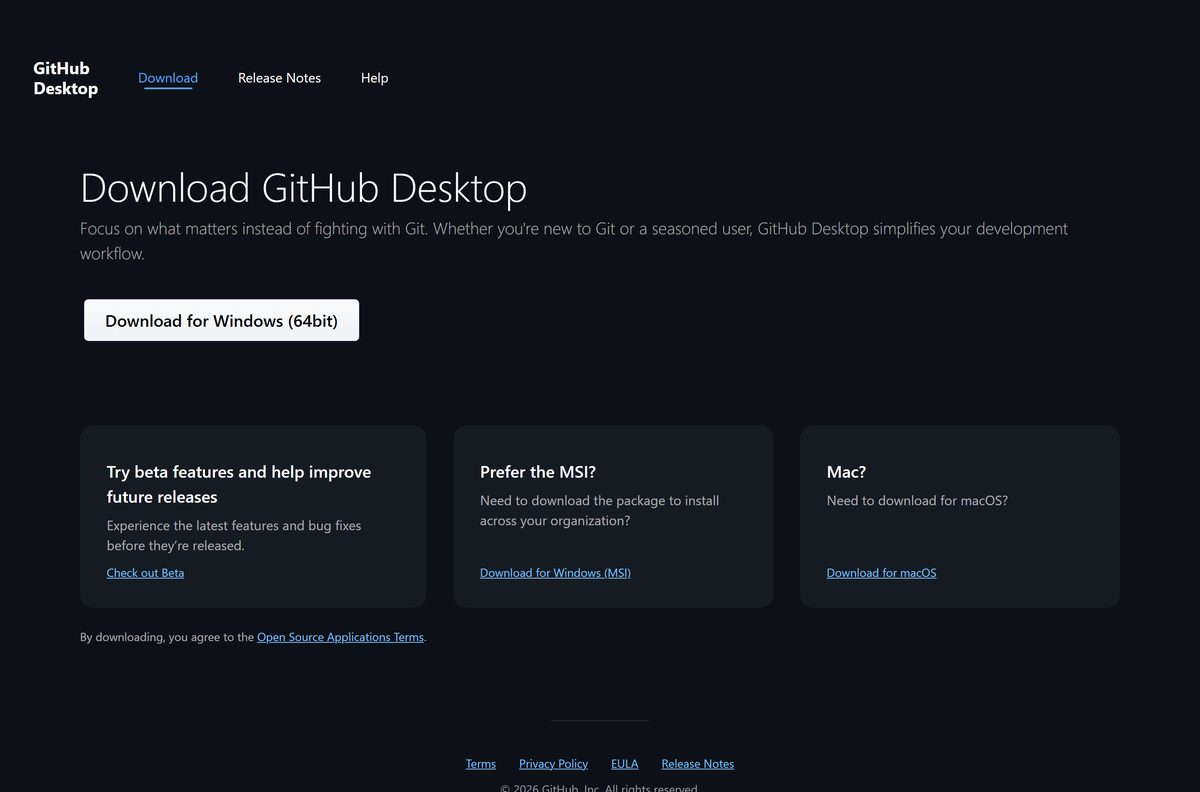
Download GitHub Desktop from the official GitHub sources
GitHub distributes the app from these pages. A copy from anywhere else is a repackaged file you cannot trace.
- GitHub Desktop download page — Windows (64bit), Windows (MSI), Apple silicon and Intel Mac buttons
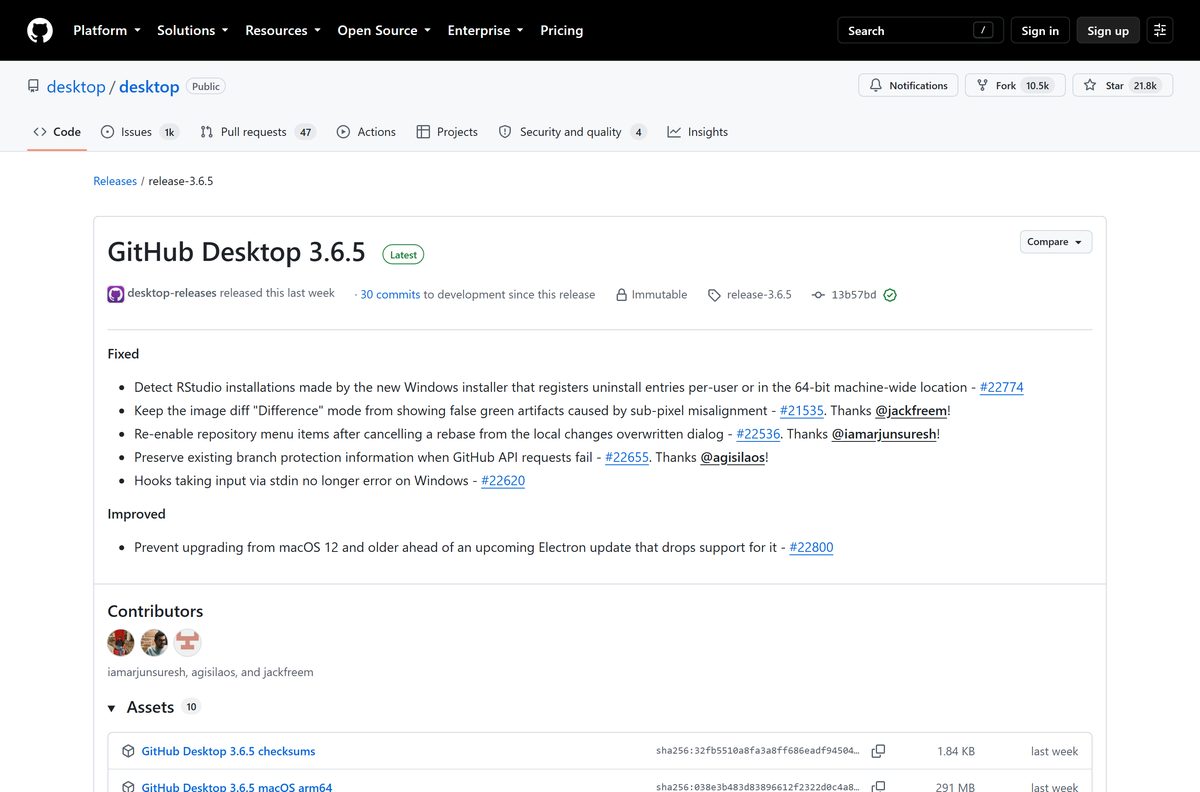
- GitHub Desktop release notes and files — every release with its checksum list, from the official desktop organisation
- GitHub Desktop source code — the open source project, MIT License
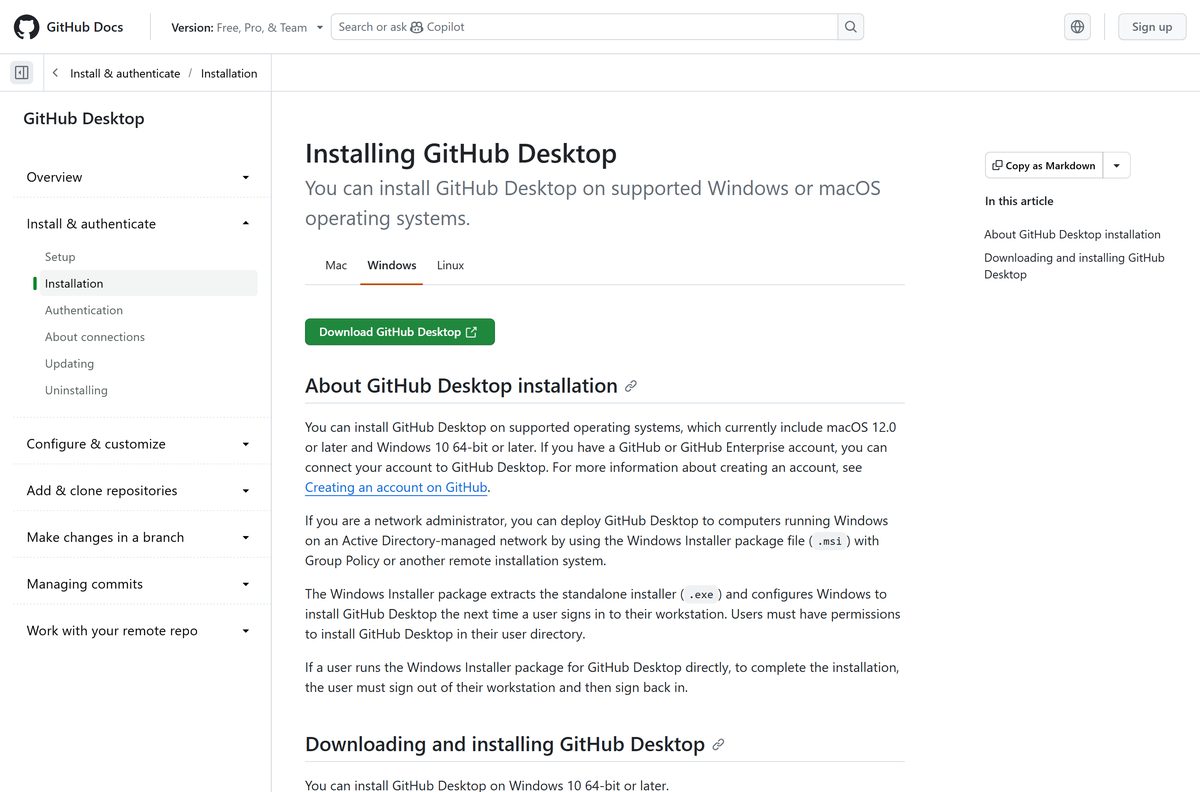
- Installing GitHub Desktop on GitHub Docs — supported systems and official install steps
- winget manifest for GitHub.GitHubDesktop — points winget at the same GitHub-hosted installers
The Windows setup file is a full offline installer. It contains the whole application, so the target PC needs no connection while it installs.
How to install GitHub Desktop on Windows 11 and 10
The standard installer puts the app in your own user directory, so each Windows account gets its own copy. There are no setup options to choose.
- Open the GitHub Desktop download page.
- Select Download for Windows (64bit). On an Arm PC, use the Arm64 link in the table above instead.
- Wait for the 293 MB GitHubDesktopSetup-x64.exe file to finish downloading.
- Open your Downloads folder and double-click the setup file.
- Wait while the installer unpacks. GitHub Desktop opens by itself when it finishes.
- Open the File menu, select Options and go to the Accounts pane.
- Select the Sign Into button for GitHub, then Continue With Browser.
- Enter your GitHub credentials in the browser, then follow the prompt back to GitHub Desktop.
Signing in is optional for local repositories. Pushing to GitHub, cloning private repositories and opening pull requests need a signed-in account, and GitHub only accepts sign-in through the browser.
Install GitHub Desktop with winget from the command line
Windows Package Manager installs the same GitHub-hosted file with one command. It suits scripted setups and fresh PCs.
- Right-click Start and select Terminal.
- Run winget install –id GitHub.GitHubDesktop -e to install the build that matches your processor.
- Accept the source agreement if winget asks on its first run.
- Wait for the Successfully installed message.
- Run winget upgrade –id GitHub.GitHubDesktop -e later to move to a newer release on demand.
The winget package lists both x64 and Arm64 installers, and the setup file accepts –silent for an unattended install.
Download the GitHub Desktop MSI package for deployment
The MSI is for administrators on Active Directory networks who push software with Group Policy or another remote installation system. It does not install the app directly.
Instead, it extracts the standard installer and configures Windows to install GitHub Desktop the next time each user signs in. It appears in installed apps as GitHub Desktop Deployment Tool.
| Package | Size | SHA-256 begins |
|---|---|---|
| GitHubDesktopSetup-x64.msi | 293 MB | 56d6d902eb49 |
| GitHubDesktopSetup-arm64.msi | 288 MB | 51cb4b8dfa25 |
A starting command for a silent machine-wide deployment is msiexec /i GitHubDesktopSetup-x64.msi /qn . Test it on one workstation before a wide rollout.
Users need permission to install into their own user directory. Someone who runs the MSI by hand must sign out and sign back in to finish the install.
How to verify the GitHub Desktop installer before you run it
Every release on GitHub carries a checksums file. Comparing the SHA-256 hash proves your download is the file GitHub built.
- Open the GitHub Desktop releases page and expand Assets under the newest release.
- Open the file ending in -checksums.txt and find the line for your installer.
- Press Windows + R, type cmd and select OK.
- Run cd %USERPROFILE%\Downloads , then certutil -hashfile GitHubDesktopSetup-x64.exe SHA256 .
- Compare the result with the checksums file character by character.
- Delete the file and download it again from desktop.github.com if the hashes differ.
For the current x64 setup file the hash is 582a09fb08f4e13362d186374c8c9e053210dff4327d469a1bdfbb0cc85de499 . The Arm64 setup file hashes to d7d727245691caba3bfc0210c374882682e5c54212db9de714495ebbddb6b1e7 .
Which GitHub Desktop download do you need for your Mac?
Open the Apple menu and select About This Mac. The Chip or Processor line decides which file you take.
| Your Mac says | Download | Size |
|---|---|---|
| Chip: Apple M1, M2, M3, M4 or later | GitHub Desktop for Apple silicon | 291 MB |
| Processor: Intel Core i5, i7 or i9 | GitHub Desktop for Intel | 314 MB |
| macOS 11 Big Sur or older | Not supported; macOS 12.0 is the minimum | None |
Double-click the zip file in Downloads, then double-click the GitHub Desktop app it unpacks. Drag the app into Applications so it stays put, and approve the prompt about an app downloaded from the internet.
Plan for a macOS upgrade if your Mac runs macOS 12. Release 3.6.5 blocks upgrades on macOS 12 and older ahead of an Electron update that drops support for it.
Is GitHub Desktop free?
Yes. GitHub Desktop is free for personal, school and commercial use. GitHub publishes it as open source under the MIT License, with no paid edition, trial or licence key. The app works with free GitHub accounts, paid GitHub plans and GitHub Enterprise, and it also manages local repositories with no account at all. Any site that sells a GitHub Desktop licence or a premium version is not GitHub.
How to check your GitHub Desktop version and update it
GitHub Desktop downloads updates automatically and installs them when you restart the app. A manual check forces it.
- On Windows, open the Help menu and select About GitHub Desktop.
- On a Mac, open the GitHub Desktop menu in the menu bar and select About GitHub Desktop.
- Read the version number shown in the window.
- Select Check for Updates.
- Quit and relaunch GitHub Desktop if an update is available, so it installs.
Your settings and tracked repositories carry over through every update.
Check the GitHub Desktop system requirements
The requirements are about the operating system, not the hardware. A 64-bit edition of Windows is mandatory.
| Field | Value |
|---|---|
| Software | GitHub Desktop |
| Developer | GitHub, Inc. |
| Latest version | 3.6.5, released 4 September 2026 |
| Licence | Free and open source, MIT License |
| Windows | Windows 10 64-bit or later, including Windows 11 |
| macOS | macOS 12.0 or later |
| Linux | Not supported by GitHub |
| Architecture | x64 and Arm64 on Windows; Apple silicon and Intel on Mac |
| Windows download size | 293 MB x64, 288 MB Arm64 |
| Mac download size | 291 MB Apple silicon, 314 MB Intel |
| Offline installer | Yes, the setup file holds the full app |
| Official download source | desktop.github.com |
| Last verified | 2026-09-13 |
The app manages repositories on its own. To run git commands in a terminal as well, install Git separately.
Fix GitHub Desktop not installing or updating
Windows says the app cannot run on this PC
GitHub Desktop needs a 64-bit edition of Windows 10 or later, and each file only runs on its own processor type.
- Press Windows + I and open System > About.
- Read System type. A 32-bit operating system cannot run GitHub Desktop.
- Download the Arm64 setup file if the line names an ARM-based processor.
- Download the x64 setup file if it names an x64-based processor.
The MSI ran but GitHub Desktop never appeared
The MSI only schedules the install for the next time a user signs in.
- Save your work and sign out of Windows.
- Sign back in with the same account.
- Wait for GitHub Desktop to install and open.
- Ask your administrator to confirm you can install apps into your user directory if it still does not appear.
The installer stops or the file looks damaged
An interrupted download leaves a file that fails part way through.
- Compare the SHA-256 hash with the checksums file on the releases page.
- Delete the file and download it again from desktop.github.com.
- Run the new file from your Downloads folder rather than from inside a zip or a network share.
A Mac will not update to a newer release
Upgrades are blocked on macOS 12 and older because an upcoming Electron update drops support for it.
- Open the Apple menu and select About This Mac to read your macOS version.
- Upgrade macOS through System Settings > General > Software Update if your Mac supports a newer release.
- Select Check for Updates in GitHub Desktop again after the upgrade.
How to uninstall GitHub Desktop
Removing the app leaves your repositories on disk. The folders you cloned stay wherever you put them.
- On Windows, open Control Panel from the Start menu.
- Under Programs, select Uninstall a program.
- Right-click GitHub Desktop and select Uninstall.
- If an MSI deployed it, also uninstall GitHub Desktop Deployment Tool so the app is not set up again at sign-in.
- On a Mac, open Finder, go to Applications, right-click GitHub Desktop and select Move to Trash.
- Select Finder > Empty Trash and confirm.
Windows 11 users can also remove it from Settings > Apps > Installed apps by selecting the three dots next to the entry.
Which tool should you use instead of GitHub Desktop?
GitHub Desktop covers the everyday commit, branch and pull request loop. Other official tools fit different habits.
| Tool | Cost | Best for |
|---|---|---|
| GitHub Desktop | Free, MIT License | A visual Git client with GitHub sign-in built in |
| GitHub CLI | Free, open source | Pull requests, issues and repositories from a terminal |
| Git on the command line | Free, open source | Full Git control and scripting on any system |
| Visual Studio Code source control | Free | Committing and branching inside the code editor; it needs Git installed |
| github.com in a browser | Free | Small edits and pull request reviews on a PC with nothing installed |
Install GitHub Desktop if you want Git without memorising commands. Choose the GitHub CLI if you already live in a terminal.
Other developer tools for Windows include Beyond Compare and Unreal Engine.
Frequently asked questions
Is GitHub Desktop free to download?
Yes. GitHub Desktop is free and open source under the MIT License. There is no paid edition, subscription or licence key, and it works with free GitHub accounts as well as paid plans.
Where is the official GitHub Desktop download?
The official download page is desktop.github.com/download, run by GitHub. The desktop organisation’s releases page on github.com carries the same files with checksums, and winget installs them with the ID GitHub.GitHubDesktop.
What is the GitHub Desktop download size?
The Windows x64 setup file is 293 MB and the Arm64 file is 288 MB. On a Mac, the Apple silicon zip is 291 MB and the Intel zip is 314 MB.
Does GitHub Desktop work on Windows 11?
Yes. GitHub supports Windows 10 64-bit or later, which includes Windows 11 on both x64 and Arm64 processors. A 32-bit edition of Windows cannot run it.
Is there a GitHub Desktop offline installer?
Yes. The standard Windows setup file contains the full application, so it installs without a connection once downloaded. Administrators can also use the MSI package for Group Policy deployment.
Is there a GitHub Desktop download for Mac?
Yes. GitHub offers separate zip files for Apple silicon and Intel Macs, and both need macOS 12.0 or later. Unzip the file and move the app into Applications.
Is GitHub Desktop available for Linux?
No. GitHub states that Linux is not supported, and it publishes builds only for Windows and macOS. On Linux, use Git on the command line or the GitHub CLI instead.
Which GitHub Desktop version is the latest?
GitHub Desktop 3.6.5, released on GitHub on 4 September 2026. The app updates itself when you restart it, and Help > About GitHub Desktop shows the version you run.
Is GitHub Desktop safe to download?
Yes, when it comes from desktop.github.com or the official releases page. Each release publishes SHA-256 checksums, so you can confirm the installer is the exact file GitHub built.
Does GitHub Desktop install Git?
GitHub Desktop handles its own Git operations, but it does not set up Git for your terminal. Install Git separately if you also want to run git commands on the command line.
Why is GitHub Desktop not installing?
The usual causes are a 32-bit Windows edition, the wrong processor build, or an MSI that is waiting for you to sign out and back in. Check System type, then download the matching file again.







How to Download Authy on Desktop - Techdows
[…] GitHub account uses two-factor authentication, re-enrol it early so you can keep signing in from GitHub Desktop, and do the same for the Docker Hub account behind Docker […]