The Google Earth Pro download is free from Google, with installers for Windows 11, Windows 10, Mac and Linux. Click Download Earth Pro on desktop on google.com/earth, run the file, and the 3D globe opens on your desktop.
Earth Pro is the desktop edition of Google Earth for advanced work. It imports and exports GIS data, shows historical imagery, and records tours with its movie maker.
This guide covers the official files, installing on Windows and Mac, the full standalone installers, winget, updates, fixes for Earth Pro not installing or crashing, and a clean uninstall.
Which Google Earth Pro download do you need?
Google publishes a separate file for each system. Press Windows + Pause, or open Settings > System > About, and read System type to see whether your Windows is 64-bit or 32-bit.
| Your machine | File to download | Size |
|---|---|---|
| Windows 11 or Windows 10, 64-bit | googleearthprowin-7.3.7-x64.exe | 96.1 MB |
| Windows 10, 32-bit | googleearthprowin-7.3.7.exe | 76.3 MB |
| Mac, Intel or Apple silicon | googleearthpromac-intel-7.3.7.dmg | 80.3 MB |
| Ubuntu or Debian, 64-bit | google-earth-pro-stable_7.3.7_amd64.deb | 53.8 MB |
| Fedora or openSUSE, 64-bit | google-earth-pro-stable-7.3.7.x86_64.rpm | 71.6 MB |
| Several Windows PCs, scripted | winget package Google.EarthPro | Same 64-bit installer |
Every file in this table is a full standalone setup hosted on dl.google.com. Google lists them on its Direct Installers page, so they double as the offline installer.
Check the Google Earth Pro system requirements
Earth Pro runs on modest hardware. Graphics support matters more than processor speed, because the globe draws through DirectX or OpenGL.
| Field | Value |
|---|---|
| Software | Google Earth Pro |
| Developer | Google LLC |
| Latest version | 7.3.7.1327 |
| Licence | Free |
| Windows | Windows 7 or later, including Windows 11 and Windows 10 |
| Mac | Mac OS 10.8 or later, 64-bit Intel processor |
| Linux | Ubuntu 14 or Fedora 23 or newer, 64-bit |
| Architecture | Windows x64 and x86; Mac Intel; Linux amd64. No ARM64 build |
| Windows 64-bit download size | 96.1 MB |
| Processor | 1 GHz minimum, 2 GHz dual-core recommended |
| Memory | 2 GB minimum, 4 GB recommended |
| Disk space | 2 GB minimum, 4 GB recommended |
| Graphics | DirectX 9 or OpenGL 1.4 minimum; DirectX 11 or OpenGL 2.0 recommended |
| Network | Internet connection required, high-speed recommended |
| Offline installer | Yes, on Google’s Direct Installers page |
| Official download source | google.com/earth |
| Last verified | 2026-09-13 |
Download Google Earth Pro from the official Google page
The download button lives on the Earth Versions page at google.com. Clicking it opens Google’s terms, and Accept & Download starts the file. A copy from any other host is a third-party copy.
- Google Earth Versions page — Download Earth Pro on desktop button
- Google Earth Pro Direct Installers page — standalone Windows, Mac and Linux files for current and older releases
- Google Earth Pro release notes — changes in each 7.3 release
- Install and uninstall Google Earth Pro — Google’s own install guide
The main button delivers the build that installs recommended updates automatically. Google notes that some direct installers do not auto-update.
How to install Google Earth Pro on Windows 11 and 10
Sign in with an administrator account, and keep the PC online during setup.
- Open the Google Earth Versions page and click Download Earth Pro on desktop.
- Read the terms in the Download Google Earth Pro window.
- Untick the usage statistics box if you do not want crash reports sent to Google.
- Click Accept & Download.
- Open your Downloads folder and double-click the installer.
- Select Yes at the User Account Control prompt.
- Follow the prompts until setup finishes.
- Open Google Earth Pro from the Start menu and type a place in the Search box.
Install Google Earth Pro with winget
Earth Pro is not in the Microsoft Store, but Windows Package Manager carries it under the ID Google.EarthPro . winget pulls the installer from dl.google.com.
- Right-click Start and select Terminal (Admin).
- Run winget install –id Google.EarthPro -e and accept the source agreement if asked.
- Check that the package name reads Google Earth Pro before the download starts.
- Wait for Successfully installed to appear.
- Run winget upgrade –id Google.EarthPro -e later to move to a newer release.
The winget package installs machine-wide and picks the 64-bit or 32-bit build to match your Windows.
How to verify the Google Earth Pro installer
The Windows installer carries Google’s digital signature. Two checks confirm the file on your PC is genuine.
- Right-click the downloaded installer and select Properties.
- Open the Digital Signatures tab and confirm the signer is Google.
- Open Terminal in your Downloads folder.
- Run Get-FileHash .\googleearthprowin-7.3.7-x64.exe -Algorithm SHA256 .
- Compare the result with 12955495FB4357C88D18B2665513A5ADADDA0724152147529CA853C80354422B , the hash Microsoft’s winget index lists for the 64-bit 7.3.7.1327 installer.
- Delete the file if the signature tab is missing or names another company.
A different hash on a file from dl.google.com usually means Google has shipped a newer build. Check the signature in that case.
Which Google Earth Pro download do you need for your Mac?
Google ships one Mac build, compiled for Intel processors. Open the Apple menu and select About This Mac to see your chip and macOS version.
| Your Mac | Download | What to do |
|---|---|---|
| Intel processor | googleearthpromac-intel-7.3.7.dmg | Open the DMG and run the package |
| Apple M1, M2, M3 or M4 | googleearthpromac-intel-7.3.7.dmg | Install Rosetta when macOS asks |
| Apple silicon Mac without Rosetta | Apple’s Rosetta guide | Connect to the internet, then open the app |
Open GoogleEarthProMac-Intel.dmg, then open Install Google Earth Pro.pkg and follow the installer. Launch the app from Applications. On Apple silicon, macOS offers to install Rosetta the first time you open it.
Is Google Earth Pro free?
Yes. Google Earth Pro is free, and it no longer needs a licence key. Earth Pro was once a paid product with its own key. Google made it free and now offers it as a plain download with no sign-in or trial. A site that sells an Earth Pro key, a ‘full version’ or an ‘activated’ copy is selling something Google does not charge for. The paid Google Earth Professional plans are a separate web product on Google Cloud, not this desktop app.
Should you install Google Earth Pro or use Google Earth on web?
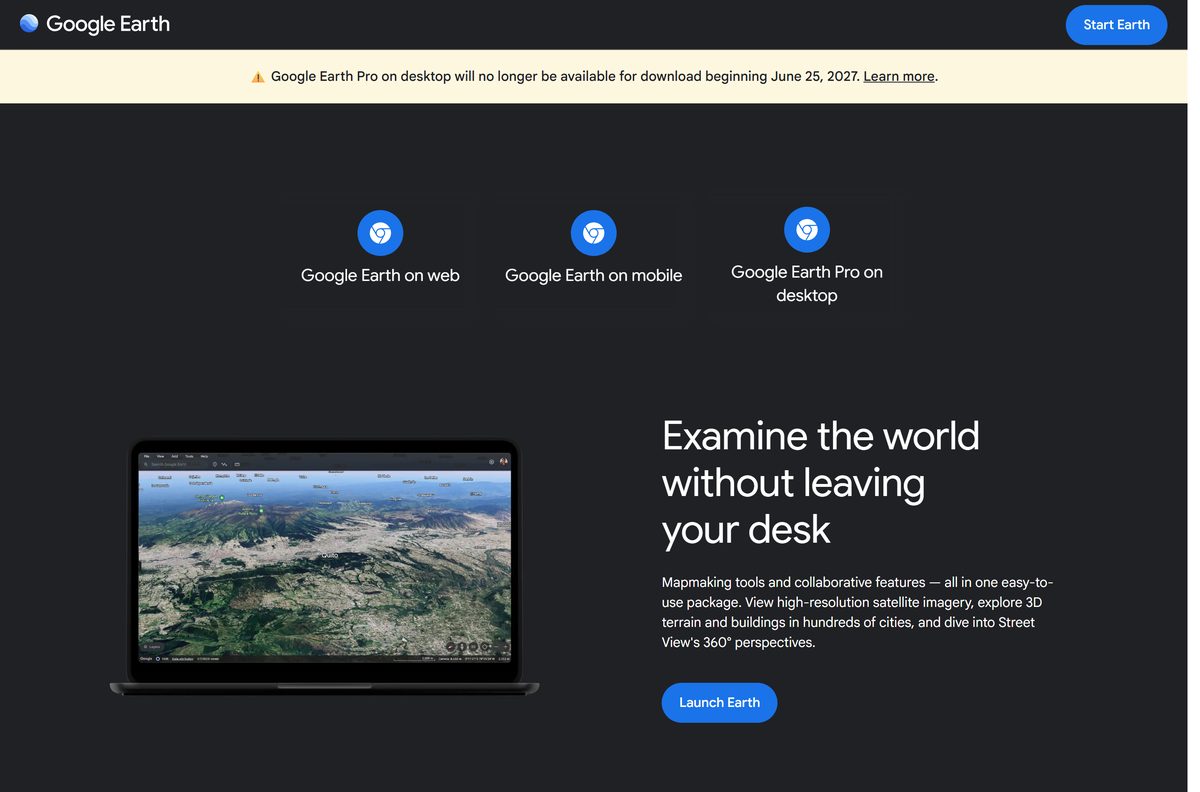
Install Earth Pro now if you need desktop GIS tools. Use Google Earth on web for everyday browsing. Google will stop offering Earth Pro for new downloads beginning June 25, 2027. Copies installed before that date keep working afterwards, so there is nothing to lose by installing today. Google Earth on web already has historical imagery, historical Street View, measurement tools and shapefile import, and it runs in Chrome with nothing to install.
How to check your Google Earth Pro version and update it
The build from the main download button installs recommended updates on its own. A manual check helps on a PC set up from a direct installer.
- Open Google Earth Pro.
- Click Help in the menu bar, then About Google Earth.
- Read the version number in the window that opens.
- Compare it with the newest release on the release notes page.
- Download the matching file from the Direct Installers page and run it over the current copy if yours is older.
- On Windows, run winget upgrade –id Google.EarthPro -e in Terminal instead.
Fix Google Earth Pro not installing or crashing
The installer says it is not a valid Win32 application
The 64-bit installer does not run on 32-bit Windows, or the download did not finish.
- Open Settings > System > About and read System type.
- Download googleearthprowin-7.3.7.exe on a 32-bit system.
- Delete the old file and download again if Windows is 64-bit.
- Right-click the new file and select Run as administrator.
Earth Pro crashes or shows a blank globe
Cached map data or advanced graphics settings the graphics driver cannot handle.
- Open Earth Pro and click Help > Launch Repair Tool.
- Choose Google Earth Pro if you are asked which product to repair.
- Close Earth Pro and leave the Repair Tool open.
- Click Clear disk cache, then Turn on Safe Mode.
- Open Earth Pro again.
Parts of the globe draw incorrectly on Windows
The current graphics mode does not suit your graphics card.
- Click Help > Launch Repair Tool in Earth Pro, then close Earth Pro.
- Click Switch between OpenGL and DirectX.
- Update your graphics card driver from the PC or card maker.
- Open Earth Pro again.
The globe keeps spinning on its own
A connected 3D mouse or game controller is not calibrated.
- Open Tools > Options and select the Navigation tab.
- Untick Enable Controller.
- Click OK and restart Earth Pro.
How to uninstall Google Earth Pro
Save any places you want to keep first. Right-click My Places in the sidebar and choose Save Place As to export them as a KMZ file.
- Close Google Earth Pro.
- On Windows 11 or 10, open Settings > Apps > Installed apps.
- Find Google Earth Pro, select the three-dot menu, then Uninstall.
- Confirm with Uninstall and select Yes at the User Account Control prompt.
- On a Mac, open Applications, right-click Google Earth Pro and select Move to Trash.
- From Terminal on Windows instead, run winget uninstall –id Google.EarthPro -e .
Reinstalling before June 25, 2027 is simple. After that date, keep the standalone installer file if you expect to set Earth Pro up again.
Which Google Earth app to use instead of Earth Pro
Google moves new Earth features to the web and mobile apps first. Each one suits a different job.
| App | Runs on | Use it for |
|---|---|---|
| Google Earth on web | Chrome and other browsers | Browsing, projects, historical Street View, measuring |
| Google Earth for Android | Android phones and tablets | Exploring and adding placemarks on the go |
| Google Earth for iPhone and iPad | iOS and iPadOS | The same mobile features on Apple devices |
| Google Earth Pro on desktop | Windows, Mac, Linux | GIS import and export, movie maker, printing |
Install Earth Pro for GIS files, high-resolution printing or recorded tours. Use Google Earth on web for everything else.
Other phone and media apps for PC include Lorex Home and Strava.
Frequently asked questions
Is Google Earth Pro free?
Yes. Google Earth Pro is free from Google, with no licence key, trial or subscription. The paid Google Earth Professional plans are a separate web product, not the desktop app.
Where is the official Google Earth Pro download page?
The official page is google.com/earth/about/versions. Its Download Earth Pro on desktop button opens Google’s terms, and Accept & Download starts the file. Standalone files sit on Google’s Direct Installers help page.
Does Google Earth Pro work on Windows 11?
Yes. Google supports Earth Pro on Windows 7 and later, which includes Windows 11 and Windows 10. The same 64-bit installer covers both, and a 32-bit installer covers 32-bit Windows 10.
How big is the Google Earth Pro download?
The 64-bit Windows installer is 96.1 MB and the 32-bit one is 76.3 MB. The Mac disk image is 80.3 MB, and the Linux packages are 53.8 MB (.deb) and 71.6 MB (.rpm).
Is there a Google Earth Pro offline installer?
Yes. Google’s Direct Installers page lists full standalone setup files for Windows, Mac and Linux, hosted on dl.google.com. Some of those direct installers do not update automatically, so check for newer releases yourself.
Is Google Earth Pro available for Mac?
Yes. Google ships Earth Pro for Mac as an 80.3 MB disk image built for Intel processors. It needs Mac OS 10.8 or later, and Apple silicon Macs run it through Rosetta.
Is there a 64-bit or ARM64 version of Google Earth Pro?
Google publishes 64-bit and 32-bit installers for Windows and 64-bit packages for Linux. There is no ARM64 build for Windows, and the Mac build is Intel-only.
Is Google Earth Pro safe to download?
Yes, from google.com or dl.google.com. The Windows installer carries Google’s digital signature, visible under Properties > Digital Signatures. Copies from download portals are the risk, so avoid them.
What is the latest version of Google Earth Pro?
Google Earth Pro 7.3.7 is the newest release, and Microsoft’s winget index lists build 7.3.7.1327. Its release notes list Google Earth 10 KML compatibility improvements and gx:CascadingStyle support.
Why is Google Earth Pro not installing?
A 64-bit installer on 32-bit Windows or an incomplete download is the usual cause. Check System type in Settings > System > About, download the matching file again and run it as administrator.
Can you still download Google Earth Pro after June 25, 2027?
No. Google stops offering Earth Pro for new downloads beginning June 25, 2027. Copies installed before then keep working after that date, and Google Earth on web and mobile remain available.
Does Google Earth Pro work offline?
Earth Pro needs an internet connection, according to Google’s system requirements, because it streams imagery as you move. Its disk cache holds recently viewed areas, and the Repair Tool can clear that cache.
How do I uninstall Google Earth Pro?
On Windows, open Settings > Apps > Installed apps, select Google Earth Pro and choose Uninstall. On a Mac, open Applications, right-click Google Earth Pro and select Move to Trash.






