The fastest way to open a Word document without Word is Word for the web: upload the file to OneDrive with a free Microsoft account and it opens in your browser, ready to read or edit.
The other routes below cover Google Docs, TextEdit, LibreOffice, Apple Pages, the free Word and Google Docs phone apps, online converters, and what happened to WordPad, Word Mobile and Word Viewer.
1. Word Online
Word Online is now called Word for the web. It is free with a Microsoft account, works in any modern browser and is made by Microsoft.
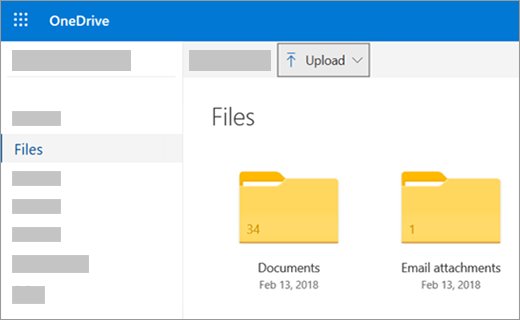
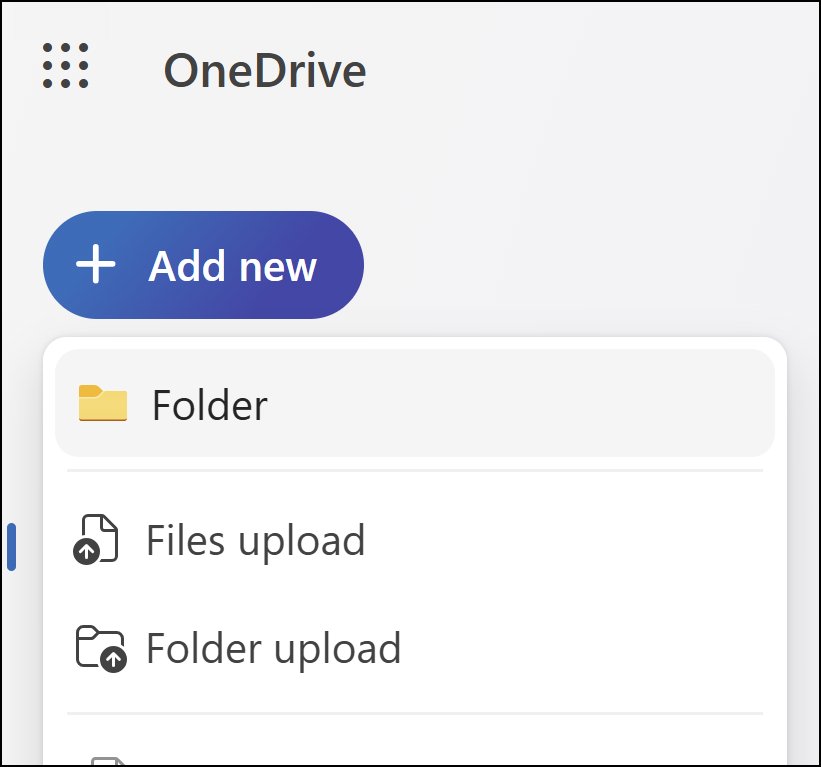
- Go to onedrive.com and sign in with your Microsoft account, or create one with any email address.
- Select Upload, choose the .docx or .doc file, and select Open.
- Select the uploaded file to open it in Word for the web.
- To make changes, select Edit Document > Edit in the upper-right corner.
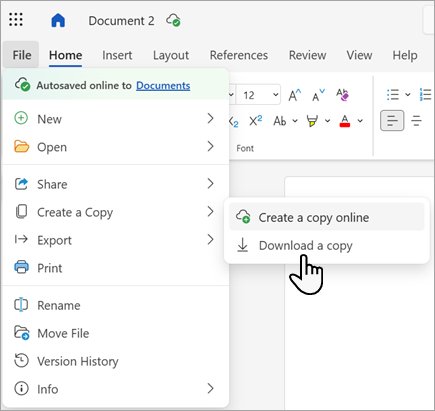
- To get the edited file back on your PC, select File > Create a Copy > Download a copy.
A free account includes 5 GB of OneDrive storage, and documents you edit save to OneDrive automatically. You can also drag the file from File Explorer or Finder straight onto the OneDrive page.
Free app to open a DOCX file on Windows, Mac, Android and iPhone
Match your device and what you need to do with the file.
| Your situation | Use this | Why |
|---|---|---|
| Windows PC, quick read or light edit | Word for the web | Free, made by Microsoft, nothing to install |
| Already use Gmail or Google Drive | Google Docs | Opens the file in Office Compatibility Mode inside Drive |
| Windows PC, offline, no Microsoft account | LibreOffice | Free desktop suite that also saves back to .docx |
| Mac, just need to read it | TextEdit | Built into macOS, opens Word files with File > Open |
| Mac, need layout and tables to survive | Apple Pages | Free, opens .doc and .docx and exports back to Word |
| Android phone | Word app or Google Docs app | Both are free and open Word files directly |
| iPhone | Word app or Pages | Pages is often already installed and opens .docx files |
| Shared PC where you cannot install anything | Word for the web or Google Docs | Both run in the browser |
2. Google Docs
Google Docs edits Word files through Office Compatibility Mode (OCM), which keeps them as Office files. You can also convert a file to Google Docs format to work on it with others in real time.
- On your computer, go to drive.google.com and sign in with your Google Account.
- Click New > File Upload at the top left.
- Choose the Word document and wait for the upload to finish.
- Open the file from Drive. OCM lets you read and edit it without converting.
- To convert every Word file you upload, go to drive.google.com/drive/settings and check Convert uploads to Google Docs editor format.
Word attachments in Gmail open the same way, because OCM also works inside Gmail. To keep working without an internet connection, turn on Google Docs offline in Chrome first.
3. WordPad & TextEdit
WordPad is removed from all editions of Windows starting with Windows 11, version 24H2. On Windows 10 and older Windows 11 releases it is still installed, while TextEdit ships with every Mac.
- On a Mac, open the TextEdit app.
- Choose File > Open.
- Select the Word document, then click Open.
- To keep it as a Word file after editing, choose File > Save, pick a Word format in the File Format pop-up menu, and click Save.
- On Windows 10 or Windows 11 before version 24H2, right-click the document, select Open with, and choose WordPad.
TextEdit can also export the document as a PDF from File > Export as PDF. For complex layouts, Apple points users to Pages instead.
4. OpenOffice or LibreOffice
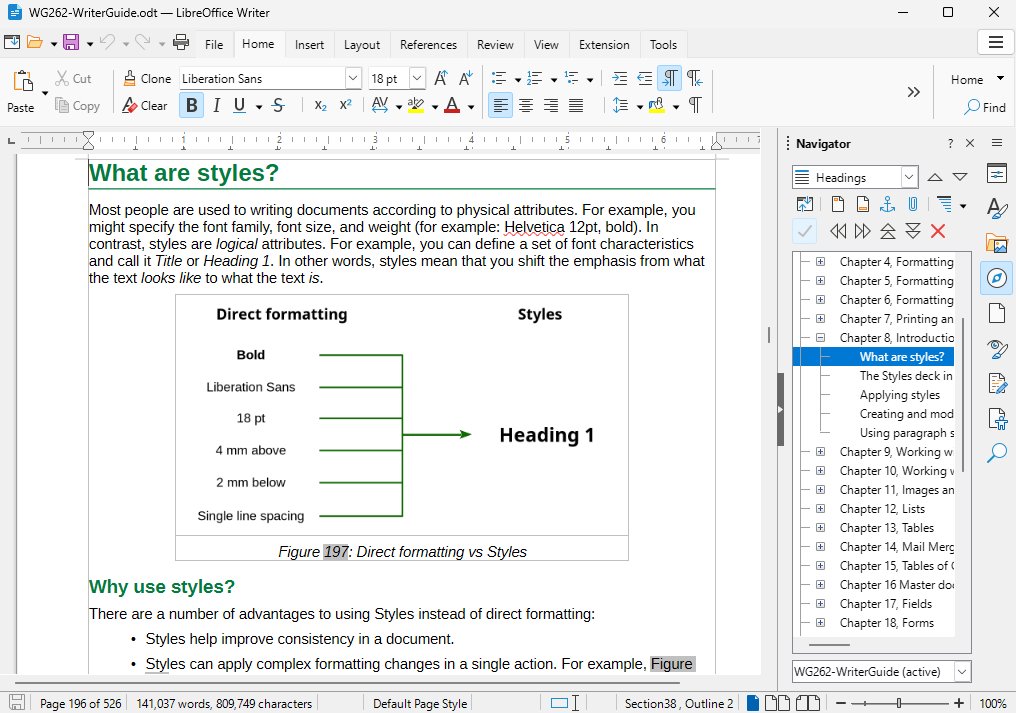
Both are free desktop office suites with a Writer word processor, and both open .doc and .docx files offline. They differ in maintenance and in saving back to Word's modern format.
- Install LibreOffice from libreoffice.org, or Apache OpenOffice from openoffice.org.
- Open LibreOffice Writer or OpenOffice Writer.
- Choose File > Open and select the Word document.
- Edit the file as needed.
- In LibreOffice, save in Word format to keep a .docx. OpenOffice can save in the older Word format but cannot export .docx.
The LibreOffice project lists OpenOffice's last major release as version 4.1 in April 2014 and recommends LibreOffice because it gets regular security updates. LibreOffice also offers 64-bit Windows and Apple silicon builds, which OpenOffice does not.
5. Apple Pages
Pages is Apple's word processor for Mac. It opens and edits .doc and .docx files and can save your changes as a Word document again.
- Open Finder and find the Word document.
- Drag the document onto the Pages icon in the Dock or the Applications folder. Double-clicking it opens Word instead if Word is installed.
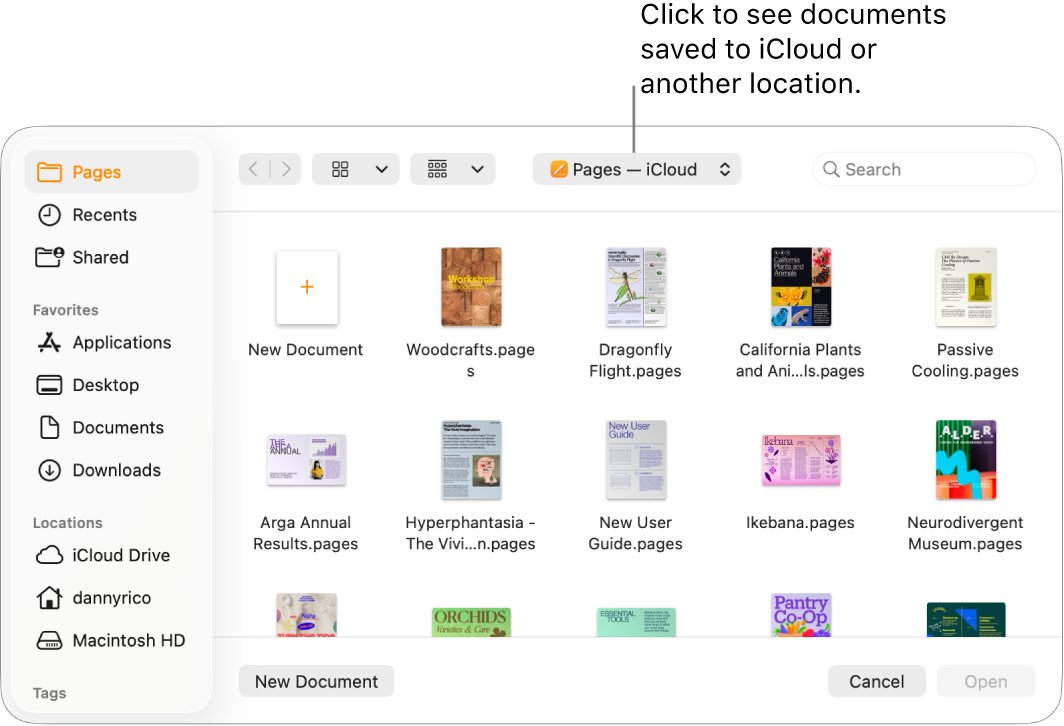
- Or open Pages and choose File > Open, pick the location, and double-click the document.
- If a missing font notification appears, click it, or choose Format > Font > Replace Fonts.
- To send it back as a Word file, choose File > Export To > Word, then click Save.
6. Word for Android & iOS
Microsoft's Word app reads Word files on any phone or tablet. With a free Microsoft account you also get basic editing on devices with screens under 10.1 inches.
- Install Microsoft Word from Google Play or the App Store.
- Sign in with a free Microsoft account, or your work or school account.
- Open the document from your phone's storage, OneDrive or an email attachment.
- Edit it on a phone or small tablet, or just read it on a larger tablet.
On larger screens, such as a 12.9-inch iPad Pro, editing needs a qualifying Microsoft 365 plan with the desktop apps. Microsoft also points phone users to the Microsoft Copilot app, for viewing, creating and editing documents.
7. Docs (Android) & Pages (iOS)
Google Docs for Android and Pages for iPhone both open Word documents without converting them first.
- On Android, open the Word file in the Google Docs app or from Google Drive. OCM is built into the app, so you can edit straight away.
- To save an edited Google Doc as Word on Android, tap More next to the file, choose Share & export, then Save as Word.
- On iPhone, open Pages and tap Browse or Recents at the bottom of the screen.
- Tap the Word document's thumbnail to open it.
- Tap Edit at the top of the screen if the file opens in reading view.
Pages on iPhone also opens .rtf and .txt files and can save your edits as a Word document, a PDF or an EPUB.
8. Smallpdf & ZamZar
Smallpdf and Zamzar are third-party websites that convert a Word file into another format, usually PDF, so any device can display it. They are converters, not editors, and the file is uploaded to the company's servers.
- Open the converter's site in your browser.
- Upload the .doc or .docx file.
- Choose PDF as the output format.
- Download the converted file and open it in your browser or PDF reader.
Keep confidential documents off any third-party converter. Word for the web and Google Docs keep the file inside an account you control.
9. Word Mobile (Windows only)
Word Mobile, the touch app for Windows 10, is no longer available in the Microsoft Store, and its support ended on October 14, 2025. It gets no updates or security fixes.
| Your situation | Do this | Why |
|---|---|---|
| Word Mobile is still installed | Uninstall it and use Word for the web | Microsoft warns unsupported software can bring security risks |
| You want a free Word app on a Windows tablet | Use Word for the web in Edge or another browser | The Store no longer offers Word Mobile |
| You need the full desktop app | Use Word in a Microsoft 365 plan | It is the supported Windows version of Word |
Is Microsoft Word Viewer still available?
No. Microsoft's free Word Viewer can no longer be downloaded and receives no security updates.
Use Word for the web or the Word mobile app instead of Word Viewer. Microsoft's own replacement advice is to upload the document to OneDrive or Dropbox and open it in Word for the web, or install the Word app from Google Play, the App Store or the Microsoft Store.
Can't open or edit a Word document without Word
Find the message or behavior you see below.
WordPad is missing in Windows 11
Microsoft removed WordPad from all editions of Windows starting with Windows 11, version 24H2.
- Open the document in Word for the web through onedrive.com.
- Or install LibreOffice for an offline editor.
- Use Notepad only for plain .txt files, as Microsoft recommends.
A .doc file opens read-only in Word for the web
Word for the web only views files in the older .doc format.
- Open the document and select Edit Document > Edit.
- Select Convert when prompted. Word makes a .docx copy of the file.
- Select Edit to keep working on the .docx copy.
The Edit option is unavailable in Word for the web
The person who created the document may not allow editing.
- Select File > Create a Copy.
- Save the copy under another name.
- Edit the copy, or ask the owner to make the Word document editable.
The Word document is dimmed in Pages
A dimmed file is one Pages cannot open, or Pages is out of date.
- Update Pages from the Mac App Store.
- Try opening the file again with File > Open.
- If it stays dimmed, open it in TextEdit or Word for the web instead.
Word app lets you view but not edit on an iPad
Free editing in the Word mobile app is limited to screens under 10.1 inches.
- Open the file in Word for the web in Safari instead.
- Or sign in with a qualifying Microsoft 365 plan that includes the desktop apps.
Open Word document without Word FAQ
How can I open a Word document for free?
Use Word for the web. Sign in at onedrive.com with a free Microsoft account, upload the file and select it. It opens in your browser, and you can edit it with Edit Document > Edit and download a copy when you finish.
Is Word for the web really free?
Yes. Microsoft offers the web versions of Word, Excel and PowerPoint free with a Microsoft account, plus 5 GB of OneDrive storage. Free web apps get security updates but not new features, and there is no technical support.
Can Google Docs open DOCX files?
Yes. Upload the file to Google Drive and open it, and Office Compatibility Mode lets you edit it as a Word file. You can also convert it to Google Docs format to collaborate in real time.
How do I open a Word document on a Mac without Word?
Use TextEdit, which is built into macOS, or Apple Pages. In TextEdit choose File > Open. For Pages, drag the file onto the Pages icon, because double-clicking opens Word if it is installed.
Does Windows 11 still have WordPad?
Not from version 24H2 onward. Microsoft removed WordPad from all editions of Windows starting with Windows 11, version 24H2, and Windows Server 2025. Windows 10 and older Windows 11 releases still include it.
Can LibreOffice save a file as DOCX?
Yes. LibreOffice exports to Microsoft's OOXML formats, including .docx, so you can send the edited file back to someone who uses Word. Apache OpenOffice can open .docx files but cannot export them.
Can I edit a Word document on my phone for free?
Yes, on a phone or small tablet. The Word app gives free basic editing on screens under 10.1 inches with a Microsoft account. Google Docs for Android and Pages for iPhone also edit Word files free.
Can I still download Word Mobile for Windows?
No. Word Mobile is no longer available in the Microsoft Store, and support ended on October 14, 2025. Microsoft recommends uninstalling it and using Word for the web or a Microsoft 365 plan instead.
It's easy to open a Word document without Word installed
Start with Word for the web, and keep LibreOffice or Pages for offline work. Word for the web is Microsoft's own editor and costs only a free account. LibreOffice covers Windows PCs without internet access and saves back to .docx, while Pages and TextEdit already sit on every Mac. If you plan to keep the file, you can make a copy of the Word document before editing it in another app.