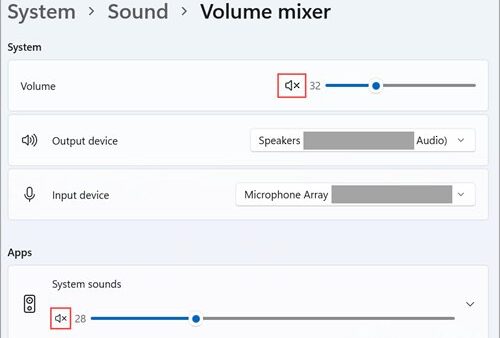
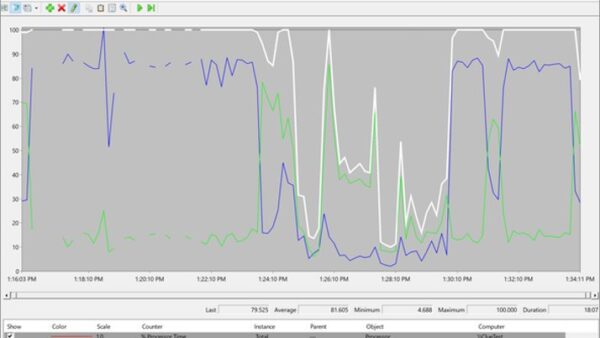
Windows 11 26H2 does not change gaming or general performance compared with an up-to-date 25H2 PC, because Microsoft says 24H2, 25H2 and 26H2 share an identical set of system files and 26H2 only switches on features already delivered.
This guide lists the changes that do affect speed, games and gear, how to check Game Mode and memory use after updating, and how to fix the game and audio problems Microsoft has documented.
Does Windows 11 26H2 change gaming performance?
The 26H2 enablement package, KB5121794, is a switch rather than new code. The code behind 26H2 arrives in the same monthly cumulative updates that 24H2 and 25H2 PCs receive, so frame rates and load times follow your monthly updates and drivers, not the version label.
Expect the same gaming performance on 26H2 as on a fully updated 25H2 PC, and judge any difference by your GPU driver and game patches instead. Microsoft documents 24H2, 25H2 and 26H2 as one core operating system with identical system files, and neither the 26H2 feature list nor its launch cumulative update lists a gaming or graphics performance change.
Performance changes Microsoft documents for 26H2
The changes below reached 24H2 and 25H2 through monthly updates during 2026 and are part of the 26H2 release. None is a benchmark claim; each is a reliability or responsiveness fix Microsoft names.
| Area | What changed | Who notices |
|---|---|---|
| File Explorer | File Explorer Home launches faster and is more responsive | Everyone |
| Windows Update | Eligible updates install together with the monthly security update to cut the number of restarts | Everyone, especially PCs left on overnight |
| Sleep | A PC put to sleep by hand returns to sleep after an update finishes, even when automatic sleep is set to Never | Desktop gaming PCs that never sleep on their own |
| Bluetooth | Better LE Audio, voice call and reconnection-after-hibernation behavior | Wireless headset users |
| USB4 docks | More reliable displays on USB4 docks and hubs after standby | Laptop gamers on docks |
| Task Manager | Optional NPU columns and NPU memory columns, plus GPU neural engines on the Performance page | Copilot+ PC and NPU owners |
| Camera | Multi-App Camera lets several apps use the camera stream at once | Streamers running a capture app and a chat app together |
Gaming changes that shipped during the 26H2 cycle
Microsoft's gaming-related entries for this cycle are fixes and driver rules, not new game features. The driver rule is the one most likely to affect an older gaming PC.
| Change | When | What it means for games |
|---|---|---|
| GPU crash fix for dxgmms2.sys KERNEL_SECURITY_CHECK_FAILURE on certain GPU configurations | January 2026 preview update | Fewer system errors on the affected GPU setups |
| Eligibility fix for the full-screen gaming experience | February 2026 security update | Devices that should qualify for the full-screen experience are detected correctly |
| Block on the inpoutx64 driver used by some RGB lighting tools | From 26 August 2026, and in September 2026 updates | Stops ARC Raiders and similar games from freezing or closing with EXCEPTION_ACCESS_VIOLATION |
| Default trust for cross-signed kernel drivers removed | 26H2 feature set | Old utilities with cross-signed drivers may stop loading once enforcement starts; Windows audits for at least 100 hours and three restarts first |
The Windows 11 26H2 update also brings non-gaming additions.
Should gamers install 26H2 now or wait?
| Your setup | What to do | Why |
|---|---|---|
| Windows 11 25H2, fully updated, no issues | Install 26H2 when Windows Update offers it | Performance stays the same and support runs to October 2028 |
| Windows 11 24H2 Home or Pro | Install 26H2 soon | 24H2 Home and Pro stop getting updates on 13 October 2026 |
| USB Audio Class 1.0 headset or DAC | Wait, or keep a backup audio device ready | Some of these devices show Code 10 or no sound on 26H2 |
| Old RGB, fan-control or overclocking tools with cross-signed drivers | Update those tools from the vendor first | 26H2 removes default trust for cross-signed drivers after an audit period |
| Competitive player mid-season | Install between sessions, not before a match | The update needs a restart and Windows Update may add drivers afterwards |
How to check Game Mode after updating to 26H2
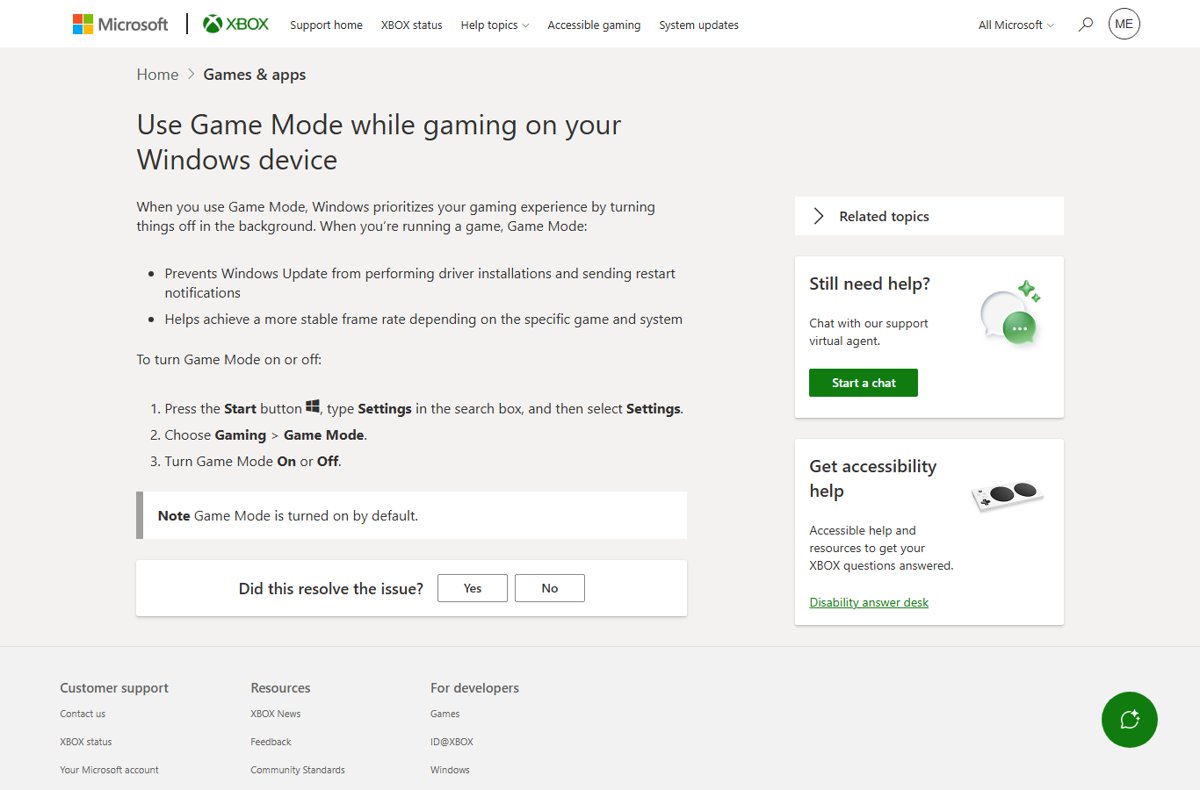
Game Mode is on by default and stays on through the update. While a game runs, it stops Windows Update from installing drivers and sending restart notifications.
- Select Start, type Settings and open it.
- Select Gaming.
- Select Game Mode.
- Make sure the Game Mode toggle is On.
How to check Windows 11 26H2 memory usage
Microsoft documents no memory change in 26H2. If memory use looks higher after the update, find the process responsible instead of blaming the version.
- Press Ctrl + Shift + Esc to open Task Manager.
- Select Processes.
- Select the Memory column header to sort by memory use.
- Note the top processes and whether they belong to Windows, a game launcher or an app you installed.
- Select Performance, then Memory, to see total use and how much is in use versus available.
- On a PC with an NPU, right-click a column header on Processes and add the NPU column to see AI workloads.
How to confirm your PC is running 26H2
- Press Windows + R, type
winverand press Enter. - Check that the window shows Version 26H2.
- Check that the OS build starts with 26300. A build starting 26200 is 25H2 and 26100 is 24H2.
If 26H2 has not been offered yet, there are several official ways to install 26H2.
Fix game and audio problems on Windows 11 26H2
A game freezes, closes or shows EXCEPTION_ACCESS_VIOLATION on launch
An inpoutx64 driver installed by some RGB lighting hardware or software conflicts with certain games.
- Open Settings > Windows Update and install all available updates, then restart.
- Launch the game again. On affected PCs, Windows shows a message that the inpoutx64 driver was disabled, and the game then starts normally.
- If the PC is managed by work or school IT, ask the admin to apply Microsoft's documented workaround, because the block does not reach managed devices automatically.
- Update or remove the RGB lighting software from its maker's site.
USB headset or DAC has no sound or shows Code 10 in Device Manager
A known 26H2 issue affects some USB Audio Class 1.0 devices.
- Open Device Manager and check the device for This device cannot start (Code 10).
- Switch to another output, such as HDMI, Bluetooth or the motherboard audio jack, in the sound settings.
- Install new updates as they arrive; Microsoft says a fix is coming in a future Windows update.
Memory usage looks higher after the 26H2 update
26H2 adds no documented memory change, so a specific process is usually responsible.
- Open Task Manager with Ctrl + Shift + Esc and sort Processes by Memory.
- Close or update the app at the top of the list.
- Restart the PC and compare again after background update work finishes.
An RGB, fan or overclocking utility stops working after a few days
26H2 removes default trust for cross-signed kernel drivers once its audit period ends.
- Check the utility maker's site for a version with a Windows Hardware Compatibility Program signed driver.
- Install the updated version and restart.
- Remove the old utility if no updated version exists.
Frequently Asked Questions
Does Windows 11 26H2 improve gaming performance?
No documented gaming performance change exists in Windows 11 26H2. Microsoft says 24H2, 25H2 and 26H2 share identical system files, and the 26H2 feature list and launch update contain no gaming or graphics performance item.
Is Windows 11 26H2 faster than 25H2?
Not in any way Microsoft measures or claims. Both versions run the same code once fully updated. The 26H2 enablement package only activates features and changes the version number, so speed depends on monthly updates and drivers.
Does Windows 11 26H2 use more memory?
Microsoft documents no change to memory use in 26H2. If memory use rises after updating, open Task Manager, sort Processes by Memory and deal with the specific app at the top.
Is Windows 11 26H2 good for gaming?
Windows 11 26H2 games the same as an up-to-date 25H2 PC. Its practical benefits for gamers are longer support, to October 2028 on Home and Pro, and fixes such as the inpoutx64 driver block for crashing games.
Does Windows 11 26H2 change Game Mode?
No. Game Mode stays in Settings > Gaming > Game Mode, is on by default, and still stops Windows Update from installing drivers or showing restart notifications while a game runs.
Can Windows 11 26H2 break my games or drivers?
It can affect old utilities that use cross-signed kernel drivers, because 26H2 removes their default trust after an audit period. Some USB Audio Class 1.0 devices also have a known sound issue on 26H2.
Bottom line
Update to 26H2 for support and fixes, not for frame rates, and check old RGB or fan-control software and USB audio gear first. The version shares its system files with 25H2, so performance is unchanged, while the real risks are the cross-signed driver trust change and a known USB audio issue.