Your Microsoft account is the email address or phone number listed under Settings > Accounts on a Windows PC you already use, and its password is never displayed anywhere, so you either read a saved copy in Microsoft Password Manager or reset it.
This guide covers every place the account name shows up, the username lookup, the password reset, recovery codes, and fixes for passkeys, child accounts and blocked sign-ups.
Where do I find my Microsoft account?
The quickest place to look is a Windows 10 or Windows 11 PC that is already signed in. The account name is the email address or phone number you sign in with.
- Select Start > Settings > Accounts on a PC where you are already signed in.
- Look under Email & app accounts for the usernames associated with the device.
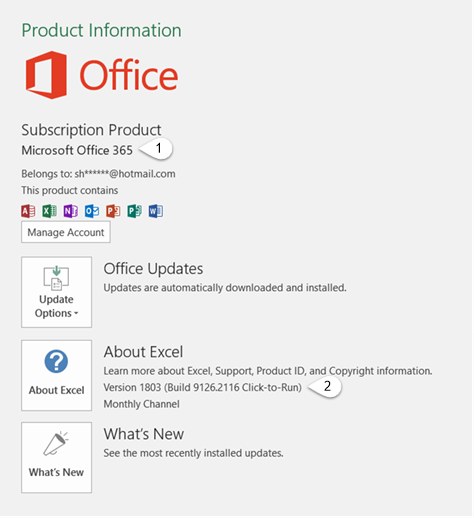
- If the PC is not signed in, open Word or Excel and select File > Account.
- Under Product Information, read the address shown next to Belongs to.
- Still nothing? Search every inbox you own for receipts from Microsoft for games, movie rentals or subscriptions; the receiving address is usually the account.
On an Xbox, the account hides behind your gamertag. Many players forget they created an email address when they signed up, and the Find your Microsoft email address walkthrough on Xbox Support shows where the console displays it.
Find my Microsoft account by phone number or recovery email
If you added security info when you set up the account, Microsoft can show you a hint of the username. This works even when you remember nothing about the address itself.
- Open the Microsoft username lookup from the Forgotten your Microsoft account username support page.
- Enter the security contact phone number or email address you added to the account.
- Request a security code to that phone number or email.
- Enter the code and select Next.
- Read the username hint, shown in a masked form such as j****@outlook.com.
One phone number or email can be security info for more than one account, so you may see several hints. If none look familiar, start the sign-in helper at aka.ms/sign-in-helper, which checks the address or number you enter and tells you what to do next.
Where to find the password of your Microsoft account
Microsoft does not show your account password, and its support agents are not allowed to send reset links or change account details for you. The only place to read the password is a copy you saved in a browser or password manager.
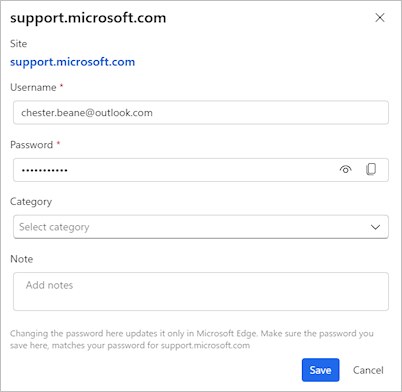
If you signed in to Microsoft sites in Edge and saved the password, it sits in Microsoft Password Manager. You can also find other saved passwords on your computer if you used a different browser.
- Open Microsoft Edge with your personal Microsoft account profile.
- Select the three dots at the top right, then Settings.
- Select Passwords and autofill, then Microsoft Password Manager.
- Find the entry for login.live.com or account.microsoft.com and select the right arrow next to it.
- Enter your device PIN or password if Windows asks for it.
- Select the eye icon to show the saved password.
A saved password can be out of date. Editing it in Edge does not change the real account password, so if the saved one fails, reset the password instead.
Reset a forgotten Microsoft account password
Resetting is the answer to "can I find my Microsoft password" for almost everyone. You need access to one of the verification options on the account, usually a phone number or another email.
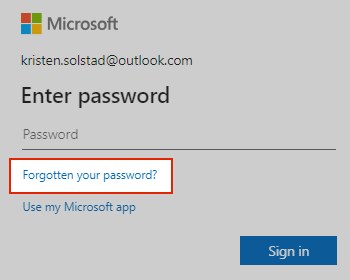
- On the Microsoft sign-in page, select Forgotten your password? in the Enter password window, or open Reset password from the support page and enter your username.
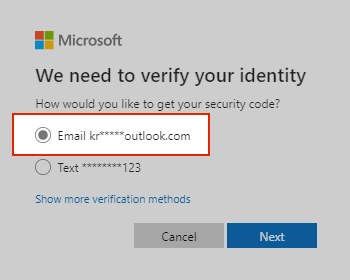
- Choose where you want the verification code sent and select Next.
- Retype the first part of the hinted email address, or the last four digits of the hinted phone number.
- Select Get code and open that email inbox or phone.
- Paste or type the code and select Next.
- Type your new password and select Next.
On a Windows sign-in screen, select I forgot my password, or select Sign-in options > Web sign-in and then Forgot my password. If you know the password and only want to change it, go to account.microsoft.com/security and select Change password.
Where do I find my Microsoft recovery code
A Microsoft account recovery code is a 25-digit code that lets you back in when you forget the password or lose every verification method. Microsoft cannot show or download an existing code, so the only copy is the one you printed or wrote down.
If you have lost it and can still sign in, generate a new one now.
- Go to account.live.com/proofs/manage/additional and sign in.
- Scroll to the Recovery code section.
- Select Generate a new code; every older code stops working at once.
- Print the code and store it away from any device you sign in with.
- To use it later, start signing in, select Other ways to sign in > Use my password > Forgot password?.
- Select Use a different verification option > I don't have any of these, then enter the code at Do you have an account recovery code?.
The code is not case-sensitive and needs no spaces or dashes. Once it is accepted, you can set a new password.
How to check if your email is a Microsoft account
- Go to account.microsoft.com and select Sign in.
- Enter the email address you think is your Microsoft account.
- If a password prompt appears, the address is a Microsoft account.
- If you see We couldn't find an account with that username or That Microsoft account doesn't exist, the address is not one.
Before giving up on an address, check the spelling of the name and the domain, such as rachel or rachael and .com or .co.uk. Hotmail, Outlook and Live addresses come in several country domains.
Is the laptop password the same as the Microsoft account?
It depends on how you sign in to Windows. The table separates the passwords people mix up most often.
| Credential | Same as Microsoft account password? | Where to change it |
|---|---|---|
| Windows password on a PC signed in with a Microsoft account | Yes, it is the Microsoft account password | Settings > Accounts > Sign-in options > Password > Change |
| Windows Hello PIN | No, the PIN is separate and can differ on each device | Settings > Accounts > Sign-in options > PIN (Windows Hello) > Change PIN |
| Local account password | No, it exists only on that PC | Windows sign-in screen > Reset password with your security questions |
| Outlook.com or Hotmail address | Yes, Outlook.com uses your Microsoft account username and password | account.microsoft.com/security > Change password |
| Work or school account | No, your organization manages it | passwordreset.microsoftonline.com or your IT admin |
If you can't remember which type you use, the sign-in options page in Settings shows whether the PC uses a Microsoft account or a local one.
Microsoft account passkey not working [fix]
A passkey replaces the password with your face, fingerprint or PIN. When it fails, the error message points to the cause.
"Something went wrong" when you use a passkey
A step timed out, a credential manager already holds a passkey for the site, Bluetooth is off for cross-device sign-in, or the OS or browser is too old.
- Start the sign-in again and finish each prompt before the device times out.
- Turn on Bluetooth on both devices for phone-to-PC sign-in, keep them in range and connected to the internet.
- Cancel and refresh the sign-in page if Bluetooth hangs, especially with a USB security key.
- Update Windows, macOS or your phone OS and the browser, since older versions may not fully support passkeys.
"No passkeys available"
The device has no screen lock, and passkeys need face, fingerprint or PIN authentication.
- Set up a PIN, fingerprint or face unlock on the device.
- Try signing in with the passkey again.
QR code not shown for iPhone, iPad, or Android device
Bluetooth is off on one device, the devices are out of range or offline, or an organization blocks Bluetooth authentication.
- Turn on Bluetooth on the PC and on the phone that holds the passkey.
- Connect both devices to the internet; they do not need to share a network.
- On a work device, ask your admin whether Bluetooth authentication is allowed.
"This passkey can no longer be used" or "We couldn't use your device to verify your identity"
The passkey was deleted, or you changed your PIN or biometric method.
- Select one of the other sign-in options offered on the screen.
- Set up a new passkey for the account.
- Delete passkeys that no longer apply from your account and from the authenticator app on your phone.
External security key not found
The key was not detected or did not respond in time.
- Unplug the security key and plug it back in.
- Touch or activate the key as soon as the prompt appears.
On Windows 11, passkeys saved in Microsoft Password Manager are listed under Settings > Accounts > Passkeys > Advanced options once you sign in to Edge with a personal profile.
Microsoft account is showing as a child account
Microsoft treats an account as a child account when its birth date is under the statutory age for your country or region. A child can't change that date alone; an adult must give consent.
"Parent or guardian consent is required for this account"
The birth date on the account makes you a minor and no adult has given consent yet.
- Sign in at login.live.com to start a consent request.
- Select I'm a parent or guardian.
- Sign in with any adult personal Microsoft account, or create one at the sign-up screen.
- Select Yes, I agree at the bottom of the consent form, then Family Safety.
- Open account.live.com/mykids.aspx, select Edit this child's personal info for your name and correct the birth date.
I'm an adult but Microsoft thinks I'm a child and I can't edit my profile
Consent was already given, so only the adult who gave it can edit the birth date.
- Ask the adult who gave consent to sign in at account.live.com/mykids.aspx.
- Have them select Edit this child's personal info for your account.
- Correct the birth date and save.
Family Safety limits still apply after the account became an adult
The device has not refreshed its safety settings.
- Press Windows key + R, type
cmdand select OK. - Paste
schtasks /run /tn "Microsoft\Windows\Shell\FamilySafetyRefreshTask"and press Enter. - Repeat on every device that still enforces the limits.
Microsoft counts an adult as 18 or older, except in Canada, where the age is 19. An adult who already shows as an adult edits the birth date directly in the profile at account.microsoft.com.
Account creation has been blocked by Microsoft [fix]
Microsoft blocks sign-ups that look automated or that reuse an address. Its account rules forbid creating accounts with programs, scripts or bots, reusing information across many accounts, or holding several accounts to get around its policies.
Sign-up fails with a new email or phone number
The sign-up method or the device triggered Microsoft's checks.
- Try a different sign-up method, such as an email address instead of a phone number.
- Try creating the account on a different device.
- Start the sign-up at signup.live.com, or create a free Outlook.com address at outlook.com if you have no email.
Can't create an account with an email you used before
Addresses used for Microsoft accounts can never be reused, even after the old account was closed long ago.
- Check whether the old account can still be reopened before you close the Microsoft account for good.
- Otherwise, sign up with an address that has never belonged to a Microsoft account.
Can't create a Microsoft account while setting up a new PC
Account creation fails during Windows setup.
- Sign in with an existing Microsoft account to finish setup, then add the new account later.
- Or set up the PC with a local account and switch to a Microsoft account afterwards.
"Your account has been locked"
Activity on the account may violate the Microsoft Services Agreement, such as spam or phishing.
- Sign in at account.microsoft.com and follow the Let's prove you're human prompt if it appears.
- If that option is missing, select the aka.ms/ link in the window and submit the reinstatement form once.
- Wait for the Microsoft Online Safety agent's email reply instead of sending more requests.
Why can't Microsoft find my account?
"We couldn't find an account with that username"
A typo, the wrong country domain, or a closed account.
- Check the spelling and the domain, for example .com or .co.uk.
- Try another email alias or the phone number on the account.
- Run the username lookup with your security phone or email.
- If nothing matches, the account may have been closed; reopen it if Microsoft still offers that option.
My Microsoft username and password have stopped working
The account needs recovery, often after a password change or suspicious activity.
- Select Recover your account on the support page and enter the email, phone number or Skype name you sign in with.
- Choose where to get your security code and select Next.
- Type the requested information and select Send code.
- Enter the code in Verify your identity, then set and confirm a new password.
- If the username is still not recognized, contact Microsoft Support and say the username has stopped working.
Microsoft account and password FAQ
Is my Microsoft password my email password?
Yes, if your Microsoft account is an Outlook.com or Hotmail address, because Outlook.com signs in with the Microsoft account username and password. A Gmail or other address used as a Microsoft account keeps its own email provider's password for that inbox.
Where do I find my Microsoft PIN?
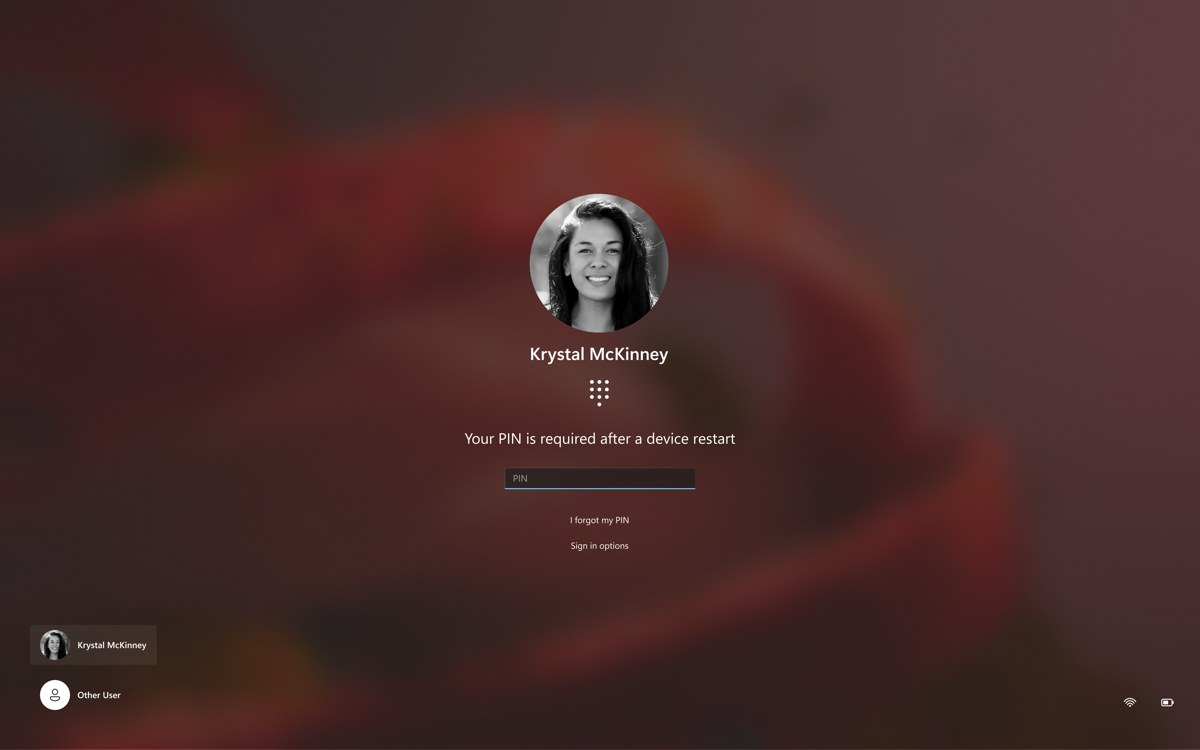
Your PIN is stored on the device, not in your Microsoft account, and each device can have a different PIN. You can change the Windows Hello PIN in Settings > Accounts > Sign-in options > PIN (Windows Hello), or select I forgot my PIN on the sign-in screen.
Where do I find my Microsoft passkey?
On Windows 11, passkeys saved in Microsoft Password Manager appear under Settings > Accounts > Passkeys > Advanced options after you sign in to Edge with a personal profile. Passkeys saved on a phone live in that phone's credential manager.
Where do I find my Microsoft account details?
Sign in at account.microsoft.com and open Your info for your profile and personal details. The Security area holds your password and sign-in methods, and Devices lists the PCs and consoles linked to the account.
Where do I find my Microsoft subscriptions?
Sign in at account.microsoft.com and open Services & subscriptions. It lists Microsoft 365 and Xbox subscriptions, where you can renew or cancel them. Payment & billing shows your order history and payment options.
Where do I find my Microsoft Rewards points?
Sign in at account.microsoft.com and open Rewards. It shows the points you have earned and how to redeem them for gift cards, charitable donations or sweepstakes entries.
Can I find my Microsoft password without resetting it?
Only if you saved it somewhere. Microsoft never displays account passwords, so check Microsoft Password Manager in Edge or another password manager. If no saved copy exists, reset the password with a verification code sent to your phone or email.
Can Microsoft Support tell me my account or password?
No. Support agents cannot give out account information without proper validation and are not allowed to send password reset links. Use the username lookup, the password reset page or the sign-in helper at aka.ms/sign-in-helper instead.
How do I reset a work or school account password?
Go to passwordreset.microsoftonline.com or contact your IT admin. Work and school accounts are created and managed by your organization, so the personal Microsoft account reset page cannot change them.